Introduction
Speech recognition tools have evolved rapidly in 2026, powering a wide range of applications including virtual assistants, transcription services, customer support automation, accessibility solutions, and hands-free device control. With the rise of AI-driven voice interfaces across smartphones, enterprise software, automobiles, and IoT devices, speech recognition tools have become more accurate, faster, and multilingual than ever.
The best speech recognition tools today combine real-time processing, natural language understanding, noise reduction, and domain-specific customization. Whether you’re a content creator requiring accurate transcriptions, a business seeking automated call analysis, or a developer integrating voice commands into applications, the right platform can significantly improve productivity and user experience.
This comprehensive guide breaks down the top 10 Speech Recognition Tools in 2026, with features, pros, cons, pricing, and comparisons to help you make a confident decision.
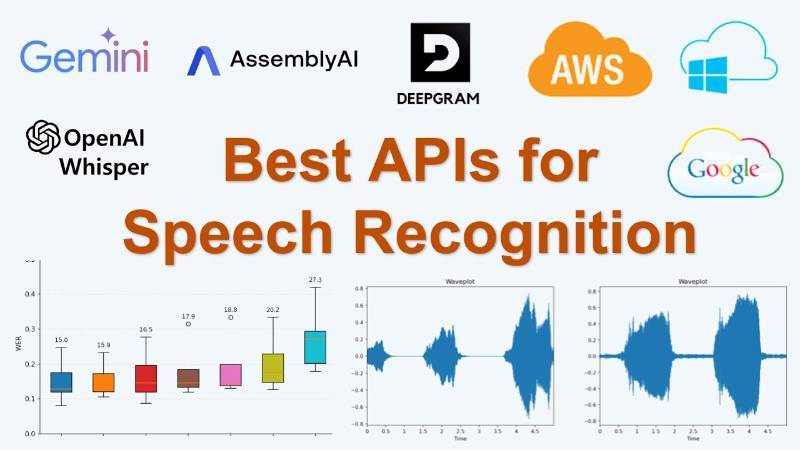
Top 10 Speech Recognition Tools in 2026
1. Google Speech-to-Text (Google Cloud)
Short Description
Google Speech-to-Text is a cloud-based AI-powered tool for converting voice to text in real-time or batch mode. Ideal for developers, call centers, and enterprise applications.
Key Features
- 120+ language support
- Real-time & batch transcription
- Auto punctuation & speaker diarization
- Noise cancellation & phone call optimization
- Word-level timestamps
- Domain-specific models
Pros
- Highly accurate for global languages
- Scalable for large enterprise workloads
- Easy API integration
Cons
- Requires Google Cloud knowledge
- Can become costly at scale
- Internet-dependent
2. Amazon Transcribe (AWS)
Short Description
Amazon Transcribe provides automated speech-to-text for customer calls, media files, and applications. Designed for enterprise-grade workloads.
Key Features
- Call analytics & sentiment detection
- Custom vocabulary
- Channel identification
- Medical transcription model
- Automatic content redaction
Pros
- Strong performance for call centers
- Deep AWS integration
- Highly customizable
Cons
- Pricing complexity
- Learning curve for beginners
- Best suited for AWS users
3. Microsoft Azure Speech to Text
Short Description
Azure Speech offers high-accuracy speech recognition, real-time transcription, and customization options for cloud and enterprise solutions.
Key Features
- Custom speech models
- Noise-robust recognition
- Punctuation & formatting intelligence
- Easy integration with Azure Cognitive Services
- Multilingual transcription
Pros
- Enterprise-ready security
- Excellent custom model training
- Works well for hybrid deployments
Cons
- Can be expensive
- Interface can feel complex
- Best performance with Microsoft ecosystem
4. OpenAI Whisper API
Short Description
Whisper is an advanced open-source speech recognition model known for exceptional accuracy, multilingual capability, and performance in noisy environments.
Key Features
- 90+ languages translation & transcription
- Highly noise-resistant
- Open-source flexibility
- Fast inference speeds
- Supports local and cloud execution
Pros
- Extremely accurate for multiple accents
- Free open-source version available
- Great for developers and AI researchers
Cons
- Requires technical knowledge to customize
- Cloud API pricing applies for hosted version
- No GUI for non-tech users
5. IBM Watson Speech to Text
Short Description
IBM Watson Speech-to-Text offers enterprise-level transcription with strong data governance and hybrid support.
Key Features
- Domain-adapted models
- Dedicated on-premise support
- Multilingual capabilities
- Real-time speech analytics
- AI-based noise elimination
Pros
- Excellent privacy & data control
- Suitable for regulated industries
- Highly customizable
Cons
- UI feels outdated
- Smaller developer community
- Higher cost for enterprise users
6. Rev.ai
Short Description
Rev.ai is a speech recognition API from Rev.com, built for accurate transcription and captioning applications.
Key Features
- Real-time & asynchronous transcription
- Support for industry-specific jargon
- High accuracy for English speech
- Speaker separation
- Timestamped transcripts
Pros
- High transcription accuracy
- Strong developer API support
- Ideal for media, podcasts, and captions
Cons
- Limited language support
- Pricing higher than open-source
- Less suited for enterprise MLOps workflows
7. Deepgram
Short Description
Deepgram offers AI-powered, end-to-end deep learning speech recognition with high-speed processing and custom models.
Key Features
- Neural end-to-end ASR engine
- Real-time processing
- Keyword boosting
- Topic detection
- Multilingual recognition
Pros
- Very fast transcription speeds
- Affordable pricing
- Highly optimized for developers
Cons
- Fewer languages than Google/Azure
- Limited enterprise features
- Requires technical integration
8. Speechmatics
Short Description
Speechmatics is a leading speech-to-text tool designed for multilingual and accented speech recognition.
Key Features
- 50+ languages
- Accent-agnostic engine
- Real-time API
- Custom dictionary support
- Event-based analytics
Pros
- Very strong accent recognition
- Good language coverage
- Robust accuracy in noisy environments
Cons
- Limited integrations
- No free tier
- Higher pricing than some competitors
9. Nuance Dragon Speech Recognition
Short Description
Dragon is a popular desktop speech recognition tool widely used in healthcare, legal, and professional settings.
Key Features
- High-accuracy dictation
- Industry-specific models
- Custom voice commands
- Offline mode
- Medical & legal vocabulary
Pros
- Exceptional accuracy for dictation
- Works offline
- Strong industry use cases
Cons
- Desktop-focused, not cloud-native
- Expensive licensing
- Limited integration with modern AI tools
10. Otter.ai
Short Description
Otter.ai is a popular AI meeting transcription tool ideal for professionals, teams, and educators.
Key Features
- Live meeting transcription
- Voiceprint speaker identification
- Real-time collaboration
- Keyword summaries
- Integrations: Zoom, Google Meet, Teams
Pros
- Perfect for meetings & collaboration
- Affordable pricing
- Easy to use for non-technical users
Cons
- Limited for enterprise MLOps
- Not ideal for multi-language usage
- Best suited only for meetings
Comparison Table: Top 10 Speech Recognition Tools (2026)
| Tool Name | Best For | Platforms Supported | Standout Feature | Pricing | Ratings |
|---|---|---|---|---|---|
| Google Speech-to-Text | Global apps, enterprises | Cloud | 120+ language support | Usage-based | 4.7/5 |
| Amazon Transcribe | Call centers, enterprises | Cloud | Call analytics | Usage-based | 4.6/5 |
| Azure Speech | Hybrid enterprises | Cloud/Hybrid | Custom speech models | Usage-based | 4.6/5 |
| OpenAI Whisper | Developers, researchers | Cloud/Local | Multilingual + noise resistance | Free + Paid | 4.8/5 |
| IBM Watson STT | Regulated industries | Cloud/Hybrid | Governance & privacy | Custom | 4.4/5 |
| Rev.ai | Media, podcasts | Cloud | High English accuracy | Usage-based | 4.5/5 |
| Deepgram | Developers | Cloud/Local | Ultra-fast processing | Low cost | 4.6/5 |
| Speechmatics | Multilingual teams | Cloud | Accent-agnostic engine | Custom | 4.5/5 |
| Nuance Dragon | Professionals | Windows/Mac | Offline dictation | License-based | 4.3/5 |
| Otter.ai | Meetings & teams | Cloud | Meeting transcription | Free + Paid | 4.7/5 |
Which Speech Recognition Tool Is Right for You?
Choosing the right tool depends on your use case, team size, budget, and accuracy requirements.
Choose Google Speech-to-Text if:
- You need multilingual recognition
- You want enterprise-level scalability
Choose Amazon Transcribe if:
- You manage call centers or voice analytics
- You rely on the AWS ecosystem
Choose Azure Speech if:
- You need hybrid cloud deployments
- Custom speech models matter to you
Choose OpenAI Whisper if:
- You want cutting-edge accuracy
- You prefer open-source or local processing
Choose IBM Watson STT if:
- You work in finance, healthcare, or government
- Data security is your priority
Choose Rev.ai if:
- You need transcription for podcasts or media
Choose Deepgram if:
- You want speed and affordability
- You are building AI apps
Choose Speechmatics if:
- You need accent-independent recognition
Choose Nuance Dragon if:
- You’re a lawyer, doctor, or professional relying on dictation
Choose Otter.ai if:
- You want meeting and conferencing transcription
Conclusion
Speech Recognition Tools in 2026 are more powerful, multilingual, and easier to integrate than ever. Whether you’re building voice-enabled apps, analyzing customer calls, transcribing meetings, or creating content, the right tool can save hours of work and deliver a seamless voice experience.
Before selecting a platform, always test accuracy, speed, language support, pricing, and integrations. With rapid AI advancements, the tools on this list are leading the evolution of the voice-first digital future.
FAQs
1. What are Speech Recognition Tools?
Software tools that convert spoken audio into text using AI and machine learning.
2. Which speech recognition tool has the best accuracy?
OpenAI Whisper and Google Speech-to-Text rank among the top for accuracy.
3. Which tool is best for call centers?
Amazon Transcribe and Deepgram.
4. Which speech tool is best for beginners?
Otter.ai and Nuance Dragon.
5. Which tool is best for developers?
Whisper, Deepgram, and Google Speech-to-Text.

- Top 10 AI Model Serving Frameworks Tools in 2026: Features, Pros, Cons & Comparison - August 30, 2026
- Top 10 Construction Management Software Tools in 2026: Features, Pros, Cons & Comparison - August 11, 2026
- Top 10 AI Academic Writing Tools in 2026: Features, Pros, Cons & Comparison - August 11, 2026
This comparison is really well done. You explained the strengths and weaknesses of each speech recognition tool in a way that makes choosing the right one much simpler. Very useful for anyone working with voice technology in 2025.