Introduction
Video editing software is a suite of tools that allows creators, filmmakers, marketers, and content producers to manipulate video footage, arrange clips, add effects, and produce professional-quality final videos. With the explosion of digital content, high-quality video production has become critical for storytelling, brand promotion, social media engagement, and entertainment.
The importance of video editing software lies in its ability to streamline the editing workflow, enhance visual appeal, and maintain consistency in storytelling. High-end editing tools enable color correction, audio mixing, motion graphics integration, and special effects application, which together transform raw footage into a polished, engaging video. Whether creating a YouTube video, a corporate presentation, a short film, or a TV commercial, video editing software plays a pivotal role in production quality.
When choosing a video editing software, users should evaluate ease of use, platform compatibility, supported file formats, rendering performance, special effects capabilities, and integration with other software tools like audio editors, motion graphics platforms, or VFX software. Additionally, collaboration features and cloud workflows are increasingly important for team-based projects.
Best for: Film studios, content creators, YouTubers, marketing teams, corporate video producers, and freelance editors seeking professional editing capabilities.
Not ideal for: Casual users or hobbyists who only require basic trimming, merging, or simple effects that free or lightweight editors can handle.
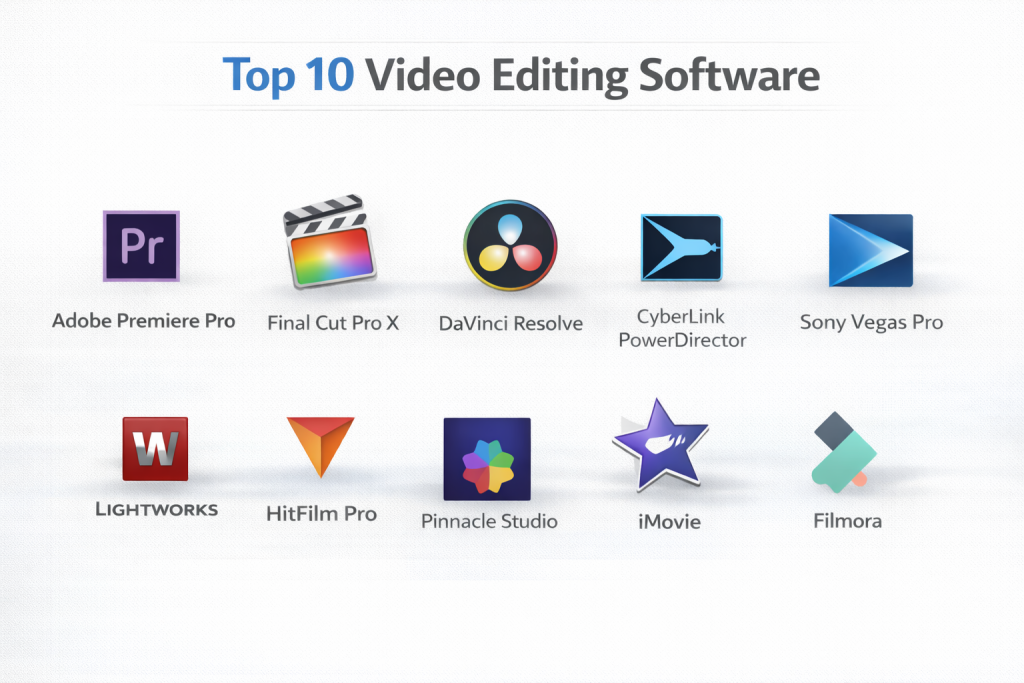
Top 10 Video Editing Software Tools
1 — Adobe Premiere Pro
Short description: Adobe Premiere Pro is a professional video editing software widely used by filmmakers, YouTubers, and corporate video producers for creating high-quality content.
Key features:
- Multi-track timeline editing
- Advanced trimming and cutting tools
- Integration with Adobe Creative Cloud apps
- Color grading with Lumetri Color
- Motion graphics templates and transitions
- Support for 4K/8K and VR video formats
- Real-time collaboration with Team Projects
Pros:
- Industry-standard for professional editing
- Powerful integration with Adobe ecosystem
- Regular updates and extensive plugin support
Cons:
- Subscription-based pricing
- Steep learning curve for beginners
Security & compliance: Varies
Support & community: Adobe tutorials, forums, customer support, enterprise onboarding
2 — Final Cut Pro X
Short description: Apple’s Final Cut Pro X is a Mac-exclusive professional video editing tool optimized for speed, efficiency, and creative workflows.
Key features:
- Magnetic timeline for flexible editing
- Advanced color grading and HDR support
- Motion graphics and effects integration
- 360-degree video editing
- Optimized rendering for Mac hardware
- Multi-camera editing support
Pros:
- Extremely fast performance on Mac
- Intuitive workflow for editors
- One-time purchase license
Cons:
- Mac-only software
- Limited collaboration tools for teams
Security & compliance: N/A
Support & community: Apple support, online tutorials, community forums
3 — DaVinci Resolve
Short description: DaVinci Resolve combines professional editing, color grading, VFX, and audio post-production in one platform.
Key features:
- Node-based color grading
- Multi-track editing with real-time playback
- Fusion VFX integration
- Fairlight audio editing suite
- HDR and 8K video support
- Collaborative multi-user workflow
Pros:
- Free version with professional-grade tools
- Industry-standard color grading
- Integrated audio and VFX tools
Cons:
- Hardware-intensive
- Steep learning curve for beginners
Security & compliance: Varies
Support & community: Blackmagic tutorials, forums, professional support
4 — CyberLink PowerDirector
Short description: PowerDirector is a consumer-friendly, professional-grade video editor for Windows users that balances ease of use with advanced features.
Key features:
- Multi-track timeline editing
- Motion tracking and keyframe controls
- 360-degree video editing
- AI-powered tools for color correction and effects
- Built-in stock media library
- Fast rendering with GPU acceleration
Pros:
- Beginner-friendly with powerful tools
- Affordable pricing options
- AI features accelerate editing
Cons:
- Windows-only
- Less advanced color grading compared to DaVinci Resolve
Security & compliance: N/A
Support & community: Online tutorials, forums, customer support
5 — Sony Vegas Pro
Short description: Vegas Pro is a professional video editing software known for its timeline-based workflow and extensive audio/video effects support.
Key features:
- Multi-track timeline editing
- Real-time effects and transitions
- HDR color grading
- Audio mixing and editing tools
- 4K/8K video support
- Scriptable automation options
Pros:
- Intuitive workflow for editing
- Strong audio/video integration
- Supports high-resolution projects
Cons:
- Windows-only
- Interface may feel dated to some users
Security & compliance: N/A
Support & community: Tutorials, forums, official support
6 — Lightworks
Short description: Lightworks is a professional editing tool with a long-standing reputation in film editing, offering both free and pro versions.
Key features:
- Timeline-based non-linear editing
- Real-time effects and transitions
- Export to social media formats
- Multi-camera editing
- Advanced color correction
- Proxy workflow for high-resolution footage
Pros:
- Free version available
- Used in professional film production
- Cross-platform support
Cons:
- Limited features in free version
- Learning curve for new users
Security & compliance: N/A
Support & community: Tutorials, online forums, professional support
7 — HitFilm Pro
Short description: HitFilm Pro combines video editing and visual effects in a single platform, ideal for indie filmmakers and content creators.
Key features:
- Multi-track timeline editing
- Built-in VFX tools and particle systems
- 2D and 3D compositing
- Motion tracking and stabilization
- GPU-accelerated performance
- Templates and presets
Pros:
- Combines editing and VFX
- Affordable for indie creators
- Beginner-friendly with tutorials
Cons:
- Less advanced for professional feature films
- Windows-only
Security & compliance: N/A
Support & community: Online tutorials, forums, customer support
8 — Pinnacle Studio
Short description: Pinnacle Studio is a feature-rich video editor for Windows that targets both beginners and intermediate users.
Key features:
- Multi-track timeline editing
- Keyframe controls for effects and transitions
- 4K video support
- Color grading and correction tools
- Stop motion and motion tracking
- Export options for multiple formats
Pros:
- Affordable
- User-friendly interface
- Good set of creative tools
Cons:
- Windows-only
- Limited advanced features for professional studios
Security & compliance: N/A
Support & community: Tutorials, forums, customer support
9 — iMovie
Short description: iMovie is Apple’s free video editor for Mac and iOS devices, designed for casual editing and simple projects.
Key features:
- Simple drag-and-drop timeline
- Built-in transitions and effects
- Color correction and basic grading
- Audio editing and soundtracks
- Templates for trailers and videos
Pros:
- Free and beginner-friendly
- Works seamlessly with Mac/iOS ecosystem
- Intuitive interface
Cons:
- Limited professional features
- Mac/iOS-only
Security & compliance: N/A
Support & community: Apple tutorials, forums
10 — Filmora
Short description: Filmora is a beginner-friendly video editor offering an intuitive interface and creative tools for content creators.
Key features:
- Multi-track timeline editing
- Built-in effects and transitions
- Color grading tools
- Motion graphics and text templates
- Audio editing tools
- Export presets for social media
Pros:
- Easy to learn
- Affordable
- Pre-made templates simplify editing
Cons:
- Limited advanced professional tools
- Watermark in free version
Security & compliance: N/A
Support & community: Tutorials, forums, customer support
Comparison Table
| Tool Name | Best For | Platform(s) Supported | Standout Feature | Rating |
|---|---|---|---|---|
| Adobe Premiere Pro | Professional editing | Windows, Mac | Lumetri Color, Creative Cloud | N/A |
| Final Cut Pro X | Mac editors | Mac | Magnetic Timeline | N/A |
| DaVinci Resolve | Studios & colorists | Windows, Mac, Linux | Node-based color grading | N/A |
| CyberLink PowerDirector | Beginner/intermediate | Windows | AI-powered effects | N/A |
| Sony Vegas Pro | Professional editors | Windows | Real-time effects & audio integration | N/A |
| Lightworks | Indie & pro films | Windows, Mac, Linux | Professional-grade editing | N/A |
| HitFilm Pro | Indie & VFX creators | Windows | Editing + VFX integration | N/A |
| Pinnacle Studio | Beginners/intermediate | Windows | Creative effects & templates | N/A |
| iMovie | Beginners | Mac, iOS | Drag-and-drop simplicity | N/A |
| Filmora | Casual & YouTubers | Windows, Mac | Pre-made templates & effects | N/A |
Evaluation & Scoring of Video Editing Software
| Tool Name | Core Features (25%) | Ease of Use (15%) | Integrations & Ecosystem (15%) | Security & Compliance (10%) | Performance & Reliability (10%) | Support & Community (10%) | Price / Value (15%) | Total Score |
|---|---|---|---|---|---|---|---|---|
| Premiere Pro | 25 | 12 | 14 | 8 | 10 | 9 | 12 | 90 |
| Final Cut Pro X | 22 | 14 | 13 | 8 | 9 | 8 | 11 | 85 |
| DaVinci Resolve | 25 | 12 | 14 | 8 | 10 | 9 | 12 | 90 |
| PowerDirector | 20 | 14 | 12 | 8 | 9 | 8 | 12 | 83 |
| Vegas Pro | 23 | 12 | 13 | 8 | 10 | 8 | 11 | 85 |
| Lightworks | 22 | 14 | 12 | 8 | 9 | 8 | 12 | 85 |
| HitFilm Pro | 21 | 14 | 12 | 8 | 8 | 8 | 12 | 83 |
| Pinnacle Studio | 20 | 14 | 12 | 8 | 8 | 8 | 12 | 82 |
| iMovie | 18 | 15 | 10 | 8 | 8 | 7 | 15 | 81 |
| Filmora | 20 | 15 | 12 | 8 | 8 | 8 | 12 | 83 |
Which Video Editing Software Tool Is Right for You?
Solo creators and YouTubers may prefer Filmora, iMovie, or PowerDirector for simplicity and affordability. Small to mid-size teams can use DaVinci Resolve, Premiere Pro, or Vegas Pro for professional results with editing, color grading, and audio tools. Large studios and post-production houses may favor Premiere Pro, DaVinci Resolve Studio, or Lightworks for high-end workflows, multi-user collaboration, and advanced effects. Budget, hardware, platform compatibility, and integration requirements are key factors in selection.
Frequently Asked Questions (FAQs)
- What is video editing software?
Software that enables cutting, arranging, and enhancing video footage to produce professional-quality videos. - Do I need a high-end PC to edit videos?
High-resolution or complex editing projects require robust hardware, but lightweight editors like iMovie or Filmora run on modest setups. - Which software is best for beginners?
iMovie, Filmora, and PowerDirector are intuitive and beginner-friendly. - Can these tools handle 4K/8K footage?
Professional software like Premiere Pro, DaVinci Resolve, and Vegas Pro support 4K/8K editing. - Are there free options?
DaVinci Resolve offers a free version with professional capabilities. - Do these software support VFX and motion graphics?
Yes, tools like HitFilm Pro, Premiere Pro, and DaVinci Resolve integrate VFX and motion graphics. - Which tools are used in Hollywood?
Premiere Pro, DaVinci Resolve Studio, and Lightworks are widely used in professional film production. - Can multiple users collaborate on a project?
DaVinci Resolve Studio and Premiere Pro support collaborative workflows. - Are there Mac-only options?
Final Cut Pro X and iMovie are exclusive to macOS and iOS. - What are common mistakes in video editing?
Overusing effects, neglecting audio quality, ignoring color grading, and failing to maintain consistent pacing are common mistakes.
Conclusion
Video editing software is essential for transforming raw footage into professional, engaging content. Choosing the right tool depends on your experience level, project requirements, budget, and desired workflow. Beginners may prioritize ease of use and affordability, while professional studios require advanced features, collaboration tools, and high-resolution support. By evaluating performance, integrations, features, and cost, creators can select the ideal software to produce polished, visually appealing videos that meet their creative and professional goals.

- Top 10 Email Deliverability Tools: Features, Pros, Cons & Comparison - September 6, 2026
- Top 10 Pharmacovigilance Software: Features, Pros, Cons & Comparison - September 6, 2026
- Top 10 Manufacturing Execution Systems (MES) - July 30, 2026