Introduction
Audio editing software is a specialized set of tools used by musicians, podcasters, sound engineers, and content creators to manipulate, enhance, and produce high-quality audio. These tools allow users to record, cut, mix, equalize, and apply effects to audio tracks, ensuring clarity, balance, and professional sound quality. Whether producing music, podcasts, radio shows, voiceovers, or post-production for film and video, audio editing software is essential for achieving polished results.
The importance of audio editing software lies in its ability to save time, enhance sound quality, and provide creative control over audio content. Professionals can remove unwanted noise, synchronize audio with video, apply dynamic effects, and master tracks for various distribution formats. Effective software also supports multiple file formats, multitrack editing, real-time previews, and advanced processing capabilities, which are crucial for complex audio projects.
When selecting audio editing software, users should consider features like multi-track editing, real-time effects, VST/AU plugin support, sample rate compatibility, MIDI integration, and export options. Tools that provide intuitive workflows, advanced automation, and integration with video or DAW platforms often deliver greater efficiency and flexibility.
Best for: Musicians, audio engineers, podcasters, sound designers, post-production studios, broadcasters, and enterprises producing high-quality audio content.
Not ideal for: Casual users requiring only basic trimming or volume adjustments, which can be accomplished with lightweight or free editors.
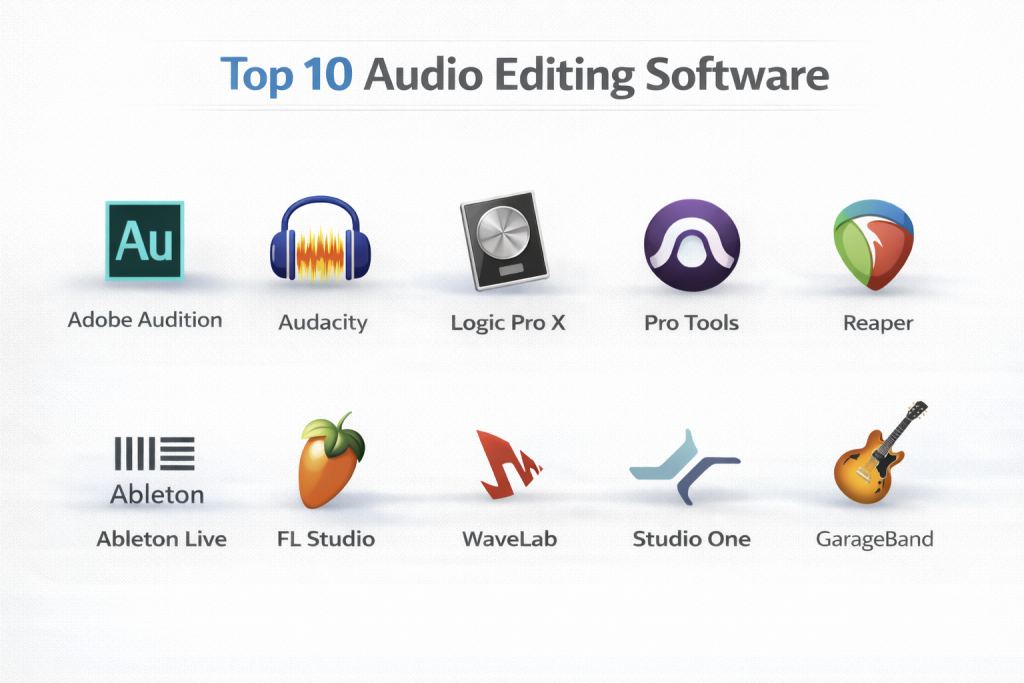
Top 10 Audio Editing Software Tools
1 — Adobe Audition
Short description: Adobe Audition is a professional digital audio workstation (DAW) used for multi-track editing, audio restoration, and sound design.
Key features:
- Multi-track and waveform editing
- Noise reduction and audio restoration tools
- VST/AU plugin support
- Batch processing and automation
- Integration with Adobe Premiere Pro
- Real-time effects and mixing
- Spectral display for precise editing
Pros:
- Industry-standard for audio post-production
- Seamless integration with Adobe ecosystem
- Powerful restoration and noise removal
Cons:
- Subscription-based pricing
- Can be complex for beginners
Security & compliance: Varies
Support & community: Adobe tutorials, forums, customer support, enterprise onboarding
2 — Audacity
Short description: Audacity is a free, open-source audio editor suitable for basic to intermediate editing tasks.
Key features:
- Multi-track editing
- Effects and equalization tools
- Audio recording from multiple sources
- Supports VST plugins
- Noise removal and restoration tools
- Cross-platform compatibility
Pros:
- Free and open-source
- Beginner-friendly interface
- Lightweight and easy to install
Cons:
- Limited advanced features
- UI may feel outdated
- No native support for multi-user collaboration
Security & compliance: N/A
Support & community: Online tutorials, forums, open-source community
3 — Logic Pro X
Short description: Logic Pro X is Apple’s professional DAW for music production, audio editing, and sound design on macOS.
Key features:
- Multi-track recording and editing
- Advanced MIDI sequencing and virtual instruments
- Flex Time and Flex Pitch for audio correction
- Comprehensive plugin suite
- Integration with GarageBand and Apple ecosystem
- Advanced mixing and mastering tools
Pros:
- Comprehensive music production features
- Optimized for Mac hardware
- One-time purchase license
Cons:
- Mac-only
- Steep learning curve for beginners
Security & compliance: N/A
Support & community: Apple tutorials, forums, professional training
4 — Pro Tools
Short description: Pro Tools is a professional-grade DAW widely used in music, film, and broadcast post-production.
Key features:
- Multi-track audio recording and editing
- Advanced mixing and automation
- VST/AU plugin support
- Real-time audio effects
- Cloud collaboration features
- High-resolution audio support
Pros:
- Industry-standard in studios
- Excellent for collaborative workflows
- Powerful mixing and mastering capabilities
Cons:
- Subscription or high-cost licenses
- Steep learning curve
Security & compliance: Varies
Support & community: Avid tutorials, forums, enterprise support
5 — Reaper
Short description: Reaper is a versatile and affordable DAW for professional audio recording and editing.
Key features:
- Multi-track audio and MIDI editing
- Extensive plugin and scripting support
- Customizable workflow
- Real-time effects and mixing
- Multi-channel recording
- Lightweight and efficient
Pros:
- Affordable with full-featured capabilities
- Highly customizable interface
- Cross-platform support
Cons:
- No bundled virtual instruments
- UI may feel less polished
Security & compliance: N/A
Support & community: Tutorials, user forums, active community
6 — Ableton Live
Short description: Ableton Live is a DAW focused on music production, live performance, and electronic composition.
Key features:
- Session and arrangement views
- Real-time effects and warping
- Built-in virtual instruments and samples
- MIDI sequencing and automation
- Clip-based performance editing
- Integration with controllers
Pros:
- Excellent for live performance
- Intuitive workflow for electronic music
- Extensive library of instruments and effects
Cons:
- Less suited for traditional post-production
- Expensive for full suite
Security & compliance: N/A
Support & community: Tutorials, forums, Ableton community
7 — FL Studio
Short description: FL Studio is a music production DAW widely used for electronic music, beat-making, and audio editing.
Key features:
- Multi-track sequencing and recording
- Piano roll and MIDI editing
- Built-in effects and virtual instruments
- Automation and mixing tools
- Pattern-based workflow
- Audio export in multiple formats
Pros:
- Beginner-friendly for music production
- Lifetime free updates
- Extensive plugin support
Cons:
- Less optimized for post-production editing
- Windows-centric, limited Mac version
Security & compliance: N/A
Support & community: Tutorials, forums, active user community
8 — WaveLab
Short description: WaveLab is a professional audio editing and mastering software used for music, broadcast, and post-production.
Key features:
- Audio editing and mastering
- Spectral editing and analysis tools
- Multi-channel editing
- Audio restoration and noise reduction
- Batch processing
- VST plugin support
Pros:
- High-quality mastering tools
- Professional-grade audio analysis
- Reliable and precise workflow
Cons:
- Expensive
- Steep learning curve
Security & compliance: N/A
Support & community: Tutorials, forums, Steinberg support
9 — Studio One
Short description: Studio One is a DAW for recording, editing, mixing, and mastering audio, suitable for professional and indie music producers.
Key features:
- Multi-track audio and MIDI editing
- Drag-and-drop workflow
- Integrated mastering suite
- VST/AU plugin support
- Real-time effects processing
- Customizable interface
Pros:
- Intuitive workflow
- Affordable professional features
- Regular updates
Cons:
- Limited collaborative features
- Smaller user community than competitors
Security & compliance: N/A
Support & community: Tutorials, forums, Studio One community
10 — GarageBand
Short description: GarageBand is Apple’s beginner-friendly audio editor for macOS and iOS, ideal for entry-level music creation and podcasting.
Key features:
- Multi-track recording and editing
- Built-in virtual instruments
- Loops and sound libraries
- Basic effects and EQ tools
- User-friendly interface
- Integration with Logic Pro X
Pros:
- Free and easy to use
- Optimized for Mac/iOS
- Great for beginners
Cons:
- Limited professional features
- Mac/iOS-only
Security & compliance: N/A
Support & community: Apple tutorials, forums
Comparison Table
| Tool Name | Best For | Platform(s) Supported | Standout Feature | Rating |
|---|---|---|---|---|
| Adobe Audition | Professional editing | Windows, Mac | Noise reduction & restoration | N/A |
| Audacity | Beginners | Windows, Mac, Linux | Free & open-source | N/A |
| Logic Pro X | Music production | Mac | MIDI & Flex Time tools | N/A |
| Pro Tools | Studios & post-production | Windows, Mac | Industry-standard mixing | N/A |
| Reaper | Affordable pro editing | Windows, Mac, Linux | Customizable workflow | N/A |
| Ableton Live | Electronic music & live | Windows, Mac | Real-time performance | N/A |
| FL Studio | Beat-making & music | Windows, Mac | Pattern-based workflow | N/A |
| WaveLab | Mastering & post-production | Windows, Mac | Spectral editing & analysis | N/A |
| Studio One | Recording & mastering | Windows, Mac | Drag-and-drop workflow | N/A |
| GarageBand | Beginners & Mac users | Mac, iOS | Intuitive, built-in instruments | N/A |
Evaluation & Scoring of Audio Editing Software
| Tool Name | Core Features (25%) | Ease of Use (15%) | Integrations & Ecosystem (15%) | Security & Compliance (10%) | Performance & Reliability (10%) | Support & Community (10%) | Price / Value (15%) | Total Score |
|---|---|---|---|---|---|---|---|---|
| Adobe Audition | 25 | 12 | 14 | 8 | 10 | 9 | 12 | 90 |
| Audacity | 18 | 14 | 12 | 8 | 8 | 8 | 15 | 83 |
| Logic Pro X | 23 | 13 | 13 | 8 | 9 | 8 | 11 | 85 |
| Pro Tools | 25 | 12 | 14 | 8 | 10 | 9 | 10 | 88 |
| Reaper | 22 | 14 | 12 | 8 | 9 | 8 | 12 | 85 |
| Ableton Live | 23 | 13 | 13 | 8 | 9 | 8 | 10 | 84 |
| FL Studio | 22 | 14 | 12 | 8 | 8 | 8 | 11 | 83 |
| WaveLab | 24 | 12 | 13 | 8 | 10 | 8 | 10 | 85 |
| Studio One | 23 | 13 | 13 | 8 | 9 | 8 | 11 | 85 |
| GarageBand | 18 | 15 | 12 | 8 | 8 | 7 | 15 | 83 |
Which Audio Editing Software Tool Is Right for You?
Solo creators, podcasters, and beginners may prefer Audacity, GarageBand, or FL Studio for cost-effective and simple workflows. Small to mid-size studios or freelance producers might choose Reaper, Studio One, or Ableton Live for professional-grade features with affordability. Large studios and post-production houses require Pro Tools, Adobe Audition, or Logic Pro X for industry-standard tools, advanced mixing, and collaborative workflows. Key factors include platform compatibility, workflow integration, feature depth, ease of use, and budget.
Frequently Asked Questions (FAQs)
- What is audio editing software?
Software that enables recording, cutting, mixing, and processing audio tracks for professional or creative projects. - Do I need a high-end computer to use these tools?
High-resolution or multi-track projects benefit from robust hardware, but basic editing can be done on standard PCs. - Which software is best for beginners?
Audacity, GarageBand, and FL Studio are user-friendly for entry-level users. - Can these tools handle multi-track audio?
Yes, professional software like Pro Tools, Audition, and Logic Pro X support multi-track recording and mixing. - Are there free options?
Audacity and GarageBand are free and suitable for beginner to intermediate projects. - Do these tools support plugins?
Most support VST, AU, or other plugin formats for expanded audio effects and instruments. - Which software is used in studios and film post-production?
Pro Tools, Adobe Audition, and WaveLab are commonly used in professional studios. - Can I integrate these tools with video editors?
Yes, tools like Adobe Audition integrate seamlessly with Premiere Pro, and others support import/export of video formats. - Are Mac-only tools better?
Mac-exclusive software like Logic Pro X and GarageBand are optimized for Mac hardware but limit cross-platform flexibility. - What are common mistakes in audio editing?
Over-compression, neglecting noise reduction, inconsistent levels, and poor export formats are frequent errors.
Conclusion
Audio editing software is essential for producing professional, polished, and creative audio content across music, podcasts, film, and digital media. Selecting the right tool depends on skill level, project scope, hardware, and budget. Beginners may prioritize ease of use, while professionals need multi-track editing, plugin support, and collaborative workflows. By evaluating features, integrations, performance, and cost, creators can choose the ideal software to enhance audio quality, streamline workflows, and achieve high-impact results.

- Top 10 Email Deliverability Tools: Features, Pros, Cons & Comparison - September 6, 2026
- Top 10 Pharmacovigilance Software: Features, Pros, Cons & Comparison - September 6, 2026
- Top 10 Manufacturing Execution Systems (MES) - July 30, 2026