Introduction
In an era where organizational agility determines market survival, Business Process Management (BPM) Suites have become the command centers of modern enterprise operations. A BPM Suite (BPMS) is a comprehensive set of software tools designed to model, automate, execute, and monitor business processes. Unlike simple task managers, these suites focus on end-to-end workflows that span multiple departments, systems, and human actors. By providing a visual environment to map out how work moves through an organization, BPM tools help identify bottlenecks, eliminate redundancies, and ensure that complex operations are performed consistently.
The importance of a BPM suite lies in its ability to transform “invisible” manual habits into “visible” digital assets. Key real-world use cases include orchestrating loan approvals in banking, managing complex insurance claims, automating pharmaceutical clinical trial workflows, and optimizing supply chain procurement. When choosing a suite, evaluators should look for BPMN 2.0 compliance (the industry standard for modeling), low-code development interfaces, real-time process analytics, and seamless integration with legacy ERP and CRM systems.
Best for:
Operations leaders, Process Architects, and IT Managers in mid-to-large-scale enterprises. It is particularly vital for highly regulated industries like Finance, Healthcare, and Government, where audit trails and strict adherence to documented procedures are mandatory for compliance.
Not ideal for:
Small businesses or startups with simple, fluid workflows that change daily. If your primary need is simply tracking “who is doing what” on a small team, a lightweight Project Management tool or a basic Automation platform (like Zapier) will be more cost-effective and less cumbersome than a full-scale BPM suite.
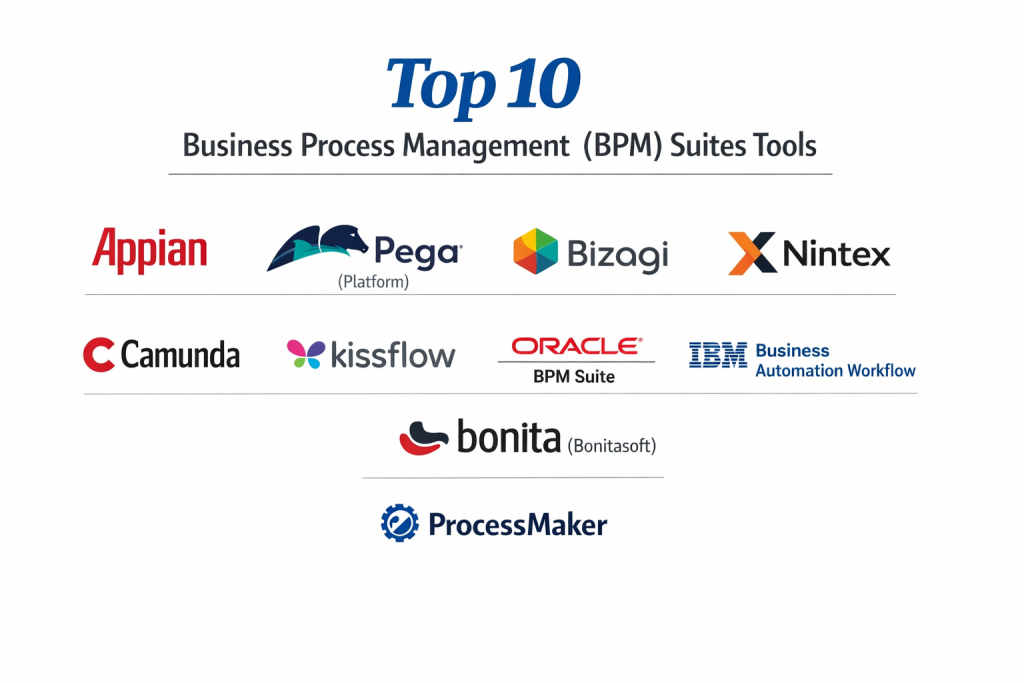
Top 10 Business Process Management (BPM) Suites Tools
1 — Appian
Appian is a recognized leader in the “Hyperautomation” space, offering a unified platform that combines BPM with low-code application development and native RPA.
- Key features:
- Data Fabric: A unique architectural layer that connects data across systems without moving it.
- Low-Code Design: Drag-and-drop interface for building complex process-driven apps.
- Native RPA & AI: Integrated bots and machine learning modules to handle repetitive tasks.
- Process Mining: Built-in tools to discover and analyze existing workflows for inefficiencies.
- Mobile-First Deployment: Automatically renders processes as native mobile applications.
- Dynamic Case Management: Handles unstructured work that requires human judgment.
- Pros:
- Extremely fast development-to-deployment cycle compared to traditional coding.
- The “Data Fabric” feature significantly reduces integration headaches with legacy databases.
- Cons:
- High licensing costs make it less accessible for smaller organizations.
- The proprietary nature of the platform can lead to significant vendor lock-in.
- Security & compliance: FedRAMP High, SOC 2 Type II, SOC 3, HIPAA, PCI DSS, and GDPR compliant.
- Support & community: High-end enterprise support, a dedicated “Appian Community” portal, and extensive certification programs.
2 — Pegasystems (Pega Platform)
Pega is a powerhouse in the BPM industry, focusing on “Center-Out” architecture that prioritizes the customer journey and business logic over specific channels.
- Key features:
- Pega GenAI: Generative AI assistant that helps build workflows and summarize data.
- Situational Layer Cake: A unique way to manage variations in processes across different regions or products.
- Decision Hub: An AI engine that suggests the “Next-Best-Action” for employees.
- Voice of the Customer: Integrated tools to feed customer feedback directly into process changes.
- Omnichannel Execution: Design a process once and run it on web, mobile, or chat.
- Auto-balancing: Automatically reassigns work based on employee availability and skill level.
- Pros:
- Unrivaled for handling extremely complex, multi-national enterprise logic.
- Strong emphasis on “Build for Change,” allowing for easy updates to live processes.
- Cons:
- Very steep learning curve; typically requires specialized Pega-certified architects.
- Implementation projects are often long-term and capital-intensive.
- Security & compliance: ISO 27001, SOC 2, HIPAA, and GDPR compliant; features robust multi-tenant security.
- Support & community: “Pega Academy” provides deep technical training; global support network for enterprise clients.
3 — Camunda
Camunda is the favorite of software engineering teams, providing an open-source-based BPM engine that prioritizes “Developer-Friendliness” and technical flexibility.
- Key features:
- Camunda Modeler: A desktop app for highly technical BPMN 2.0 and DMN modeling.
- Zeebe Engine: A cloud-native workflow engine designed for massive scalability and throughput.
- Tasklist & Cockpit: Specialized interfaces for human task management and process monitoring.
- Connectors: Extensible framework to connect to any system via Java or REST.
- End-to-End Orchestration: Manages microservices, RPA bots, and human actors in a single flow.
- Multi-language Support: Build logic using Java, Node.js, Python, or C#.
- Pros:
- Offers the most control for developers who want to include BPM inside their own code.
- The open-source core allows for significant experimentation before committing to a commercial license.
- Cons:
- Requires significant coding knowledge; not suitable for “Citizen Developers.”
- Lacks the “all-in-one” app building features found in low-code competitors like Appian.
- Security & compliance: SOC 2 Type II compliant; GDPR ready; supports advanced LDAP and SSO integrations.
- Support & community: Vibrant open-source community, high-quality documentation, and professional enterprise support.
4 — IBM Business Automation Workflow
IBM’s offering is a robust, “industrial-strength” suite that combines BPM with Case Management, part of their wider Cloud Pak for Business Automation.
- Key features:
- Unified Workflow: Combines structured processes with unstructured case management.
- Operational Decision Manager (ODM): Advanced business rules management engine.
- Content Integration: Deep links with IBM FileNet for document-heavy workflows.
- Intelligent Capture: OCR and AI to extract data from physical documents.
- Process Portal: A centralized “Inbox” for users to manage all their work tasks.
- Governance & Audit: Highly detailed logging for regulatory compliance reporting.
- Pros:
- Exceptional reliability and scalability for global banking and insurance giants.
- Strongest capabilities for document-centric processes (like mortgage applications).
- Cons:
- The user interface can feel dated and “heavy” compared to modern SaaS tools.
- Configuration and maintenance usually require a dedicated IBM-skilled IT team.
- Security & compliance: FIPS 140-2, SOC 2, HIPAA, and GDPR compliant; industry-leading encryption.
- Support & community: Renowned 24/7 global support and a massive ecosystem of enterprise partners.
5 — Bizagi
Bizagi is known for its “Process First” philosophy, offering a powerful free Modeler that encourages organizations to map their processes before automating them.
- Key features:
- Bizagi Modeler: The industry standard for free BPMN 2.0 process documentation.
- Automation Service: A low-code platform to turn models into running applications.
- Context-Aware UI: Automatically hides or shows data fields based on the user’s role.
- Ready-made Templates: A “Process Xchange” with templates for HR, Finance, and IT.
- Cloud-Native Architecture: Designed to scale dynamically in Azure or AWS.
- Collaborative Portal: Allows business and IT teams to work on the same model in real-time.
- Pros:
- Best-in-class modeling tools that are easy for non-technical managers to use.
- Excellent transition from “paper process” to “digital application.”
- Cons:
- Reporting and analytics are sometimes viewed as less deep than Pega or IBM.
- The pricing model can become expensive as you move from modeling to full execution.
- Security & compliance: ISO 27001, SOC 2 Type II, and GDPR compliant.
- Support & community: Extensive free online courses (Bizagi University) and a helpful user forum.
6 — Kissflow
Kissflow is the premier “No-Code” BPM suite, designed to be so simple that department managers can automate their own processes without IT intervention.
- Key features:
- Unified Work Platform: Combines processes, projects, and case management in one UI.
- Visual Form Builder: Drag-and-drop creation of complex data entry forms.
- Social Collaboration: Built-in “contextual” chat for every process step.
- Dynamic Routing: Easily change who approves a task based on the data provided.
- Zapier Integration: Native connectivity to thousands of third-party SaaS apps.
- Reporting Dashboards: Out-of-the-box charts for process health and cycle times.
- Pros:
- The lowest barrier to entry in the BPM market.
- Perfect for “Citizen Developers” in HR, Marketing, and Finance.
- Cons:
- Not designed for ultra-complex, high-throughput enterprise back-end orchestration.
- Limited capability for deep customization via custom code.
- Security & compliance: ISO 27001, SOC 2, HIPAA, and GDPR compliant.
- Support & community: Known for excellent live chat support and straightforward documentation.
7 — Nintex
Nintex specializes in “Process Intelligence” and is the go-to suite for organizations that are heavily invested in the Microsoft SharePoint and Office 365 ecosystem.
- Key features:
- Nintex Promapp: A visual tool specifically for process mapping and documentation.
- DocGen: Automatically generates professional Word/PDF docs from process data.
- K2 Five / K2 Cloud: Advanced, high-logic workflow engine for complex apps.
- Nintex Forms: Build responsive forms that work on any mobile device.
- Nintex Assure: Integrated e-signature capabilities for legally binding workflows.
- Analytics: Visualizes how processes are performing across the whole company.
- Pros:
- The best integration with Microsoft Teams, SharePoint, and Dynamics on the market.
- Exceptional for document-heavy workflows (contracts, NDAs, employee offer letters).
- Cons:
- The transition between the “legacy” K2 modules and modern Nintex can be confusing.
- Pricing can scale quickly depending on the number of “workflows” or “users.”
- Security & compliance: SOC 2 Type II, HIPAA, and GDPR compliant; features robust audit trails.
- Support & community: Strong “Nintex University” training and a massive global partner network.
8 — Oracle BPM Suite
Part of the Oracle SOA (Service Oriented Architecture) Suite, this is a comprehensive platform for enterprises that need to unify their Oracle ERP and database environments.
- Key features:
- Process Composer: A web-based tool for business analysts to model and simulate.
- Unified Engine: Handles BPMN, BPEL, and Case Management in one runtime.
- Business Rules: A declarative way to manage complex policies (e.g., pricing or discounts).
- Oracle BAM: Business Activity Monitoring for real-time operational intelligence.
- Adaptive Case Management: For “knowledge work” that doesn’t follow a straight line.
- Deep Oracle Integration: Native hooks into Oracle E-Business Suite and JD Edwards.
- Pros:
- The most logical choice for organizations that “run on Oracle.”
- Excellent at handling high-frequency, mission-critical data transactions.
- Cons:
- Requires a significant investment in Oracle infrastructure and expertise.
- The software is considered “heavyweight” and can be slow to upgrade.
- Security & compliance: FedRAMP, HIPAA, SOC 1/2/3, and GDPR compliant.
- Support & community: Global support through Oracle’s standardized enterprise service tiers.
9 — Bonitasoft (Bonita)
Bonitasoft is an “Open-Sourced” BPM suite that targets professional developers and architects who want to build highly customized, unique digital experiences.
- Key features:
- Bonita Studio: An Eclipse-based environment for modeling and coding.
- UI Designer: A tool to build bespoke, reactive web interfaces for processes.
- Extensible Connectors: Open-source code for all connectors, allowing for custom edits.
- BPMN & DMN Support: Fully compliant with the latest modeling standards.
- Continuous Delivery: Tools to manage the DevOps lifecycle of process applications.
- Living Applications: The ability to update process logic without taking the app offline.
- Pros:
- Highly flexible for companies building a “unique” software product with a BPM core.
- Excellent value for organizations with strong internal Java development teams.
- Cons:
- Not suitable for business users; it is a “Developer-First” platform.
- The documentation is highly technical and can be a hurdle for new users.
- Security & compliance: SOC 2 Type II ready; GDPR compliant; features robust encryption.
- Support & community: Large open-source community and professional technical support for the Enterprise edition.
10 — Newgen (OmniFlow iBPS)
Newgen is a global provider that excels in “Contextual Content Services,” combining BPM with one of the most powerful Enterprise Content Management (ECM) engines.
- Key features:
- OmniFlow iBPS: A high-end engine for managing complex, long-running processes.
- OmniDocs: An integrated ECM system for managing millions of digital documents.
- Mobile Business Suite: Full process capability on iOS and Android.
- Customer Communication Management (CCM): Automate the generation of customer letters and bills.
- AI-enabled Capture: Intelligent ingestion of data from emails, scans, and faxes.
- Low-code Application Studio: For building process-centric customer portals.
- Pros:
- Unmatched for industries like Banking (Account Opening) and Insurance (Claims).
- Strongest “native” document management of any tool on this list.
- Cons:
- The platform is powerful but has a complex UI that requires training.
- Limited “self-service” community compared to Appian or Camunda.
- Security & compliance: ISO 27001, SOC 2, HIPAA, and GDPR compliant.
- Support & community: High-touch professional services and specialized industry-specific support.
Comparison Table
| Tool Name | Best For | Platform(s) Supported | Standout Feature | Rating (Gartner) |
| Appian | Rapid Low-code Apps | Cloud / Hybrid | Data Fabric Architecture | 4.7 / 5 |
| Pega | High-Complexity Enterprise | Cloud / Hybrid | Situational Layer Cake | 4.5 / 5 |
| Camunda | Developer-Led Workflows | Cloud-Native / On-Prem | Zeebe Scalability Engine | 4.8 / 5 |
| IBM Workflow | Document-Heavy Enterprise | Hybrid / On-Prem | FileNet Content Integration | 4.4 / 5 |
| Bizagi | Visual Process Mapping | Cloud / Azure | Free Modeler to Automation | 4.5 / 5 |
| Kissflow | SMB / Citizen Devs | Cloud | No-Code Simplicity | 4.3 / 5 |
| Nintex | Microsoft Ecosystem | O365 / SharePoint | DocGen & E-Signatures | 4.4 / 5 |
| Oracle BPM | Oracle ERP Users | Cloud / On-Prem | Native Oracle Stack Sync | 4.2 / 5 |
| Bonitasoft | Custom Java Dev | Hybrid / On-Prem | Extensible Open Connectors | 4.6 / 5 |
| Newgen | Banking & Insurance | Cloud / Hybrid | Native ECM / Document Sync | 4.5 / 5 |
Evaluation & Scoring of BPM Suites
| Category | Weight | Avg. Score | Analysis |
| Core Features | 25% | 9.0 / 10 | BPMN 2.0 compliance is now standard; AI features are the new frontier. |
| Ease of Use | 15% | 7.8 / 10 | Split between high-end complex tools and simple no-code tools. |
| Integrations | 15% | 8.8 / 10 | Critical for BPM; “Data Fabric” (Appian) is the current innovation leader. |
| Security & Comp. | 10% | 9.7 / 10 | Excellent across the board as these tools target regulated industries. |
| Performance | 10% | 8.5 / 10 | Cloud-native engines (Camunda/Zeebe) lead in modern throughput. |
| Support & Comm. | 10% | 8.2 / 10 | Large vendors offer 24/7 support; open-source offers community scale. |
| Price / Value | 15% | 6.8 / 10 | Enterprise BPM remains one of the more expensive software categories. |
Which BPM Suite Tool Is Right for You?
Solo Users vs SMB vs Mid-market vs Enterprise
- Solo Users: Generally do not need a BPM suite. A simple task manager like Trello or a tool like Zapier is sufficient.
- SMBs: Kissflow is the standout. It provides the structure of a BPM without needing an IT department to manage it.
- Mid-market: Bizagi or Nintex (if using Microsoft) provide professional-grade power with a manageable cost and setup time.
- Enterprise: Appian, Pega, and IBM are the only tools capable of managing the massive, multi-national requirements of the Global 2000.
Budget-conscious vs Premium Solutions
If budget is the primary concern, Camunda (Open Source) allows you to build world-class workflows with zero license fees (though you pay in developer salary). On the premium side, Appian and Pega command high prices because they drastically reduce the time-to-market for new business applications.
Feature Depth vs Ease of Use
If you prioritize Ease of Use, Kissflow is the clear winner. If you prioritize Feature Depth—such as the ability to handle millions of documents or write custom machine-learning models into a process—Newgen, IBM, or Pega are the necessary choices.
Frequently Asked Questions (FAQs)
- What is the difference between BPM and Workflow Automation?Workflow automation focuses on a single task or simple chain of events (App A to App B). BPM is a management discipline that looks at the entire process, including human decisions, data management, and long-term optimization.
- What is BPMN 2.0?It stands for “Business Process Model and Notation.” It is a standardized set of icons and rules that ensure a process diagram drawn by a business manager can be perfectly understood by a software developer.
- Do I need to be a programmer to use a BPM suite?It depends on the tool. “No-code” tools like Kissflow require no coding. “Low-code” tools like Appian require basic logic. “Developer-first” tools like Camunda require professional programming skills.
- Is BPM software expensive?Enterprise suites can cost hundreds of thousands of dollars per year. However, SaaS models like Kissflow or Bizagi offer monthly per-user pricing that is much more affordable for smaller teams.
- How long does it take to implement a BPM project?A single department process can be automated in 2 to 4 weeks. A massive enterprise transformation involving core banking or insurance systems can take 6 to 18 months.
- What is “Human-in-the-loop”?This refers to process steps that cannot be automated because they require human judgment, such as an executive approving a large expense or a doctor reviewing a patient’s chart.
- Can BPM help with GDPR compliance?Yes. BPM suites provide an audit trail of exactly who touched what data and when, making it much easier to prove compliance to regulators.
- What is Process Mining?It is a technology that “scans” your company’s existing digital logs to find out how work is actually getting done, often revealing that people are taking “shortcuts” around official procedures.
- Can BPM tools work with RPA?Yes. Think of BPM as the “Brain” (the conductor) and RPA as the “Hands” (the bots). The BPM suite tells the RPA bot when to start and what data to process.
- Why do BPM projects fail?The most common reason is “over-engineering”—trying to automate every single tiny detail at once. Successful projects start small, fix one bottleneck, and then expand.
Conclusion
The market for Business Process Management (BPM) Suites in 2026 is no longer about just “drawing boxes and arrows.” It is about creating a living, breathing digital twin of your company’s operations. Whether you are a small team looking to clean up your internal approvals with Kissflow, or a global bank orchestrating millions of transactions with Pega or Appian, the core goal remains the same: Clarity and Efficiency.
When making your final choice, remember that the “best” tool is the one that your employees will actually use. A technical powerhouse like Camunda is useless if you don’t have developers, and a simple tool like Kissflow will break if you try to use it for high-scale document warehousing. Align your choice with your team’s technical skills and your organization’s document-management needs, and you will find that a BPM suite is the most powerful investment you can make in your company’s future.

- Top 10 Email Deliverability Tools: Features, Pros, Cons & Comparison - September 6, 2026
- Top 10 Pharmacovigilance Software: Features, Pros, Cons & Comparison - September 6, 2026
- Top 10 Manufacturing Execution Systems (MES) - July 30, 2026