Introduction
In the current era of digital transformation, Robotic Process Automation (RPA) has emerged as a cornerstone technology for operational efficiency. At its core, RPA is a software technology that makes it easy to build, deploy, and manage software “robots” that emulate human actions interacting with digital systems and software. Unlike traditional automation, which often requires deep API integration, RPA robots can navigate user interfaces exactly like a human—opening files, clicking buttons, copying data between legacy systems, and logging into web applications.
The importance of RPA lies in its ability to bridge the gap between modern cloud platforms and rigid legacy systems that lack modern interfaces. It serves as a non-invasive way to automate repetitive, high-volume tasks that previously required manual labor. Key real-world use cases include automated invoice processing, customer service data entry, employee onboarding orchestration, and regulatory compliance reporting. When choosing an RPA tool, users should evaluate the ease of bot development, scalability of the control room, AI and computer vision capabilities, and total cost of ownership.
Best for:
Operations leaders, IT managers, and business analysts in large enterprises or highly regulated sectors like banking, insurance, healthcare, and logistics. It is perfect for organizations that rely on “legacy” software where modern API-based integration is impossible or too expensive.
Not ideal for:
Small businesses with simple, modern workflows that can be handled by basic automation tools (like Zapier). It is also not a substitute for high-performance backend integration; if an API is available and cost-effective, a direct integration is almost always superior to a “robot” clicking on a screen.
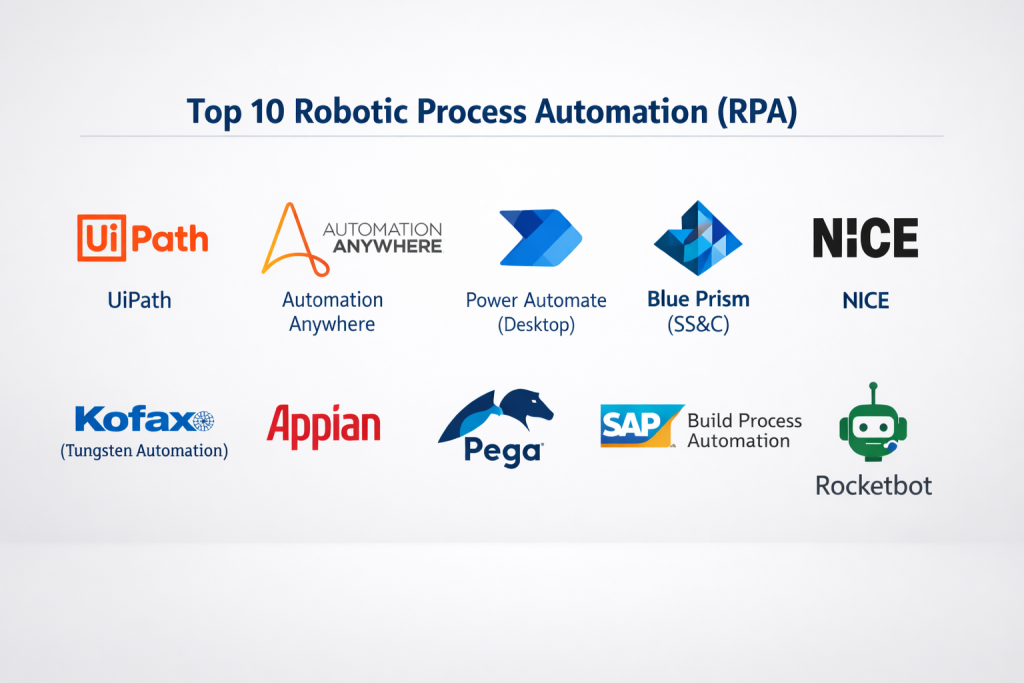
Top 10 Robotic Process Automation (RPA) Tools
1 — UiPath
UiPath is widely regarded as the market leader in the RPA space, offering an end-to-end platform that combines process discovery, automation, and analytics.
- Key features:
- AI Center: Allows users to drag and drop machine learning models directly into workflows.
- UiPath Studio: A robust low-code visual designer for building complex automations.
- Document Understanding: Advanced OCR and AI to extract data from unstructured documents.
- Process Mining: Analyzes back-end logs to identify which tasks are best for automation.
- Task Capture: Automatically documents a human’s clicks to generate a process map.
- Automation Cloud: A fully managed SaaS version of the platform for faster deployment.
- Pros:
- The most extensive ecosystem of pre-built activities and community-shared components.
- Exceptional computer vision that can “see” buttons even in slow Virtual Desktop (Citrix) environments.
- Cons:
- The licensing model is complex and can be very expensive for small-scale deployments.
- The sheer number of features creates a steep learning curve for beginners.
- Security & compliance: SOC 2 Type II, HIPAA, GDPR, ISO 27001 compliant; features role-based access control and high-end encryption.
- Support & community: Industry-leading documentation, a massive “UiPath Academy” for certification, and a highly active global user forum.
2 — Automation Anywhere
Automation Anywhere is a cloud-native platform that focuses on “Automation 360,” designed to be accessible to both IT professionals and business users.
- Key features:
- IQ Bot: Uses AI to process hidden and unstructured data within documents.
- Bot Insight: Embedded analytics that show the business ROI of your robots in real-time.
- Discovery Bot: Uses AI to observe human work and suggest automations.
- AARI (Automation Anywhere Robotic Interface): A “digital assistant” for humans to interact with bots.
- Cloud-Native Architecture: Built from the ground up to run in web browsers.
- Universal Recorder: Records actions across web, desktop, and legacy mainframe apps.
- Pros:
- Web-based interface means no local software installation is required for many users.
- Excellent focus on “Attended Automation,” where bots and humans work together.
- Cons:
- Some users report that the browser-based builder can be slower than native desktop clients.
- Transitioning between different versions (e.g., v11 to A360) can be technically challenging.
- Security & compliance: SOC 1/SOC 2, ISO 27001, and HIPAA compliant; features a secure “Credential Vault.”
- Support & community: Robust training via “AA University,” global enterprise support, and a solid partner network.
3 — Microsoft Power Automate (Desktop)
Microsoft has disrupted the RPA market by bundling Power Automate Desktop into Windows 11, making it the most accessible tool for those in the Microsoft 365 ecosystem.
- Key features:
- Native Windows Integration: Deeply integrated with Excel, Teams, Outlook, and SharePoint.
- Cloud Flows + Desktop Flows: Seamlessly combines API-based automation with screen-based RPA.
- AI Builder: Low-code AI for document processing and sentiment analysis.
- Process Advisor: Analyzes bottlenecks in business processes to recommend automations.
- Copilot: Use natural language to describe an automation and have the AI build it.
- Standardized Connectors: Thousands of pre-built links to non-Microsoft apps.
- Pros:
- Highly cost-effective for companies already paying for Microsoft 365 Business licenses.
- The user interface is familiar to anyone who has used Office 365, lowering the training barrier.
- Cons:
- The RPA (Desktop) side is not yet as feature-rich as UiPath for “high-end” legacy systems.
- Can be difficult to manage if an organization has thousands of “unmanaged” bots.
- Security & compliance: FedRAMP, HIPAA, SOC, and GDPR compliant via the Azure cloud framework.
- Support & community: Massive documentation library, Microsoft’s global support network, and a huge user base.
4 — Blue Prism (SS&C)
Blue Prism is often considered the most “IT-centric” RPA tool, emphasizing security, governance, and centralized management.
- Key features:
- Object Studio: Allows users to create reusable “objects” that represent application interfaces.
- Digital Exchange (DX): A marketplace for AI, cognitive, and decorative components.
- Multi-Environment Management: Built-in tools for Dev, Test, and Production cycles.
- Intelligent Surface Automation: Advanced OCR and imaging to interact with remote screens.
- Work Queues: Sophisticated load balancing to distribute tasks across multiple robots.
- Autonomous Database: Native support for managing the data generated by robot activities.
- Pros:
- Unmatched for security-conscious industries like banking due to its strict governance model.
- High reusability; once an object is built, it can be used across hundreds of processes.
- Cons:
- Not as “user-friendly” for non-technical business users compared to UiPath or Power Automate.
- Generally requires a more significant upfront investment in infrastructure.
- Security & compliance: Veracode-certified, SOC 2, and HIPAA compliant; features comprehensive audit trails.
- Support & community: Professional enterprise-grade support and a high-level community for architects.
5 — NICE
NICE specializes in “NEVA” (NICE Employee Virtual Attendant), focusing heavily on the contact center and customer service experience.
- Key features:
- NEVA: A desktop assistant that prompts employees with real-time advice.
- Desktop Analytics: Tracks how employees spend their time to find automation targets.
- Automation Finder: AI-driven tool to discover high-value automation opportunities.
- Connectivity to CRM: Native, deep integrations with Salesforce, Zendesk, and Oracle.
- Unattended RPA: Server-side robots for back-office batch processing.
- Cognitive Intelligence: Integration with ABBYY and Google Cloud AI.
- Pros:
- The best tool on the market for “Attended RPA” in call center environments.
- Effectively reduces “Average Handle Time” (AHT) for customer support agents.
- Cons:
- Less versatile as a general-purpose RPA tool for non-customer service industries.
- Implementation often requires significant professional services from the vendor.
- Security & compliance: PCI DSS, GDPR, HIPAA, and ISO 27001 compliant.
- Support & community: Strong specialized support for contact centers and an enterprise customer portal.
6 — Kofax (Tungsten Automation)
Kofax focuses on “Intelligent Automation,” specifically excelling in the ingestion and processing of data from physical and digital documents.
- Key features:
- Kofax TotalAgility: A platform that combines RPA with Business Process Management (BPM).
- Cognitive Document Automation: High-end AI for reading hand-written and complex forms.
- Embedded Analytics: Dashboards for tracking process performance and bottlenecks.
- Design Studio: A visual environment for building both robots and user-facing forms.
- Web Ingestion: Specifically designed to “scrape” data from dynamic web portals.
- Mobile ID: Allow users to trigger automations by taking photos of documents via mobile.
- Pros:
- The market leader for “Document-to-Process” automation (e.g., mailroom automation).
- Strong capabilities in orchestrating complex, long-running business processes.
- Cons:
- The interface can feel more technical and less modern than its cloud-native competitors.
- Can be expensive if only used for simple screen-scraping tasks.
- Security & compliance: SOC 2, GDPR, and HIPAA compliant; focuses on secure document handling.
- Support & community: Extensive training through Kofax Learning Cloud and professional services.
7 — Appian
Appian is primarily a Low-Code Development platform that has integrated RPA to provide a unified “Hyperautomation” experience.
- Key features:
- Low-Code RPA: Integrated directly into Appian’s wider application building tool.
- Case Management: Combine bot tasks with human-in-the-loop decision making.
- Robotic Role-Based Access: Manage robot permissions just like human employees.
- Appian Records: A data fabric that provides a unified view of data across systems.
- Process Mining: Native ability to find inefficiencies and automate them.
- Mobile Native: All automations can be interacted with via the native Appian mobile app.
- Pros:
- Best-in-class for building full applications that include RPA as just one component.
- “Data Fabric” feature makes it easier for bots to access data without complex SQL.
- Cons:
- Only makes sense if you are using Appian as your primary low-code platform.
- Standalone RPA capabilities are not as deep as specialized players like Blue Prism.
- Security & compliance: FedRAMP (High), SOC 2, HIPAA, and PCI DSS compliant.
- Support & community: High-end enterprise support and a large community of low-code developers.
8 — Pega (Pegasystems)
Pega’s RPA is part of its “Infinity” platform, which uses a “center-out” architecture to drive customer engagement and operational excellence.
- Key features:
- Auto-balancing: Automatically reassigns robots to different tasks based on demand.
- Email Bot: Uses NLP to read, understand, and act on incoming customer emails.
- X-ray Vision: A unique technology that “sees” application objects without screen-scraping.
- Deployment Manager: Tools for CI/CD pipelines for your robot fleet.
- Pega GenAI: Generative AI to help build workflows and summarize data.
- Opportunity Finder: Identifies the highest ROI areas for automation.
- Pros:
- “X-ray Vision” makes their bots much more resilient to UI changes than standard tools.
- Exceptional at managing “Case Management” where a process takes days or weeks.
- Cons:
- High cost and complexity; it is definitely an “Enterprise-only” solution.
- Requires a significant mindset shift to the “Pega way” of architecting processes.
- Security & compliance: ISO 27001, SOC 2, HIPAA, and GDPR compliant.
- Support & community: Pega Academy offers deep certification and a dedicated client success program.
9 — SAP Build Process Automation
SAP has consolidated its RPA and workflow tools into “SAP Build,” designed to automate the massive amount of data moving through SAP ERP systems.
- Key features:
- Pre-built Content: Thousands of ready-to-use bots for SAP S/4HANA and ECC.
- Low-Code/No-Code Designer: Targeted at business experts who know the SAP process.
- Integrated Workflow: Combines bot actions with human approval steps.
- SAP Business Technology Platform (BTP): Runs natively on SAP’s own cloud.
- Intelligent OCR: Optimized for reading invoices and purchase orders.
- Task Center: A single place for humans to approve tasks from multiple SAP systems.
- Pros:
- If your business runs on SAP, this tool offers the “path of least resistance.”
- Deep, native understanding of SAP data structures that other tools struggle with.
- Cons:
- Limited usefulness for companies that do not use SAP as their core ERP.
- Connector library for non-SAP systems is smaller than competitors.
- Security & compliance: SOC 1/2, ISO 27001, and GDPR compliant; integrated with SAP IDM.
- Support & community: Backed by SAP’s global support and the massive SAP user community.
10 — Rocketbot
Rocketbot is a rising star in the RPA world, offering a cost-effective, high-performance alternative to the “Big Three” with a focus on ease of use.
- Key features:
- Python-based: Allows developers to extend the tool using standard Python code.
- Orchestrator: A centralized dashboard for managing bot schedules and logs.
- Rocketbot Studio: A lightweight, desktop-based IDE for building bots.
- Multi-platform: Runs on Windows, Linux, and macOS.
- Rocketbot Forms: Create web forms to collect data that triggers a robot.
- Low Resource Usage: Robots are designed to run on low-spec virtual machines.
- Pros:
- One of the most affordable enterprise RPA tools on the market.
- Very fast deployment; you can go from “zero to robot” in a matter of days.
- Cons:
- Community and third-party marketplace are smaller than UiPath.
- Documentation is good but not as exhaustive as Microsoft or Automation Anywhere.
- Security & compliance: GDPR compliant; features AES-256 encryption for all data and credentials.
- Support & community: Direct support from the vendor and a growing network of partners in Latin America and Europe.
Comparison Table
| Tool Name | Best For | Platform(s) Supported | Standout Feature | Rating (Gartner) |
| UiPath | End-to-End Enterprise | Windows, Cloud | Computer Vision (AI) | 4.8 / 5 |
| Automation Anywhere | Cloud-Native / Attended | Web, Windows | Automation 360 Cloud | 4.7 / 5 |
| MS Power Automate | Microsoft Ecosystem | Windows, Web | OS Bundled / Copilot | 4.5 / 5 |
| Blue Prism | High Governance / Banking | Windows, On-prem | Reusable Objects | 4.4 / 5 |
| NICE | Contact Centers | Windows | NEVA Desktop Assistant | 4.3 / 5 |
| Kofax | Document Processing | Windows, Web | Cognitive OCR | 4.4 / 5 |
| Appian | Low-Code App Dev | Cloud, Mobile | Data Fabric Integration | 4.7 / 5 |
| Pega | Complex Case Management | Cloud, Hybrid | X-ray Vision UI | 4.4 / 5 |
| SAP Build | SAP ERP Users | SAP BTP Cloud | Pre-built SAP Content | 4.2 / 5 |
| Rocketbot | Budget-Conscious / SMB | Windows, Mac, Linux | Python Extensibility | 4.6 / 5 |
Evaluation & Scoring of Robotic Process Automation (RPA)
| Category | Weight | Score | Analysis |
| Core Features | 25% | 9.5 / 10 | AI integration and computer vision are now industry standard. |
| Ease of Use | 15% | 8.2 / 10 | Power Automate and UiPath lead; legacy tools remain technical. |
| Integrations | 15% | 9.0 / 10 | Most tools now connect to both modern APIs and legacy screens. |
| Security & Comp. | 10% | 9.8 / 10 | Critical for this industry; almost all major players are SOC 2 compliant. |
| Performance | 10% | 8.5 / 10 | Stability on remote desktops is the primary performance bottleneck. |
| Support & Comm. | 10% | 8.8 / 10 | UiPath has the strongest community; Microsoft has the most users. |
| Price / Value | 15% | 7.0 / 10 | RPA remains a high-cost investment for small businesses. |
Which Robotic Process Automation (RPA) Tool Is Right for You?
Solo Users vs SMB vs Mid-market vs Enterprise
- Solo Users: Microsoft Power Automate Desktop is the winner. It is built into Windows and is free for basic personal use.
- SMBs: Rocketbot or UiPath (Community Edition) provide a professional-grade experience without the massive enterprise price tag.
- Mid-market: Automation Anywhere or Appian allow you to scale your operations without needing a massive on-premise server room.
- Enterprise: UiPath, Blue Prism, or Pega are the “safe” bets for global organizations that need strict governance and 24/7 reliability.
Budget-conscious vs Premium Solutions
If you are budget-conscious, look at Microsoft (if you already have M365) or Rocketbot. If you are looking for a premium solution where “failure is not an option,” UiPath and Blue Prism provide the most resilient infrastructure and the widest pool of trained consultants to hire from.
Feature Depth vs Ease of Use
For Ease of Use, Microsoft Power Automate and SAP Build are designed for business experts. For Feature Depth, UiPath and Kofax offer the most advanced tools for handling complex data, “noisy” documents, and fragile legacy interfaces.
Security and Compliance Requirements
If you are in Financial Services, Blue Prism’s “Object Studio” and centralized governance provide the best audit trail for regulators. For Federal/Government work, Appian and Microsoft have the highest levels of FedRAMP certification.
Frequently Asked Questions (FAQs)
- Is RPA the same as Artificial Intelligence?No. RPA is “doer” technology (performing tasks), while AI is “thinker” technology (making decisions). However, “Intelligent RPA” combines both to handle complex tasks like reading invoices.
- Does RPA require coding?Most modern tools are “low-code” (drag-and-drop). However, for complex logic, a basic understanding of variables and loops—and sometimes Python or .NET—is helpful.
- Will RPA robots replace human workers?RPA typically replaces tasks, not jobs. It takes away the “boring” parts of a job (like data entry) so humans can focus on higher-value work like strategy and customer care.
- How much does RPA cost?It varies widely. Small setups might cost $5,000/year, while enterprise-wide deployments with hundreds of robots can cost $500,000/year or more in licenses and maintenance.
- What is “Attended” vs “Unattended” RPA?Attended bots work on a human’s desktop (like an assistant). Unattended bots work on a server in the background without any human intervention.
- How long does it take to build a robot?A simple robot can be built in a day. A complex, enterprise-grade robot with error handling and logging typically takes 2 to 4 weeks to develop and test.
- What happens if the website the robot uses changes?If the UI changes, the robot might “break.” This is why choosing a tool with resilient “selectors” (like Pega or UiPath) is important to minimize maintenance.
- Can RPA work with Citrix or Remote Desktops?Yes, but it is harder because the robot only sees an “image” of the screen. Tools like UiPath use advanced AI to “see” buttons inside these images.
- What is “Process Mining”?It’s a technology that looks at your company’s data to “discover” which processes are the best candidates for automation based on frequency and volume.
- Do I need a special server for RPA?Cloud-native tools (Automation Anywhere) run in your browser. Traditional tools (Blue Prism) require specialized Windows servers to host the “control room” and the robot fleet.
Conclusion
The selection of a Robotic Process Automation (RPA) tool is a strategic decision that depends on your current infrastructure and long-term automation goals. If you are already invested in the Microsoft or SAP ecosystems, their native tools offer the fastest path to value. However, for organizations dealing with a messy mix of legacy systems and high-scale requirements, specialized leaders like UiPath and Automation Anywhere provide the most robust features.
Ultimately, RPA is about more than just “screen scraping”; it is about creating a “Digital Workforce” that scales with your business. By starting with a clear pilot project and a tool that fits your team’s technical skill level, you can eliminate the manual bottlenecks that hold your organization back. Focus on governance, resilience, and ROI, and your RPA journey will be a transformative success.

- Top 10 Email Deliverability Tools: Features, Pros, Cons & Comparison - September 6, 2026
- Top 10 Pharmacovigilance Software: Features, Pros, Cons & Comparison - September 6, 2026
- Top 10 Manufacturing Execution Systems (MES) - July 30, 2026