Introduction
Route optimization is the process of determining the most cost-effective and efficient route for a set of stops. It goes far beyond simple navigation, using complex algorithms to balance variables like delivery windows, vehicle capacity, driver hours, traffic patterns, and real-time road conditions. The goal is to transform a chaotic list of addresses into a seamless, actionable plan that saves time, fuel, and money.
In today’s economy, efficiency is a direct competitive advantage. Route optimization is critically important because it tackles the largest controllable costs in logistics and field service operations: fuel consumption and labor hours. By eliminating wasted miles and streamlining driver schedules, businesses can serve more customers per day, reduce their carbon footprint, and improve customer satisfaction with more accurate ETAs.
Real-world use cases are everywhere. A local florist uses it to plan 50 wedding deliveries for a busy Saturday. A national appliance repair company dispatches hundreds of technicians to homes with precise time windows. A beverage distributor loads trucks to maximize payload while respecting delivery sequences for store shelves. When evaluating tools, look for core capabilities in multi-stop planning, dynamic scheduling, real-time tracking, proof of delivery, and insightful reporting. The ability to integrate with your existing order management or CRM system is also a key differentiator.
Best for: These tools deliver immense value to businesses with mobile workforces, including delivery and courier services (last-mile logistics), field service technicians (HVAC, plumbing, telecommunications), sales teams with territory management, and distribution companies. Key roles that benefit are Operations Managers, Logistics Coordinators, Dispatch Managers, and business owners seeking to scale service offerings.
Not ideal for: Individuals or businesses with very simple, fixed routes (e.g., a single daily shuttle run) may not justify the investment. Similarly, operations with fewer than 5-10 daily stops might find the cost and learning curve outweigh the benefits, making manual planning or basic mapping apps a sufficient alternative.
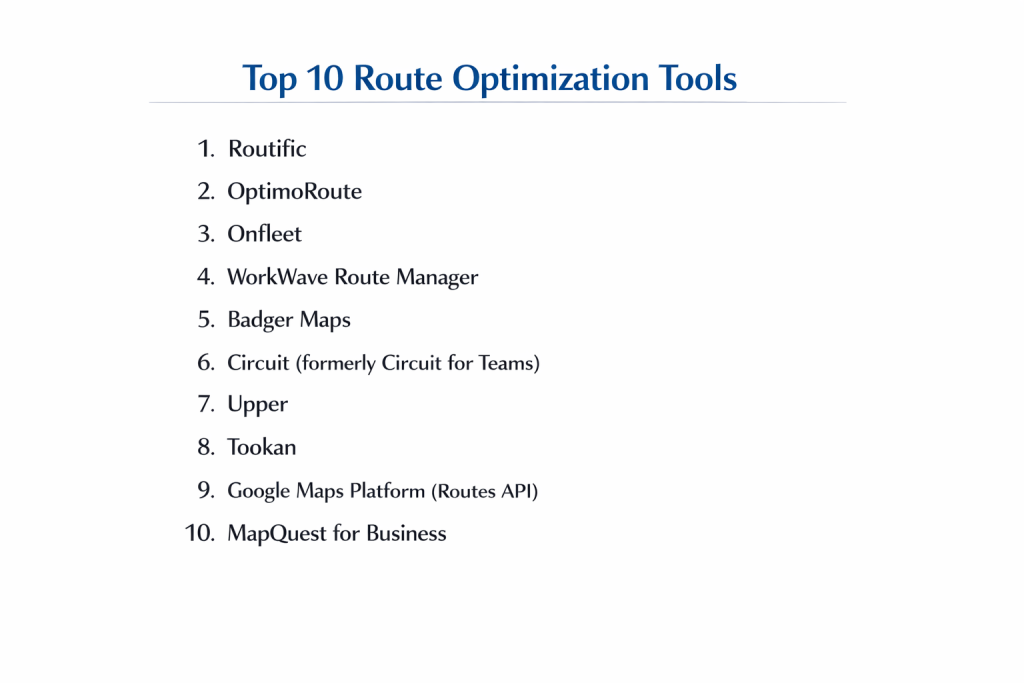
Top 10 Route Optimization Tools
1 — Routific
Routific is a user-friendly, cloud-based platform renowned for its powerful “drag-and-drop” optimization engine and focus on last-mile delivery efficiency. It’s designed for delivery-centric businesses that need to quickly plan and execute routes for drivers of all sizes.
Key features:
- AI-Powered Optimization Engine: Automatically sequences up to thousands of stops for minimal drive time while respecting time windows and vehicle capacity.
- Dynamic & Flexible Dispatch: Live ETAs, real-time traffic adjustments, and an intuitive interface to manually tweak routes with drag-and-drop ease.
- Driver Mobile App: Professional app for turn-by-turn navigation, proof of delivery (signature, photos, notes), and real-time status updates.
- Advanced Constraints Handling: Manages complex rules like driver shifts, specific vehicle types, service times, and delivery priorities.
- Comprehensive Analytics & Reporting: Tracks key metrics like on-time performance, miles/kms saved, and driver efficiency over time.
- Seamless Integrations: Connects via API with popular e-commerce platforms (like Shopify), order management systems, and ERPs.
Pros:
- Exceptional Ease of Use: Known for an intuitive interface that requires minimal training, allowing dispatchers to become productive quickly.
- Consistently Reliable Optimization: Produces high-quality, efficient routes that consistently reduce drive time and fuel costs.
Cons:
- Primarily Delivery-Focused: While capable for field service, its strongest features are tailored for pickup/drop-off operations.
- Pricing Tiers: Advanced features like API access and custom constraints are available on higher-tier plans.
Security & compliance: Enterprise-grade security with SOC 2 Type II certification, GDPR/CCPA compliance, and data encryption in transit and at rest. Offers role-based access control (RBAC).
Support & community: Offers responsive customer support via chat and email, extensive online documentation and video tutorials, and a dedicated customer success team for business plans.
2 — OptimoRoute
OptimoRoute provides sophisticated planning and execution for both field service and delivery operations, with a strong emphasis on automated scheduling and long-term planning. It’s ideal for businesses that need to balance complex recurring appointments with one-time jobs.
Key features:
- Automated Scheduling & Planning: Unique ability to plan routes days or weeks in advance, automatically assigning jobs to the right technician based on skill, location, and parts availability.
- Territory Management: Define sales or service territories to automatically assign future work to the nearest appropriate driver or team.
- Detailed Work Order Management: Attach checklists, required parts, and customer notes directly to stops for complete job visibility.
- Real-Time Tracking & Communication: Live tracking, ETA sharing with customers, and in-app messaging between dispatchers and drivers.
- Powerful Reporting Suite: Deep-dive analytics on driver utilization, profitability per job, planning accuracy, and customer service metrics.
Pros:
- Unmatched Planning Depth: Excels at complex, multi-day scheduling where recurring appointments and resource matching are critical.
- High Level of Automation: Significantly reduces manual dispatching work by intelligently auto-assigning future work.
Cons:
- Steeper Learning Curve: The wealth of features can be overwhelming for teams looking for simple, daily route planning.
- Interface Can Feel Dense: The focus on functionality over sleek design can make the platform feel less modern than some competitors.
Security & compliance: Compliant with GDPR and CCPA. Data is encrypted using industry-standard protocols. Specific enterprise security certifications should be confirmed with the vendor.
Support & community: Provides solid email and phone support. Knowledge base is comprehensive, and the platform is supported by an active user community.
3 — Onfleet
Onfleet is a modern, API-first delivery management platform built for scalability and seamless integration. It’s a top choice for tech-savvy companies, especially in on-demand delivery (food, groceries, retail), that need a reliable and customizable “last-mile engine.”
Key features:
- Developer-Friendly API: Robust, well-documented API allows for deep customization and integration into complex operational workflows.
- Real-Time Delivery Dashboard: Beautiful, data-rich dashboard for live tracking, driver management, and operational oversight.
- Automated Customer Communications: Proactively sends customers SMS/email notifications with live tracking links and ETAs.
- Proof of Delivery Suite: Photo capture, barcode scanning, signature collection, and delivery notes directly in the driver app.
- Performance Analytics: Real-time and historical data on driver performance, task completion times, and customer feedback.
Pros:
- Best-in-Class Integrations: Unrivaled flexibility for businesses that need to embed delivery logistics into their own software or connect with a wide array of third-party apps.
- Excellent User Experience: Clean, intuitive interface for both dispatchers and drivers, leading to high adoption rates.
Cons:
- Can Be Costly for Simple Needs: The premium features and API-centric model may be overkill and expensive for straightforward route planning without deep tech integration.
- Optimization Less Flexible: While effective, the route optimization may offer less manual override flexibility than tools like Routific for dispatchers who want fine-grained control.
Security & compliance: Enterprise security standards including SOC 2 compliance, data encryption, and adherence to GDPR. Offers SSO (Single Sign-On) for enterprise customers.
Support & community: High-quality technical support and developer relations. Extensive API documentation and an active community of developers.
4 — WorkWave Route Manager
WorkWave Route Manager is a mature, feature-rich solution with deep roots in the field service industry, particularly for home services (pest control, lawn care, HVAC). It’s part of a larger suite, offering strong integration for businesses using other WorkWave products.
Key features:
- Industry-Specific Workflows: Tailored for recurring, scheduled routes common in lawn care, pest control, and cleaning services.
- Integrated CRM & Invoicing: Often bundled with WorkWave’s CRM and billing software, creating a seamless “quote-to-cash” ecosystem.
- Mobile Workforce Management: Comprehensive driver app for navigation, time tracking, service forms, and invoice generation on-site.
- Customer Notifications: Automated alerts for service reminders, technician en-route notifications, and post-service follow-ups.
- Dense Feature Set: Includes territory balancing, contract management, and advanced reporting on customer history and route profitability.
Pros:
- Industry-Tailored Solution: Offers unmatched depth for specific service verticals with recurring appointment models.
- All-in-One Ecosystem: Powerful when used within the WorkWave suite, eliminating data silos between dispatch, CRM, and finance.
Cons:
- Less Modern Interface: The design can feel dated compared to newer, cloud-native platforms, which may impact user adoption.
- Potential for Bloat: The extensive feature set can be complex and costly for businesses that only need core route optimization.
Security & compliance: Leverages enterprise-level data security practices. Compliance details (like SOC 2) are typically part of the broader WorkWave platform offering.
Support & community: Offers dedicated phone support and training. As an established player, it has a large, established user base, particularly within its core industries.
5 — Badger Maps
Badger Maps is a specialized tool built specifically for outside sales representatives. It focuses on helping salespeople plan efficient territory routes to maximize face-to-face selling time, rather than managing a fleet of delivery drivers.
Key features:
- Sales-Focused Territory Management: Visualize accounts and leads on a map, organize by priority or potential, and plan daily itineraries to minimize travel.
- CRM Integration & Data Enrichment: Syncs seamlessly with major CRMs (like Salesforce) and can enrich map pins with company data and visit history.
- Lead Generation Tools: Identify prospects along a planned route or within a territory using built-in business data.
- Visit Planning & Tracking: Schedule appointments, take notes, set follow-ups, and track visit outcomes directly from the mobile app.
- Performance Reporting for Sales Managers: Insights into rep activity, territory coverage, and pipeline generation from field efforts.
Pros:
- Uniquely Focused on Sales Productivity: The only tool on this list laser-focused on eliminating wasted travel time for sales teams, not delivery logistics.
- Excellent CRM Sync: Deep, two-way integration ensures field activity automatically updates the central CRM system.
Cons:
- Not a Fleet Management Tool: Lacks core fleet features like driver tracking, proof of delivery, or complex multi-vehicle load balancing.
- Niche Use Case: Its value is minimal for any operation outside of outside sales or business-to-business (B2B) field marketing.
Security & compliance: Enterprise-grade security with features like SSO and data encryption. Compliant with GDPR and designed to meet sales data protection needs.
Support & community: Provides strong customer success and support tailored to sales operations. Offers tailored onboarding for sales teams.
6 — Circuit (formerly Circuit for Teams)
Circuit is a straightforward, intuitive route planner beloved by small delivery teams and solo couriers for its simplicity and effectiveness. It excels at quickly optimizing a single day’s multi-stop route and sharing progress with customers.
Key features:
- Extremely User-Friendly Optimizer: Paste a list of addresses and get an optimized route in seconds, with easy manual adjustments.
- Live ETA Sharing: Automatically sends customers a tracking link with a live map and accurate ETA via SMS or email.
- Solo Driver & Small Team Focus: Simple pricing and workflow perfect for owner-operators or teams of 2-10 drivers.
- Efficient Mobile App: Clean app for navigation, marking deliveries complete, and managing the route on the go.
- Basic but Essential Reporting: Tracks total distance, time, and stops completed.
Pros:
- Unbeatable Simplicity: The fastest tool to learn and use for daily, straightforward multi-stop routing.
- Excellent Customer Communication: Automated ETA sharing is a standout feature that significantly improves the customer experience with minimal effort.
Cons:
- Limited Advanced Features: Lacks capacity planning, advanced time windows, complex constraints, or deep analytics.
- Not for Large or Complex Fleets: Scaling beyond simple daily routes can hit the platform’s limitations quickly.
Security & compliance: Uses standard encryption for data protection. As a more SMB-focused tool, specific enterprise compliance certifications (SOC 2) should be verified if required.
Support & community: Known for very responsive and helpful customer support. Resources are geared towards quick problem-solving.
7 — Upper
Upper is an AI-driven route planner that emphasizes simplicity and automation for small to mid-sized businesses. It focuses on reducing planning time to minutes and offers a clean, modern interface.
Key features:
- One-Click AI Optimization: Upload stops via spreadsheet or integrate with an order source for near-instant route creation.
- Smart Sequencing: Automatically clusters stops by area and sequences them for efficiency.
- Driver Management: Assign routes to specific drivers, track their live location, and monitor progress.
- Proof of Delivery: Drivers can collect signatures and photos within the mobile app.
- Route History & Analytics: View past routes and analyze performance metrics like total distance and completed stops.
Pros:
- Extremely Fast Planning: Drastically reduces the daily time spent on route planning and dispatching.
- Clean, Modern Design: The interface is intuitive and uncluttered, making it accessible for new users.
Cons:
- Feature Set is Growing: While core optimization is strong, it may lack some of the deeper scheduling and reporting features of more established enterprise platforms.
- Less Customization: Offers less fine-tuned control over optimization constraints compared to some competitors.
Security & compliance: Adheres to standard data protection practices with encryption. Businesses with specific regulatory needs should inquire about detailed compliance frameworks.
Support & community: Offers support via live chat, email, and phone. Knowledge base and help center are well-organized.
8 — Tookan (by JungleWorks)
Tookan is a highly customizable, multi-purpose delivery and field service management platform. It’s suited for businesses that need to manage a mix of delivery types, field assignments, and on-demand tasks from a single dashboard.
Key features:
- Highly Configurable Task Automation: Create custom workflows for different job types (delivery, pickup, service appointment).
- Multi-Dispatcher Dashboard: Supports large operations with role-based views for managers, dispatchers, and call center agents.
- Broad Integration Capabilities: API and webhooks allow connection to a wide variety of e-commerce, payment, and communication tools.
- Customizable Fields & Forms: Tailor the driver/agent app to capture specific data points for each task.
- Real-Time Alert System: Configure notifications for task status changes, delays, and geofence entries/exits.
Pros:
- Great Flexibility: Can be molded to fit a wide variety of operational models beyond standard delivery.
- Strong for On-Demand & Hybrid Models: Well-suited for businesses that juggle instant delivery, scheduled services, and pickups.
Cons:
- Setup Requires Configuration: The high degree of flexibility means it requires more upfront setup compared to opinionated, out-of-the-box solutions.
- Interface Complexity: The power and configurability can lead to a more complex user interface that requires training.
Security & compliance: Provides standard security measures. The level of specific certification (e.g., SOC 2) may depend on the deployment model and should be verified.
Support & community: Offers support tickets and documentation. As part of the JungleWorks suite, it has a developer community focused on customization.
9 — Google Maps Platform (Routes API)
This is not a standalone app but a set of developer tools (APIs) that allow businesses to build custom routing logic into their own applications. It’s for companies with in-house tech teams that need the gold standard in mapping data within a proprietary system.
Key features:
- Industry-Leading Mapping Data: Powered by the same accurate, frequently updated data as Google Maps, including real-time and predictive traffic.
- Advanced APIs: Routes API, Directions API, and Distance Matrix API provide building blocks for calculating routes, travel times, and distances between points.
- High Customization Potential: Developers can build entirely bespoke routing experiences tailored to unique business rules.
- Global Coverage: Unmatched geographic reach and detail for international operations.
Pros:
- Unrivaled Data Quality & Accuracy: The most reliable and comprehensive traffic and road network data available.
- Complete Integration Control: Enables seamless, brand-consistent routing within a company’s own mobile or web app.
Cons:
- Not a Ready-to-Use Product: Requires significant investment in software development, design, and ongoing maintenance.
- No Built-In Dispatch Tools: You must build or integrate all surrounding features like driver apps, tracking, and proof of delivery separately.
Security & compliance: Google Cloud’s robust infrastructure meets a wide array of global compliance standards (like ISO 27001, SOC 1/2/3). Security implementation is the responsibility of the developer using the APIs.
Support & community: Support is through Google Cloud Platform channels, aimed at developers. Vast general developer community for troubleshooting.
10 — MapQuest for Business
MapQuest for Business offers a suite of reliable, cost-effective APIs for geocoding, routing, and mapping. It’s a pragmatic choice for businesses that need solid, no-frills routing functionality integrated into their workflows without premium pricing.
Key features:
- Straightforward Routing API: Calculates point-to-point and multi-point routes with options for avoiding tolls, highways, etc.
- Batch Geocoding: Convert large lists of addresses to coordinates efficiently.
- Static & Interactive Maps: Embed maps into applications or generate static map images.
- Simple Pricing Model: Often more predictable and affordable for high-volume use than some competitors.
Pros:
- Strong Value for Money: Provides essential routing and geocoding capabilities at a competitive price point.
- Reliable and Stable: A long-established player with dependable uptime and performance.
Cons:
- Lacks Advanced Features: No built-in tools for complex fleet constraints, live tracking, mobile apps, or proof of delivery.
- Primarily a Developer Tool: Like Google’s APIs, it requires technical resources to implement and is not a managed software solution.
Security & compliance: Standard API security practices are in place. Compliance responsibilities largely fall on the implementing company.
Support & community: Provides standard technical support for API customers. Community is smaller and more developer-focused.
Comparison Table
| Tool Name | Best For | Platform(s) Supported | Standout Feature | Rating |
|---|---|---|---|---|
| Routific | Last-mile delivery businesses of all sizes | Cloud, iOS, Android | Intuitive Drag-and-Drop & Powerful AI Optimization | 4.7/5 |
| OptimoRoute | Field service & delivery with complex scheduling | Cloud, iOS, Android | Automated Multi-Day Planning & Territory Management | 4.6/5 |
| Onfleet | Tech-savvy on-demand delivery & logistics companies | Cloud, iOS, Android | Best-in-Class API for Custom Integration | 4.5/5 |
| WorkWave Route Manager | Home service industries (lawn, pest, HVAC) | Cloud, iOS, Android | Deep Industry-Specific Workflows | 4.4/5 |
| Badger Maps | Outside sales representatives & B2B field teams | Cloud, iOS, Android | Sales Territory & Lead Management on a Map | 4.5/5 |
| Circuit | Solo drivers & small delivery teams (≤10 drivers) | Cloud, iOS, Android | Extreme Simplicity & Automated Customer ETAs | 4.6/5 |
| Upper | SMBs wanting fast, automated daily route planning | Cloud, iOS, Android | One-Click AI Optimization & Modern Interface | 4.3/5 |
| Tookan | Businesses managing mixed delivery & field tasks | Cloud, iOS, Android | Highly Configurable Task Automation | 4.2/5 |
| Google Maps Platform | Companies building custom in-house routing apps | API (Web, Mobile) | World’s Best Mapping & Traffic Data | N/A |
| MapQuest for Business | Cost-effective geocoding & basic routing APIs | API (Web) | Reliable, Affordable Core Routing API | N/A |
Note: Ratings for API tools (Google, MapQuest) are not applicable (N/A) in the same way as managed software solutions.
Evaluation & Scoring of Route Optimization Tools
Use this rubric to objectively compare tools based on your priorities. Score each category (1-10), multiply by the weight, and sum for a total score.
| Evaluation Category | Weight | What to Look For | Score (1-10) | Weighted Score |
|---|---|---|---|---|
| Core Features | 25% | Does it handle your specific constraints (time windows, capacity, skills)? Quality of optimization? | ||
| Ease of Use | 15% | Intuitive for dispatchers and drivers? Easy to learn and daily use? | ||
| Integrations & Ecosystem | 15% | Connects to your order source, CRM, ERP, or communication tools? API availability? | ||
| Security & Compliance | 10% | Data encryption, access controls, and relevant certifications (SOC 2, GDPR, etc.). | ||
| Performance & Reliability | 10% | Speed of optimization, system uptime, and accuracy of ETAs/traffic data. | ||
| Support & Community | 10% | Quality of onboarding, support responsiveness, and available help resources. | ||
| Price / Value | 15% | Total cost relative to features, scale, and expected ROI (saved time/fuel). | ||
| TOTAL SCORE | 100% | / 100 |
Which Route Optimization Tool Is Right for You?
- For Solo Users & Very Small Businesses (1-5 drivers): Prioritize simplicity and low cost. Circuit is the perfect starting point for daily route planning. Upper is also an excellent, fast option for slightly more formal small teams.
- For Small to Medium-Sized Businesses (SMBs): Balance ease of use with growing feature needs. Routific offers the best blend of power and usability for delivery. OptimoRoute is ideal if advanced scheduling is key. Onfleet is the choice if deep software integration is a priority.
- For Mid-Market to Enterprise Fleets: You need robustness, scalability, and support. Routific, OptimoRoute, and Onfleet are the leading contenders in this space. The choice depends on whether your focus is delivery elegance (Routific), scheduling complexity (OptimoRoute), or integration and customization (Onfleet).
- For Field Service & Home Services: Industry-specific needs are paramount. WorkWave Route Manager is the specialist for recurring service routes. OptimoRoute is a powerful, more modern alternative for complex technician scheduling.
- For Outside Sales Teams: Your needs are unique. Badger Maps is the only dedicated tool designed to maximize sales rep face-time, not delivery logistics.
- For Custom-Built Solutions: If you have a dedicated tech team and unique needs, building with Google Maps Platform (for best-in-class data) or MapQuest for Business (for cost-effective basics) are the paths to consider.
Budget vs. Premium: Understand what you’re paying for. Budget tools (Circuit, Upper) excel at core optimization for simple needs. Premium tools (Routific, Onfleet) offer advanced constraints, deeper analytics, and enterprise-grade reliability that justify their cost for complex operations.
Frequently Asked Questions (FAQs)
1. How much can I actually save with route optimization?
Typical savings range from 10-30% on total drive time and fuel costs. For a fleet spending $5,000 monthly on fuel, even a 15% saving is $9,000 per year. Additional savings come from reduced overtime and increased jobs per day.
2. Do these tools work in real-time for dynamic changes?
Yes, most modern platforms (like Routific, Onfleet, OptimoRoute) offer live dispatch features. You can add new stops, reassign jobs, and see routes re-optimize in seconds to account for traffic delays or urgent priority orders.
3. Can they handle specific time windows promised to customers?
Absolutely. This is a core feature. You can input precise delivery or service appointment windows (e.g., 2:00 PM – 4:00 PM), and the algorithm will sequence the entire day’s route to honor those commitments.
4. What’s the difference between route planning and route optimization?
Planning is simply ordering stops on a map. Optimization uses advanced algorithms to find the most efficient order, considering all constraints (time, capacity, traffic), which is often counterintuitive and impossible to do manually at scale.
5. How do drivers use these tools? Do they need special phones?
Drivers use a dedicated mobile app (iOS/Android) provided by the software. It provides turn-by-turn navigation, job details, and tools to mark tasks complete. Standard smartphones with data plans are typically sufficient.
6. How long does implementation take?
Cloud-based tools can be operational in a matter of days. The timeline depends on data import (customer/address lists) and training. Integration with other software via API may add a few weeks.
7. What is a common mistake when first using these tools?
Inputting inaccurate data, like wrong service times or address inaccuracies. The principle “garbage in, garbage out” applies. Start with clean data and be prepared to refine your constraints (like how long a stop actually takes) over the first few weeks.
8. Are there tools for businesses without a consistent daily route?
Yes. Tools like OptimoRoute and Tookan excel at dynamic scheduling where jobs come in throughout the day and need to be intelligently slotted into existing driver schedules.
9. Can I try before I buy?
Virtually all reputable providers offer a free trial (typically 7-30 days), often with full functionality. This is essential to test the software with your own data and workflow.
10. What’s the first step I should take?
Document your pain points. Is it missed time windows, high fuel bills, driver overtime, or inability to handle more orders? Then, gather a sample list of 50-100 stops with real addresses and time constraints, and use that to test during free trials.
Conclusion
The world of route optimization tools is diverse, with each platform engineered to solve specific operational challenges. From the delivery-focused power of Routific and the scheduling intelligence of OptimoRoute to the developer-friendly flexibility of Onfleet and the sales-specific design of Badger Maps, there is no single “best” tool—only the best tool for your unique business needs.
The most critical investment you can make is the time to clearly define your requirements and constraints. Use the evaluation rubric to move beyond marketing claims and assess tools objectively. A successful implementation doesn’t just give you routes on a map; it provides a framework for scalable growth, enhanced customer service, and measurable cost control. By choosing a partner that aligns with your operational DNA, you turn routing from a daily headache into a sustained competitive advantage.

- Top 10 Email Deliverability Tools: Features, Pros, Cons & Comparison - September 6, 2026
- Top 10 Pharmacovigilance Software: Features, Pros, Cons & Comparison - September 6, 2026
- Top 10 Manufacturing Execution Systems (MES) - July 30, 2026
Great overview of the top route optimization tools and how they stack up in real‑world scenarios! As logistics and field service operations continue to grow, choosing the right route optimization software has become crucial for reducing travel time, cutting fuel and operational costs, and enhancing delivery accuracy and customer satisfaction. Modern solutions are powered by advanced algorithms that analyze traffic, time windows, vehicle capacity, and real‑time conditions to generate efficient multi‑stop routes — and many even offer dynamic rerouting and deep analytics for continuous improvement. Understanding both strengths and limitations of each tool helps businesses align their choice with specific operational needs, whether that’s last‑mile delivery, fleet management, or field service scheduling.