Introduction
Accounts Payable (AP) Automation tools are software solutions designed to digitize, streamline, and optimize the entire process of paying a company’s bills and invoices. They replace the manual, paper-heavy, and error-prone workflows of traditional AP—think email inboxes full of PDFs, stacks of paper invoices, and manual data entry—with a centralized, intelligent, and rules-based digital system. The goal is to move AP from a reactive, clerical cost center to a strategic, efficient, and value-generating operation.
The importance of AP automation has skyrocketed in recent years. Manual AP processes are not only slow and expensive, costing between $10-$40 to process a single invoice, but they also create significant business risks, including fraud vulnerability, missed early-payment discounts, and inaccurate financial records. Automation directly addresses these issues by slashing processing costs by 60-80%, cutting invoice processing time from weeks to days, improving supplier relationships, and providing real-time visibility into cash flow. It also frees up finance teams to focus on strategic analysis rather than data entry.
Real-world use cases are diverse: a mid-sized manufacturing company uses it to automatically match thousands of purchase orders, receipts, and invoices; a retail chain automates invoice approvals for hundreds of store locations; a nonprofit organization uses it to enforce strict budget coding and approval hierarchies. When evaluating tools, look for intelligent invoice capture (OCR), automated 2-way and 3-way matching, configurable approval workflows, seamless integration with your ERP/accounting software, electronic payment capabilities, and robust audit trails.
Best for: These tools deliver transformative value to businesses of all sizes that process more than 500 invoices per month, particularly in manufacturing, retail, healthcare, professional services, and wholesale/distribution. Key roles that benefit include CFOs, Controllers, AP Managers, and Finance Directors seeking efficiency, control, and better cash management.
Not ideal for: Very small businesses or freelancers processing only a handful of simple invoices per month may find the cost of a dedicated automation tool unnecessary. Businesses with extremely uniform, predictable billing from a single vendor might also manage with basic bill pay features in their accounting software.
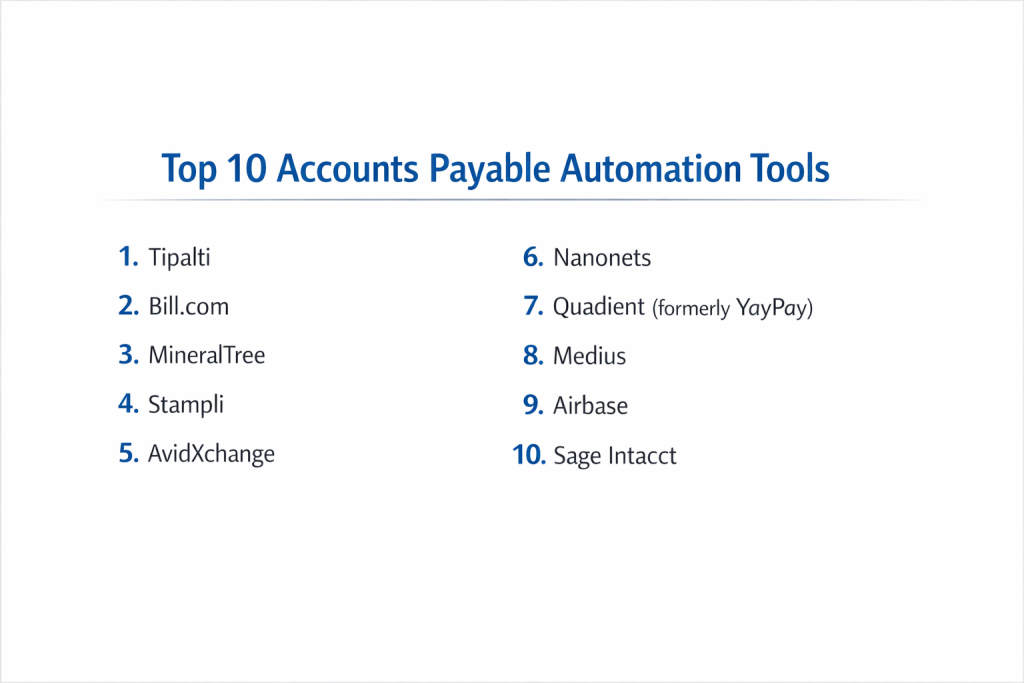
Top 10 Accounts Payable Automation Tools
1 — Tipalti
Tipalti is a comprehensive, end-to-end AP automation platform that extends far beyond invoice processing to include global supplier management, tax compliance, and mass payments. It’s designed for fast-growing, mid-market to enterprise companies with complex, high-volume, and often international payment needs.
Key features:
- Global Mass Payments: Send payments to over 190 countries in 120+ currencies via ACH, wire, check, PayPal, and local payment methods.
- Automated Supplier Onboarding & Management: A self-service portal for suppliers to enroll, submit invoices, and update their payment information, with built-in tax (W-9/W-8) and regulatory compliance checks.
- End-to-End Invoice Automation: Intelligent data capture (OCR), automated matching (2-way & 3-way), configurable approval workflows, and audit-ready documentation.
- Built-in Tax & Regulatory Compliance: Automates 1099/NEC and international tax form collection and filing, significantly reducing year-end workload and risk.
- Consolidated Global Partner: Combines AP automation, global payments, procurement, and expense management in a single platform.
Pros:
- Unmatched Scale for Complexity: Exceptional at handling high volumes, global suppliers, and complex regulatory requirements that would overwhelm manual processes or simpler tools.
- True End-to-End Workflow: Manages the complete AP lifecycle from supplier onboarding to tax filing, eliminating the need for multiple point solutions.
Cons:
- Higher Price Point: A premium solution with pricing to match its extensive capabilities, which may be overkill for simpler, domestic-only operations.
- Implementation Scope: The breadth of the platform means implementation can be more involved than deploying a basic invoice processing tool.
Security & compliance: Enterprise-grade with SOC 1 & 2 Type II, ISO 27001 certifications. PCI DSS Level 1 compliant for payments. Adheres to global data privacy standards (GDPR, CCPA).
Support & community: Offers dedicated customer success management, 24/7 support, and a comprehensive knowledge base. Tailored for finance and accounting teams.
2 — Bill.com
Bill.com is a widely-adopted, cloud-based platform that simplifies bill pay and AP automation for small and medium-sized businesses. It emphasizes user-friendliness, seamless integration with major accounting software, and a strong network effect between businesses and their accountants.
Key features:
- Intelligent Invoice Capture: AI and OCR technology to automatically extract data from paper or PDF invoices received via email, mail, or mobile upload.
- Automated Approval Workflows: Create custom, rules-based approval chains that route invoices to the right people via email or mobile app.
- Seamless Accounting Sync: Deep, two-way integration with QuickBooks Online, QuickBooks Desktop, Xero, NetSuite, and Oracle to sync bills, payments, and vendor data.
- Flexible Electronic Payments: Pay vendors via ACH, virtual credit card (earning cash back), or check (printed and mailed by Bill.com).
- Accountant & Client Collaboration: A dedicated hub that makes it easy for accounting firms to manage and collaborate on their clients’ AP processes.
Pros:
- Excellent Ecosystem Integration: Arguably the best-connected platform for SMBs, making it a natural extension of existing accounting workflows.
- Strong Adoption by Accountants: Its popularity with accounting professionals means many businesses are introduced to it through a trusted advisor, easing adoption.
Cons:
- Can Become Costly with Volume: Per-invoice fees on top of subscription costs can add up quickly for businesses with very high invoice volume.
- Less Focus on Complex PO Matching: While capable, its strengths lean more towards streamlined bill pay rather than complex, PO-driven procurement matching for large enterprises.
Security & compliance: Bank-level security with 256-bit encryption. SOC 1 & 2 Type II certified. A member of and audited by the AICPA (American Institute of CPAs).
Support & community: Offers phone, email, and chat support. Has a vast user community, especially among QuickBooks users and accounting professionals.
3 — MineralTree
MineralTree provides AP automation and payment solutions with a strong focus on fraud prevention, security, and generating revenue through virtual card rebates. It’s a popular choice for mid-market companies that prioritize secure, efficient payment execution alongside invoice automation.
Key features:
- AP-as-a-Revenue-Center: Aggressive virtual card payment program that enables businesses to earn significant rebates (revenue) on their supplier payments.
- Comprehensive Fraud Prevention: Multi-layered security including vendor validation, positive pay for checks, and controlled payment execution to minimize fraud risk.
- End-to-End Invoice-to-Pay: Automated invoice capture, coding, approval workflows, and payment execution within a single, auditable platform.
- ERP-Centric Integration: Deep, two-way integration with major mid-market and enterprise ERPs like NetSuite, Sage Intacct, Microsoft Dynamics, and Acumatica.
- Interactive Dashboards & Reporting: Real-time visibility into AP status, cash flow, and savings/rebates generated.
Pros:
- Strong Security & Fraud Mitigation: Built with a security-first mindset, offering peace of mind for finance leaders concerned about payment fraud.
- Tangible Financial Return: The virtual card rebate program can generate substantial revenue, often covering the platform’s cost and providing a clear, measurable ROI.
Cons:
- Virtual Card Focus Requires Supplier Enablement: Maximizing rebates requires enrolling suppliers to accept virtual card payments, which involves an onboarding effort.
- Brand Recognition: While established, it may not have the same ubiquitous name recognition as some larger rivals in the broader SMB space.
Security & compliance: SOC 1 & 2 Type II certified. Adheres to stringent bank compliance and regulatory standards. Employs advanced encryption and access controls.
Support & community: Provides a dedicated customer success manager and implementation team. Support is tailored for finance and accounting users.
4 — Stampli
Stampli is an AP automation platform built around a central concept: keeping communication attached to the invoice. It uses an intuitive, conversation-centric interface (like Slack for invoices) to streamline collaboration and resolve issues directly in the platform, reducing back-and-forth emails.
Key features:
- Billy the Bot™ AI: A proprietary AI that learns your company’s GL coding, vendors, and approval patterns to automate data entry and suggest next steps.
- Direct Communication on Invoices: Users can comment, ask questions, and attach documents directly on an invoice, creating a complete, auditable history in one place.
- Advanced PO Matching & Invoice Management: Handles complex 2, 3, and even 4-way matching with ease, and manages non-PO invoices, credit memos, and prepaids.
- ERP-Agnostic & Easy Implementation: Designed to sit on top of any ERP (NetSuite, Sage, Microsoft, etc.) with a focus on rapid deployment, often in days or weeks.
- Real-Time Visibility & Dashboards: Provides immediate insight into invoice status, bottlenecks, and team productivity.
Pros:
- Unparalleled Collaboration & Visibility: Drastically reduces the hidden, email-based “sub-ledger” by making all invoice-related communication transparent and searchable.
- Rapid Deployment & User Adoption: Its intuitive, communication-focused design means teams can learn and adopt it quickly with minimal training.
Cons:
- Core Focus on Invoice Management: While it has payment partners, its deepest strength is in the invoice workflow from capture to approval, not necessarily the end-to-end payment execution.
- May Be Less Suited for Simpler Needs: For businesses with extremely simple, low-volume AP, the collaboration features might be more than necessary.
Security & compliance: SOC 1 & 2 Type II certified. Data encrypted in transit and at rest. Compliant with major data privacy regulations.
Support & community: Known for excellent, responsive customer support. Offers extensive online resources and a community focused on AP best practices.
5 — AvidXchange
AvidXchange is one of the largest AP automation and payment providers, with a particular stronghold in real estate, construction, and financial services. It offers a robust platform combined with a dedicated payment network to automate invoice processing and B2B payments.
Key features:
- Industry-Specific Solutions: Pre-configured workflows and features tailored for the unique needs of real estate (property management), construction, and other verticals.
- Integrated AvidPay Network: A proprietary network for sending and receiving electronic payments, streamlining transactions between buyers and suppliers.
- Automated Invoice Capture & Workflow: Machine learning for data extraction and configurable, rules-based routing for approvals.
- Procurement & PO Integration: Tools to connect purchasing and AP, enabling PO matching and budget tracking.
- Scalable for Mid-Market to Enterprise: Built to handle the volume and complexity of larger organizations with multiple entities or locations.
Pros:
- Deep Industry Expertise: Offers a significant advantage for businesses in its core verticals, with features that address niche compliance and process needs.
- Strong Payment Network: The integrated pay network can simplify supplier payment enablement and transaction tracking.
Cons:
- Vertical Focus: Companies outside its primary industries may find a less tailored fit compared to more horizontal platforms.
- Contractual Commitments: Often involves longer-term contracts, which can reduce flexibility for some businesses.
Security & compliance: SOC 1, 2, & 3 certified. PCI DSS Level 1 compliant. Adheres to industry-specific regulations in its core markets.
Support & community: Provides industry-focused customer support and implementation teams. Has a large user base within its key verticals.
6 — Nanonets
Nanonets is an AI-centric, no-code platform that excels at automating complex document processing workflows, including invoices, receipts, and purchase orders. It’s designed for businesses that need highly customizable AI models to extract data from diverse or non-standard document formats with minimal setup.
Key features:
- No-Code AI Workflow Builder: A visual interface to train custom AI models for invoice data extraction without writing any code, using a drag-and-drop workflow designer.
- High Accuracy on Unstructured Documents: AI models can be trained to handle complex, semi-structured, or handwritten invoices that off-the-shelf OCR struggles with.
- End-to-End Automation: From document capture (email, scanner, API) to data validation, approval routing, and integration with databases or ERPs.
- Continuous Learning: The AI model learns and improves from user corrections, becoming more accurate over time for your specific document types.
- API-First Approach: Built for developers to integrate intelligent document processing directly into custom applications and systems.
Pros:
- Extreme Flexibility & Customization: Can be tailored to process virtually any document format or data point, making it ideal for businesses with unique or complex invoice requirements.
- Strong Value for Technical Teams: The API and no-code builder empower both business users and developers to create sophisticated automation without heavy IT dependency.
Cons:
- Requires Initial Training/Setup: To achieve high accuracy, it requires an initial investment of time to train the model on your document samples.
- Less “Out-of-the-Box” for Simple Invoices: For businesses with very standard invoices, a pre-trained solution like Bill.com might be faster to implement.
Security & compliance: SOC 2 Type II certified. GDPR and CCPA compliant. Data encryption and secure cloud infrastructure. Specific compliance varies based on usage.
Support & community: Offers support and has documentation aimed at both technical and business users. Community is growing around workflow automation.
7 — Quadient (formerly YayPay)
Quadient Accounts Receivable by YayPay is an AI-powered platform focused on cash flow automation, combining both AP and AR insights. It uses predictive analytics to forecast payment dates and optimize working capital, making it ideal for finance teams focused on holistic cash management.
Key features:
- AI-Powered Cash Flow Forecasting: Analyzes historical payment behavior to predict when invoices (both payable and receivable) are likely to be paid.
- Automated Invoice Capture & Workflow: OCR for data capture and configurable approval workflows for incoming bills.
- Collaborative Vendor Portals: Provide suppliers with self-service portals to view invoice status, submit documents, and communicate, reducing inquiry calls.
- Collections & Deductions Management: While AR-focused, these features provide a full view of cash flow, identifying disputes and delays early.
- Interactive Collections Hub: A dashboard that prioritizes actions for the AP/AR team based on AI-driven insights.
Pros:
- Predictive Intelligence for Cash Flow: Moves beyond processing to provide actionable forecasts, helping finance teams manage working capital more proactively.
- Unified View of Cash In & Out: By combining AP and AR, it gives a complete picture of financial operations, which is rare in point solutions.
Cons:
- Dual Focus Can Dilute Depth: While comprehensive, it may not have the extreme depth in pure AP automation features that a specialist like Tipalti offers.
- Ideal for Cash-Flow Centric Teams: Its value is highest for finance leaders whose primary metric is DPO/DSO and working capital optimization.
Security & compliance: SOC 1 & 2 certified. GDPR compliant. Employs enterprise-grade security protocols and data encryption.
Support & community: Provides customer success management and support tailored for finance leaders and controllers.
8 — Medius
Medius is an AP automation solution with deep roots in ERP integration, particularly for the Microsoft Dynamics and SAP Business One ecosystems. It focuses on delivering seamless, embedded automation that feels like a native part of the core financial system.
Key features:
- Deep ERP Native Integration: Functions as an embedded layer within Microsoft Dynamics 365, Dynamics NAV/BC, and SAP Business One, ensuring a single source of truth.
- AI-Powered Invoice Capture & Matching: Automatically captures, reads, and matches invoices to POs and goods receipts with high accuracy.
- Automated Fraud Detection: Continuously monitors transactions for anomalies and red flags based on pre-defined rules and machine learning patterns.
- Supplier Self-Service Portal: Allows vendors to submit invoices electronically, check status, and update their information, reducing AP admin work.
- Spend Analysis & Reporting: Built-in analytics to track AP performance, spot savings opportunities, and audit spend.
Pros:
- Seamless ERP User Experience: For companies running Dynamics or SAP B1, it provides a unified, familiar interface that minimizes training and accelerates adoption.
- Strong Focus on Compliance & Control: The embedded nature and fraud detection capabilities are designed for organizations with stringent financial controls.
Cons:
- Ecosystem-Specific: Its value proposition is strongest for businesses committed to its core ERP partners; integration with other systems may be less seamless.
- Brand Awareness: Operates strongly within its niche but may be less known to businesses outside the Microsoft/SAP mid-market.
Security & compliance: ISO 27001 certified. GDPR compliant. Adheres to the security frameworks of its core ERP partners.
Support & community: Support is often provided in conjunction with ERP partners. Has a strong community within the Microsoft Dynamics ecosystem.
9 — Airbase
Airbase is a spend management platform with powerful AP automation at its core. It uniquely combines corporate cards, expense reimbursements, and invoice management, enforcing policies before, during, and after spending. It’s ideal for companies wanting a unified system for all non-payroll spend.
Key features:
- Proactive Approval Workflows: Requires pre-approval for spending (including invoices) before commitments are made, enforcing policy at the point of intent.
- Non-PO Invoice Management: Streamlines the capture, coding, and approval of invoices that aren’t tied to a purchase order.
- Integrated Corporate Cards & Expenses: All company spend (card, invoice, reimbursement) flows into one platform for unified coding, payment, and reporting.
- Real-Time GL Sync: Automatically syncs approved and coded transactions to the general ledger (NetSuite, QuickBooks, etc.), simplifying month-end close.
- Vendor Management: Centralized hub for vendor information and payment details.
Pros:
- Holistic Spend Control: Manages the entire spectrum of AP—from employee-initiated purchases to traditional vendor invoices—in one place.
- Proactive vs. Reactive: Shifts AP to a governance model that prevents policy violations rather than catching them after the fact.
Cons:
- Broader Than Just AP: Companies looking only for a dedicated invoice processing tool may find its broader spend management focus to be more than needed.
- Modern Approach May Require Process Change: Its proactive approval model requires a cultural shift from traditional reactive AP processes.
Security & compliance: SOC 1 & 2 Type II certified. PCI DSS compliant. Bank-grade security and encryption. Supports SSO.
Support & community: Known for high-touch, responsive customer support aimed at finance teams and office managers.
10 — Sage Intacct
Sage Intacct is a cloud-based financial management system (ERP) with native, built-in AP automation capabilities. It’s not a bolt-on tool but an integrated core module, providing a seamless experience for businesses that want their accounting software and AP automation to be a single system.
Key features:
- Native Core Financials: AP automation is part of the core general ledger, project accounting, and cash management modules, ensuring real-time data integrity.
- Automated Invoice Capture & Entry: AI-powered data extraction from emailed or uploaded invoices to auto-create draft bills.
- Configurable Approval Workflows: Multi-dimensional approval chains based on vendor, amount, department, or project.
- Automated Payment Runs: Schedule and execute electronic payments (ACH, check) directly from the system with full audit trails.
- Deep Multi-Entity & Dimensional Reporting: Powerful native reporting on AP metrics across multiple companies, departments, locations, and projects.
Pros:
- Unified System of Record: Eliminates integration headaches and data lag because AP transactions are native journal entries within the core financial system.
- Ideal for Growing Businesses on Sage Intacct: For companies already using or selecting Sage Intacct as their ERP, it provides capable, integrated automation without adding another vendor.
Cons:
- Part of a Larger ERP: You cannot buy the AP automation separately; it requires commitment to the Sage Intacct financial platform.
- May Lack Some Specialized Features: While robust, it may not have the extreme depth in global payments or supplier onboarding that a best-of-breed tool like Tipalti offers.
Security & compliance: SOC 1 & 2 Type II certified. Compliant with GDPR, HIPAA (for relevant modules), and other regulations. Data hosted in secure SAS 70 Type II data centers.
Support & community: Access to Sage Intacct customer support, user community (Sage City), and a network of value-added resellers (VARs) for implementation.
Comparison Table
| Tool Name | Best For | Platform(s) Supported | Standout Feature | Rating |
|---|---|---|---|---|
| Tipalti | Mid-market/Enterprise with complex, global AP needs | Cloud | End-to-End Global Mass Payments & Tax Compliance | 4.6/5 |
| Bill.com | SMBs and their accountants, especially QuickBooks/Xero users | Cloud, iOS, Android | Seamless Accounting Software Integration & Network | 4.5/5 |
| MineralTree | Mid-market companies prioritizing security & virtual card rebates | Cloud | AP-as-a-Revenue-Center via Rebates & Fraud Prevention | 4.4/5 |
| Stampli | Teams wanting superior collaboration & communication on invoices | Cloud, iOS, Android | “Billy the Bot” AI & Conversation-Centric Interface | 4.7/5 |
| AvidXchange | Industries like Real Estate, Construction, & Financial Services | Cloud | Industry-Specific Solutions & Integrated Payment Network | 4.3/5 |
| Nanonets | Businesses needing highly customizable AI for unique documents | Cloud, API | No-Code AI Workflow Builder for Complex Documents | 4.5/5 |
| Quadient | Finance teams focused on predictive cash flow forecasting | Cloud | AI-Powered Cash Flow Forecasting (AP + AR) | 4.2/5 |
| Medius | Companies deeply invested in Microsoft Dynamics or SAP B1 ERPs | Cloud | Deep, Native ERP Integration & Embedded Experience | 4.4/5 |
| Airbase | Companies wanting unified control over all non-payroll spend | Cloud, iOS, Android | Proactive Spend Control (Cards, Invoices, Expenses) | 4.6/5 |
| Sage Intacct | Growing businesses using Sage Intacct as their core financial system | Cloud | Native AP Automation within a Cloud Financials Suite | 4.3/5 |
Evaluation & Scoring of AP Automation Tools
Use this rubric to score platforms based on your specific needs. Score each category (1-10), multiply by the weight, and sum for a total.
| Evaluation Category | Weight | What to Look For | Score (1-10) | Weighted Score |
|---|---|---|---|---|
| Core Features | 25% | Invoice capture (OCR), matching (2/3-way), workflows, payments, reporting. | ||
| Ease of Use | 15% | Intuitive for AP staff, approvers, and suppliers? Mobile access? | ||
| Integrations & Ecosystem | 15% | Connects to your ERP/accounting software natively? API for custom needs? | ||
| Security & Compliance | 10% | SOC 2, data encryption, audit trails, payment security (PCI DSS). | ||
| Performance & Reliability | 10% | Uptime, processing speed, accuracy of data capture. | ||
| Support & Community | 10% | Implementation help, training, support responsiveness. | ||
| Price / Value | 15% | Subscription, per-invoice fees, and ROI from efficiency & discounts. | ||
| TOTAL SCORE | 100% | / 100 |
Which Accounts Payable Automation Tool Is Right for You?
- For Small Businesses & Startups: Prioritize ease, integration, and cost-effectiveness. Bill.com is the market leader for a reason, especially with QuickBooks/Xero. Airbase is excellent if you also want to control employee spending and cards from day one.
- For Mid-Market Companies (Growing Complexity): You need scalability and more robust features. Stampli offers best-in-class collaboration. MineralTree is strong for security and rebates. Tipalti is the go-to for complex, international operations.
- For Large Enterprises: Robustness, global capability, and strategic depth are key. Tipalti handles massive scale and global compliance. AvidXchange dominates in specific verticals. Consider Medius if you are a Microsoft Dynamics or SAP shop.
- For Specific Needs:
- Unique/Complex Invoices: Nanonets for customizable AI.
- Cash Flow Forecasting: Quadient for predictive insights.
- Unified Spend Management: Airbase to combine AP with cards and expenses.
- Seamless ERP Integration: Medius (for Dynamics/SAP) or Sage Intacct (if adopting their ERP).
Best-of-Breed vs. Integrated Suite: A best-of-breed AP tool (Stampli, MineralTree) can offer deeper functionality and often deploys faster. An integrated suite (Airbase for spend, Sage Intacct for core finance) provides a unified data model but may require a larger platform commitment.
Cloud-Native vs. ERP-Embedded: Modern cloud platforms (like most listed) offer agility. ERP-embedded solutions (Medius, Sage Intacct) provide deep integration but tie you to that ecosystem.
Frequently Asked Questions (FAQs)
1. How much does AP automation typically cost?
Cost models vary: Per-user monthly subscription (e.g., $15-$50/user), per-invoice fees ($0.50-$2.00), percentage of payment volume, or enterprise annual contracts. Many platforms combine these. Always calculate total cost based on your monthly invoice and user volume.
2. How accurate is the AI/OCR for reading invoices?
Modern OCR with AI augmentation is highly accurate (90-99%) for standard, structured invoices. Accuracy can be lower for poor-quality scans or highly irregular formats. Leading platforms use human-in-the-loop validation and machine learning to improve continuously.
3. Will our suppliers need to use the portal or change how they bill us?
No, a key benefit is that suppliers do not need to change their behavior. You can receive invoices via email, mail (scan), portal, or EDI. The portal is an optional value-add for them to check status and get paid faster.
4. How long does implementation take?
For a cloud-based tool focusing on invoice processing, 2-8 weeks is common. For comprehensive, end-to-end suites with global payments (like Tipalti), 3-6 months is more realistic. Simpler tools like Stampli can be live in days.
5. What’s the ROI? How do we justify the cost?
ROI comes from: Labor savings (reduced data entry, chasing approvals), hard dollar savings (captured early-payment discounts, avoided late fees, virtual card rebates), and soft savings (reduced fraud risk, improved visibility, faster month-end close).
6. Can it handle purchase order (PO) matching?
Yes, this is a core feature. 2-way matching (invoice to PO) and 3-way matching (invoice to PO to goods receipt) are standard in mid-market and enterprise platforms, ensuring you only pay for what you ordered and received.
7. How does it help prevent fraud?
Automation reduces fraud by: Eliminating fake paper invoices, enforcing separation of duties (approver ≠ payer), validating vendor details, using positive pay for checks, and providing a complete, tamper-proof audit trail for every transaction.
8. What’s the difference between AP automation and electronic payments?
AP Automation is the entire process from invoice receipt to approval. Electronic Payments (EFT, ACH, vCard) are just the final step. A full AP tool includes payment execution, but you can sometimes use one just for workflow and pay via your bank.
9. What is a common pitfall during implementation?
Not cleansing vendor master data first. Implementing with duplicate, outdated, or incorrect vendor records will cause immediate problems. Clean your data before go-live. Also, failing to design and communicate new approval workflows clearly.
10. What’s the first step in selecting a tool?
Map your current, manual AP process from end-to-end. Time each step, identify bottlenecks (e.g., “approvals sit in John’s inbox for 5 days”), and note pain points. This “as-is” analysis reveals your requirements and builds the business case for change.
Conclusion
The landscape of AP automation offers a powerful solution for every business, from the seamless integration of Bill.com for SMBs to the global scale of Tipalti for enterprises and the AI-driven collaboration of Stampli. The right choice hinges not on a mythical “best” platform, but on which tool most effectively solves your unique pain points, aligns with your financial ecosystem, and supports your company’s growth trajectory.
Implementing AP automation is more than a software purchase; it’s an investment in financial control, operational efficiency, and strategic insight. Success requires selecting a platform that fits your culture and committing to the process changes it enables. By doing so, you transform your AP department from a back-office cost center into a strategic partner that optimizes cash flow, strengthens supplier relationships, and provides the real-time data needed for smarter business decisions.

- Top 10 Email Deliverability Tools: Features, Pros, Cons & Comparison - September 6, 2026
- Top 10 Pharmacovigilance Software: Features, Pros, Cons & Comparison - September 6, 2026
- Top 10 Manufacturing Execution Systems (MES) - July 30, 2026