Introduction
Payroll and Benefits Administration is the integrated process of compensating your employees. It goes far beyond just issuing paychecks; it’s the comprehensive management of employee wages, tax withholdings, deductions, and the administration of benefit programs like health insurance, retirement plans, and paid time off. In today’s complex regulatory environment, this function is critical for ensuring legal compliance, maintaining employee trust, and optimizing a significant portion of a company’s operational budget.
The real-world use cases are vast: from a small business automating its first payroll to avoid costly errors, to a multinational corporation harmonizing benefits across different countries, to a remote-first company managing withholdings for a distributed team across multiple states or provinces. Choosing the right tool is not a luxury—it’s a operational necessity that directly impacts financial accuracy, employee satisfaction, and organizational risk.
When evaluating these systems, key criteria include: automation capabilities (for calculations, tax filings, and payments), compliance management (staying current with ever-changing tax laws and regulations), integration potential (with existing HR, accounting, and time-tracking software), scalability (to grow with your business), and the overall user experience for both administrators and employees.
Best for: These tools are indispensable for HR professionals, finance teams, business owners, and administrators in companies that have moved beyond a handful of employees. They deliver the most value to small and medium-sized businesses (SMBs) and mid-market companies that need robust functionality without the complexity of enterprise suites. Industries with hourly workers, complex overtime rules, or frequent compliance audits (like healthcare, retail, and professional services) benefit tremendously.
Not ideal for: Very small startups or sole proprietors with only one or two W-2 employees might find full-scale platforms cost-prohibitive; simpler accounting software with basic payroll add-ons may suffice. Conversely, the largest global enterprises with highly customized, legacy systems might require specialized, tier-one ERP solutions rather than the best-of-breed tools listed here.
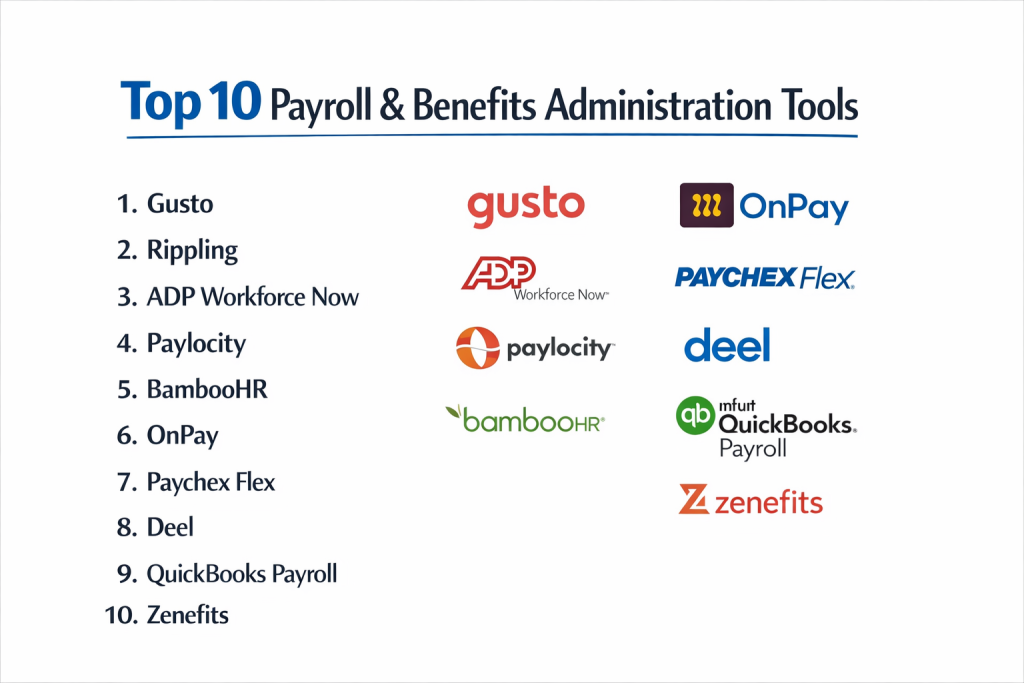
Top 10 Payroll & Benefits Administration Tools
1 — Gusto
Gusto modernizes payroll, benefits, and HR for small to medium-sized businesses with an intuitive, all-in-one platform. It’s designed for business owners and administrators who want to automate complex processes without a steep learning curve.
Key features:
- Full-service payroll that automates tax calculations, filings, and payments.
- Integrated benefits administration for health insurance, 401(k) plans, and commuter benefits.
- Time tracking with project tracking and PTO management.
- Employee self-service portal for pay stubs, W-2s, and benefit elections.
- HR resource library with templates for offer letters, state guides, and compliance.
- Automatic year-end reporting and form generation (e.g., W-2s, 1099s).
- Tools for hiring and onboarding new employees.
Pros:
- Exceptional user experience that makes complex tasks feel simple for admins and employees.
- Transparent, all-inclusive pricing with no hidden fees for tax filings or support.
Cons:
- Limited depth for complex HR needs compared to specialized enterprise platforms.
- Primarily optimized for the U.S. market, with limited international payroll capabilities.
Security & compliance: SOC 1, SOC 2, and SOC 3 reports; data encryption in transit and at rest; GDPR compliant; offers Single Sign-On (SSO).
Support & community: Robust online help center, email, and phone support. Offers dedicated customer success for premium plans. Active user community in forums.
2 — Rippling
Rippling unifies payroll, benefits, HR, and IT operations into a single, automated platform. It’s built for companies that want to manage their workforce and the software those employees use from one central system.
Key features:
- Unified Workforce Platform that connects payroll to app provisioning (like Google Workspace, Slack).
- Global payroll capability to pay employees and contractors in countries worldwide.
- Automated compliance for payroll taxes, benefits, and HR policies.
- Advanced analytics and reporting across people and payroll data.
- Policy management to automate enforcement of company policies.
- Integrations with hundreds of third-party business apps.
Pros:
- Unparalleled automation that links employee status changes to actions across the business.
- Powerful global payroll solution within a unified system, ideal for distributed teams.
Cons:
- Can be pricey for very small businesses compared to simpler competitors.
- The breadth of features may be overkill for companies needing only basic payroll.
Security & compliance: SOC 2 Type II certified, GDPR compliant, HIPAA capable, offers SSO and device management.
Support & community: 24/7 live chat, email, and phone support. Comprehensive knowledge base and onboarding services.
3 — ADP Workforce Now
ADP Workforce Now is a comprehensive, cloud-based HCM suite tailored for mid-sized businesses. It scales to offer deep functionality in payroll, HR, talent, time, and benefits.
Key features:
- Scalable payroll engine that handles complex rules, garnishments, and multi-jurisdiction taxes.
- In-depth benefits administration and ACA compliance tracking.
- Advanced talent management tools for performance, learning, and succession planning.
- Robust time and labor management with scheduling and attendance tracking.
- Insightful analytics and benchmarking against industry data.
- Strong regulatory expertise and compliance updates.
Pros:
- Extensive scalability and feature depth to support companies as they grow.
- Industry-leading compliance expertise and support from a payroll giant.
Cons:
- Pricing is not transparent and typically requires a custom quote.
- The interface can feel dated and complex compared to newer, sleeker platforms.
Security & compliance: Industry-leading security, SOC 1 and 2 reports, HIPAA, GDPR, and extensive data center certifications.
Support & community: Dedicated support representatives, extensive local office network, large user conferences, and online community.
4 — Paylocity
Paylocity provides a user-friendly, all-in-one HR and payroll software solution aimed at improving the employee experience. It emphasizes social features, collaboration, and modern design.
Key features:
- Community® social news feed for company announcements and peer recognition.
- Modern, intuitive payroll processing and tax filing services.
- Integrated talent management including recruitment, onboarding, and performance.
- Advanced reporting and data visualization tools.
- Learning management system (LMS) for employee development.
- Voice-activated assistant for quick HR and payroll queries.
Pros:
- Strong focus on employee engagement and modern communication tools.
- Excellent reporting that is both powerful and accessible to non-technical users.
Cons:
- Some advanced features may require add-on fees.
- Implementation process can be lengthy depending on complexity.
Security & compliance: SOC 1 Type II and SOC 2 Type II certified, data encryption, compliant with HIPAA, GDPR, and other regulations.
Support & community: Offers web, chat, and phone support. Provides implementation specialists and an online resource library.
5 — BambooHR
While famously known as a top-rated HRIS for SMBs, BambooHR offers a fully integrated payroll solution (via its partner, TraxPayroll) that provides a seamless experience for managing people data and pay.
Key features:
- Seamless integration between the award-winning HRIS and payroll data.
- Employee self-service for accessing pay stubs, time-off requests, and personal information.
- Applicant Tracking System (ATS) and onboarding workflows.
- Performance management tool with custom review cycles.
- Customizable reporting on people and payroll metrics.
- E-signatures for offer letters and policy acknowledgments.
Pros:
- Outstanding, intuitive user interface that employees and admins love to use.
- “Single source of truth” for employee data, eliminating duplicate entry.
Cons:
- Payroll is not built natively and is a partnered service, which can occasionally feel like two systems.
- Less customizable for complex payroll scenarios compared to dedicated payroll giants.
Security & compliance: SOC 1 and SOC 2 audited, GDPR compliant, robust permission roles, and data encryption.
Support & community: Renowned for excellent customer support via phone and email. Strong knowledge base and user community.
6 — OnPay
OnPay specializes in providing straightforward, reliable payroll and benefits for small businesses, with a strong focus on specific verticals like restaurants, nonprofits, and agriculture.
Key features:
- Unlimited monthly payroll runs at no extra cost.
- Automated tax filings and payments for federal, state, and local taxes.
- Integrated benefits for health insurance, 401(k), and workers’ comp.
- HR tools and compliance library with attorney-reviewed documents.
- Specialized features for tipped employees, multiple pay rates, and seasonal workers.
- Simple, per-employee pricing with no hidden fees.
Pros:
- Excellent value and transparent pricing for growing small businesses.
- Strong niche expertise for industries with unique payroll needs.
Cons:
- Lacks the broader HRIS functionality of true all-in-one platforms.
- Primarily focused on the U.S. market.
Security & compliance: Bank-level 256-bit encryption, SOC 1 compliance, and secure data centers.
Support & community: Highly-rated U.S.-based phone and email support. Simple setup and dedicated account help.
7 — Paychex Flex
Paychex Flex is a cloud-based suite offering payroll, HR, and benefits solutions for businesses of all sizes, from very small to enterprise, backed by a large, established provider.
Key features:
- Scalable payroll services from DIY to full-service outsourced options.
- Extensive benefits offerings, including ASO (Administrative Services Only) for larger companies.
- Strong retirement services and administration.
- Risk and compliance management with alerts and resources.
- Employee screening and onboarding services.
- Mobile app for managers and employees.
Pros:
- Great scalability from micro-business to corporate solutions.
- Access to human experts and a large consultant network for personalized service.
Cons:
- Interface and user experience can be less modern than some competitors.
- Pricing complexity can make cost comparisons difficult.
Security & compliance: SOC 1 Type II certified, advanced cybersecurity measures, and dedicated compliance team.
Support & community: 24/7 phone support, local representative network, online community, and resource center.
8 — Deel
Deel is a global payroll and compliance platform built for the modern, remote-first company. It simplifies hiring, paying, and managing full-time employees and contractors anywhere in the world.
Key features:
- Global payroll in over 100 countries, handling local taxes and compliance.
- Contractor management with automated payments and compliance.
- Employer of Record (EOR) services to hire employees internationally without a local entity.
- Self-serve onboarding and compliance document collection.
- Integrated benefits and equity management for global teams.
- Visa and relocation support.
Pros:
- Unmatched simplicity and speed for hiring and paying international team members.
- Reduces massive legal and compliance burden of a global workforce.
Cons:
- Pricing is premium, especially for EOR services.
- Domestic-only U.S. companies may find more cost-effective domestic-focused options.
Security & compliance: SOC 2 Type II certified, GDPR compliant, and adheres to local data protection laws worldwide.
Support & community: 24/5 customer support with dedicated account managers. Extensive help center.
9 — QuickBooks Payroll
QuickBooks Payroll integrates directly with the world’s most popular small business accounting software, providing a tight financial loop for business owners who live in QuickBooks.
Key features:
- Deep, automatic synchronization with QuickBooks Online accounting.
- Full-service payroll with automatic tax calculations and payments.
- Employee benefits administration (health, 401k, workers’ comp).
- Same-day direct deposit availability (on higher-tier plans).
- Time tracking integration via QuickBooks Time.
- Expert setup review and penalty protection guarantee.
Pros:
- Seamless integration for QuickBooks users eliminates double data entry.
- Familiar environment for millions of small business owners and their accountants.
Cons:
- Limited as a standalone HR platform; best as a payroll add-on to the accounting stack.
- Can become expensive when adding on multiple Intuit services.
Security & compliance: 256-bit encryption, multi-factor authentication, and meets standard financial data security protocols.
Support & community: Phone support and access to live experts. Vast QuickBooks user community and resources.
10 — Zenefits
Zenefits is an all-in-one HR platform that bundles payroll, benefits, compliance, and performance tools into a simple, streamlined package designed for SMBs.
Key features:
- Core HR, payroll, and benefits in a single, cohesive system.
- Automated compliance with new hire reporting and state tax registrations.
- Built-in time tracking and scheduling.
- Performance management and employee engagement surveys.
- Pre-integrated partner apps in its marketplace.
- Mobile-first design for managers and employees.
Pros:
- Excellent ease of use and streamlined onboarding for new customers.
- Strong broker and benefits partner network for small business insurance.
Cons:
- Historical growing pains with service reliability, though largely improved.
- Payroll may lack some advanced features needed by complex organizations.
Security & compliance: SOC 2 Type II certified, data encryption, HIPAA compliant for benefits data.
Support & community: Phone, email, and chat support. Help center and advisor network for benefits.
Comparison Table
A quick visual guide to see how these top tools stack up against each other.
| Tool Name | Best For | Platform(s) Supported | Standout Feature | Rating |
|---|---|---|---|---|
| Gusto | Small to medium U.S. businesses seeking simplicity | Web, iOS, Android | All-in-one ease of use & transparent pricing | N/A |
| Rippling | Tech-forward companies with IT/HR needs & global teams | Web, iOS, Android | Unified platform automating HR & IT workflows | N/A |
| ADP Workforce Now | Mid-market to large companies needing deep, scalable HCM | Web, iOS, Android | Scalability & enterprise-grade compliance expertise | N/A |
| Paylocity | Companies prioritizing modern communication & engagement | Web, iOS, Android | Social collaboration features & great reporting | N/A |
| BambooHR | SMBs wanting a best-in-class HRIS with integrated payroll | Web, iOS, Android | Intuitive employee experience & HR-centric design | N/A |
| OnPay | Value-focused small businesses & niche industries | Web | Simple pricing & specialized vertical expertise | N/A |
| Paychex Flex | Businesses of all sizes wanting access to human experts | Web, iOS, Android | Full range of services from DIY to fully outsourced | N/A |
| Deel | Remote-first and global companies hiring internationally | Web | Simplified global payroll & Employer of Record (EOR) | N/A |
| QuickBooks Payroll | Existing QuickBooks Online users | Web, iOS, Android | Native, automatic sync with QuickBooks accounting | N/A |
| Zenefits | SMBs desiring a streamlined, all-in-one HR bundle | Web, iOS, Android | Cohesive integration of core HR, payroll, and benefits | N/A |
Note: Specific ratings from Gartner Peer Insights or TrueReviewnow.com were not available for a structured comparison at this time. Evaluation should be based on the detailed criteria below.
Evaluation & Scoring of Payroll & Benefits Administration
Use this weighted rubric to score potential tools (1-5 scale, where 5 is excellent). Multiply each score by the weight to get a category score, then sum for a total score out of 5.
| Evaluation Criteria | Weight | What to Look For (Score 1-5) | Your Score x Weight |
|---|---|---|---|
| Core Features | 25% | Accuracy of payroll calc, tax filing, benefits admin, reporting depth, automation. | |
| Ease of Use | 15% | Intuitive interface for admins & employees, onboarding process, learning curve. | |
| Integrations & Ecosystem | 15% | Native connections to accounting, time-tracking, other HR software, API availability. | |
| Security & Compliance | 10% | SOC certifications, data encryption, compliance updates, audit trails, SSO. | |
| Performance & Reliability | 10% | System uptime, processing speed, mobile app reliability, update smoothness. | |
| Support & Community | 10% | Support channel quality, response times, knowledge base, user community. | |
| Price / Value | 15% | Transparent pricing, cost relative to features, ROI, lack of hidden fees. | |
| TOTAL SCORE | 100% | /5 |
Which Payroll & Benefits Administration Tool Is Right for You?
Your perfect fit depends on your specific needs. Here’s a practical guide:
- Solo Users vs. SMB vs. Mid-Market vs. Enterprise: Solo/small teams (1-10) should prioritize cost and simplicity (OnPay, Gusto Essentials). SMBs (10-100) need robust automation and integrated benefits (Gusto, BambooHR, Zenefits). Mid-Market (100-1000) require scalability, advanced HR features, and better support (ADP, Paylocity, Paychex). Enterprise (1000+) need global capability, high customization, and strategic partnerships (ADP, Rippling, specialized global vendors).
- Budget-Conscious vs. Premium: For strict budgets, seek transparent, per-employee pricing (OnPay, Gusto). Premium solutions (Rippling, Deel, ADP) justify cost with advanced automation, global reach, or white-glove service.
- Feature Depth vs. Ease of Use: If you have complex pay structures or deep HR needs, prioritize powerful features even with a steeper curve (ADP, Paylocity). If user adoption and simplicity are paramount, choose design-led platforms (Gusto, BambooHR).
- Integration and Scalability Needs: If you use QuickBooks, that integration is king. A fast-growing or tech-stack heavy company needs strong APIs and pre-built integrations (Rippling, Zenefits). Ensure the tool can scale with your employee count and geographic footprint.
- Security and Compliance Requirements: All businesses need core security (SOC 2, encryption). Healthcare needs HIPAA compliance. International operations require GDPR and local data laws. Public companies need rigorous audit trails. Verify the vendor explicitly supports your needs.
Frequently Asked Questions (FAQs)
Q1: How much do these tools typically cost?
Pricing models vary: per-employee per month (common for Gusto, BambooHR), flat monthly base fee + per employee (Paychex, ADP), or a percentage of payroll. Expect $25-$150/month base plus $4-$15 per employee. Always ask for a complete quote.
Q2: What’s the implementation timeline?
For a standard SMB, implementation can take 2 to 8 weeks. It depends on data complexity, employee count, benefit carrier integrations, and your team’s availability. Vendors like Rippling and Gusto offer quicker setups for simpler needs.
Q3: Can these systems handle contractors and full-time employees?
Yes, all major platforms can pay both W-2 employees and 1099 contractors. Platforms like Deel are specifically optimized for large-scale, global contractor management.
Q4: How do they handle tax compliance?
“Full-service” payroll means the vendor calculates, files, and pays all payroll taxes on your behalf and assumes liability for penalties due to their errors. Always confirm this is included.
Q5: What if we have employees in multiple states or countries?
Most U.S. platforms handle multi-state payroll. For international employees, you typically need a specialized global platform like Deel or Rippling, or use an Employer of Record (EOR) service.
Q6: Is our payroll data secure?
Reputable vendors invest heavily in security. Look for SOC 1/2/3 reports, data encryption (at rest and in transit), and compliance with standards like ISO 27001. Always review their security whitepapers.
Q7: Can we integrate with our existing HR or accounting software?
Most modern platforms offer pre-built integrations with common software like QuickBooks, Xero, Slack, and Microsoft 365. Check the vendor’s integration marketplace or ask about specific API capabilities for custom needs.
Q8: What happens if we outgrow our chosen tool?
Migrating payroll is complex but manageable. Choose a vendor known for scalability (like ADP or Paylocity) from the start. When switching, work closely with both vendors to ensure a clean data migration, typically at the end of a quarter or year.
Q9: What’s a common mistake businesses make when choosing?
The biggest mistake is choosing based on price alone without considering the true cost of manual workarounds, errors, or poor support. Also, not involving key stakeholders (like your accountant or IT) in the decision.
Q10: Are there alternatives to all-in-one platforms?
Yes. You can use: 1) A PEO (Professional Employer Organization) that co-employs your staff and manages all HR/payroll, 2) Standalone payroll services paired with separate benefits brokers, or 3) Manual processing or basic accounting software for the tiniest teams (not recommended beyond 1-2 employees).
Conclusion
Choosing the right payroll and benefits administration tool is a strategic decision that impacts your finances, your team’s productivity, and your employees’ trust. The “best” tool is not a universal winner but the one that aligns most closely with your company’s size, stage, industry, and specific operational needs.
As you evaluate, keep the core principles in mind: prioritize accuracy and compliance above all, demand clarity in pricing and support, and choose a platform that grows with your ambitions. The right system should feel less like a cost and more like a competitive advantage—freeing you from administrative burdens so you can focus on building your business. Start by auditing your current pain points, use the evaluation rubric provided, and take advantage of free demos and trials. Your future self—and your employees—will thank you.

- Top 10 Email Deliverability Tools: Features, Pros, Cons & Comparison - September 6, 2026
- Top 10 Pharmacovigilance Software: Features, Pros, Cons & Comparison - September 6, 2026
- Top 10 Manufacturing Execution Systems (MES) - July 30, 2026
This is an excellent and practical overview of payroll and benefits administration tools — a category that’s crucial for HR and finance teams striving to streamline total rewards operations. Modern payroll systems do much more than just calculate wages: they automate tax compliance, integrate with time‑tracking and HRIS platforms, manage benefits enrollment and deductions, and deliver accurate reporting that supports strategic workforce planning. Benefits administration features improve employee experience by simplifying open enrollment, tracking eligibility, and centralizing plan information. This comparison of features, pros, and cons helps decision‑makers quickly identify solutions that fit their organization’s size, compliance needs, and integration requirements — ultimately reducing administrative burden, minimizing errors, and supporting a more efficient and compliant payroll and benefits ecosystem.