Introduction
Meeting Room Booking Software is a digital platform that allows employees to find, reserve, and manage shared workspaces like conference rooms, huddle spaces, and hot desks. It replaces outdated methods like paper sign-up sheets or chaotic calendar invites with a centralized, real-time system that displays room availability, features, and schedules. These systems often integrate with digital calendars, door access controls, and room panels to create a seamless experience.
In modern hybrid and office-based workplaces, efficient space utilization is critical. This software is important because it eliminates double-bookings, reduces time wasted searching for available space, and provides data-driven insights to optimize your real estate portfolio. It empowers employees to collaborate effectively while giving facility managers the tools to manage resources proactively. Key real-world use cases include: a hybrid team booking a video-enabled room for their weekly sync from the company intranet; an office manager analyzing usage data to right-size the real estate footprint; or a visitor being automatically guided to a pre-booked meeting room upon check-in.
When choosing a platform, organizations should evaluate: ease of use and adoption for employees, depth of calendar integration (Outlook, Google Workspace), quality of room display panels and hardware options, robustness of analytics and reporting, and flexibility to manage different space types (rooms, desks, parking, equipment).
Best for: This software is most beneficial for Office Managers, Facility Managers, IT Administrators, and Executive Assistants in companies of all sizes that have shared workspaces. It is essential for medium to large enterprises, co-working spaces, hybrid/remote-first companies coordinating in-office days, and organizations in tech, professional services, and finance where collaboration is frequent.
Not ideal for: Very small teams (under 10 people) in a single open-plan office with one meeting room might manage with a shared calendar. Fully remote companies with no physical meeting spaces have no need. Organizations with a locked, assigned-room-per-team model and no shared resources may not see enough ROI to justify the cost.
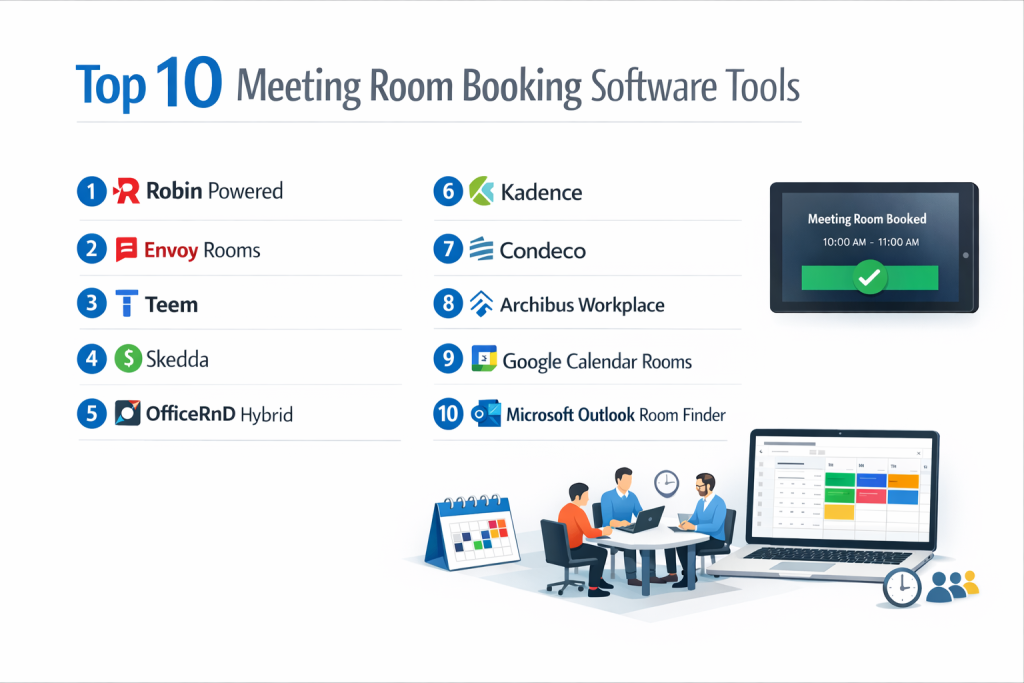
Top 10 Meeting Room Booking Software Tools
1 — Robin Powered
A leading workplace experience platform that started with room booking and expanded into a full suite for managing hybrid work, including desk booking, visitor management, and space analytics.
- Key Features
- Intuitive room and desk booking via web, mobile app, or Slack/Microsoft Teams.
- Native, two-way sync with Google Calendar and Microsoft 365/Exchange.
- Interactive floor plans and wayfinding.
- Robust analytics dashboard on space utilization (heatmaps, peak usage).
- Integration with room panel hardware (iPad, Android) and access control systems.
- Tools for managing office rotations and hybrid work schedules.
- Pros
- Excellent user experience and mobile app drive high adoption rates among employees.
- Powerful analytics provide clear insights to make data-driven decisions about office space.
- Cons
- Can become expensive as you add more modules (desk booking, visitor management) on top of the core room booking.
- Some advanced configuration may require support or technical knowledge.
- Security & Compliance: SOC 2 Type II certified, GDPR compliant, uses data encryption (in transit and at rest), and offers SAML/SSO.
- Support & Community: 24/7 customer support, dedicated customer success managers for enterprise plans, comprehensive help center, and an active user community.
2 — Envoy Rooms
Part of the broader Envoy workplace platform, this software focuses on simple, reliable room booking integrated with Envoy’s popular visitor check-in system and desk management.
- Key Features
- Simple room booking directly from Slack, Google Calendar, or the Envoy app.
- Real-time availability displayed on iPads outside each meeting room.
- Automatic release of “no-show” rooms to free up space.
- Integrated with Envoy Desks and Envoy Visitors for a unified platform.
- Basic reporting on room usage and popularity.
- Easy to set up and manage with minimal IT overhead.
- Pros
- Extremely user-friendly and reliable, with a minimalist design that teams love to use.
- Seamless integration with other Envoy products creates a powerful all-in-one workplace suite.
- Cons
- Standalone room booking features are more basic compared to best-of-breed analytics platforms.
- Best experienced as part of the full Envoy ecosystem; less compelling as a standalone room-only tool.
- Security & Compliance: SOC 2 Type II certified, GDPR & CCPA compliant, data encrypted. Offers SAML/SSO and secure infrastructure.
- Support & Community: Email and chat support, detailed help articles, and setup guides. Premium support for higher-tier plans.
3 — Teem (by iOFFICE)
A comprehensive workplace management system with strong room scheduling capabilities, known for its deep integration with Microsoft and advanced enterprise features.
- Key Features
- Deep, two-way integration with Microsoft Exchange/Outlook and Google Calendar.
- Advanced scheduling features like recurring meetings, resource booking (AV, catering), and room approvals.
- Detailed analytics and reporting on room utilization and meeting patterns.
- Native integration with Crestron and other room control systems for “one-touch” meeting start.
- Mobile app and interactive kiosk modes for booking on the go.
- Pros
- Unmatched depth for Microsoft/Exchange environments, favored by large enterprises.
- Powerful analytics and reporting tools for strategic space management.
- Cons
- Can have a steeper learning curve and more complex setup due to its enterprise feature set.
- The user interface, while functional, can feel less modern than some newer competitors.
- Security & Compliance: Enterprise-grade security, SOC 2 Type II certified, HIPAA compliant capabilities, and supports SAML/SSO.
- Support & Community: 24/7 phone and email support, dedicated account management, extensive knowledge base, and user training.
4 — Skedda
A highly flexible and affordable online booking platform designed for a wide range of spaces, from meeting rooms to sports courts, popular with schools, studios, and SMBs.
- Key Features
- Extremely customizable booking rules, forms, and permissions.
- Interactive floor plan designer with drag-and-drop simplicity.
- Automated invoicing and payment processing (Stripe, PayPal).
- Versatile for booking rooms, desks, equipment, or facilities.
- Basic integrations with Google Calendar, Outlook, and Zapier.
- Clean, simple interface for both administrators and end-users.
- Pros
- Unbeatable flexibility and value for price, especially for non-corporate environments.
- Intuitive admin interface makes complex rule-setting accessible without technical skills.
- Cons
- Lacks some of the deep workplace analytics and “smart” features of dedicated corporate platforms.
- Native integrations with corporate IT stacks (like SSO) may be less robust than enterprise-focused tools.
- Security & Compliance: Data encrypted, GDPR compliant, and offers secure data practices. Specific certifications like SOC 2 are not a primary focus.
- Support & Community: Responsive email support, comprehensive help docs, video tutorials, and a community forum.
5 — OfficeRnD Hybrid
A platform built from the ground up for the needs of hybrid companies, combining meeting room booking with advanced desk hoteling, team scheduling, and policy management.
- Key Features
- Unified booking for rooms, desks, parking spots, and other amenities.
- “Office in the loop” scheduling to coordinate team in-office days.
- Advanced desk hoteling with floor plans, neighbor visibility, and preferences.
- Analytics focused on hybrid work trends and office occupancy.
- Integrations with Google Calendar, Microsoft 365, and Slack.
- Pros
- Purpose-built for hybrid work, solving the unique challenges of coordinating who is in the office and when.
- Strong focus on employee experience with features like seeing who else is booked nearby.
- Cons
- As a newer player, its brand recognition and third-party hardware integrations are not as extensive as some incumbents.
- Overkill for companies that are fully in-office and only need simple room booking.
- Security & Compliance: SOC 2 Type II certified, GDPR compliant, data encrypted, and offers SAML/SSO.
- Support & Community: Customer success team, online knowledge base, and regular product webinars.
6 — Kadence
A hybrid workplace platform with a strong emphasis on team coordination and intentional collaboration, helping employees plan their in-office time around people, not just spaces.
- Key Features
- “Together Days” and team scheduling to align when teams come into the office.
- Meeting room and desk booking with intelligent suggestions based on who’s attending.
- Advanced insights showing how space supports collaboration and team connectivity.
- Clean, employee-centric mobile and web apps.
- Native integrations with Google Calendar, Outlook, Slack, and Teams.
- Pros
- Unique focus on the human element of hybrid work, fostering planned in-person collaboration.
- Provides insights not just on space usage, but on how people are connecting.
- Cons
- Philosophy requires buy-in into its team-centric model; less suited for purely individual, ad-hoc booking.
- A younger platform with a smaller customer base than some established vendors.
- Security & Compliance: SOC 2 Type II certified, GDPR compliant, and employs enterprise-grade security practices with SSO.
- Support & Community: Dedicated customer success, 24/5 support, and an online help center.
7 — Condeco
A global leader in workspace management technology, known for its premium hardware (room panels, desk screens) and sophisticated software for large, complex enterprises.
- Key Features
- High-end, custom-branded room and desk booking panels.
- Enterprise-scale software with deep Microsoft and Google integrations.
- Advanced resource management for catering, equipment, and services.
- Comprehensive utilization analytics and reporting suite.
- Strong global presence and support for multi-location, multinational companies.
- Pros
- Premium, reliable hardware and software combination favored by Fortune 500 companies.
- Scalable and robust enough for the most complex global office portfolios.
- Cons
- One of the most expensive solutions on the market, with significant upfront hardware costs.
- Can be perceived as less agile and slower to adapt than cloud-native software-only competitors.
- Security & Compliance: ISO 27001 certified, GDPR compliant, and meets stringent global enterprise security requirements.
- Support & Community: 24/7 global enterprise support, dedicated account management, and professional services.
8 — Archibus Workplace
A room and desk booking module within the massive Archibus integrated workplace management system (IWMS), designed for enterprises that need booking tied to real estate, maintenance, and finance data.
- Key Features
- Room and resource scheduling as part of a comprehensive IWMS.
- Space management and stacking plans integrated with booking data.
- Links space utilization to real estate costs and portfolio strategy.
- Can be heavily customized to fit complex enterprise processes.
- Mobile access and floor plan visualization.
- Pros
- Uniquely powerful for organizations that need to connect space usage directly to corporate real estate strategy and costs.
- Part of a single source of truth for all facility and asset data.
- Cons
- Extremely complex and expensive; overkill for companies only needing a booking system.
- Implementation is a major project requiring specialized consultants and long timelines.
- Security & Compliance: Enterprise-grade security, with compliance frameworks tailored to large global corporations (specifics vary by deployment).
- Support & Community: Professional services and support through a global network of Archibus partners and consultants.
9 — Google Calendar Rooms (via Google Workspace)
The native, basic room booking functionality built directly into Google Calendar for Google Workspace subscribers, offering simple resource management.
- Key Features
- Native integration: Rooms appear as resources within Google Calendar.
- Simple approval workflows and permission settings for room admins.
- Basic visibility into room schedules and bookings.
- No additional cost for Google Workspace subscribers.
- Extremely low barrier to entry for users already on Google Calendar.
- Pros
- Zero additional cost and zero new software for teams deeply embedded in Google Workspace.
- The simplest possible user experience—it’s just Google Calendar.
- Cons
- Lacks features like interactive floor plans, analytics, display panels, and desk booking.
- No way to visually see room availability without going into the calendar.
- Security & Compliance: Inherits Google Workspace’s industry-leading security, compliance certifications (SOC 1/2/3, ISO 27001), and data protection.
- Support & Community: Support through standard Google Workspace channels. No dedicated feature community.
10 — Microsoft Outlook Room Finder
The native room and resource booking tool within Microsoft Outlook/Exchange for Microsoft 365 enterprises, providing integrated scheduling.
- Key Features
- Rooms managed as resources in Exchange Admin Center.
- Room Finder panel in Outlook and Outlook on the web for searching availability.
- Configurable room features, capacities, and booking policies.
- Tight integration with Exchange for real-time availability.
- Included with Microsoft 365 subscription.
- Pros
- No extra cost for Microsoft 365 enterprises and deep, reliable integration with Outlook.
- Familiar interface for users, managed through existing Exchange administration.
- Cons
- Very limited features compared to dedicated platforms (no analytics, panels, floor plans).
- Admin configuration can be technical and limited to Exchange management tools.
- Security & Compliance: Inherits Microsoft 365’s comprehensive compliance offerings (including GDPR, ISO 27001) and advanced security controls.
- Support & Community: Support through Microsoft 365 admin channels. No dedicated product community.
Comparison Table
| Tool Name | Best For (Target User/Scenario) | Platform(s) Supported | Standout Feature | Rating |
|---|---|---|---|---|
| Robin Powered | Companies wanting a top-tier employee experience with strong analytics. | Web, Mobile, Slack, Teams, Panels | Excellent user experience & powerful space utilization analytics. | N/A |
| Envoy Rooms | Companies seeking a simple, reliable tool, especially if using other Envoy products. | Web, Mobile, Slack, iPad Panels | Simplicity, reliability, and seamless Envoy platform integration. | N/A |
| Teem (iOFFICE) | Large Microsoft/Exchange enterprises needing deep integration & advanced features. | Web, Mobile, Outlook, Panels | Deepest Microsoft integration and enterprise-grade scheduling features. | N/A |
| Skedda | SMBs, schools, studios needing flexible, affordable booking for various space types. | Web, Mobile (limited) | Extreme customization & value for price across diverse space types. | N/A |
| OfficeRnD Hybrid | Hybrid-first companies needing to coordinate desks, rooms, and team schedules. | Web, Mobile, Calendar Integrations | Built for hybrid work with team scheduling and office planning. | N/A |
| Kadence | Hybrid companies focused on intentional team collaboration and connectivity. | Web, Mobile, Calendar, Slack/Teams | Focus on planning “Together Days” and team-based in-office coordination. | N/A |
| Condeco | Large global enterprises wanting a premium, integrated hardware/software solution. | Web, Panels, Enterprise Hardware | Premium global solution with high-end custom hardware integration. | N/A |
| Archibus Workplace | Enterprises needing room booking tied to corporate real estate & asset management. | Web, Mobile (part of IWMS) | Room booking as part of a comprehensive Integrated Workplace Management System. | N/A |
| Google Calendar Rooms | Small to mid-sized teams fully on Google Workspace needing a simple, free solution. | Web (Google Calendar) | Zero-cost, native integration for Google Workspace users. | N/A |
| Microsoft Room Finder | Enterprises fully on Microsoft 365 needing basic, integrated room management. | Web (Outlook), Desktop (Outlook) | Zero-cost, native integration for Microsoft 365 enterprises. | N/A |
Evaluation & Scoring of Meeting Room Booking Software
| Criteria | Weight | What to Look For (Evaluation Guidelines) |
|---|---|---|
| Core Features | 25% | Ease of booking, calendar sync quality, display panel support, analytics/reporting, and management of different space types (rooms, desks). |
| Ease of Use | 15% | Intuitive interface for employees, minimal training required, quality of mobile experience, and simplicity of the admin dashboard. |
| Integrations & Ecosystem | 15% | Native, two-way sync with your primary calendar (Google or Microsoft). Integration with communication tools (Slack, Teams), access control, and other workplace systems. |
| Security & Compliance | 10% | SOC 2 Type II certification, data encryption, GDPR/CCPA compliance, and support for SAML/SSO for secure employee login. |
| Performance & Reliability | 10% | System uptime, speed of booking and calendar updates, and reliability of real-time availability displays. |
| Support & Community | 10% | Quality of onboarding, responsiveness of customer support, availability of training resources, and an active user community. |
| Price / Value | 15% | Transparent pricing (per room/month, per user/month), total cost including hardware, and clear ROI in terms of time saved and space optimized. |
Which Meeting Room Booking Software Tool Is Right for You?
- Solo Users vs SMB vs Mid-Market vs Enterprise: Very small teams should use Google Calendar Rooms or Microsoft Room Finder. SMBs and growing companies should evaluate Skedda (for value/flexibility) or Envoy. Mid-market to large companies have strong options in Robin, Teem, OfficeRnD, and Kadence. Large global enterprises will look at Condeco, Archibus, and enterprise plans from Robin and Teem.
- Budget-Conscious vs Premium Solutions: For maximum value and low cost, use the native calendar tools or Skedda. Mid-range investments with great features include Robin, Envoy, OfficeRnD, and Kadence. Premium enterprise solutions like Condeco and Archibus involve significant capital expenditure.
- Feature Depth vs Ease of Use: If you need maximum control, analytics, and complex scheduling and have IT support, prioritize Teem or Condeco. If company-wide adoption and a delightful user experience are paramount, choose Robin, Envoy, or Kadence.
- Integration and Scalability Needs: If you live in Microsoft 365, Teem offers the deepest integration. For Google Workspace, Robin and Envoy excel. For a standalone, flexible platform, Skedda is great. For global scalability and hardware, Condeco is a leader.
- Security and Compliance Requirements: Most established cloud vendors offer SOC 2 and GDPR compliance. Large enterprises in regulated industries should prioritize vendors with ISO 27001 and a proven global track record like Condeco or the enterprise versions of Robin/Teem.
Frequently Asked Questions (FAQs)
1. What’s the difference between room booking software and a shared calendar?
Dedicated software provides visual floor plans, real-time panels outside rooms, detailed analytics, and integrations with room hardware (to start meetings). A shared calendar only shows a list of bookings, leading to double-books and “no-show” rooms wasting space.
2. How do digital room display panels work?
These are tablets (like iPads) mounted outside rooms that sync with the booking software to show real-time availability, current/upcoming meetings, and allow for ad-hoc booking. They are the most visible sign of an organized office.
3. Can this software handle hybrid work and desk hoteling?
Yes, most modern platforms like Robin, OfficeRnD, and Envoy offer integrated desk booking modules. This allows employees to book both a meeting room and a desk for the day from the same system.
4. How much does meeting room booking software cost?
Pricing models vary: per room per month ($10-$50+), per user per month ($3-$10+), or per location. Hardware (display panels) is an additional one-time cost ($300-$800 per panel). Native calendar tools are “free” with your Google/Microsoft subscription.
5. What’s the biggest barrier to success with this software?
Poor user adoption. If the tool is clunky or not integrated into employees’ daily flow (like their calendar), they won’t use it. Choose software with an excellent user experience and single sign-on (SSO).
6. How important are analytics?
Crucial for facility and real estate managers. Analytics show you which rooms are used most, peak booking times, and average meeting sizes. This data helps you right-size your office, reconfigure spaces, and justify real estate decisions.
7. Can it manage other resources, like AV equipment or catering?
Advanced systems like Teem and Condeco allow you to book associated resources (projectors, video conferencing kits, whiteboards) alongside the room. Some also integrate with catering service orders.
8. What is a “room release” or “no-show” policy?
This is an automated rule that cancels a booking if no one checks in within a set time (e.g., 10 minutes past start). It frees up rooms that are booked but not used, a common problem in offices.
9. How long does implementation take?
A cloud-based software-only solution can be live in a few days to a couple of weeks. Adding hardware panels and deep IT integrations (like SSO, access control) can extend this to 1-3 months.
10. Should we build our own custom solution?
Almost always no. The cost, time, and ongoing maintenance required to build, secure, and integrate a reliable system far outweighs the subscription cost of a proven vendor. Only consider this if you have highly unique needs no platform can meet.
Conclusion
Choosing the right meeting room booking software transforms office space from a source of frustration into a strategic asset that enables collaboration and efficiency. From the powerful analytics of Robin to the enterprise depth of Teem and the hybrid-focused design of OfficeRnD, the ideal platform aligns with your company’s size, tech stack, and workplace philosophy. The “best” tool is the one that your employees will actually use, provides actionable insights for your managers, and scales with your evolving workplace needs.
Prioritize user adoption and seamless integration over a long list of niche features. A simple, reliable system that’s part of everyone’s daily workflow will deliver more value than a complex one that sits unused. Invest in a proper rollout with clear communication and training. By implementing the right system, you’re not just booking rooms—you’re building a more productive, data-driven, and employee-friendly workplace.

- Top 10 Email Deliverability Tools: Features, Pros, Cons & Comparison - September 6, 2026
- Top 10 Pharmacovigilance Software: Features, Pros, Cons & Comparison - September 6, 2026
- Top 10 Manufacturing Execution Systems (MES) - July 30, 2026