Introduction
In the digital age, Webinar Platforms are specialized software solutions designed to host and manage live, interactive online presentations, workshops, and events. They go far beyond simple video conferencing by providing tools for large-scale audience engagement, professional presentation delivery, and detailed attendee analytics. These platforms act as a virtual stage, allowing hosts to share audio, video, and screen content while facilitating two-way interaction through polls, Q&A, and chat features.
Mastering the art of the webinar is critical for businesses and individuals looking to build authority, generate qualified leads, deliver training, and drive revenue without geographical constraints. A robust platform transforms a one-way presentation into a dynamic, engaging experience that fosters connection and achieves measurable goals. Key real-world use cases include a software company hosting a product demo for thousands of prospects with automated follow-up emails to hot leads, a consultant selling high-ticket coaching programs through a series of value-packed live workshops, and a global corporation training employees across time zones with on-demand replays and comprehension quizzes.
When evaluating these platforms, key criteria include: attendee capacity and scalability, quality and reliability of audio/video streaming, depth of interactive and engagement tools, sophistication of marketing automation and analytics, ease of use for both hosts and attendees, and flexibility of webinar formats (live, automated, evergreen, hybrid).
Best for: These platforms deliver immense value to marketers, sales teams, educators, trainers, coaches, and corporate communicators. They are essential for B2B and B2C companies of all sizes, educational institutions, non-profits, and professional associations. Solopreneurs, small businesses, mid-market companies, and large enterprises all benefit from the ability to connect with a broad audience virtually.
Not ideal for: Teams that only need internal video meetings (e.g., daily stand-ups, team collaboration) will find a standard video conferencing tool like Zoom Meetings or Microsoft Teams more suitable and cost-effective. Similarly, creators looking for simple, free live streaming to social media platforms (Facebook Live, YouTube Live) may not need the registration, analytics, and lead capture features of a dedicated webinar platform. Very large, complex virtual conferences with multiple simultaneous tracks often require more specialized virtual event platforms.
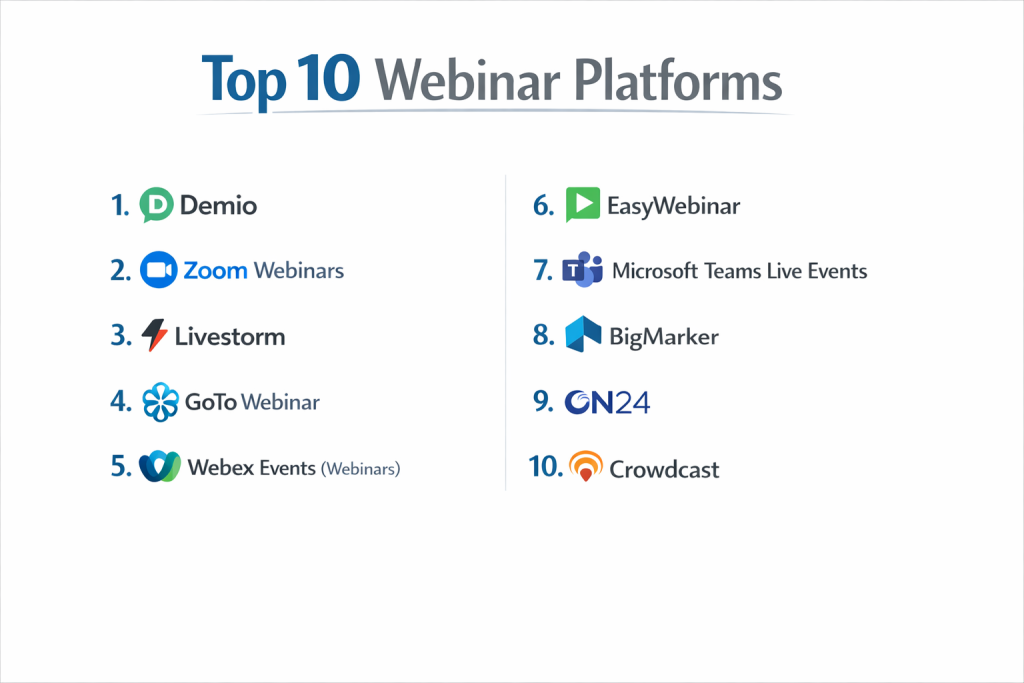
Top 10 Webinar Platforms
1 — Demio
A modern, browser-based platform beloved by marketers for its intuitive, stress-free user experience and powerful automation features, all without requiring any software downloads.
Key features:
- 100% Browser-Based: No downloads for hosts or attendees; runs directly in Chrome, Firefox, etc.
- Automated & Evergreen Webinars: Record once and replay automatically on a schedule, perfect for lead generation 24/7.
- Meeting-Style & Webinar-Style Rooms: Switch between interactive meeting formats and more structured webinar presentations.
- High-Engagement Tools: Interactive polls, Q&A, handouts, and spotlighting of attendee questions.
- Built-in Marketing Hub: Create registration pages, send automated emails, and integrate with CRM natively.
- Actionable Analytics: Tracks attendance, engagement, and lead scores for precise follow-up.
Pros:
- Exceptional Host & Attendee Experience: The no-download requirement and clean interface reduce friction and technical issues dramatically.
- Marketing Automation Powerhouse: Excellent built-in tools for nurturing leads before, during, and after the webinar without complex third-party setups.
Cons:
- Limited Custom Branding on Lower Tiers: Deep branding control (like removing “Powered by Demio”) is reserved for higher-priced plans.
- Smaller Maximum Audience Size: While sufficient for most, its maximum live attendee capacity is lower than some enterprise-focused competitors.
Security & compliance: SOC 2 Type II certified, GDPR/CCPA compliant, with data encryption. Offers SSO and detailed access controls for enterprise.
Support & community: Renowned for fast, helpful support via live chat and email. Extensive knowledge base, video tutorials, and an active user community focused on marketing use cases.
2 — Zoom Webinars
The webinar extension of the ubiquitous Zoom Meetings platform, offering familiarity, massive scalability, and deep integration with the wider Zoom ecosystem.
Key features:
- Massive Scalability: Supports from 500 to 10,000+ video attendees, depending on the plan.
- Familiar Zoom Interface: Leverages the well-known Zoom meeting controls, reducing host training time.
- Dedicated Webinar Controls: Panelist and attendee roles, Q&A, polls, and hand raising.
- Extensive Integration Network: Connects with countless marketing, sales, and productivity apps via the Zoom App Marketplace.
- On-Demand with Registration: Allows you to post a recording and still capture lead information from viewers.
- Robust Reporting: Detailed reports on registration, attendance, engagement, and poll results.
Pros:
- Unmatched Scale & Reliability: Built on Zoom’s global infrastructure, it handles enormous audiences with proven stability.
- Ecosystem & Familiarity: Ideal for organizations already using Zoom for internal meetings; simplifies adoption and IT management.
Cons:
- Can Feel “Corporate”: The interface is functional but may lack the marketing-friendly polish of newer, dedicated platforms.
- Feature Fragmentation: Advanced features like marketing automation and sophisticated analytics often require additional Zoom products or third-party integrations.
Security & compliance: Offers enterprise-grade security with SOC 2, ISO 27001, HIPAA compliance options. End-to-end encryption for webinars, SSO, and advanced admin controls.
Support & community: 24/7 phone and live chat support for paid plans. Vast community forums, detailed documentation, and extensive training resources.
3 — Livestorm
A versatile, browser-based platform that excels as an all-in-one solution for both live webinars and on-demand video communication, with a strong focus on team collaboration.
Key features:
- Browser-Based for All: No downloads for participants; hosts manage everything from a web browser.
- Unified Platform for Live & Async: Host live webinars, create on-demand video hubs, and send video emails from the same platform.
- Team-Based Webinar Hosting: Multiple team members can co-host, manage chat, and analyze performance together.
- Advanced Registration & Analytics: Highly customizable registration forms and deep, funnel-based analytics.
- Automated Workflows: Trigger follow-up emails, CRM updates, and tasks based on attendee behavior.
- Built-in Rooms for Rehearsal & Green Room: Dedicated virtual spaces for host preparation before going “live.”
Pros:
- Excellent for Collaborative Marketing Teams: Facilitates seamless teamwork in planning, executing, and analyzing webinars.
- All-in-One Video Engagement Suite: Great for companies that want webinar, on-demand video, and video messaging in a single, cohesive tool.
Cons:
- Pricing Can Escalate: Costs can grow significantly with higher attendee limits and added team seats.
- Interface Richness: The wealth of features can present a steeper initial learning curve compared to simpler tools.
Security & compliance: GDPR, CCPA, and SOC 2 compliant. Data encryption in transit and at rest. Offers enterprise security features like SSO.
Support & community: Responsive support with a help center, live chat, and email. Offers onboarding sessions and has an engaged user community.
4 — GoTo Webinar
A long-standing pioneer in the webinar space, known for its reliability, powerful automation features, and deep integration with the GoTo marketing and support suite.
Key features:
- Proven Reliability: One of the most established platforms with a reputation for stable, high-quality broadcasts.
- Powerful Automated Webinar Series: Robust tools for creating complex, multi-session automated webinar funnels.
- Comprehensive Practice Session Tools: Full rehearsal mode with recording playback for hosts.
- Customizable Registration Paths: Create different registration experiences for different audience segments.
- Deep GoTo Ecosystem Integration: Works seamlessly with GoTo Meeting, GoTo Connect, and GoTo’s customer engagement tools.
- Detailed Reporting & ROI Tracking: Tracks registration sources, attendance, and engagement metrics.
Pros:
- Set-and-Forget Automation: A top choice for marketers who want to build sophisticated, hands-free evergreen webinar campaigns.
- Enterprise-Ready & Trusted: A safe, reliable choice for large organizations with complex needs and a focus on stability.
Cons:
- Outdated User Interface: The host and attendee experience can feel dated and less intuitive compared to modern browser-based competitors.
- Software Download Required: Attendees are encouraged to download the GoTo desktop app for the best experience, which can create friction.
Security & compliance: High security standards with TLS 1.2+ encryption, SOC 2 Type II, ISO 27001, and GDPR compliance. Offers SSO and detailed admin controls.
Support & community: 24/7 phone support for customers. Extensive knowledge base, live training webinars, and a large, established user base.
5 — Webex Events (Webinars)
Cisco’s enterprise-grade solution, offering exceptional audio/video quality, strong security, and features that support both internal and external large-scale webinars.
Key features:
- Enterprise-Grade Performance & Security: Built on Cisco’s networking expertise, offering high-definition video and robust security.
- Hybrid Event Support: Strong tools for integrating virtual audiences with in-person events.
- Advanced Attendee Management: Detailed control over attendee roles, permissions, and engagement features.
- Interactive Production Tools: Support for multi-presenter videos, screen sharing, polls, and Q&A.
- Deep Analytics & Integration: Comprehensive reporting and integration with Salesforce, Marketo, and other enterprise systems.
- Custom Branding & Registration: Extensive options to white-label the entire attendee journey.
Pros:
- Top-Tier Security & Global Reach: The preferred choice for security-conscious enterprises, government, and global corporations.
- Ideal for Complex, High-Stakes Events: Handles large, professionally produced internal and external events with precision.
Cons:
- Higher Cost & Complexity: Premium pricing and a feature set that may be overkill for small businesses or solo presenters.
- Enterprise-Focused UX: The interface and configuration can be complex, aimed at trained administrators rather than casual marketers.
Security & compliance: Industry-leading security with end-to-end encryption, SOC 2/3, ISO 27001, FedRAMP, HIPAA, and GDPR compliance. Extensive security controls.
Support & community: 24/7 enterprise-level support. Detailed documentation, administrator training, and a large network of certified partners.
6 — EasyWebinar
A platform built specifically for marketers who rely heavily on automated and evergreen webinar funnels to generate leads and sales around the clock.
Key features:
- True Live Simulated (TLS) Automation: Advanced technology that makes a recorded webinar feel live, including live chat simulation.
- Hybrid Webinars: Seamlessly blend live and pre-recorded segments within a single webinar.
- Built-in Email Automation: Send broadcast and automated follow-up emails directly from the platform.
- Funnel & Conversion Tracking: Tracks attendees through custom funnels to measure conversion rates to offers.
- Integrated Chat & Polling: Live chat and polls work in both live and automated webinar modes.
- CRM & Payment Integrations: Direct connections to popular CRM and payment processors for sales webinars.
Pros:
- Automation Specialist: Arguably the most powerful platform for creating convincing, high-converting automated webinar sequences.
- All-in-One for Sales Webinars: Integrates email, chat, and payment tools tailored for direct sales and launch campaigns.
Cons:
- Interface Can Feel Cluttered: The focus on features over design can make the platform feel less polished and intuitive.
- Niche Focus: Its specialized automation tools are its strength, but it may lack the broad versatility of other platforms for varied use cases.
Security & compliance: Standard security practices for data handling. Specific enterprise compliance certifications should be confirmed with the vendor.
Support & community: Offers support and training resources geared towards webinar marketers. Has a community focused on sales funnel strategies.
7 — Microsoft Teams Live Events
A feature within Microsoft Teams designed for producing large-scale, one-to-many online events for internal and external audiences, deeply integrated with Office 365.
Key features:
- Deep Microsoft 365 Integration: Seamlessly works with Outlook calendar, SharePoint, Stream, and Azure Active Directory.
- Internal & External Broadcasting: Secure broadcasting to employees or public internet audiences.
- Production Roles: Clear roles for organizers, producers, presenters, and attendees.
- Q&A and Moderated Discussions: Interactive tools with moderation controls for large audiences.
- Event Recording & Analytics: Automatic recording to Microsoft Stream with detailed viewer analytics.
- High Attendee Capacity: Supports up to 10,000 attendees for internal events and large external broadcasts.
Pros:
- Unbeatable for Microsoft 365 Enterprises: The most natural, secure, and cost-effective choice for companies fully invested in the Microsoft ecosystem.
- Ideal for Internal All-Hands & Communications: Perfect for company-wide meetings, training, and executive broadcasts.
Cons:
- Limited Marketing Features: Lacks built-in registration pages, email automation, and lead capture tools essential for marketing webinars.
- Complex for External Events: Setting up public events can be more administratively complex than using a dedicated marketing platform.
Security & compliance: Inherits the enterprise-grade security of Microsoft 365, including SOC 1/2, ISO 27001, GDPR, and HIPAA compliance. Advanced security and compliance center.
Support & community: Support through Microsoft 365 admin centers. Vast official documentation, community forums, and global network of partners.
8 — BigMarker
A highly customizable, all-in-one platform that combines webinar hosting with community and virtual conference features in a branded environment.
Key features:
- Fully Customizable & Brandable: Extensive white-labeling options for registration pages, emails, and the webinar room itself.
- Always-On Webinar Channels: Create persistent, branded “channels” where you can host live, automated, and on-demand content.
- Virtual Conference & Summit Tools: Supports multi-track, multi-day virtual events with lobbies and breakout sessions.
- Advanced Networking Features: Includes attendee matchmaking, 1:1 video networking, and community forums.
- Integrated Monetization: Tools for selling tickets, subscriptions, and on-demand access directly.
- Comprehensive Suite: Includes email marketing, CRM, and analytics within the platform.
Pros:
- Ultimate Brand Control: Offers the deepest level of white-label customization, making it ideal for agencies and large brands.
- Beyond Webinars to Communities: Excellent for building ongoing engagement through persistent channels and networking, not just one-off events.
Cons:
- Pricing Premium: The high degree of customization and feature breadth comes with a premium price tag.
- Feature Overload: The sheer number of options can be overwhelming for users who just need straightforward webinar hosting.
Security & compliance: SOC 2 compliant, GDPR/CCPA ready. Offers SSO, data encryption, and secure streaming. Specific certifications should be confirmed.
Support & community: Dedicated customer success for higher-tier plans. Knowledge base, live training, and a community for users.
9 — ON24
A data-centric webinar and virtual experience platform built for B2B revenue teams, with deep analytics and integration into sales and marketing workflows.
Key features:
- Deep Engagement Analytics: Tracks not just attendance, but content engagement, poll responses, and booth visits to create rich lead profiles.
- Sales & Marketing Integration: Native integrations with Salesforce, Eloqua, Marketo, and other MAPs/CRMs for immediate lead handoff.
- Interactive Content Experiences: Beyond webinars, supports interactive product demos, resource centers, and virtual roadshows.
- AI-Powered Insights: Provides analytics and recommended actions based on audience behavior.
- Post-Event Demand Generation: Tools to repurpose webinar content into ongoing lead generation assets.
- Audience Engagement Hub: A persistent destination for your audience to access past and upcoming events.
Pros:
- Leader in Data & Analytics: Unmatched in turning audience engagement into actionable sales intelligence and lead scoring.
- Built for B2B Revenue Teams: Connects marketing efforts directly to sales pipeline acceleration and account-based strategies.
Cons:
- Enterprise-Only Pricing: Generally not accessible or cost-effective for small businesses or individual creators.
- Complex Implementation: Requires significant setup, integration work, and strategic planning to realize its full value.
Security & compliance: Enterprise-level security with SOC 2, ISO 27001, GDPR, and CCPA compliance. Advanced security and permission frameworks.
Support & community: Enterprise-grade support with dedicated customer success managers. Focused user communities and extensive partner network.
10 — Crowdcast
A creator-focused platform known for its beautiful, simple interface and strong tools for building a community and monetizing audiences through live interactions.
Key features:
- Creator-Centric Design: Intuitive, clean interface optimized for solo hosts and small teams to go live easily.
- Integrated Monetization: Built-in tools for selling tickets, collecting donations (via integrations), and offering paid subscriptions.
- Audience Interaction First: Features like live chat, Q&A, and polls are central to the experience.
- Always-On “Show” Pages: Create a permanent home for your show with past recordings, chat archives, and upcoming events.
- Simple Paid Events: Easy setup for paid webinars, workshops, and classes.
- YouTube & Social Live Streaming: Simultaneously broadcast your webinar to YouTube and other platforms.
Pros:
- Best for Creators & Community Builders: Perfect for individuals, coaches, and experts building a loyal, paying audience.
- Effortless Paid Events: Makes monetizing live video incredibly simple and integrated.
Cons:
- Limited Advanced Marketing Automation: Lacks the sophisticated email automation and CRM integration of marketing-focused platforms.
- Smaller Scale: Attendee capacities are lower, making it less suitable for massive corporate or promotional webinars.
Security & compliance: Uses standard encryption and security practices for live streaming. Specific compliance certifications should be checked by users with regulated needs.
Support & community: Responsive support. Resources and a community geared towards independent creators, artists, and educators.
Comparison Table
| Tool Name | Best For | Platform(s) Supported | Standout Feature | Rating |
|---|---|---|---|---|
| Demio | Marketers Seeking Frictionless Experience | Web (Browser-Based) | No-Download, Browser-Based Ease & Marketing Automation | N/A |
| Zoom Webinars | Large Enterprises & Organizations Using Zoom | Desktop, Mobile, Web | Massive Scalability & Ecosystem Familiarity | N/A |
| Livestorm | Collaborative Marketing & Video Teams | Web (Browser-Based) | Unified Platform for Live, Async & Team Collaboration | N/A |
| GoTo Webinar | Reliable, Automated Webinar Campaigns | Desktop, Mobile, Web | Sophisticated “Set-and-Forget” Evergreen Webinar Automation | N/A |
| Webex Events | Security-Conscious Enterprises & Hybrid Events | Desktop, Mobile, Web | Enterprise-Grade Security & Hybrid Event Support | N/A |
| EasyWebinar | Marketers Running Automated Sales Funnels | Web, Desktop App | True Live Simulated (TLS) Automation for Recorded Webinars | N/A |
| Microsoft Teams Live Events | Microsoft 365 Companies for Internal Broadcasts | Desktop, Mobile, Web | Deep Native Integration with Microsoft 365 Ecosystem | N/A |
| BigMarker | Brands & Agencies Needing Full White-Label | Web (Browser-Based) | Extensive Customization & “Always-On” Webinar Channels | N/A |
| ON24 | B2B Enterprises Focused on Lead Intelligence | Web (Browser-Based) | Deep Engagement Analytics & Sales/Marketing Integration | N/A |
| Crowdcast | Creators & Experts Monetizing Live Video | Web (Browser-Based) | Creator-Focused Design & Built-In Monetization Tools | N/A |
Evaluation & Scoring of Webinar Platforms
The following rubric provides a framework for scoring tools (1-5 per category) based on your primary use case, audience, and goals.
| Evaluation Category | Weight | What to Look For |
|---|---|---|
| Core Features & Reliability | 25% | Video/audio quality, stability, attendee capacity, interactive tools (polls, Q&A), recording/playback, automation options. |
| Ease of Use & Experience | 15% | Host interface intuitiveness, attendee join process (downloads?), mobile experience, overall technical friction. |
| Integrations & Ecosystem | 15% | CRM/MAP integration (Salesforce, HubSpot), email marketing, analytics tools, calendar, payment processors. |
| Security & Compliance | 10% | Data encryption, access controls, compliance certifications (SOC 2, GDPR, HIPAA), SSO availability. |
| Performance & Reliability | 10% | Uptime record, streaming latency, global content delivery, support during events. |
| Support & Community | 10% | Quality of onboarding, availability of live support, knowledge base, user community for best practices. |
| Price / Value | 15% | Pricing transparency, cost relative to features and attendee limits, ROI on lead generation/sales. |
Which Webinar Platform Tool Is Right for You?
The best platform aligns with your primary goal: generating marketing leads, enabling sales, facilitating internal communication, or building a community.
- By Primary Goal & User Type:
- B2B/B2C Marketers (Lead Gen): Prioritize marketing automation and analytics. Demio and Livestorm offer the best balance. ON24 is the enterprise data leader. GoTo Webinar excels for automated funnels.
- Sales Teams & Coaches (Direct Sales): Need payment integration and high-conversion tools. EasyWebinar is built for sales funnels. Crowdcast makes monetization simple for creators.
- Large Enterprises (Internal/External Events): Prioritize security, scale, and integration. Zoom Webinars, Webex Events, and Microsoft Teams Live Events are the top contenders based on your existing tech stack.
- Creators & Community Builders: Focus on audience interaction and monetization. Crowdcast is ideal. BigMarker offers deep community features.
- Agencies & Large Brands (White-Label): Require full customization. BigMarker and Livestorm offer strong white-labeling options.
- By Key Decision Factors:
- Simplicity vs. Depth: For the simplest experience, choose Demio or Crowdcast. For maximum depth and customization, look at ON24, BigMarker, or Webex Events.
- Live vs. Automated: If you need powerful evergreen/automated webinars, focus on GoTo Webinar and EasyWebinar. For primarily live events, most platforms suffice.
- Integration Needs: Your CRM is critical. Check for native integrations with Salesforce, HubSpot, etc. If you live in Microsoft 365, Teams Live Events is a natural fit.
- Budget vs. Scale: Free tiers are limited. Zoom Webinars and Demio offer good mid-market value. ON24 and Webex represent the premium enterprise tier.
Frequently Asked Questions (FAQs)
- What’s the difference between a webinar platform and a video conferencing tool?
Video conferencing (Zoom Meetings, Teams) is designed for collaborative meetings where all participants can share video and audio. Webinar platforms are built for one-to-many presentations, with clear presenter/attendee roles, larger audiences, and features for registration, marketing, and detailed analytics. - How many attendees do I need to justify a paid platform?
If you are consistently hosting events for more than 50-100 people, or if lead generation and analytics are important, a paid platform becomes valuable. Free tools severely limit audience size and lack critical marketing features. - Can I use these platforms to host hybrid (in-person + virtual) events?
Yes, platforms like Webex Events, Zoom Webinars, and BigMarker have specific features to support hybrid events, such as streaming to a virtual audience from a live venue, integrating in-person and online Q&A, and unified registration. - How important is “no-download” for attendees?
Extremely important for marketing and conversion. Every barrier (like a required download) reduces your show-up rate. Browser-based platforms like Demio, Livestorm, and BigMarker typically see higher attendance rates. - What’s the biggest mistake people make when starting with webinars?
Neglecting promotion and rehearsal. The best platform won’t help an empty room or a disorganized host. Spend 80% of your effort on promoting the event and practicing your flow. Technology is only an enabler. - How do I handle Q&A with a large audience?
Use the platform’s moderated Q&A feature. Have a host or moderator screen questions, group similar ones, and feed the best to the presenter. This prevents chaos and ensures a smooth experience. - Can I edit my webinar recording before publishing it on-demand?
Most platforms provide a direct link to the raw recording. For advanced editing (cutting, splicing, adding graphics), you typically need to download the recording and edit it in a separate video editor (like Descript or Adobe Premiere) before re-uploading. - What internet speed do I need as a host?
A stable upload speed of at least 5-10 Mbps is recommended for hosting a high-quality HD webinar. Always use a wired Ethernet connection instead of Wi-Fi for maximum reliability during a live broadcast. - Are webinars still effective for lead generation?
Absolutely. Webinars remain one of the top-performing content formats for generating high-quality, engaged leads because they demonstrate expertise, allow for direct interaction, and provide rich data on attendee interest. - Do I own the data (email list, attendance info) collected?
Yes, you should. Reputable platforms clearly state that you own your attendee data. Always review the Terms of Service and Privacy Policy to confirm you can export your registration lists and engagement data.
Conclusion
Choosing the right webinar platform is a strategic decision that can unlock new avenues for growth, learning, and connection. From the marketing-focused ease of Demio to the colossal scale of Zoom, the data intelligence of ON24, and the creator-friendly monetization of Crowdcast, each platform serves a distinct master. Remember, the most powerful tool is the one that your team can use confidently, your audience can join effortlessly, and seamlessly connects to your broader business goals. Start by defining your single most important webinar objective—be it lead quantity, sales conversions, internal alignment, or community building. The “best” platform is not the most famous or the most feature-packed, but the one that most elegantly removes friction from your process, provides the insights you need, and helps you deliver exceptional value to your virtual audience, one event at a time.

- Top 10 Email Deliverability Tools: Features, Pros, Cons & Comparison - September 6, 2026
- Top 10 Pharmacovigilance Software: Features, Pros, Cons & Comparison - September 6, 2026
- Top 10 Manufacturing Execution Systems (MES) - July 30, 2026