Introduction
Cloud Cost Allocation Tools are software solutions that help organizations understand, split, and assign cloud spending to the right teams, projects, services, or business units. In simple words, these tools answer one very important question: who is using the cloud and how much is it really costing?
Cloud environments grow very fast. Teams create resources daily, services scale up and down, and costs change all the time. Without proper cost allocation, cloud bills become confusing, unexpected, and hard to explain. Cloud Cost Allocation Tools bring clarity by breaking down costs in a meaningful way and linking them to real usage.
In real-world use, these tools help companies track spending per team, allocate shared costs, manage budgets, support chargeback or showback models, and improve accountability. When choosing a cloud cost allocation tool, users should look for accurate cost breakdowns, flexible tagging rules, multi-cloud support, easy dashboards, integration with cloud platforms, and strong security.
Best for:
Cloud Cost Allocation Tools are best for FinOps teams, cloud engineers, DevOps teams, finance teams, product owners, startups scaling fast, SaaS companies, enterprises, and industries like software, e-commerce, fintech, and media.
Not ideal for:
Individuals, very small teams with minimal cloud usage, or companies using only one small cloud account may not need advanced allocation tools. Basic cloud billing dashboards may be enough in such cases.
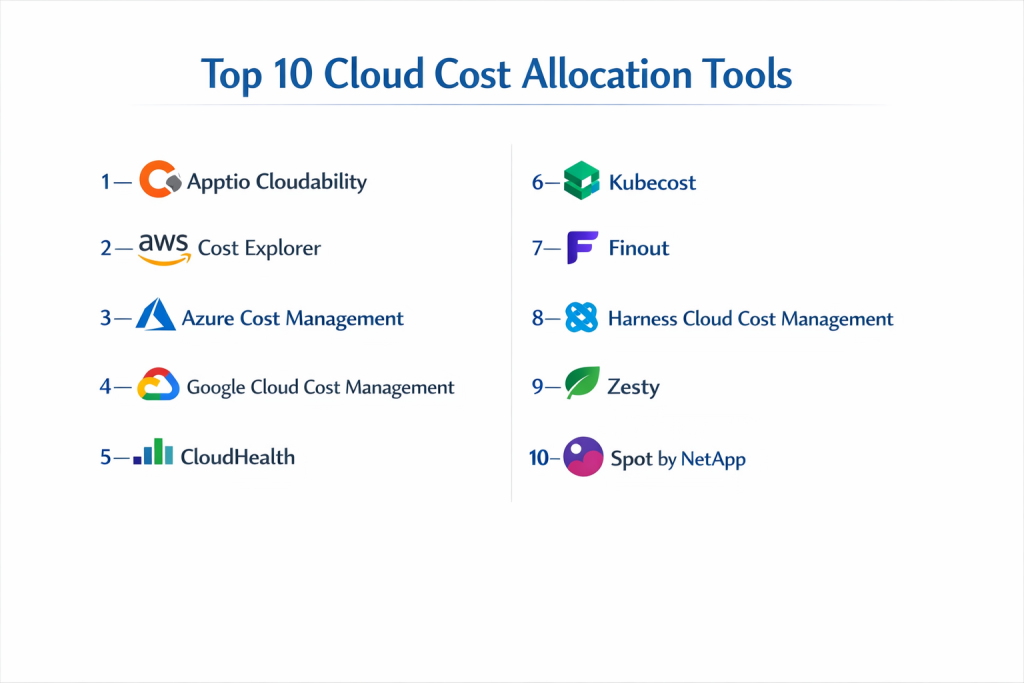
Top 10 Cloud Cost Allocation Tools
1 — Apptio Cloudability
Short description:
A mature cloud cost allocation and FinOps platform designed for large and complex cloud environments.
Key features:
- Detailed cost allocation by team and service
- Multi-cloud support
- Budgeting and forecasting
- Tag and label management
- Chargeback and showback
- Executive dashboards
Pros:
- Very accurate cost breakdown
- Strong FinOps alignment
- Trusted by large enterprises
Cons:
- Complex setup
- Premium pricing
Security & compliance:
Supports SSO, encryption, audit logs, and enterprise compliance standards.
Support & community:
Strong documentation, enterprise onboarding, active FinOps community.
2 — AWS Cost Explorer
Short description:
A native cost allocation and analysis tool built directly into the AWS ecosystem.
Key features:
- Cost allocation using tags
- Usage reports and trends
- Forecasting
- Budget alerts
- Service-level cost visibility
- Native AWS integration
Pros:
- No external setup
- Accurate AWS data
- Easy to start
Cons:
- AWS-only
- Limited advanced allocation logic
Security & compliance:
Uses AWS security controls, encryption, and access policies.
Support & community:
Good documentation, large AWS user community.
3 — Azure Cost Management
Short description:
A built-in cloud cost allocation tool for Microsoft Azure environments.
Key features:
- Cost allocation by subscription and resource
- Budget tracking
- Forecasting
- Tag-based allocation
- Alerts and reports
- Azure-native dashboards
Pros:
- Seamless Azure integration
- Simple to use
- Reliable cost data
Cons:
- Azure-only
- Limited cross-cloud support
Security & compliance:
Enterprise-grade Azure security and compliance controls.
Support & community:
Strong documentation and Microsoft support ecosystem.
4 — Google Cloud Cost Management
Short description:
A native cost allocation and billing analysis tool for Google Cloud users.
Key features:
- Project-level cost allocation
- Budget alerts
- Usage reports
- Labels for cost grouping
- Cost forecasting
- Native GCP integration
Pros:
- Accurate GCP billing data
- Easy setup
- Good transparency
Cons:
- GCP-only
- Basic allocation logic
Security & compliance:
Built-in Google Cloud security and access controls.
Support & community:
Good documentation and cloud user community.
5 — CloudHealth
Short description:
A cloud cost allocation and governance platform for multi-cloud environments.
Key features:
- Cost allocation by business unit
- Multi-cloud visibility
- Policy-based cost controls
- Budget alerts
- Cost optimization insights
- Reporting dashboards
Pros:
- Strong governance features
- Clear visual reports
- Good multi-cloud support
Cons:
- Interface can feel complex
- Pricing may be high for small teams
Security & compliance:
Supports encryption, access controls, and audit logging.
Support & community:
Good documentation, enterprise support, cloud-focused users.
6 — Kubecost
Short description:
A cost allocation tool focused on Kubernetes and container workloads.
Key features:
- Pod and namespace-level cost allocation
- Kubernetes-native dashboards
- Shared cost allocation
- Budget alerts
- Cost forecasting
- Integration with cloud providers
Pros:
- Very detailed Kubernetes cost visibility
- Developer-friendly
- Real-time insights
Cons:
- Best only for Kubernetes
- Limited non-container coverage
Security & compliance:
Supports role-based access and encryption.
Support & community:
Strong documentation, active open-source and enterprise users.
7 — Finout
Short description:
A modern cloud cost allocation platform built for engineering and FinOps teams.
Key features:
- Real-time cost allocation
- Flexible tagging rules
- Multi-cloud support
- Team and service-level breakdown
- Budget tracking
- Clean dashboards
Pros:
- Easy to use
- Fast onboarding
- Clear cost ownership
Cons:
- Limited traditional finance features
- Focused mainly on cloud-native teams
Security & compliance:
Supports encryption and access control.
Support & community:
Good onboarding, growing FinOps community.
8 — Harness Cloud Cost Management
Short description:
A cloud cost allocation and optimization tool with automation features.
Key features:
- Cost allocation by service
- Automated cost optimization
- Budget alerts
- Usage analytics
- Integration with CI/CD
- Real-time cost data
Pros:
- Strong automation
- Developer-focused
- Good cost-saving insights
Cons:
- Cloud-only focus
- Limited financial reporting depth
Security & compliance:
Supports encryption, SSO, and audit logs.
Support & community:
Good documentation, enterprise support, DevOps users.
9 — Zesty
Short description:
A cloud cost allocation and optimization tool focused on resource efficiency.
Key features:
- Cost allocation insights
- Resource usage optimization
- Budget monitoring
- Automation for savings
- Reporting dashboards
- Cloud provider integration
Pros:
- Strong optimization focus
- Easy insights
- Helpful recommendations
Cons:
- Smaller ecosystem
- Less customization
Security & compliance:
Supports encryption and access control.
Support & community:
Good documentation, responsive support.
10 — Spot by NetApp
Short description:
A cloud cost allocation and optimization platform focused on efficiency.
Key features:
- Cost allocation by workload
- Automated scaling
- Budget tracking
- Cost optimization
- Multi-cloud support
- Usage insights
Pros:
- Strong automation
- Good for large-scale workloads
- Proven reliability
Cons:
- Complex setup
- Best for experienced teams
Security & compliance:
Enterprise security controls and compliance support.
Support & community:
Enterprise support, documentation, large user base.
Comparison Table
| Tool Name | Best For | Platform(s) Supported | Standout Feature | Rating |
|---|---|---|---|---|
| Apptio Cloudability | Enterprises | Multi-cloud | Deep cost allocation | N/A |
| AWS Cost Explorer | AWS users | AWS | Native integration | N/A |
| Azure Cost Management | Azure users | Azure | Built-in cost tracking | N/A |
| Google Cloud Cost Management | GCP users | GCP | Project-level costs | N/A |
| CloudHealth | Governance-focused teams | Multi-cloud | Policy controls | N/A |
| Kubecost | Kubernetes teams | Multi-cloud | Pod-level allocation | N/A |
| Finout | Cloud-native teams | Multi-cloud | Real-time allocation | N/A |
| Harness Cloud Cost Management | DevOps teams | Multi-cloud | Automation | N/A |
| Zesty | Optimization-focused teams | Cloud platforms | Resource efficiency | N/A |
| Spot by NetApp | Large workloads | Multi-cloud | Automated scaling | N/A |
Evaluation & Scoring of Cloud Cost Allocation Tools
| Criteria | Weight | Evaluation Focus |
|---|---|---|
| Core features | 25% | Allocation accuracy and depth |
| Ease of use | 15% | Interface and learning curve |
| Integrations & ecosystem | 15% | Cloud and tool support |
| Security & compliance | 10% | Access control and audits |
| Performance & reliability | 10% | Data accuracy and speed |
| Support & community | 10% | Help and documentation |
| Price / value | 15% | Cost versus savings |
Which Cloud Cost Allocation Tool Is Right for You?
- Solo users: Native cloud tools may be enough.
- SMBs: Simple multi-cloud tools with clear dashboards work well.
- Mid-market: FinOps-focused platforms bring strong value.
- Enterprise: Advanced allocation, governance, and automation are essential.
Budget-conscious teams should start with native tools. Cloud-heavy and fast-growing companies should invest in FinOps platforms. Teams running Kubernetes should prefer container-focused tools. Security and compliance should guide choices in regulated industries.
Frequently Asked Questions (FAQs)
1. What is cloud cost allocation?
It means assigning cloud costs to the right teams or services.
2. Why is cost allocation important?
It creates accountability and reduces waste.
3. Do these tools support multi-cloud?
Many tools support multiple cloud providers.
4. Are native cloud tools enough?
They work well for basic needs.
5. Is tagging mandatory?
Most tools rely on tags or labels.
6. Can cost allocation reduce bills?
Yes, by showing unused or wasteful resources.
7. Are these tools secure?
Most offer enterprise-level security.
8. Do developers use these tools?
Yes, especially in FinOps teams.
9. What is a common mistake?
Ignoring tagging standards.
10. Can these tools scale?
Yes, if chosen correctly.
Conclusion
Cloud Cost Allocation Tools bring visibility, control, and clarity to cloud spending. They help organizations understand who is using the cloud and why costs are rising. The most important factors when choosing the right tool are accuracy, ease of use, integration, and long-term value. There is no single best tool for everyone. The right choice always depends on cloud scale, team maturity, budget, and business goals.

- Top 10 Email Deliverability Tools: Features, Pros, Cons & Comparison - September 6, 2026
- Top 10 Pharmacovigilance Software: Features, Pros, Cons & Comparison - September 6, 2026
- Top 10 Manufacturing Execution Systems (MES) - July 30, 2026