Introduction
FinOps Chargeback Tools are software solutions that help organizations track, allocate, and share cloud and infrastructure costs across teams, departments, or business units. In very simple terms, these tools answer a basic but critical question: who is using the cloud and how much should they pay for it.
As companies grow and use more cloud services, costs often rise quickly and become difficult to understand. Without proper chargeback or showback systems, teams may overuse resources because they do not see the real cost of their actions. FinOps chargeback tools bring transparency, accountability, and control by clearly mapping costs to owners.
In real-world use, these tools are used to allocate cloud bills to teams, compare budgets with actual spending, support internal billing, improve forecasting, and encourage responsible usage. When choosing a FinOps chargeback tool, users should look at cost allocation accuracy, ease of setup, multi-cloud support, reporting clarity, integration options, and governance features.
Best for:
FinOps practitioners, cloud cost managers, finance teams, platform teams, DevOps teams, mid-sized companies, enterprises, SaaS providers, and organizations running multi-cloud or large cloud environments.
Not ideal for:
Very small teams with minimal cloud usage, early-stage startups with simple billing needs, or companies using a single small cloud account may not need full chargeback tools. Basic cloud provider billing dashboards may be enough for them.
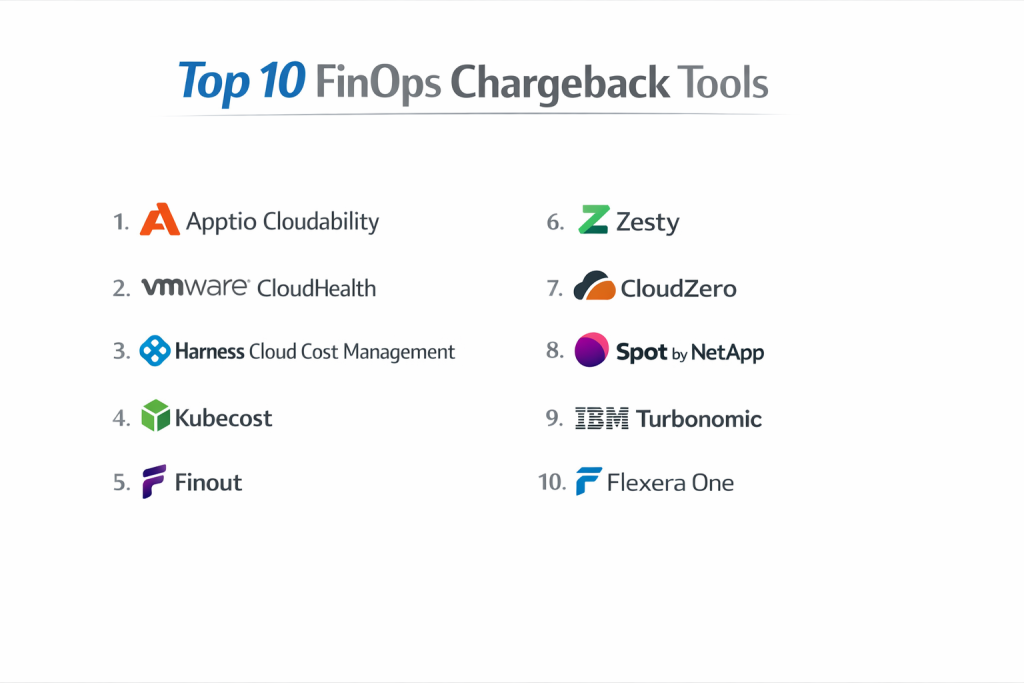
Top 10 FinOps Chargeback Tools
1 — Apptio Cloudability
Short description:
A mature FinOps platform designed to help large organizations manage, allocate, and optimize cloud costs.
Key features:
- Detailed cost allocation and chargeback
- Multi-cloud cost visibility
- Budgeting and forecasting
- Showback and chargeback reporting
- Cost anomaly detection
- Integration with finance systems
Pros:
- Strong enterprise adoption
- Accurate cost allocation
- Deep reporting capabilities
Cons:
- Higher pricing
- Setup can take time
Security & compliance:
Supports SSO, role-based access, encryption, audit logs, and enterprise compliance standards.
Support & community:
Strong documentation, enterprise onboarding, professional services, and FinOps-focused support.
2 — VMware CloudHealth
Short description:
A cloud cost management tool with strong governance and chargeback capabilities.
Key features:
- Cost allocation by tags and accounts
- Budget tracking and alerts
- Governance and policy controls
- Multi-cloud visibility
- Cost optimization insights
- Compliance reporting
Pros:
- Good governance features
- Strong reporting
- Works well for regulated environments
Cons:
- Interface can feel complex
- Less flexible dashboards
Security & compliance:
Enterprise-grade security, compliance reporting, and access control.
Support & community:
Vendor support, structured onboarding, and enterprise customer base.
3 — Harness Cloud Cost Management
Short description:
A modern FinOps tool designed for engineering-driven teams and cloud-native environments.
Key features:
- Kubernetes and cloud cost allocation
- Real-time cost visibility
- Budget and forecast tracking
- Chargeback by service and team
- Optimization recommendations
- Integration with CI/CD tools
Pros:
- Strong Kubernetes support
- Developer-friendly
- Fast insights
Cons:
- Best for cloud-native teams
- Limited finance-focused workflows
Security & compliance:
Supports SSO, encryption, access controls, and audit logs.
Support & community:
Good documentation, responsive support, growing FinOps community.
4 — Kubecost
Short description:
A specialized tool for Kubernetes cost allocation and chargeback.
Key features:
- Kubernetes namespace and workload cost allocation
- Real-time cost monitoring
- Forecasting and budgeting
- Idle resource detection
- Cost optimization insights
- Open cost model
Pros:
- Excellent Kubernetes visibility
- Simple cost models
- Transparent pricing logic
Cons:
- Limited non-Kubernetes support
- Needs Kubernetes knowledge
Security & compliance:
Supports encryption, RBAC, and deployment-level security controls.
Support & community:
Active community, strong documentation, enterprise support available.
5 — Finout
Short description:
A FinOps automation platform focused on accurate cost allocation and shared cost handling.
Key features:
- Automated cost allocation
- Shared cost distribution
- Multi-cloud and SaaS support
- Custom cost rules
- Business unit reporting
- Cost anomaly detection
Pros:
- Strong shared cost handling
- Simple setup
- Clean interface
Cons:
- Smaller ecosystem
- Limited deep forecasting
Security & compliance:
Supports SSO, encryption, and access controls.
Support & community:
Responsive support team, onboarding help, growing user base.
6 — Zesty
Short description:
A FinOps tool focused on automated savings and internal cost accountability.
Key features:
- Automated savings actions
- Cost allocation by team
- Budget alerts
- Usage-based reporting
- Cloud optimization
- Forecast insights
Pros:
- Automated optimizations
- Clear savings visibility
- Easy to understand reports
Cons:
- Less customization
- Focused more on savings than finance workflows
Security & compliance:
Standard cloud security practices, access controls.
Support & community:
Vendor support, onboarding sessions, limited community.
7 — CloudZero
Short description:
A cost intelligence platform designed to connect cloud spend with business outcomes.
Key features:
- Unit cost allocation
- Service-based chargeback
- Real-time cost insights
- Cost anomaly detection
- Budget tracking
- Business metrics mapping
Pros:
- Strong business alignment
- Real-time insights
- Clear unit economics
Cons:
- Learning curve
- Premium pricing
Security & compliance:
Supports SSO, encryption, audit logs, and compliance controls.
Support & community:
Strong customer support, onboarding guidance, growing FinOps community.
8 — Spot by NetApp
Short description:
A cloud optimization platform with cost allocation and governance features.
Key features:
- Cost allocation and reporting
- Automated optimization
- Budget tracking
- Multi-cloud support
- Kubernetes optimization
- Policy-based governance
Pros:
- Strong automation
- Reliable optimization
- Enterprise-ready
Cons:
- Complex feature set
- Requires configuration effort
Security & compliance:
Enterprise-grade security, access controls, compliance support.
Support & community:
Professional support, documentation, enterprise customer base.
9 — IBM Turbonomic
Short description:
A resource optimization platform with cost visibility and allocation features.
Key features:
- Resource usage analysis
- Cost allocation insights
- Automated actions
- Performance optimization
- Hybrid cloud support
- Reporting dashboards
Pros:
- Strong automation
- Performance-aware cost control
- Enterprise scale
Cons:
- Less finance-focused
- Complex setup
Security & compliance:
Enterprise security standards, audit logging, access controls.
Support & community:
Enterprise support, documentation, professional services.
10 — Flexera One
Short description:
An IT financial management platform with strong chargeback and governance capabilities.
Key features:
- Cost allocation and chargeback
- Multi-cloud visibility
- Budgeting and forecasting
- Policy enforcement
- License and asset insights
- Reporting and dashboards
Pros:
- Strong governance
- Broad IT financial scope
- Reliable reporting
Cons:
- Interface feels heavy
- Higher learning curve
Security & compliance:
Supports SSO, encryption, audit logs, and enterprise compliance needs.
Support & community:
Enterprise support, documentation, consulting services.
Comparison Table
| Tool Name | Best For | Platform(s) Supported | Standout Feature | Rating |
|---|---|---|---|---|
| Apptio Cloudability | Large enterprises | Multi-cloud | Cost allocation depth | N/A |
| VMware CloudHealth | Regulated enterprises | Multi-cloud | Governance policies | N/A |
| Harness CCM | Cloud-native teams | Multi-cloud | Kubernetes cost visibility | N/A |
| Kubecost | Kubernetes users | Kubernetes | Workload-level chargeback | N/A |
| Finout | Shared cost environments | Multi-cloud | Shared cost allocation | N/A |
| Zesty | Cost optimization | Public cloud | Automated savings | N/A |
| CloudZero | Business-driven FinOps | Public cloud | Unit economics | N/A |
| Spot by NetApp | Enterprise optimization | Multi-cloud | Automation | N/A |
| IBM Turbonomic | Performance-focused orgs | Hybrid cloud | Resource optimization | N/A |
| Flexera One | IT finance teams | Multi-cloud | Governance and chargeback | N/A |
Evaluation & Scoring of FinOps Chargeback Tools
| Criteria | Weight | Evaluation Focus |
|---|---|---|
| Core features | 25% | Allocation, reporting, chargeback |
| Ease of use | 15% | Interface and learning curve |
| Integrations & ecosystem | 15% | Cloud and finance tools |
| Security & compliance | 10% | Access control and audits |
| Performance & reliability | 10% | Accuracy and stability |
| Support & community | 10% | Help and onboarding |
| Price / value | 15% | Cost vs benefits |
Which FinOps Chargeback Tool Is Right for You?
- Solo users: Basic cost dashboards are usually enough.
- SMBs: Simple tools with fast setup work best.
- Mid-market: Look for balance between finance and engineering needs.
- Enterprise: Choose tools with governance, security, and scale.
Budget-focused teams should avoid over-complex platforms. Teams needing deep visibility should choose tools with strong tagging and allocation models. Security-sensitive industries should prioritize compliance and audit features.
Frequently Asked Questions (FAQs)
1. What is a FinOps chargeback tool?
It allocates cloud costs to teams or departments.
2. Is chargeback better than showback?
Chargeback enforces payment, showback only shows usage.
3. Do these tools support multi-cloud?
Most modern tools do.
4. Are FinOps tools hard to implement?
Some are simple, others need planning.
5. Can developers use these tools?
Yes, many are developer-friendly.
6. Do they reduce cloud costs?
Yes, by improving accountability.
7. Are they secure?
Enterprise tools offer strong security.
8. Do small teams need them?
Not always.
9. What is a common mistake?
Ignoring tagging standards.
10. Can they integrate with finance systems?
Many tools support finance integrations.
Conclusion
FinOps chargeback tools help organizations bring clarity, fairness, and control to cloud spending. They connect technical usage with financial responsibility, helping teams make better decisions. The most important factors are accuracy, usability, integration, and governance. There is no single best tool for everyone. The right choice always depends on company size, cloud complexity, team maturity, and business goals.

- Top 10 Email Deliverability Tools: Features, Pros, Cons & Comparison - September 6, 2026
- Top 10 Pharmacovigilance Software: Features, Pros, Cons & Comparison - September 6, 2026
- Top 10 Manufacturing Execution Systems (MES) - July 30, 2026