Bootstrap Button Groups:
- Button Groups.
- Vertical Button Groups.
- Justified Button Groups.
- Nesting Button Groups & Dropdown Menus.
- Split Button Dropdowns.
Button Groups:
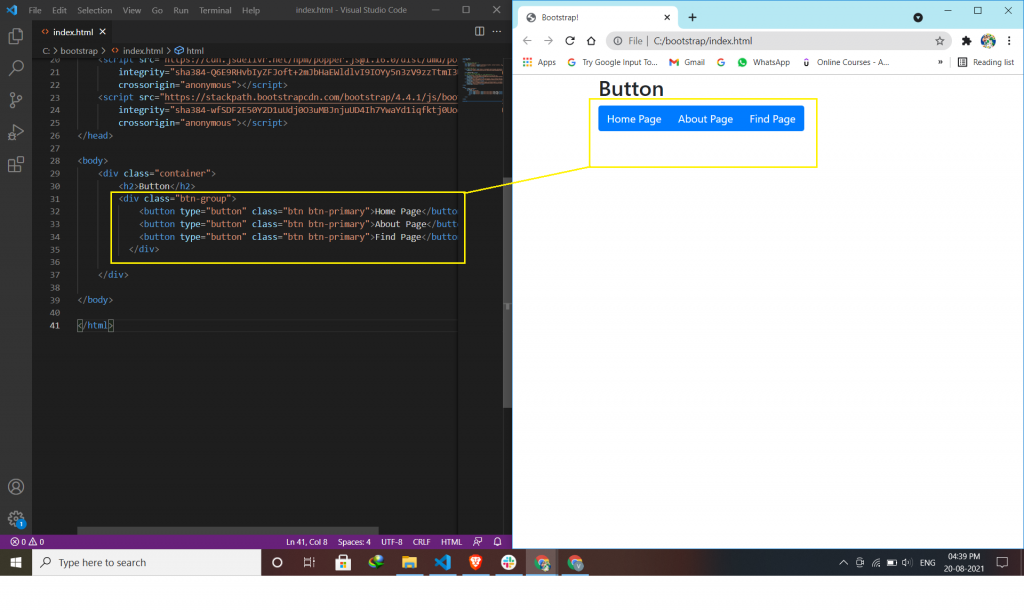
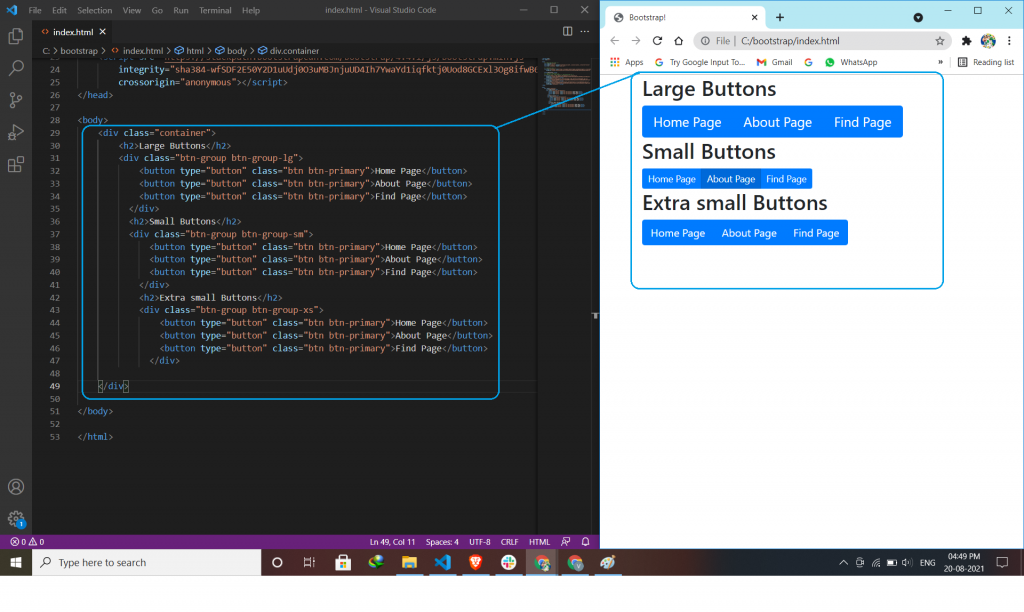
Bootstrap allows you to group a series of buttons in a button group. Use a <div> element with class .btn-group to create a button group.
Vertical Button Groups:
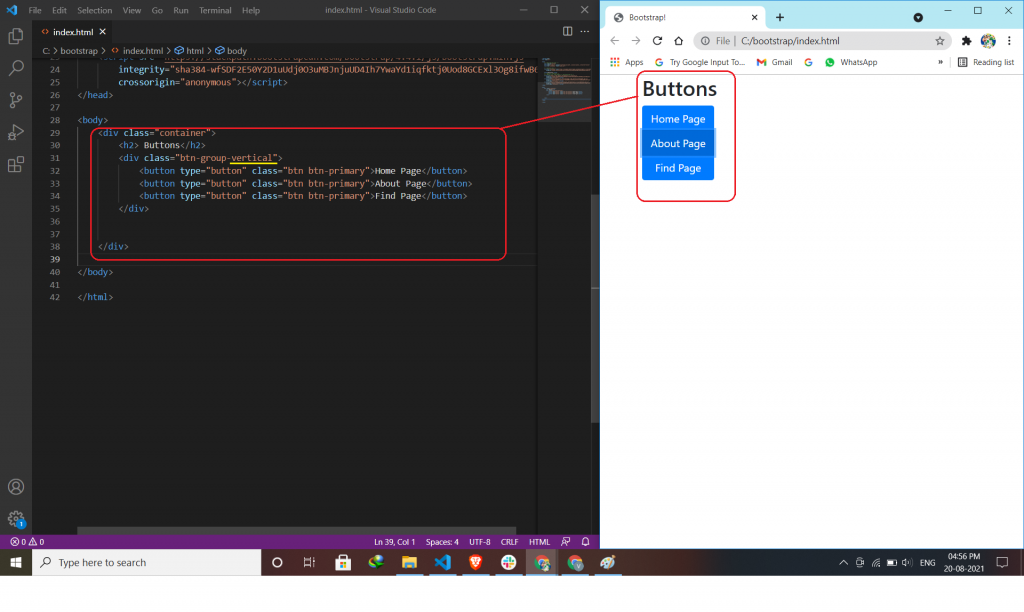
Use the class .btn-group-vertical to create a vertical button group.
Justified Button Groups:
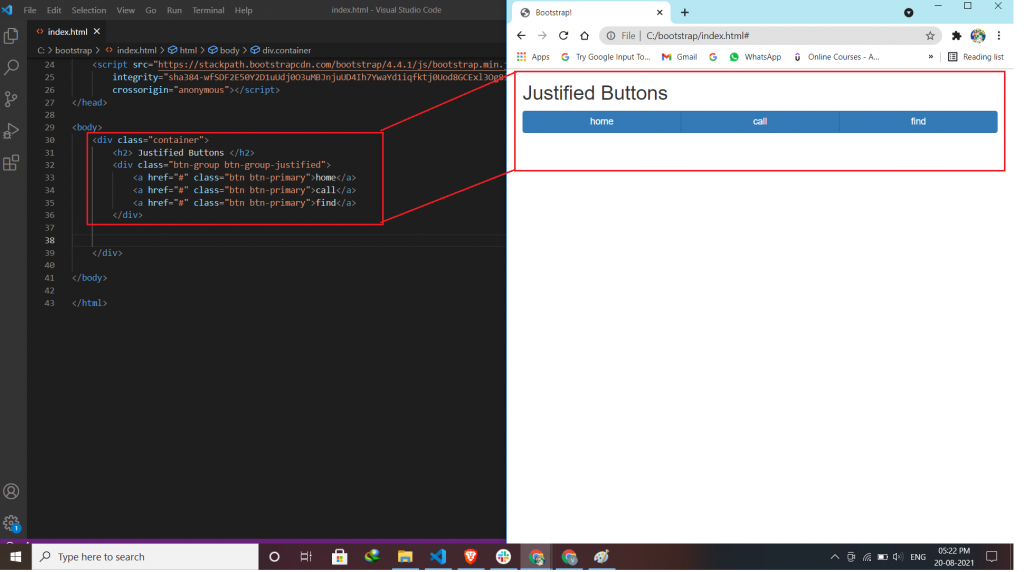
To span, the entire width of the screen, use the class .btn-group-justified.
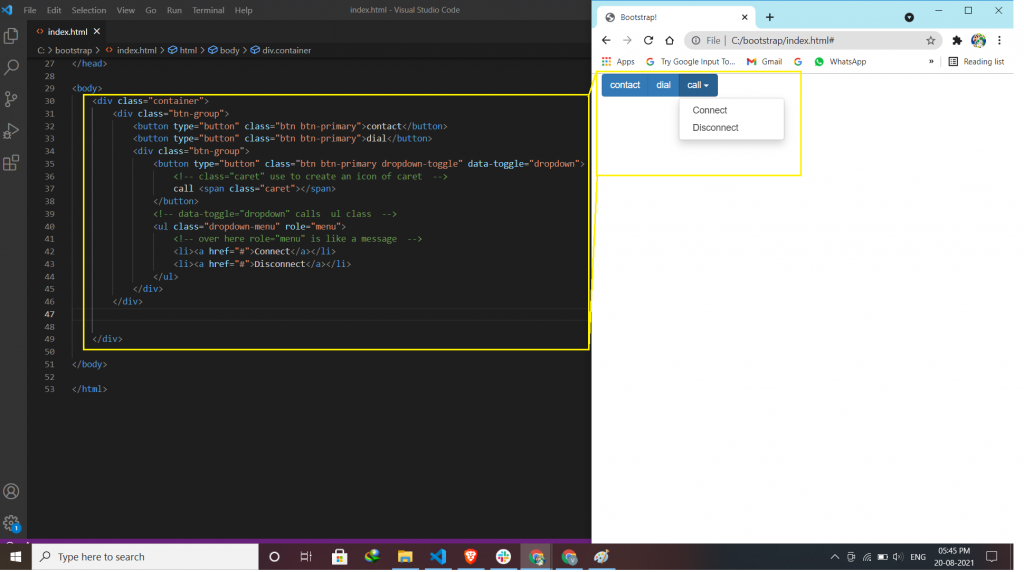
Nesting Button Groups & Dropdown Menus:
Nest button groups to create dropdown menus.
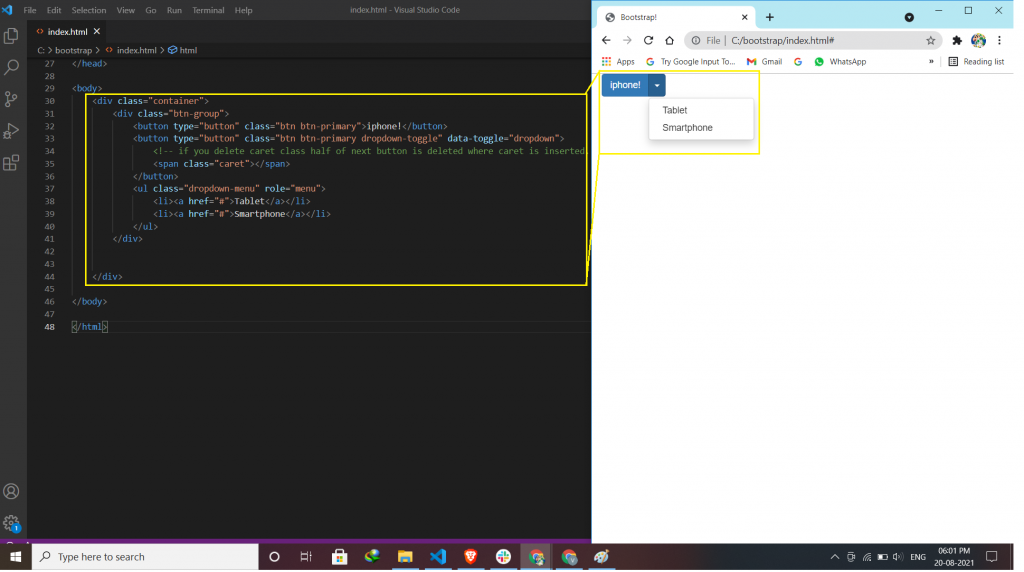
Split Button Dropdowns:
Split button dropdowns use the same general style as the dropdown button but add a primary action along with the dropdown. If you deleted the span parts then, the dropdown menu shows you half because you create a dropdown menu but not to call.

Latest posts by vikashdev k (see all)
- PHP OOP: Traits - October 25, 2021
- PHP OOP: Late Static Binding - October 25, 2021
- PHP OOP : Static Members - October 23, 2021