In this tutorial I’m going to solve how to rename multiple image name in lowercase in one click please follow some easy steps.
Before
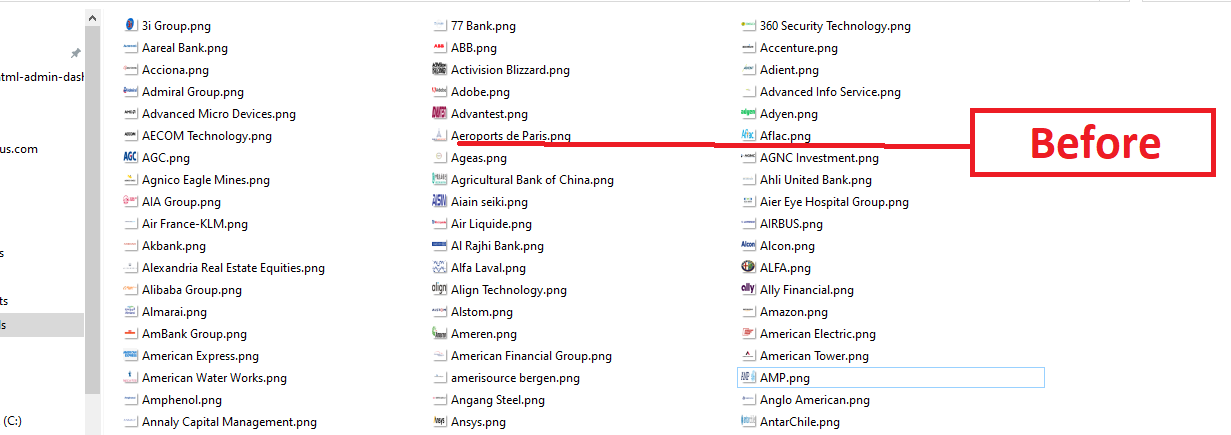

Now let’s go to your image folder where your image has stored and select all

Select all image path and paste below code
cmd
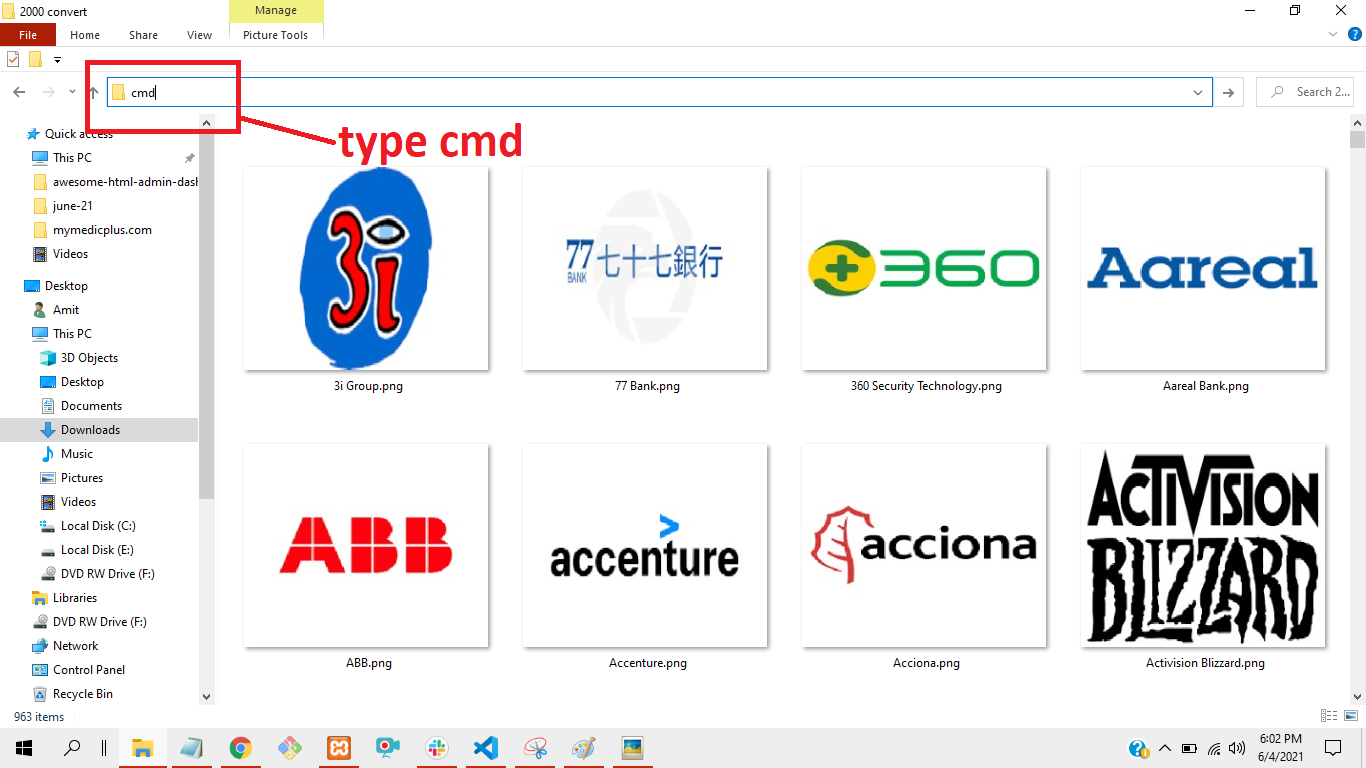
And press enter Look like below pic

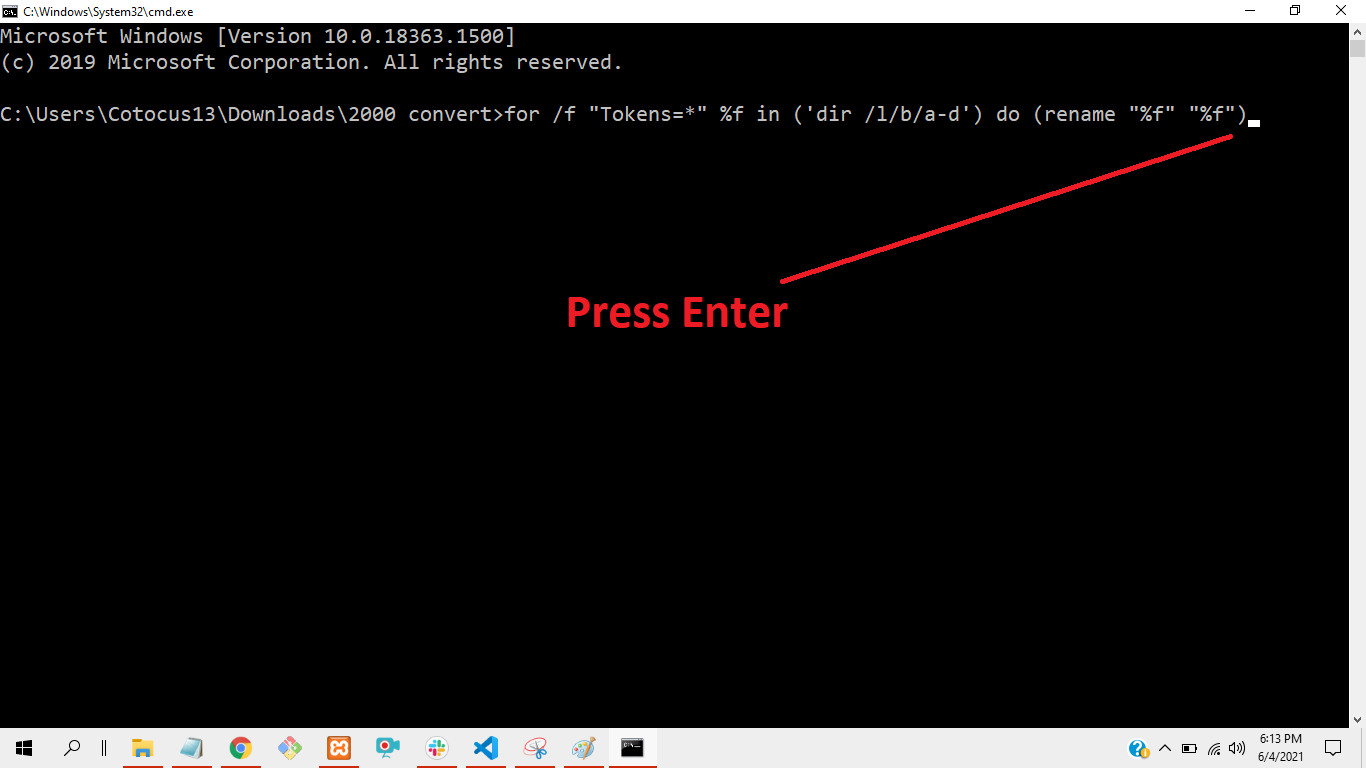
Now paste below command in your cmd
for /f "Tokens=*" %f in ('dir /l/b/a-d') do (rename "%f" "%f")
Now image rename is processing upper to lowercase ……….
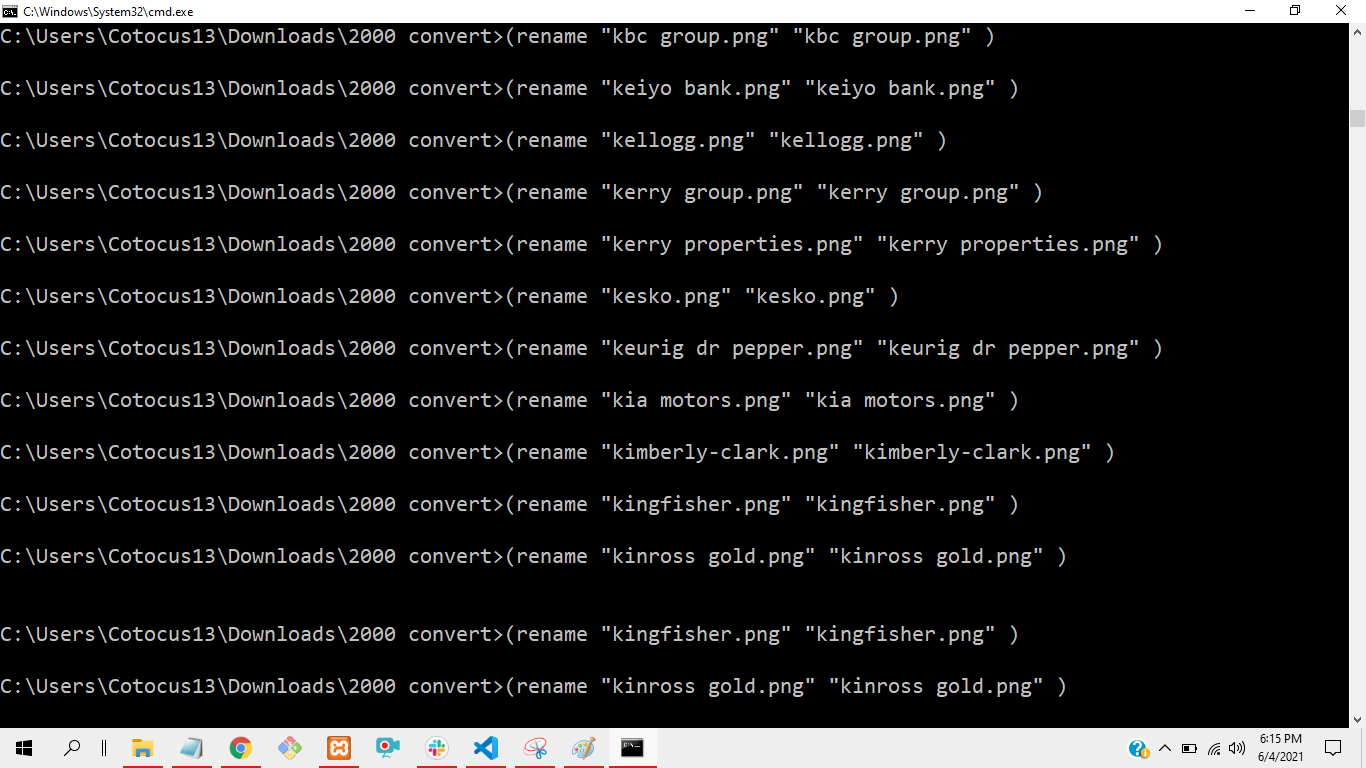
Now image rename successfully upper to lowercase
Go to your image directory and refresh the folder

Now you can see all the image successfully rename as uppercase to Lowercase

Thanks its helpful for you.

Latest posts by rajeshkumar (see all)
owsom