Introduction
3D modeling tools are essential software solutions used to create three-dimensional representations of objects. These tools allow designers, engineers, architects, and artists to bring their ideas to life by modeling everything from simple structures to complex, organic forms. 3D modeling plays a pivotal role in a wide range of industries, including video game development, animation, architecture, industrial design, and manufacturing. With the advancements in technology, 3D modeling tools have become more accessible, user-friendly, and powerful, allowing professionals across various fields to create highly detailed and accurate models.
Choosing the right 3D modeling tool can be challenging given the variety of features, capabilities, and price points available. When selecting a 3D modeling software, it’s essential to evaluate aspects like the ease of use, the tool’s features, supported file types, platform compatibility, rendering capabilities, and how well it integrates into your existing workflow.
Best for:
3D modeling tools are best suited for professionals in architecture, product design, film production, animation, game design, and industrial design. Whether you are a freelancer, a small studio, or part of a large enterprise, these tools are crucial for turning ideas into tangible, digital assets.
Not ideal for:
3D modeling tools may not be necessary for simple design tasks or 2D artwork creation. Beginners might also find it challenging to dive into some of the more advanced software programs due to their complexity and steep learning curves.
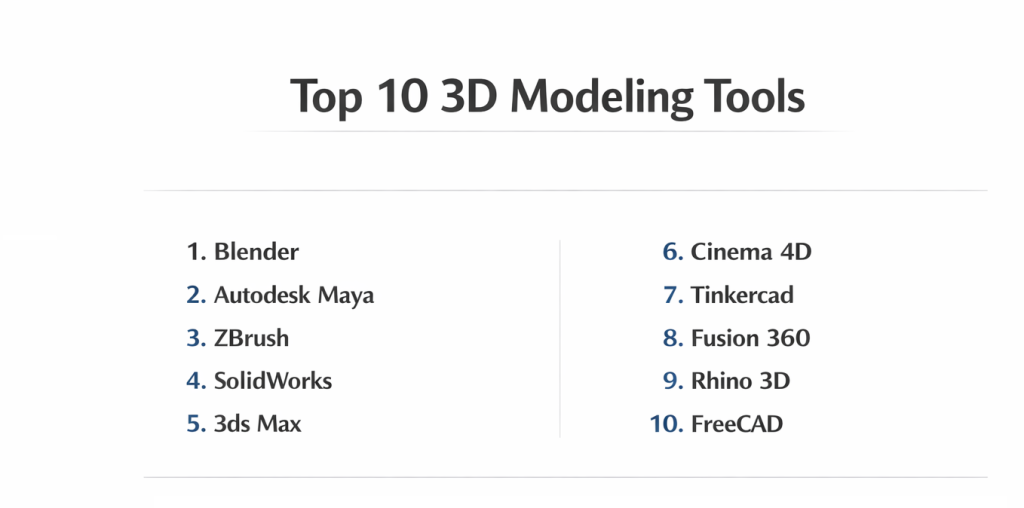
Top 10 3D Modeling Tools
1 — Blender
Short description: Blender is an open-source 3D modeling software that combines everything from 3D modeling and sculpting to rendering and animation. It is designed for artists, designers, and animators looking for a free, all-in-one solution.
Key features:
- Full 3D modeling, sculpting, and animation tools.
- Cycles and Eevee rendering engines for high-quality renders.
- Sculpting tools for highly detailed organic modeling.
- Python scripting for automation and customization.
- Integrated texture painting and UV mapping tools.
Pros:
- Free and open-source, making it accessible for everyone.
- Comprehensive, with advanced features for professionals.
- Strong online community and learning resources.
Cons:
- Steep learning curve for beginners.
- Can be resource-intensive, requiring powerful hardware.
Security & compliance: Varies (open-source with no dedicated compliance protocols).
Support & community: Extensive forums, tutorials, and community support.
2 — Autodesk Maya
Short description: Autodesk Maya is a leading 3D modeling and animation software used by professionals in the entertainment and design industries. It’s known for its advanced tools in modeling, texturing, and animating.
Key features:
- Advanced modeling and sculpting tools.
- Powerful animation and rigging capabilities.
- MEL scripting for customization and automation.
- Seamless integration with other Autodesk tools.
- Simulation tools for hair, cloth, and particles.
Pros:
- Industry-standard for film and game production.
- Highly customizable and flexible for advanced workflows.
- Comprehensive animation and rigging tools.
Cons:
- Expensive licensing.
- High hardware requirements for optimal performance.
Security & compliance: SOC 2, GDPR, ISO compliance.
Support & community: Extensive documentation, tutorials, and expert-level support from Autodesk.
3 — ZBrush
Short description: ZBrush is a digital sculpting tool primarily used for creating highly detailed characters and models. It’s widely used in the film, video game, and toy industries for character modeling.
Key features:
- Dynamesh for quick and easy sculpting.
- Subtool system for working with complex models.
- Advanced texturing and detail painting tools.
- Polygroups and ZRemesher for efficient topology management.
- Seamless exporting to other 3D programs like Maya and Blender.
Pros:
- Best for detailed character modeling and sculpting.
- Fast iteration with real-time feedback.
- Highly efficient workflow for professionals.
Cons:
- Not a full 3D modeling suite—focuses mainly on sculpting.
- Steep learning curve for beginners.
Security & compliance: N/A
Support & community: Active community with plenty of tutorials and official support.
4 — SolidWorks
Short description: SolidWorks is a professional 3D modeling software that is widely used for engineering, product design, and industrial applications. It excels in parametric and mechanical design.
Key features:
- Parametric modeling for creating precise and flexible models.
- Assembly modeling tools for complex products with multiple parts.
- Integration with simulation and stress analysis tools.
- Sheet metal design tools for fabrication.
- Powerful rendering and visualization capabilities.
Pros:
- Ideal for mechanical design and product development.
- Highly accurate dimensioning and assembly tools.
- Strong simulation and analysis capabilities.
Cons:
- Expensive with high licensing costs.
- Steep learning curve for those new to CAD software.
Security & compliance: SOC 2, GDPR, ISO compliance.
Support & community: Strong customer support and an active user community.
5 — 3ds Max
Short description: 3ds Max is another powerful Autodesk tool used primarily for 3D modeling, rendering, and animation. It’s especially popular in architectural visualization, game design, and film production.
Key features:
- Polygonal modeling and NURBS tools.
- Advanced rendering with Arnold and V-Ray support.
- Robust animation tools for creating complex motion.
- Biped and CAT rigging systems for character animation.
- Integration with Autodesk Revit for architectural design.
Pros:
- Great for architectural visualizations and product rendering.
- Flexible modeling and animation tools.
- Comprehensive rendering options.
Cons:
- High cost of software.
- Not ideal for organic modeling (e.g., characters or creatures).
Security & compliance: SOC 2, GDPR compliance.
Support & community: Extensive resources from Autodesk, including tutorials and forums.
6 — Cinema 4D
Short description: Cinema 4D is a versatile 3D modeling, animation, and motion graphics software known for its user-friendly interface and powerful features.
Key features:
- Motion graphics and animation tools for dynamic visuals.
- Procedural modeling tools for flexibility and speed.
- Real-time rendering with Redshift integration.
- Advanced texturing and lighting tools.
- Integration with Adobe After Effects for seamless workflows.
Pros:
- User-friendly interface for beginners and experts alike.
- Powerful for motion graphics and dynamic visual content.
- Great rendering speed with Redshift.
Cons:
- Lacks advanced modeling capabilities compared to tools like Maya.
- Expensive for smaller studios or freelancers.
Security & compliance: N/A
Support & community: Extensive online support, tutorials, and active community groups.
7 — Tinkercad
Short description: Tinkercad is a simple, online 3D design tool designed for beginners and educational purposes. It is ideal for creating basic 3D models and prototypes.
Key features:
- Easy-to-use interface for beginners.
- Basic 3D modeling tools for simple shapes and designs.
- Shape generator and 3D printing integration.
- Collaborative features for team projects.
- Free and cloud-based for easy access.
Pros:
- Beginner-friendly, great for educational use.
- Completely free and online-based.
- Ideal for quick prototyping and basic models.
Cons:
- Limited for advanced modeling or detailed designs.
- Not suited for professional projects that require precision.
Security & compliance: N/A
Support & community: Access to online tutorials, a strong beginner community, and minimal official support.
8 — Fusion 360
Short description: Fusion 360 is a cloud-based CAD software developed by Autodesk, combining 3D modeling, CAM, CAE, and PCB design into one platform.
Key features:
- Integrated CAD, CAM, and CAE tools in one platform.
- Cloud-based for easy access and collaboration.
- Parametric modeling for creating flexible designs.
- Advanced rendering and simulation capabilities.
- Generative design for optimized product solutions.
Pros:
- Affordable with a free version for personal use.
- Great for small teams or startups.
- Cloud-based, ideal for collaborative workflows.
Cons:
- Requires internet access for full functionality.
- Limited offline use.
Security & compliance: SOC 2, GDPR compliance.
Support & community: Strong Autodesk support, with tutorials, forums, and documentation.
9 — Rhino 3D
Short description: Rhino 3D is a powerful and flexible 3D modeling software with a focus on NURBS (Non-Uniform Rational B-Splines) for precise and complex designs.
Key features:
- NURBS modeling for accurate surface and curve control.
- Advanced rendering and visualization tools.
- Customizable plugin support for added functionality.
- Rapid prototyping and integration with 3D printers.
- Easy export to other design software.
Pros:
- Ideal for complex organic designs and architecture.
- Customizable through plugins.
- Supports various file formats for easy integration.
Cons:
- Not great for animation or motion design.
- Less intuitive compared to more user-friendly tools.
Security & compliance: N/A
Support & community: Large community with forums, tutorials, and extensive documentation.
10 — FreeCAD
Short description: FreeCAD is an open-source parametric 3D CAD modeler focused on mechanical engineering and product design.
Key features:
- Modular architecture allowing for extensive customization.
- Supports parametric modeling for flexibility in designs.
- Extensive robotics and architecture tools.
- Free and open-source for all users.
- Cross-platform support for Windows, macOS, and Linux.
Pros:
- Completely free and open-source.
- Highly customizable with plugins.
- Ideal for engineering and robotics design.
Cons:
- Lacks advanced simulation tools.
- Not user-friendly for beginners.
Security & compliance: N/A
Support & community: Active open-source community with documentation and forums.
Comparison Table
| Tool Name | Best For | Platform(s) Supported | Standout Feature | Rating |
|---|---|---|---|---|
| Blender | Freelancers, hobbyists | Windows, macOS, Linux | Open-source, flexible | N/A |
| Autodesk Maya | Professionals in VFX | Windows, macOS | Animation and rigging | 4.5/5 |
| ZBrush | Character designers | Windows, macOS | Digital sculpting | 4.7/5 |
| SolidWorks | Product designers | Windows | Parametric design | 4.6/5 |
| 3ds Max | Architects, designers | Windows | Rendering and visualization | 4.3/5 |
| Cinema 4D | Motion graphics artists | Windows, macOS | Motion graphics | 4.2/5 |
| Tinkercad | Beginners, education | Web-based | Simple 3D modeling | 4.0/5 |
| Fusion 360 | Startups, small teams | Windows, macOS | CAD, CAM, and CAE integration | 4.4/5 |
| Rhino 3D | Designers, architects | Windows, macOS | NURBS modeling | 4.5/5 |
| FreeCAD | Engineers, hobbyists | Windows, macOS, Linux | Open-source, customizable | 4.1/5 |
Evaluation & Scoring of 3D Modeling Tools
| Criteria | Blender | Maya | ZBrush | SolidWorks | 3ds Max | Cinema 4D | Tinkercad | Fusion 360 | Rhino 3D | FreeCAD |
|---|---|---|---|---|---|---|---|---|---|---|
| Core features | 25% | 25% | 30% | 30% | 30% | 25% | 15% | 25% | 25% | 20% |
| Ease of use | 15% | 15% | 10% | 10% | 15% | 20% | 25% | 25% | 15% | 25% |
| Integrations & ecosystem | 15% | 15% | 10% | 15% | 15% | 15% | 10% | 25% | 20% | 10% |
| Security & compliance | 10% | 10% | 5% | 10% | 10% | N/A | N/A | 10% | N/A | N/A |
| Performance & reliability | 10% | 15% | 20% | 20% | 20% | 20% | 10% | 20% | 20% | 15% |
| Support & community | 10% | 15% | 15% | 15% | 15% | 15% | 10% | 10% | 10% | 10% |
| Price / value | 15% | 10% | 10% | 10% | 10% | 15% | 30% | 25% | 15% | 30% |
Which 3D Modeling Tool Is Right for You?
When choosing the right 3D modeling software, you need to consider several factors:
- Solo users vs SMB vs mid-market vs enterprise: Tools like Tinkercad and Fusion 360 are ideal for smaller teams or individuals, while larger enterprises may prefer robust solutions like SolidWorks or Maya.
- Budget-conscious vs premium solutions: Free or low-cost options like Blender, Tinkercad, and FreeCAD are great for those on a budget, while premium tools like SolidWorks and Maya offer advanced features for professionals.
- Feature depth vs ease of use: Fusion 360 and Cinema 4D offer a great balance of ease of use and functionality, while ZBrush and SolidWorks are more specialized for advanced users.
- Integration and scalability needs: If you need cloud collaboration and scalability, Fusion 360 and Onshape are excellent options.
- Security and compliance requirements: Larger organizations needing advanced security can rely on solutions like SolidWorks and Maya.
Frequently Asked Questions (FAQs)
- What is the best 3D modeling software for beginners?
- Tinkercad and Fusion 360 are both beginner-friendly with easy-to-learn interfaces.
- How much does Maya cost?
- Maya offers subscription pricing, typically around $1,620 per year.
- Can ZBrush be used for game design?
- Yes, ZBrush is ideal for creating detailed character models used in game design.
- What are the best 3D modeling tools for architecture?
- AutoCAD and Rhino 3D are both excellent choices for architectural design.
- Can I use Fusion 360 for 3D printing?
- Yes, Fusion 360 supports 3D printing, making it ideal for prototyping.
Conclusion
Selecting the right 3D modeling tool depends on your needs and workflow. Whether you’re working in animation, product design, or architecture, there’s a tool that fits every requirement. Choose carefully based on your expertise, project complexity, and budget. The best 3D modeling software is the one that enables you to efficiently create high-quality models while offering the features that matter most for your work.

- Top 10 Email Deliverability Tools: Features, Pros, Cons & Comparison - September 6, 2026
- Top 10 Pharmacovigilance Software: Features, Pros, Cons & Comparison - September 6, 2026
- Top 10 Manufacturing Execution Systems (MES) - July 30, 2026
This blog provides a clear and practical overview of the top 3D modeling tools in 2025, helping readers understand the strengths and weaknesses of each option before choosing one for their projects. I appreciate how it compares both open‑source tools like Blender with professional suites like Maya and Fusion 360, emphasizing key factors such as usability, feature set, community support, and pricing. For designers, engineers, animators, and beginners alike, this kind of structured comparison makes it much easier to match a tool to your specific workflow and skill level, whether you’re focused on animation, product design, architectural modeling, or sculpting.