Introduction
In the modern software development landscape, speed and adaptability are the currencies of success. Agile Project Management Tools are specialized digital platforms designed to support the iterative approach of the Agile methodology. Unlike traditional “Waterfall” tools that focus on rigid, linear timelines, Agile tools prioritize flexibility, continuous feedback, and rapid releases. They provide a virtual environment where teams can manage backlogs, plan sprints, track velocity, and visualize work through Kanban boards or Scrum frameworks.
The importance of these tools lies in their ability to foster transparency across decentralized teams. By centralizing every user story, bug report, and feature request, they ensure that the “definition of done” is clear to everyone involved. Key real-world use cases include managing software sprint cycles, orchestrating DevOps pipelines, handling continuous product discovery, and facilitating remote stand-ups. When choosing a tool, users should evaluate backlog management depth, native reporting (Burndown/Velocity charts), integration with version control systems, and user experience (UX) fluidity.
Best for:
Software development teams, product managers, DevOps engineers, and creative agencies that work in high-uncertainty environments. It is ideal for organizations ranging from tech startups to massive enterprises that need to scale Agile frameworks like SAFe, LeSS, or DaD.
Not ideal for:
Industries with highly predictable, fixed-scope projects such as traditional heavy construction or physical manufacturing where physical dependencies make iterative “pivoting” impossible. For these sectors, a standard Gantt-based project management tool is usually more effective.
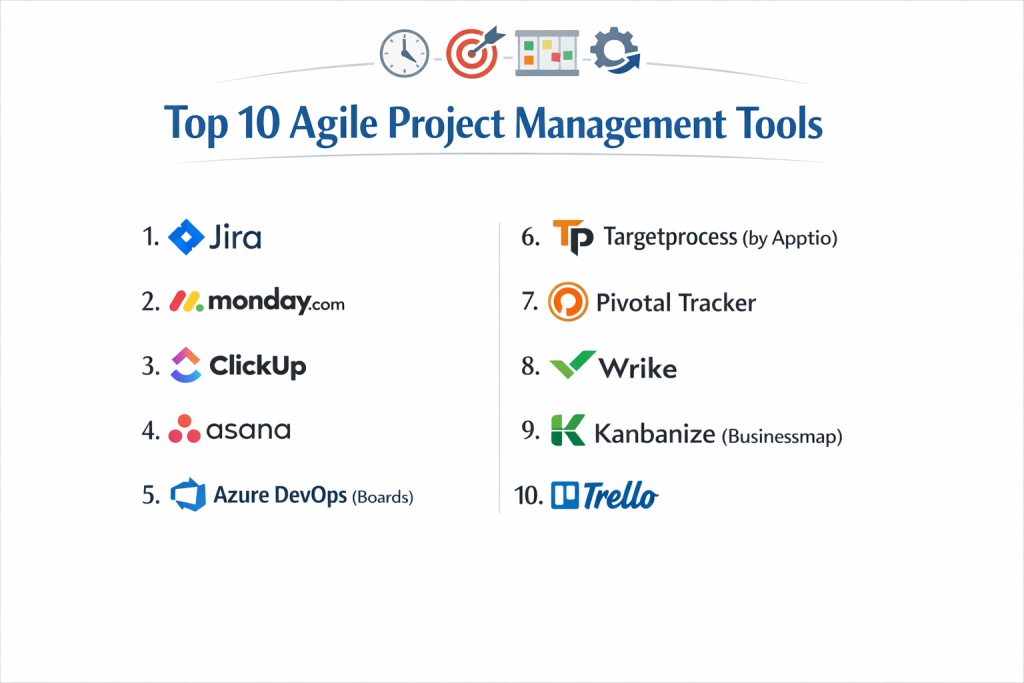
Top 10 Agile Project Management Tools
1 — Jira
Jira, developed by Atlassian, is the undisputed heavyweight of the Agile world, specifically engineered for technical teams following Scrum, Kanban, or hybrid models.
- Key features:
- Robust Backlog Management: Easily prioritize user stories and bugs with drag-and-drop functionality.
- Agile Reporting: Native Burndown, Burnup, and Velocity charts provide deep insights into team performance.
- Jira Query Language (JQL): Advanced search capabilities for tracking thousands of issues.
- Workflow Customization: Highly flexible transitions to match any specific team “definition of done.”
- Roadmaps: Visual timelines to communicate high-level product strategy to stakeholders.
- DevOps Integration: Deep, native links with Bitbucket, GitHub, Jenkins, and Bamboo.
- Pros:
- Unmatched power and scalability for large, multi-team organizations.
- The “industry standard,” meaning most new developers already know how to use it.
- Cons:
- Can be notoriously slow and “clunky” if not configured by a dedicated administrator.
- The learning curve for non-technical users is significant.
- Security & compliance: SOC 2 Type II, ISO 27001, HIPAA (Enterprise tier), and GDPR compliant.
- Support & community: Massive global community, extensive documentation, and a huge marketplace of third-party add-ons.
2 — Monday.com
While Monday.com is a general Work OS, its Agile-specific templates and visual columns make it a favorite for teams that want a “prettier” version of project management.
- Key features:
- Visual Boards: Color-coded status columns that make sprint progress visible at a glance.
- Automation Engine: “No-code” recipes to move tasks to the next sprint automatically.
- Board Views: Toggle between Kanban, Timeline, and workload views instantly.
- Forms: Collect bug reports or feature requests that populate directly into the backlog.
- Pulse: AI-driven updates that summarize team activity and potential bottlenecks.
- Resource Management: Track team capacity to ensure no developer is over-allocated.
- Pros:
- One of the most intuitive and visually engaging interfaces on the market.
- Exceptional for “Business Agile”—marketing or HR teams adopting Agile principles.
- Cons:
- Lacks some of the deep technical reporting (like Cycle Time charts) found in Jira.
- Seat-based pricing can get expensive for small teams due to “minimum user” blocks.
- Security & compliance: ISO 27001, SOC 1/2/3, HIPAA, and GDPR compliant.
- Support & community: 24/7 live support, extensive webinars, and a very active user forum.
3 — ClickUp
ClickUp’s aggressive feature releases have made it a “Swiss Army Knife” for Agile teams who want docs, tasks, and goals in one place.
- Key features:
- Hierarchy Structure: Organize work into Spaces, Folders, Lists, and Tasks for granular control.
- Custom Task Statuses: Build specific workflows for “In QA,” “In Peer Review,” or “Awaiting Deploy.”
- Whiteboards: Virtual canvases for sprint planning and retrospective brainstorming.
- Everything View: A unique way to see all tasks across the entire organization in one list.
- Native Time Tracking: Built-in timers to track effort against story points.
- Agile Points: Assign custom weight (1, 2, 3, 5, 8) to tasks to calculate sprint velocity.
- Pros:
- Incredible value for money; the free tier is extremely generous.
- High level of customization allows you to turn off features you don’t need.
- Cons:
- The platform can feel “bloated” or overwhelming because of the sheer number of options.
- Mobile app performance can occasionally be inconsistent compared to the desktop version.
- Security & compliance: SOC 2 Type II, ISO 27001, HIPAA, and GDPR compliant.
- Support & community: Weekly webinars, “ClickUp University,” and a very vocal online community.
4 — Asana
Asana focuses on the “clarity” of Agile, providing a sleek interface that emphasizes who is doing what by when.
- Key features:
- Timeline View: A dynamic Gantt-style view that handles dependencies between Agile tasks.
- Custom Fields: Track “Story Points,” “Priority,” or “Effort” with easy-to-read labels.
- Workload: A centralized dashboard to balance tasks across the dev team.
- Goals: Link daily sprint tasks to high-level company OKRs (Objectives and Key Results).
- Portfolios: Monitor the status of multiple Agile projects simultaneously.
- Bundles: Apply consistent processes and automations across multiple projects at once.
- Pros:
- Excellent for cross-functional collaboration between devs and non-devs.
- The most “polished” user experience of all the top-tier tools.
- Cons:
- Lacks a native “Backlog” view that is separate from the main task list.
- Enterprise-level security features are locked behind very expensive tiers.
- Security & compliance: SOC 2 Type II, ISO 27001, HIPAA (Enterprise), and GDPR compliant.
- Support & community: Asana Academy for training, a global ambassador program, and 24/7 support.
5 — Azure DevOps (Boards)
For teams living in the Microsoft ecosystem, Azure Boards provides a deeply integrated Agile experience for Git-based development.
- Key features:
- Kanban Boards: Highly configurable boards with WIP (Work In Progress) limits.
- Backlog Hierarchies: Organize work from Epics down to Features and User Stories.
- Native Git Integration: Link code commits and pull requests directly to Agile tasks.
- Dashboards: Customizable widgets for tracking build status and sprint progress.
- Extensions Marketplace: Access to thousands of apps to extend Agile functionality.
- Query Engine: Powerful tool to find and group work items across different teams.
- Pros:
- The best integration for teams using VS Code, GitHub, and Azure Cloud.
- Very affordable (and often free) for small teams already on Microsoft 365.
- Cons:
- The UI feels very “technical” and “utilitarian,” which may repel non-developers.
- Initial setup and configuration can be complex for those unfamiliar with Azure.
- Security & compliance: ISO 27001, SOC 1/2, HIPAA, FedRAMP, and GDPR compliant.
- Support & community: Comprehensive Microsoft documentation and a vast enterprise partner network.
6 — Targetprocess (by Apptio)
Targetprocess is a specialized Agile tool designed for “High-Scale Agile,” helping large companies visualize complex data.
- Key features:
- Visual Encoding: Color-code cards based on custom criteria like “Bugs older than 5 days.”
- SAFe Support: Native templates for the Scaled Agile Framework.
- Custom Graphical Reports: Build complex charts that show the relation between any two data points.
- Portfolio Management: Balance strategic goals with team-level execution.
- Relationship Mapping: Visualize how a delay in one team affects three other departments.
- Flexible Hierarchies: Define your own levels of work (e.g., Theme > Initiative > Epic).
- Pros:
- One of the most powerful visualization engines for identifying bottlenecks.
- Perfect for companies that find Jira too rigid for their specific Agile flavor.
- Cons:
- Can be very expensive for small teams.
- Requires a significant time investment to master the deep customization features.
- Security & compliance: SOC 2 Type II and GDPR compliant; features SSO and advanced audit logs.
- Support & community: High-touch enterprise support and dedicated implementation consultants.
7 — Pivotal Tracker
Pivotal Tracker is the “purist’s” choice, designed specifically for software teams who want a collaborative, story-based workflow.
- Key features:
- Automatic Velocity: The tool calculates velocity based on past performance and plans the next sprint automatically.
- Story Points: Forces a focus on “Estimates” to keep the team honest about capacity.
- Guided Workflow: A specific “Start / Finish / Deliver / Accept” flow for every story.
- Multi-Project Workspaces: View different backlogs side-by-side on one screen.
- Analytics: Dedicated “Icebox” for stories that aren’t ready for a sprint yet.
- API First: Built with developers in mind for easy scriptability.
- Pros:
- Encourages “Modern Agile” habits like small, manageable user stories.
- Very clean and focused; no “fluff” or unnecessary features.
- Cons:
- Not flexible—if you don’t like the “Pivotal Way,” you can’t change the workflow.
- Minimal visual customization (no “fancy” colors or board backgrounds).
- Security & compliance: SOC 2 Type II and GDPR compliant; features TLS 1.2 encryption.
- Support & community: Solid documentation and a loyal following among XP (Extreme Programming) advocates.
8 — Wrike
Wrike is an enterprise-grade platform that excels at combining Agile flexibility with robust resource management.
- Key features:
- Dynamic Request Forms: Standardize how bug reports or feature requests enter the backlog.
- Work Intelligence: AI that flags projects at risk and identifies potential delays.
- Resource Bookings: Plan for developer availability during the sprint cycle.
- Custom Item Types: Tailor the tool to your industry (e.g., “Sprint Item” or “Hotfix”).
- Cross-Tagging: Allow one user story to exist in two different project folders without duplicating data.
- Proofing: Native tools for UI/UX designers to get feedback on mockups.
- Pros:
- Exceptional security and administrative controls for large corporate IT depts.
- Strongest “bridge” tool for teams moving from Waterfall to Agile.
- Cons:
- The interface can feel a bit “heavy” and corporate compared to modern SaaS tools.
- Some of the best Agile features are locked behind the “Pinnacle” pricing tier.
- Security & compliance: ISO 27001, SOC 2 Type II, HIPAA, GDPR, and FedRAMP compliant.
- Support & community: Professional services for onboarding and a thriving user community.
9 — Kanbanize (Businessmap)
Kanbanize is the world leader in “Kanban-specific” software, focusing on flow, throughput, and efficiency.
- Key features:
- Linked Boards: Create a hierarchy of boards (e.g., Team Board > Management Board).
- WIP Limits: Native tools to prevent teams from taking on too much work at once.
- Flow Analytics: Monte Carlo simulations to predict when a project will be finished.
- Automation Rules: “If a card is moved to Done, notify the Product Owner.”
- Sub-task Tracking: Manage granular details inside a card while keeping the board clean.
- Timeline View: A horizontal view of Kanban cards to see the long-term roadmap.
- Pros:
- The best tool for teams focusing on “Lean” principles and flow efficiency.
- Powerful predictive analytics that help with realistic stakeholder management.
- Cons:
- Not ideal for teams who strictly prefer the “Scrum” (Sprints/Ceremonies) model.
- The UI is highly functional but lacks the modern “sleekness” of Monday or Asana.
- Security & compliance: ISO 27001, SOC 2, and GDPR compliant.
- Support & community: Strong technical support and specialized Kanban coaching partners.
10 — Trello
Trello is the tool that brought Kanban to the masses. While simple, its “Power-Ups” can turn it into a capable Agile environment.
- Key features:
- Butler Automation: No-code rules to automate repetitive card movements.
- Power-Ups: Add-ons for “Agile Tools” (Story points, Burndown charts, etc.).
- Checklists: Manage small tasks within a larger user story card.
- Labels: Highly visual way to categorize by “Priority,” “Bug,” or “Feature.”
- Butler Commands: Create custom buttons on cards to perform complex actions.
- Mobile App: One of the best mobile experiences for managing work on the go.
- Pros:
- The easiest tool to set up; literally takes 30 seconds to start.
- Perfect for small teams or “Personal Agile” projects.
- Cons:
- Becomes extremely cluttered and difficult to manage as the number of cards grows.
- No native “Backlog” or “Reporting”—you must rely on third-party Power-Ups.
- Security & compliance: SOC 2 Type II, ISO 27001, HIPAA (Enterprise), and GDPR compliant.
- Support & community: Backed by Atlassian with massive community-generated templates.
Comparison Table
| Tool Name | Best For | Platform(s) Supported | Standout Feature | Rating (Gartner) |
| Jira | Technical Software Dev | Web, iOS, Android | JQL & Deep DevOps Sync | 4.5 / 5 |
| Monday.com | Visual Team Agile | Web, iOS, Android | No-code Automation | 4.6 / 5 |
| ClickUp | All-in-One Productivity | Web, Mac, Win, Mob | Everything View | 4.7 / 5 |
| Asana | Cross-functional Orgs | Web, iOS, Android | Goals & Clarity UI | 4.5 / 5 |
| Azure Boards | Microsoft Developers | Web, Windows | Native Git/Cloud Sync | 4.4 / 5 |
| Targetprocess | Scaled Agile (SAFe) | Web, iOS, Android | Visual Encoding Engine | 4.5 / 5 |
| Pivotal Tracker | XP / Purist Agile | Web, iOS | Auto-Velocity Planning | 4.3 / 5 |
| Wrike | Enterprise Corporate | Web, Mac, Win, Mob | Work Intelligence AI | 4.4 / 5 |
| Kanbanize | Lean / Flow Focus | Web, iOS, Android | Monte Carlo Simulations | 4.8 / 5 |
| Trello | Micro-teams / Simple | Web, iOS, Android | Butler Automation | 4.5 / 5 |
Evaluation & Scoring of Agile Project Management Tools
To provide an objective overview, we have scored these platforms based on a weighted rubric essential for Agile success.
| Category | Weight | Avg. Score | Analysis |
| Core Agile Features | 25% | 9.2 / 10 | Most tools now provide robust backlogs and Kanban views as standard. |
| Ease of Use | 15% | 8.0 / 10 | Jira drags this score down, while Monday and Trello lift it up. |
| Integrations | 15% | 8.8 / 10 | Essential for DevOps; Azure Boards and Jira are the leaders here. |
| Security & Compliance | 10% | 9.5 / 10 | Enterprise providers (Wrike, IBM, MS) are near perfect in this area. |
| Performance | 10% | 8.5 / 10 | Cloud-native tools (ClickUp, Monday) are fast but depend on internet. |
| Support & Community | 10% | 9.0 / 10 | Atlassian (Jira/Trello) has the largest help-network in the world. |
| Price / Value | 15% | 7.8 / 10 | High-end Agile tools are expensive; ClickUp offers the most value. |
Which Agile Project Management Tool Is Right for You?
Solo Users vs SMB vs Mid-market vs Enterprise
- Solo Users: Trello or TickTick are great for personal Kanban. They are lightweight and get out of your way.
- SMBs: ClickUp or Monday.com offer the best blend of “cool features” and affordability for teams of 10-50 people.
- Mid-market: Asana or Azure Boards are excellent for companies that need structure without the administrative burden of Jira.
- Enterprise: Jira, Targetprocess, and Wrike are the only choices for organizations that need to manage 500+ developers across 20 countries.
Budget-conscious vs Premium Solutions
If you are bootstrapping, Azure DevOps (for small teams) and ClickUp provide massive feature sets for free. If money is no object and you need the absolute best in predictive analytics and governance, Targetprocess and Jira Enterprise are the premium winners.
Feature Depth vs Ease of Use
If you want to start today with no training, go with Trello. If you are willing to spend two weeks in training to get the most powerful “Query Language” and reporting on the planet, Jira is the only logical choice.
Integration and Scalability Needs
If your developers live in GitHub or Bitbucket, Jira and Azure Boards are non-negotiable. If your project management needs to scale to marketing and legal departments as well, Monday.com or Asana will be much better received by non-technical staff.
Frequently Asked Questions (FAQs)
- What is the difference between Scrum and Kanban?Scrum works in fixed-length “Sprints” (usually 2 weeks). Kanban is a “Continuous Flow” model where tasks move from left to right with no fixed end date.
- Can I use these tools for non-software projects?Absolutely. Many marketing and creative agencies use “Agile Marketing” to handle fast-moving campaigns using Monday.com or Asana.
- What are “Story Points”?They are a unit of measure for expressing an estimate of the overall effort required to fully implement a backlog item. ClickUp and Jira handle these natively.
- Is Jira too complicated for a small startup?For a team of 3, yes, it’s probably overkill. You might find more “flow” in Trello or Pivotal Tracker. Once you hit 10 developers, Jira’s structure becomes helpful.
- What is a “Burndown Chart”?It is a graphical representation of work left to do versus time. It helps a team see if they will finish the sprint on time.
- Can these tools help with remote stand-ups?Yes. Most of these tools (especially ClickUp and Monday) have “Dashboard” views that teams can screen-share during daily meetings to see what’s blocked.
- How does “Velocity” work in Agile software?The tool looks at how many “Story Points” you finished in the last three sprints and averages them to predict how much work you can handle in the next one.
- Are my code and tasks secure?Most major tools use bank-level AES-256 encryption. If you are in a highly regulated field, look for SOC 2 and HIPAA compliance specifically.
- Can I use Agile tools for Waterfall projects?Some tools, like Wrike and Smartsheet, are “Hybrid,” allowing you to switch between a Gantt chart and a Kanban board for the same data.
- What is an “Icebox”?Commonly used in Pivotal Tracker, an Icebox is a place for user stories that are “cool” ideas but haven’t been prioritized for a sprint yet.
Conclusion
The “best” Agile Project Management Tool is not the one with the most checkboxes; it is the one that your developers will actually update every day. If the tool feels like a chore, your data will be inaccurate, and your Agile process will fail. For technical teams who need deep integration, Jira and Azure DevOps remain the kings. For teams that value a beautiful, multi-purpose workspace, Monday.com and Asana are the clear leaders.
When selecting a platform, start with a “Pilot Sprint.” Pick your most organized team, let them use a tool for two weeks, and look at the Velocity and Team Happiness metrics. The right tool should feel like a tailwind, pushing your team toward faster releases and more transparent collaboration. In the world of Agile, the only constant is change—make sure your tool is flexible enough to change with you.

- Top 10 Email Deliverability Tools: Features, Pros, Cons & Comparison - September 6, 2026
- Top 10 Pharmacovigilance Software: Features, Pros, Cons & Comparison - September 6, 2026
- Top 10 Manufacturing Execution Systems (MES) - July 30, 2026