Introduction
AI Low-Code Development Platforms tools are transforming the way businesses build applications in 2026. These platforms combine low-code/no-code simplicity with AI-powered automation, enabling faster development, smarter workflows, and reduced dependency on traditional coding. From drag-and-drop builders to AI-assisted code generation, these platforms empower developers, IT teams, and even business users to build powerful apps with minimal effort.
In 2026, enterprises are increasingly adopting AI-driven low-code platforms to accelerate digital transformation, optimize internal processes, automate workflows, and reduce development costs. When choosing the right AI Low-Code Development Platform, users should evaluate capabilities like automation, integration options, scalability, AI assistance, deployment flexibility, security, and cost.
This guide provides a comprehensive breakdown of the Top 10 AI Low-Code Development Platforms Tools in 2026—complete with features, pros, cons, comparison tables, and expert recommendations.
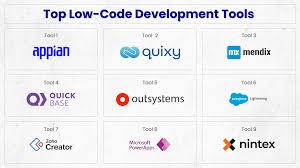
Top 10 AI Low-Code Development Platforms Tools in 2026
1. Microsoft Power Apps
Short Description
Microsoft Power Apps is a leading AI-driven low-code platform for building custom business apps with ease. Ideal for enterprises already using Microsoft 365, Azure, or Dynamics.
Key Features
- AI Builder for automated predictions
- Drag-and-drop app designer
- Integration with Microsoft ecosystem
- Model-driven and canvas apps
- Pre-built templates
- Low-code workflow automation (Power Automate)
- High enterprise security
Pros
- Seamless integration with Microsoft tools
- Easy for business users
- Strong AI automation features
Cons
- Licensing can be expensive
- Not ideal for complex custom apps
- Learning curve for advanced features
2. Mendix
Short Description
Mendix is an enterprise-grade low-code platform offering AI-powered guidance, rapid prototyping, and full-stack development support.
Key Features
- Mendix Assist (AI developer assistant)
- Visual development environment
- Cloud-native deployment
- Multi-experience app development
- Built-in collaboration tools
- On-premise + cloud support
Pros
- Highly scalable
- Excellent for multi-cloud environments
- Strong AI-based development suggestions
Cons
- Pricey enterprise plans
- Can be complex for beginners
- Requires training for advanced use
3. OutSystems
Short Description
OutSystems is a powerful AI-accelerated low-code platform designed for rapid enterprise app development, modernization, and automation.
Key Features
- AI-assisted development
- High-performance cloud infrastructure
- Full-stack low-code engineering
- Real-time performance dashboards
- Workflow automation
- Strong DevOps integrations
Pros
- Excellent speed for large applications
- Enterprise-grade security and performance
- Great automation features
Cons
- Expensive compared to competitors
- Complex UI for beginners
- Requires technical understanding for scaling
4. Appian
Short Description
Appian is a top low-code automation platform combining BPM, AI, and workflow management tailored for enterprises.
Key Features
- AI-driven process automation
- Drag-and-drop app builder
- Robotic process automation (RPA)
- Powerful workflow engine
- Low-code data modeling
- Cloud + on-prem deployment
Pros
- Great for workflow-heavy apps
- Strong automation tools
- Reliable enterprise security
Cons
- Not ideal for UI-rich apps
- Pricing can be high
- Custom components require experience
5. Salesforce Lightning Platform
Short Description
An AI-driven low-code platform built into the Salesforce ecosystem designed for CRM-centric app development.
Key Features
- Einstein AI
- App Builder visual editor
- Custom workflows
- Drag-and-drop automation
- Strong CRM integrations
- Scalable enterprise cloud
Pros
- Best for CRM-related apps
- Easy for Salesforce users
- Strong AI capabilities
Cons
- Not great for standalone apps
- Licensing can be costly
- Limited customization without Apex coding
6. Zoho Creator
Short Description
Zoho Creator is a versatile low-code platform offering AI-driven automations, app builders, and seamless business integrations.
Key Features
- AI bots and predictions
- Drag-and-drop interface
- Custom workflows
- Mobile apps built automatically
- API integrations
- Multi-language support
Pros
- Affordable pricing
- Easy for non-developers
- Good for SMEs
Cons
- Limited advanced capabilities
- UI customization constraints
- Not ideal for large enterprise apps
7. Google AppSheet
Short Description
A powerful no-code platform powered by Google AI, ideal for building apps from spreadsheets, databases, and cloud sources.
Key Features
- AI text and image extraction
- No-code automation (AppSheet Automation)
- Native integration with Google Workspace
- Rule-based workflows
- Multi-device support
- Data-driven app creation
Pros
- Very easy to use
- Great for Google users
- Affordable pricing
Cons
- Limited customization for complex apps
- Mostly suitable for small to mid-sized apps
- Depends heavily on structured data
8. Pega Platform
Short Description
Pega Platform is a leading AI-powered low-code automation suite specializing in enterprise workflows and case management.
Key Features
- AI-driven decisioning engine
- End-to-end workflow automation
- Case management
- Drag-and-drop app builder
- Predictive analytics
- RPA integrations
Pros
- Great for complex business workflows
- Highly scalable and secure
- Excellent decision automation
Cons
- Steep learning curve
- Expensive for small businesses
- UI feels outdated in some modules
9. Betty Blocks
Short Description
A no-code/low-code platform powered by AI, designed for quick app development even for business users.
Key Features
- AI-assisted building suggestions
- Component-based design
- Workflow automation
- Integrations via API
- Multi-environment deployment
- User-friendly interface
Pros
- Very easy for non-technical users
- Good for internal tools
- Fast deployment
Cons
- Not ideal for large enterprise apps
- Limited deep customization
- Pricing unclear for many users
10. Kissflow
Short Description
Kissflow is a leading low-code platform specializing in workflow apps, automation, and citizen development.
Key Features
- AI-powered workflow builder
- Drag-and-drop forms
- Process automation
- Analytics dashboards
- Integration with major tools
- Mobile-ready apps
Pros
- Great for workflow automation
- Easy for non-developers
- Affordable
Cons
- Limited for complex custom logic
- UI customization constraints
- Not suitable for heavy enterprise workloads
Comparison Table: Top 10 AI Low-Code Development Platforms Tools in 2026
| Tool Name | Best For | Platforms Supported | Standout Feature | Pricing | Rating |
|---|---|---|---|---|---|
| Microsoft Power Apps | Enterprise apps | Cloud | AI Builder | Starts $20/user | 4.6/5 |
| Mendix | Large enterprises | Cloud/On-prem | Mendix Assist | Custom | 4.5/5 |
| OutSystems | Full-stack low-code | Cloud | AI-Assisted Dev | Custom | 4.6/5 |
| Appian | Workflow automation | Cloud/Hybrid | BPM + AI | Custom | 4.5/5 |
| Salesforce Lightning | CRM apps | Cloud | Einstein AI | Starts $25/user | 4.4/5 |
| Zoho Creator | SMEs | Cloud | AI Bots | Starts $8/user | 4.3/5 |
| Google AppSheet | Simple apps | Cloud | Data-driven app creation | Starts $5/user | 4.4/5 |
| Pega Platform | Enterprises | Cloud/Hybrid | Decision Engine | Custom | 4.5/5 |
| Betty Blocks | Business users | Cloud | AI-assisted builder | Custom | 4.2/5 |
| Kissflow | Workflow apps | Cloud | Workflow AI | Starts $15/user | 4.3/5 |
Which AI Low-Code Development Platforms Tool Is Right for You?
Choose Microsoft Power Apps if:
- You are already using Microsoft ecosystem
- You want enterprise-grade features
- You need AI automation using AI Builder
Choose Mendix if:
- You need multi-cloud deployment
- You want high scalability and collaboration features
Choose OutSystems if:
- You want performance-heavy, large-scale applications
Choose Appian if:
- You focus on workflows, BPM, and automation
Choose Salesforce Lightning if:
- You need CRM-focused applications
Choose Zoho Creator if:
- You are an SME looking for affordability + easy learning
Choose Google AppSheet if:
- You want simple, spreadsheet-based apps
Choose Pega Platform if:
- You need enterprise workflow automation and decisioning
Choose Betty Blocks if:
- You want extremely easy no-code app creation
Choose Kissflow if:
- Your focus is on workflow automation without coding
Conclusion
AI Low-Code Development Platforms tools in 2026 are reshaping software development by merging AI intelligence with low-code simplicity. These tools empower both developers and non-developers to build applications faster, automate workflows, and modernize operations without deep technical knowledge.
As AI adoption continues to grow, the demand for low-code solutions will keep rising—making it crucial for businesses to choose the right platform based on scalability, integrations, pricing, and AI capabilities. Always explore free trials and demos to understand which platform fits your organization’s needs.
FAQs
1. What are AI Low-Code Development Platforms tools?
These are platforms that help users build applications with minimal coding, enhanced by AI for automation, predictions, and code suggestions.
2. Which tool is best for workflow automation?
Appian and Kissflow are excellent for workflow-heavy use cases.
3. Which platform is cheapest for beginners?
Google AppSheet and Zoho Creator.
4. Which platform is best for enterprises?
OutSystems, Mendix, Pega, and Power Apps.
5. Can low-code platforms build full apps?
Yes—many platforms support full-stack development with minimal coding.

- Top 10 AI Model Serving Frameworks Tools in 2026: Features, Pros, Cons & Comparison - August 30, 2026
- Top 10 Construction Management Software Tools in 2026: Features, Pros, Cons & Comparison - August 11, 2026
- Top 10 AI Academic Writing Tools in 2026: Features, Pros, Cons & Comparison - August 11, 2026