Introduction
AI Virtual Assistants have transformed the way individuals and businesses operate in 2026. These intelligent tools automate tasks, manage schedules, enhance productivity, offer advanced conversational support, and help users streamline workflows across devices and platforms. With the rapid advancement of generative AI, natural language processing (NLP), and automation technologies, AI virtual assistants are becoming smarter, more personalized, and capable of complex tasks.
When choosing an AI virtual assistant tool, factors like device compatibility, integration with business apps, voice and chat capabilities, automation features, pricing, privacy, and customization become essential. Whether you are a business owner, content creator, enterprise team, or everyday professional, the right AI assistant can drastically improve efficiency.
This comprehensive guide explores the Top 10 AI Virtual Assistants Tools in 2026—complete with features, pros, cons, comparisons, and recommendations to help you pick the right tool.
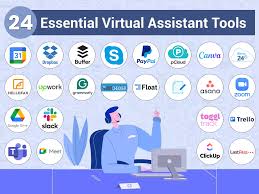
Top 10 AI Virtual Assistants Tools in 2026
1. OpenAI ChatGPT (with GPT-5)
Short Description
A highly advanced conversational AI assistant designed for individuals, professionals, and enterprises. Known for natural human-like conversations and multi-modal abilities.
Key Features
- Human-like conversational intelligence
- Image, video, and document understanding
- Workflow automation & coding help
- Multilingual capabilities
- Integrates with thousands of tools and APIs
- Voice mode for real-time interaction
- Enterprise-grade security
Pros
- Extremely accurate and versatile
- Powerful for content creation, coding, and automation
- Great for both personal and business use
Cons
- Requires internet
- Advanced features behind subscription
- Can generate long responses that need refining
2. Google Assistant (Gemini-powered)
Short Description
Google’s flagship AI assistant now powered by the Gemini model, offering advanced voice assistance, device control, and smart automation.
Key Features
- Real-time voice interactions
- Deep integration with Android & Google apps
- Task automation, reminders, navigation
- Smart home control
- Voice search & conversational answers
- Multi-device syncing
Pros
- Best for Android & smart home ecosystem
- Extremely fast and intuitive
- Accurate voice recognition
Cons
- Limited business-focused automations
- Works best only in Google ecosystem
- Privacy concerns for some users
3. Apple Siri (Advanced with Apple Intelligence)
Short Description
Apple’s AI-powered assistant updated for 2026 with enhanced reasoning, on-device processing, and tighter integration across Apple devices.
Key Features
- On-device processing for privacy
- Natural language understanding
- Smart suggestions & automation
- Works across iPhone, iPad, Mac, Watch
- Photo, file, and message assistance
- Integrates with Apple Intelligence LLM
Pros
- Best privacy-focused assistant
- Smooth Apple ecosystem automation
- Works offline for many tasks
Cons
- Limited compared to ChatGPT/Google in creativity
- Not ideal for cross-platform use
- Works only on Apple devices
4. Amazon Alexa (AI Upgraded)
Short Description
A leading voice assistant, now enhanced with generative AI, designed for smart home control, enterprise IoT, and personal productivity.
Key Features
- Smart home automation
- Multi-device voice commands
- Custom Alexa skills
- Generative AI-based answers
- IoT + office automation
- Shopping & reminders
Pros
- Best for smart home ecosystems
- Custom skills expand functionality
- Affordable
Cons
- Not ideal for deep reasoning tasks
- Dependent on Amazon ecosystem
- Limited text-based use
5. Microsoft Copilot
Short Description
An enterprise-ready AI assistant integrated into Windows, Office 365, Edge, and business platforms.
Key Features
- Office 365 automation (Excel, Word, PowerPoint)
- Email summarization and drafting
- Windows system control
- Enterprise AI workflows
- GPT-based reasoning
- Teams meeting insights
Pros
- Best for business automation
- Deep integration with Microsoft tools
- Great for work productivity
Cons
- Most features require Microsoft subscription
- Limited personal use features compared to ChatGPT
6. Replika AI
Short Description
A personal AI companion designed for emotional support, conversations, memory, and self-improvement assistance.
Key Features
- Personalized conversation memory
- Mood and emotional tracking
- Custom AI personality creation
- Voice and video chat
- Journaling and self-care tools
- Role-based AI training
Pros
- Great for companionship and mental wellness
- Very personalized
- Easy to use
Cons
- Not suitable for professional tasks
- Subscription required for advanced features
- Can feel repetitive at times
7. xAI Grok Assistant
Short Description
A witty, fast, and reasoning-focused AI assistant built by xAI, optimized for real-time knowledge and humor.
Key Features
- Real-time trending information access
- Humor-based conversation style
- Multi-modal capabilities
- Deep integration with X (Twitter)
- Fast reasoning engine
Pros
- Great for real-time news
- Fun and engaging assistant
- Strong reasoning for Q&A
Cons
- Less suitable for business automation
- Not as strong in creativity compared to ChatGPT
- Limited integrations
8. Notion AI Assistant
Short Description
An AI productivity companion built into Notion for writing, summarizing, organizing, and workflow automation.
Key Features
- Document summarization
- Automated note creation
- Task and project management
- Writing assistance
- Database integration
- Workflow suggestions
Pros
- Perfect for students and professionals
- Integrated deeply with Notion workspace
- Great for content organization
Cons
- Only useful inside Notion
- Not a standalone AI assistant
- Requires subscription
9. Jasper AI Assistantn### Short Description
An AI-powered assistant designed for marketing, content creation, branding, and creative teams.
Key Features
- AI content generator
- Brand voice modeling
- Marketing campaign creation
- Image generation
- SEO content optimization
- Collaboration tools
Pros
- Great for marketing teams
- Fast content creation
- Custom brand voice
Cons
- Expensive for individuals
- Not useful outside content creation
- Learning curve for beginners
10. Krisp AI Assistant
Short Description
A smart AI assistant designed for voice clarity, meeting transcription, productivity, and noise cancellation.
Key Features
- AI noise cancellation
- Meeting transcriptions
- Voice enhancement
- Speaker and background noise removal
- Real-time meeting summaries
- Multi-platform integration
Pros
- Best for remote workers
- Crystal-clear meeting audio
- Accurate transcriptions
Cons
- Not a general-purpose assistant
- Needs stable internet
- Paid plans required for business account
Comparison Table: Top 10 AI Virtual Assistants Tools in 2026
| Tool Name | Best For | Platforms | Standout Feature | Pricing | Rating |
|---|---|---|---|---|---|
| ChatGPT | Everyone, businesses | Web, mobile, API | Multi-modal reasoning | Starts $20 | 4.8/5 |
| Google Assistant | Android users, smart homes | Android, iOS | Voice + smart home | Free | 4.6/5 |
| Siri | Apple users | iOS/macOS | On-device AI | Free | 4.5/5 |
| Alexa | Smart home users | Echo, mobile | Smart home automation | Free + Paid | 4.4/5 |
| Microsoft Copilot | Enterprises | Windows, Office | Business automation | Starts $30 | 4.7/5 |
| Replika | Companionship | Mobile/Web | AI personality | Starts $19 | 4.3/5 |
| Grok | Real-time updates | Web/X App | Live data access | Starts $16 | 4.4/5 |
| Notion AI | Productivity | Web/App | Knowledge workspace | Add-on $10 | 4.5/5 |
| Jasper AI | Marketing teams | Web | AI branding | Starts $39 | 4.6/5 |
| Krisp AI | Remote workers | Windows/Mac | Noise cancellation | Starts $8 | 4.7/5 |
Which AI Virtual Assistant Tool is Right for You?
Choose ChatGPT if:
- You want the most powerful all-in-one AI assistant
- You need reasoning, writing, coding, or automation
Choose Google Assistant if:
- You rely on Android and Google services
- You want top-tier voice interactions
Choose Siri if:
- You prefer privacy and Apple ecosystem integration
Choose Alexa if:
- You want industry-leading smart home automation
Choose Microsoft Copilot if:
- You are a business or enterprise using Microsoft tools
Choose Replika if:
- You want emotional support or companionship
Choose xAI Grok if:
- You want fast, real-time updates and witty responses
Choose Notion AI if:
- You’re a student, writer, or professional managing projects
Choose Jasper AI if:
- You run a marketing or content creation team
Choose Krisp AI if:
- You work remotely and attend many online meetings
Conclusion
AI Virtual Assistants in 2026 are more intelligent, integrated, and capable than ever. Whether you’re a business leader, student, remote worker, or creative professional, the right AI assistant can drastically boost productivity, simplify tasks, and automate workflows. As the AI landscape grows, exploring demos and free trials is the best way to find the perfect match.
FAQs
1. What are AI Virtual Assistants tools?
AI tools that help automate tasks, answer queries, manage schedules, and improve productivity.
2. Which AI Virtual Assistant is best overall?
ChatGPT remains the most versatile and powerful choice.
3. Which assistant is best for Android users?
Google Assistant.
4. Which tool is best for businesses?
Microsoft Copilot and ChatGPT Enterprise.
5. Which is best for personal use and mental wellness?
Replika.

- Top 10 AI Model Serving Frameworks Tools in 2026: Features, Pros, Cons & Comparison - August 30, 2026
- Top 10 Construction Management Software Tools in 2026: Features, Pros, Cons & Comparison - August 11, 2026
- Top 10 AI Academic Writing Tools in 2026: Features, Pros, Cons & Comparison - August 11, 2026