Introduction
In an era where the Google Play Store hosts millions of applications and mobile device usage continues to dominate global internet traffic, the demand for mobile software has never been higher. Android App Builders are specialized software platforms designed to simplify the development process, allowing users to create fully functional Android applications without necessarily writing complex Java or Kotlin code. These tools utilize visual interfaces, drag-and-drop components, and pre-configured logic modules to turn a conceptual design into a deployable APK (Android Package) or AAB (Android App Bundle).
The importance of these builders lies in their ability to democratize mobile technology. They allow small businesses to engage customers, startups to validate ideas with a Minimum Viable Product (MVP), and educators to create interactive tools without the massive overhead of a traditional development agency. Key real-world use cases include creating e-commerce store apps, developing internal business utilities for employees, building community-driven social platforms, and prototyping high-fidelity designs for stakeholder approval. When choosing an Android app builder, users should prioritize native feature access (like GPS and camera), offline functionality, app store deployment ease, and data security.
Best for:
- Solo Entrepreneurs & Founders: For rapid prototyping and testing market fit without heavy initial investment.
- Small to Medium Businesses (SMBs): Particularly in retail, hospitality, and local services requiring customer loyalty or booking apps.
- Internal IT Teams: Looking to build simple administrative or logistics tools for a distributed workforce.
Not ideal for:
- AAA Game Developers: Tools are generally not optimized for high-performance 3D rendering or complex physics engines.
- High-Frequency Trading Apps: Where millisecond latency and specialized low-level memory management are required.
- Complex Data Science Tools: That require heavy on-device processing beyond the scope of a visual builder.
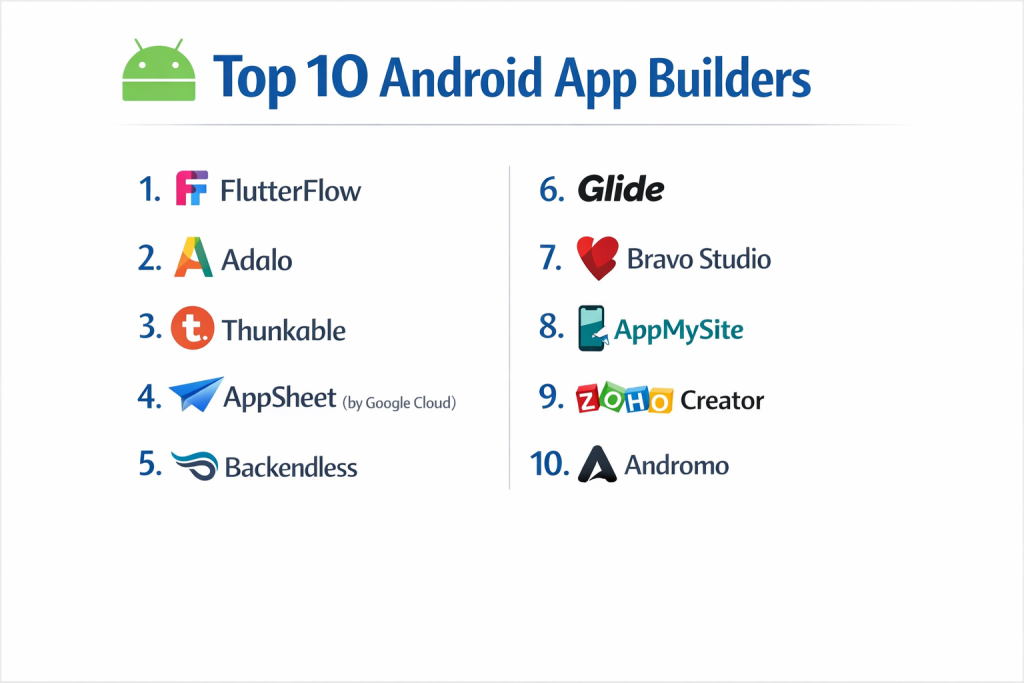
Top 10 Android App Builders: Features, Pros, Cons & Comparison
Top 10 Android App Builders Tools
1 — FlutterFlow
FlutterFlow is a high-performance, browser-based app builder that leverages Google’s Flutter framework, allowing users to create visually stunning native apps for Android.
- Key features:
- Visual Action Builder: Design complex logic using a flowchart-style interface.
- Native Code Export: The ability to download the underlying Flutter/Dart code for further manual editing.
- Firebase Integration: Seamless connection to Google’s backend for real-time databases and authentication.
- Custom Widget Support: Allows for the insertion of custom code snippets to extend functionality.
- Push Notifications: Built-in tools for setting up and managing Android native notifications.
- API Connector: Robust system for connecting to any external RESTful API.
- Pros:
- Produces highly performant, native-quality Android apps that feel “buttery smooth.”
- Offers the best “escape hatch” in the industry; you are never truly locked into the platform.
- Cons:
- Steeper learning curve compared to simple drag-and-drop builders.
- Deep reliance on Firebase for many core backend features.
- Security & compliance: Supports SSO (Google, Apple, etc.), SSL encryption, and inherits Firebase’s SOC 2 and GDPR compliance standards.
- Support & community: Active YouTube channel, extensive documentation, and a thriving community of professional “FlutterFlow Experts.”
2 — Adalo
Adalo focuses on the visual “canvas” experience, making it one of the most intuitive tools for creating data-driven Android applications with zero coding knowledge.
- Key features:
- Drag-and-Drop Interface: Components snap to a grid, feeling more like a design tool than a development environment.
- Database Management: Built-in spreadsheets to manage user data, products, or content.
- External Collections: Connect to existing data from tools like Airtable or Google Sheets.
- Marketplace: A library of community-built components like charts and maps.
- Stripe Integration: Native support for processing payments and subscriptions within the app.
- Automatic Publishing: Streamlined workflows for submitting apps directly to the Google Play Store.
- Pros:
- The fastest path from an idea to a visual, clickable app on an Android device.
- Excellent for creating consumer-facing apps like directories or simple marketplaces.
- Cons:
- Limited capability for highly complex business logic.
- App performance can lag if the data set becomes excessively large.
- Security & compliance: GDPR ready, data encryption at rest, and support for standard SSL.
- Support & community: Strong “Adalo App Academy,” community forum, and a reliable library of templates.
3 — Thunkable
Thunkable is a cross-platform builder that uses a block-based logic system, making it popular for both educational purposes and professional mobile-first apps.
- Key features:
- Block-based Logic: Uses visual “blocks” (similar to Scratch) to define app behavior.
- Device Native Integrations: Easy access to Bluetooth, GPS, Accelerometer, and Camera.
- One Project, Two Platforms: Build once and generate both Android and iOS versions.
- Animations: Support for Lottie files to create high-end visual transitions.
- Web View & Local Storage: Capability to wrap websites or store data locally on the device.
- Native Admob Integration: Simple setup for monetizing Android apps via Google ads.
- Pros:
- Exceptional access to native hardware features without writing a single line of code.
- Great for users who think logically but don’t want to learn syntax.
- Cons:
- The block interface can become cluttered and difficult to manage for very large apps.
- Design flexibility is slightly more rigid than Figma-integrated tools.
- Security & compliance: Varies / Standard encryption provided for cloud-stored data and user sessions.
- Support & community: Large user community, detailed documentation, and a strong focus on K-12 and university education.
4 — AppSheet (by Google Cloud)
As part of the Google Cloud ecosystem, AppSheet is the premier choice for creating utility-driven Android apps that run on top of spreadsheet data.
- Key features:
- Google Workspace Integration: Works natively with Google Sheets, Docs, and BigQuery.
- Automation Bots: Create automated workflows like sending emails or updating rows based on app events.
- Offline Mode: Apps work perfectly without an internet connection and sync later.
- Barcode & NFC Scanning: Specialized features for inventory and logistics management.
- OCR (Optical Character Recognition): Capture text from photos directly into the app’s database.
- Declarative Logic: Describe what the app should do rather than how it should do it.
- Pros:
- Unmatched for internal business tools; if you can use Excel, you can use AppSheet.
- Inherits the world-class security and reliability of Google Cloud.
- Cons:
- Poor UI customization; apps have a very “functional” and standardized look.
- Not designed for building the next big consumer social network or game.
- Security & compliance: SOC 2, HIPAA (on certain plans), GDPR, and ISO 27001 compliant.
- Support & community: Professional enterprise-level support and a massive library of sample apps to copy.
5 — Backendless
Backendless provides a unique blend of a visual UI builder and a sophisticated backend-as-a-service, targeting developers who want full control over their data.
- Key features:
- Codeless Logic: A sophisticated visual logic builder that translates to high-speed code.
- Real-time Database: High-speed data synchronization for chat or tracking apps.
- User Management: Detailed permission settings and social login integrations.
- File Storage: Integrated cloud storage for images, videos, and documents.
- Cloud Code: The ability to add custom JavaScript or Java logic on the server side.
- Marketplace: Pre-built templates for specific industries like real estate or e-commerce.
- Pros:
- Offers much more “power under the hood” than typical no-code builders.
- Highly scalable; built to handle hundreds of thousands of concurrent users.
- Cons:
- Steeper learning curve; requires an understanding of database architecture.
- The interface can be overwhelming for a complete non-technical beginner.
- Security & compliance: GDPR and HIPAA compliant options, SSL encryption, and detailed audit logs.
- Support & community: Excellent documentation, active support forum, and direct developer support availability.
6 — Glide
Glide transforms spreadsheets into professional Android apps in minutes, specializing in internal tools and high-utility business applications.
- Key features:
- Spreadsheet Sync: Uses Google Sheets, Excel, or Airtable as the live database.
- Adaptive Layouts: Design is automatically optimized for Android phones and tablets.
- Glide Tables: A built-in high-speed data engine for apps with larger datasets.
- AI Integration: Native “Glide AI” for text summarization and image recognition.
- Custom Branding: Easily apply colors, logos, and typography across the whole app.
- Data Pickers: Intuitive components for date ranges, location, and file uploads.
- Pros:
- The lowest barrier to entry in the mobile app world; it feels like magic.
- Modern, clean UI that looks professional by default.
- Cons:
- Apps are technically Progressive Web Apps (PWAs); native Play Store publishing requires a paid plan.
- Rigid design structure; you cannot move buttons by single pixels.
- Security & compliance: SOC 2 Type II compliant, GDPR ready, and SSO integration for enterprise teams.
- Support & community: “Glide University” offers superb video training; very helpful user community.
7 — Bravo Studio
Bravo Studio is a unique tool that bridges the gap between high-end design and native Android development by turning Figma files into functional apps.
- Key features:
- Figma-to-App: Uses “Bravo Tags” in Figma to define where data and logic go.
- Native Performance: Apps are compiled to native code for high responsiveness.
- API Integration: Connect to any backend (Xano, Airtable, etc.) via REST API.
- Lottie Animations: Native support for high-end vector animations.
- Bravo Vision: A companion app to preview your design on an actual Android device in real-time.
- Multi-stage Publishing: Guided process for generating binaries for the Play Store.
- Pros:
- Total design freedom; if you can design it in Figma, you can build it in Bravo.
- Perfect for designers who want to become “full-stack” mobile creators.
- Cons:
- No built-in database; you must manage your own data via an external API.
- Requires a very high level of proficiency in Figma.
- Security & compliance: GDPR compliant; security depends largely on your chosen API provider.
- Support & community: Growing community of “Bravos,” active Discord, and excellent video tutorials.
8 — AppMySite
AppMySite is a specialized builder designed to turn WordPress websites into native Android applications with minimal effort.
- Key features:
- WP Sync: Automatically pulls posts, pages, and products from your WordPress site.
- WooCommerce Support: Specialized features for managing products and checkouts in-app.
- Real-time Preview: See how your app looks as you adjust colors and menus.
- Native Android Features: Support for push notifications and splash screens.
- No-code Customizer: Easy visual editor for app icons and navigation bars.
- Universal Search: Built-in search functionality across your app content.
- Pros:
- The best solution for bloggers and e-commerce owners using WordPress.
- Very affordable pricing compared to custom development.
- Cons:
- Limited to the data structure of your existing website.
- Not suitable for building a brand-new app from scratch without a website.
- Security & compliance: Varies / Standard SSL and website-level security protocols.
- Support & community: 24/7 customer support and an extensive knowledge base for WordPress users.
9 — Zoho Creator
Part of the vast Zoho ecosystem, Zoho Creator is a low-code platform for businesses needing customized Android apps for process automation.
- Key features:
- Deluge Scripting: A simplified scripting language for complex logic.
- Multi-pane Builder: Dedicated views for UI design, workflow logic, and data reports.
- Offline Data Entry: Capability for field workers to enter data without signal.
- Customer Portals: Secure areas for clients to log in and manage their data.
- Native Android App SDK: Allows for white-labeling and Play Store deployment.
- Integrated BI: Powerful dashboarding and analytics built into the app.
- Pros:
- Incredibly robust for enterprise-grade business processes.
- Seamless integration with other Zoho apps (CRM, Books, etc.).
- Cons:
- The interface can feel a bit “corporate” and utilitarian.
- Deluge scripting has a learning curve for those with zero coding background.
- Security & compliance: ISO 27001, SOC 2, HIPAA, and GDPR compliant; 2FA and encryption.
- Support & community: High-end enterprise support, global partner network, and active forums.
10 — Andromo
Andromo is one of the oldest players in the market, focusing on “mass production” of Android apps for monetization through advertising.
- Key features:
- Template-driven Design: Quickly choose from categories like “Educational” or “Recipes.”
- Monetization Engine: Built-in tools for AdMob, Facebook Audience Network, and Applovin.
- Content Aggregator: Pull in RSS feeds, YouTube channels, and Flickr galleries.
- Interactive Maps: Simple components for points of interest and navigation.
- PDF Viewer: Integrated tools for building manual or ebook apps.
- No-code Interface: Strictly visual; no coding required at any stage.
- Pros:
- Ideal for individuals looking to build a portfolio of apps to generate ad revenue.
- Very simple and fast deployment process for the Google Play Store.
- Cons:
- Lack of deep database functionality or complex user logic.
- Apps can feel “generic” if the templates aren’t heavily customized.
- Security & compliance: Varies / N/A (Standard data handling).
- Support & community: Helpful blog, ticketing system, and a long history of serving independent app creators.
Comparison Table
| Tool Name | Best For | Platform(s) Supported | Standout Feature | Rating (Gartner/TrueReview) |
| FlutterFlow | High-performance Native | Android, iOS, Web | Native Code Export | 4.7 / 5 |
| Adalo | Visual Prototyping | Android, iOS, Web | Drag-and-Drop UX | 4.2 / 5 |
| Thunkable | Native Feature Access | Android, iOS | Block-based Logic | 4.5 / 5 |
| AppSheet | Internal Business Ops | Android, iOS, Web | Google Workspace Sync | 4.1 / 5 |
| Backendless | Scalable Backend Control | Android, iOS, Web | Codeless Server Logic | 4.6 / 5 |
| Glide | Data-driven Business Apps | Android (PWA), iOS, Web | Spreadsheet-to-App | 4.8 / 5 |
| Bravo Studio | Design-led Native Apps | Android, iOS | Figma-to-Native Sync | N/A |
| AppMySite | WordPress/WooCommerce | Android, iOS | Website-to-App Sync | N/A |
| Zoho Creator | Corporate Workflows | Android, iOS, Web | Enterprise Governance | 4.3 / 5 |
| Andromo | Ad-revenue/Content Apps | Android, iOS | Monetization Engine | N/A |
Evaluation & Scoring of Android App Builders
| Category | Weight | Avg. Score | Analysis |
| Core Features | 25% | 8.8 / 10 | Most tools now include AI and basic native integrations as standard. |
| Ease of Use | 15% | 9.2 / 10 | Builders like Glide and Adalo have set a very high bar for intuitive design. |
| Integrations | 15% | 8.5 / 10 | API connectivity is vital; most platforms now offer robust REST API connectors. |
| Security & Compliance | 10% | 9.0 / 10 | Enterprise tools lead here, though standard encryption is common across the board. |
| Performance | 10% | 8.2 / 10 | Native compilers (FlutterFlow/Bravo) outperform web-based wrappers. |
| Support & Community | 10% | 8.7 / 10 | Community size is the best predictor of how fast you’ll solve problems. |
| Price / Value | 15% | 8.0 / 10 | Pricing is moving toward a “per-app” or “per-user” model which can be costly. |
Which Android App Builders Tool Is Right for You?
Solo Users vs SMB vs Mid-market vs Enterprise
- Solo Users: Adalo or Glide provide the most immediate gratification and lowest cost of entry.
- SMBs: AppMySite (if you have a website) or FlutterFlow (if you want a unique brand) are the strongest contenders.
- Mid-market: Backendless offers the scalability and data control needed for growing companies.
- Enterprise: AppSheet or Zoho Creator are the standard for internal tools with high compliance requirements.
Budget-conscious vs Premium Solutions
If every dollar counts, Andromo or Glide’s free tiers are excellent starting points. For those building a professional product to compete in the market, FlutterFlow is worth the premium for its performance and code export capabilities.
Feature Depth vs Ease of Use
If you need Feature Depth (complex logic, offline sync, custom APIs), Backendless or FlutterFlow are the way to go. If you prioritize Ease of Use, you cannot beat Glide.
Frequently Asked Questions (FAQs)
- Do I need to know how to code to use these builders?No. Most of these tools are designed for non-technical users, though a basic understanding of logic (if/then statements) and database structure is helpful.
- Can I really publish these apps to the Google Play Store?Yes. Most of these platforms generate the necessary .aab or .apk files required for submission, and some even offer automated publishing services.
- Who owns the app code?Usually, the platform owns the proprietary builder code. However, tools like FlutterFlow and Draftbit allow you to export the clean source code, giving you full ownership.
- How much does it cost to build an app?While many tools have free tiers, publishing and advanced features usually range from $20 to $150 per month. You also need to pay Google a one-time fee of $25 for a developer account.
- Is my data secure in these builders?Yes, professional builders use SSL encryption and follow GDPR standards. However, if your app handles sensitive data (like healthcare), ensure you choose a HIPAA-compliant tool like AppSheet.
- Can I use my app on an iPhone as well?Most of these tools (except very specialized Android-only ones) are “cross-platform,” meaning they can generate versions for both Android and iOS.
- Do these apps work without internet?It depends on the tool. AppSheet and Zoho Creator have excellent offline modes, while lighter builders like Glide often require a constant connection.
- Can I monetize my app with ads?Yes, tools like Andromo and Thunkable have native integrations for Google AdMob, allowing you to earn revenue from users viewing ads.
- What is the difference between a Native app and a PWA?A native app is installed via the Play Store and has full access to phone hardware. A PWA (Progressive Web App) is a website that looks and acts like an app but runs in a mobile browser.
- What is the most common mistake when choosing a builder?Choosing a tool that is too simple. As your business grows, you may need features the simple builder doesn’t support, forcing an expensive rebuild on a more powerful platform.
Conclusion
The “best” Android app builder in 2026 isn’t the one with the most features; it’s the one that aligns with your specific goals. If you are a designer, Bravo Studio will feel like home. If you are a data nerd, Backendless or AppSheet will provide the power you crave. For most people looking to build a high-quality, scalable product, FlutterFlow currently represents the peak of the industry.
Before committing, take advantage of free trials. Build a small piece of your core logic in two different tools and see which one feels more natural. The future of mobile development is visual, and the barrier between having a great idea and having a great app has never been thinner.

- Top 10 Email Deliverability Tools: Features, Pros, Cons & Comparison - September 6, 2026
- Top 10 Pharmacovigilance Software: Features, Pros, Cons & Comparison - September 6, 2026
- Top 10 Manufacturing Execution Systems (MES) - July 30, 2026