Introduction
In the rapidly evolving landscape of 2026, Application Modernization Tools have become the cornerstone of digital transformation. These tools are specialized software solutions designed to transition legacy applications—often monolithic, on-premise, and written in aging languages—into modern, cloud-native architectures. The process typically involves strategies like rehosting (lift-and-shift), replatforming, or the more intensive re-architecting into microservices and containers.
Modernization is no longer a luxury but a survival imperative. Businesses rely on these tools to eliminate technical debt, reduce high maintenance costs associated with “zombie” infrastructure, and unlock the agility required to integrate Generative AI and real-time analytics. Whether it is containerizing a Java app or refactoring COBOL into a modern language, these tools automate the heavy lifting, ensuring that the transition is secure and scalable.
When choosing a tool in this category, users must evaluate several critical criteria:
- Automation Depth: Does the tool offer AI-driven code analysis or just basic migration?
- Cloud Compatibility: How well does it integrate with AWS, Azure, or Google Cloud?
- Observability: Does it provide deep insights into application dependencies during the transition?
- Security & Compliance: Are there built-in guardrails for GDPR, SOC 2, and zero-trust security?
Best for: Large-scale enterprises with massive legacy portfolios (BFSI, Healthcare, Government), CTOs looking to reduce operational overhead, and DevOps teams aiming for a standardized, cloud-native developer experience.
Not ideal for: Startups with “greenfield” (newly built) applications, or small businesses with simple, standalone apps where the cost of a modernization suite exceeds the value of the application itself.
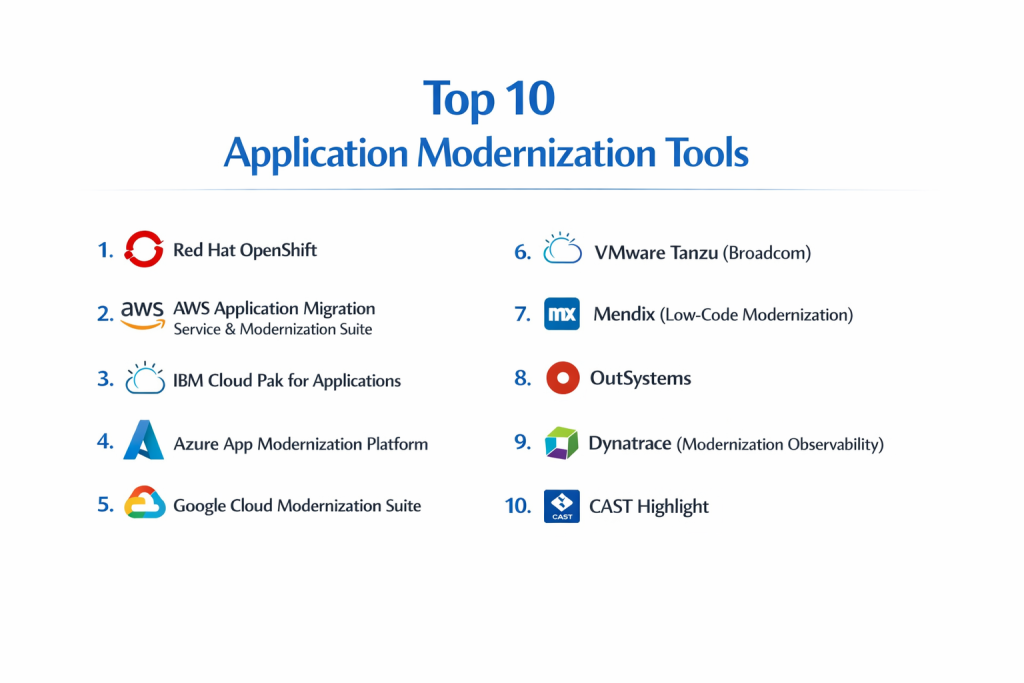
Top 10 Application Modernization Tools
1 — Red Hat OpenShift
Red Hat OpenShift is a comprehensive enterprise Kubernetes platform designed to provide a consistent environment for modernizing applications across hybrid and multi-cloud infrastructures.
- Key Features:
- Full-stack automated operations for container management.
- Built-in CI/CD pipelines with OpenShift Pipelines (Tekton).
- Integrated Service Mesh for microservices communication.
- Serverless support for event-driven application scaling.
- Advanced cluster management for hybrid cloud deployments.
- Developer-focused portal with automated “Source-to-Image” builds.
- Pros:
- Offers a truly consistent experience regardless of whether you are on-premise or in the public cloud.
- Strong enterprise-grade security hardening out of the box.
- Cons:
- Significant learning curve for teams not familiar with Kubernetes.
- Premium pricing can be prohibitive for mid-market users.
- Security & compliance: Federal Information Processing Standards (FIPS) compliant; supports GDPR, HIPAA, and ISO 27001; includes integrated identity management and encrypted traffic.
- Support & community: Extensive documentation, Red Hat’s world-class enterprise support, and a massive global community of certified professionals.
2 — AWS Application Migration Service & Modernization Suite
AWS provides a highly automated suite of tools specifically tuned for migrating and refactoring workloads into the Amazon Web Services ecosystem.
- Key Features:
- Automated block-level replication of source servers.
- AWS Blu Age for automated mainframe-to-cloud transformation.
- App2Container for rapid containerization of Java and .NET apps.
- Refactor Spaces to simplify incremental modernization via the Strangler Fig pattern.
- Integrated discovery tools for dependency mapping.
- Post-migration optimization recommendations.
- Pros:
- Highly efficient for “lift-and-shift” migrations with minimal downtime.
- Seamless integration with the broader AWS ecosystem (S3, RDS, Lambda).
- Cons:
- Strong vendor lock-in; primarily designed to move workloads to AWS.
- Some specialized tools (like Blu Age) require high-level consulting expertise.
- Security & compliance: SOC 1/2/3, ISO/IEC 27001/27017, HIPAA, and GDPR compliant; uses AWS Identity and Access Management (IAM).
- Support & community: Tiered enterprise support plans; vast library of tutorials and a large network of AWS Partners.
3 — IBM Cloud Pak for Applications
This platform focuses on helping large enterprises modernize complex, mission-critical applications by leveraging IBM’s deep experience with legacy systems.
- Key Features:
- Transformation Advisor for analyzing application complexity and risks.
- Mono2Micro: AI-driven analysis to decompose monoliths.
- Support for WebSphere modernization to Liberty.
- Built-in open-source runtimes and frameworks.
- Centralized management for hybrid deployments.
- Pros:
- Exceptional at handling traditional enterprise stacks like Java EE and COBOL.
- AI-powered tools significantly reduce the manual effort of refactoring.
- Cons:
- Infrastructure requirements for the Pak itself are heavy.
- Integration with non-IBM cloud services can be complex.
- Security & compliance: Highly regulated industry focused; includes audit logs, encryption, and compliance templates for BFSI.
- Support & community: High-touch enterprise support; specialized consulting available via IBM Ecosystem.
4 — Azure App Modernization Platform
Microsoft’s suite focuses on transforming .NET and SQL Server applications into cloud-native services within the Azure environment.
- Key Features:
- Azure Migrate for unified discovery and assessment.
- App Service Migration Assistant for web applications.
- Automated SQL database migration to Azure SQL.
- GitHub Actions integration for modern DevOps workflows.
- Azure Kubernetes Service (AKS) as a target for containerization.
- Pros:
- The best choice for organizations heavily invested in the Microsoft ecosystem.
- Strong hybrid cloud capabilities with Azure Arc.
- Cons:
- Support for Linux-heavy legacy stacks is improving but still lags behind .NET support.
- Pricing can be complex to predict due to consumption-based models.
- Security & compliance: Built-in Azure Policy and Blueprints; compliant with over 100 global standards including GDPR and FedRAMP.
- Support & community: Robust documentation and integration with Microsoft Learning and Microsoft Tech Community.
5 — Google Cloud Modernization Suite
Google’s approach emphasizes Kubernetes, GKE, and Anthos to create a highly flexible, open-source-based modernization path.
- Key Features:
- Migrate to Containers: Automated conversion of VMs into containers.
- Anthos for managing applications across multiple clouds.
- API management via Apigee for legacy system wrapping.
- Generative AI assistance through Gemini Code Assist.
- Strong serverless options with Cloud Run.
- Pros:
- Leading-edge Kubernetes capabilities (GKE is often considered the gold standard).
- Excellent data analytics and AI integration post-modernization.
- Cons:
- Less focused on mainframe or very old legacy languages compared to IBM.
- Smaller enterprise consulting footprint in certain global regions.
- Security & compliance: Zero Trust security model; Google Cloud Armor for protection; ISO 27001 and SOC 2/3.
- Support & community: Strong developer community; premium support available for enterprise customers.
6 — VMware Tanzu (Broadcom)
Tanzu is a modular, cloud-native application platform that simplifies the development, delivery, and management of containerized apps.
- Key Features:
- Tanzu Application Platform (TAP) for developer productivity.
- Consistent Kubernetes operations across vSphere and public clouds.
- Integrated data services for modernizing databases.
- Spring Framework optimization for Java modernization.
- Centralized observability via Tanzu Mission Control.
- Pros:
- The natural bridge for companies currently using VMware vSphere for virtualization.
- Simplifies the “path to production” for developers.
- Cons:
- Uncertainty in licensing and product direction following the Broadcom acquisition.
- Can be overkill for organizations not looking for a full platform experience.
- Security & compliance: Hardened container images; integrated policy management; supports common industry certifications.
- Support & community: Professional services available; strong legacy of vExpert community support.
7 — Mendix (Low-Code Modernization)
Mendix offers a high-productivity, low-code platform that allows organizations to “wrap and renew” legacy functionality or build new front-ends rapidly.
- Key Features:
- Visual modeling for application logic and UI.
- Pre-built connectors for SAP, Salesforce, and legacy RDBMS.
- One-click cloud deployment.
- Collaborative tools for “fusion teams” (business + IT).
- AI-assisted development (Mendix Assist).
- Pros:
- Radically speeds up the delivery of modern user interfaces for old systems.
- Reduces the need for specialized full-stack developer talent.
- Cons:
- Limited for deep backend architectural refactoring (e.g., rewriting complex algorithms).
- Proprietary platform results in long-term runtime dependency.
- Security & compliance: SOC 2 Type II, ISO 27001, HIPAA-ready, and GDPR compliant.
- Support & community: Active community marketplace for components; extensive academy for training.
8 — OutSystems
Similar to Mendix, OutSystems is a leader in high-performance low-code, focusing on building enterprise-grade applications that replace or extend legacy software.
- Key Features:
- Full-stack development with a visual interface.
- Native mobile and responsive web support.
- Automated DevOps and lifecycle management.
- Deep integration capabilities via REST/SOAP APIs.
- Extensive library of “Forge” community components.
- Pros:
- Produces highly performant applications compared to traditional low-code.
- Strong focus on scalability and complex business logic.
- Cons:
- Higher cost of entry compared to simpler low-code alternatives.
- Platform-specific lock-in for the generated code.
- Security & compliance: Built-in security scanners; SOC 2, HIPAA, and ISO 27001; integrated identity management.
- Support & community: Excellent documentation; professional training tracks; global partner ecosystem.
9 — Dynatrace (Modernization Observability)
While often categorized as an observability tool, Dynatrace is essential for modernization by providing the dependency mapping and performance baselines needed to move apps safely.
- Key Features:
- Smartscape for real-time automated dependency mapping.
- Davis AI for root-cause analysis during migration.
- Cloud-native monitoring (Kubernetes, Serverless).
- Business impact analysis of modernization projects.
- Automated quality gates for CI/CD.
- Pros:
- Essential for ensuring that “nothing breaks” when moving complex monoliths.
- Automation reduces the manual effort of setting up monitoring for new microservices.
- Cons:
- Higher price point compared to basic monitoring tools.
- Implementation requires careful planning to capture all legacy signals.
- Security & compliance: FedRAMP authorized; SOC 2 Type II; GDPR and HIPAA compliant.
- Support & community: Highly rated support; extensive “Dynatrace University” training.
10 — CAST Highlight
CAST Highlight is a software intelligence tool that acts as a “CT scan” for your application portfolio, identifying which apps are ready for the cloud and which have high technical debt.
- Key Features:
- Cloud Readiness Index for application portfolios.
- Open Source Safety check (SCA).
- Technical debt and software resiliency scoring.
- Software Bill of Materials (SBOM) generation.
- Visual dashboards for executive reporting.
- Pros:
- Unrivaled for the “Assessment” phase of modernization.
- Objective data helps prioritize which applications to modernize first.
- Cons:
- Does not perform the actual migration/refactoring code changes.
- Results require technical interpretation to create an actionable roadmap.
- Security & compliance: ISO 27001; helps with GDPR compliance by identifying data privacy risks in code.
- Support & community: Expert consulting partners; focused documentation for portfolio managers.
Comparison Table
| Tool Name | Best For | Platform(s) Supported | Standout Feature | Rating (Peer Insights) |
| Red Hat OpenShift | Hybrid Cloud Consistency | Multi-cloud, On-prem | Enterprise Kubernetes | 4.6 / 5.0 |
| AWS Modernization | Rapid AWS Migration | AWS | AWS Blu Age (Mainframe) | 4.5 / 5.0 |
| IBM Cloud Pak | Legacy Java/Mainframe | Hybrid, IBM Cloud | AI-driven Mono2Micro | 4.4 / 5.0 |
| Azure Modernization | .NET/Microsoft Shops | Azure | Azure Migrate Unified Hub | 4.5 / 5.0 |
| Google Cloud Suite | Cloud-Native/K8s focus | GCP, Multi-cloud | Migrate to Containers | 4.7 / 5.0 |
| VMware Tanzu | vSphere users | Multi-cloud, vSphere | Tanzu Application Platform | 4.4 / 5.0 |
| Mendix | Rapid UX Renewal | Any Cloud, On-prem | Visual Low-Code Logic | 4.5 / 5.0 |
| OutSystems | High-Perf Low-Code | Multi-cloud | Full-stack visual dev | 4.6 / 5.0 |
| Dynatrace | Migration Monitoring | All Platforms | Smartscape Dependency Map | 4.6 / 5.0 |
| CAST Highlight | Portfolio Assessment | All Stacks | Cloud Readiness Scoring | 4.3 / 5.0 |
Evaluation & Scoring of Application Modernization Tools
The following table provides a weighted evaluation of the modernization landscape. Scores are based on industry benchmarks for 2026.
| Category (Weight) | Market Average | Top-Tier Performance | Notes |
| Core Features (25%) | 7.5/10 | 9.5/10 | Top tools now include AI code-refactoring. |
| Ease of Use (15%) | 6.0/10 | 8.5/10 | Kubernetes-based tools remain complex. |
| Integrations (15%) | 8.0/10 | 9.8/10 | Ecosystem synergy is the current trend. |
| Security (10%) | 8.5/10 | 10/10 | Shift-left security is now mandatory. |
| Performance (10%) | 8.0/10 | 9.5/10 | Zero-downtime migration is the goal. |
| Support (10%) | 7.0/10 | 9.0/10 | Enterprise-grade 24/7 is standard. |
| Price / Value (15%) | 6.5/10 | 8.0/10 | High ROI, but high upfront license costs. |
Which Application Modernization Tool Is Right for You?
Choosing a tool is not about finding the “best” software, but the best fit for your specific technical debt and business goals.
1. By Organization Size
- SMBs: Focus on low-code platforms like Mendix or OutSystems. They allow you to modernize the user experience without hiring a massive team of Kubernetes experts.
- Mid-Market: Look at Azure or AWS native tools. They offer the best balance of cost-efficiency and feature depth for companies with moderate infrastructure.
- Enterprise: Red Hat OpenShift or IBM Cloud Pak are the heavy hitters. They provide the governance, scale, and multi-cloud flexibility that large organizations require.
2. By Technical Objective
- If you need to move fast: Choose AWS Application Migration Service. It is optimized for speed and automated rehosting.
- If you need to rewrite code: Use IBM Cloud Pak (Mono2Micro) or Google Cloud’s Gemini-assisted tools. These help you understand and refactor the actual logic.
- If you are paralyzed by complexity: Start with CAST Highlight. You cannot fix what you cannot measure. Use it to build a 3-year roadmap based on data.
3. Budget vs. Premium
If budget is a primary concern, look for open-source-aligned options like Red Hat or utilize the “free assessment” tiers of major cloud providers. Premium suites like Dynatrace are expensive but often pay for themselves by preventing a single catastrophic outage during a migration.
Frequently Asked Questions (FAQs)
1. What is the difference between rehosting and refactoring?
Rehosting (lift-and-shift) moves an app to the cloud with no code changes. Refactoring involves making minor changes to the code so it can take advantage of cloud features like managed databases or auto-scaling.
2. How long does a typical modernization project take?
Simple rehosting can take weeks, while a full re-architecting of a large monolithic system into microservices can take 12 to 24 months depending on the complexity of the business logic.
3. Are low-code tools powerful enough for enterprise modernization?
Yes, in 2026, platforms like OutSystems and Mendix are used to build high-scale, mission-critical applications that integrate directly with legacy cores.
4. How do these tools handle security?
Most modern tools incorporate “DevSecOps” principles, meaning they scan code for vulnerabilities during the modernization process and provide built-in encryption and identity management.
5. Can I modernize without moving to the public cloud?
Absolutely. Tools like Red Hat OpenShift and VMware Tanzu are designed specifically for hybrid clouds, allowing you to run modernized containers on your own hardware.
6. What is the biggest mistake companies make in modernization?
Moving to the cloud without a plan for data modernization. If your app is modern but your database is still a legacy silo, you will face performance bottlenecks.
7. Is COBOL modernization fully automated yet?
While tools like AWS Blu Age and IBM WatsonX can automate a large portion of the conversion, manual oversight by developers who understand the business logic is still required.
8. Do these tools help with cost management (FinOps)?
Most cloud-native suites (Azure, AWS, GCP) include cost-tracking tools to ensure your modernized app isn’t spending more on cloud resources than it did on-premise.
9. What is a “Strangler Fig” pattern?
It is a strategy where you gradually replace legacy functionality with new microservices. Users are slowly routed to the new services until the old system is completely “strangled” and can be retired.
10. Why is observability mentioned as a modernization tool?
Because you cannot modernize what you don’t understand. Observability tools map the dependencies of the old system so you don’t accidentally break a critical connection when moving it.
Conclusion
Application modernization is a journey of continuous improvement rather than a single destination. In 2026, the “best” tool is the one that aligns with your existing team’s skills and your long-term infrastructure strategy.
If you are just starting, prioritize assessment with software like CAST Highlight. If you are ready to move, leverage the automation found in AWS, Azure, or IBM suites. Above all, remember that modernization should serve the business: it’s about making your software faster, more secure, and ready for the next decade of innovation.

- Top 10 Email Deliverability Tools: Features, Pros, Cons & Comparison - September 6, 2026
- Top 10 Pharmacovigilance Software: Features, Pros, Cons & Comparison - September 6, 2026
- Top 10 Manufacturing Execution Systems (MES) - July 30, 2026