Introduction
In an era where a single job posting can attract thousands of applications, the ability to identify true talent quickly is the hallmark of an efficient hiring process. Candidate Assessment Tools are specialized software solutions designed to evaluate the skills, personality, cognitive abilities, and cultural fit of job applicants before they ever reach the interview stage. By replacing the subjective “gut feeling” of resume screening with objective, data-driven insights, these tools help organizations predict on-the-job performance more accurately. They act as a sophisticated filter that moves beyond what a candidate says they can do on a resume to what they can actually achieve in a real-world scenario.
The importance of these tools lies in their capacity to reduce “bad hire” costs, which can often exceed six figures for specialized roles. Key real-world use cases include screening thousands of entry-level applicants for cognitive aptitude, verifying the coding proficiency of software engineers through live environments, and assessing the emotional intelligence of leadership candidates. When choosing a tool, users should evaluate the validity and reliability of the tests, integration with Applicant Tracking Systems (ATS), anti-cheating/proctoring measures, and the quality of the candidate experience to ensure top talent isn’t discouraged by a clunky interface.
Best for:
Recruiters, Hiring Managers, and People Operations leads in high-growth startups, mid-market companies, and large enterprises. They are particularly vital in industries with technical skill requirements (IT/Software), high-volume hiring needs (Retail/Hospitality), or roles requiring high-stakes cognitive performance (Finance/Legal).
Not ideal for:
Small businesses hiring for generalist roles once or twice a year, or organizations where hiring is purely based on localized networking and word-of-mouth. If a role is highly creative and relies on a physical portfolio of past work, an automated multiple-choice assessment may not be an appropriate substitute for a manual review.
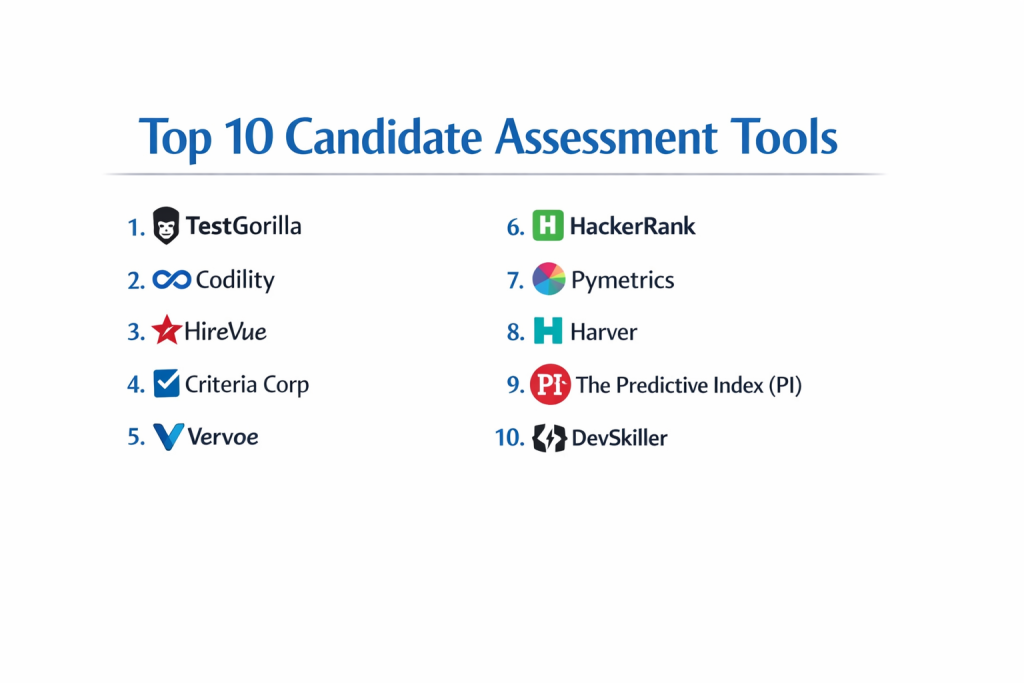
Top 10 Candidate Assessment Tools
1 — TestGorilla
TestGorilla has rapidly become one of the most popular assessment platforms due to its massive library of over 300 scientifically validated tests and its user-friendly interface.
- Key features:
- Multi-Measure Assessments: Combine up to five different tests (e.g., coding, personality, cognitive) into a single assessment.
- Custom Questions: Add your own multiple-choice, essay, or video-response questions to any test.
- Snapshots & Video Proctoring: Captures candidate photos and detects if they leave the browser tab to prevent cheating.
- One-Click Grading: Automated scoring with detailed rank-ordered lists of top candidates.
- Mobile-First Design: Optimized for candidates to take assessments on any device without downloading an app.
- Integrations: Direct sync with major ATS platforms like Greenhouse, Lever, and SmartRecruiters.
- Pros:
- Extremely high-quality candidate experience that feels professional and modern.
- Offers a “Free Forever” plan with limited tests, making it accessible for startups.
- Cons:
- The per-candidate pricing on higher tiers can become expensive for high-volume hiring.
- Some advanced behavioral analytics are not as deep as specialized psychology-based tools.
- Security & compliance: SOC 2 Type II, GDPR compliant, SSO for enterprise, and data encryption.
- Support & community: 24/7 email and chat support, a comprehensive help center, and a growing community of HR professionals using their “Resource Hub.”
2 — Codility
Codility is the industry-standard platform for technical hiring, focusing on evaluating the coding skills and problem-solving abilities of software engineers.
- Key features:
- CodeCheck: Automated screening tests for specific programming languages and frameworks.
- CodeLive: A virtual whiteboarding environment for live technical interviews.
- CodeChallenge: Host online hackathons or coding competitions to build a talent pipeline.
- Plagiarism Detection: Advanced AI to check if code has been copied from the web or other candidates.
- Training & Upskilling: Modules to help existing employees improve their technical skills.
- Role-Based Templates: Pre-built assessments for Full Stack, Backend, Data Science, and more.
- Pros:
- Highly accurate IDE (Integrated Development Environment) that mimics a real developer’s workspace.
- Trusted by the world’s largest tech firms for its rigorous anti-cheating measures.
- Cons:
- Specifically limited to technical roles; you cannot use this for sales or HR assessments.
- The difficulty level can sometimes be too high for junior-level roles if not configured correctly.
- Security & compliance: ISO 27001, SOC 2 Type II, GDPR, and SSO support.
- Support & community: Dedicated technical account managers and extensive documentation for engineering leads.
3 — HireVue
HireVue is a pioneer in video interviewing and AI-driven assessments, designed for enterprise-scale organizations that need to hire at volume.
- Key features:
- On-Demand Video Interviews: Candidates record responses to questions that recruiters review later.
- Game-Based Assessments: Evaluate cognitive traits like memory and attention through short, engaging games.
- AI Evaluation: Natural Language Processing (NLP) to analyze candidate responses for specific competencies.
- Structured Interviewing: Standardized guides to ensure every candidate is asked the same questions.
- Global Scalability: Support for over 30 languages and localized compliance.
- Automated Scheduling: Integrated tools to book follow-up live interviews instantly.
- Pros:
- Dramatically reduces time-to-hire by eliminating the initial phone screen.
- Game-based assessments provide a high engagement rate compared to traditional testing.
- Cons:
- AI-based video analysis has faced some scrutiny regarding algorithmic bias (though they have added “AI transparency” tools).
- High cost makes it strictly an enterprise solution.
- Security & compliance: SOC 2 Type II, FedRAMP authorized, GDPR, and HIPAA compliant.
- Support & community: Global enterprise support, annual user conferences, and dedicated “Industrial-Organizational” psychologists for custom test design.
4 — Criteria Corp
Criteria Corp offers one of the most comprehensive suites of cognitive, personality, and emotional intelligence tests, backed by a strong focus on psychology.
- Key features:
- CCAT (Criteria Cognitive Aptitude Test): A world-renowned test for critical thinking and problem-solving.
- Emotify: An interactive assessment that measures emotional intelligence (EQ).
- Risk Assessments: Tests designed to identify integrity and counterproductive work behaviors.
- Custom Benchmarking: Compare candidate scores against your own high-performing employees.
- Video Interviewing: Integrated asynchronous video tools to complement psychometric testing.
- Skills Testing: Specific tests for Microsoft Office, typing speed, and general computer literacy.
- Pros:
- Scientific validity is among the highest in the industry.
- Unlimited testing models (flat-fee) make it very cost-effective for high-volume recruitment.
- Cons:
- The interface, while functional, feels slightly “academic” and less sleek than newer platforms.
- Reporting can be data-heavy and may require some training to interpret correctly.
- Security & compliance: SOC 2 Type II, GDPR, and ISO 27001.
- Support & community: Exceptional customer success team and access to staff psychologists for data interpretation.
5 — Vervoe
Vervoe focuses on “Skills-Based Hiring” by using AI to grade “Work Samples,” allowing candidates to show their skills in a realistic simulation.
- Key features:
- Simulator Assessments: Candidates perform tasks like answering support tickets, writing code, or building spreadsheets.
- AI Grading: Machine learning that learns from your preferences to rank candidates automatically.
- Library of 300+ Tasks: Pre-built work samples for almost every common job role.
- Anti-Plagiarism Suite: Prevents copy-pasting and monitors for external help during work samples.
- Branded Experience: Fully white-labeled assessments that match your company’s aesthetic.
- Detailed Insight Reports: Visual breakdowns of candidate strengths and weaknesses.
- Pros:
- The best tool for seeing “proof of work” rather than just multiple-choice knowledge.
- AI auto-grading saves recruiters hundreds of hours on manual review.
- Cons:
- Creating high-quality custom work samples can be time-consuming for the hiring manager.
- High-level AI features require a higher tier of subscription.
- Security & compliance: GDPR compliant, SSO available, and secure data encryption.
- Support & community: Dedicated onboarding specialists and an active blog focused on “Skills-First” hiring.
6 — HackerRank
HackerRank is a massive developer community and assessment platform that helps companies identify, interview, and hire tech talent based on actual coding proficiency.
- Key features:
- Standardized Skill Certifications: Pre-certified candidates that have already passed HackerRank’s global tests.
- HackerRank Interviews: A high-end coding environment with audio/video for live pair programming.
- IDE-Style Testing: Supports over 40 programming languages with real-time compilers.
- Candidate Comparison: Compare your applicants’ scores against a global benchmark of 18 million developers.
- University Recruiting: Specific modules for high-volume campus hiring and internships.
- Workflow Automation: Automated emails and status updates synced with your ATS.
- Pros:
- Massive name recognition among developers; candidates trust the platform.
- The “Pair Programming” tool is arguably the best-performing live coding environment on the market.
- Cons:
- Can be very expensive for small companies that only hire developers occasionally.
- The platform is highly technical; non-tech recruiters may struggle with deep configuration.
- Security & compliance: ISO 27001, SOC 2 Type II, GDPR, and HIPAA compliant.
- Support & community: Massive developer forum and dedicated enterprise support teams.
7 — Pymetrics
Pymetrics utilizes “Neuroscience Games” and AI to match candidates with roles where they are most likely to succeed based on their inherent traits.
- Key features:
- Behavioral Games: Short, non-stressful games that measure traits like risk tolerance, fairness, and attention.
- Success Profiles: Create “Trait Profiles” based on your current top-performing employees.
- Fairness Reports: Detailed audits that ensure the AI is not creating adverse impacts on protected groups.
- Redeployment: Use the data to move existing employees into new roles that fit their traits.
- Soft Skills Focus: Purely focused on behavioral and cognitive traits rather than hard technical skills.
- Audit Trails: Permanent logs of all assessment data for compliance.
- Pros:
- Completely removes the “resume bias” by focusing on inherent cognitive potential.
- One of the most engaging candidate experiences—literally playing games.
- Cons:
- Does not assess “Hard Skills” (e.g., can they actually use Excel or write Java?).
- Requires a significant amount of data (employees) to build accurate success profiles.
- Security & compliance: SOC 2 Type II and GDPR compliant.
- Support & community: Strategic talent consulting and enterprise-level customer success.
8 — Harver
Harver is a “Volume Hiring” specialist, designed for industries like retail, BPO, and hospitality where speed and candidate throughput are the main priorities.
- Key features:
- Situational Judgment Tests (SJT): Realistic video scenarios where candidates choose the best response.
- Automated Decisioning: Set “Hard Gates” that automatically reject or progress candidates based on scores.
- Virtual Job Tryout: A multi-step experience that shows candidates what a day in the life of the role looks like.
- Language Testing: Built-in assessments for speaking, listening, and writing proficiency.
- Reference Checking: Automated tools to gather and verify professional references.
- Real-Time Dashboards: Track “Funnel Health” and recruiter efficiency across high-volume locations.
- Pros:
- Exceptional for reducing turnover by giving candidates a realistic preview of the job.
- Integrates so deeply with ATS platforms that a candidate can be “Auto-Hired” in minutes.
- Cons:
- Not ideal for low-volume, high-level executive search.
- Implementation for the “Virtual Job Tryout” requires professional service hours.
- Security & compliance: ISO 27001, SOC 2 Type II, GDPR, and HIPAA.
- Support & community: Implementation consultants and localized support in multiple global regions.
9 — The Predictive Index (PI)
The Predictive Index focuses on “Talent Optimization,” using behavioral and cognitive assessments to improve both hiring and team dynamics.
- Key features:
- Behavioral Assessment: A 6-minute test that identifies a person’s core behavioral drives.
- Cognitive Assessment: A 12-minute timed test for learning agility and problem-solving.
- Job Profiling: Managers define the “Ideal Behavioral Profile” for a specific role before hiring.
- Relationship Guides: Automated reports on how a manager should best work with a specific candidate.
- Team Discovery: Tools to map an entire team’s personality to identify gaps in culture.
- Strategy Alignment: Links talent data to the overall business strategy.
- Pros:
- Extremely fast—the behavioral assessment takes less time than a coffee break.
- Useful for the entire employee lifecycle (hiring, managing, promoting), not just recruitment.
- Cons:
- Focuses more on “Personality/Behavior” than “Hard Skills.”
- Requires “PI Certification” for some users to fully understand and utilize the complex data.
- Security & compliance: SOC 2 Type II, GDPR compliant, and SSO.
- Support & community: A massive global network of certified “PI Partners” and consultants.
10 — DevSkiller
DevSkiller uses its proprietary “RealLifeTesting” methodology to assess developers in a way that mirrors their actual daily work environment.
- Key features:
- Map-to-Stack: Allows you to test candidates on your exact tech stack (e.g., “Java + Spring + MySQL”).
- Live Coding: Real-time collaborative environment for technical interviews.
- Automated Screening: Hundreds of coding tasks that are graded instantly.
- Project-Based Tasks: Candidates build entire small features rather than just solving algorithms.
- Talent Analytics: Track the skill growth of your talent pool over time.
- Plagiarism Prevention: Checks for screen sharing, code copying, and social media help.
- Pros:
- Much more “fair” to developers than algorithm tests, as it tests actual work skills.
- Highly customizable for very specific, niche technical environments.
- Cons:
- Higher difficulty for candidates who prefer simple algorithmic challenges.
- The UI is developer-centric and may feel less “friendly” to HR generalists.
- Security & compliance: GDPR, SOC 2, and secure data hosting.
- Support & community: High-quality technical support and regular updates on new coding languages.
Comparison Table
| Tool Name | Best For | Platform(s) Supported | Standout Feature | Rating (Gartner) |
| TestGorilla | Mid-Market General | Web, Mobile | Huge Test Library | 4.7 / 5 |
| Codility | Tech/Engineering | Web | CodeLive Environment | 4.6 / 5 |
| HireVue | Enterprise/Volume | Web, Mobile | Video AI Analysis | 4.3 / 5 |
| Criteria Corp | High-Volume Psych | Web | Flat-Fee Pricing | 4.5 / 5 |
| Vervoe | Skills/Work Samples | Web | Work Simulations | 4.6 / 5 |
| HackerRank | University/Tech | Web | Global Dev Community | 4.4 / 5 |
| Pymetrics | Soft Skills/Bias | Web, Mobile | Neuroscience Games | 4.5 / 5 |
| Harver | Retail/Hourly | Web, Mobile | Virtual Job Tryout | 4.4 / 5 |
| Predictive Index | Behavioral/Team | Web, Mobile | 6-Minute Assessment | 4.7 / 5 |
| DevSkiller | Specific Tech Stack | Web | RealLifeTesting | 4.6 / 5 |
Evaluation & Scoring of Candidate Assessment Tools
We have evaluated these tools using a weighted rubric designed to reflect the most critical needs of modern hiring teams.
| Category | Weight | Score (Avg) | Analysis |
| Core Features | 25% | 9.2 / 10 | Most tools offer strong testing, but “Work Simulations” are the new gold standard. |
| Ease of Use | 15% | 8.8 / 10 | TestGorilla and PI lead in simplicity; Tech tools (HackerRank) are denser. |
| Integrations | 15% | 9.0 / 10 | Enterprise tools (HireVue) have the best legacy ATS connections. |
| Security & Comp. | 10% | 9.5 / 10 | Universal high standards; Codility and iCIMS lead on high-stakes security. |
| Performance | 10% | 8.5 / 10 | Platform uptime is generally excellent; video streaming is the main variable. |
| Support & Comm. | 10% | 8.2 / 10 | Criteria Corp and PI win for accessible, expert-led consulting. |
| Price / Value | 15% | 8.4 / 10 | Criteria Corp leads for high volume; TestGorilla for the “Free” entry tier. |
Which Candidate Assessment Tools Tool Is Right for You?
Solo Users vs SMB vs Mid-market vs Enterprise
- Small Business (1-50 staff): TestGorilla is the ideal choice due to its free tier and simple “per-assessment” credit system.
- Mid-market (50-500 staff): Vervoe or The Predictive Index offer a great balance of feature depth and cultural insight for growing teams.
- Enterprise (500+ staff): HireVue, HackerRank, or Harver are the only tools with the global infrastructure and compliance to handle massive application volume.
Budget-conscious vs Premium Solutions
If you are looking for predictable costs, Criteria Corp’s unlimited flat-fee model is the most budget-friendly for high-volume hiring. If you have a larger budget and want to invest in “Hiring Excellence,” Codility and HireVue provide premium features that justify their price through significant time savings.
Feature Depth vs Ease of Use
If you want to be up and running in ten minutes with no training, go with TestGorilla. If you need to build custom, 3-hour-long technical simulations that test a candidate’s ability to find a specific bug in a legacy database, the “Feature Depth” of DevSkiller is required.
Integration and Scalability Needs
If your primary concern is keeping your hiring data clean within your existing tech stack, ensure you pick a tool with a “Native Integration” to your ATS. HackerRank and SmartRecruiters (via Harver) offer some of the most robust data-syncing capabilities in the industry.
Frequently Asked Questions (FAQs)
- Do candidate assessment tools actually reduce bias?Yes, when used correctly. By testing for objective skills or traits before looking at a resume, you reduce “Pedigree Bias” (hiring based on university or past company names).
- Can candidates cheat on these tests?While no system is 100% foolproof, top tools use AI proctoring, browser lockdowns, plagiarism detection, and randomized question banks to make cheating extremely difficult.
- How long should an assessment be?Research shows that candidate drop-off increases significantly after 45 minutes. Ideally, an initial screen should take 15-30 minutes.
- Do I need a separate tool for technical and behavioral testing?Not necessarily. Platforms like TestGorilla allow you to mix both in one assessment, though specialized tools like Codility offer a deeper experience for engineers.
- Will these tools make my “Time-to-Hire” longer?Actually, the opposite is usually true. While it adds a step, it identifies the top 5% of candidates instantly, meaning recruiters spend zero time interviewing unqualified applicants.
- What is “Validity” in a test?Validity is a measure of how well a test actually predicts job performance. Tools like Criteria Corp publish extensive studies to prove their tests are valid.
- Can I use these for existing employees?Yes. Tools like The Predictive Index and Pymetrics are frequently used for internal mobility and team-building workshops.
- Are these tools mobile-friendly?Almost all modern platforms are mobile-responsive, which is crucial as over 50% of candidates today apply and test via their smartphones.
- What happens if a candidate has a disability?Reputable tools provide “Accessibility Settings” (WCAG compliance), allowing for extra time or screen-reader compatibility to ensure fair testing.
- How do I get my team to adopt an assessment tool?Focus on the “interview quality.” Once hiring managers realize they are only interviewing pre-vetted, high-quality candidates, they usually become the biggest advocates for the tool.
Conclusion
The “best” Candidate Assessment Tool is the one that solves your biggest hiring bottleneck. If your problem is “too many resumes,” an automated cognitive filter like CCAT is your best friend. If your problem is “candidates who look great on paper but can’t code,” a work-simulation tool like Codility or DevSkiller is essential.
Ultimately, these tools are not about replacing human judgment; they are about informing it. By using objective data to clear the noise of the hiring process, you can focus your energy on the final, most important step: building a human connection with the right person for the job. Start small, test for the skills that matter most to your specific culture, and let the data guide you toward a more successful workforce.

- Top 10 Email Deliverability Tools: Features, Pros, Cons & Comparison - September 6, 2026
- Top 10 Pharmacovigilance Software: Features, Pros, Cons & Comparison - September 6, 2026
- Top 10 Manufacturing Execution Systems (MES) - July 30, 2026