Introduction
In the modern enterprise, efficiency isn’t just a goal—it’s a survival mechanism. Capacity Planning Tools are specialized software solutions designed to help organizations balance their available resources with the demands of their projects, infrastructure, or workforce. Whether it is predicting how many servers an e-commerce platform will need for Black Friday or determining if a software engineering team has enough “man-hours” to complete a sprint, these tools provide the data-driven insights necessary to avoid both wasteful over-provisioning and catastrophic under-provisioning.
The importance of these tools lies in their ability to forecast future needs based on historical data and “what-if” scenarios. Key real-world use cases include IT infrastructure scaling, human resource allocation in professional services, and production line balancing in manufacturing. When choosing a tool in this category, users should evaluate forecasting accuracy, real-time visibility, integration with existing workflows, and the ability to handle multi-dimensional constraints (such as skills, budget, and time).
Best for: Resource Managers, IT Operations leads, Project Management Offices (PMO), and CTOs. These tools are essential for mid-market to enterprise-level companies in sectors like SaaS, Financial Services, Construction, and Healthcare where resource bottlenecks carry high financial risks.
Not ideal for: Early-stage startups or micro-businesses where resources are highly fluid and a simple spreadsheet or a basic task list is enough to manage daily operations. It is also less relevant for industries with extremely stable, non-fluctuating demand.
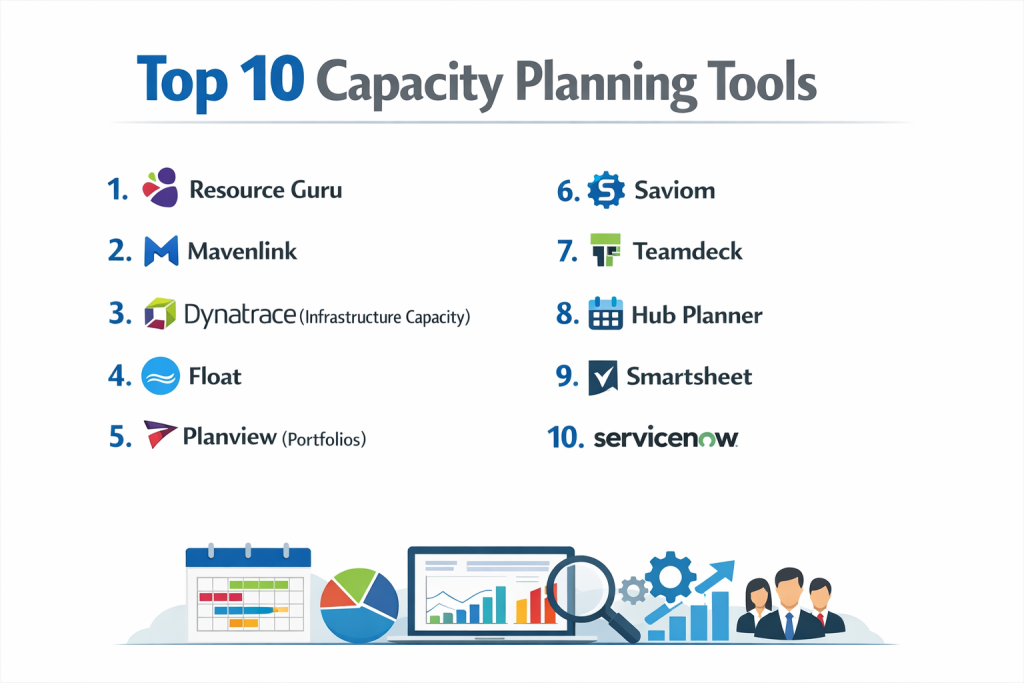
Top 10 Capacity Planning Tools
1 — Resource Guru
Resource Guru is a fast, flexible, and highly visual resource management tool designed primarily for teams that need to schedule people, equipment, and meeting rooms without the friction of complex enterprise software.
- Key Features:
- Clash Management: Prevents double-booking of any resource automatically.
- Drag-and-Drop Scheduler: Intuitive calendar interface for rapid shift and task adjustments.
- Availability Bar: Shows a bird’s-eye view of team bandwidth at a glance.
- Individual Dashboards: Each team member gets a personalized view of their upcoming workload.
- Custom Filters: Categorize resources by skill, location, or department for easy searching.
- Leave Management: Integrates vacations and sick leave directly into the capacity plan.
- Reporting Engine: High-level metrics on utilization rates and billable vs. non-billable time.
- Pros:
- Incredible ease of use; most teams can get started in minutes without formal training.
- Excellent visibility into “hidden” resource gaps that spreadsheets often miss.
- Cons:
- Lacks deep financial forecasting and complex project budgeting features.
- Not designed for automated IT infrastructure capacity planning.
- Security & Compliance: SSO support, SSL encryption, and GDPR compliant.
- Support & Community: High-quality help center, email support, and a helpful blog for project managers.
2 — Mavenlink
Mavenlink, now part of the Kantata Cloud for Professional Services, is an enterprise-grade solution that bridges the gap between project management and resource capacity planning.
- Key Features:
- Real-Time Utilization: Tracks how much of your team’s capacity is being used versus what is planned.
- Scenario Planning: Model the impact of new projects on your current team before committing.
- Skill-Based Matching: Recommends the best person for a task based on their expertise and availability.
- Financial Forecasting: Connects resource hours to project margins and revenue.
- Automated Scheduling: Suggests optimal start dates based on resource constraints.
- Integrated Time Tracking: Seamlessly flows daily work logs back into the capacity reports.
- Pros:
- Deeply analytical; perfect for organizations that need to prove ROI on every hour spent.
- Very strong at managing the “people” side of professional services.
- Cons:
- The UI can feel heavy and complex for smaller, agile teams.
- Higher price point reflects its enterprise-heavy feature set.
- Security & Compliance: SOC 2 Type II, GDPR, ISO 27001, and HIPAA (on request).
- Support & Community: Dedicated success managers, extensive training webinars, and a global support desk.
3 — Dynatrace (Infrastructure Capacity)
While many tools on this list focus on people, Dynatrace is the leader in IT Capacity Planning, using AI to predict server, cloud, and application resource needs.
- Key Features:
- Predictive Analysis: Uses machine learning to forecast when disk space or CPU will run out.
- Cloud Cost Management: Identifies over-provisioned cloud instances to save money.
- Automatic Dependency Mapping: Understands how a resource shortage in one area impacts the whole system.
- Scalability Testing: Simulates high-traffic events to see where infrastructure will bottleneck.
- Real-User Monitoring: Connects user demand patterns to infrastructure capacity.
- AIOps Engine: Automates the response to capacity breaches before they cause downtime.
- Pros:
- Unrivaled for technical infrastructure; it prevents outages before they happen.
- Reduces “cloud waste” significantly by suggesting optimal instance sizes.
- Cons:
- Does not manage human resources or project timelines.
- Requires a significant technical setup to ingest all system metrics.
- Security & Compliance: FedRAMP authorized, SOC 2, HIPAA, and GDPR compliant.
- Support & Community: Massive enterprise support ecosystem, technical forums, and Dynatrace University.
4 — Float
Float is a best-in-class resource scheduling tool specifically built for agencies and creative teams who need to manage fast-moving capacity.
- Key Features:
- Visual Capacity Planning: A clean, color-coded timeline of who is doing what.
- Tentative Projects: Block out capacity for projects that haven’t been signed yet.
- Multi-Project View: See how different project timelines intersect and compete for resources.
- Budget Tracking: Monitor project spend in real-time based on hourly rates.
- Powerful Search: Filter by tags like “Designer,” “London,” or “Senior.”
- Direct Integrations: Syncs with Jira, Asana, and Slack for workflow continuity.
- Pros:
- Extremely fast and responsive interface that managers actually enjoy using.
- The best tool for agencies that live and die by their weekly billable capacity.
- Cons:
- Limited as a standalone project management tool; it needs to be paired with other software.
- Reporting is useful but lacks the deep “drill-down” capabilities of Mavenlink.
- Security & Compliance: SOC 2 Type II, GDPR compliant, and data encryption at rest/transit.
- Support & Community: Excellent live chat support and a very proactive product update cycle.
5 — Planview (Portfolios)
Planview is a heavy-hitter in the Enterprise Agile Planning and Project Portfolio Management (PPM) space, designed for global corporations.
- Key Features:
- Strategic Alignment: Connects high-level business goals to ground-level resource capacity.
- What-If Analysis: High-end modeling of complex portfolio shifts.
- Agile and Waterfall Support: Manages capacity across different work methodologies.
- Resource Requests: Formalized workflows for managers to request staff from other departments.
- Long-Term Forecasting: Capacity planning that looks 12–24 months into the future.
- Financial Management: Tracks CAPEX and OPEX against resource utilization.
- Pros:
- The most powerful tool for “Global 2000” companies with thousands of employees.
- Unmatched at handling cross-departmental resource dependencies.
- Cons:
- Steep learning curve and usually requires a dedicated administrator.
- Implementation can take months rather than days.
- Security & Compliance: SOC 1 & 2, ISO 27001, HIPAA, and GDPR.
- Support & Community: Comprehensive enterprise support, global consulting partners, and user conferences.
6 — Saviom
Saviom is an advanced enterprise resource management tool that specializes in maximizing workforce productivity through sophisticated forecasting.
- Key Features:
- Capacity vs. Demand Analytics: Visualizes the gap between work coming in and people available.
- Gantt Chart View: Integrated project timelines with resource allocation.
- Matrix Organization Support: Handles complex reporting lines and cross-functional teams.
- Resource Optimization: Algorithms that suggest the most efficient way to staff a project.
- Future Vacancy Predictor: Forecasts where you will need to hire based on future demand.
- Pros:
- Specifically designed to reduce “bench time” (unproductive resource time).
- Very strong at predicting future hiring needs based on the sales pipeline.
- Cons:
- The user interface feels a bit dated compared to modern SaaS startups.
- Setup requires a deep understanding of your company’s data structure.
- Security & Compliance: SSO, audit logs, and GDPR compliant.
- Support & Community: Personalized onboarding and responsive technical support.
7 — Teamdeck
Teamdeck is a resource management platform that focuses on the combination of scheduling, time tracking, and leave management.
- Key Features:
- Customizable Reports: Build your own dashboards to track any capacity metric.
- Public Links: Share live capacity views with stakeholders who don’t have an account.
- Mobile App: Allows team members to check their schedule and log time on the go.
- Availability Management: Set custom working hours for part-timers or contractors.
- Data Export: Clean CSV/Excel exports for further analysis in BI tools.
- Pros:
- Very affordable for mid-sized teams compared to enterprise suites.
- Simple, clean UI that doesn’t overwhelm users.
- Cons:
- Lacks automated “what-if” scenario modeling.
- Integration list is smaller than competitors like Float or Guru.
- Security & Compliance: GDPR compliant and secure data hosting in the EU.
- Support & Community: Good documentation and responsive email-based support.
8 — Hub Planner
Hub Planner offers a full suite of resource management, time entry, and project planning features with a focus on high-level capacity visibility.
- Key Features:
- Smart Scheduler: Sophisticated drag-and-drop mechanics with multi-view options.
- Unassigned Work Folder: Place projects in a “waiting room” until capacity is found.
- Skill Set Tally: Tracks how many of each skill you have versus what is needed.
- Resource Request Workflow: A formal system for project managers to book staff.
- Custom Dynamic Fields: Add your own data points to resources (e.g., “Clearance Level”).
- Pros:
- Very strong at handling the “approval” side of capacity planning.
- Excellent balance of features for mid-market companies.
- Cons:
- The abundance of features can lead to a cluttered UI for simple users.
- Mobile experience is less polished than the desktop version.
- Security & Compliance: SOC 2, SSO, and encrypted data backups.
- Support & Community: Detailed knowledge base and dedicated support tickets.
9 — Smartsheet (Resource Management)
Formerly known as 10,000ft, Smartsheet Resource Management is a high-level tool that provides a dynamic bridge between individual tasks and portfolio-wide capacity.
- Key Features:
- Interactive Schedule: Real-time updates as project dates shift.
- Dynamic Portfolio View: See the health and capacity of every project at once.
- Simple Time Tracking: Built for people who hate logging hours.
- Pre-populated Suggestions: Uses historical data to suggest how long a new project will take.
- Smartsheet Integration: Deeply connects with the core Smartsheet spreadsheet platform.
- Pros:
- Ideal for teams already using Smartsheet for project management.
- Provides a very clear “top-down” view that executives love.
- Cons:
- Can be expensive if you only need the resource management component.
- Some users find the transition between Smartsheet and the Resource Management module slightly disjointed.
- Security & Compliance: SOC 2 Type II, ISO 27001, HIPAA, and GDPR.
- Support & Community: Massive community forum, Smartsheet University, and 24/7 support.
10 — ServiceNow (Resource Management)
ServiceNow is the ultimate platform for IT Service Management (ITSM), and its resource management module is a powerhouse for IT-heavy organizations.
- Key Features:
- Direct ITSM Integration: Connects capacity directly to service tickets and changes.
- Resource Finder: Advanced search for staff based on availability and technical certs.
- Automated Capacity Heatmaps: Real-time color-coded views of team over/under-load.
- Operational vs. Strategic Work: Separates “keep the lights on” work from new projects.
- CMDB Connectivity: Connects human capacity to the technical assets they manage.
- Pros:
- The only choice for massive IT departments already running on ServiceNow.
- Exceptional audit logs and governance features.
- Cons:
- Extremely complex and expensive to implement.
- Requires a dedicated team of ServiceNow developers to maintain.
- Security & Compliance: FedRAMP, SOC 1 & 2, HIPAA, PCI DSS, and global data residency.
- Support & Community: Largest enterprise support network in the world.
Comparison Table
| Tool Name | Best For | Platform(s) Supported | Standout Feature | Rating (Gartner / TR) |
| Resource Guru | Visual Simplicity | Web | Clash Management | 4.6 / 5 |
| Mavenlink | Professional Services | Web | Financial Forecasting | 4.5 / 5 |
| Dynatrace | IT Infrastructure | Web, Agent-based | AI-powered IT Forecasting | 4.6 / 5 |
| Float | Creative Agencies | Web, iOS, Android | Tentative Project Blocking | 4.7 / 5 |
| Planview | Global Enterprise | Web | Strategic Portfolio Sync | 4.3 / 5 |
| Saviom | Workforce Efficiency | Web | Hiring Need Predictor | 4.4 / 5 |
| Teamdeck | SMB Value | Web, Mobile | Public Live-Link Sharing | 4.5 / 5 |
| Hub Planner | Mid-market Approval | Web | Resource Request Workflow | 4.4 / 5 |
| Smartsheet | Smartsheet Users | Web, Mobile | Dynamic Portfolio View | 4.5 / 5 |
| ServiceNow | IT Departments | Web, Mobile | CMDB/ITSM Integration | 4.2 / 5 |
Evaluation & Scoring of Capacity Planning Tools
| Criteria | Weight | Evaluation Logic |
| Core Features | 25% | Reliability of forecasting, “what-if” modeling, and resource scheduling. |
| Ease of Use | 15% | Intuitive UI, mobile accessibility, and onboarding time. |
| Integrations | 15% | Native connections to Jira, Slack, Salesforce, and HRIS systems. |
| Security & Compliance | 10% | Presence of SOC 2, HIPAA, GDPR, and robust SSO options. |
| Performance | 10% | Speed of calculation for large datasets and platform uptime. |
| Support & Community | 10% | Quality of documentation and availability of enterprise support. |
| Price / Value | 15% | Transparency of cost and ROI for the target team size. |
Which Capacity Planning Tool Is Right for You?
Solo Users vs SMB vs Mid-market vs Enterprise
- Solo/Small Teams: If you are just a few people, Resource Guru or Teamdeck offer the most utility for the lowest overhead.
- SMBs: Float is widely considered the gold standard for small-to-mid agencies that need fast, visual scheduling.
- Mid-market: Hub Planner or Smartsheet provide the necessary approval workflows and reporting depth without needing a dedicated administrator.
- Enterprise: Planview or ServiceNow are the only tools capable of managing thousands of employees across global regions with strict governance.
Budget-conscious vs Premium Solutions
For teams on a tight budget, Teamdeck offers a very competitive per-user price. On the premium end, Mavenlink (Kantata) and Planview represent a significant investment but offer massive returns in billable efficiency and strategic alignment.
Feature Depth vs Ease of Use
- Ease of Use King: Resource Guru and Float. If you want a tool that “just works” without a manual, start here.
- Feature Depth King: Planview and ServiceNow. These are platforms you build a business process around, rather than just using them as a utility.
Integration and Scalability Needs
If your primary concern is Technical Capacity (Servers/Cloud), Dynatrace is your only real choice. If your capacity planning needs to live where your work is tracked, Smartsheet or Mavenlink provide the tightest loops between “planning” and “doing.”
Frequently Asked Questions (FAQs)
Q1: What is the difference between Resource Management and Capacity Planning?
Answer: Resource management is the day-to-day task of assigning people to work. Capacity planning is the long-term strategy of determining if you have enough total resources to meet future demand.
Q2: Why shouldn’t I just use Excel for capacity planning?
Answer: Excel lacks real-time collaboration, automated clash detection, and historical reporting. As soon as one person changes a date in Excel, the rest of the sheet is often out of sync.
Q3: Can these tools handle “What-If” scenarios?
Answer: Premium tools like Planview and Mavenlink can. They allow you to simulate the impact of a new 6-month project on your current staff before you actually sign the contract.
Q4: Do capacity planning tools integrate with HR software?
Answer: Most enterprise tools (Saviom, ServiceNow) integrate with HRIS systems like Workday or BambooHR to sync employee data, skills, and leave balances automatically.
Q5: How does AI help in capacity planning?
Answer: In infrastructure (Dynatrace), AI predicts failure points. In human resources (Saviom), AI suggests the best person for a job based on their past performance and current availability.
Q6: What is “Utilization Rate” and why does it matter?
Answer: It is the percentage of a resource’s available time that is spent on billable or productive work. High utilization means efficiency; too high (over 85-90%) usually leads to employee burnout.
Q7: Is it possible to manage both freelancers and full-time staff in one tool?
Answer: Yes, tools like Float and Hub Planner are excellent for this, allowing you to set different hourly rates and working calendars for contractors.
Q8: What is “Bench Time”?
Answer: Bench time refers to employees who are currently unassigned to any project. Capacity planning tools aim to minimize this to ensure the company isn’t paying for unproductive hours.
Q9: How long does it take to implement a capacity planning tool?
Answer: Small tools (Resource Guru) take a day. Mid-market tools (Hub Planner) take 2-4 weeks. Enterprise systems (Planview) can take 3-6 months.
Q10: Are there free capacity planning tools?
Answer: Many offer free trials or basic tiers for 2-3 users, but for meaningful capacity forecasting, a paid subscription is almost always required to access data history and reporting.
Conclusion
The “best” Capacity Planning Tool is ultimately defined by the type of resource you are trying to manage. If your world revolves around Server Uptime and Cloud Spend, Dynatrace is an essential part of your stack. If you are managing a Creative Agency, the visual elegance of Float will keep your team aligned and your margins healthy.
For large-scale enterprises, the choice is more about Governance and Strategy, where Planview and ServiceNow provide the high-level control necessary to move thousands of people in the same direction. Regardless of the tool you choose, the transition from “guessing” to “forecasting” is the single most important step you can take toward operational excellence.

- Top 10 Email Deliverability Tools: Features, Pros, Cons & Comparison - September 6, 2026
- Top 10 Pharmacovigilance Software: Features, Pros, Cons & Comparison - September 6, 2026
- Top 10 Manufacturing Execution Systems (MES) - July 30, 2026