Introduction
Content curation tools are specialized platforms designed to help users discover, gather, organize, and distribute relevant third-party content to their audience. Unlike content creation, which involves producing original material from scratch, curation is about acting as a digital museum curator—finding the “best” pieces of content across the web and presenting them in a structured, meaningful way.
The importance of these tools lies in their efficiency. They allow marketers to maintain a consistent presence on social media and blogs without the constant pressure of original production. By sharing expert insights from other sources, brands can establish themselves as “knowledge hubs” in their specific niche. Key real-world use cases include:
- Social Media Management: Keeping feeds active with trending industry news.
- Email Newsletters: Delivering a weekly “best of” digest to subscribers.
- Competitor Intelligence: Monitoring what rivals and industry leaders are talking about.
- Internal Knowledge Sharing: Keeping teams updated on market shifts and technical innovations.
When choosing a tool in 2026, you should evaluate it based on its discovery algorithms, integration capabilities (can it talk to your CMS or social tools?), ease of use, and security features.
Best for: Digital marketers, SEO specialists, social media managers, researchers, and brands of all sizes looking to build authority and maintain a consistent content cadence with minimal overhead.
Not ideal for: Pure content creators who only want to share original work, or very small businesses with virtually no digital presence where manual sharing suffices.
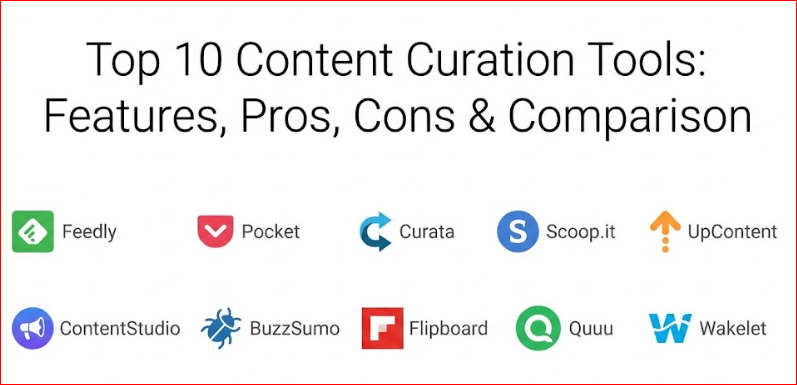
Top 10 Content Curation Tools
1 — Feedly
Feedly is the industry-standard AI-powered content aggregator. It is designed for professionals and teams who need a sophisticated way to track specific topics, competitors, and industry trends without the distraction of a standard social media feed.
- AI-Powered Leo Assistant: An AI agent that prioritizes news and filters out repetitive or irrelevant articles based on your preferences.
- RSS Feed Aggregation: Consolidates content from blogs, news sites, YouTube, and podcasts into one dashboard.
- Keyword & Trend Monitoring: Allows users to track specific brand mentions or emerging technologies across the web.
- Collaborative Boards: Shared spaces where teams can save, annotate, and discuss specific articles.
- Browser Extension: One-click saving of any web page directly into your Feedly collections.
- Third-Party Integrations: Connects seamlessly with Slack, Trello, and various CRM platforms.
Pros:
- Extremely high level of customization and “noise” filtering.
- The AI assistant significantly reduces the time spent manual-sorting.
Cons:
- The free version is quite limited compared to the Pro and Enterprise tiers.
- Can have a slight learning curve to set up advanced AI filters.
Security & compliance: SSO, encryption in transit, GDPR compliant, and SOC 2 Type II (Enterprise tier).
Support & community: Extensive knowledge base, dedicated enterprise account managers, and a large global community of researchers and marketers.
2 — Pocket
Pocket is the ultimate “save-for-later” tool, perfect for individuals and small teams who find great content throughout the day but don’t have time to process it immediately.
- Offline Reading: Downloads articles to your device so you can read them without an internet connection.
- Clean View: Strips away ads and distracting formatting for a pure, reader-friendly experience.
- Tagging System: Simple yet effective way to categorize saved content for future retrieval.
- Text-to-Speech: Allows you to listen to articles like a podcast while on the move.
- Discover Tab: Uses algorithmic recommendations based on what you (and the community) are saving.
- Cross-Device Sync: Seamlessly syncs content across mobile, tablet, and desktop.
Pros:
- Incredibly simple interface that requires zero training.
- Excellent mobile app experience for on-the-go curation.
Cons:
- Lacks advanced publishing or automated distribution features.
- Organizational tools are limited to basic tags rather than complex folders.
Security & compliance: Standard encryption and GDPR compliance.
Support & community: Robust help center and a massive global user base providing third-party tutorials.
3 — Curata
Curata is a heavyweight, enterprise-grade platform that focuses on “Content Curation Software” (CCS). It uses machine learning to help large marketing departments discover and publish content at scale.
- Self-Learning Discovery: The engine learns your preferences over time to surface increasingly relevant content.
- Centralized Dashboard: Manage discovery, annotation, and publishing from a single location.
- SEO Optimization: Automatically suggests tags and metadata to help your curated pages rank.
- Royalty-Free Image Integration: Helps find visuals to accompany your curated posts.
- Multi-Channel Publishing: One-click sharing to CMS, social media, and email marketing tools.
- Performance Analytics: Tracks how your curated content contributes to lead generation and engagement.
Pros:
- Highly automated, making it ideal for high-volume content strategies.
- Strong focus on SEO and lead attribution.
Cons:
- Pricing is at a premium level, often out of reach for small businesses.
- The interface can feel “corporate” and dense compared to modern SaaS tools.
Security & compliance: SSO, SOC 2, ISO 27001, and HIPAA compliance options.
Support & community: Dedicated success managers and comprehensive onboarding programs for enterprise teams.
4 — Scoop.it
Scoop.it bridges the gap between a news reader and a publishing platform. It allows users to create branded “topic pages” that act as beautiful magazines for their audience.
- Topic Pages: Create public-facing pages that showcase your expertise on specific subjects.
- Smart Suggestions: An engine that finds content based on keywords and user-defined interests.
- Newsletter Creator: Easily drag-and-drop curated content into an email format for distribution.
- Social Scheduling: Built-in tools to queue up curated posts for social media.
- White-Label Options: Remove Scoop.it branding to keep the focus on your own identity.
Pros:
- Great visual presentation of curated content.
- Excellent for building personal or professional authority.
Cons:
- The free plan is limited and includes Scoop.it branding.
- May require some manual effort to make pages look “perfect.”
Security & compliance: Standard encryption, GDPR compliance.
Support & community: Good documentation and a helpful community forum for creators.
5 — UpContent
UpContent focuses on the distribution side of curation, ensuring that the content you find actually gets in front of your audience through the right channels.
- Relevance Scoring: Each article is given a score to show how well it matches your target criteria.
- Integrations-First Approach: Deep integrations with Buffer, Hootsuite, and Mailchimp.
- Custom Workflows: Set up rules for how content is approved and shared by different team members.
- Gallery Embeds: Add “dynamic” curated sections to your website that update automatically.
- Article Summarization: Uses AI to create short snippets for social sharing.
Pros:
- Seamlessly fits into existing social media and marketing workflows.
- Very strong filtering options to ensure “brand safety.”
Cons:
- Focuses more on business distribution than personal reading.
- Interface can be slightly technical for non-marketers.
Security & compliance: SSO, GDPR, and enterprise-grade data handling.
Support & community: High-touch customer support and detailed webinars.
6 — ContentStudio
ContentStudio is a versatile all-in-one suite that combines content discovery, curation, and social media automation into a single platform.
- Topic Query Builder: Create advanced searches using Boolean operators for precision discovery.
- Content Planner: A visual calendar to manage both curated and original content.
- AI Caption Generator: Drafts social media captions automatically based on the curated link.
- Automation Recipes: Set up “IFTTT” style rules to automate your content flow.
- Influencer Tracking: Identify who is sharing the most relevant content in your niche.
Pros:
- Excellent value for money given the breadth of features.
- The automation “recipes” are a massive time-saver for small teams.
Cons:
- Because it does so much, the UI can feel cluttered.
- Analytics are good but not as deep as specialized enterprise tools.
Security & compliance: SSO, standard encryption, and GDPR compliance.
Support & community: Active Facebook group and responsive live chat support.
7 — BuzzSumo
While often thought of as a research tool, BuzzSumo is one of the best ways to curate “proven” content—pieces that are already going viral and getting high engagement.
- Engagement Data: See exactly how many shares and likes any piece of content has received.
- Trending Feeds: Real-time dashboards showing what is hot right now in any industry.
- Backlink Analysis: See who is linking to the content you are curating.
- Influencer Search: Find the key voices in your industry to curate from.
- Content Alerts: Get notified when a competitor publishes something new or a keyword spikes.
Pros:
- Data-driven approach ensures you share content that people actually want to see.
- Invaluable for trend-jacking and staying ahead of the curve.
Cons:
- One of the more expensive tools on the market.
- Doesn’t have a direct “publishing” dashboard like Scoop.it or ContentStudio.
Security & compliance: SSO, SOC 2, and GDPR compliant.
Support & community: Top-tier support and “BuzzSumo Academy” for training.
8 — Flipboard
Flipboard is the “magazine” of content curation. It’s highly visual and leans more toward discovery and personal consumption, though it’s used by many brands to build “magazines” for their followers.
- Magazine Layout: Beautiful, tactile interface that mimics flipping through a physical magazine.
- Social Integration: Connect your social feeds to see what friends and influencers are sharing.
- Collaborative Magazines: Invite others to contribute to a shared collection.
- Broad Content Spectrum: Covers everything from niche tech blogs to major news outlets.
- Mobile-First Design: Arguably the best mobile experience of any tool on this list.
Pros:
- Free to use and visually stunning.
- Great for high-level discovery and broad industry monitoring.
Cons:
- Not built for professional marketing automation or SEO.
- Limited control over precise keyword filtering.
Security & compliance: Standard consumer-grade encryption and GDPR compliance.
Support & community: Massive user base and high-quality help center.
9 — Quuu
Quuu is unique because it provides “hand-curated” content. Instead of relying solely on an algorithm, Quuu has a team of people (and high-end AI) that vet every piece of content to ensure quality.
- Vetted Suggestions: You choose your interests, and Quuu sends you a daily selection of approved content.
- Auto-Scheduling: Directly integrates with social tools to post content without you lifting a finger.
- Niche Categories: Over 500 interest categories to choose from.
- Podcasting Support: Helps curate audio content as well as written articles.
- RSS Feed Integration: Connect your own blog to the Quuu ecosystem.
Pros:
- The “human” element ensures a much higher quality floor than pure algorithms.
- The “hands-off” nature is perfect for busy solo-preneurs.
Cons:
- Less control over the specific articles chosen (you get what you’re given).
- Integrations are mostly limited to the major social platforms.
Security & compliance: Varies / Standard SaaS security.
Support & community: Friendly support team and active user community on social media.
10 — Wakelet
Wakelet is a powerful tool for creating “collections.” It is widely used in education and by content creators to assemble resource libraries that look modern and professional.
- Multimedia Collections: Mix articles, videos, PDFs, images, and social posts into one page.
- Browser Extension: Easily add items to your collections while browsing.
- Embeddable Stories: Put your Wakelet collections directly onto your own website.
- Collaborative Spaces: Multiple users can edit a collection in real-time.
- PDF Export: Turn your curated collections into a professional PDF document.
Pros:
- Extremely flexible and easy to use.
- Completely free for many use cases, making it very accessible.
Cons:
- Lacks the automated “discovery” engines found in Feedly or BuzzSumo.
- Not a publishing tool for social media scheduling.
Security & compliance: GDPR, COPPA, and FERPA compliant (making it very safe for education).
Support & community: Excellent tutorials and a very dedicated “community of educators.”
Comparison Table
| Tool Name | Best For | Platform(s) Supported | Standout Feature | Rating (Approx.) |
| Feedly | Research & Intelligence | Web, iOS, Android | AI Leo Assistant | 4.5/5 |
| Personal Reading | Web, iOS, Android | Offline Reading Mode | 4.7/5 | |
| Curata | Enterprise Teams | Web | ML Discovery Engine | 4.2/5 |
| Scoop.it | Authority Building | Web | Branded Topic Pages | 4.4/5 |
| UpContent | Content Marketers | Web | Relevance Scoring | 4.6/5 |
| ContentStudio | All-in-One Social | Web, iOS, Android | Automation Recipes | 4.7/5 |
| BuzzSumo | Data-Driven Marketers | Web | Viral Engagement Data | 4.5/5 |
| Visual Discovery | iOS, Android, Web | Magazine Interface | 4.3/5 | |
| Quuu | Automated Posting | Web | Human-Vetted Content | 4.4/5 |
| Wakelet | Resource Libraries | Web, iOS, Android | Multimedia Collections | 4.8/5 |
Evaluation & Scoring of Content Curation Tools
To help you decide which tool fits your specific needs, we have evaluated the top contenders based on a weighted rubric reflecting the priorities of professional users in 2026.
| Criteria | Weight | What We Looked For |
| Core Features | 25% | Discovery depth, filtering precision, and AI capabilities. |
| Ease of Use | 15% | UI design, onboarding speed, and daily workflow efficiency. |
| Integrations | 15% | Connections to CMS (WordPress), Social (Buffer), and Email. |
| Security & Compliance | 10% | SSO, SOC 2, GDPR, and enterprise data controls. |
| Performance | 10% | Uptime, speed of discovery, and platform reliability. |
| Support | 10% | Quality of documentation and responsiveness of the team. |
| Price / Value | 15% | Comparison of features versus the monthly subscription cost. |
Which Content Curation Tool Is Right for You?
Choosing the right tool is a balance between your available time, your technical skill, and your end goal.
Solo Users & Freelancers
If you are managing your own personal brand, look for simplicity and cost-effectiveness. Pocket is perfect for saving items you find organically, while Flipboard or a free Feedly account will help you discover new topics. Wakelet is excellent if you need to present resources to clients.
SMBs & Content Marketers
Small businesses need automation to survive. ContentStudio and Quuu are the winners here. They allow you to “set and forget” much of your social media curation, ensuring your channels remain active even when you’re busy running your business. Scoop.it is also a strong choice if you want to build a public-facing authority page.
Mid-Market & Growing Agencies
If you manage multiple clients or brands, you need deep filtering and integration. UpContent excels here because it connects so deeply with professional scheduling tools. BuzzSumo is almost a requirement at this level to ensure you are curating data-backed, high-performing content.
Enterprise & Highly Regulated Industries
Large organizations need governance, security, and scale. Curata and Feedly Enterprise are built for this. They offer SOC 2 compliance, single sign-on (SSO), and sophisticated “approval workflows” that ensure no content is shared without passing brand safety checks.
Frequently Asked Questions (FAQs)
1. Is curated content bad for SEO?
No, quite the opposite. When done correctly with added commentary and proper links to original sources, curation can improve SEO by making your site a “hub” for a specific topic, increasing dwell time and authority.
2. Is content curation legal?
Yes, as long as you follow ethical guidelines: always link back to the original source, provide a clear citation, and add your own “value-add” commentary rather than just copying the entire article.
3. What is the difference between an aggregator and a curator?
An aggregator (like Google News) simply pulls together links automatically. A curator (using the tools above) hand-picks, organizes, and adds context to those links to make them more useful for a specific audience.
4. Do I need to be a technical expert to use these tools?
Most modern tools like Pocket or Flipboard are designed for non-technical users. Enterprise tools like Curata have more “knobs to turn” but offer dedicated onboarding to help you.
5. How much time does content curation take?
With automation tools like Quuu or Feedly’s AI, you can spend as little as 15–20 minutes a week. Manual curation for high-authority newsletters may take 2–3 hours per week.
6. Can I curate content for my internal team only?
Absolutely. Many businesses use Feedly or Wakelet to create “private boards” where employees can share industry news and competitive intel without the public seeing it.
7. Should I only share curated content?
The “Golden Ratio” of content is usually 60% curated, 30% original, and 10% promotional. This balance builds trust while still allowing you to sell your products.
8. Are these tools compatible with mobile devices?
Almost all of them offer iOS and Android apps. Pocket and Flipboard, in particular, are known for having exceptional mobile experiences.
9. Is AI replacing human curators?
AI is a “partner,” not a replacement. AI can find 1,000 articles, but a human is still better at knowing which 3 will truly resonate with their specific audience’s emotions and needs.
10. How do I measure the ROI of curation?
Look at engagement metrics (likes, shares, comments), click-through rates from your newsletters, and “time on site” for your blog’s curated sections.
Conclusion
Content curation is the most efficient way to scale your digital presence in 2026. However, the “best” tool isn’t necessarily the most expensive one; it’s the one that aligns with your specific workflow.
If you want intelligence and research, go with Feedly. If you want visual authority, choose Scoop.it. If you want hands-off social automation, Quuu or ContentStudio are your best bets. Remember that at its core, curation is about providing value. No matter which tool you choose, your success will depend on your ability to add your unique voice and perspective to the content you share.

- Top 10 Email Deliverability Tools: Features, Pros, Cons & Comparison - September 6, 2026
- Top 10 Pharmacovigilance Software: Features, Pros, Cons & Comparison - September 6, 2026
- Top 10 Manufacturing Execution Systems (MES) - July 30, 2026