Introduction
Data Backup Tools are specialized software solutions designed to create secure copies of digital information so that it can be restored in the event of data loss. Whether the cause is hardware failure, accidental deletion, or a malicious cyberattack like ransomware, these tools serve as the ultimate safety net for both individuals and businesses. They automate the process of duplicating files, databases, and entire operating systems, storing them in secondary locations such as local servers, external drives, or the cloud.
The importance of data backup cannot be overstated in an era where data is the lifeblood of the economy. Real-world use cases include Business Continuity, ensuring a company stays operational after a server crash; Compliance, meeting legal requirements for data retention; and Cyber Resilience, providing a clean copy of data to recover from a hack without paying a ransom. When evaluating these tools, users should prioritize Recovery Time Objectives (RTO), encryption standards, automation capabilities, and platform compatibility. A robust tool should be “set and forget” for daily tasks but “fast and surgical” when a restore is needed.
Best for: System Administrators, Managed Service Providers (MSPs), IT Managers, and individual power users. They are essential for organizations of all sizes—from micro-businesses to global enterprises—across industries like healthcare, finance, and e-commerce.
Not ideal for: Casual users who only store non-critical files that are already synced to free services like Google Drive or iCloud. It is also not a replacement for high-availability systems; backup is for recovery, not for instantaneous failover.
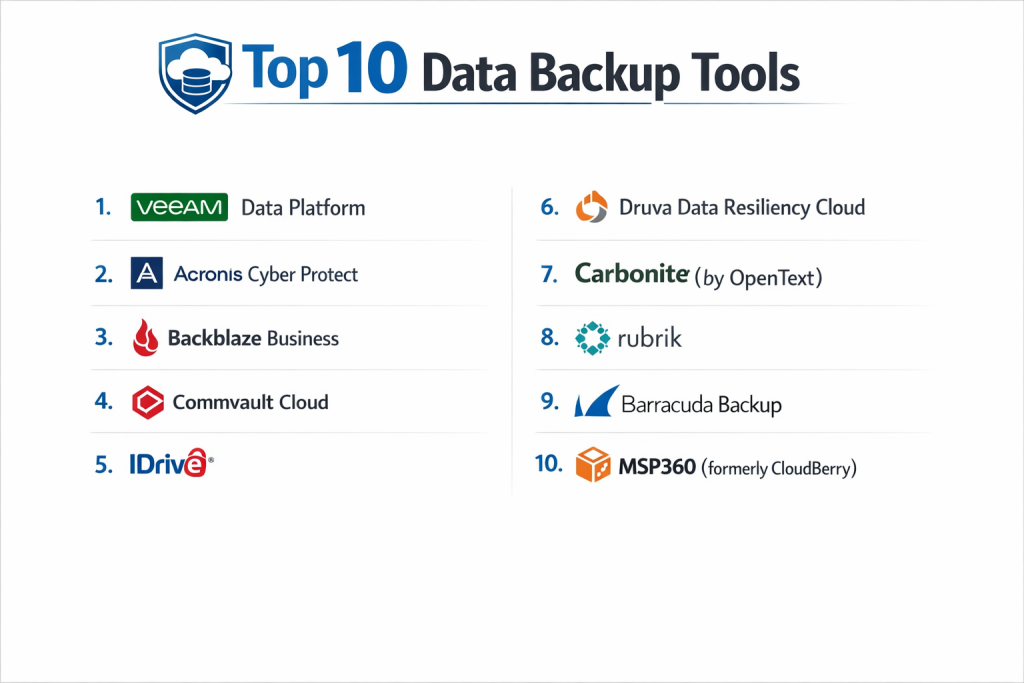
Top 10 Data Backup Tools
1 — Veeam Data Platform
Veeam is widely regarded as the industry standard for backup, particularly in virtualized environments. It provides a comprehensive suite for backup, recovery, and data management.
- Key features:
- Instant VM Recovery: Start a failed virtual machine directly from a backup file in minutes.
- SureBackup: Automatically tests and verifies the recoverability of every single backup.
- Immutable Backups: Uses S3 Object Lock to prevent backups from being encrypted by ransomware.
- Granular Recovery: Restore individual emails, database rows, or files without a full system restore.
- Cloud Tiering: Automatically moves older backups to lower-cost cloud storage like AWS S3 or Azure Blob.
- Veeam One: Advanced monitoring and reporting for entire backup infrastructures.
- Direct Restore to Cloud: Easily migrate on-premise workloads to AWS, Azure, or Google Cloud.
- Pros:
- Exceptionally high reliability; it is the “gold standard” for enterprise-level virtualization.
- Flexible licensing that follows the workload rather than the hardware.
- Cons:
- The interface and setup can be complex for small businesses without dedicated IT staff.
- Requires significant local storage resources to perform optimally.
- Security & compliance: AES-256 encryption, SSO, SOC 2, HIPAA, and GDPR compliant.
- Support & community: Massive global community, extensive technical documentation, and 24/7 enterprise support.
2 — Acronis Cyber Protect
Acronis offers a unique “all-in-one” solution that integrates backup with advanced cybersecurity features like anti-malware and patch management.
- Key features:
- Active Protection: Uses AI to detect and stop ransomware in real-time.
- Universal Restore: Restore a system to entirely different hardware without driver issues.
- Integrated Cybersecurity: Includes antivirus and URL filtering within the backup agent.
- Blockchain Notarization: Uses Acronis Notary to prove a file hasn’t been tampered with.
- Forensic Backups: Captures memory dumps and process information for security audits.
- Cloud-to-Cloud Backup: Specialized protection for Microsoft 365 and Google Workspace.
- One-Click Recovery: Simplified workflows for non-technical users to recover their own data.
- Pros:
- Reduces “agent bloat” by combining security and backup into a single software package.
- Extremely fast local backup and recovery speeds.
- Cons:
- The high number of integrated features can make the dashboard feel cluttered.
- Subscription costs can scale quickly for large numbers of endpoints.
- Security & compliance: FIPS 140-2, HIPAA, GDPR, SOC 2, and ISO 27001.
- Support & community: Strong partner-led support model and 24/7 direct customer service for business tiers.
3 — Commvault Cloud
Commvault is an enterprise-grade data management platform designed for massive, complex organizations that need a “single pane of glass” for all data.
- Key features:
- Metallic SaaS: Offers cloud-native SaaS delivery for rapid deployment and scalability.
- Intelligent Data Isolation: Creates virtual “air-gaps” to keep data safe from hackers.
- Broad Platform Support: Handles everything from legacy mainframes to modern Kubernetes containers.
- eDiscovery & Search: Advanced tools to find specific data across petabytes of backups.
- Sensitive Data Governance: Automatically identifies PII (Personally Identifiable Information) for compliance.
- Hyperscale X: Software-defined storage that scales out linearly.
- Automated Data Aging: Sophisticated policies to move data through different storage tiers.
- Pros:
- Unmatched in the sheer variety of platforms and applications it can protect.
- Highly scalable; built for environments that manage hundreds of petabytes.
- Cons:
- One of the steepest learning curves in the industry; usually requires specialized training.
- Pricing is complex and generally higher than mid-market alternatives.
- Security & compliance: FIPS 140-2, NIST, SOC 2, HIPAA, and ISO 27001.
- Support & community: Professional Services available globally; extensive enterprise-grade support.
4 — Rubrik
Rubrik is often described as “backup for the cloud era.” It focuses on “Zero Trust Data Security” and utilizes an SLA-policy-based management model.
- Key features:
- SLA Domains: Assign a policy (e.g., “Daily backup, keep for 3 years”) and the system automates the rest.
- Live Mount: Run databases and VMs directly from the Rubrik appliance with near-zero latency.
- Anomalous Behavior Detection: Uses machine learning to detect when a backup looks suspicious.
- API-First Architecture: Every function in Rubrik can be automated via code.
- CloudOut: Securely archives data to public clouds for long-term retention.
- Radar: Provides a visual “blast radius” analysis following a cyberattack.
- NAS Direct Archive: Efficiently protects massive unstructured file data.
- Pros:
- Extremely easy to use; the “SLA” model removes the need for manual job scheduling.
- Designed with a “security-first” mindset, making it a top choice for ransomware protection.
- Cons:
- Primarily a hardware-software bundle, requiring a higher initial capital investment.
- Limited support for very old, “legacy” on-premise operating systems.
- Security & compliance: SOC 2 Type II, GDPR, HIPAA, and FIPS 140-2.
- Support & community: Excellent proactive support (often calling the user before they know an issue exists).
5 — Cohesity DataProtect
Cohesity aims to eliminate “data silos” by consolidating backups, files, and dev/test data on a single, hyper-converged platform.
- Key features:
- Web-Scale Architecture: Allows organizations to start small and add nodes infinitely.
- CyberScan: Scans backups for vulnerabilities to ensure clean restores.
- Global Deduplication: Industry-leading storage efficiency across the entire cluster.
- Multi-Cloud Mobility: Easily move workloads between AWS, Azure, and Google Cloud.
- SmartAssist: AI-driven troubleshooting and capacity planning.
- Instant Search: Google-like search across all files and VMs in the backup pool.
- App Ecosystem: Run security apps directly on the Cohesity cluster.
- Pros:
- Incredible storage efficiency leads to lower long-term hardware costs.
- Very fast recovery of massive datasets.
- Cons:
- Can be expensive for smaller businesses to get started with the initial cluster.
- Management can become complex as clusters grow across multiple geographic sites.
- Security & compliance: FIPS 140-2, SOC 2, GDPR, HIPAA, and ISO 27001.
- Support & community: Strong enterprise support and a dedicated user portal with technical documentation.
6 — Druva Data Resiliency Cloud
Druva is a 100% SaaS-based backup solution. It requires no hardware or software to be managed by the customer, as it runs entirely on AWS.
- Key features:
- Cloud-Native: Built on AWS, meaning it scales automatically with the organization’s needs.
- Unified Console: Manage laptops, data centers, and SaaS apps (M365) in one dashboard.
- Consumption-Based Pricing: Users only pay for the data they actually protect.
- Air-Gapped by Design: Backups are inherently isolated from the local network.
- Direct-to-Cloud: Laptops back up over any internet connection without needing a VPN.
- Disaster Recovery: One-click failover into a cloud environment.
- Automated Compliance: Built-in tools for legal hold and data privacy monitoring.
- Pros:
- The lowest administrative overhead; zero “infrastructure” work for the IT team.
- Exceptional for managing mobile workforces with laptops that rarely enter an office.
- Cons:
- Recovery speed is limited by internet bandwidth (though local caching options exist).
- Can become expensive for very large amounts of static, “cold” data compared to self-managed tape.
- Security & compliance: FedRAMP, SOC 2 Type II, HIPAA, GDPR, and FIPS 140-2.
- Support & community: 24/7 cloud support and detailed online training modules.
7 — Veritas NetBackup
Veritas is a legacy leader that manages data for the majority of the Fortune 500. It is built for the largest global scale imaginable.
- Key features:
- Flex Appliances: Container-based deployment for fast scaling and isolation.
- NetBackup IT Analytics: Deep insights into storage usage and backup success globally.
- Auto-Image Replication (AIR): Seamlessly replicates backups between global data centers.
- Resiliency Platform: Orchestrates full site failovers with a single click.
- CloudPoint: Lightweight, snapshot-based protection for cloud-native workloads.
- Anomaly Detection: Tracks changes in backup metadata to identify ransomware.
- Wide Compatibility: Supports virtually every OS and database ever made.
- Pros:
- Proven track record in the most demanding regulated industries (Banking, Government).
- If a platform exists, Veritas can likely back it up.
- Cons:
- The management console can be overwhelming for those not used to traditional enterprise software.
- Upgrading the system itself can be a major technical project.
- Security & compliance: SOC 2, HIPAA, GDPR, and ISO 27001.
- Support & community: Extensive global support network and specialized training programs.
8 — IDrive
IDrive is a versatile tool that caters to both personal and business users, known for its “one account for all devices” approach.
- Key features:
- Multi-Device Backup: Back up PCs, Macs, iPhones, Androids, and servers under one account.
- IDrive Express: They ship a physical hard drive to you for the initial large backup to save bandwidth.
- Snapshot & Versioning: Retains up to 30 previous versions of all backed-up files.
- Disk Image Backup: Supports sector-level backup for entire hard drives.
- Bare-Metal Recovery: Restore your entire system to a machine with no OS installed.
- Thin Client: Manage backups for thousands of remote computers from a web browser.
- End-to-End Encryption: User-defined private key ensures no one else can see the data.
- Pros:
- Excellent price-to-storage ratio, making it the top choice for small businesses.
- The ability to back up mobile phones and computers to the same place is very convenient.
- Cons:
- The desktop application interface feels a bit dated compared to modern SaaS tools.
- Initial upload speeds can be slower than more expensive enterprise competitors.
- Security & compliance: AES-256 encryption, HIPAA, SOX, GLBA, and GDPR.
- Support & community: 24/7 technical support via phone and chat; extensive video tutorial library.
9 — Backblaze B2
Backblaze B2 is an “uncomplicated” cloud storage and backup solution. It is famous for its simple pricing and high reliability.
- Key features:
- S3 Compatible API: Allows users to point almost any backup software to Backblaze storage.
- Unlimited Personal Backup: A flat-rate plan for individual computer backups.
- Hard Drive Restore: They ship you a physical drive if downloading your data is too slow.
- B2 Cloud Storage: Ultra-low-cost object storage for businesses and developers.
- Backblaze Fireball: A large physical appliance you can rent to “seed” the first 96TB of data.
- Object Lock: Provides immutability for protection against ransomware.
- Mobile App: Access and download your backed-up files from your phone.
- Pros:
- The most cost-effective solution for small businesses and individual professionals.
- Incredibly simple to set up—literally “set and forget.”
- Cons:
- The personal version lacks advanced features like “Instant VM Recovery.”
- Not a standalone “Backup Software” for enterprises; usually requires a third-party tool like Veeam.
- Security & compliance: SOC 2 Type II, HIPAA (via BAA), and GDPR.
- Support & community: Responsive email support and a very transparent technical blog.
10 — Carbonite
Carbonite is a long-standing favorite for home offices and small businesses that want a reliable, invisible backup solution.
- Key features:
- Automatic Continuous Backup: Constantly monitors for file changes and uploads them immediately.
- Remote File Access: Log in from any web browser to download specific files.
- Courier Recovery: Ships a drive with your data for fast restoration (Business tiers).
- Safe/Server Plans: Specialized tiers that support SQL, Exchange, and Oracle databases.
- External Drive Backup: Included in higher tiers to ensure local archives are also in the cloud.
- Status Tracking: Simple visual indicators in Windows Explorer show if a file is backed up.
- HIPAA Support: Includes the necessary agreements for medical and legal practices.
- Pros:
- One of the easiest tools to use; requires almost zero manual intervention after setup.
- High-quality US-based customer support.
- Cons:
- The entry-level plan does not include video file backup by default (requires manual selection).
- Recovery speeds for full image backups can be slower than newer competitors.
- Security & compliance: SOC 2, HIPAA, FERPA, and GLBA.
- Support & community: Strong emphasis on personalized telephone support and a detailed “how-to” library.
Comparison Table
| Tool Name | Best For | Platform(s) Supported | Standout Feature | Rating (Gartner) |
| Veeam | Virtualized Orgs | Win, Mac, Linux, Cloud | SureBackup Verification | 4.6 / 5 |
| Acronis | Integrated Security | All Platforms | Anti-Ransomware AI | 4.4 / 5 |
| Commvault | Global Enterprises | Everything | Massive Scalability | 4.5 / 5 |
| Rubrik | Cloud-Native / Ease | Win, Mac, Linux, Cloud | SLA Policy Engine | 4.8 / 5 |
| Cohesity | Storage Efficiency | Win, Mac, Linux, Cloud | Global Deduplication | 4.7 / 5 |
| Druva | 100% SaaS / Remote | Cloud, Endpoints | Zero Hardware SaaS | 4.8 / 5 |
| Veritas | Fortune 500 / Legacy | All Platforms | Global Resilience | 4.1 / 5 |
| IDrive | Multi-Device Use | All + Mobile | One Account, All Devices | 4.5 / 5 |
| Backblaze | Budget / Simple | Win, Mac, Cloud | Low-cost B2 Storage | 4.5 / 5 |
| Carbonite | Small Biz / Home | Win, Mac, Servers | Set-and-forget Ease | 4.0 / 5 |
Evaluation & Scoring of Data Backup Tools
The following rubric evaluates the average performance of these top-tier tools based on critical business requirements.
| Category | Weight | Score (Avg) | Evaluation Notes |
| Core Features | 25% | 9.4 / 10 | Most tools now include immutability and cloud-tiering as standard. |
| Ease of Use | 15% | 8.0 / 10 | SaaS tools like Druva lead; enterprise tools like Commvault are complex. |
| Integrations | 15% | 8.9 / 10 | Strong ecosystem for M365, AWS, and Azure is now mandatory. |
| Security & Compliance | 10% | 9.7 / 10 | Industry focus on “Clean Rooms” and ransomware detection is very high. |
| Performance | 10% | 9.0 / 10 | “Instant Recovery” features have revolutionized downtime expectations. |
| Support & Community | 10% | 8.7 / 10 | Proactive support (AI-driven) is becoming the standard for premium tools. |
| Price / Value | 15% | 8.1 / 10 | Budget options like Backblaze score high; premium tools vary by scale. |
Which Data Backup Tool Is Right for You?
Solo Users vs SMB vs Mid-market vs Enterprise
- Solo Users: Stick with Backblaze Personal or IDrive. You need low cost and high simplicity.
- SMB (10–100 Devices): Carbonite or Druva are excellent. They don’t require you to hire a full-time backup administrator.
- Mid-market (100–1,000 Devices): Veeam or Rubrik are the sweet spots. They offer enterprise power with a management style that fits a medium-sized team.
- Enterprise (1,000+ Devices): Commvault, Veritas, or Cohesity are built for this scale. They handle global data centers and hundreds of different applications.
Budget-conscious vs Premium Solutions
If every dollar counts, Backblaze B2 paired with a tool like MSP360 is the cheapest way to get enterprise-grade cloud backup. If money is no object and you need the absolute best protection against downtime, Veeam or Rubrik are the premium paths.
Feature Depth vs Ease of Use
If you want to “set it and forget it,” Druva or Rubrik are the winners. If you want to tweak every single setting, manage your own tape archives, and create complex multi-site replication chains, Commvault offers the most depth.
Integration and Scalability Needs
For those moving everything to the cloud, Druva and Metallic (Commvault) are cloud-native. If you have a massive on-premise footprint with petabytes of data, Cohesity or Veritas offer better local scalability.
Frequently Asked Questions (FAQs)
1. What is the 3-2-1 backup rule?
It is the golden rule of data protection: keep 3 copies of your data, on 2 different types of media (e.g., disk and cloud), with 1 copy stored offsite. Most modern tools automate this entire process for you.
2. What is the difference between RTO and RPO?
RTO (Recovery Time Objective) is how fast you need to be back up and running. RPO (Recovery Point Objective) is how much data you can afford to lose (e.g., “we can lose up to 4 hours of work”).
3. Can backup software protect me from ransomware?
Yes, but only if it supports “Immutable Backups.” This means that once the backup is written, it cannot be deleted or changed for a set period, even if a hacker gets your admin password.
4. Why is SaaS backup (like Microsoft 365) necessary?
Microsoft is responsible for the availability of the service, but you are responsible for the data. If an employee deletes an email or a hacker wipes a site, the “trash bin” only keeps things for a short time. A backup tool keeps them forever.
5. How often should I test my backups?
Ideally, every month. However, tools like Veeam (SureBackup) or Cohesity can test them automatically every single night by spinning them up in a sandbox to ensure they actually boot.
6. What is deduplication?
It is a technology that finds duplicate data across your entire company and only stores one copy. For example, if 100 employees have the same 10MB PDF, deduplication ensures you only store 10MB, not 1,000MB.
7. Can I back up my physical servers to the cloud?
Yes. Most modern tools use a “Hybrid” approach where they back up locally for fast recovery and then send a second copy to a secure cloud for disaster recovery.
8. What is “Instant Recovery”?
Instead of waiting hours for a server to copy back from the backup server to your production server, Instant Recovery lets you run the server directly from the backup file. It gets people back to work in minutes.
9. Is cloud backup secure?
Yes, provided it uses AES-256 encryption and Multi-Factor Authentication (MFA). The data should be encrypted before it leaves your office and remain encrypted while stored in the cloud.
10. Do I still need backup if I have RAID?
Yes. RAID protects you from a hard drive failing. It does not protect you from a fire, a flood, a hacker, or an employee accidentally clicking “Delete All.” RAID is for uptime; backup is for recovery.
Conclusion
The “best” data backup tool is not the one with the most awards; it is the one that successfully restores your data on your worst day.
If you are a modern, cloud-first company, Druva or Rubrik will likely provide the best experience. If you are a traditional enterprise with deep roots in local data centers, Veeam or Commvault are the heavyweights you need. For small businesses, IDrive and Backblaze offer unbeatable value. Regardless of your choice, the most important step is to implement a solution before you need it. Data loss doesn’t happen on a schedule, but your recovery plan should.

- Top 10 Email Deliverability Tools: Features, Pros, Cons & Comparison - September 6, 2026
- Top 10 Pharmacovigilance Software: Features, Pros, Cons & Comparison - September 6, 2026
- Top 10 Manufacturing Execution Systems (MES) - July 30, 2026