Introduction
Data Center Infrastructure Management (DCIM) is a type of software that helps organizations see, understand, and manage what is happening inside their data centers. In simple words, DCIM tools give a clear picture of physical assets like servers, racks, power units, cooling systems, and network devices, along with how they are used every day.
DCIM is important because modern data centers are complex. They consume large amounts of power, generate heat, and host critical business systems. Without proper visibility, teams may face downtime, wasted energy, poor planning, and higher costs. DCIM tools help prevent these problems by combining monitoring, planning, and reporting in one place.
In real-world use, DCIM tools are used to track server capacity, manage power and cooling, plan new deployments, reduce energy usage, and respond faster to incidents. When choosing a DCIM tool, users should look at ease of use, accuracy of data, scalability, integration with existing systems, reporting quality, and support quality.
Best for:
DCIM tools are best for data center managers, IT operations teams, facilities teams, cloud service providers, large enterprises, telecom companies, banks, and organizations running on-premise or hybrid data centers.
Not ideal for:
Very small businesses with no physical data center, teams using only public cloud services, or startups with minimal infrastructure may not need full DCIM tools. Simpler monitoring or asset tracking tools may be enough for them.
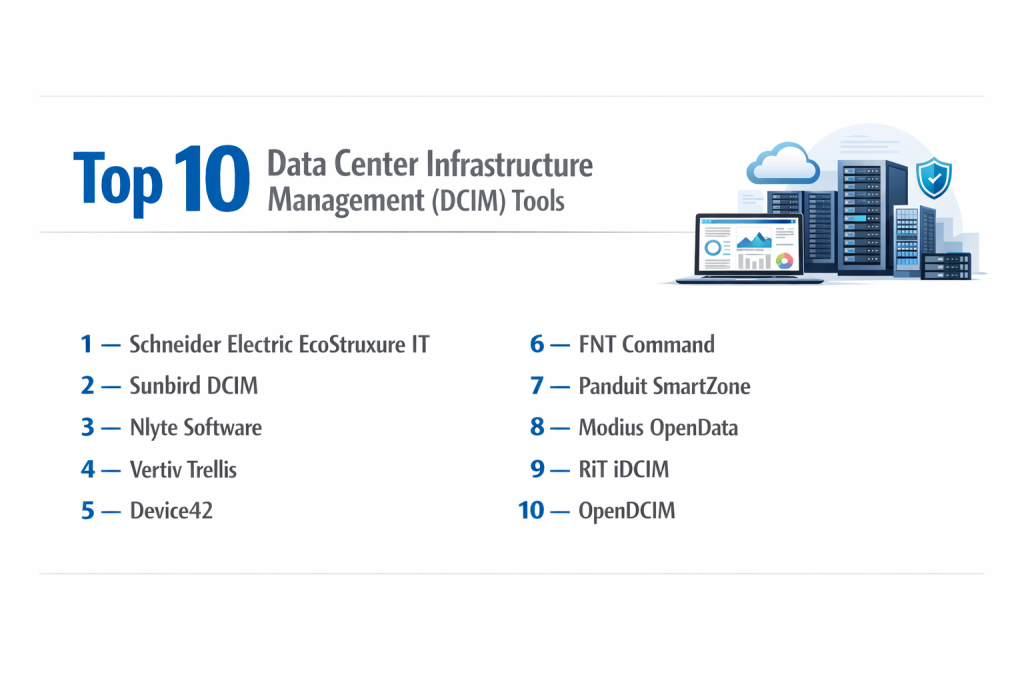
Top 10 Data Center Infrastructure Management (DCIM) Tools
1 — Schneider Electric EcoStruxure IT
Short description:
A well-known DCIM platform focused on power, cooling, and infrastructure visibility for modern data centers.
Key features:
- Real-time monitoring of power and cooling
- Asset and rack management
- Capacity planning and forecasting
- Environmental sensors and alerts
- Energy efficiency analysis
- Integration with UPS and PDU systems
Pros:
- Strong reliability and accuracy
- Trusted by large enterprises
- Excellent power management features
Cons:
- Complex setup for beginners
- Higher cost for small teams
Security & compliance:
Supports SSO, role-based access, audit logs, and enterprise-grade security controls.
Support & community:
Strong documentation, enterprise support, onboarding assistance, and global customer base.
2 — Sunbird DCIM
Short description:
A user-friendly DCIM solution designed for clear visibility and fast deployment.
Key features:
- Asset tracking and lifecycle management
- Power and environmental monitoring
- Change management workflows
- Capacity visualization
- Web-based interface
- API integrations
Pros:
- Easy to use interface
- Quick deployment
- Strong visualization tools
Cons:
- Limited advanced analytics
- Custom reporting needs effort
Security & compliance:
Supports encryption, access controls, and audit trails.
Support & community:
Helpful documentation, responsive support team, smaller but active user community.
3 — Nlyte Software
Short description:
An enterprise-grade DCIM platform focused on automation and advanced planning.
Key features:
- Intelligent capacity planning
- Workflow automation
- Asset and connectivity tracking
- Power chain monitoring
- Integration with ITSM tools
- Advanced reporting
Pros:
- Powerful automation
- Scales well for large data centers
- Strong analytics
Cons:
- Steep learning curve
- Requires skilled implementation
Security & compliance:
Enterprise security, role-based access, audit logging, compliance-ready features.
Support & community:
Professional services, detailed documentation, strong enterprise support.
4 — Vertiv Trellis
Short description:
A DCIM tool focused on improving operational efficiency and reliability.
Key features:
- Real-time infrastructure monitoring
- Capacity and energy management
- Predictive analytics
- Risk and impact analysis
- Asset tracking
- Reporting dashboards
Pros:
- Strong monitoring accuracy
- Good for mission-critical environments
- Reliable performance
Cons:
- Interface feels complex
- Higher deployment cost
Security & compliance:
Supports encryption, access control, and compliance reporting.
Support & community:
Enterprise-level support, structured onboarding, vendor-led training.
5 — Device42
Short description:
A popular DCIM and IT asset management tool with strong discovery features.
Key features:
- Automatic device discovery
- Dependency mapping
- IP address management
- Rack and power visualization
- Integration with monitoring tools
- REST APIs
Pros:
- Fast discovery
- Easy deployment
- Strong integrations
Cons:
- Reporting customization is limited
- UI can feel crowded
Security & compliance:
Supports SSO, encryption, audit logs, and access controls.
Support & community:
Good documentation, active support, growing user base.
6 — FNT Command
Short description:
A DCIM solution focused on network, facility, and IT infrastructure management.
Key features:
- End-to-end infrastructure modeling
- Capacity and resource planning
- Network and connectivity tracking
- Process automation
- Visualization tools
- Integration with OSS/BSS
Pros:
- Strong modeling capabilities
- Suitable for telecom and large enterprises
- High accuracy
Cons:
- Complex configuration
- Requires training
Security & compliance:
Enterprise security controls, audit trails, compliance support.
Support & community:
Professional support, detailed documentation, strong enterprise focus.
7 — Panduit SmartZone
Short description:
A DCIM platform focused on physical infrastructure and energy efficiency.
Key features:
- Power and environmental monitoring
- Asset management
- Energy optimization
- Visual dashboards
- Alerts and reporting
- Integration with sensors
Pros:
- Strong energy insights
- Reliable hardware integration
- Good visualization
Cons:
- Limited IT-level analytics
- Best suited for Panduit ecosystems
Security & compliance:
Standard enterprise security practices.
Support & community:
Vendor-led support, documentation, limited community presence.
8 — Modius OpenData
Short description:
A flexible DCIM tool with strong analytics and visualization focus.
Key features:
- Data center performance monitoring
- Energy and capacity analytics
- Open APIs
- Visualization dashboards
- Historical data analysis
- Reporting tools
Pros:
- Flexible architecture
- Strong analytics
- Easy data access
Cons:
- Requires customization
- Not ideal for beginners
Security & compliance:
Supports encryption and access controls.
Support & community:
Good documentation, smaller but skilled user base.
9 — RiT iDCIM
Short description:
A DCIM solution with strong visualization and planning features.
Key features:
- 3D data center visualization
- Capacity and power planning
- Asset lifecycle tracking
- Change management
- Monitoring and alerts
- Reporting tools
Pros:
- Excellent visual planning
- Accurate capacity insights
- Strong design tools
Cons:
- Interface can feel heavy
- Training required
Security & compliance:
Enterprise-grade access control and logging.
Support & community:
Professional support, documentation, limited open community.
10 — OpenDCIM
Short description:
An open-source DCIM tool suitable for small to mid-sized data centers.
Key features:
- Asset and rack management
- Power usage tracking
- Data center mapping
- Basic reporting
- Customizable modules
- Community-driven development
Pros:
- Free and open-source
- Flexible customization
- Active community
Cons:
- Limited enterprise features
- Requires technical skills
Security & compliance:
Varies depending on deployment and configuration.
Support & community:
Strong community support, forums, and shared documentation.
Comparison Table
| Tool Name | Best For | Platform(s) Supported | Standout Feature | Rating |
|---|---|---|---|---|
| Schneider Electric EcoStruxure IT | Large enterprises | Web-based | Power management | N/A |
| Sunbird DCIM | Mid-sized data centers | Web-based | Ease of use | N/A |
| Nlyte Software | Enterprise operations | Web-based | Automation | N/A |
| Vertiv Trellis | Mission-critical sites | Web-based | Predictive analytics | N/A |
| Device42 | Fast discovery needs | Web-based | Auto discovery | N/A |
| FNT Command | Telecom & large IT | Web-based | Infrastructure modeling | N/A |
| Panduit SmartZone | Energy-focused DCs | Web-based | Energy efficiency | N/A |
| Modius OpenData | Analytics-heavy teams | Web-based | Data analytics | N/A |
| RiT iDCIM | Visual planners | Web-based | 3D visualization | N/A |
| OpenDCIM | Budget users | Web-based | Open source | N/A |
Evaluation & Scoring of Data Center Infrastructure Management (DCIM)
| Criteria | Weight | Notes |
|---|---|---|
| Core features | 25% | Monitoring, asset, power, capacity |
| Ease of use | 15% | Interface and learning curve |
| Integrations & ecosystem | 15% | APIs and tool compatibility |
| Security & compliance | 10% | Access control and audits |
| Performance & reliability | 10% | Stability and accuracy |
| Support & community | 10% | Help and documentation |
| Price / value | 15% | Cost vs benefits |
Which Data Center Infrastructure Management (DCIM) Tool Is Right for You?
- Solo users: Open-source or lightweight tools are usually enough.
- SMBs: Tools like Device42 or Sunbird offer balance.
- Mid-market: Platforms with automation and planning features work best.
- Enterprise: Full-featured solutions like EcoStruxure, Nlyte, or Vertiv.
Budget-focused teams should choose simpler tools, while regulated industries should prioritize security, compliance, and support. If integration and growth are important, choose tools with strong APIs and scalability.
Frequently Asked Questions (FAQs)
1. What is DCIM used for?
It helps manage physical data center assets, power, cooling, and capacity.
2. Is DCIM required for cloud-only teams?
No, it is mainly for physical or hybrid data centers.
3. Is DCIM hard to implement?
Some tools are simple, others need planning and training.
4. Does DCIM reduce energy costs?
Yes, by improving visibility and efficiency.
5. Can DCIM integrate with monitoring tools?
Most modern DCIM tools support integrations.
6. Is open-source DCIM reliable?
It can be reliable but needs skilled management.
7. How secure are DCIM tools?
Enterprise tools offer strong security features.
8. Do DCIM tools support compliance needs?
Many support audits and access controls.
9. Can DCIM prevent downtime?
Yes, by identifying risks early.
10. What is the biggest mistake when choosing DCIM?
Buying a tool that is too complex or too limited.
Conclusion
Data Center Infrastructure Management tools play a key role in running stable, efficient, and well-planned data centers. They help teams understand what they have, how it is used, and what changes are needed. The most important factors when choosing a DCIM tool are clarity, reliability, scalability, and support. There is no single best tool for everyone. The right choice always depends on your data center size, team skills, budget, and long-term goals.

- Top 10 Email Deliverability Tools: Features, Pros, Cons & Comparison - September 6, 2026
- Top 10 Pharmacovigilance Software: Features, Pros, Cons & Comparison - September 6, 2026
- Top 10 Manufacturing Execution Systems (MES) - July 30, 2026