Introduction
A Data Lake Platform is a centralized repository that allows you to store all your structured and unstructured data at any scale. Unlike a traditional data warehouse, which requires data to be structured and processed before storage (Schema-on-Write), a data lake allows you to store data in its raw, native format—whether that be logs, images, PDFs, or JSON files—and define the structure only when you are ready to analyze it (Schema-on-Read). This architecture provides the ultimate flexibility for advanced analytics, machine learning, and high-volume data archiving.
Why It Matters
Data lakes are the essential fuel for Artificial Intelligence (AI) and Machine Learning (ML). Because these models require vast amounts of raw, diverse data to learn effectively, the data lake provides a cost-effective environment to keep everything. Furthermore, by decoupling storage from compute, these platforms allow companies to scale their data footprint without exponentially increasing their costs.
Key Real-World Use Cases
- Big Data Exploration: Allowing data scientists to “mine” raw data for hidden patterns without waiting for IT to build formal tables.
- IoT Telemetry: Storing millions of sensor readings from smart devices for long-term trend analysis.
- Log Aggregation: Centralizing security and system logs for troubleshooting and cybersecurity forensics.
- Media Archiving: Storing massive libraries of video, audio, and images for training computer vision models.
What to Look For
When evaluating a platform, consider durability (how safe is the data?), scalability (can it grow to petabytes?), metadata management (how do you find what you stored?), and governance tools to prevent your lake from turning into an unsearchable “data swamp.”
Best for: Data scientists, machine learning engineers, and big data architects. It is ideal for large-scale enterprises and tech startups in sectors like genomics, autonomous driving, finance, and telecommunications.
Not ideal for: Small businesses that only need simple monthly sales reports, or teams that require sub-second transactional performance for a web application; in these cases, a standard SQL database is more appropriate.
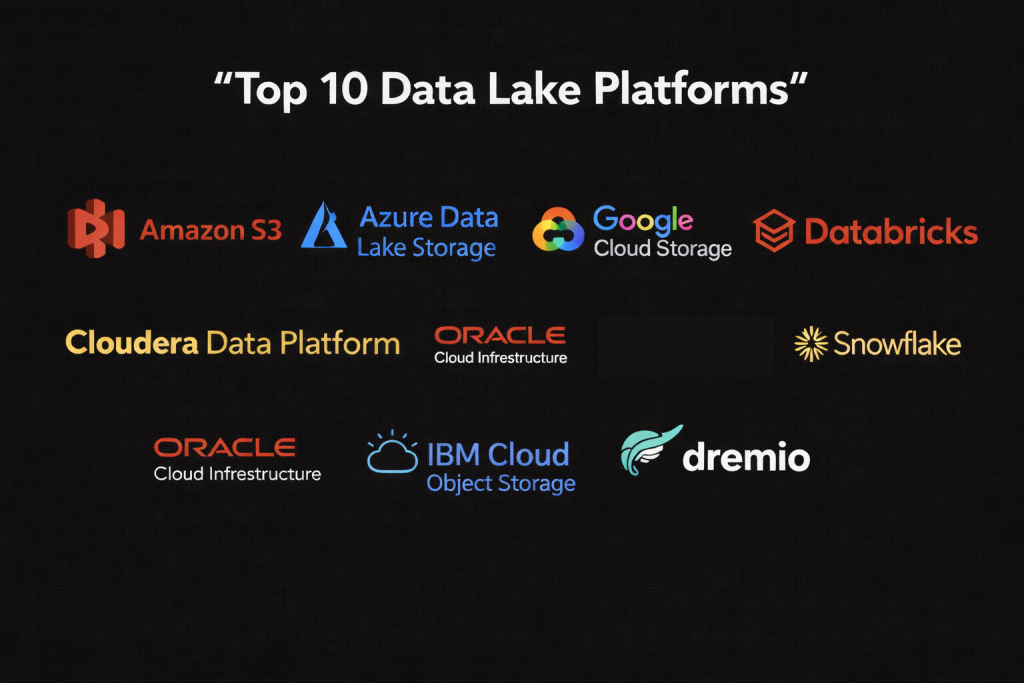
Top 10 Data Lake Platforms Tools
1 — Amazon S3 (Simple Storage Service)
Amazon S3 is the industry standard for object storage and the backbone of the AWS Data Lake strategy. It is renowned for its “eleven nines” of durability and its virtually limitless scale.
- Key features:
- Object Tagging: Allows for sophisticated metadata management and lifecycle policies.
- Storage Classes: Automatically move infrequently accessed data to lower-cost tiers like Glacier.
- S3 Select: The ability to pull only the specific data you need from an object using SQL.
- Strong Consistency: Guarantees that data is immediately available after a successful write.
- Global Reach: Hundreds of edge locations and regional availability zones for low latency.
- Pros:
- Unmatched reliability and a massive ecosystem of third-party tool integrations.
- Extremely granular security controls at the bucket and object level.
- Cons:
- The pricing model for API requests and data egress can be complex to predict.
- IAM (Identity and Access Management) policies have a steep learning curve for beginners.
- Security & compliance: SOC 1/2/3, HIPAA, PCI-DSS, FedRAMP, GDPR, and AES-256 encryption.
- Support & community: The largest cloud community in the world with extensive documentation and professional support tiers.
2 — Azure Data Lake Storage (ADLS Gen2)
ADLS Gen2 combines the power of a hierarchical file system with the scale of blob storage, making it the premier choice for organizations deeply integrated into the Microsoft ecosystem.
- Key features:
- Hierarchical Namespace: Allows for folder-level security and high-performance file operations.
- POSIX Permissions: Familiar access control for those coming from Linux or Hadoop backgrounds.
- Integration with Azure Synapse: Seamlessly connects storage to analytical compute.
- Blob Lifecycle Management: Automates the transition of data between hot, cool, and archive tiers.
- Hadoop Compatible: Native support for the ABFS (Azure Blob File System) driver.
- Pros:
- The hierarchical structure makes data organization and security management much more intuitive.
- Best-in-class performance for heavy Big Data workloads like Spark and Hadoop.
- Cons:
- Optimized specifically for Azure, making multi-cloud setups slightly more cumbersome.
- Costs can rise quickly when using high-performance premium tiers.
- Security & compliance: Microsoft Entra ID (SSO), TLS 1.2, encryption at rest, SOC, HIPAA, and ISO 27001.
- Support & community: Robust documentation and global support via Microsoft Azure Enterprise agreements.
3 — Google Cloud Storage (GCS)
Google Cloud Storage is a unified object storage service known for its high performance and integration with Google’s world-leading data analytics and AI tools.
- Key features:
- Dual-Region/Multi-Region: Provides high availability across geographic locations.
- Bucket Lock: Supports WORM (Write Once, Read Many) for regulatory compliance.
- Object Lifecycle Management: Automates deletion or transition of data.
- Uniform Bucket-Level Access: Simplifies security by managing permissions at the bucket level.
- Direct Integration with BigQuery: Query data in the lake without moving it.
- Pros:
- Highly consistent performance and very fast “cold” data retrieval.
- Simplest pricing model among the “Big Three” cloud providers.
- Cons:
- Smaller third-party marketplace compared to Amazon S3.
- Fewer regional locations in some specific international territories.
- Security & compliance: FedRAMP, HIPAA, GDPR, SOC 1/2/3, and customer-managed encryption keys (CMEK).
- Support & community: Excellent technical documentation and a growing community of AI/ML developers.
4 — Databricks (Delta Lake)
Databricks pioneered the “Lakehouse” concept, which is essentially a data lake governed by the Delta Lake protocol. It brings structure and reliability to raw storage.
- Key features:
- ACID Transactions: Ensures that data operations either succeed fully or fail without corrupting the lake.
- Schema Enforcement: Prevents “bad data” from entering the lake and breaking analytics.
- Time Travel: Allows you to access previous versions of your data for auditing or rollbacks.
- Unity Catalog: A unified governance layer for all data and AI assets.
- Z-Ordering: Optimizes file sizes for faster query performance.
- Pros:
- Turns a messy data lake into a high-performance, reliable analytical engine.
- Exceptional for collaborative data science and machine learning.
- Cons:
- It is a platform that runs on top of storage (S3/ADLS), so you pay for both.
- Significant overhead for very simple, low-volume storage needs.
- Security & compliance: SOC 2 Type II, ISO 27001, HIPAA, and GDPR compliant.
- Support & community: Huge following in the Apache Spark community and top-tier enterprise support.
5 — Snowflake (Unstructured Data Support)
While originally a data warehouse, Snowflake has expanded into a full data lake platform, allowing for the storage and governance of unstructured files alongside relational data.
- Key features:
- Directory Tables: Built-in metadata for files stored in internal or external stages.
- Snowpark: Allows processing of lake data using Python, Java, and Scala.
- Unified Governance: Apply the same security policies to files as you do to tables.
- Secure Data Sharing: Share access to data lake files without moving the data.
- External Tables: Query data directly in S3, GCS, or Azure without ingestion.
- Pros:
- The most user-friendly interface in the data industry.
- Perfect for teams that want to manage their data lake and warehouse in a single UI.
- Cons:
- Storage costs can be higher than raw S3 if using Snowflake’s internal storage.
- Compute-heavy tasks can lead to high “credit” consumption if not monitored.
- Security & compliance: PCI DSS, HIPAA, SOC 1/2, FedRAMP, and IRAP.
- Support & community: Excellent “Snowflake University” training and a large, helpful user community.
6 — Cloudera Data Platform (CDP)
Cloudera is the enterprise evolution of Hadoop, providing a hybrid and multi-cloud data lake that excels in highly regulated industries.
- Key features:
- SDX (Shared Data Experience): Consistent security and governance across different clouds.
- Hybrid Cloud Mobility: Move workloads easily between on-premise and the cloud.
- Ozone: A scalable, redundant, and distributed object store for Big Data.
- Apache Atlas Integration: For deep data lineage and metadata management.
- Knox & Ranger: Advanced security gateways and policy management.
- Pros:
- Unrivaled for companies that need to maintain data on-premise for legal reasons.
- Comprehensive toolset covering everything from ingestion to ML.
- Cons:
- Extremely complex to manage; requires a high level of DevOps expertise.
- The pricing is geared toward large enterprises, making it inaccessible for SMBs.
- Security & compliance: FIPS 140-2, HIPAA, SOC 2, and GDPR.
- Support & community: Massive legacy community with decades of Big Data experience.
7 — Oracle Cloud Infrastructure (OCI) Object Storage
Oracle’s data lake offering is designed for extreme performance and deep integration with Oracle’s flagship database products.
- Key features:
- Auto-Tiering: Automatically moves objects to the most cost-effective storage tier.
- High Availability: Data is replicated across multiple fault domains.
- S3 Compatibility API: Allows tools built for S3 to work with OCI with minimal changes.
- Pre-Authenticated Requests: Securely share objects without creating IAM users.
- Retention Rules: Prevents data from being deleted or modified for a set period.
- Pros:
- Highly competitive pricing, often undercutting AWS and Azure on egress fees.
- The best performance for organizations already running Oracle ERP or Databases.
- Cons:
- Smaller ecosystem of third-party “born-in-the-cloud” integrations.
- Smaller community compared to the big three cloud providers.
- Security & compliance: SOC 1/2/3, ISO 27001, HIPAA, and FedRAMP.
- Support & community: Backed by Oracle’s global enterprise support infrastructure.
8 — IBM Cloud Object Storage
IBM provides a highly durable and secure data lake platform, specifically designed for massive scale and hybrid cloud deployments.
- Key features:
- Information Dispersal Algorithm: Spreads data across multiple regions for extreme durability.
- Aspera Integration: High-speed data transfer for moving large files into the lake.
- SQL Query: In-place querying of data using a serverless architecture.
- Immutable Storage: Compliance features to prevent data tampering.
- Deep integration with IBM Watson: For AI and cognitive data analysis.
- Pros:
- Superior data durability and protection against regional outages.
- Excellent for large-scale backup and long-term archiving.
- Cons:
- The user interface is often described as less intuitive than Snowflake or Google.
- Can be more expensive for active, high-transaction workloads.
- Security & compliance: FIPS 140-2, HIPAA, GDPR, and ISO compliant.
- Support & community: Professional enterprise support with a focus on large-scale corporate needs.
9 — Dremio
Dremio is an open data lake platform that provides a “Data-as-a-Service” experience, allowing users to query data lakes with the speed of a data warehouse.
- Key features:
- Data Reflections: Automatically accelerates queries using Apache Arrow.
- Semantic Layer: Allows business users to define metrics once and use them everywhere.
- Arctic: A catalog for the lake that provides Git-like branching and merging for data.
- No-Copy Architecture: Query data directly where it sits in S3 or ADLS.
- Support for Apache Iceberg: Native optimization for the most modern lake format.
- Pros:
- Allows for sub-second BI dashboard performance directly on top of raw lake files.
- Eliminates the need to move data into a warehouse for analytics.
- Cons:
- It is a query/governance layer, not a storage provider (you still need S3/ADLS).
- Requires careful tuning to get the best performance out of “reflections.”
- Security & compliance: SOC 2 Type II and GDPR compliant.
- Support & community: Very active user community and responsive technical support.
10 — Starburst (Enterprise Trino)
Starburst is the enterprise version of the open-source Trino (Presto) engine. It acts as a high-performance query layer that turns a data lake into a functional database.
- Key features:
- Massively Parallel Processing (MPP): Designed for extreme query speeds on petabyte scale.
- Data Mesh Ready: Allows for decentralized data ownership across departments.
- Connectors: Over 50+ connectors to join lake data with other external sources.
- Starburst Galaxy: A fully managed SaaS version of the engine.
- Fine-Grained Access Control: Column and row-level security for raw files.
- Pros:
- The fastest way to run SQL queries across multiple data lakes at once.
- No vendor lock-in; data stays in open formats like Parquet and ORC.
- Cons:
- Like Dremio, it is a compute engine, so storage management remains separate.
- Scaling a large Trino cluster requires significant architectural planning.
- Security & compliance: SOC 2, HIPAA, and GDPR compliant via Ranger and Okta integrations.
- Support & community: Deeply connected to the open-source Trino community with excellent support.
Comparison Table
| Tool Name | Best For | Platform(s) Supported | Standout Feature | Rating (Gartner) |
| Amazon S3 | General Purpose / AWS | AWS Cloud | Eleven 9s Durability | 4.8 / 5.0 |
| Azure ADLS Gen2 | Microsoft / Hadoop | Azure Cloud | Hierarchical Namespace | 4.7 / 5.0 |
| Google Storage | AI / Data Analytics | Google Cloud | Multi-Region Availability | 4.6 / 5.0 |
| Databricks | ML & Engineering | Multi-Cloud | ACID / Delta Lake | 4.5 / 5.0 |
| Snowflake | Ease of Use / BI | Multi-Cloud | Secure Data Sharing | 4.7 / 5.0 |
| Cloudera CDP | Hybrid / On-Premise | Multi-Cloud / On-prem | SDX Unified Security | 4.1 / 5.0 |
| Oracle OCI | Performance / Cost | Oracle Cloud | Auto-Tiering Economy | 4.4 / 5.0 |
| IBM Cloud | Security / Archiving | IBM Cloud | Data Dispersal Durability | 4.3 / 5.0 |
| Dremio | Fast BI on Lake | S3, ADLS, GCS | Data Reflections (Speed) | 4.6 / 5.0 |
| Starburst | Data Mesh / SQL | Multi-Cloud | MPP Query Performance | 4.5 / 5.0 |
Evaluation & Scoring of Data Lake Platforms
Selecting a data lake platform is a long-term commitment. To assist in your evaluation, we have scored these platforms based on a weighted rubric that reflects the core requirements of modern data teams.
| Metric | Weight | Evaluation Criteria |
| Core Features | 25% | Durability, scalability, and support for unstructured data. |
| Ease of Use | 15% | Time to setup, UI quality, and management overhead. |
| Integrations | 15% | Compatibility with BI tools, ML frameworks, and ETL pipelines. |
| Security & Compliance | 10% | Encryption, RBAC, and industry-specific certifications. |
| Performance | 10% | Latency of data retrieval and high-volume ingestion speed. |
| Support & Community | 10% | Quality of documentation and availability of experts. |
| Price / Value | 15% | Storage cost per GB, egress fees, and compute economy. |
Which Data Lake Platforms Tool Is Right for You?
Solo Users vs SMB vs Mid-Market vs Enterprise
- Solo Users/Startups: Amazon S3 or Google Cloud Storage are the best starting points. They offer “Free Tier” options and require zero upfront investment to start storing data.
- SMBs: Snowflake or Azure Data Lake provide a more guided experience. They help smaller teams manage governance without needing a fleet of data engineers.
- Enterprise: Cloudera or Databricks are the gold standards for large corporations. They provide the complex governance and multi-cloud capabilities required for global operations.
Budget-Conscious vs Premium Solutions
- Budget-Conscious: Oracle Cloud (OCI) and VictoriaMetrics (for specific telemetry) offer aggressive pricing. Self-hosting MinIO is an option for those who want to avoid cloud costs entirely, though it increases operational labor.
- Premium: Snowflake and Databricks are premium platforms. You are paying for the “management layer” that saves your engineers hundreds of hours of manual work.
Feature Depth vs Ease of Use
If your primary goal is Ease of Use, Snowflake is the undisputed champion. If you need Feature Depth for complex data engineering and machine learning, Databricks is the platform of choice.
Integration and Scalability Needs
If you are building a Data Mesh (decentralized data), Starburst is the most powerful tool. If you are building a Cloud-Native AI app, Google Cloud Storage offers the most seamless path to Vertex AI.
Frequently Asked Questions (FAQs)
1. What is the main difference between a Data Lake and a Data Warehouse?
A Data Warehouse stores structured data that has already been processed for a specific purpose. A Data Lake stores raw data in its original format for any future use.
2. Can a Data Lake turn into a “Data Swamp”?
Yes. If you do not have a metadata catalog and strict governance, a data lake becomes a collection of files that no one can find or understand. Tools like Databricks and Snowflake help prevent this.
3. Is data stored in a Data Lake secure?
Generally, yes. Cloud providers offer massive security measures. However, you are responsible for setting up the correct IAM roles and encryption policies.
4. How much does a Data Lake cost?
Storage is very cheap (often $0.02 per GB per month). The real costs come from data egress (moving data out of the cloud) and the compute power used to analyze the data.
5. What is an “Object Store”?
Most data lakes are object stores. This means data is stored as “objects” with a unique ID and metadata, rather than files in a nested folder. This allows for massive scaling.
6. Do I need to be a programmer to use a Data Lake?
To set one up, yes. However, tools like Dremio and Snowflake allow business users to query the lake using standard SQL, making it accessible to non-programmers.
7. Can I run a Data Lake on-premise?
Yes. Cloudera and MinIO are the most popular choices for organizations that need to keep data in their own physical data centers for security or legal reasons.
8. What is “Schema-on-Read”?
This means you don’t define the table structure when you save the data. Instead, when you run a query, the tool “reads” the raw file and applies a structure to it on the fly.
9. Which cloud has the best Data Lake?
There is no single winner. AWS has the largest ecosystem, Azure has the best integration with Windows/Office, and Google has the best AI and machine learning tools.
10. What is a “Lakehouse”?
A Lakehouse is a new architecture that combines the low-cost storage of a data lake with the high-performance management features of a data warehouse. Databricks and Snowflake are the leaders in this space.
Conclusion
The transition from traditional databases to Data Lake Platforms represents a fundamental shift in how businesses handle information. By removing the barriers to data storage, these platforms allow organizations to capture every signal, every log, and every customer interaction, creating a wealth of knowledge for future AI initiatives.
For those just starting, Amazon S3 remains the most reliable and integrated foundation. For organizations looking to bridge the gap between raw data and high-speed business intelligence, Snowflake and Databricks provide the most powerful management layers available today. Ultimately, the “best” platform is the one that fits into your existing cloud ecosystem while giving your data scientists the freedom to explore without limits.

- Top 10 Email Deliverability Tools: Features, Pros, Cons & Comparison - September 6, 2026
- Top 10 Pharmacovigilance Software: Features, Pros, Cons & Comparison - September 6, 2026
- Top 10 Manufacturing Execution Systems (MES) - July 30, 2026