Introduction
The Domain Name System (DNS) is often described as the “phonebook of the internet.” It is the critical infrastructure that translates human-readable domain names like “https://www.google.com/search?q=google.com” into the numerical IP addresses that computers use to communicate. DNS Management Tools are specialized software and service platforms designed to control, automate, and secure this translation process. These tools go far beyond the basic settings provided by a domain registrar; they offer advanced traffic steering, security filtering, and high-availability features that ensure a website or application remains accessible even during massive traffic spikes or malicious attacks.
The importance of professional DNS management cannot be overstated. A single minute of DNS downtime can render an entire global enterprise invisible. Key real-world use cases include Global Server Load Balancing (GSLB) to direct users to the nearest data center, DDoS protection to absorb volumetric attacks at the edge, and Geo-DNS to serve localized content. When choosing a tool in this category, users should evaluate the propagation speed, Anycast network density, DNSSEC support, and the granularity of the API for automation.
Best for: Network Administrators, DevOps Engineers, and Security Officers in companies ranging from high-growth startups to Fortune 500 enterprises. It is vital for e-commerce platforms, SaaS providers, and financial institutions where 100% uptime and low latency are non-negotiable requirements.
Not ideal for: Personal bloggers or very small businesses with a single, low-traffic website. For these users, the free DNS services provided by their domain registrar or a standard web host are usually sufficient and far less complex to manage.
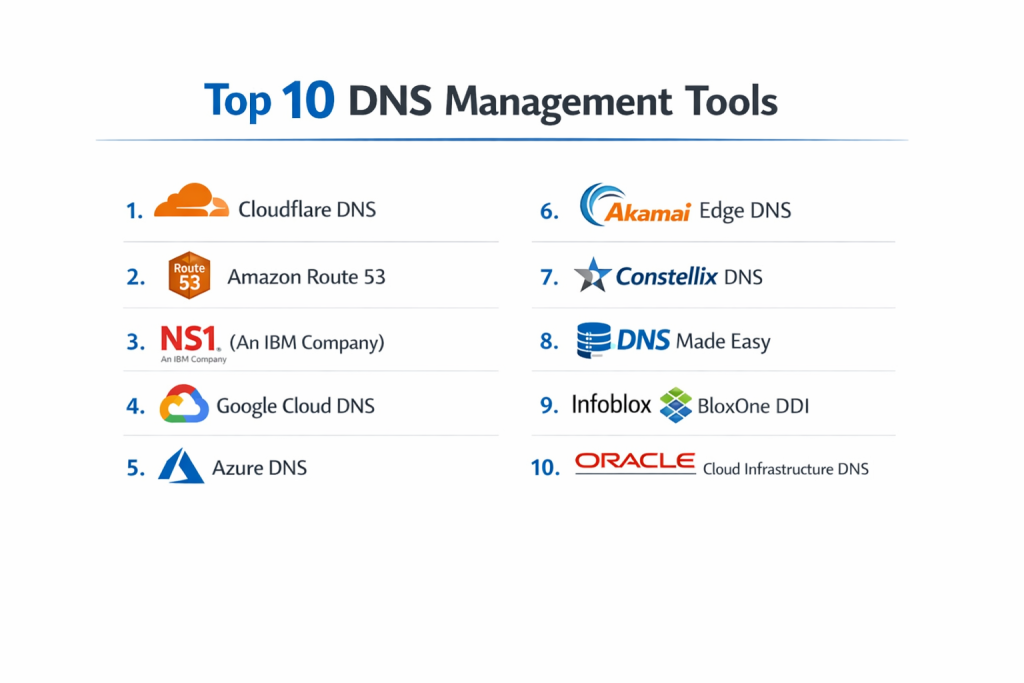
Top 10 DNS Management Tools
1 — Cloudflare DNS
Cloudflare operates one of the world’s fastest and largest authoritative DNS networks, offering a robust blend of performance and security features for users of all sizes.
- Key Features:
- Global Anycast Network: Massive footprint in over 300 cities worldwide for ultra-low latency.
- 1-Click DNSSEC: Simplifies the deployment of DNS security extensions to prevent cache poisoning.
- Argo Smart Routing: Analyzes real-time network congestion to route traffic over the fastest paths.
- Terraform Provider: Full support for Infrastructure as Code (IaC) workflows.
- Integrated DDoS Protection: Unlimited and unmetered mitigation at the DNS layer.
- CNAME Flattening: Allows for CNAME records at the zone apex, improving flexibility.
- Custom Analytics: Provides deep insights into DNS query volumes and geographic distribution.
- Pros:
- Generally recognized as the fastest DNS provider in independent global benchmarks.
- Extremely generous free tier that includes DDoS protection and a global CDN.
- Cons:
- High-end features like advanced load balancing require a paid Pro or Enterprise plan.
- Some users find the unified dashboard overwhelming if they only need DNS.
- Security & Compliance: SOC 2 Type II, PCI DSS Level 1, GDPR, and HIPAA compliant.
- Support & Community: Large community forum, extensive developer documentation, and 24/7/365 enterprise support.
2 — Amazon Route 53
As part of the AWS ecosystem, Route 53 is a highly scalable and reliable cloud DNS service designed to give developers an effective way to route end users to internet applications.
- Key Features:
- Health Checking: Automatically monitors the health of your application endpoints.
- Traffic Flow: Visual policy tool to manage complex routing across multiple regions.
- Latency-Based Routing: Routes users to the AWS region that provides the lowest latency.
- Private DNS for VPC: Manage internal domain names within your virtual private clouds.
- Resolver Endpoints: Seamlessly integrate on-premises DNS with AWS cloud DNS.
- Domain Registration: Integrated registrar to manage your domain lifecycle in one console.
- Alias Records: Unique AWS feature that maps domains to ELBs or S3 buckets without a performance hit.
- Pros:
- Deep integration with other AWS services makes it the logical choice for AWS-centric stacks.
- Extremely high reliability backed by a 100% uptime SLA.
- Cons:
- The UI can be intimidating and technical for users not familiar with the AWS ecosystem.
- Costs can be unpredictable as they are based on query volume and number of zones.
- Security & Compliance: HIPAA eligible, PCI DSS compliant, SOC 1/2/3, and ISO 27001/27017/27018.
- Support & Community: Premium AWS support tiers, vast documentation, and a massive ecosystem of certified experts.
3 — NS1 (An IBM Company)
NS1 is an enterprise-grade DNS platform known for its “Filter Chain” technology, allowing for highly complex, data-driven traffic steering.
- Key Features:
- Filter Chain Technology: Create custom logic to route traffic based on real-time data like server load.
- Pulsar RUM: Uses Real User Monitoring data to steer traffic to the best-performing CDN or cloud.
- API-First Design: Built specifically for automation and high-velocity DevOps teams.
- Enterprise DDI: Unified management of DNS, DHCP, and IP Address Management (IPAM).
- Managed and Edge DNS: Options for both cloud-based and on-premises deployments.
- Global Anycast Network: High-redundancy infrastructure designed for zero downtime.
- Security Filtering: Integrated tools to block malicious domains at the resolution level.
- Pros:
- Unmatched flexibility for traffic steering; perfect for multi-CDN or multi-cloud strategies.
- The interface is modern, sleek, and highly responsive.
- Cons:
- Pricing is targeted at the enterprise market and can be high for smaller businesses.
- Requires a significant configuration effort to unlock the full potential of Filter Chains.
- Security & Compliance: SOC 2 Type II, ISO 27001, and GDPR compliant.
- Support & Community: White-glove enterprise support, dedicated account managers, and comprehensive technical guides.
4 — Google Cloud DNS
Google Cloud DNS is a high-performance, resilient, and managed DNS service running on Google’s same global infrastructure as its search engine.
- Key Features:
- High Scalability: Capable of handling millions of zones and records with ease.
- Cloud Logging: Detailed logs of every DNS query for auditing and security analysis.
- Peering and Forwarding: Complex hybrid-cloud DNS configurations supported natively.
- Private Zones: Keeps internal network information invisible to the public internet.
- Integration with gcloud CLI: Powerful command-line management for developers.
- Anycast Name Servers: Low-latency resolution across Google’s massive global fiber network.
- DNSSEC Support: Automated signing and management of DNS security records.
- Pros:
- One of the most stable platforms in the industry; rarely experiences outages.
- Very straightforward and predictable pricing model based on zone and query counts.
- Cons:
- Fewer advanced traffic steering features compared to specialized providers like NS1.
- The web console is functional but lacks the visual “traffic flow” tools of Route 53.
- Security & Compliance: FedRAMP, SOC 1/2/3, PCI DSS, ISO 27001, and HIPAA compliant.
- Support & Community: Integrated with Google Cloud support plans; extensive Stack Overflow community.
5 — Azure DNS
Azure DNS allows you to host your DNS domains in Azure, providing name resolution using the same Microsoft global infrastructure used for Office 365 and Azure services.
- Key Features:
- Alias Record Sets: Supports mapping domain names directly to Azure resources.
- Private DNS Zones: Secure name resolution for internal virtual networks.
- Azure Resource Manager (ARM) Integration: Manage DNS using Azure templates and RBAC.
- Fast Propagation: Changes to DNS records are pushed globally in seconds.
- DDoS Protection: Benefit from Microsoft’s global DDoS mitigation capabilities.
- Global Network of Servers: Uses Anycast to ensure users are routed to the nearest server.
- Diagnostic Logs: Integration with Azure Monitor for advanced health tracking.
- Pros:
- Seamless experience for organizations already utilizing Microsoft Azure and Active Directory.
- High availability and low latency via a massive global network.
- Cons:
- Not ideal for standalone DNS if you aren’t using other Azure services.
- Lacks some of the niche performance optimizations found in “DNS-only” providers.
- Security & Compliance: ISO, SOC, HIPAA, and GDPR compliant; integrated with Azure Sentinel.
- Support & Community: Microsoft Enterprise support and a vast library of “Learn” modules.
6 — Akamai Edge DNS
Akamai Edge DNS is a cloud-based authoritative DNS service designed for 24/7 availability and the ability to withstand the largest DDoS attacks.
- Key Features:
- Akamai Connected Cloud: Leverages one of the world’s most distributed edge platforms.
- DDoS Resilience: Purpose-built to absorb massive DNS floods while maintaining performance.
- Zone Apex Mapping: Optimizes performance for websites hosted on the Akamai CDN.
- Global Traffic Management (GTM): Advanced load balancing based on data center health.
- Terraform Support: Modern DevOps integration for automated zone management.
- Secondary DNS Support: Can act as a hidden primary or secondary for added redundancy.
- IP Whitelisting: Granular control over who can access specific DNS information.
- Pros:
- Best-in-class security; if your primary concern is preventing downtime from attacks, this is the tool.
- Deeply integrated with the world’s leading CDN for maximum web performance.
- Cons:
- The management interface can feel dated and enterprise-heavy.
- Cost is prohibitive for anything but large-scale enterprise requirements.
- Security & Compliance: SOC 2, PCI DSS, ISO 27001, HIPAA, and FedRAMP compliant.
- Support & Community: World-class 24/7 support with global response teams and expert consulting.
7 — Constellix DNS
Constellix is part of the DigiCert family and is highly regarded for its focus on real-time traffic management and cost-efficiency.
- Key Features:
- Sonar Monitoring: Real-time health checks that trigger DNS changes automatically.
- Geo-DNS and Proximity Routing: Route users based on their specific physical location.
- Multi-CDN Management: Analyze CDN performance and switch DNS records to the fastest one.
- Iterative Query Tracking: See exactly how your DNS is being resolved across the globe.
- Analytics and Forensics: Deep-dive reports on query trends and potential anomalies.
- IP Filters: Block or redirect traffic based on the requester’s IP reputation.
- Version Control: Easily roll back to a previous DNS configuration in one click.
- Pros:
- Offers some of the most advanced Geo-DNS features at a more accessible price point than NS1.
- Known for a very fast and responsive technical support team.
- Cons:
- The UI has a steeper learning curve than Cloudflare or Google Cloud DNS.
- May require more manual “tuning” to get the most out of the Sonar monitoring.
- Security & Compliance: SOC 2 Type II compliant and GDPR ready.
- Support & Community: Highly rated live chat support and a detailed “Knowledge Base” for self-service.
8 — DNS Made Easy
A sister company to Constellix, DNS Made Easy has maintained one of the most consistent uptime records in the industry for over two decades.
- Key Features:
- Anycast Network: A high-speed global network with zero downtime history for over 10 years.
- Failover Services: Automatically moves traffic if your primary server goes down.
- Global Traffic Director: Regional traffic steering to optimize latency.
- Query Analytics: See real-time data on how your domain is being accessed.
- Secondary DNS: Easily sync with other providers for added redundancy.
- Vanity Name Servers: Brand your name servers (e.g., https://www.google.com/search?q=ns1.yourbrand.com).
- REST API: Full automation capabilities for record management.
- Pros:
- Extremely reliable and stable; a favorite for mid-market businesses that want a “set it and forget it” tool.
- Very affordable pricing for the level of reliability provided.
- Cons:
- The interface is functional but looks like it belongs in the early 2010s.
- Lacks some of the hyper-modern AI/ML features found in newer platforms.
- Security & Compliance: HIPAA and GDPR compliant; features two-factor authentication.
- Support & Community: Strong reputation for phone and email support with high technical competence.
9 — Infoblox BloxOne DDI
Infoblox is the industry leader in DDI (DNS, DHCP, and IPAM), providing a unified platform for both cloud and on-premises network management.
- Key Features:
- Unified DDI: Manage public and private DNS alongside internal IP assignments.
- Grid Technology: Distributed architecture that ensures high availability and resilience.
- Threat Intelligence: Blocks access to known malicious domains at the DNS level.
- Discovery and Visibility: Automatically finds and catalogs every device on your network.
- Automation Workflows: Integrated with Ansible, Terraform, and Kubernetes.
- Hybrid-Cloud Management: Consistent policy enforcement across AWS, Azure, and On-Prem.
- DNS Firewall: Specialized protection against data exfiltration via DNS tunneling.
- Pros:
- The gold standard for internal network management and hybrid-cloud connectivity.
- Provides the best overall visibility into what is happening on a complex corporate network.
- Cons:
- Very high complexity; requires dedicated training and often a full-time administrator.
- Extremely expensive; strictly for large enterprise and government organizations.
- Security & Compliance: FIPS 140-2, Common Criteria, SOC 2, HIPAA, and GDPR.
- Support & Community: High-tier enterprise support, “Infoblox University” for training, and active user groups.
10 — Oracle Cloud Infrastructure (OCI) DNS
Oracle Cloud DNS is a enterprise-grade, highly scalable DNS service that provides global coverage and competitive performance.
- Key Features:
- Steering Policies: Support for Failover, Load Balancing, and Geolocation steering.
- Global Anycast Network: Low-latency resolution across Oracle’s global data center regions.
- Integration with OCI Identity: Use existing Oracle IAM policies to control DNS access.
- DDoS Mitigation: Integrated with Oracle’s broader cloud security services.
- DNSSEC Support: Easy management of signed zones.
- Secondary DNS: Can operate as a secondary to your on-premises DNS infrastructure.
- Traffic Management Steering: Visual interface for defining how queries are answered.
- Pros:
- Highly competitive pricing, often undercutting other major cloud providers.
- Excellent performance, especially for users of the Oracle Cloud ecosystem.
- Cons:
- The OCI ecosystem is smaller than AWS or Azure, leading to fewer third-party integrations.
- The management console can be less intuitive than Cloudflare.
- Security & Compliance: SOC 1/2/3, ISO 27001, HIPAA, and GDPR compliant.
- Support & Community: Managed through OCI support channels; growing developer community.
Comparison Table
| Tool Name | Best For | Platform(s) Supported | Standout Feature | Rating (Gartner/TR) |
| Cloudflare DNS | Performance & Security | SaaS | 1-Click DNSSEC & Speed | 4.8 / 5 |
| Amazon Route 53 | AWS Ecosystem | AWS / Cloud | Alias Records & Health Checks | 4.5 / 5 |
| NS1 | Complex Traffic Steering | SaaS / Hybrid | Filter Chain Technology | 4.7 / 5 |
| Google Cloud DNS | Stability & Scalability | Google Cloud | 100% Uptime History | 4.6 / 5 |
| Azure DNS | Microsoft Shops | Azure / Cloud | Native ARM Integration | 4.4 / 5 |
| Akamai Edge DNS | DDoS Resilience | SaaS | Global Edge Distribution | 4.5 / 5 |
| Constellix DNS | Geo-DNS & Multi-CDN | SaaS | Sonar Real-time Monitoring | 4.7 / 5 |
| DNS Made Easy | Reliable Mid-Market | SaaS | 10-year Uptime Record | 4.6 / 5 |
| Infoblox DDI | Hybrid Internal/Public | On-Prem / Cloud | Unified IPAM & DHCP | 4.5 / 5 |
| Oracle OCI DNS | Enterprise Value | Oracle Cloud | Low-cost Traffic Steering | 4.3 / 5 |
Evaluation & Scoring of DNS Management Tools
| Category | Weight | Evaluation Logic |
| Core Features | 25% | Availability of Geo-DNS, Load Balancing, and DNSSEC. |
| Ease of Use | 15% | Intuitiveness of the UI and quality of the API documentation. |
| Integrations | 15% | Native support for Terraform, Kubernetes, and major cloud providers. |
| Security & Compliance | 10% | Presence of DDoS protection, SOC 2, and audit logging. |
| Performance | 10% | Global resolution speed and Anycast network density. |
| Support & Community | 10% | Availability of 24/7 help and active user forums. |
| Price / Value | 15% | Transparency of pricing and ROI for different company sizes. |
Which DNS Management Tool Is Right for You?
Solo Users vs SMB vs Mid-Market vs Enterprise
- Solo Users: Cloudflare (Free) is the unbeatable choice. It provides enterprise-level speed and security without a monthly fee.
- SMBs: DNS Made Easy or Constellix offer professional-grade reliability and failover features at a price point that fits a growing budget.
- Mid-Market: Amazon Route 53 or Google Cloud DNS are excellent for those already invested in cloud infrastructure, offering high scalability with no maintenance.
- Enterprise: NS1, Akamai, or Infoblox are required for global organizations that need complex traffic steering, multi-cloud management, and internal DDI.
Budget-Conscious vs Premium Solutions
If cost is your primary concern, Oracle OCI DNS and Cloudflare offer the best performance-per-dollar. For organizations where every millisecond translates to revenue (like high-frequency trading or major e-commerce), the premium cost of NS1 or Akamai is a justified investment in performance and security.
Feature Depth vs Ease of Use
- Highest Ease of Use: Cloudflare and DNS Made Easy. They feature clean dashboards and straightforward record management that doesn’t require a networking degree.
- Highest Feature Depth: NS1 and Infoblox. These tools allow for nearly infinite customization of how a DNS query is answered, but they require significant expertise to manage properly.
Integration and Scalability Needs
If your team follows a GitOps or DevOps model, NS1 and Cloudflare have the most mature Terraform and API ecosystems. For organizations managing thousands of internal IP addresses and employee devices, Infoblox is the only solution that provides the necessary unified visibility.
Frequently Asked Questions (FAQs)
Q1: Why should I pay for DNS when my registrar provides it for free?
Answer: Free DNS usually lacks “Anycast” (routing queries to the nearest server), resulting in higher latency. It also lacks professional failover, DDoS protection, and the rapid propagation speeds that modern businesses require.
Q2: What is “DNS Propagation” and how long does it take?
Answer: Propagation is the time it takes for a change in your DNS records to update across all servers worldwide. High-end tools can achieve this in seconds, while basic tools may take 24–48 hours.
Q3: Does a fast DNS actually improve my website’s SEO?
Answer: Indirectly, yes. Page load speed is a Google ranking factor. Since DNS resolution is the very first step in loading a website, a faster DNS reduces “Time to First Byte” (TTFB), which improves SEO.
Q4: What is DNSSEC and do I really need it?
Answer: DNSSEC adds a digital signature to your DNS records to ensure they haven’t been tampered with. It is highly recommended for any site that handles sensitive data, such as banking or e-commerce.
Q5: What is the difference between Recursive and Authoritative DNS?
Answer: Authoritative DNS (what these tools manage) holds the actual record of your website. Recursive DNS (like Google 8.8.8.8) is the service used by end-users to find where that record is stored.
Q6: Can I use two DNS providers at the same time?
Answer: Yes, this is called “Multi-DNS.” It is a common enterprise strategy to ensure that if one provider (like Cloudflare) has an outage, the other provider (like Route 53) continues to serve your traffic.
Q7: How does Geo-DNS work?
Answer: Geo-DNS detects the physical location of the person making the request. It can then point a user in Germany to a server in Frankfurt while pointing a user in New York to a server in Virginia.
Q8: What is a “TTL” setting?
Answer: Time-to-Live (TTL) determines how long a DNS record is cached by other servers. A lower TTL allows for faster changes, while a higher TTL can slightly improve performance and reduce query costs.
Q9: Can these tools prevent DDoS attacks?
Answer: Yes, specialized providers like Akamai and Cloudflare have “volumetric” protection designed to absorb massive amounts of traffic at the edge, preventing your actual web server from being overwhelmed.
Q10: What is IPAM and why do I see it bundled with DNS?
Answer: IP Address Management (IPAM) tracks every IP address on your network. In large enterprises, bundling DNS and IPAM (DDI) is necessary to ensure that internal devices can find each other securely.
Conclusion
The “best” DNS Management Tool is rarely a universal winner; rather, it is the one that best aligns with your existing technology stack and your tolerance for complexity. For most, Cloudflare provides an unbeatable mix of speed and simplicity. For the AWS-bound developer, Route 53 is the natural home. And for the global enterprise navigating a complex multi-cloud world, NS1 or Akamai provide the surgical precision required for modern traffic steering.
As the internet continues to decentralize, the role of DNS is shifting from a simple directory to an intelligent traffic controller. Investing in the right management tool today is not just about keeping your site online—it’s about ensuring your digital infrastructure is fast, secure, and ready to scale.

- Top 10 Email Deliverability Tools: Features, Pros, Cons & Comparison - September 6, 2026
- Top 10 Pharmacovigilance Software: Features, Pros, Cons & Comparison - September 6, 2026
- Top 10 Manufacturing Execution Systems (MES) - July 30, 2026