Introduction
An Employee Communications Platform is a specialized digital space designed to help a company share information with its staff. Think of it as a mix between a private social network, a digital bulletin board, and a high-speed messaging system. Instead of relying on a single, boring company-wide email, these platforms allow you to send targeted news, celebrate wins, and even ask for feedback in real-time. They are designed to cut through the “noise” of a busy workday and get the right message to the right person.
These platforms are incredibly important because a connected team is a happy team. When people know the company goals and feel like their voice matters, they work harder and stay longer. This is especially true now that so many people work from home or out in the field. These tools bridge the physical gap, creating a digital “water cooler” where culture can thrive.
Key Real-World Use Cases
- Emergency Alerts: Sending a fast mobile notification if an office is closed or there is a safety issue.
- Culture Building: Sharing photos from a team lunch or celebrating an employee’s five-year anniversary.
- Top-Down Updates: Recording a quick video from the founder to explain a new company direction.
- Feedback Loops: Running a quick poll to see what people want for the next holiday party or to gauge team morale.
What to Look For (Evaluation Criteria)
When you are choosing your tool, look for a great mobile app (especially for workers who don’t sit at a desk), easy-to-use analytics to see who is actually reading your posts, and how well it integrates with the work tools you already use daily.
Best for: HR leaders, internal communication managers, and business owners who want to boost engagement and make sure their remote or frontline workers feel included. It is perfect for companies with over fifty people where “word of mouth” isn’t enough anymore.
Not ideal for: Very tiny teams of five or ten people who sit in the same room and talk all day, or companies that only want a basic place to store files without any social or news features.
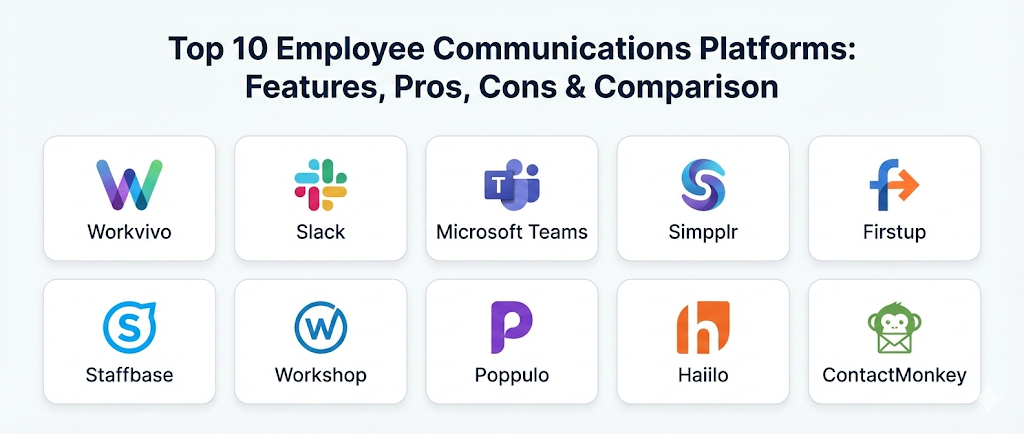
Top 10 Employee Communications Platforms
1 — Workvivo
Workvivo is a very energetic and “social” platform that feels more like a community than a piece of corporate software. It is designed to look and feel like the social media apps we use in our personal lives, which makes it incredibly easy for employees to pick up and start using immediately. It focuses heavily on “Employee Experience” and building a sense of belonging.
- Key Features:
- A central “Activity Feed” where everyone can post updates and photos.
- “Shout-outs” and badges to recognize hard work and hit goals.
- A dedicated space for company values to keep the mission alive.
- Live video broadcasting for “Town Hall” meetings.
- Digital “Spaces” for specific interest groups (like a hiking club or a tech group).
- Powerful analytics to see which posts get the most likes and comments.
- A world-class mobile app that works perfectly on the go.
- Pros:
- People actually enjoy using it because it feels fun and human.
- It is excellent for bringing remote and office workers together in one place.
- The setup is very visual and doesn’t require a technical degree to manage.
- Cons:
- It might feel a bit too “casual” for very traditional or strictly formal companies.
- The social nature can lead to a lot of posts that managers have to keep an eye on.
- Security & Compliance: Offers SSO (Single Sign-On), data encryption, and is fully compliant with GDPR and SOC 2 standards.
- Support & Community: Known for having a very “human” support team and a great library of ideas for boosting engagement.
2 — Slack
Slack is the speed demon of the communication world. It moved the world away from slow emails and into fast, organized “Channels.” It is the perfect tool for teams that need to talk a lot throughout the day and share ideas quickly. It is less of a “news” site and more of a “working” site where the real-time action happens.
- Key Features:
- Channels for every project, team, or even random office jokes.
- “Huddles” for fast audio and video calls without a link.
- Thousands of integrations to bring your other work apps into Slack.
- Searchable history so you can find a message from months ago.
- Easy file sharing and “Clips” for recording short video messages.
- Automated “Bots” that can handle everything from lunch orders to tech support.
- Private direct messaging for one-on-one chats.
- Pros:
- It makes internal communication feel instant and very energetic.
- It is the gold standard for tech-savvy teams who love integrations.
- Very easy to organize different topics so nothing gets messy.
- Cons:
- It can be very distracting with constant “pings” and notifications.
- It is hard to use for “long-form” company news that needs to stay visible for weeks.
- Security & Compliance: Enterprise Grid offers top-tier security including HIPAA compliance, SOC 2, and data residency options.
- Support & Community: Massive online community of users and very fast, helpful tech support.
3 — Microsoft Teams
If your company already uses Word, Excel, and Outlook, Microsoft Teams is the “built-in” powerhouse you likely already own. It is an all-in-one hub that combines chat, video meetings, and file storage. It is a very serious, professional tool designed for high-level productivity and total integration with the Microsoft world.
- Key Features:
- Seamless connection with OneDrive and SharePoint for file editing.
- High-quality video conferencing for hundreds of people.
- Organized “Teams” and “Channels” for structured work.
- “Viva Engage” integration for a more social, community feel.
- Shared calendars that sync perfectly with your Outlook.
- Task management tools built right into the sidebar.
- Enterprise-level “Phone System” to replace old office phones.
- Pros:
- If you are already on Microsoft 365, it usually doesn’t cost extra money.
- It is the most powerful tool for editing documents together in real-time.
- Extremely secure and reliable for big, global corporations.
- Cons:
- The interface can feel a bit clunky and “heavy” compared to simpler apps.
- Setting it up correctly for a large company requires a lot of IT help.
- Security & Compliance: The highest standards in the industry, including ISO, GDPR, HIPAA, and SOC 2.
- Support & Community: Huge amount of documentation and a giant network of certified partners to help you.
4 — Simpplr
Simpplr is a modern “Intranet” that uses artificial intelligence to make sure employees see only what they actually care about. Instead of a cluttered home page, it gives each person a personalized view. It is an energetic, clean platform that focuses on making the “Internal Comms” person look like a hero by making news beautiful and easy to read.
- Key Features:
- AI-powered “Auto-Governance” that tells you when content is out of date.
- Personalized news feeds based on your role and location.
- Smart search that actually finds what you are looking for.
- Mobile-first design for workers who aren’t at a desk.
- “Employee Recognition” tools to celebrate birthdays and work anniversaries.
- Built-in analytics that show the “Sentiment” of the company.
- “Employee Advocacy” to help staff share company news on their own social media.
- Pros:
- It is very beautiful and makes company news look like a high-end magazine.
- It is much easier to manage than old-fashioned, messy intranets.
- The AI helps keep the platform fresh without a lot of manual work.
- Cons:
- It is a specialized tool, so it doesn’t replace chat apps like Slack or Teams.
- Some of the most advanced AI features are only on higher-priced plans.
- Security & Compliance: SOC 2 Type II compliant with strong encryption and private cloud options.
- Support & Community: Known for excellent onboarding and a very strategic “Customer Success” team.
5 — Firstup
Firstup is the “Big Voice” platform. It is designed specifically to help large companies reach every single employee, especially those who work in factories, stores, or on the road and don’t have a company email. It focuses on “Orchestration,” which means sending the right message through the right channel at the right time.
- Key Features:
- “Intelligent Delivery” that chooses if a message should be an email, a text, or an app alert.
- Targeted content for specific groups (like “just the London office”).
- A mobile app that can be “Branded” with your company’s own logo.
- High-level analytics to see exactly where your communication is failing.
- Tools to help managers communicate better with their specific teams.
- Integration with major HR systems like Workday or Oracle.
- “Frontline” focused tools that don’t require a desktop login.
- Pros:
- The best tool for reaching “Hard-to-reach” employees who don’t have desks.
- It takes the guesswork out of which channel to use for your news.
- Cons:
- It is a very powerful, complex system that might be too much for a small firm.
- The setup process is a major project that requires a dedicated team.
- Security & Compliance: Enterprise-grade security including SOC 2 and GDPR compliance.
- Support & Community: Offers professional services to help big companies plan their communication strategy.
6 — Staffbase
Staffbase is a European leader that focuses on the “Employee App.” They believe that the best way to reach your team is through the phone in their pocket. They allow you to build a custom, branded app for your company that houses news, chat, and even your digital paycheck. It is professional, secure, and very easy for employees to use.
- Key Features:
- A fully branded app that looks like your company built it yourself.
- Multi-channel publishing (App, Email, Intranet, Digital Signage).
- Localized content so people see news in their own language.
- “Push Notifications” for urgent updates that people can’t miss.
- Interactive “Plug-ins” for things like meal plans or holiday booking.
- Deep analytics for measuring the reach of every single post.
- A very simple editor for people who aren’t tech experts.
- Pros:
- It creates a very professional, “Elite” image for your company.
- Excellent for global companies with workers who speak many languages.
- The “Mobile First” approach leads to very high engagement.
- Cons:
- Building a custom app is a bigger commitment than just signing up for a website.
- It works best for “Top-Down” news rather than “Bottom-Up” chatting.
- Security & Compliance: German-level data security (which is very strict), ISO 27001, and SOC 2.
- Support & Community: Great webinars and a dedicated community for internal comms pros.
7 — Workshop
Workshop is a very cool and focused tool that believes email is still the king of communication—but it needs to be better. It allows you to create beautiful, branded internal emails that look like professional marketing newsletters. It is perfect for teams that want to keep things simple but professional without asking employees to download yet another app.
- Key Features:
- A “Drag-and-Drop” editor that makes emails look amazing.
- Integration with your HR data so lists are always up to date.
- “Ghostwriting” features so you can draft an email for the CEO to send.
- Detailed tracking to see who opened the email and what they clicked.
- Ability to send messages to Slack or Teams at the same time as email.
- Templates for every type of news, from new hires to weekly updates.
- Simple “Feedback” buttons inside the email for quick polls.
- Pros:
- There is nothing new for employees to learn; they just check their email.
- It makes boring company emails look exciting and energetic.
- It is much faster to set up than a full intranet platform.
- Cons:
- It is mostly focused on email, so it’s not a place for real-time chatting.
- It doesn’t have a central “Social Feed” for employees to post their own photos.
- Security & Compliance: SOC 2 Type II and GDPR compliant with secure data handling.
- Support & Community: Known for being very friendly and helping teams design their first newsletters.
8 — Poppulo
Poppulo is the “Intelligence” platform for internal comms. They focus heavily on the data behind the message. They help you understand how your emails, your intranet, and your digital signs are all working together. It is a very professional, “Data-First” tool for companies that want to prove the value of their communications.
- Key Features:
- Omnichannel publishing across every digital screen in your company.
- “Cross-Channel” analytics that show a single view of the employee.
- High-level personalization based on department, role, or seniority.
- Strategic planning tools to help you map out your news calendar.
- Integration with workplace apps and HR systems.
- Very secure “Cloud” environment for sensitive company info.
- Professional templates for high-impact announcements.
- Pros:
- The analytics are some of the best and most detailed in the world.
- It helps big companies stop “Over-Communicating” and sending too many emails.
- Cons:
- The platform can feel a bit more “Technical” and less “Fun” than social tools.
- It takes some time to learn how to use the deep data features correctly.
- Security & Compliance: ISO 27001, SOC 2, and fully GDPR compliant.
- Support & Community: Offers professional consulting to help you improve your team’s engagement.
9 — Haiilo
Haiilo is an energetic platform that combines “Internal Comms” with “Employee Advocacy.” It doesn’t just help you talk to your employees; it helps your employees talk to the world. It is perfect for companies that want their staff to be “Brand Ambassadors” and share job openings or company news on their personal LinkedIn.
- Key Features:
- A social intranet that feels modern and easy to use.
- An “Advocacy” tool where staff can share company-approved posts to social media.
- Multichannel reach (Mobile App, Desktop, Email).
- Gamification features like “Leaderboards” for the best sharers.
- Pulse surveys to check the “Mood” of the office instantly.
- Knowledge management features to store important documents.
- Very visual news feed with support for high-quality video.
- Pros:
- It turns your employees into your biggest marketing fans.
- The mix of social, news, and advocacy in one app is very efficient.
- It has a very modern, “Startup” feel that younger teams love.
- Cons:
- Encouraging employees to share on social media requires a lot of trust.
- It might be too many features if you only want simple internal news.
- Security & Compliance: High European standards for data privacy, SOC 2, and GDPR.
- Support & Community: Very active in the employee experience community with lots of free resources.
10 — ContactMonkey
ContactMonkey is the ultimate “Email Tracking” tool for internal teams. It lives right inside your Outlook or Gmail and allows you to create, send, and track internal newsletters without ever leaving your inbox. It is a smart, simple solution for teams that don’t want a “Platform” but want “Power” inside their email.
- Key Features:
- A professional newsletter builder that works inside Outlook or Gmail.
- Detailed “Open” and “Click” tracking for every individual email.
- “Pulse Surveys” and emoji reactions built directly into the email.
- Smart list management that connects to your existing address books.
- Templates that are guaranteed to look good on phones and computers.
- “Delayed Send” to make sure news arrives at the perfect time.
- An easy-to-read dashboard for seeing your overall email health.
- Pros:
- You don’t have to leave your email inbox to use it.
- It is one of the most affordable ways to get professional comms data.
- Very fast to learn; you can start sending better emails in minutes.
- Cons:
- It doesn’t have a home for permanent news (no intranet).
- It’s not a tool for two-way chatting or employee social groups.
- Security & Compliance: Fully GDPR compliant and works with your existing secure email servers.
- Support & Community: Very responsive support team and helpful guides for better email writing.
Comparison Table
| Tool Name | Best For | Platform(s) Supported | Standout Feature | Rating |
| Workvivo | Culture & Fun | Web / Mobile | Social Media-style Feed | 4.8/5 |
| Slack | Fast Chatting | Desktop / Mobile | Channel-based Messaging | 4.7/5 |
| MS Teams | All-in-one Office | Desktop / Mobile | Deep File Integration | 4.6/5 |
| Simpplr | Modern Intranet | Web / Mobile | AI Auto-Governance | 4.5/5 |
| Firstup | Frontline Teams | Mobile / Email | Intelligent Delivery Engine | 4.4/5 |
| Staffbase | Branded Apps | Mobile / Web | Custom Branded Mobile App | 4.6/5 |
| Workshop | Internal Emails | Email / Slack | Drag-and-Drop Newsletters | 4.3/5 |
| Poppulo | Deep Analytics | Omnichannel | Multi-channel Measurement | 4.5/5 |
| Haiilo | Brand Advocacy | Web / Mobile | Social Sharing Rewards | 4.2/5 |
| ContactMonkey | Outlook/Gmail | Email Only | Lives inside your Inbox | 4.1/5 |
Evaluation & Scoring
To find the best tool for your team, we evaluated these platforms based on what truly drives employee engagement and company productivity.
| Criteria | Weight | What We Look For |
| Core Features | 25% | Can it send news, host chat, and track reach? |
| Ease of Use | 15% | Is it fun to use or does it feel like “homework”? |
| Integrations | 15% | Does it connect to HR data and other work tools? |
| Security | 10% | Is your sensitive company news safe and private? |
| Reliability | 10% | Does the app work perfectly on every type of phone? |
| Support | 10% | Is there a human ready to help you plan your launch? |
| Price / Value | 15% | Is the growth in team morale worth the cost? |
Which Employee Communications Platform Is Right for You?
Choosing a tool is all about matching it to your company “vibe” and how your team actually works.
Based on Your Company Size
- Small Businesses (under 50 people): You likely only need Slack or ContactMonkey. You are small enough that a fast chat app or a clean weekly email will keep everyone happy.
- Medium Businesses (50 to 500 people): This is where Workvivo or Workshop shine. You need to start building a digital culture that isn’t just about work tasks.
- Enterprise (500+ people): You need the heavy lifting of Microsoft Teams, Staffbase, or Firstup. You have too many people for a simple chat room to handle everything.
Based on Your Workers
- Office & Remote Teams: You need a mix of chat and news. Slack and Simpplr are great for people who are always on their computers.
- Frontline & Factory Workers: You MUST have a mobile-first tool. Staffbase and Firstup are the best at reaching people who don’t have an office chair.
Budget vs. Feature Depth
- The “Free/Low Cost” Route: Stick with Microsoft Teams (if you already pay for Office) or ContactMonkey for simple email power.
- The “Growth” Route: If you are willing to spend more to build an elite culture, Workvivo or Staffbase are premium choices that deliver high engagement.
Frequently Asked Questions (FAQs)
1. Is a “Platform” really better than just using email?
Yes! Email is easily ignored and hard to track. A platform allows you to see who is reading, let people “Like” and comment, and keeps important news in one place instead of buried in an inbox.
2. Can these tools help with remote employee loneliness?
Absolutely. By using social features like photo sharing, shout-outs, and interest groups, remote workers feel like they are part of a real community even if they are miles away.
3. Do employees actually like using these apps?
They do if the content is good! If you only post boring rules, they won’t look. But if you use tools like Workvivo or Slack to share wins and let people talk, it becomes a favorite part of their day.
4. How long does it take to set one up?
A simple email tool like ContactMonkey can take minutes. A custom branded app from Staffbase or a full intranet like Simpplr can take several weeks of planning and design.
5. Are these apps safe for private company info?
Yes. These are professional “Enterprise” tools. They have much higher security than regular social media and allow you to control exactly who sees which piece of information.
6. Do I need an IT expert to run the platform?
Most modern platforms are built for “HR and Comms” people, meaning you don’t need to know how to code. You just need to be a good communicator!
7. Can I send urgent “Push Notifications”?
Yes, tools like Firstup and Staffbase allow you to send an alert that pops up on an employee’s phone screen, which is much faster than waiting for them to check an email.
8. Can I see if people are actually reading my news?
Yes! Detailed analytics will tell you how many people saw a post, what time they looked at it, and even if they found it interesting based on their reactions.
9. Can I use these for “Onboarding” new hires?
They are perfect for this. You can create a “New Hire” channel or page where they can find all the info they need to feel welcome on their first day.
10. What is the most common mistake companies make?
The biggest mistake is buying a tool and then not posting anything! You need to have a plan to keep the platform energetic and fresh with new news every single week.
Conclusion
The way we talk to our teams is the foundation of a great business. Whether you want a high-speed chat tool like Slack, a beautiful branded app like Staffbase, or a social community like Workvivo, the goal is the same: to make every employee feel like they matter. There is no one “best” tool, only the tool that matches your team’s unique personality.
When you are ready to choose, think about where your workers spend their time. If they are on phones, go mobile. If they are in their inbox, go for better emails. Once you open those lines of communication, you’ll be amazed at how much faster and happier your whole company can move!

- Top 10 Email Deliverability Tools: Features, Pros, Cons & Comparison - September 6, 2026
- Top 10 Pharmacovigilance Software: Features, Pros, Cons & Comparison - September 6, 2026
- Top 10 Manufacturing Execution Systems (MES) - July 30, 2026