Introduction
An Employee Experience Platform (DEX) is a unified digital space designed to make the daily work life of employees easier, more productive, and more connected. In simple terms, it is the “digital office” where people go to find information, communicate with teammates, access their work tools, and get support. These platforms act as a layer that sits on top of all the other software a company uses—like email, chat, and payroll—bringing everything together into one easy-to-use interface.
These tools are important because modern work has become cluttered. Employees often have to jump between dozens of different apps just to finish a single task, which leads to frustration and wasted time. A DEX platform solves this by removing friction, ensuring that technology helps employees rather than getting in their way. By monitoring how well devices and apps are performing and providing social spaces for connection, these platforms help companies keep their people happy and focused.
Key Real-World Use Cases:
- Remote and Hybrid Work: Keeping employees connected to company culture and news even when they aren’t in a physical office.
- Onboarding New Hires: Providing a single “front door” where a new employee can find their training, meet their team, and set up their equipment.
- Proactive IT Support: Identifying a computer problem (like a slow battery or crashing app) and fixing it automatically before the employee even notices.
- Internal Communication: Sending targeted updates to specific groups of workers so they don’t get overwhelmed by irrelevant emails.
What to Look For When Choosing:
When evaluating DEX tools, you should look for strong automation capabilities to fix technical issues, a mobile-first design for workers on the go, and deep analytics that show you exactly how employees are feeling and working. You also need a tool that can integrate seamlessly with the software you already use, like Microsoft 365 or Google Workspace.
Best for: These tools are most beneficial for HR leaders, IT managers, and internal communication teams. They work best for mid-sized to large organizations—especially those with remote or distributed teams—that want to improve productivity and employee retention.
Not ideal for: Very small businesses with only a few employees might find these platforms too complex or expensive. If your team is small enough to stay aligned through simple chat apps and face-to-face meetings, a full DEX platform may not be necessary.
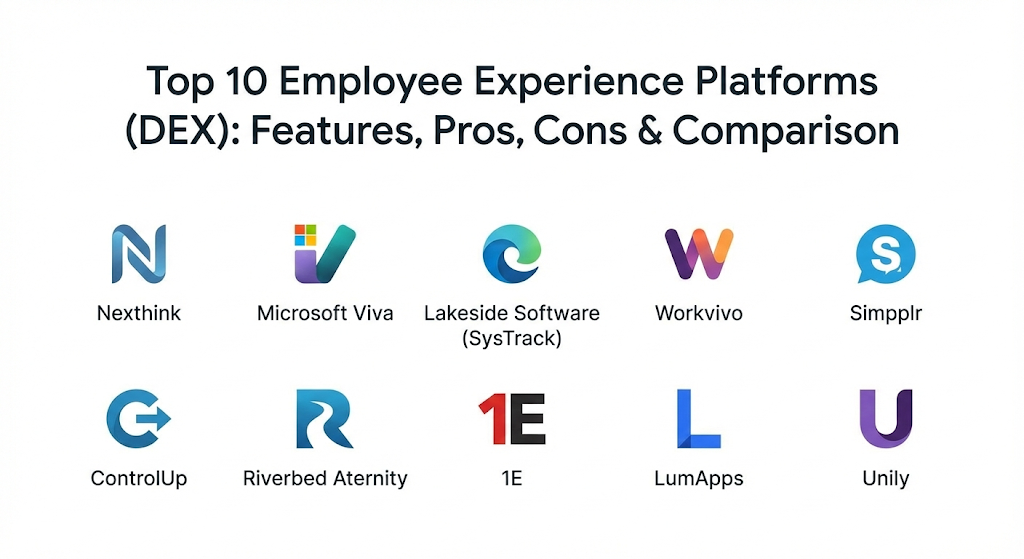
Top 10 Employee Experience Platforms (DEX) Tools
1 — Nexthink
Nexthink is a leader in the technical side of the digital employee experience. It focuses on “seeing” everything that happens on an employee’s device to fix problems before they cause downtime.
- Key Features:
- Real-time visibility into every device, application, and network connection.
- Automated “self-healing” that fixes common technical glitches without human help.
- Sentiment pulse surveys that pop up at the right time to ask for feedback.
- Detailed “Experience Scores” that rank how well technology is serving users.
- Benchmarking to compare your company’s performance against others.
- Advanced AI that predicts when hardware might fail.
- Pros:
- It is incredibly powerful for IT teams who want to be proactive instead of waiting for tickets.
- The ability to correlate technical data with employee feelings is unique.
- Cons:
- The platform can be expensive and requires a high level of expertise to manage.
- It focuses more on the “technical” side than the “social” side of employee experience.
- Security & Compliance: Offers enterprise-grade security including SSO, data encryption at rest, and detailed audit logs. It is fully compliant with GDPR and SOC 2.
- Support & Community: Provides extensive documentation via “Nexthink Learn,” a very active user community, and dedicated enterprise support managers.
2 — Microsoft Viva
Microsoft Viva is a modular platform built directly into Microsoft Teams. it is designed for companies that are already heavily invested in the Microsoft ecosystem.
- Key Features:
- Viva Connections: A branded company portal for news and resources.
- Viva Insights: Data-driven views into work patterns to prevent burnout.
- Viva Learning: Centralized hub for training and development content.
- Viva Engage: A social space for communities and leadership sharing.
- Viva Glint: Tools for measuring employee engagement and taking action.
- Seamless integration with all Microsoft 365 applications.
- Pros:
- Employees do not have to learn a new tool because it lives inside Teams.
- The modular approach allows you to buy and use only the parts you need.
- Cons:
- Pricing can become confusing as you add more modules.
- It is not a good fit for companies that use Google Workspace or other non-Microsoft tools.
- Security & Compliance: Inherits all the security of the Microsoft 365 cloud, including ISO 27001, HIPAA, and advanced threat protection.
- Support & Community: Massive global support network, extensive Microsoft Learn paths, and a huge community of developers.
3 — Lakeside Software (SysTrack)
Lakeside is known for its deep telemetry. It gathers an enormous amount of data from endpoints to provide a complete picture of the digital workplace.
- Key Features:
- “Always-on” monitoring that captures thousands of data points every second.
- Intelligent root-cause analysis to find out exactly why a computer is slow.
- Right-sizing reports that show if you are spending too much on hardware.
- Executive dashboards that translate technical data into business value.
- Support for virtual desktops (VDI) as well as physical laptops.
- Automated remediation scripts for fixing common errors.
- Pros:
- The depth of data is unmatched, making it perfect for deep troubleshooting.
- It provides very clear evidence for hardware refresh and budget planning.
- Cons:
- The user interface is more technical and less “modern” than some newer tools.
- Collecting so much data can occasionally impact the performance of older laptops.
- Security & Compliance: Uses secure data collection methods, SSO, and encryption. It adheres to GDPR and SOC 2 standards.
- Support & Community: Solid documentation and professional services for onboarding, though the community is smaller than Microsoft’s.
4 — Workvivo
Workvivo, now owned by Zoom, is a social-first platform. It aims to replace the boring traditional intranet with something that feels more like a social network.
- Key Features:
- A personalized activity feed for company news and updates.
- Peer-to-peer recognition with badges and shoutouts.
- Built-in tools for creating podcasts and livesteaming meetings.
- A “Digital HQ” that acts as a central hub for all other company apps.
- Multi-channel communication (email, mobile app, and desktop).
- Global search to find documents and people quickly.
- Pros:
- It has very high adoption rates because it is fun and easy to use.
- Excellent for building culture in companies with many remote workers.
- Cons:
- It lacks the deep technical “device monitoring” features of tools like Nexthink.
- It is primarily a communication tool, not a full IT management platform.
- Security & Compliance: Enterprise security features including SSO, SOC 2 Type II certification, and GDPR compliance.
- Support & Community: Known for a very helpful customer success team and simple onboarding for employees.
5 — Simpplr
Simpplr is an AI-powered platform that focuses on making information easy to find. It is designed to be simple for both employees to use and for HR to manage.
- Key Features:
- AI search that understands the “intent” behind a question.
- Personalized newsletters and “must-read” alerts for critical info.
- Auto-governance that flags old or outdated content for deletion.
- Employee profiles that help people find experts within the company.
- Sentiment analysis that tracks how employees react to company news.
- Video-first communication options for leadership updates.
- Pros:
- It requires very little technical knowledge to maintain.
- The “governance” feature keeps the portal clean and useful over time.
- Cons:
- It is mostly focused on internal comms and might not replace a full project tool.
- Customization options are somewhat limited compared to specialized web builders.
- Security & Compliance: Offers SSO, advanced encryption, and is SOC 2 compliant.
- Support & Community: High ratings for customer support and a dedicated success manager for most accounts.
6 — ControlUp
ControlUp is a specialist in real-time monitoring, specifically for companies that use virtual desktops or cloud-hosted applications.
- Key Features:
- Real-time metrics that update every few seconds for instant feedback.
- “Click-to-render” tracking to see exactly how fast an app is responding.
- Automated remediation that triggers based on specific performance thresholds.
- Support for Citrix, VMware, and Microsoft Azure Virtual Desktop.
- Benchmarking to compare your technical performance against global averages.
- User sentiment surveys linked to specific app performance.
- Pros:
- If you use virtual desktops, this is one of the best tools for keeping them fast.
- The real-time nature of the data is excellent for immediate troubleshooting.
- Cons:
- It is very technical and mostly used by IT admins, not general employees.
- It can be complex to set up for smaller environments.
- Security & Compliance: Includes SSO, role-based access control, and is GDPR and SOC 2 compliant.
- Support & Community: Strong technical support and a community focused on “End User Computing” professionals.
7 — Riverbed Aternity
Aternity focuses on the “Actual User Experience” by monitoring the performance of applications from the perspective of the device they are running on.
- Key Features:
- Application Performance Monitoring (APM) for any business app.
- Device health tracking (battery life, CPU, crashes).
- Comparison of app performance across different regions or offices.
- “SDA” (Service Desk Automation) to resolve issues before tickets are filed.
- Insights into how “SaaS” apps like Salesforce or Zoom are performing.
- Business impact analysis to show how much slow tech costs the company.
- Pros:
- It gives a very accurate look at how apps are behaving for the actual user.
- Excellent for identifying if a problem is caused by the device, the network, or the app itself.
- Cons:
- The interface can be complex for non-technical managers to interpret.
- It may require more resources to manage than simpler “comms-only” platforms.
- Security & Compliance: Provides enterprise-level security, SSO, and follows international standards like ISO 27001.
- Support & Community: Good documentation and professional services, especially for large global deployments.
8 — 1E
1E is a platform that emphasizes “Real-time Endpoint Management.” It aims to give IT teams total control over every laptop and device in the organization.
- Key Features:
- Instant visibility across all endpoints, whether they are on or off the VPN.
- “Tachyon” technology for running commands on thousands of devices in seconds.
- Automated patching and software deployment to keep everyone updated.
- Sentiment surveys that allow employees to report issues directly from their taskbar.
- Built-in “Instruction” library for common IT tasks.
- Self-service portal where employees can fix their own tech problems.
- Pros:
- The speed at which it can pull data or fix issues is world-class.
- It significantly reduces the number of “simple” tickets reaching the help desk.
- Cons:
- The learning curve can be steep for junior IT staff.
- It is a heavy-duty tool that might be “overkill” for smaller companies.
- Security & Compliance: High-level encryption, SSO, and SOC 2 compliance.
- Support & Community: Dedicated customer success teams and a strong focus on enterprise-level training.
9 — LumApps
LumApps is a social collaborative intranet that acts as a “Digital Workplace” for employees to communicate and collaborate.
- Key Features:
- Personalized portals based on an employee’s role, location, and interests.
- Native integration with both Microsoft 365 and Google Workspace.
- Communities of interest to help employees connect socially.
- Mobile app that provides the full experience for deskless workers.
- AI-powered search across all integrated company systems.
- Employee advocacy tools to help people share company news on social media.
- Pros:
- It is one of the few platforms that works equally well for Google and Microsoft users.
- The design is very clean and focuses on a high-quality “consumer” feel.
- Cons:
- Lacks the deep device-level performance monitoring of “DEX” tools like Nexthink.
- Can take some time to design and launch for large organizations.
- Security & Compliance: ISO 27001 and SOC 2 certified, with SSO and encryption.
- Support & Community: Global support team and a good network of implementation partners.
10 — Unily
Unily is a high-end employee experience platform designed for the world’s largest enterprises that need total control over their digital workplace.
- Key Features:
- Extreme customization—you can design the platform to look exactly like your brand.
- Powerful content management system for large-scale communications.
- Advanced analytics to track every click and interaction.
- “Universe” of integrations that connect to almost any business software.
- Multi-language support with automatic translation for global teams.
- Social features like blogs, forums, and peer recognition.
- Pros:
- It is incredibly flexible and can be molded to fit any business process.
- Excellent for “frontline” workers who need to access info on their phones.
- Cons:
- It is one of the most expensive options on the market.
- Because it is so customizable, it can take months to set up and launch properly.
- Security & Compliance: Top-tier security including ISO 27001, SOC 2, and HIPAA compliance.
- Support & Community: Provides a dedicated “Customer Success Manager” and extensive strategic consulting.
Comparison Table
| Tool Name | Best For | Platform(s) Supported | Standout Feature | Rating |
| Nexthink | Proactive IT Support | Windows, macOS | Self-healing automation | 4.6/5 |
| Microsoft Viva | Microsoft-first teams | Web, Teams, Mobile | Embedded in daily workflow | 4.5/5 |
| Lakeside | Deep telemetry | Windows, macOS, VDI | Root-cause forensics | 4.3/5 |
| Workvivo | Social engagement | Web, iOS, Android | Social-first experience | 4.7/5 |
| Simpplr | Content governance | Web, Mobile | AI-driven search/cleanup | 4.6/5 |
| ControlUp | VDI and Cloud apps | Web, Windows | Real-time 3-second metrics | 4.4/5 |
| Aternity | App performance | Windows, macOS | User-perspective monitoring | 4.2/5 |
| 1E | Endpoint control | Windows, macOS | Instant global commands | 4.5/5 |
| LumApps | Google/Mixed environments | Web, iOS, Android | Hybrid ecosystem support | 4.4/5 |
| Unily | Large Global Enterprise | Web, Mobile | Total custom branding | 4.6/5 |
Evaluation & Scoring of Employee Experience Platforms
The following rubric shows how we evaluate these platforms to help you decide which category to prioritize.
| Criteria | Weight | Explanation |
| Core Features | 25% | Capability to monitor tech performance or provide social hubs. |
| Ease of Use | 15% | How simple the “front door” is for a non-technical employee. |
| Integrations | 15% | How well it talks to Microsoft, Google, Slack, and HR systems. |
| Security | 10% | Ensuring employee data is safe and follows global laws. |
| Performance | 10% | The speed of the platform and its impact on user devices. |
| Support | 10% | Quality of the customer success team and online training. |
| Price / Value | 15% | Whether the productivity gains justify the monthly cost. |
Which Employee Experience Platform (DEX) Tool Is Right for You?
The “best” platform depends entirely on whether you are trying to solve a technical problem or a communication problem.
Solo Users vs SMB vs Mid-Market vs Enterprise
If you are a solo user or a tiny startup, you likely don’t need these tools yet. For SMBs, Workvivo or Simpplr are great because they are easy to set up and focus on keeping the team connected. Mid-market companies with hundreds of employees should look at Microsoft Viva if they already use Office 365. Large Enterprises with thousands of devices and global offices need the heavy-duty features of Nexthink (for IT) or Unily (for comms).
Budget-Conscious vs Premium Solutions
If you are on a strict budget, Microsoft Viva is often the most cost-effective because you might already own parts of it through your existing licenses. Workvivo also offers good value for engagement. If you have a large budget and need the best possible data and customization, premium solutions like Unily or Nexthink are worth the investment for the time they save your IT and HR teams.
Feature Depth vs Ease of Use
If you want a tool that your employees will love instantly without any training, pick Workvivo or LumApps. They feel like consumer apps. However, if your primary goal is to reduce IT tickets and stop computers from crashing, you must choose a deeper, more technical tool like Lakeside or 1E, even if they take longer for your IT staff to learn.
Integration and Scalability Needs
Think about your current “tech stack.” If you use Google Workspace, stay away from Microsoft Viva and look at LumApps or Simpplr. If you plan to grow from 500 to 5,000 employees soon, ensure you pick a tool like Nexthink or Unily that is built to scale without becoming slow or disorganized.
Security and Compliance Requirements
For companies in highly regulated industries like finance or healthcare, security is non-negotiable. Ensure the platform you choose is HIPAA and SOC 2 compliant. ServiceNow (via integrations) and Microsoft Viva are industry leaders in meeting these strict requirements.
Frequently Asked Questions (FAQs)
1. What is the difference between an Intranet and an Employee Experience Platform?
A traditional intranet is usually just a one-way list of files and news. An Employee Experience Platform is interactive, personalized, and often includes technical monitoring and social features to help employees do their work, not just read about it.
2. Can these tools help reduce “Zoom fatigue” or burnout?
Yes. Tools like Microsoft Viva Insights track how much time employees spend in meetings and after-hours on email. They can suggest “quiet time” and help managers see if their team is working too many hours.
3. Do these tools monitor everything my employees do on their computers?
DEX tools focus on the “health” of the device and apps (like crashes or slow speeds). While they can track app usage, they are generally designed for productivity and IT health, not for “spying” on individuals. Most have strict privacy and anonymity settings.
4. How long does it take to set up one of these platforms?
Simple platforms like Workvivo can be launched in a few weeks. Complex, highly customized platforms like Unily or Nexthink can take three to six months to fully configure and roll out.
5. Do these tools work for “frontline” workers who don’t have a desk?
Yes. Many platforms like Workvivo, Unily, and LumApps have excellent mobile apps specifically designed for workers in retail, manufacturing, or healthcare who only use their phones.
6. Can a DEX tool help fix a slow internet connection?
Some technical DEX tools like Nexthink or Aternity can tell an employee if their home Wi-Fi is slow or if their router is too far away, helping them fix their own connection issues.
7. How do these platforms integrate with HR systems like Workday?
Most use “connectors” or APIs to pull in employee data automatically. This ensures that when a new person is hired in Workday, they are automatically added to the DEX platform the next day.
8. Is there a “free” version of any of these tools?
Most are enterprise-level products and do not have a free tier. However, many offer a free trial or a demo so you can see the value before you commit to a purchase.
9. What is “Self-Healing” in a DEX context?
Self-healing is when the software notices a problem (like a stuck print spooler or a full hard drive) and runs a script to fix it automatically without the employee having to call the help desk.
10. What is the biggest mistake companies make when launching a DEX?
The biggest mistake is launching a tool without a clear goal. If you don’t know if you’re trying to improve IT health or social connection, you might pick the wrong tool and employees will eventually stop using it.
Conclusion
Improving the employee experience is no longer just a “nice-to-have”—it is a critical business strategy. Whether you choose a tool that focuses on the technical reliability of devices or one that builds a vibrant social community, the goal is the same: to make work a better place to be.
The key insight is that there is no single “winner” on this list. If your team is struggling with slow computers and app crashes, a tool like Nexthink will be a hero for your IT department. If your team feels disconnected and lonely, Workvivo or Simpplr will be the favorite tool for your HR department.
When choosing, start by listening to your employees. Ask them where they feel the most friction in their daily digital lives. Once you understand their pain points, you can choose a platform that removes those barriers and allows your team to reach their full potential.
Would you like me to help you draft a survey you can send to your employees to find out which of these tools would benefit them the most?

- Top 10 Email Deliverability Tools: Features, Pros, Cons & Comparison - September 6, 2026
- Top 10 Pharmacovigilance Software: Features, Pros, Cons & Comparison - September 6, 2026
- Top 10 Manufacturing Execution Systems (MES) - July 30, 2026