Introduction
Event Management Software is a digital platform designed to plan, organize, promote, execute, and analyze events of all sizes. It replaces a tangled web of spreadsheets, email chains, and paper documents with a centralized system that automates workflows and provides a single source of truth for every aspect of an event. This includes attendee registration and ticketing, marketing and promotion, session and speaker management, venue and supplier coordination, on-site check-in, and post-event feedback and reporting.
In today’s environment, where events can be live, virtual, or hybrid, these tools are more critical than ever. They are essential for saving time and reducing errors through automation, improving the attendee experience with seamless registration and engagement, and generating measurable ROI through integrated analytics and data capture. Successfully managing the complexity of modern events—from tracking hundreds of session registrations to managing virtual streaming platforms—is virtually impossible at scale without dedicated software.
Key real-world use cases include creating branded event websites and ticketing pages, managing complex multi-day conference agendas with breakout sessions, promoting events through email and social campaigns, handling attendee check-in with QR codes or mobile apps, facilitating networking for virtual attendees, and analyzing post-event survey data alongside registration metrics.
When choosing event management software, key evaluation criteria include the type of events it supports (in-person, virtual, hybrid), ease of use for both organizers and attendees, customization and branding capabilities, robustness of the registration and ticketing engine, quality of reporting and analytics, and strength of integrations with other critical tools like CRM, marketing automation, and payment gateways.
Best for: Event planners, marketing professionals, conference organizers, corporate administrators, association managers, and non-profit coordinators across a wide range of industries including technology, professional services, education, and hospitality. It benefits solopreneurs running workshops, SMBs hosting customer events, and large enterprises managing global conferences.
Not ideal for: Individuals planning extremely simple, informal personal gatherings (e.g., a birthday party), where a group chat and simple payment app may suffice. Organizations that host only very infrequent, low-complexity internal meetings might find a combination of calendar invites and a basic survey tool adequate.
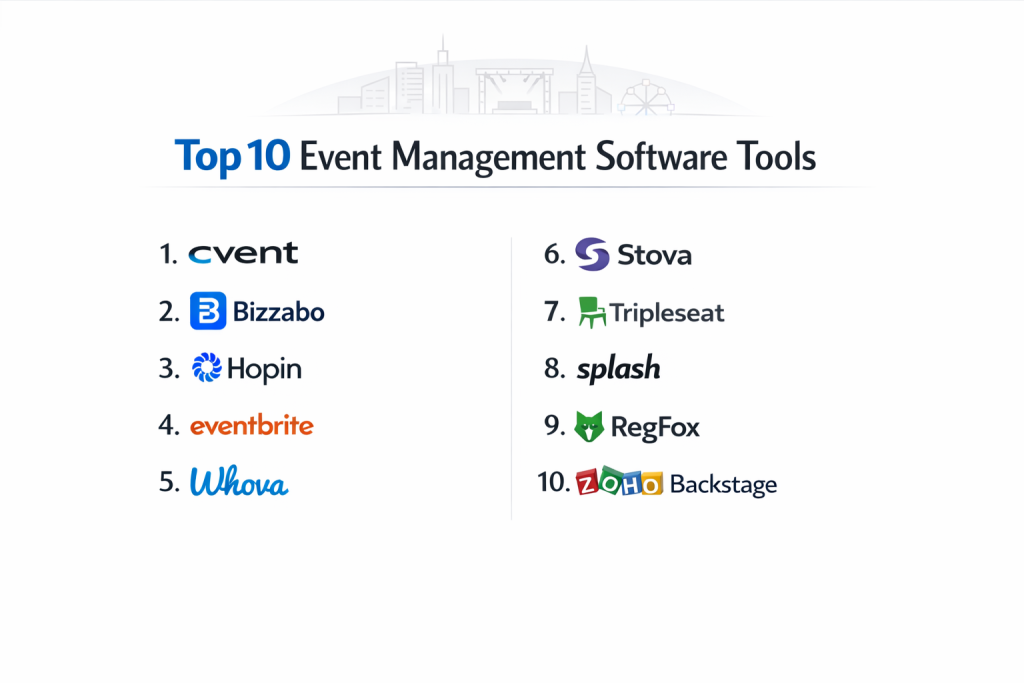
Top 10 Event Management Software Tools
1 — Cvent
Cvent is a comprehensive, enterprise-grade event management platform. It’s an industry leader known for its vast suite of tools that handle every aspect of complex events, from sourcing venues to post-event analytics, making it a powerhouse for large organizations and professional event planning teams.
- Key features:
- End-to-end solution covering venue sourcing (Cvent Supplier Network), registration, marketing, onsite solutions, and attendee engagement.
- Sophisticated registration forms with complex logic, badge printing, and session management.
- Robust virtual and hybrid event platform with built-in streaming, networking, and expo halls.
- Advanced email marketing and communication tools tailored for events.
- Powerful reporting and data analytics dashboard.
- Extensive API and deep integrations with major CRM (Salesforce, MS Dynamics) and marketing systems.
- Pros:
- Unmatched depth and breadth of features for managing large, complex events.
- Strong supplier network simplifies venue and vendor procurement.
- Enterprise-grade reliability, security, and global support.
- Cons:
- High cost and complex pricing structure that is prohibitive for small businesses or solopreneurs.
- Steeper learning curve due to its extensive capabilities; requires training or dedicated staff.
- Security & compliance: SOC 2 Type II, ISO 27001 certified, GDPR compliant. Offers SSO, advanced encryption, and detailed audit logs for enterprise security requirements.
- Support & community: 24/7 global support, dedicated customer success managers for enterprise clients, extensive knowledge base, and a large user community and annual conference (Cvent Connect).
2 — Bizzabo
Bizzabo is a modern event management platform with a strong focus on creating exceptional attendee experiences and driving business outcomes through data. It’s popular for corporate events, conferences, and trade shows where engagement and ROI measurement are key.
- Key features:
- Experience-Driven Platform with highly customizable, mobile-responsive event websites and apps.
- Strong emphasis on networking and engagement tools like AI-powered matchmaking, agendas, and in-app messaging.
- Integrated marketing automation for email campaigns and social promotion.
- Unified data platform that connects registration data with engagement analytics.
- Smooth management of hybrid and virtual events with streaming capabilities.
- Native integration with popular marketing and sales stacks.
- Pros:
- Best-in-class attendee experience through beautiful, intuitive event apps and websites.
- Powerful data unification that shows the true impact of events on pipeline and revenue.
- Modern, user-friendly interface for both organizers and attendees.
- Cons:
- Pricing is aligned with mid-market to enterprise businesses and can be high.
- May offer more features than needed for very simple, small-scale events.
- Security & compliance: SOC 2 Type II certified, GDPR, CCPA compliant. Implements enterprise-grade security protocols.
- Support & community: Dedicated customer success team, 24/5 chat and email support, and an online resource center with guides and webinars.
3 — Hopin
Hopin rose to prominence as a leader in the virtual events space. It is an all-in-one platform for creating engaging online experiences, offering a seamless environment for stages, sessions, networking, and expo booths within a single, browser-based interface.
- Key features:
- Comprehensive virtual venue with dedicated areas for a main stage, breakout sessions, expo booths, and networking.
- Built-in video streaming and simulcasting to social platforms.
- Interactive tools for attendees: Q&A, polls, chat, and virtual “hand raises.”
- One-to-one and group networking with video speed-meeting functionality.
- Analytics dashboard tracking attendance, engagement, and lead generation.
- Also supports in-person and hybrid event management components.
- Pros:
- Intuitive and immersive virtual event experience that is easy for attendees to navigate.
- Excellent interactive and networking features that replicate the energy of live events.
- Rapid setup allows for quick creation and launch of virtual events.
- Cons:
- Primarily known for virtual; its in-person/hybrid tools are not as mature as some legacy platforms.
- Feature richness in certain areas (e.g., complex registration logic) can lag behind specialized registration giants.
- Security & compliance: SOC 2 compliant, GDPR ready, and employs robust data protection measures. Provides privacy controls for attendees.
- Support & community: 24/7 support, detailed help center, and a vibrant community of users for sharing best practices in virtual events.
4 — Eventbrite
Eventbrite is one of the most widely recognized platforms for public event discovery and ticketing. It excels at simplifying the process of creating, promoting, and selling tickets to events, making it a go-to for creators, small businesses, and local organizers.
- Key features:
- User-friendly event page creation with integrated ticketing and payment processing.
- Large consumer marketplace that drives discovery and ticket sales from Eventbrite’s own audience.
- Basic promotion tools, including email campaigns and social media integration.
- Mobile app for organizers to manage check-in and scan tickets on-site.
- Detailed sales and attendance reporting.
- Options for free, paid, and donation-based events.
- Pros:
- Extremely easy and fast to set up an event and start selling tickets.
- Built-in marketing reach through the Eventbrite discovery platform.
- Low barrier to entry with a free plan for free events and straightforward fee-per-ticket pricing.
- Cons:
- Limited customization and branding options on event pages, especially on lower-tier plans.
- Transaction fees on paid tickets can add up, reducing margins for high-volume sellers.
- Less suited for highly complex, multi-session, or B2B corporate events.
- Security & compliance: PCI DSS Level 1 certified for payment processing. Data handling complies with major privacy regulations.
- Support & community: Email and chat support, comprehensive help articles, and a large community of event creators.
5 — Whova
Whova is an award-winning platform renowned for its powerful all-in-one event app that boosts attendee engagement and simplifies organization. It is particularly popular for academic, corporate, and association conferences where networking and agenda management are paramount.
- Key features:
- Feature-rich event app with agendas, speaker bios, documents, and maps.
- Industry-leading networking tools: AI-powered business card exchange, community board, and meetup organization.
- Tools for attendee check-in, session polling, and Q&A.
- Virtual and hybrid event support with livestreaming integration.
- Easy-to-use backend for organizers to manage content and communications.
- Sponsorship promotion features like lead retrieval and banner ads.
- Pros:
- Drives significantly higher attendee engagement and satisfaction through its intuitive app.
- Excellent networking capabilities that facilitate meaningful connections.
- Quick and easy setup for organizers, with great customer support.
- Cons:
- Primarily app-centric; its web-based event portal is less emphasized.
- Comprehensive registration website builder is not its core strength compared to platforms like Cvent.
- Security & compliance: Varies / N/A. Employs standard application security practices. Specific enterprise compliance certifications are typically part of custom contracts.
- Support & community: Known for exceptional, responsive customer support. Provides extensive online resources and training.
6 — Stova (formerly MeetingPlay + Aventri)
Stova is a unified event technology platform formed by the merger of MeetingPlay and Aventri. It combines MeetingPlay’s strength in attendee engagement and mobile experiences with Aventri’s robust registration and enterprise event management backbone.
- Key features:
- Comprehensive registration and logistics management for complex events.
- Highly customizable mobile event apps and digital experiences.
- Strong virtual and hybrid event platform with interactive features.
- Advanced data and analytics to measure event performance and ROI.
- End-to-end management for large conferences, trade shows, and corporate meetings.
- API-driven for deep integration with existing enterprise systems.
- Pros:
- Powerful combination of deep backend functionality with modern, engaging front-end experiences.
- Strong fit for large organizations needing both operational control and high attendee engagement.
- Scalable solution for portfolios of events, from small meetings to large trade shows.
- Cons:
- Enterprise-focused pricing and implementation can be a barrier for smaller organizations.
- As a merged entity, platform unification and user experience cohesion can be an ongoing process.
- Security & compliance: SOC 2 Type II certified, GDPR compliant. Offers enterprise-level security features and data protection.
- Support & community: Dedicated client success teams, 24/7 global support, and a client portal with resources.
7 — Tripleseat
Tripleseat is a sales and event management platform built specifically for the hospitality industry—restaurants, hotels, and unique venues. It streamlines the process of booking and managing private dining, catering, and meeting & event business.
- Key features:
- CRM and lead management tailored for venue sales teams.
- Customizable banquet event order (BEO) and proposal creation.
- Integrated floor plan and diagramming tools for room layouts.
- Task management and internal communication for event execution teams.
- Reporting on sales pipeline, revenue, and event details.
- Integrations with POS systems (like Toast) and accounting software.
- Pros:
- Industry-specific design that speaks the language of hospitality and streamlines venue operations.
- Excellent for managing high volume of inquiries and events common in venues.
- Centralizes the sales-to-execution workflow, reducing errors and miscommunication.
- Cons:
- Very niche focus; not suitable for corporate planners or general event organizers.
- Attendee-facing registration and ticketing features are not its primary function.
- Security & compliance: Varies. As a business-to-business SaaS for hospitality, it follows standard security practices. Specific certifications are often part of enterprise agreements with large hotel groups.
- Support & community: Phone, email, and chat support. Offers extensive training webinars and a community for venue professionals.
8 — Splash
Splash is a modern event marketing platform focused on branded, data-driven events. It emphasizes creating stunning, on-brand event pages and websites, and seamlessly connecting event data to marketing and sales systems to prove ROI.
- Key features:
- Drag-and-drop event page builder with high degree of design customization and brand control.
- Native two-way integrations with major marketing automation (Marketo, HubSpot) and CRM (Salesforce) platforms.
- Tools for email campaigns, invite management, and check-in.
- Real-time analytics on invite performance, registration, and attendance.
- Focus on event series and roadshow management.
- Supports virtual events with landing pages and streaming links.
- Pros:
- Superior design flexibility and branding capabilities for marketing-conscious teams.
- Best-in-class integrations that make it a natural extension of the marketing tech stack.
- Great for creating a consistent, premium brand experience across all event touchpoints.
- Cons:
- Less focused on the complex logistics of large, multi-day conferences (e.g., session scheduling, hotel blocks).
- Pricing is oriented towards marketing teams in mid-to-large-sized companies.
- Security & compliance: SOC 2 compliant, GDPR ready. Provides security features appropriate for handling marketing and customer data.
- Support & community: Dedicated customer success, online knowledge base, and resources for event marketers.
9 — RegFox
RegFox is a highly flexible and powerful registration platform known for its advanced conditional logic, deep customization, and transparent, low-cost pricing model. It’s a favorite among organizers who find other systems too rigid or expensive.
- Key features:
- Extremely powerful form builder with conditional logic, calculations, and custom questions.
- Low, transparent processing fees (1% + $0.35 per registrant) instead of high percentage-based tickets fees.
- Robust checkout with multiple payment gateway options.
- Tools for managing group registrations, discount codes, and waitlists.
- Basic email automation and reporting.
- API for custom integrations.
- Pros:
- Unbeatable flexibility to create virtually any registration workflow imaginable.
- Very cost-effective for paid events, especially those with high-ticket prices.
- Ownership of attendee data and payment processing relationships.
- Cons:
- Primarily a registration engine; lacks built-in features for event websites, apps, or sophisticated marketing campaigns.
- User interface is functional but not as polished or intuitive as some competitors.
- Requires more technical savvy to leverage its full customization potential.
- Security & compliance: PCI DSS Level 1 compliant via its payment partners. Data security measures are in place.
- Support & community: Email and chat support with a reputation for detailed, helpful responses. Knowledge base is technical and thorough.
10 — Zoho Backstage
Zoho Backstage is an integrated event management platform from the Zoho suite of business apps. It offers a compelling all-in-one solution for organizations already using Zoho products or those seeking an affordable, unified system.
- Key features:
- Unified platform for planning, promoting, hosting, and analyzing events.
- Tight integration with Zoho CRM, Marketing Automation, and other Zoho apps.
- Creation of event websites, registration forms, and branded mobile apps.
- Tools for speaker, session, and exhibitor management.
- Virtual event hosting capabilities.
- Post-event analytics and feedback collection.
- Pros:
- Excellent value and affordability, especially for existing Zoho users.
- Seamless data flow between event management and other business functions (CRM, email).
- Comprehensive feature set that covers the full event lifecycle.
- Cons:
- Ecosystem lock-in; best experience is within the Zoho world.
- Brand recognition and market share are smaller than the giants, which can impact third-party integrations.
- Mobile app and virtual event features may not be as mature as best-in-class specialists.
- Security & compliance: Part of Zoho’s overall security framework, which includes SOC 2 Type II certification and GDPR compliance. Data resides within the Zoho ecosystem.
- Support & community: Support through Zoho’s channels. Access to the broader Zoho knowledge base and user community.
Comparison Table
| Tool Name | Best For (Target User) | Platform(s) Supported | Standout Feature | Rating |
|---|---|---|---|---|
| Cvent | Large enterprises & professional event planners | Web, Mobile Apps, Onsite Kiosks | End-to-End Enterprise Suite & Venue Sourcing | N/A |
| Bizzabo | Mid-market to enterprise focused on experience & ROI | Web, Mobile Apps | Attendee Experience & Data-Driven Outcomes | N/A |
| Hopin | Creating engaging virtual and hybrid events | Web-Based (Browser) | Immersive All-in-One Virtual Venue | N/A |
| Eventbrite | Creators & SMBs hosting public, ticketed events | Web, Mobile App | Public Discovery Marketplace & Ease of Use | N/A |
| Whova | Conferences & events prioritizing networking & apps | Mobile App (Primary), Web | Powerful Event App & Attendee Networking | N/A |
| Stova | Enterprises wanting engagement + robust operations | Web, Mobile Apps | Unified Engagement & Registration Platform | N/A |
| Tripleseat | Restaurants, hotels, and venues (hospitality) | Web | Hospitality-Specific Sales & Event Workflow | N/A |
| Splash | Marketing teams needing branding & martech integration | Web | Design-Focused Pages & Native Marketing Integrations | N/A |
| RegFox | Organizers needing flexible, low-cost registration | Web | Powerful Form Logic & Transparent Pricing | N/A |
| Zoho Backstage | Businesses invested in or seeking the Zoho ecosystem | Web, Mobile Apps | Affordability & Deep Zoho App Integration | N/A |
Evaluation & Scoring of Event Management Software
| Criteria | Weight | Explanation & What to Look For |
|---|---|---|
| Core Features | 25% | Strength of registration/ticketing engine, support for event types (in-person, virtual, hybrid), agenda/session management, attendee engagement tools, and onsite capabilities (check-in, badging). |
| Ease of Use | 15% | Intuitiveness for the event organizer, learning curve, and simplicity of the attendee experience (from registration to participation). |
| Integrations & Ecosystem | 15% | Pre-built connectors to CRM (Salesforce, HubSpot), marketing automation, payment gateways, video streaming, and other critical tools. API availability for custom needs. |
| Security & Compliance | 10% | Data encryption, compliance with regulations like GDPR for attendee data, and relevant certifications (SOC 2) for enterprise clients. |
| Performance & Reliability | 10% | Platform uptime, speed during high-traffic registration periods or live streaming, and scalability for large attendee numbers. |
| Support & Community | 10% | Quality of customer support, availability of training resources, and the existence of a user community or knowledge base for troubleshooting. |
| Price / Value | 15% | Total cost: subscription model, per-attendee fees, percentage-based ticket fees, implementation costs. Assess ROI based on time saved and goals achieved. |
Which Event Management Software Tool Is Right for You?
- Solo Users vs. SMB vs. Enterprise: Solopreneurs and small teams should start with Eventbrite (for public events) or RegFox (for flexible, low-cost registration). Growing SMBs need more branding and marketing power; Splash or Whova are excellent. Mid-market to Enterprise organizations require scale, integration, and support; Cvent, Bizzabo, and Stova are top-tier choices.
- Budget-Conscious vs. Premium: For tight budgets, Eventbrite’s free tier or RegFox’s low fees are key. Zoho Backstage offers incredible value. Premium solutions like Cvent and Bizzabo provide enterprise-grade features and white-glove support at a corresponding price.
- Feature Depth vs. Ease of Use: Cvent and RegFox offer immense depth but have steeper learning curves. Eventbrite and Hopin master ease of use for their specific use cases. Bizzabo and Whova strike a strong balance with powerful features in user-friendly packages.
- Integration and Scalability Needs: If you live in Salesforce or HubSpot, Splash’s native integrations are powerful. For Zoho users, Backstage is the natural choice. For complex, large-scale events that must integrate with myriad systems, an API-rich platform like Cvent or Stova is essential.
- Security and Compliance Requirements: Large corporations handling sensitive attendee data (especially in regulated industries) should prioritize platforms with SOC 2 Type II certification like Cvent, Bizzabo, and Stova. For most other events, ensuring the tool is GDPR compliant and uses secure payment processing is sufficient.
Frequently Asked Questions (FAQs)
- What’s the difference between an event registration tool and full event management software?
A registration tool (like RegFox) focuses primarily on capturing attendee info and payments. Full event management software (like Cvent) includes registration but adds website creation, marketing, agenda management, venue sourcing, onsite tools, and analytics—covering the entire event lifecycle. - How much does event management software typically cost?
Pricing varies widely: free plans with limited features (Eventbrite), monthly/annual subscriptions ($50-$500+/month), per-attendee fees ($1-$5), or percentage-based fees on ticket sales (2-5%). Enterprise pricing is custom. - Can I use one platform for both in-person and virtual events?
Yes, most modern platforms are now “hybrid-native.” Tools like Cvent, Bizzabo, Hopin, and Stova are built to manage both formats within the same workflow, often with shared registration and data. - How important is the event mobile app?
For multi-day conferences, trade shows, or any event where networking and agenda updates are key, a dedicated app (like Whova’s) is hugely valuable for engagement. For a single-evening gala, a mobile-responsive website may suffice. - Will this software help me sell more tickets?
It can significantly help through professional branding (Splash), discovery marketplaces (Eventbrite), and integrated email marketing. The software provides the tools, but your event content and promotion strategy drive sales. - How do I handle attendee check-in with this software?
Most platforms offer QR code tickets sent via email, which can be scanned by a staff member using a smartphone or tablet with the organizer’s app (e.g., Eventbrite, Cvent). Some support self-check-in kiosks for large events. - What is the biggest mistake when choosing event software?
Overbuying or underbuying. Don’t get an enterprise suite for a simple monthly workshop. Conversely, don’t try to force a basic tool to manage a complex 1,000-person conference. Honestly assess your event’s complexity and growth plans. - Can I migrate data from my old system to a new one?
Usually, yes. Most reputable platforms offer data import assistance or provide templates for migrating attendee lists, agendas, etc. This is a key question to ask during sales demos. - What about data privacy and attendee information?
Choose a platform that is transparent about data handling and GDPR compliant. You are responsible for your own privacy policy, but the software should provide tools to help you manage consent and data requests. - Should I use multiple specialized tools or one all-in-one platform?
An all-in-one platform (like Cvent, Bizzabo) reduces complexity, data silos, and often cost. However, if you have unique, best-in-class needs (e.g., a specific virtual streaming tool), you may use a “best-of-breed” approach and integrate it via API, accepting some added complexity.
Conclusion
Selecting the right event management software is a pivotal decision that can define the efficiency of your planning and the success of your attendee experience. The market offers powerful specialization—from Eventbrite’s simplicity for public ticketing to Cvent’s command center for global enterprises, and from Hopin’s virtual immersion to Tripleseat’s venue-specific workflow.
Remember, the “best” tool is the one that aligns with your event type, audience, team size, and budget while growing with your ambitions. Prioritize a platform that makes the attendee journey seamless, gives you back time through automation, and provides clear insights to prove your event’s value. By carefully matching your needs to the strengths profiled here, you can choose a partner that transforms event planning from a chaotic chore into a strategic, measurable success.

- Top 10 Email Deliverability Tools: Features, Pros, Cons & Comparison - September 6, 2026
- Top 10 Pharmacovigilance Software: Features, Pros, Cons & Comparison - September 6, 2026
- Top 10 Manufacturing Execution Systems (MES) - July 30, 2026