Introduction
In the rapidly evolving landscape of cybersecurity, a firewall is no longer a “set it and forget it” appliance. As networks expand into hybrid clouds and distributed remote environments, the sheer volume of security rules, policies, and logs can become overwhelming. Firewall Management Tools (often categorized as Network Security Policy Management or NSPM) are specialized software solutions designed to centralize the configuration, monitoring, and auditing of one or multiple firewall devices. Instead of logging into dozens of individual interfaces, administrators use these tools to orchestrate changes, optimize rule sets, and ensure continuous compliance from a single dashboard.
The importance of these tools lies in their ability to reduce human error—the leading cause of firewall breaches. By providing visibility into “shadow” rules or redundant policies, they harden the network perimeter. Key real-world use cases include automating compliance audits (like PCI-DSS or HIPAA), identifying risky or unused rules that slow down performance, and orchestrating policy changes across a multi-vendor environment (e.g., managing a Cisco on-prem firewall and an Azure cloud firewall simultaneously). When evaluating tools, users should look for multi-vendor support, real-time analytics, API extensibility, and automated risk assessment capabilities.
Best for: Network Security Engineers, CISOs, and Compliance Officers in mid-sized to large enterprises. Organizations managing complex, multi-vendor infrastructures or those in highly regulated industries like Finance, Healthcare, and Government benefit the most from the automation and auditing these tools provide.
Not ideal for: Small businesses with a single firewall and a static network. If your security needs are handled by one appliance and your rules rarely change, the built-in management interface of your firewall (like a basic web GUI) is sufficient, and the cost of a dedicated management platform would outweigh the benefits.
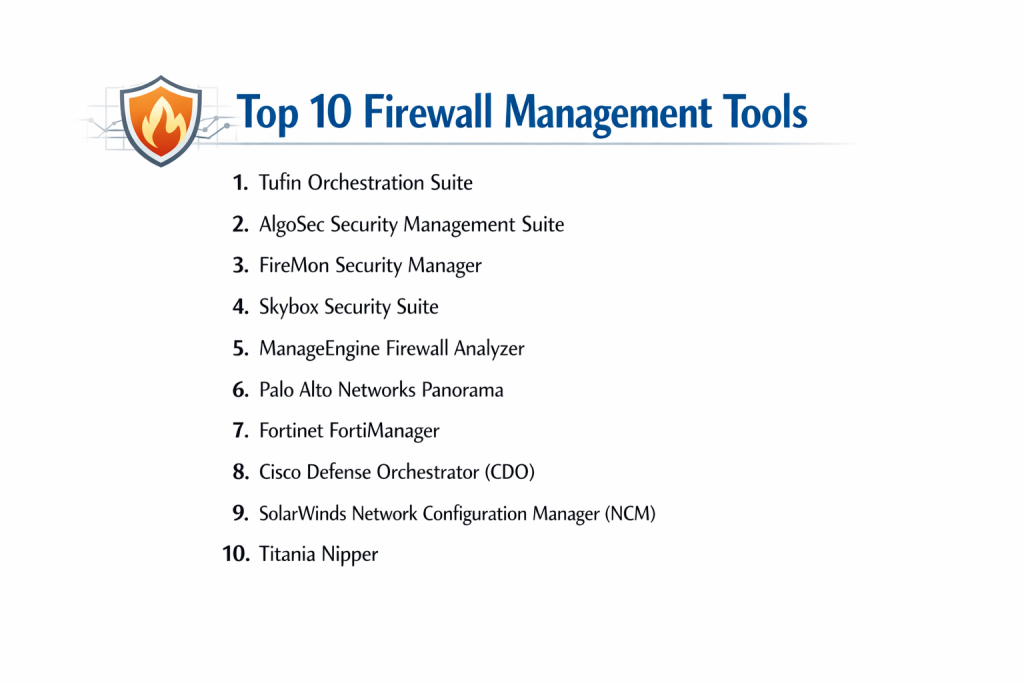
Top 10 Firewall Management Tools
1 — Tufin Orchestration Suite
Tufin is a powerhouse in the NSPM space, focusing heavily on policy automation and complex multi-vendor orchestration for the world’s largest networks.
- Key Features:
- SecureTrack: Provides real-time visibility and monitoring of all policy changes across the network.
- SecureChange: Automates the entire lifecycle of a firewall rule change, from request to implementation.
- Unified Security Policy: Allows admins to define a “Golden Image” policy that is enforced across all vendors.
- Automatic Topology Mapping: Visualizes how traffic flows through routers, firewalls, and cloud gateways.
- Vulnerability Mitigation: Prioritizes patching based on whether a firewall rule is currently shielding the vulnerability.
- Multi-Vendor Support: Deep integration with Palo Alto, Fortinet, Cisco, Check Point, and major cloud providers.
- Pros:
- Exceptional at automating complex workflows in massive, heterogeneous environments.
- Very strong reporting for regulatory compliance (SOX, PCI, etc.).
- Cons:
- High initial cost and complex setup that often requires professional services.
- The user interface can feel cluttered due to the massive depth of features.
- Security & Compliance: SOC 2 Type II, GDPR, HIPAA, and ISO 27001 compliant.
- Support & Community: Comprehensive enterprise support, a dedicated user portal, and “Tufin Academy” for certification.
2 — AlgoSec Security Management Suite
AlgoSec takes an “application-centric” approach to firewall management, ensuring that security policies are aligned with business needs rather than just technical specs.
- Key Features:
- AlgoSec Firewall Analyzer: Automates auditing and cleanup of bloated rule sets.
- AppViz: Automatically discovers application flows and maps them to the underlying network security policies.
- AppChange: Simplifies the process of migrating applications to the cloud while maintaining security.
- Risk Analysis: Proactively identifies risky rules that could allow lateral movement by an attacker.
- Zero-Touch Provisioning: Pushes policy changes directly to the devices without manual CLI work.
- Business-Impact Reporting: Explains security risks in terms that non-technical stakeholders can understand.
- Pros:
- The best tool for organizations that want to manage security based on “Application Health.”
- Extremely stable and reliable, even during large-scale global deployments.
- Cons:
- Polling-based updates can sometimes lag behind real-time changes by a few hours.
- Customizing advanced reports can be difficult without specific training.
- Security & Compliance: SOC 2, ISO 27001, GDPR, and HIPAA compliant.
- Support & Community: Responsive technical support and a solid knowledge base for self-service.
3 — FireMon Security Manager
FireMon is known for its real-time performance and scalability, offering sub-second visibility into policy changes across tens of thousands of devices.
- Key Features:
- Real-Time Visibility: Unlike polling tools, FireMon sees changes the moment they happen.
- Global Search: An “incognito” style search bar that lets you find any rule or object across the entire global estate.
- Policy Optimizer: Identifies and helps remove redundant, shadowed, and unused rules to improve device performance.
- Compliance Dashboards: Real-time scoring against industry standards (CIS, NIST, etc.).
- API-First Architecture: Every feature is accessible via REST API for DevOps integration.
- Cloud Defense: Specialized management for AWS Security Groups and Azure Firewalls.
- Pros:
- Unmatched speed and scalability for organizations with over 1,000 firewalls.
- Highly customizable dashboards that can be tailored for different IT personas.
- Cons:
- Some advanced automation features require additional licensing modules.
- Documentation for custom API integrations can be dense for beginners.
- Security & Compliance: FIPS 140-2, SOC 2, ISO 27001, and GDPR compliant.
- Support & Community: Highly rated enterprise support and an active developer community.
4 — Skybox Security Suite
Skybox goes beyond simple management by integrating firewall data with vulnerability and threat intelligence for a “full-picture” security posture.
- Key Features:
- Vulnerability Control: Correlates firewall rules with known vulnerabilities to show “Attack Surface” risk.
- Network Model: Creates a digital twin of your network to simulate attacks and path analysis.
- Firewall Assurance: Automates the auditing of firewall configurations against best practices.
- Change Manager: Provides a structured workflow for ticket-based policy changes.
- Multi-Cloud Integration: Bridges the gap between OT, IoT, and Cloud security policies.
- Pros:
- Excellent for “Attack Surface Management”—it tells you not just what is open, but how it could be exploited.
- Strong capabilities for managing legacy OT (Operational Technology) environments.
- Cons:
- The “Digital Twin” modeling requires significant initial data input to be accurate.
- Can be resource-heavy on the servers running the management platform.
- Security & Compliance: SOC 2, HIPAA, GDPR, and ISO 27001.
- Support & Community: Strong professional services team; public community forums are somewhat quiet.
5 — ManageEngine Firewall Analyzer
ManageEngine provides a cost-effective, log-centric management tool that focuses on analytics, reporting, and rule optimization for the mid-market.
- Key Features:
- Rule Management: Identifies unused and redundant rules to help with firewall “de-bloating.”
- Log Analytics: Consolidates logs from multiple vendors into a single, searchable repository.
- Compliance Auditing: Out-of-the-box reports for PCI-DSS, ISO 27001, and NERC-CIP.
- Forensic Analysis: Allows admins to drill down into specific traffic spikes to identify potential breaches.
- Bandwidth Monitoring: Tracks which users or applications are consuming the most network resources.
- Pros:
- Extremely easy to install and get running; very intuitive for IT generalists.
- Great value for money, especially for smaller enterprises that don’t need complex orchestration.
- Cons:
- Lacks the advanced “automation/orchestration” capabilities of Tufin or AlgoSec.
- Primarily a reporting tool rather than a tool for pushing active changes to devices.
- Security & Compliance: GDPR and HIPAA ready; supports SSO and audit logs.
- Support & Community: Massive user community and extensive YouTube/online documentation.
6 — Palo Alto Networks Panorama
Panorama is the dedicated management platform for the Palo Alto ecosystem, providing a “single pane of glass” for all physical and virtual PA-Series firewalls.
- Key Features:
- Template Stacks: Deploy consistent configurations to thousands of firewalls at once.
- Device Groups: Organize firewalls by region or function for granular policy application.
- Shared Policies: Create a single rule that applies to every firewall in the global network.
- Log Correlation: Aggregates logs from all devices to identify patterns of an attack.
- Software Upgrades: Centrally manage and schedule firmware updates across the fleet.
- Pros:
- The absolute best management experience if you are a 100% Palo Alto shop.
- Seamless integration with “WildFire” for automated threat intelligence sharing.
- Cons:
- Proprietary; it cannot manage third-party firewalls like Cisco or Fortinet.
- Can be expensive if managing a large number of small virtual firewalls.
- Security & Compliance: FIPS 140-2, FedRAMP, SOC 2, and ISO 27001.
- Support & Community: World-class support and the massive “Live Community” forum.
7 — Fortinet FortiManager
FortiManager is the orchestration hub for the Fortinet “Security Fabric,” designed to manage everything from small branch offices to large data centers.
- Key Features:
- Centralized Policy: Manage firewall rules, VPNs, and SD-WAN settings from one console.
- ADOMs (Administrative Domains): Create separate management silos for different customers or departments.
- Zero-Touch Provisioning: Deploy new FortiGate units to remote sites automatically.
- FortiGuard Integration: Real-time updates for web filtering, antivirus, and IPS.
- Scripting Support: Use Python or CLI scripts to automate repetitive tasks.
- Pros:
- Incredible performance-to-price ratio; handles SD-WAN management better than most.
- Very scalable, specifically built to handle thousands of remote branch devices.
- Cons:
- The interface can be difficult for those not already familiar with FortiOS.
- Like Panorama, it is limited to managing Fortinet devices.
- Security & Compliance: SOC 2, ISO 27001, HIPAA, and GDPR compliant.
- Support & Community: Strong technical support and the “Fortinet Guru” community.
8 — Cisco Defense Orchestrator (CDO)
CDO is a cloud-based management platform that simplifies policy management across Cisco’s diverse security portfolio, including Meraki and Firepower.
- Key Features:
- Conflict Detection: Automatically highlights overlapping or contradictory rules.
- Consistent Policy: Deploy a single set of rules across ASAs, FTDs, and Meraki MX units.
- SaaS Delivery: No hardware to install; managed entirely from a browser.
- Bulk Change Management: Update objects or rules across the entire fleet in one click.
- AWS Integration: Can manage AWS Security Groups alongside physical hardware.
- Pros:
- Perfect for organizations looking to modernize their legacy Cisco ASA environments.
- Extremely lightweight and easy to start using (SaaS model).
- Cons:
- Still lacks some of the deep “Forensic” logging found in on-prem managers.
- Limited support for non-Cisco vendors.
- Security & Compliance: SOC 2, HIPAA, and GDPR compliant.
- Support & Community: Access to Cisco TAC and a massive global base of certified engineers.
9 — SolarWinds Network Configuration Manager (NCM)
While a broader tool, SolarWinds NCM includes specialized modules for firewall policy auditing and management, making it a favorite for IT generalists.
- Key Features:
- Automated Backups: Ensures you always have a “last known good” configuration for your firewalls.
- Policy Auditing: Checks firewall rules against STIG, NIST, and PCI compliance standards.
- Bulk Changes: Update banners, passwords, or simple rules across multiple vendors.
- Inventory Management: Tracks lifecycle data (End-of-Life, End-of-Support) for firewall hardware.
- Pros:
- Excellent for multi-vendor environments that need basic configuration management.
- Integrates seamlessly with the rest of the SolarWinds “Orion” monitoring platform.
- Cons:
- Not a “dedicated” firewall policy manager; lacks advanced RF-style traffic simulation.
- Does not offer deep “Application-Centric” workflow automation.
- Security & Compliance: SOC 2 Type II, HIPAA, and GDPR ready.
- Support & Community: Access to the legendary “THWACK” community.
10 — Titania Nipper
Nipper is a unique, lightweight tool focused specifically on high-accuracy auditing and “hardening” rather than day-to-day rule pushing.
- Key Features:
- Detailed Auditing: Produces the most granular security reports in the industry.
- Zero-Traffic Impact: Analyzes configuration files offline, so it never touches live traffic.
- Hardening Advice: Provides specific CLI commands to fix identified security gaps.
- Speed: Can audit a complex firewall configuration in under a minute.
- Pros:
- The gold standard for “Point-in-Time” security audits and penetration testing prep.
- Extremely accurate with almost zero false positives.
- Cons:
- It is not a real-time management tool; it doesn’t “monitor” or “push” changes.
- Priced per-audit or per-device, which can be expensive for continuous use.
- Security & Compliance: Preferred tool for many government and military auditors.
- Support & Community: Excellent direct support; documentation is very technical and clear.
Comparison Table
| Tool Name | Best For | Platform(s) Supported | Standout Feature | Rating (Gartner) |
| Tufin | Complex Orchestration | On-Prem, Cloud, Hybrid | Automation Workflows | 4.5 / 5 |
| AlgoSec | App-Centric Teams | On-Prem, Cloud, Hybrid | AppViz Map | 4.6 / 5 |
| FireMon | Real-Time Scaling | On-Prem, Cloud, Hybrid | Sub-Second Visibility | 4.4 / 5 |
| Skybox | Vulnerability Mgmt | On-Prem, Cloud, OT | Attack Surface Modeling | 4.3 / 5 |
| ManageEngine | SMB/Mid-Market | Windows / Linux | Log-Based Reporting | 4.2 / 5 |
| Panorama | Palo Alto Shops | Hardware, VM, Cloud | Template Stacks | 4.7 / 5 |
| FortiManager | Fortinet Shops | Hardware, VM, Cloud | SD-WAN Orchestration | 4.6 / 5 |
| Cisco CDO | Cisco Infrastructure | Cloud (SaaS) | Cross-Product Policy | 4.1 / 5 |
| SolarWinds | Config Management | Windows | Compliance Backups | 4.3 / 5 |
| Titania Nipper | Security Auditing | Win, macOS, Linux | Hardening Accuracy | N/A |
Evaluation & Scoring of Firewall Management Tools
To provide an objective ranking, we have evaluated these platforms using a weighted scoring rubric based on the requirements of modern SecOps teams.
| Category | Weight | Evaluation Logic |
| Core Features | 25% | Multi-vendor support, change automation, and rule cleanup accuracy. |
| Ease of Use | 15% | Dashboard clarity, UI speed, and setup complexity. |
| Integrations | 15% | API maturity and hooks for SIEM, SOAR, and Cloud providers. |
| Security & Compliance | 10% | Support for global standards and detailed audit trails. |
| Performance | 10% | Ability to handle thousands of devices without lagging. |
| Support & Community | 10% | Quality of documentation and availability of training. |
| Price / Value | 15% | Transparency of licensing and total cost of ownership (TCO). |
Which Firewall Management Tool Is Right for You?
Solo Users vs SMB vs Mid-Market vs Enterprise
- Small Business: Most SMBs do not need a dedicated management tool. The cloud portal provided by your vendor (like FortiCloud or Sophos Central) is usually sufficient.
- Mid-Market: ManageEngine or SolarWinds are excellent choices. They provide the necessary visibility and reporting without the million-dollar price tag of enterprise orchestration.
- Enterprise: If you have more than 50 firewalls and use multiple brands (Cisco and Palo Alto), you effectively must use Tufin, AlgoSec, or FireMon to maintain security.
Budget-Conscious vs Premium Solutions
Titania Nipper is a great “budget” way to get enterprise-grade security auditing without a permanent subscription. For full lifecycle management, ManageEngine offers the best entry-level pricing. Tufin and AlgoSec are premium investments for organizations where a single hour of downtime costs more than the software itself.
Feature Depth vs Ease of Use
- Highest Ease of Use: Cisco Defense Orchestrator (CDO). Its SaaS model and simplified policy language make it very approachable.
- Highest Feature Depth: Tufin. It is essentially an “Operating System” for your network security, capable of automating the most complex multi-step change requests.
Integration and Scalability Needs
If your future is Cloud-Native, look at FireMon or AlgoSec, which have invested heavily in managing AWS/Azure security groups as if they were traditional firewalls. If you are a Managed Service Provider (MSP), FortiManager offers the best multi-tenancy (ADOMs) for managing hundreds of separate clients.
Frequently Asked Questions (FAQs)
Q1: What is the difference between a Firewall and a Firewall Management Tool?
Answer: A firewall is the “gatekeeper” that blocks traffic. A management tool is the “manager” that sits above the firewalls, telling them which rules to follow, auditing their performance, and ensuring they all stay in sync.
Q2: Do these tools work with different brands of firewalls?
Answer: Some do (like Tufin, AlgoSec, and FireMon) and are called “multi-vendor.” Others (like Panorama or FortiManager) are “proprietary” and only work with their own brand.
Q3: Can these tools automate the removal of rules?
Answer: Yes. One of their most popular features is “Policy Optimization,” which identifies rules that haven’t seen traffic in months and safely automates their removal.
Q4: How do these tools help with PCI-DSS compliance?
Answer: They provide automated reports that prove your firewall configurations meet PCI requirements, such as “no direct traffic from the internet to the database.”
Q5: What is “Shadowing” in firewall rules?
Answer: Shadowing occurs when a rule higher up in the list matches all the traffic of a rule lower down, making the lower rule useless. Management tools find and fix these errors.
Q6: Are these tools cloud-based or on-premise?
Answer: Most offer both. Cisco CDO is primarily cloud-based, while Tufin and AlgoSec are traditionally on-premise (or private cloud) due to the sensitivity of the data.
Q7: Can a management tool fix a misconfigured firewall automatically?
Answer: To an extent. They can identify the misconfiguration and, if you have “Write” access enabled, push the correct configuration to the device.
Q8: Do I need a management tool for just two firewalls?
Answer: Probably not. Most firewall vendors include a free or low-cost “HA” (High Availability) mode that keeps two devices in sync without needing a separate management platform.
Q9: What is “Application-Centric” management?
Answer: It means you manage security by the app (e.g., “Allow HR App traffic”) rather than by the IP address. The tool handles the complex task of finding which IPs and ports belong to that app.
Q10: Why are these tools so expensive?
Answer: Because they are highly specialized and carry a huge liability. By automating security, they save thousands of man-hours and prevent multi-million dollar data breaches caused by human error.
Conclusion
The “best” Firewall Management Tool is not the one with the most buttons, but the one that aligns with your specific network architecture. If you are a single-vendor shop, the proprietary managers like Panorama or FortiManager offer the deepest, most seamless experience. However, for the modern enterprise that operates a mix of legacy on-prem hardware and dynamic cloud instances, a multi-vendor orchestrator like Tufin or FireMon is an essential piece of the security stack.
Choosing the right tool allows your security team to stop worrying about individual syntax and start focusing on high-level security strategy. In an era of constant threats, having a “Single Source of Truth” for your security policy is no longer a luxury—it is a requirement.

- Top 10 Email Deliverability Tools: Features, Pros, Cons & Comparison - September 6, 2026
- Top 10 Pharmacovigilance Software: Features, Pros, Cons & Comparison - September 6, 2026
- Top 10 Manufacturing Execution Systems (MES) - July 30, 2026