Introduction
Fundraising platforms are digital solutions designed to help individuals, non-profits, and businesses solicit and manage financial contributions from a large group of people. In the modern landscape, these platforms have evolved from simple “donate” buttons into sophisticated ecosystems that manage donor relationships, automate tax receipts, facilitate peer-to-peer sharing, and provide deep data analytics. They serve as the central hub for any modern capital campaign, allowing organizers to reach beyond their immediate physical circles to a global audience.
The importance of these tools cannot be overstated. For a non-profit, the right platform can mean the difference between a stagnant donor base and a viral movement. They reduce the administrative burden of processing checks and manual entry, while providing donors with a secure, frictionless way to support causes they care about. Key real-world use cases include individual medical emergency funding, non-profit annual galas, school “fun runs,” and creative product launches. When choosing a tool, users must prioritize transaction fees, ease of mobile use, CRM (Customer Relationship Management) integrations, and data portability.
Best for:
Non-profit organizations (NGOs), community leaders, schools, and social entrepreneurs benefit most from these tools. They are particularly effective for small to mid-sized teams that need to scale their outreach without hiring a massive administrative staff. Professional fundraisers and development directors in larger charities also utilize enterprise-grade platforms to manage high-volume recurring donations.
Not ideal for:
Large-scale corporate investment rounds or traditional venture capital activities, which require legal equity-tracking software rather than donation-based platforms. They may also be unnecessary for very small, one-off cash collections (like a local neighborhood bake sale) where the platform fees might outweigh the convenience of digital processing.
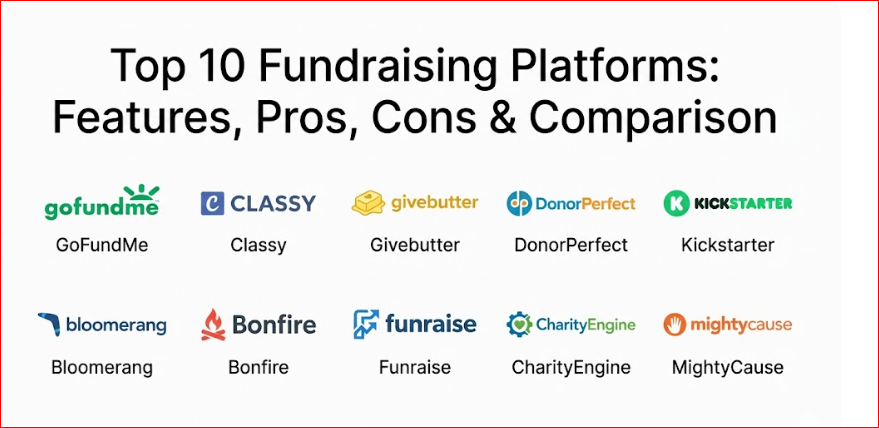
Top 10 Fundraising Platforms Tools
1 — GoFundMe
GoFundMe is the world’s most recognizable personal fundraising site, designed primarily for individuals raising money for personal needs, emergencies, or community projects.
Key features:
- Direct-to-Individual Transfers: Funds can be sent directly to the beneficiary’s bank account.
- Viral Sharing Tools: Built-in integrations for Facebook, X (Twitter), and WhatsApp.
- Mobile App Management: Organizers can update their story and thank donors from their phones.
- Trust & Safety Team: 24/7 monitoring to prevent fraud and ensure donor protection.
- Team Fundraising: Allows multiple people to collaborate on a single campaign page.
- Beneficiary Assignment: Easily transfer the “ownership” of the funds to the person in need.
Pros:
- Extremely high brand recognition, which increases donor trust and conversion rates.
- No platform fee for personal organizers (relying instead on voluntary donor tips).
Cons:
- Lacks the robust CRM and recurring donation tools needed by professional non-profits.
- Customer support is primarily email-based and can feel slow during urgent crises.
Security & compliance: PCI Level 1 compliant; GDPR compliant; utilizes industry-standard encryption for all financial transactions.
Support & community: Extensive help center with “how-to” guides, a massive blog with success stories, and a large public community of users.
2 — Classy
Classy is an enterprise-level fundraising suite designed for high-growth non-profits that require sophisticated branding and peer-to-peer capabilities.
Key features:
- Peer-to-Peer Campaigns: Enables supporters to create their own fundraising pages on behalf of the charity.
- Event Management: Built-in tools for ticket sales, registration, and “thon” style events.
- Dynamic Checkout: AI-driven checkout forms that optimize for the highest possible donation amounts.
- Deep Salesforce Integration: Real-time data syncing with the world’s leading CRM.
- Recurring Giving Hub: A dedicated portal where donors can manage their monthly commitments.
- International Support: Multi-currency and multi-language capabilities for global NGOs.
Pros:
- The most visually stunning and customizable donation pages in the industry.
- Exceptional reporting and data visualization for large-scale development teams.
Cons:
- High entry price point; typically too expensive for small community groups or individuals.
- Steep learning curve for staff members who are not tech-savvy.
Security & compliance: SOC 2 Type II compliant; PCI Level 1; GDPR and CCPA compliant.
Support & community: Dedicated account managers for enterprise clients, “Classy Academy” training, and a massive annual conference (Collaborative).
3 — Givebutter
Givebutter is an all-in-one fundraising platform that has gained massive popularity for offering its entire feature set for “free” by utilizing a donor-tip model.
Key features:
- Multi-Channel Fundraising: Supports Venmo, PayPal, Apple Pay, and credit cards natively.
- Interactive Supporter Feed: Allows donors to post gifs, drawings, and messages on the campaign wall.
- Built-in CRM: Track donor history and send automated emails and SMS from one dashboard.
- Auction Tools: Facilitates silent auctions and live bidding within the same platform.
- Event Ticketing: Manage guest lists and check-ins via a mobile app.
- Matching Gifts: Simple integration to double donations via employer matching programs.
Pros:
- Offers professional-grade features (like auctions and CRM) that usually cost thousands, for free.
- The interface is modern, fun, and highly engaging for younger donor demographics.
Cons:
- The “tip model” can sometimes be off-putting to older, more traditional donors.
- Customization is slightly more restricted compared to high-end enterprise tools.
Security & compliance: PCI compliant; encryption at rest and in transit; GDPR compliant.
Support & community: Highly responsive chat support, an active “Butter Community” of non-profit pros, and frequent webinars.
4 — DonorPerfect
DonorPerfect is a veteran in the space, focusing primarily on the CRM aspect of fundraising to help organizations build long-term donor loyalty.
Key features:
- Robust Reporting: Over 100 pre-built reports to track campaign ROI and donor retention.
- Automated Acknowledgments: Set up rules to send personalized thank-you letters based on donation size.
- Grant Tracking: Manage the lifecycle of foundation grants alongside individual donations.
- Integrated Online Forms: Embeddable donation forms that push data directly into the CRM.
- Mobile CRM: Access donor records and contact info while out in the field.
- Constant Contact Integration: Seamlessly sync donor lists with email marketing campaigns.
Pros:
- Unmatched at managing the “back-end” of a non-profit’s development office.
- Highly scalable; can handle everything from a few hundred to a few million donors.
Cons:
- The user interface feels dated and “corporate” compared to newer web-native apps.
- The complexity of the system requires dedicated training time for new staff.
Security & compliance: PCI compliant; SOC 2; GDPR; secure data backups and audit logs.
Support & community: Award-winning phone support, localized user groups, and extensive onboarding sessions.
5 — Kickstarter
Kickstarter is the premier platform for creative projects, focusing on “reward-based” fundraising for artists, designers, and inventors.
Key features:
- All-or-Nothing Model: Funds are only collected if the project hits its pre-set goal.
- Tiered Rewards: Allows backers to receive specific products or experiences in exchange for their support.
- Project Updates: A built-in blog/newsletter system to keep backers informed of progress.
- Creator Dashboard: Real-time stats on where backer traffic is coming from.
- Spotlight Feature: A dedicated page for successful projects once they have been funded.
- Community Comments: A forum for backers to ask questions and provide feedback on the product.
Pros:
- Massive organic reach; many “Super Backers” browse Kickstarter looking for new things to fund.
- Provides a built-in “proof of concept” for new products or creative works.
Cons:
- The all-or-nothing model can result in zero funding if you miss the goal by even a small margin.
- Not suitable for ongoing non-profit operations or personal emergency funding.
Security & compliance: PCI compliant; standard web encryption; Varies by project region.
Support & community: Extensive documentation for creators, a massive global backer community, and direct creator-to-backer messaging.
6 — Bloomerang
Bloomerang is a donor management software that prioritizes “donor retention” through the use of an interactive “generosity score” and retention analytics.
Key features:
- Generosity Score: Uses third-party data to identify which of your donors have the highest capacity to give.
- Retention Dashboard: Shows a real-time “thermometer” of how many donors you are keeping year-over-year.
- Wealth Screening: Insights into donor assets to help target major gift campaigns.
- NCOA Integration: Automatically updates donor addresses to prevent “return to sender” mail.
- Email Marketing Suite: Built-in templates designed specifically for non-profit appeals.
- Engagement Meter: Tracks how often a donor interacts with your emails and events.
Pros:
- The best tool for organizations focused on the long-term lifetime value of a donor.
- Highly intuitive dashboard that even non-technical volunteers can understand.
Cons:
- Lacks some of the “flashy” event and auction tools found in competitors like Givebutter.
- Pricing is based on the number of records, which can get expensive as your database grows.
Security & compliance: SOC 2; PCI Level 1; GDPR; encrypted data storage.
Support & community: Excellent “Bloomerang Academy,” responsive email/chat support, and a focus on educational content.
7 — Bonfire
Bonfire is a unique fundraising platform that focuses on “merchandise-based” giving, specifically allowing organizations to sell custom-designed apparel.
Key features:
- No Inventory Costs: Items are printed and shipped only when a donor makes a purchase.
- Design Tool: An easy-to-use browser-based tool to create custom t-shirts and hoodies.
- Campaign Pages: Dedicated landing pages that tell the story behind the shirt design.
- Verified Non-Profit Perks: Reduced fees and extra branding options for 501(c)(3) organizations.
- Global Shipping: Bonfire handles all logistics, including international delivery.
- Social Media Integration: Directly sell shirts through Instagram and Facebook shops.
Pros:
- Zero financial risk; you don’t have to buy 500 shirts upfront and hope they sell.
- Provides donors with a physical “badge of honor” they can wear to support the cause.
Cons:
- Profit margins per item are lower than traditional direct donations.
- Limited to physical goods; not ideal for pure capital campaigns or gala events.
Security & compliance: PCI compliant; secure payment processing through Stripe/PayPal.
Support & community: Direct design assistance, a robust help center, and “how-to” videos for successful apparel launches.
8 — Funraise
Funraise is a modern, tech-forward platform that prides itself on using AI and innovative “pop-up” donation forms to increase conversion rates.
Key features:
- AI Giving Insights: Predicts the best time to ask a specific donor for a gift.
- Subscription Management: Robust tools for managing monthly “membership” style giving.
- Peer-to-Peer “Team” Fundraising: Gamified leaderboards to encourage competition among supporters.
- CRM Integration: Two-way sync with Salesforce, Raiser’s Edge, and other major databases.
- Facebook Integration: Syncs your Funraise campaigns directly with Facebook Fundraisers.
- Custom Tracking: Detailed UTM tracking to see exactly which ad or post resulted in a donation.
Pros:
- The most “cutting-edge” feature set for digital marketers in the non-profit space.
- Very high conversion rates on their mobile-optimized donation forms.
Cons:
- The interface might feel a bit too “techy” for very traditional organizations.
- Enterprise-level pricing can be a barrier for smaller charities.
Security & compliance: SOC 2 Type II; PCI Level 1; GDPR compliant.
Support & community: High-quality technical support, an informative non-profit blog, and personalized onboarding.
9 — CharityEngine
CharityEngine is an all-in-one “CRM + Fundraising” suite that is built on the philosophy that fragmented data is the enemy of a successful non-profit.
Key features:
- Unified Database: Donations, emails, events, and volunteer hours are all in one record.
- Automated Workflow Engine: Create “if/then” scenarios to trigger emails or tasks based on donor behavior.
- In-house Payment Processing: Offers lower rates by cutting out third-party payment gateways.
- Major Gift Pipeline: A “sales-style” pipeline to track the progress of $10k+ donations.
- Advocacy Tools: Allows donors to send pre-written letters to their local representatives.
- Legacy Giving: Specific tools for managing planned giving and endowments.
Pros:
- Eliminates “data silos” by putting every single non-profit function in one software.
- Extremely powerful automation that can replace several full-time staff members.
Cons:
- The sheer power of the system results in a high degree of complexity.
- Implementation can take several months compared to the “instant” setup of GoFundMe.
Security & compliance: PCI Level 1 (Service Provider); SOC 2; HIPAA compliant options; GDPR.
Support & community: Professional services team for implementation, 24/7 technical support, and extensive documentation.
10 — MightyCause
MightyCause is a user-friendly, mid-market platform that strikes a balance between professional features and an accessible price point.
Key features:
- “Giving Day” Support: Specialized tools for running 24-hour city-wide or university-wide giving events.
- Year-Round Fundraising: Permanent donation pages that match your organization’s branding.
- Widget Embedding: Easily place a donation form directly onto your own website.
- Volunteer Management: Track volunteer hours and sign-ups alongside your donations.
- Moderated Comments: Engage with donors on your page while maintaining a safe environment.
- Leaderboards: Real-time visual updates on which teams or individuals have raised the most.
Pros:
- Very easy for volunteers and board members to use without professional training.
- Great value for organizations that need more than a “donate button” but can’t afford Classy.
Cons:
- Reporting is less granular than DonorPerfect or CharityEngine.
- International support is less robust than some of the enterprise competitors.
Security & compliance: PCI compliant; standard encryption; GDPR ready.
Support & community: Email and phone support, a dedicated “Resource Center,” and helpful webinars for small non-profits.
Comparison Table
| Tool Name | Best For | Platform(s) Supported | Standout Feature | Rating |
| GoFundMe | Personal/Individual | Web, iOS, Android | Viral Reach / Trust | 4.8 / 5 |
| Classy | Enterprise Non-Profits | Web, iOS, Android | Design Customization | 4.7 / 5 |
| Givebutter | Small/Mid Non-Profits | Web, iOS, Android | Free All-in-One Suite | 4.9 / 5 |
| DonorPerfect | CRM/Data Focus | Web, iOS, Android | Advanced Reporting | 4.5 / 5 |
| Kickstarter | Creative Products | Web, iOS, Android | All-or-Nothing Model | 4.6 / 5 |
| Bloomerang | Donor Retention | Web, iOS, Android | Generosity Scoring | 4.8 / 5 |
| Bonfire | T-Shirt Fundraising | Web | Zero-Inventory Merch | 4.4 / 5 |
| Funraise | Tech-Forward Teams | Web, iOS, Android | AI Giving Insights | 4.7 / 5 |
| CharityEngine | All-in-One CRM | Web | Unified Data Architecture | N/A |
| MightyCause | Giving Days | Web | Peer-to-Peer Gamification | 4.3 / 5 |
Evaluation & Scoring of Fundraising Platforms
To help you decide, we have evaluated these tools against a weighted scoring rubric that reflects the priorities of modern fundraisers.
| Category | Weight | Top Performer | Average Score |
| Core Features | 25% | CharityEngine | 9.0 / 10 |
| Ease of Use | 15% | Givebutter | 9.5 / 10 |
| Integrations | 15% | Classy | 8.2 / 10 |
| Security & Compliance | 10% | CharityEngine | 9.8 / 10 |
| Performance & Reliability | 10% | GoFundMe | 9.2 / 10 |
| Support & Community | 10% | DonorPerfect | 8.5 / 10 |
| Price / Value | 15% | Givebutter | 9.0 / 10 |
Which Fundraising Platforms Tool Is Right for You?
Solo Users vs. Mid-Market vs. Enterprise
- Solo Users: If you are raising money for a friend’s medical bill or a local park bench, GoFundMe is the clear winner. Its simplicity and lack of platform fees for individuals make it unbeatable.
- SMB/Mid-Market: For a local charity or school, Givebutter or MightyCause provide the best balance of features (like auctions and events) without the massive overhead of enterprise software.
- Enterprise: Large national or international charities should look at Classy or CharityEngine. These tools provide the level of security, compliance, and CRM depth required for multi-million dollar operations.
Budget-Conscious vs. Premium Solutions
- Budget: Givebutter is the market leader for budget-conscious groups. By asking donors for a voluntary tip, they provide a “free” platform that includes tools most competitors charge for.
- Premium: Funraise and Bloomerang are premium choices. You pay a higher monthly fee, but you gain access to AI tools and data insights that can significantly increase your ROI over time.
Feature Depth vs. Ease of Use
- If your priority is getting started in 5 minutes, go with GoFundMe or Givebutter.
- If your priority is cleaning up 10 years of messy data, go with DonorPerfect or CharityEngine.
Integration and Scalability
For organizations already using Salesforce, Classy and Funraise offer the most seamless integrations. If you want to avoid integrations altogether and have everything in one box, CharityEngine is the most scalable “all-in-one” solution.
Frequently Asked Questions (FAQs)
1. How much do fundraising platforms typically cost?
Costs vary wildly. Some (like Givebutter) have 0% platform fees but ask donors for tips. Others charge a monthly subscription (ranging from $50 to $2,000+) plus a transaction fee (usually around 2.2% + $0.30 per donation).
2. Are donations through these platforms tax-deductible?
Only if the organization receiving the funds is a registered non-profit (such as a 501(c)(3) in the US). GoFundMe personal campaigns are generally considered “personal gifts” and are not tax-deductible.
3. Is it safe to enter my credit card on these sites?
Yes, provided you are using a reputable platform. Look for “PCI Compliance” in their security documentation. These platforms use the same level of encryption as major banks to protect your data.
4. What is “Peer-to-Peer” fundraising?
It’s a method where your supporters create their own mini-fundraising pages to raise money for your cause. For example, a supporter might run a marathon and ask their friends to donate to your charity through their personal page.
5. Can I use these platforms for international donors?
Most major platforms (Classy, GoFundMe, Funraise) support international credit cards. However, if you need the page to be in a specific language or currency, Classy is generally the strongest option.
6. How long does it take to get the money?
For most platforms, funds are processed and sent to your bank account within 2 to 7 business days. Some platforms allow for daily payouts, while others (like Kickstarter) only pay out once a campaign is successfully finished.
7. Can I export my donor data if I want to switch platforms?
Most professional tools allow for CSV or Excel exports. However, beware of “data silos”—some cheaper tools make it difficult to get your full donor history out. Always check “data portability” before signing up.
8. Do these platforms handle tax receipts?
Professional platforms like Bloomerang, Givebutter, and DonorPerfect automatically email a tax-compliant receipt to the donor the moment the transaction is complete, saving your staff hours of work.
9. What is the “All-or-Nothing” model?
Common on Kickstarter, this means if your goal is $10,000 and you only raise $9,900, no money is collected from donors and you receive nothing. This protects donors from funding a project that doesn’t have enough capital to actually launch.
10. Can I collect recurring (monthly) donations?
Yes, almost all professional fundraising platforms (except for Kickstarter/Bonfire) have a checkbox for donors to “make this a monthly gift.” This is the best way to build a sustainable organization.
Conclusion
The best fundraising platform is the one that removes the most friction between a donor’s desire to give and your ability to receive. For an individual in a moment of crisis, that is the viral simplicity of GoFundMe. For a creative visionary, it is the community-driven model of Kickstarter. And for a professional non-profit aimed at changing the world, it is the data-rich environments of Classy or Givebutter.
When choosing your tool, don’t just look at the transaction fee. Look at how the platform will help you keep that donor for the next five years. Whether you are selling t-shirts on Bonfire or managing a global CRM on CharityEngine, the right technology should feel like an extension of your mission, not a hurdle to it.

- Top 10 Email Deliverability Tools: Features, Pros, Cons & Comparison - September 6, 2026
- Top 10 Pharmacovigilance Software: Features, Pros, Cons & Comparison - September 6, 2026
- Top 10 Manufacturing Execution Systems (MES) - July 30, 2026
This is a very informative and practical comparison of fundraising platforms — exactly the kind of resource fundraisers and nonprofit leaders need when evaluating tools to grow support and engagement. Beyond simple donation collection, effective fundraising platforms should offer features like customizable campaign pages, peer-to-peer fundraising support, integrated CRM or donor management, event ticketing, and reporting analytics that help teams understand what’s working. I especially appreciate how this guide highlights key features and then pairs them with clear pros and cons, making it easier to weigh trade-offs around ease of setup, pricing, scalability, and support. By laying out side-by-side comparisons, this article gives decision-makers the structured insight they need to choose a platform that aligns with their fundraising goals, audience, and technical needs — whether for one-off campaigns or long-term donor engagement strategies.