Introduction
GitOps tools are software tools that help teams manage applications and infrastructure using Git as the single source of truth. In very simple words, GitOps means that whatever you want to run in your system—applications, configurations, or infrastructure—is first written in Git. The GitOps tool then reads from Git and makes sure the real system always matches what is written there.
GitOps is important because modern systems change very fast. Manual changes often cause mistakes, confusion, and downtime. With GitOps tools, every change is tracked, reviewed, and versioned. This makes systems more stable, predictable, and easier to recover when something goes wrong.
In real-world use, GitOps tools are used to deploy applications on Kubernetes, manage infrastructure changes, roll back failed releases, and keep environments consistent across development, testing, and production. When choosing GitOps tools, users should look for ease of setup, strong Git integration, security controls, clear visibility, scalability, and good community or vendor support.
Best for:
GitOps tools are best for DevOps engineers, platform teams, SRE teams, cloud-native developers, and organizations running Kubernetes or container-based systems. They are especially useful for mid-sized to large companies, SaaS providers, fintech, telecom, and enterprises that need controlled and repeatable deployments.
Not ideal for:
Teams with very small systems, no version control discipline, or applications not suited for automation may not benefit much. If infrastructure is fully managed by external platforms with no custom control, simpler deployment tools may be enough.
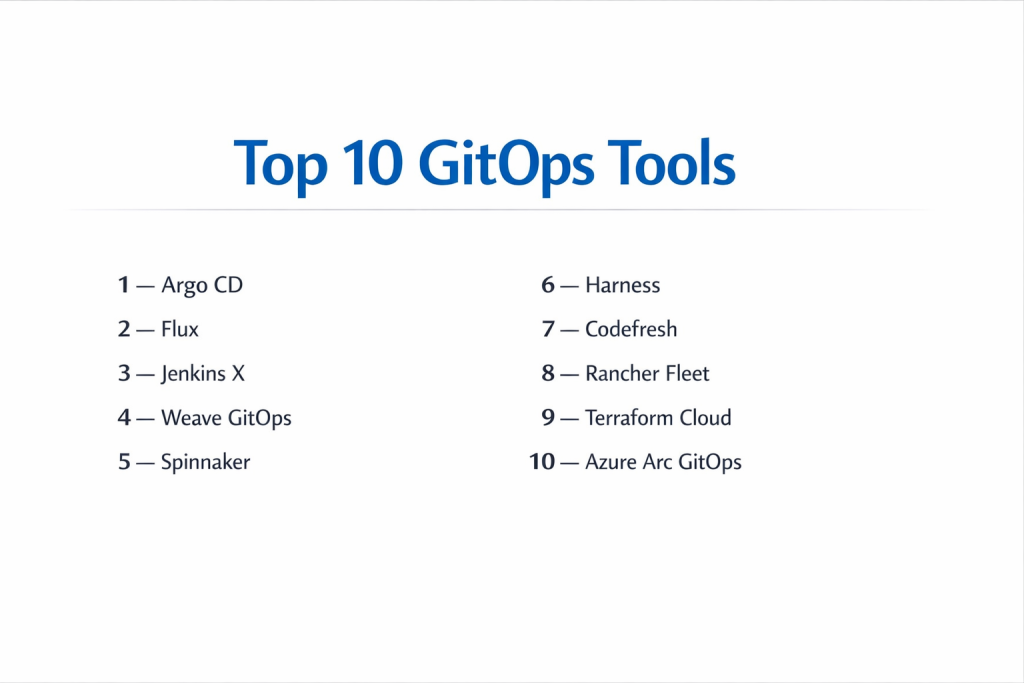
Top 10 GitOps Tools
1 — Argo CD
Short description:
A popular GitOps tool designed mainly for Kubernetes deployments. It continuously syncs Git with running clusters.
Key features:
- Declarative application deployment
- Automatic sync and drift detection
- Rollback and version history
- Multi-cluster support
- Role-based access control
- Visual dashboard for status
Pros:
- Strong Kubernetes support
- Active open-source community
- Clear visibility into deployments
Cons:
- Focused mainly on Kubernetes
- Requires Git discipline
Security & compliance:
Supports SSO, RBAC, audit logs, and encrypted connections.
Support & community:
Excellent documentation, large open-source community, enterprise support available.
2 — Flux
Short description:
A lightweight GitOps tool focused on simplicity and automation for Kubernetes environments.
Key features:
- Continuous reconciliation
- Git-based configuration management
- Multi-tenant support
- Image automation
- Kubernetes-native design
- Extensible architecture
Pros:
- Simple and clean design
- Strong automation features
- Good performance
Cons:
- Less visual interface
- Learning curve for beginners
Security & compliance:
Supports RBAC, encryption, and audit logging.
Support & community:
Strong community support, good documentation, growing enterprise adoption.
3 — Jenkins X
Short description:
A GitOps-based CI/CD solution designed for cloud-native development workflows.
Key features:
- Automated CI/CD pipelines
- Preview environments
- Git-based promotion
- Kubernetes integration
- Environment management
- Built-in best practices
Pros:
- End-to-end GitOps workflow
- Good for CI and CD together
- Strong automation
Cons:
- Complex setup
- Requires Kubernetes knowledge
Security & compliance:
Supports access control, secrets management, and audit trails.
Support & community:
Active open-source community, documentation available, commercial support options.
4 — Weave GitOps
Short description:
A GitOps platform built to simplify Kubernetes and cloud-native operations.
Key features:
- Visual dashboards
- Multi-cluster management
- Policy enforcement
- Automated deployments
- Integration with Flux
- Role-based access
Pros:
- Easy visualization
- Enterprise-ready features
- Good policy controls
Cons:
- Premium features are paid
- Focused on Kubernetes
Security & compliance:
Supports SSO, RBAC, audit logs, and policy enforcement.
Support & community:
Good documentation, enterprise support, active user base.
5 — Spinnaker
Short description:
A continuous delivery platform that supports GitOps-style workflows for complex deployments.
Key features:
- Multi-cloud deployment support
- Pipeline automation
- Rollbacks and canary releases
- Kubernetes and VM support
- Integration with Git
- Deployment visibility
Pros:
- Powerful deployment options
- Works across cloud providers
- Mature platform
Cons:
- Heavy setup
- Resource-intensive
Security & compliance:
Supports authentication, authorization, and audit logging.
Support & community:
Large community, strong documentation, enterprise support available.
6 — Harness
Short description:
A commercial platform offering GitOps capabilities with strong governance and analytics.
Key features:
- Git-driven deployments
- Policy and approval workflows
- Advanced monitoring
- Rollback automation
- Multi-environment support
- Integration ecosystem
Pros:
- Strong governance features
- Enterprise-ready
- Good observability
Cons:
- Higher cost
- More features than small teams need
Security & compliance:
Supports SSO, SOC-aligned controls, audit logs, and encryption.
Support & community:
Professional onboarding, enterprise support, documentation available.
7 — Codefresh
Short description:
A GitOps-first CI/CD platform built around Kubernetes-native workflows.
Key features:
- Native GitOps pipelines
- Kubernetes-focused deployments
- Visual pipeline builder
- Rollback and sync
- Integration with Argo CD
- Environment management
Pros:
- Strong GitOps focus
- Good user interface
- Easy Kubernetes integration
Cons:
- Mainly Kubernetes-focused
- Paid plans needed for scale
Security & compliance:
Supports SSO, RBAC, encryption, and audit trails.
Support & community:
Good documentation, commercial support, active users.
8 — Rancher Fleet
Short description:
A GitOps engine designed to manage large numbers of Kubernetes clusters.
Key features:
- Multi-cluster GitOps
- Simple YAML-based configuration
- Cluster grouping
- Continuous reconciliation
- Lightweight architecture
- Rancher integration
Pros:
- Excellent for large clusters
- Simple design
- Scales well
Cons:
- Limited UI features
- Best used with Rancher
Security & compliance:
Supports RBAC and secure cluster access.
Support & community:
Strong Rancher community, documentation available.
9 — Terraform Cloud
Short description:
A platform that supports GitOps-style workflows for infrastructure management.
Key features:
- Git-driven infrastructure changes
- State management
- Policy enforcement
- Workspace isolation
- Team collaboration
- Cloud integrations
Pros:
- Strong infrastructure control
- Clear workflows
- Reliable execution
Cons:
- Not Kubernetes-specific
- Learning curve for beginners
Security & compliance:
Supports encryption, audit logs, SSO, and compliance controls.
Support & community:
Strong documentation, enterprise support, active community.
10 — Azure Arc GitOps
Short description:
A GitOps solution integrated with Azure for managing Kubernetes clusters.
Key features:
- Git-based cluster management
- Policy enforcement
- Multi-environment control
- Centralized visibility
- Integration with Azure services
- Automated sync
Pros:
- Strong cloud integration
- Good governance features
- Suitable for enterprises
Cons:
- Tied to Azure ecosystem
- Less flexible outside Azure
Security & compliance:
Supports enterprise security, access controls, and compliance standards.
Support & community:
Enterprise support, official documentation, cloud-focused community.
Comparison Table
| Tool Name | Best For | Platform(s) Supported | Standout Feature | Rating |
|---|---|---|---|---|
| Argo CD | Kubernetes teams | Kubernetes | Auto sync | N/A |
| Flux | Lightweight GitOps | Kubernetes | Simplicity | N/A |
| Jenkins X | CI/CD GitOps | Kubernetes | Full pipelines | N/A |
| Weave GitOps | Enterprise GitOps | Kubernetes | Policy control | N/A |
| Spinnaker | Complex delivery | Multi-cloud | Advanced deployments | N/A |
| Harness | Enterprise governance | Cloud & Kubernetes | Governance | N/A |
| Codefresh | GitOps pipelines | Kubernetes | UI pipelines | N/A |
| Rancher Fleet | Large clusters | Kubernetes | Multi-cluster scale | N/A |
| Terraform Cloud | Infrastructure GitOps | Multi-cloud | State control | N/A |
| Azure Arc GitOps | Azure users | Kubernetes | Cloud integration | N/A |
Evaluation & Scoring of GitOps Tools
| Criteria | Weight | Evaluation Focus |
|---|---|---|
| Core features | 25% | Sync, rollback, automation |
| Ease of use | 15% | Setup and daily use |
| Integrations & ecosystem | 15% | Tool compatibility |
| Security & compliance | 10% | Access and audit |
| Performance & reliability | 10% | Stability |
| Support & community | 10% | Help availability |
| Price / value | 15% | Cost vs benefit |
Which GitOps Tools Tool Is Right for You?
- Solo users: Simple tools like Flux are enough.
- SMBs: Argo CD or Codefresh provide balance.
- Mid-market: Jenkins X or Weave GitOps fit well.
- Enterprise: Harness, Spinnaker, or Azure Arc offer governance.
Budget users should focus on open-source tools. Teams needing deep control should prefer enterprise platforms. If scaling and security are critical, choose tools with strong access control and policy management.
Frequently Asked Questions (FAQs)
1. What problem do GitOps tools solve?
They remove manual deployment errors and improve consistency.
2. Are GitOps tools only for Kubernetes?
Mostly yes, but some manage infrastructure too.
3. Is Git knowledge required?
Yes, Git is the foundation of GitOps.
4. Are GitOps tools secure?
Most provide strong access and audit controls.
5. Can GitOps replace CI/CD?
It complements CI/CD, not fully replace it.
6. Are open-source GitOps tools reliable?
Yes, when used correctly.
7. Do GitOps tools support rollback?
Yes, rollback is a core feature.
8. Is GitOps suitable for enterprises?
Yes, especially with governance features.
9. What is the biggest GitOps mistake?
Poor Git practices.
10. Can GitOps scale well?
Yes, it is designed for scale.
Conclusion
GitOps tools bring clarity, control, and reliability to modern system management. They help teams move faster while keeping systems stable and secure. When choosing a GitOps tool, focus on simplicity, security, scalability, and how well it fits your workflow. There is no single best GitOps tool for everyone. The right choice always depends on your team size, skill level, budget, and operational needs.

- Top 10 Email Deliverability Tools: Features, Pros, Cons & Comparison - September 6, 2026
- Top 10 Pharmacovigilance Software: Features, Pros, Cons & Comparison - September 6, 2026
- Top 10 Manufacturing Execution Systems (MES) - July 30, 2026