Introduction
Language Flashcard Apps are digital learning platforms that utilize the principles of active recall and Spaced Repetition Systems (SRS). Instead of reviewing a list of words linearly, these apps track your performance on individual items. If you struggle with a word, the app shows it more frequently; if you know it well, the interval between reviews increases. This scientific approach minimizes “forgetting curves” and maximizes study efficiency.
The importance of these tools cannot be overstated for serious learners. They provide a structured environment for “micro-learning,” allowing users to make progress during a commute or a coffee break. Key real-world use cases include building foundational vocabulary for beginners, maintaining fluency for advanced speakers, and preparing for high-stakes proficiency exams like the JLPT, DELE, or DELF. When choosing a tool, users should evaluate the quality of the SRS algorithm, the availability of pre-made content, the flexibility to create custom cards, and multimedia support (audio and images).
Best for: Self-directed learners, students preparing for exams, and busy professionals who need to squeeze study sessions into a tight schedule. They are particularly effective for those who thrive on data-driven progress and habit-stacking.
Not ideal for: Learners who require immediate conversational practice or those looking for deep, theoretical grammar explanations. These apps are supplements to a broader language strategy, not a replacement for speaking and listening to native content.
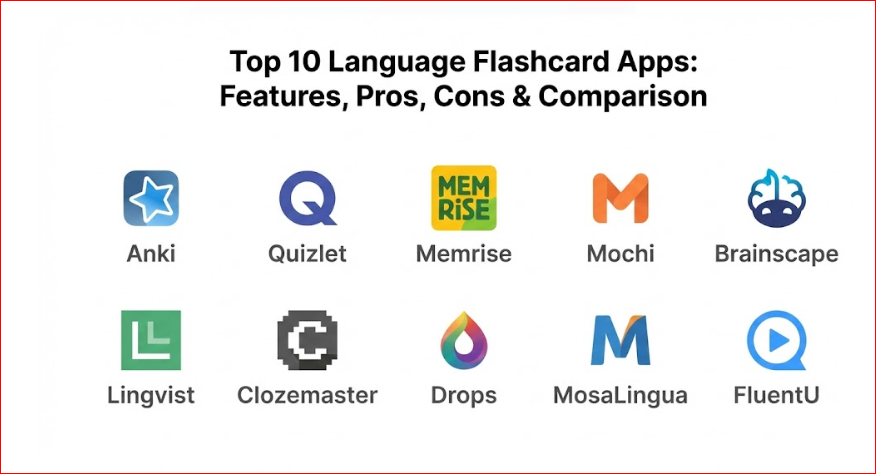
Top 10 Language Flashcard Apps
1 — Anki
Anki is widely considered the gold standard for serious language learners. It is a powerful, open-source program that offers near-limitless customization for those willing to navigate its somewhat steep learning curve. It is designed for long-term retention across any subject, but its community-driven language decks are legendary.
- Advanced SRS Algorithm: A highly tunable Spaced Repetition System that calculates optimal review times.
- Cross-Platform Syncing: Seamlessly move between desktop, web, and mobile versions.
- Extensive Add-on Library: Thousands of community-created plugins to add features like automatic dictionary lookups or image occlusion.
- Multimedia Support: Easily embed audio clips, images, and even LaTeX for specialized scripts.
- Shared Decks: Access a massive database of free, user-contributed flashcard sets for almost every language imaginable.
- Customizable Card Templates: Use HTML and CSS to design exactly how your cards look and function.
Pros:
- Completely free for desktop and Android users with no hidden subscriptions.
- The most flexible tool on the market; if you can imagine a card type, Anki can build it.
Cons:
- The user interface is dated and can be intimidating for beginners.
- The iOS version (AnkiMobile) requires a one-time purchase, unlike the free desktop version.
Security & compliance: Varies. As open-source software, users control their data locally, though the AnkiWeb sync service uses standard encryption. GDPR compliant.
Support & community: Massive, dedicated community on Reddit and various forums. Documentation is extensive but technical. Enterprise support is not applicable as it is community-driven.
2 — Quizlet
Quizlet is perhaps the most famous name in digital flashcards, favored by millions of students worldwide. While not strictly a language app, its “Study Sets” and gamified modes make it an incredibly accessible entry point for casual learners and classroom environments.
- Multiple Study Modes: Includes “Learn,” “Flashcards,” “Write,” and “Test” to keep study sessions varied.
- Quizlet Live: A collaborative classroom game mode that allows students to compete in teams.
- Expert Solutions: Access to verified study materials and textbook explanations.
- Magic Notes: An AI-driven feature that converts notes into flashcards and practice tests instantly.
- Scanning Capabilities: Use the mobile app to scan physical notes and convert them into digital sets.
- Vast Content Library: Millions of user-generated sets covering virtually every language and dialect.
Pros:
- Exceptional user interface that feels modern, bright, and encouraging.
- Low barrier to entry; you can start studying a pre-made set in seconds.
Cons:
- Many advanced features (like offline sets and image uploading) are locked behind the “Quizlet Plus” subscription.
- The SRS features are less robust and “scientific” compared to dedicated language tools like Anki.
Security & compliance: SSO, standard encryption, and GDPR compliant. Widely used in US schools, meeting many educational privacy standards.
Support & community: Large help center, active social media presence, and extensive “Quizlet for Teachers” resources.
3 — Memrise
Memrise stands out by blending flashcard mechanics with immersive video content. It focuses on “rich-context” learning, showing users how native speakers actually use the language in real-life scenarios rather than just isolated words.
- “Learn with Locals”: Thousands of short video clips of native speakers in their home environments.
- Curated Official Courses: Content created by a team of linguists for over 20 languages.
- Immersive Learning AI: An AI chatbot that allows users to practice conversations based on the words they just learned.
- Pronunciation Practice: Tools to record your speech and compare it to native audio.
- Speed Review: A high-pressure game mode to test quick recall under a time limit.
Pros:
- Highly engaging and less “dry” than traditional flashcard apps.
- Excellent for learning regional accents and natural intonation.
Cons:
- The transition between the older community-made decks and the new “official” experience can be confusing.
- Advanced features require a Pro subscription.
Security & compliance: Standard encryption, GDPR compliant.
Support & community: Strong community forums and a responsive customer support team for Pro users.
4 — Mochi
Mochi is a newer, minimalist flashcard application that uses the Markdown format. It is designed for users who want the power of Anki’s SRS but with a much cleaner, modern, and developer-friendly interface.
- Markdown Support: Create cards using simple Markdown, making it easy to format text, code, and lists.
- Note-to-Card Linking: Seamlessly link your study notes to your flashcards to keep context intact.
- Anki Import: Easily migrate existing Anki decks into the Mochi ecosystem.
- Cloud Syncing: Synchronize your progress across Mac, Windows, Linux, iOS, and Android.
- Minimalist UI: A distraction-free environment that focuses entirely on the content.
Pros:
- Very fast and lightweight; cards render beautifully.
- Great for learners who also want to take structured notes alongside their flashcards.
Cons:
- Smaller community compared to giants like Quizlet or Anki.
- Fewer pre-made “community decks” available specifically for language learning.
Security & compliance: Standard encryption and GDPR compliance.
Support & community: Active Discord server and a comprehensive online manual.
5 — Brainscape
Brainscape positions itself as the tool for “serious” learners who want to optimize every second. It uses a proprietary system called “Confidence-Based Repetition” (CBR), which asks you to rate your confidence in an answer on a scale of 1 to 5.
- CBR Algorithm: A variation of SRS that hyper-focuses on the items you rate with low confidence.
- Expert-Certified Decks: High-quality sets developed in partnership with top educators and publishers.
- Collaborative Editing: Multiple users can contribute to and refine a single deck in real-time.
- Progress Tracking: Detailed visualizations showing your “mastery” percentage over time.
- Mobile & Web Integration: Study on any device with instant syncing.
Pros:
- Extremely efficient for high-volume memorization.
- The “Confidence” rating system is more intuitive for many users than the “Again/Hard/Good/Easy” options in other apps.
Cons:
- The interface is functional but lacks the visual flair of apps like Drops or Memrise.
- The best language content is often behind a paywall.
Security & compliance: SSO availability, GDPR compliant, and standard data encryption.
Support & community: Strong educational focus with “Brainscape Academy” resources and dedicated support for school/enterprise accounts.
6 — Lingvist
Lingvist is a data-driven language learning tool that uses big data and AI to map the most frequently used words in a language. It is designed to get you to functional fluency as fast as possible by skipping obscure vocabulary.
- Knowledge Mapping: The app adapts to your level in real-time, skipping words you already know based on an initial placement test.
- Course Customizer: Upload your own text or files, and Lingvist will generate a flashcard course based on that specific vocabulary.
- Smart SRS: An algorithm that tracks memory decay and schedules reviews with high precision.
- Focus on Context: Every word is learned within a full sentence to demonstrate usage.
Pros:
- Probably the fastest way to build a high-frequency vocabulary.
- The “Course Customizer” is a game-changer for professionals needing niche vocabulary (e.g., medical or legal terms).
Cons:
- Limited language selection compared to Anki or Quizlet (currently supports about 15 major languages).
- No free tier; it is a premium, subscription-based service.
Security & compliance: SOC 2 Type II, GDPR compliant, and standard encryption.
Support & community: Professional customer support and a well-maintained blog with learning strategies.
7 — Clozemaster
Clozemaster gamifies language learning through “cloze” tests (fill-in-the-blank). It is designed for intermediate and advanced learners who want to move beyond single-word flashcards and start seeing how the language functions in sentences.
- Massive Sentence Database: Uses thousands of sentences from the Tatoeba project.
- Multiple Choice vs. Text Entry: Choose how you want to be tested based on your difficulty preference.
- Grammar Challenges: Specific decks focused on prepositions, verb tenses, and other tricky components.
- Leaderboards and Levels: Classic gamification elements to keep users motivated.
- Pro Features: Custom sentence collections and advanced SRS settings.
Pros:
- Excellent for developing “sentence mining” skills.
- Bridges the gap between basic vocabulary and real-world reading comprehension.
Cons:
- The retro “8-bit” aesthetic is polarizing; some love it, others find it unprofessional.
- Because sentences are crowdsourced, there can occasionally be errors or unnatural phrasing.
Security & compliance: Standard encryption, GDPR compliant.
Support & community: Active community on Reddit and a feedback system for reporting sentence errors.
8 — Drops
Drops is the visual learner’s dream. It limits your study time to 5-minute daily sessions to prevent burnout and uses beautiful, minimalist illustrations for every single word.
- Visual Association: Every word is paired with a custom illustration, avoiding the need for translations.
- 5-Minute Limit: Encourages a sustainable, long-term habit without overwhelming the user.
- Niche Categories: Focuses on practical categories like “Air Travel,” “Hotel Stay,” or “Business Meeting.”
- Swipe-Based Interaction: Highly tactile and addictive interface.
Pros:
- The most visually stunning and “fun” app on this list.
- Great for beginners who want to build a basic noun and verb base quickly.
Cons:
- Not suitable for learning grammar or complex sentence structures.
- The 5-minute limit can be frustrating for those who want to study more (though this is bypassable with a subscription).
Security & compliance: Standard encryption, GDPR compliant.
Support & community: Strong social media presence and a helpful FAQ section.
9 — MosaLingua
MosaLingua provides a more integrated approach, combining flashcards with audio recordings, dialogues, and cultural tips. It uses a “MOSA Learning” method based on cognitive science.
- Integrated Audio: Every flashcard is recorded by a native speaker.
- Optional Content: Choose to learn only what is useful for your specific goal (travel, business, etc.).
- Dialogues and Stories: Practice listening and reading in context after mastering the cards.
- Hands-Free Mode: Review your cards using audio-only while driving or exercising.
- Web & App Ecosystem: Access a huge library of ebooks and audiobooks that sync with your flashcard progress.
Pros:
- Very high-quality audio and pedagogical structure.
- A “best of both worlds” approach between a flashcard app and a full language course.
Cons:
- The interface feels a bit cluttered compared to minimalist apps like Mochi.
- Some users find the constant “tips” and “dialogues” distracting when they just want to do quick card reviews.
Security & compliance: Standard encryption, GDPR compliant.
Support & community: Responsive email support and an active blog.
10 — FluentU
FluentU takes “video flashcards” to the next level. It uses real-world videos—like music videos, movie trailers, news, and inspiring talks—and turns them into personalized language learning lessons.
- Interactive Subtitles: Hover over any word in a video to see an instant definition and example sentences.
- Video-Based Flashcards: Your flashcard review includes a short clip of the video where the word was used.
- Personalized Quiz System: Quizzes that adapt based on the videos you’ve watched and the words you’re learning.
- Progress Syncing: Keep track of your “mastered” vocabulary across all video content.
Pros:
- Provides the most context of any tool on this list.
- You are learning from real media, not “textbook” language.
Cons:
- By far the most expensive option on the list.
- The “active recall” element can feel slower than a dedicated flashcard app like Anki.
Security & compliance: SSO, standard encryption, and GDPR compliant.
Support & community: Extensive video library and a high-quality blog for learners.
Comparison Table
| Tool Name | Best For | Platform(s) Supported | Standout Feature | Rating (Approx.) |
| Anki | Long-term power users | Web, iOS, Android, Desktop | Ultimate Customization | 4.8/5 |
| Quizlet | Classroom/Gamified learning | Web, iOS, Android | Massive Study Library | 4.5/5 |
| Memrise | Context/Native video | Web, iOS, Android | “Learn with Locals” Clips | 4.4/5 |
| Mochi | Minimalists/Developers | Desktop, iOS, Android | Markdown Formatting | 4.6/5 |
| Brainscape | Efficiency seekers | Web, iOS, Android | Confidence-Based SRS | 4.3/5 |
| Lingvist | Fast vocab building | Web, iOS, Android | AI Course Customizer | 4.5/5 |
| Clozemaster | Intermediate/Advanced | Web, iOS, Android | Sentence-based Immersion | 4.4/5 |
| Drops | Visual/Micro-learning | iOS, Android | 5-Minute Daily Habit | 4.7/5 |
| MosaLingua | Integrated Audio/Travel | Web, iOS, Android | Hands-Free Review Mode | 4.4/5 |
| FluentU | Immersive Video context | Web, iOS, Android | Interactive Subtitles | 4.2/5 |
Evaluation & Scoring of Language Flashcard Apps
To provide a fair assessment, we have scored these tools based on a weighted rubric that reflects what matters most to successful language learners.
| Criteria | Weight | Evaluation Focus |
| Core Features | 25% | Strength of SRS algorithm, card flexibility, and media support. |
| Ease of Use | 15% | Intuitiveness of the interface and speed of card creation. |
| Integrations & Ecosystem | 15% | Availability of pre-made decks and cross-platform syncing. |
| Security & Compliance | 10% | Data privacy, encryption, and institutional compliance (SSO). |
| Performance & Reliability | 10% | App stability, sync speed, and offline availability. |
| Support & Community | 10% | Documentation, user forums, and customer service. |
| Price / Value | 15% | Affordability relative to the feature set. |
Which Language Flashcard App Tool Is Right for You?
The “perfect” app depends largely on your goals, your current level, and how much time you are willing to invest in setup.
Solo Users vs. Students vs. Professionals
- Solo Users: If you want a lifelong tool that is free and powerful, Anki is the clear winner. If you prefer something more “guided,” Memrise or MosaLingua provide a structured path.
- Students: Quizlet is the industry standard for academic settings due to its shared sets and classroom features.
- Professionals: Lingvist is the best choice if you need to learn a specific professional vocabulary quickly through its custom course generator.
Budget-Conscious vs. Premium Solutions
- Free/Low-Cost: Anki (Android/Desktop) and Quizlet (basic version) are the best for those on a budget. Mochi also offers a generous free tier.
- Premium: FluentU and Lingvist are high-cost subscriptions but offer significant time-saving features and high-quality curated content.
Feature Depth vs. Ease of Use
- Depth: Anki has the most depth but is difficult to master.
- Ease of Use: Drops and Quizlet are incredibly easy to pick up and play without any tutorial.
Integration and Scalability
For language schools or businesses training employees, tools like Brainscape and Quizlet offer “Enterprise” or “Teacher” versions that allow for centralized management and progress tracking of multiple users.
Frequently Asked Questions (FAQs)
1. Is a flashcard app enough to learn a language?
No. While flashcards are excellent for vocabulary, you must combine them with listening, reading, and most importantly, speaking practice to reach fluency.
2. Should I make my own cards or use pre-made decks?
Making your own cards is generally more effective because the process of creating the card reinforces the memory. However, pre-made decks are great for saving time when starting a new language.
3. How many new cards should I learn per day?
Most experts recommend 10–20 new cards per day. Any more than that, and your “reviews” will quickly become overwhelming after a week.
4. What happens if I skip a few days of study?
Most SRS apps will show you a “backlog” of reviews. It’s best to push through the backlog without adding new cards until you are caught up.
5. Are these apps safe for children to use?
Apps like Quizlet and Drops are very child-friendly. However, because Anki and Clozemaster use crowdsourced content, parents should monitor the decks being downloaded.
6. Can I use these apps offline?
Most of the apps on this list (Anki, Pocket, Drops, MosaLingua) offer robust offline modes, which is perfect for travelers.
7. Why is Anki free on Android but paid on iPhone?
Anki for Android is developed by a separate group of volunteers (AnkiDroid). The iOS version is developed by the creator of Anki and its sales fund the development of the entire ecosystem.
8. Do these apps teach grammar?
Generally, no. They teach vocabulary and phrases. Some, like Clozemaster or MosaLingua, provide grammar “tips,” but you will likely need a textbook or a tutor for deep grammar study.
9. How long will it take to see results?
If used daily, you will notice a significant improvement in your reading and listening recognition within 2–4 weeks.
10. Can I sync my progress between my phone and my computer?
Yes, all 10 tools listed above offer cloud syncing, though some require a premium account to enable it.
Conclusion
The evolution of language flashcard apps has made the monumental task of vocabulary acquisition more scientific, efficient, and even enjoyable. Whether you prefer the technical depth of Anki, the visual delight of Drops, or the data-driven efficiency of Lingvist, there is a tool that fits your specific learning style.
Ultimately, the “best” tool is the one you will actually use every day. Consistency is the secret ingredient in language learning; choose an app that fits seamlessly into your lifestyle, start with a few cards a day, and watch as your fluency grows one card at a time.

- Top 10 Email Deliverability Tools: Features, Pros, Cons & Comparison - September 6, 2026
- Top 10 Pharmacovigilance Software: Features, Pros, Cons & Comparison - September 6, 2026
- Top 10 Manufacturing Execution Systems (MES) - July 30, 2026