Introduction
A Learning Management System (LMS) is a software application or cloud-based platform designed to plan, deliver, track, and manage educational courses and training programs. Think of it as a centralized, digital hub for all learning activities. It streamlines the process for administrators and instructors to create content, enroll users, and monitor progress, while providing learners with a single, accessible portal for their development.
The importance of a modern LMS extends far beyond simple convenience. In a world where skills must be continuously updated, an effective LMS is a strategic tool for organizational growth and compliance. It creates consistency in training, provides measurable insights into learning effectiveness, and enables the scaling of development initiatives to a global, distributed workforce. By moving away from disjointed, in-person sessions, organizations can ensure that everyone—from new hires to tenured experts—has access to the right knowledge at the right time.
Key real-world use cases are diverse:
- Corporate Onboarding & Compliance: Automating and standardizing new hire training and mandatory compliance certifications (e.g., safety, data privacy).
- Employee Upskilling & Reskilling: Creating structured learning paths to develop in-demand skills and support career mobility.
- Sales & Customer Enablement: Training sales teams on products and equipping customers to succeed with your services.
- Extended Enterprise Training: Delivering specialized training to external partners, franchisees, or channel networks.
- Academic Course Management: Facilitating online and blended learning in schools and universities, managing coursework, grades, and student collaboration.
When choosing an LMS, you should evaluate several key criteria: core feature depth (course authoring, assessments, reporting), ease of use for both admins and learners, integration capabilities with your existing HR, CRM, and productivity tools, scalability to grow with your user base, and the total cost of ownership, including licensing, implementation, and content creation.
Best for: Learning & Development (L&D) professionals, HR teams, training managers, educators, and course creators. They are essential for mid-to-large-sized businesses (50+ employees), corporations, academic institutions, and any organization serious about scalable, trackable training.
Not ideal for: Very small teams or solo entrepreneurs whose training needs are infrequent and can be managed via shared documents and video calls. Organizations with a one-time training need or those completely opposed to adopting new digital processes may find the investment difficult to justify.
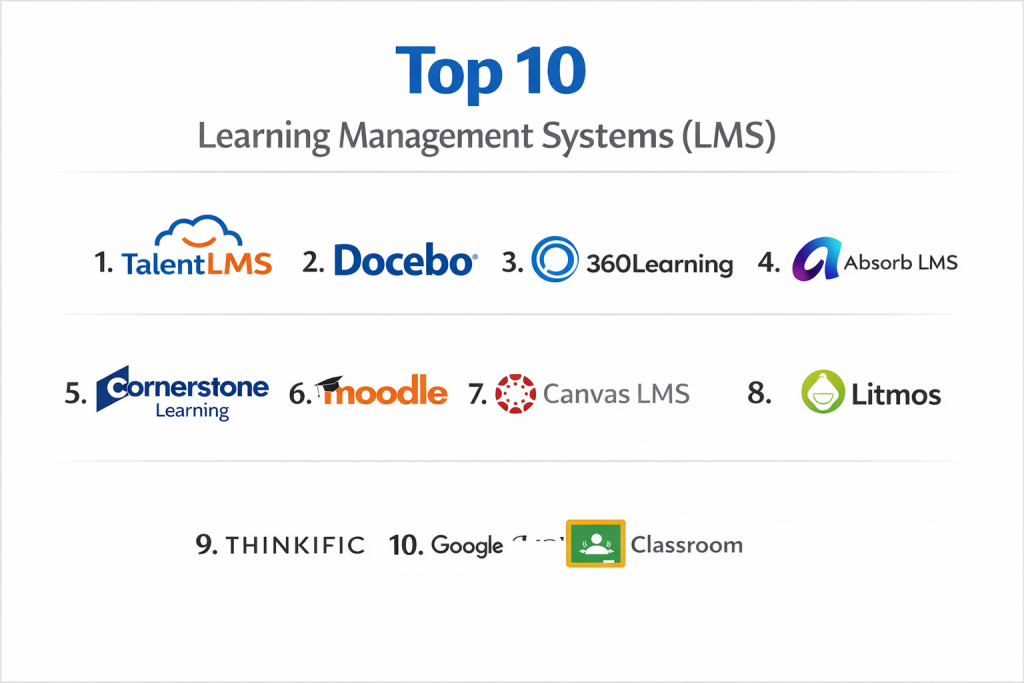
Top 10 Learning Management Systems (LMS) Tools
1 — TalentLMS
TalentLMS is a cloud-based learning platform celebrated for its simplicity and quick setup. It’s designed for small to medium-sized businesses (SMBs) that need an affordable, user-friendly system to deploy employee, partner, or customer training without a steep technical learning curve.
Key features:
- AI-powered tools for rapid course and test creation.
- Built-in gamification (badges, points, leaderboards) to boost engagement.
- A library of 1,000+ ready-made courses on compliance and soft skills.
- Support for blended learning with integrated video conferencing.
- White-labeling and custom mobile app options for full branding.
- Automated workflows for user enrollments, reminders, and certifications.
Pros:
- Extremely intuitive interface that gets teams training quickly.
- Transparent, tiered pricing with a free plan for small-scale use.
- Strong focus on essential features that SMBs actually use.
Cons:
- Advanced analytics and reporting may require higher-tier plans or add-ons.
- Less suitable for highly complex, enterprise-grade global deployments.
- Customization, while good, has limits compared to open-source platforms.
Security & compliance: ISO 27001 and ISO 9001 certified, GDPR compliant, supports Single Sign-On (SSO), and follows WCAG 2.1 accessibility standards.
Support & community: Knowledge base, email support, and dedicated customer success for higher-tier plans. Community is less prominent than in open-source platforms.
2 — Docebo
Docebo is a powerful, AI-driven learning platform built for the strategic business of learning. It targets large enterprises and mid-market companies that need to connect learning outcomes directly to business performance, scalability, and sophisticated automation.
Key features:
- AI that automates content tagging, course recommendations, and administrative tasks.
- A tailored content marketplace with a vast selection of ready-made courses.
- Modules for formal training, social learning, and extended enterprise (customers/partners).
- Comprehensive analytics suite designed to demonstrate learning’s impact on business metrics.
- Strong support for compliance tracking and certification management.
Pros:
- Enterprise-grade scalability and depth of features for complex organizations.
- AI functionality reduces administrative overhead and personalizes learning at scale.
- Robust reporting helps prove the return on investment (ROI) of training programs.
Cons:
- Premium pricing, typically based on custom quotes, making it a significant investment.
- Can be feature-rich to the point of complexity for smaller teams or simpler needs.
- Implementation and configuration often require more time and resources.
Security & compliance: Enterprise-grade security standards (specifics like SOC 2 are typical for this tier), GDPR compliant, and offers extensive access controls and SSO.
Support & community: Enterprise-level support with dedicated customer success managers, implementation teams, and detailed documentation.
3 — 360Learning
360Learning combines the structure of an LMS with the engagement of a Learning Experience Platform (LXP), emphasizing collaborative and social learning. It’s ideal for organizations that want to leverage their internal subject-matter experts to create and share knowledge quickly.
Key features:
- Collaborative course authoring tools that allow multiple contributors to build content.
- In-course feedback and reaction features (comments, likes) for real-time engagement insights.
- AI-powered assistant to help with content creation and learner support.
- Tools for skills mapping and creating personalized learning paths.
- Strong automation for compliance training and mandatory course workflows.
Pros:
- Unlocks organizational knowledge by making it easy for experts to create training.
- Fosters an interactive, community-driven learning culture rather than a top-down approach.
- User-friendly interface that encourages participation from both creators and learners.
Cons:
- Pricing is per registered user, which can become costly for large, infrequently training audiences.
- May offer less granular administrative control than traditional, compliance-heavy LMSs.
- The collaborative model requires a cultural shift in some organizations to be fully effective.
Security & compliance: Standard cloud security practices, GDPR compliant. Specific enterprise certifications should be confirmed.
Support & community: Direct customer support and an emphasis on partnership, with less reliance on a public user community.
4 — Absorb LMS
Absorb LMS is an AI-powered learning system focused on creating intelligent, streamlined, and impactful learning experiences. It is built for growing and enterprise organizations that value a modern, intuitive user interface and robust automation.
Key features:
- AI-powered natural language assistant for admins and learners to navigate the platform.
- A robust e-commerce engine for selling courses and managing monetized learning programs.
- Elastic load balancing and infrastructure designed for seamless scalability.
- Offline-capable mobile app for learning anywhere.
- Sophisticated automation for tasks like certification renewals and training reminders.
Pros:
- Exceptionally clean and modern learner experience that drives adoption.
- Built-in tools for generating revenue through external training are powerful.
- Strong automation reduces the administrative burden on L&D teams.
Cons:
- Primarily targets the mid-market and enterprise, with pricing to match.
- May have more features than a very small business requires.
- Custom reporting, while strong, may have a learning curve for new admins.
Security & compliance: Enterprise-level security certifications (like SOC 2), GDPR compliant, with robust data encryption and SSO.
Support & community: Dedicated customer success and support teams, particularly for enterprise clients.
5 — Cornerstone Learning
Cornerstone offers a comprehensive talent experience suite where learning is integrated with performance, skills, and growth. It’s best for large enterprises looking for an all-in-one system to manage not just training, but holistic talent development and internal mobility.
Key features:
- Deep skills intelligence engine for assessing gaps and recommending personalized learning.
- Vast pre-built content library integrated directly into learning paths.
- Social learning tools, including peer coaching, mentoring, and discussion forums.
- Advanced reporting connecting learning activity to performance and business outcomes.
- Combines LMS functionality with Learning Experience Platform (LXP) features.
Pros:
- Creates a unified ecosystem for skills development, performance management, and learning.
- Massive content library reduces the need to create all training from scratch.
- Excellent for executing large-scale upskilling and reskilling initiatives.
Cons:
- A major enterprise solution with complex implementation and high cost.
- Can feel overwhelming for organizations that only need a core LMS.
- Requires significant buy-in and change management across HR and L&D.
Security & compliance: Meets the highest global enterprise standards for security, data privacy (GDPR), and accessibility.
Support & community: Full enterprise support model with dedicated account management, professional services, and training.
6 — Moodle
Moodle is the world’s most popular open-source LMS. It offers unparalleled flexibility and is a top choice for educational institutions and organizations with technical teams that can host, customize, and maintain the software themselves.
Key features:
- Highly modular architecture with thousands of free and paid plugins to extend functionality.
- Powerful, granular tools for creating diverse course activities and assessments.
- Strong community-driven development and support forums.
- Complete control over data, hosting, and user privacy.
- Supports a wide array of pedagogical approaches and learning styles.
Pros:
- Free to download and use, with no ongoing licensing fees.
- Limitless customization potential to meet virtually any learning or workflow need.
- A massive global community provides free support, translations, and plugins.
Cons:
- Requires in-house technical expertise (or a paid partner) for setup, maintenance, and customization.
- The administrator interface can be complex and has a steep learning curve.
- The total cost of ownership (staff time, hosting, development) can be high despite free software.
Security & compliance: Self-managed; security and compliance are the responsibility of the hosting organization. The software supports standards like GDPR but requires configuration.
Support & community: Primarily community-driven forums and documentation. Commercial support is available from a global network of certified partners.
7 — Canvas LMS
Canvas by Instructure is an open-source, cloud-native LMS renowned for its reliability, modern interface, and excellent user experience. It is a dominant force in K-12 and higher education but is also used by corporations for its intuitive design and collaboration tools.
Key features:
- Intuitive, flow-based course design that is easier for instructors to master than block-based systems.
- “Mastery Paths” feature for creating personalized learning journeys based on assessment results.
- Integrated suite for video creation, collaboration, and feedback (Canvas Studio).
- Highly stable and performant cloud infrastructure.
- Strong mobile optimization for learning on any device.
Pros:
- Consistently rated highly for user satisfaction and ease of use among educators and learners.
- Reliable, “just works” cloud hosting minimizes IT burden.
- Excellent tools for fostering student-instructor and peer-to-peer collaboration.
Cons:
- As a service, it offers less deep customization than self-hosted open-source platforms like Moodle.
- Pricing is tailored for institutional budgets, which may be high for small business use.
- Some advanced administrative features may be less granular than those in corporate-focused LMSs.
Security & compliance: Hosted version includes robust, compliant cloud security, data encryption, and meets standards like FERPA for education.
Support & community: 24/7 support for institutions, plus a community and resource-sharing platform (“Canvas Commons”).
8 — Litmos
Litmos is a cloud-based LMS focused on making corporate training straightforward and engaging. It is well-suited for mid-market companies, especially in regulated industries, due to its strong compliance features, extensive ready-made content library, and gamification.
Key features:
- Vast library of pre-packaged courses (via partnerships like Go1) on compliance, business, and IT skills.
- Built-in gamification (badges, leaderboards) to drive learner engagement.
- Simple, intuitive interface for both administrators and learners.
- Robust tools for managing compliance training, certifications, and audits.
- Strong mobile and offline learning support.
Pros:
- Significantly reduces content creation time with its ready-to-use course library.
- Easy to set up and deploy, getting training programs live quickly.
- Gamification features are integrated natively, not as an add-on.
Cons:
- Customization and branding options can be more limited than other platforms.
- Pricing can become expensive for smaller teams, despite per-user models.
- Advanced reporting may lack the depth found in more analytics-focused enterprise LMSs.
Security & compliance: SOC 2 compliant, GDPR ready, and follows industry-standard security practices for cloud software.
Support & community: Standard customer support with knowledge base. Community aspects are less emphasized.
9 — Thinkific
Thinkific is a platform laser-focused on entrepreneurs, creators, and small businesses that want to create, market, and sell online courses. It is less of a corporate LMS and more of a complete business platform for course-based products.
Key features:
- Drag-and-drop course builder designed for non-technical users.
- Integrated website, sales pages, and e-commerce tools (memberships, subscriptions, bundles).
- Tools to build a community around courses, like discussion spaces and member areas.
- Marketing and analytics features focused on student acquisition and conversion.
- Options for white-labeling and custom domains.
Pros:
- All-in-one solution that removes the need for separate website, payment, and email marketing tools.
- Extremely user-friendly for course creators with no coding or design skills required.
- Business model is built around helping creators succeed and generate revenue.
Cons:
- Lacks deep corporate features like advanced compliance tracking, HR system integrations, or complex user hierarchies.
- Reporting is geared toward sales and marketing metrics, not detailed learning analytics.
- Not designed for large-scale internal employee training programs.
Security & compliance: Standard e-commerce and data security for SaaS platforms. Specific compliance certifications are less emphasized.
Support & community: Support tiers based on plan level, plus a strong creator community and resource library.
10 — Google Classroom
Google Classroom is a free, streamlined tool that integrates seamlessly with Google Workspace (Docs, Drive, Meet). It is purpose-built for teacher-student collaboration in K-12 and higher education settings, focusing on simplicity and assignment management over complex training administration.
Key features:
- Tight integration with Google Docs, Sheets, Slides, and Drive for easy assignment creation and submission.
- Simple class rostering and communication tools (announcements, comments).
- Integrated grading system and a central calendar for due dates.
- Works seamlessly with Google Meet for live virtual classes.
- Completely free for educational institutions and individuals.
Pros:
- Zero cost and minimal setup time, with an interface familiar to millions of Google users.
- Perfectly suited for the core workflow of assigning, completing, and grading work.
- Unbeatable for schools already invested in the Google Workspace ecosystem.
Cons:
- Lacks advanced LMS features like in-depth reporting, skill tracking, certification, or course authoring tools.
- Very limited customization, branding, or administrative controls.
- Not designed for, and is generally inadequate for, corporate training or extended enterprise use.
Security & compliance: Relies on Google Workspace’s security and compliance framework. Data storage and practices align with Google’s standards for education.
Support & community: Google’s standard support channels for education, plus a large community of educators sharing best practices online.
Comparison Table
| Tool Name | Best For | Platform(s) Supported | Standout Feature | Rating |
|---|---|---|---|---|
| TalentLMS | SMBs needing an affordable, easy-to-start solution | Web, Mobile App (iOS/Android) | AI-powered course creation & gamification | N/A |
| Docebo | Large enterprises needing AI-driven, strategic learning | Web, Mobile App | Enterprise AI for automation & personalization | N/A |
| 360Learning | Organizations leveraging internal experts for collaborative learning | Web, Mobile App | Collaborative course authoring & social features | N/A |
| Absorb LMS | Growing & enterprise companies valuing a modern UX & automation | Web, Mobile App (offline capable) | AI assistant & built-in e-commerce for training | N/A |
| Cornerstone Learning | Large enterprises wanting an all-in-one talent development suite | Web, Mobile App | Deep skills intelligence & integrated content library | N/A |
| Moodle | Educational institutions & orgs with technical teams for customization | Web, Self-Hosted | Open-source flexibility & vast plugin ecosystem | N/A |
| Canvas LMS | K-12/Higher Ed & corps wanting a reliable, user-friendly cloud LMS | Web, Mobile App | Intuitive course flow & “Mastery Paths” for personalization | N/A |
| Litmos | Mid-market companies, especially in regulated industries | Web, Mobile App | Extensive pre-built content library & gamification | N/A |
| Thinkific | Entrepreneurs & creators selling online courses | Web, Mobile App | All-in-one course creation, website, & e-commerce | N/A |
| Google Classroom | K-12 schools & teachers using Google Workspace | Web, Mobile App | Seamless, free integration with Google tools | N/A |
Evaluation & Scoring of Learning Management Systems (LMS)
Which Learning Management Systems (LMS) Tool Is Right for You?
Choosing the right LMS is a strategic decision. Your specific organizational context is more important than any “best overall” ranking.
- Solo Users vs. SMB vs. Mid-Market vs. Enterprise: Solo creators/very small businesses should look at tools like Thinkific for selling courses or start with the free tier of TalentLMS. SMBs (under 500 employees) need balance, affordability, and ease of use—TalentLMS, Litmos, or 360Learning are strong fits. Mid-Market (500-2000) requires better scalability, integrations, and support—Absorb LMS, Docebo, or 360Learning excel here. Large Enterprises (2000+) need global scalability, deep security, and strategic features—Docebo, Cornerstone, or SAP SuccessFactors are built for this.
- Budget-Conscious vs. Premium Solutions: For strict budgets, open-source Moodle (with in-house tech skill) or Google Classroom (for education) have $0 licensing. TalentLMS offers great value pricing. Premium solutions like Docebo and Cornerstone justify cost with advanced AI, analytics, and full talent suite integration.
- Feature Depth vs. Ease of Use: Need maximum power and customization? Moodle (with technical effort) or Docebo lead. Prioritizing rapid adoption and a frustration-free experience? Canvas, TalentLMS, or 360Learning prioritize user-friendly design.
- Integration and Scalability Needs: Deeply tied to Google Workspace? Google Classroom is the natural fit. Need to connect learning data to Salesforce or an HRIS? Prioritize platforms like Docebo, Cornerstone, or Absorb with strong enterprise integration ecosystems. For scaling to thousands of users with high reliability, cloud-native platforms like Canvas and Absorb are engineered for this.
- Security and Compliance Requirements: In highly regulated industries (finance, healthcare) or any global enterprise, mandatory certifications like SOC 2, ISO 27001, and GDPR are non-negotiable. Most enterprise-focused platforms (Docebo, Cornerstone, Absorb) meet these. Always verify specific certifications with the vendor.
Frequently Asked Questions (FAQs)
1. What is the biggest challenge when implementing an LMS?
Beyond the technical setup, the biggest challenge is often change management and user adoption. Overcoming the learning curve for administrators and motivating employees to engage consistently with the new platform requires clear communication and strong internal advocacy.
2. How much does a typical LMS cost?
Pricing varies dramatically. It can range from free (Moodle, Google Classroom) to per-user monthly fees ($4-$15/user/month for SMB plans) to custom enterprise quotes that can be tens of thousands of dollars annually. Always consider the total cost, including content creation and internal management time.
3. Can I use an LMS to train customers or partners, not just employees?
Yes. This is called “extended enterprise” training. Platforms like Skilljar, Thinkific, and Absorb LMS have strong features for this, including branded portals, e-commerce, and external user management.
4. What’s the difference between an LMS and an LXP (Learning Experience Platform)?
An LMS is typically more administrator-driven, focused on managing, delivering, and tracking formal training (compliance, mandatory courses). An LXP is more learner-driven, emphasizing a Netflix-like experience with curated content, social learning, and self-directed skill development. Many modern platforms, like 360Learning and Cornerstone, blend both.
5. How long does it take to implement an LMS?
For a cloud-based SMB system like TalentLMS, you can be up and running in days or weeks. For a large-scale enterprise implementation (Docebo, Cornerstone) involving complex integrations and customization, it can take 3 to 9 months or more.
6. Do I need an IT department to run an LMS?
For cloud-based/SaaS solutions, the vendor manages the infrastructure, so a large IT department is not required. For self-hosted open-source solutions like Moodle, you absolutely need dedicated technical staff or a paid partner for setup, security, and maintenance.
7. What is SCORM and why does it matter?
SCORM (Sharable Content Object Reference Model) is a technical standard that allows e-learning courses to be packaged and played back reliably across different LMS platforms. If you have existing SCORM-compliant courseware, ensure your chosen LMS supports it for a smooth import.
8. How do we ensure employees actually use the LMS?
Drive adoption by: 1) Securing executive sponsorship, 2) Integrating training into core workflows (e.g., new hire onboarding), 3) Choosing an easy-to-use platform, and 4) Promoting a culture of learning with recognition and clear career benefits.
9. Can I try an LMS before buying it?
Almost all reputable vendors offer a free trial (typically 14-30 days) or a live demo. This is essential to test the user experience, admin interface, and key features with your own team before committing.
10. What’s a common mistake organizations make when choosing an LMS?
The most common mistake is choosing a platform based on a feature checklist without considering the user experience. A system with every bell and whistle is useless if it’s so complex that your admins and learners refuse to use it. Always prioritize ease of use for your primary audiences.
Conclusion
Selecting the right Learning Management System is a pivotal investment in your organization’s most valuable asset: its people. The landscape offers a powerful tool for every need, from the straightforward simplicity of TalentLMS for SMBs to the AI-powered sophistication of Docebo for global enterprises, and the specialized platforms like Thinkific for course creators.
As we’ve explored, there is no single “best” LMS. The optimal choice is the one that aligns perfectly with your organization’s size, strategic goals, technical capabilities, and culture. A simple, user-friendly platform that your entire team adopts will always deliver more value than a complex, feature-rich system that gathers digital dust.
Ultimately, the tool itself is an enabler. Success hinges less on the software and more on your commitment to fostering a genuine culture of continuous learning and growth. Start by defining clear objectives, involve key stakeholders in the selection process, and choose a partner that will not only meet your needs today but also evolve with you on your journey toward a more knowledgeable, skilled, and agile future.

- Top 10 Email Deliverability Tools: Features, Pros, Cons & Comparison - September 6, 2026
- Top 10 Pharmacovigilance Software: Features, Pros, Cons & Comparison - September 6, 2026
- Top 10 Manufacturing Execution Systems (MES) - July 30, 2026