Introduction
In the world of artificial intelligence, there is a famous saying: “Building a model is easy; deploying it is hard.” MLOps (Machine Learning Operations) Platforms are the specialized software ecosystems designed to solve this exact problem. Much like DevOps revolutionized traditional software development, MLOps provides a framework for the collaboration between data scientists and operations teams. These platforms automate and streamline the entire machine learning lifecycle—from data ingestion and model training to deployment, monitoring, and retraining.
The importance of MLOps platforms has surged as businesses move from “experimental” AI to “production” AI. Without a robust MLOps foundation, models often “wither” in notebooks, suffering from performance decay or “model drift” once they hit the real world. Key real-world use cases include automating credit scoring in fintech, real-time demand forecasting for retail, and maintaining diagnostic accuracy in healthcare AI. When choosing a tool, users should evaluate pipeline orchestration, experiment tracking, model registry capabilities, and the ease of monitoring models in production.
Best for: Data Scientists, ML Engineers, DevOps Engineers, and IT Managers. These tools are indispensable for mid-sized to enterprise-level organizations that need to manage multiple models at scale, particularly in regulated industries like finance, healthcare, and telecommunications.
Not ideal for: Individual researchers or tiny startups working on a single, static model that doesn’t require frequent updates or scaling. For these users, manual tracking or simple GitHub repositories may be sufficient and more cost-effective.
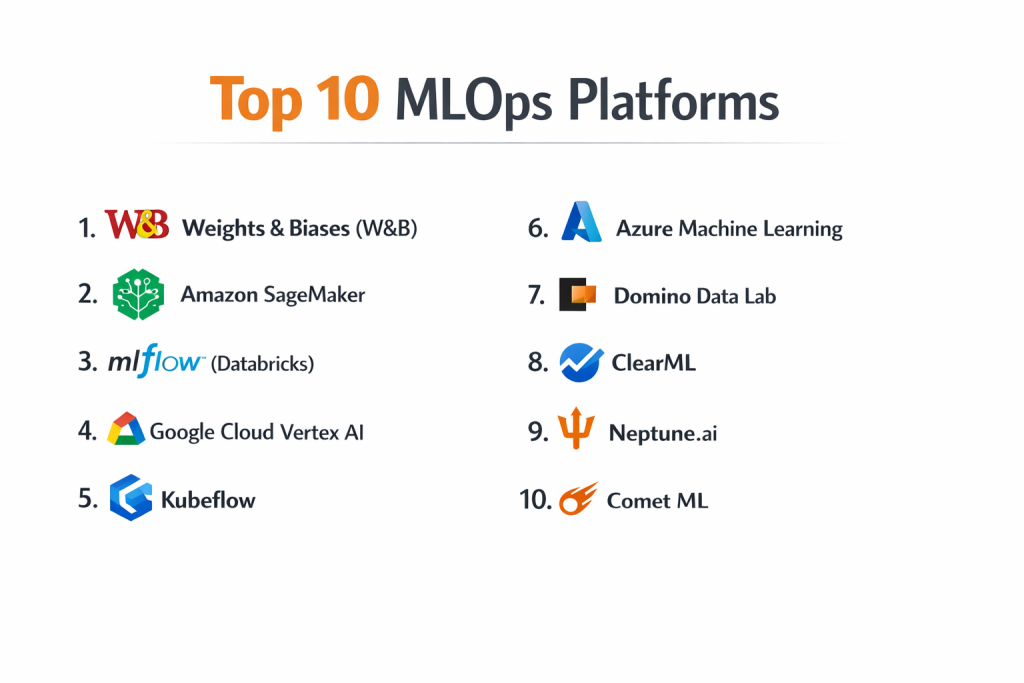
Top 10 MLOps Platforms Tools
1 — Weights & Biases (W&B)
Weights & Biases is a developer-first MLOps platform that focuses heavily on the “experimentation” phase, providing beautiful visualizations and effortless tracking for ML teams.
- Key Features:
- Artifacts: Track and version datasets, models, and dependencies throughout the pipeline.
- Sweeps: Automated hyperparameter tuning to find the best model version quickly.
- Reports: Collaborative, interactive dashboards that summarize experiment results for stakeholders.
- W&B Launch: Simplifies the process of deploying models to various compute environments.
- Integration: Compatible with almost every major framework including PyTorch, TensorFlow, and Hugging Face.
- Tables: Visualizing and querying high-dimensional data directly within the UI.
- Pros:
- Exceptional user interface that data scientists actually enjoy using.
- Very lightweight “one-line-of-code” integration into existing scripts.
- Cons:
- Strongest in experimentation but less comprehensive in serving/deployment than some cloud-native giants.
- Costs can escalate quickly for large teams with high data volumes.
- Security & Compliance: SOC 2 Type II, GDPR, SSO, and encryption at rest/transit.
- Support & Community: Large, vibrant community; excellent technical documentation; proactive customer success for enterprise tiers.
2 — Amazon SageMaker
As part of the AWS ecosystem, SageMaker is a comprehensive, end-to-end platform that covers every single stage of the ML lifecycle with deep infrastructure integration.
- Key Features:
- SageMaker Studio: A unified IDE for all ML development tasks.
- Autopilot: Automated machine learning (AutoML) for building models without coding.
- Feature Store: A centralized repository to store, share, and manage features for ML.
- Model Monitor: Automatically detects concept drift and data quality issues in production.
- Edge Manager: Specialized tools for deploying models to IoT and edge devices.
- Canvas: A no-code interface for business analysts to generate predictions.
- Pros:
- Unrivaled scalability; if you can build it, AWS can scale it.
- Native integration with S3, IAM, and Lambda makes security and data handling seamless.
- Cons:
- Extremely steep learning curve due to the complexity of the AWS console.
- Can be very expensive if resources are not monitored and “turned off” when not in use.
- Security & Compliance: FedRAMP High, HIPAA, SOC 1/2/3, ISO, and GDPR.
- Support & Community: World-class enterprise support; massive library of tutorials and AWS community forums.
3 — MLflow (Databricks)
MLflow is an open-source platform originally developed by Databricks, designed to manage the ML lifecycle through an open-interface approach.
- Key Features:
- Tracking: A centralized API and UI for logging parameters, code versions, and metrics.
- Projects: A standard format for packaging reusable data science code.
- Models: A standard format for packaging models for use in diverse downstream tools.
- Model Registry: A centralized hub to manage model aliases, versions, and stage transitions.
- Databricks Integration: Optimized to run on top of Spark for massive data processing.
- Pros:
- Platform-agnostic; you can run it on your local machine, a cloud provider, or on-premise.
- Being open-source, it has massive industry adoption and no vendor lock-in.
- Cons:
- The open-source version requires manual setup and maintenance of the tracking server.
- Managing permissions and security in the “raw” version can be cumbersome.
- Security & Compliance: Managed Databricks version offers SOC 2, HIPAA, and GDPR; Open-source varies by deployment.
- Support & Community: Massive GitHub community; extensive documentation; enterprise support via Databricks.
4 — Google Cloud Vertex AI
Vertex AI is Google’s unified ML platform that brings together all of its AI services into one cohesive environment, leveraging Google’s internal expertise in AI research.
- Key Features:
- Vertex Pipelines: Serverless execution of complex ML workflows using Kubeflow or TFX.
- AutoML: High-quality model training with minimal effort for vision, text, and tabular data.
- Feature Store: Fully managed repository for serving and sharing ML features.
- Vizier: Black-box optimization service for tuning hyperparameters.
- Explainable AI: Built-in tools to understand model outputs and feature importance.
- Pros:
- Superior performance for Deep Learning and Natural Language Processing tasks.
- Google’s “Pre-trained” APIs are arguably the best in the market.
- Cons:
- Can be difficult to navigate for those not already familiar with Google Cloud Platform.
- Pricing models for some high-end features like Neural Architecture Search (NAS) are very high.
- Security & Compliance: SOC 1/2/3, ISO 27001, HIPAA, GDPR, and VPC Service Controls.
- Support & Community: Detailed Google Cloud documentation; active developer community; premium GCP support tiers.
5 — Kubeflow
Kubeflow is a dedicated MLOps project for users who want to run their ML stacks on Kubernetes, offering maximum portability and scalability.
- Key Features:
- Kubeflow Pipelines: For building and deploying multi-step ML workflows based on Docker containers.
- Katib: For hyperparameter tuning and neural architecture search.
- KFServing: Providing high-performance model serving on Kubernetes.
- Notebooks: Managed Jupyter notebooks within the Kubernetes environment.
- Multi-tenancy: Isolated environments for different teams within the same cluster.
- Pros:
- Ideal for organizations that have already standardized on Kubernetes for their infrastructure.
- Total control over the environment and zero licensing fees for the core software.
- Cons:
- Requires high expertise in Kubernetes; “Day 2” operations can be very difficult.
- Not a “out-of-the-box” solution; requires significant engineering to set up.
- Security & Compliance: Varies / Dependent on the underlying Kubernetes configuration.
- Support & Community: Strong open-source community; documentation is extensive but can be fragmented.
6 — Azure Machine Learning
Microsoft’s MLOps offering is a high-productivity platform that bridges the gap between low-code and high-code environments for enterprise AI.
- Key Features:
- Designer: A drag-and-drop interface for building pipelines without writing code.
- Responsible AI Dashboard: Industry-leading tools for fairness, error analysis, and interpretability.
- Managed Endpoints: Simplifies model deployment and scaling for real-time and batch.
- Integration: Native connectivity with Power BI, Excel, and Azure DevOps.
- Data Labeling: Built-in tools to manage large-scale data labeling projects.
- Pros:
- Excellent for corporate environments already using the Microsoft stack.
- The most mature tools for “Responsible AI” and compliance reporting.
- Cons:
- The UI can sometimes be sluggish and fragmented across different Azure portals.
- Some advanced features are only available in specific regions.
- Security & Compliance: ISO 27001, SOC 1/2/3, HIPAA, GDPR, and FedRAMP.
- Support & Community: Extensive Microsoft Learn resources; strong enterprise support; active Azure forums.
7 — Domino Data Lab
Domino is an enterprise MLOps platform that focuses on “Data Science Management,” providing a centralized hub for collaboration and governance.
- Key Features:
- Workspaces: Spin up standardized dev environments (Jupyter, RStudio, SAS) in seconds.
- Reproducibility Engine: Automatically tracks code, data, and environment for every result.
- Model Monitoring: Tracks production models for drift and provides an “App” layer for business users.
- Infrastructure Agnostic: Runs on AWS, Azure, GCP, or on-premises.
- Pros:
- The best tool for ensuring “reproducibility” in highly regulated scientific industries.
- Strong focus on the collaborative aspect of data science teams.
- Cons:
- Much more expensive than building an open-source stack.
- Less “automated” than the big cloud providers’ AutoML offerings.
- Security & Compliance: SOC 2 Type II, HIPAA, GDPR, and ISO 27001.
- Support & Community: High-touch enterprise support; dedicated customer success; robust documentation.
8 — ClearML
ClearML is an end-to-end, open-source MLOps suite that is gaining massive popularity for its ease of use and “all-in-one” approach.
- Key Features:
- Experiment Manager: No-code tracking of experiments with a simple Python wrapper.
- Orchestration: Turns any machine (local or cloud) into a compute worker.
- Data Versioning: Built-in data management system (Hyper-datasets).
- Model Serving: Simple deployment with built-in auto-scaling.
- Web UI: A clean, modern dashboard for managing all assets.
- Pros:
- Remarkably easy to set up; you can go from zero to tracking in minutes.
- Offers a very generous free tier for individuals and small teams.
- Cons:
- The enterprise version is significantly more expensive than the open-source one.
- Documentation for advanced custom scaling can sometimes be thin.
- Security & Compliance: SOC 2, GDPR, and SSO support on the Pro/Enterprise tiers.
- Support & Community: Active Slack community; rapid development cycle; good YouTube tutorials.
9 — Neptune.ai
Neptune.ai focuses on being the “metadata store” for MLOps, acting as a lightweight, flexible hub for tracking everything from experiments to model production data.
- Key Features:
- Flexible Metadata Logging: Log any type of data (images, videos, metrics, audio).
- Comparison Tools: Powerful side-by-side views for hundreds of experiments.
- Model Registry: Simple, clean management of model stages.
- Organization: Hierarchical projects and folders for large team management.
- Pros:
- Does one thing (tracking/registry) and does it better than almost anyone else.
- Extremely stable and fast UI, even with millions of logged data points.
- Cons:
- Not an end-to-end platform; you still need other tools for training compute and serving.
- Integration with certain niche frameworks requires custom wrappers.
- Security & Compliance: SOC 2 Type II, GDPR, SSO, and private cloud deployment options.
- Support & Community: Fast technical support; great blog with MLOps best practices; active user forum.
10 — Comet ML
Comet provides a robust platform for tracking, comparing, and optimizing ML models, with a strong emphasis on enterprise visibility.
- Key Features:
- MPM (Model Production Monitoring): High-end monitoring for deployed models.
- Artifacts: Full lineage tracking from data to model.
- Panels: Custom visualization components for bespoke reporting.
- Confusion Matrix: Interactive tools for deep-diving into classification errors.
- Pros:
- Excellent visibility for managers to see the progress of the entire data science department.
- Very strong support for “Deep Learning” workflows.
- Cons:
- Can feel “heavy” for solo researchers who only need basic tracking.
- Pricing is less transparent than some newer SaaS competitors.
- Security & Compliance: SOC 2 Type II, HIPAA, and GDPR compliant.
- Support & Community: Enterprise support; Slack community for users; well-maintained documentation.
Comparison Table
| Tool Name | Best For | Platform(s) Supported | Standout Feature | Rating (Gartner) |
| Weights & Biases | Visual Experimentation | SaaS / Private Cloud | Best-in-class UX | 4.8 / 5 |
| Amazon SageMaker | AWS-native Scaling | Cloud (AWS) | Deep AWS Integration | 4.6 / 5 |
| MLflow | Open-Source Flexibility | Any / Managed | Platform Agnostic | 4.5 / 5 |
| Vertex AI | Deep Learning / Google | Cloud (GCP) | Google Research Pre-sets | 4.7 / 5 |
| Kubeflow | Kubernetes Teams | Kubernetes | Cloud-native Portability | 4.3 / 5 |
| Azure ML | MSFT Stack / Compliance | Cloud (Azure) | Responsible AI Suite | 4.5 / 5 |
| Domino Data Lab | Regulated Pharma/Fin | Any | Reproducibility Engine | 4.4 / 5 |
| ClearML | All-in-One Simplicity | Any / SaaS | Easiest Setup | 4.7 / 5 |
| Neptune.ai | Metadata / Tracking | SaaS / Private Cloud | Performance & Stability | 4.8 / 5 |
| Comet ML | Enterprise Deep Learning | SaaS / On-prem | MPM Monitoring | 4.6 / 5 |
Evaluation & Scoring of MLOps Platforms
The following rubric provides a weighted look at how to judge an MLOps platform in the current market.
| Category | Weight | Evaluation Rationale |
| Core Features | 25% | Presence of tracking, registry, pipeline orchestration, and monitoring. |
| Ease of Use | 15% | Time to value and how much “friction” is added to the data scientist’s day. |
| Integrations | 15% | Connectivity with Git, Docker, Kubernetes, and major ML frameworks. |
| Security & Compliance | 10% | Support for SSO, SOC 2, and data privacy mandates. |
| Performance | 10% | Latency of the UI and ability to handle large-scale concurrent logging. |
| Support & Community | 10% | Quality of the knowledge base and responsiveness of technical support. |
| Price / Value | 15% | Transparency of pricing and cost-effectiveness at scale. |
Which MLOps Platforms Tool Is Right for You?
Solo Users vs SMB vs Mid-Market vs Enterprise
- Solo Users/Academics: Start with the open-source version of MLflow or the free tier of ClearML. These offer enough power to organize your research without any financial commitment.
- SMB (Small/Mid-sized Business): Weights & Biases or Neptune.ai are ideal. They allow you to get professional-grade tracking without needing a 10-person DevOps team to maintain the infrastructure.
- Enterprise: Amazon SageMaker, Vertex AI, or Domino Data Lab. These are built for the scale and rigorous governance required by large organizations.
Budget-conscious vs Premium Solutions
If budget is the primary concern, Kubeflow (self-hosted) is “free” in terms of software costs, but expensive in terms of the engineering hours required. For those with a budget who want to maximize the time their data scientists spend on modeling rather than ops, premium SaaS tools like Comet ML or Domino are worth the investment.
Feature Depth vs Ease of Use
- Ease of Use: ClearML and W&B are the winners. You can be up and running in a few minutes.
- Feature Depth: SageMaker and Vertex AI offer features like feature stores, automated data labeling, and edge management that simple experiment trackers simply don’t provide.
Integration and Scalability Needs
If your company is already “All-in on Azure,” choosing Azure ML is a no-brainer for the security and identity management benefits alone. However, if you need to run models on a mix of local hardware and various clouds, a platform-agnostic tool like MLflow or ClearML is essential to avoid vendor lock-in.
Frequently Asked Questions (FAQs)
Q1: What is the difference between MLOps and DevOps?
Answer: While DevOps focuses on code versioning and deployment, MLOps adds the complexities of data versioning and model monitoring. Models, unlike code, can “decay” even if the code remains the same because the underlying data distribution changes.
Q2: Do I need MLOps if I only have one model?
Answer: Probably not. If your model is simple and rarely updated, the overhead of an MLOps platform might outweigh the benefits. MLOps is really for teams looking to scale or those in regulated industries where “reproducibility” is a legal requirement.
Q3: Is open-source better than SaaS for MLOps?
Answer: Open-source (like MLflow) offers flexibility and zero license fees but requires your team to manage the servers. SaaS offers “instant-on” convenience but comes with recurring costs and less control over data storage.
Q4: Can these platforms help with “Model Drift”?
Answer: Yes. Specialized MLOps tools (like SageMaker Model Monitor or Comet) compare incoming production data with your training data and alert you when they no longer match, indicating it’s time to retrain.
Q5: What is a “Feature Store”?
Answer: A feature store is a centralized repository that allows different teams to share and reuse the same mathematical features (like “average customer spend”) across multiple models, ensuring consistency and saving compute time.
Q6: How does MLOps handle large datasets?
Answer: Professional platforms use “data versioning” or “data pointers.” Instead of storing the actual data twice, they store a hash or a link to the specific version of the data in S3 or a data lake, ensuring you always know exactly what data was used to train a specific model version.
Q7: Is it possible to deploy models to the “Edge”?
Answer: Yes, tools like SageMaker Edge Manager and certain Vertex AI configurations are specifically designed to optimize and compress models for deployment on mobile phones, cameras, or factory sensors.
Q8: What is “Hyperparameter Tuning” automation?
Answer: Features like W&B Sweeps or Google Vizier automatically run hundreds of versions of your model with slightly different settings to find the one that produces the highest accuracy, saving days of manual work.
Q9: Do I need Kubernetes to do MLOps?
Answer: No. While tools like Kubeflow require it, many SaaS platforms (Neptune, W&B, Comet) manage the infrastructure for you, allowing you to focus on Python code without touching a server.
Q10: What is the “Model Registry”?
Answer: Think of it as an “App Store” for your internal company models. It’s where you keep track of which model version is in “Production,” which is in “Staging,” and which is “Archived.”
Conclusion
The “Wild West” era of machine learning is ending. As AI becomes a core part of business infrastructure, the need for discipline, repeatability, and monitoring is no longer optional. Choosing the right MLOps Platform is a strategic decision that will define how fast your team can move from an idea to a live, value-generating service.
If you value speed and developer experience, Weights & Biases or ClearML are fantastic starting points. If you need massive, enterprise-grade scale within a cloud ecosystem, Amazon SageMaker or Azure ML are the standard-bearers. Ultimately, the “best” tool is the one that removes the most roadblocks from your data scientists’ path while keeping your production systems stable and secure.

- Top 10 Email Deliverability Tools: Features, Pros, Cons & Comparison - September 6, 2026
- Top 10 Pharmacovigilance Software: Features, Pros, Cons & Comparison - September 6, 2026
- Top 10 Manufacturing Execution Systems (MES) - July 30, 2026