Introduction
In an increasingly interconnected world, the performance of your network is the heartbeat of your business operations. Network Analysis Tools are specialized software and hardware solutions designed to capture, inspect, and interpret data traffic moving across a network. Unlike basic monitoring tools that simply tell you if a device is “up” or “down,” analysis tools go much deeper. They perform Deep Packet Inspection (DPI), flow analysis, and protocol decoding to show you exactly what is happening inside the wires. By dissecting packets and measuring traffic patterns, these tools help IT professionals identify the root cause of congestion, security vulnerabilities, and application latency.
The importance of network analysis cannot be overstated. It is the difference between guessing why a video call is lagging and knowing that a specific background backup process is saturating the uplink. Key real-world use cases include network forensic investigations after a breach, application performance troubleshooting, capacity planning, and compliance auditing. When evaluating tools in this category, users should look for packet capture depth, real-time visualization capabilities, automated anomaly detection, and support for modern encrypted protocols.
Best for: Network Engineers, Security Analysts (SOC), System Administrators, and DevOps professionals. They are essential for mid-sized to large enterprises, financial institutions, government agencies, and any organization managing high-traffic data centers or complex cloud architectures.
Not ideal for: Small businesses with basic, unmanaged “plug-and-play” networks or individuals who only need to check their internet speed. If your troubleshooting needs end at “restart the router,” a professional-grade network analysis tool will likely be too complex and expensive for your requirements.
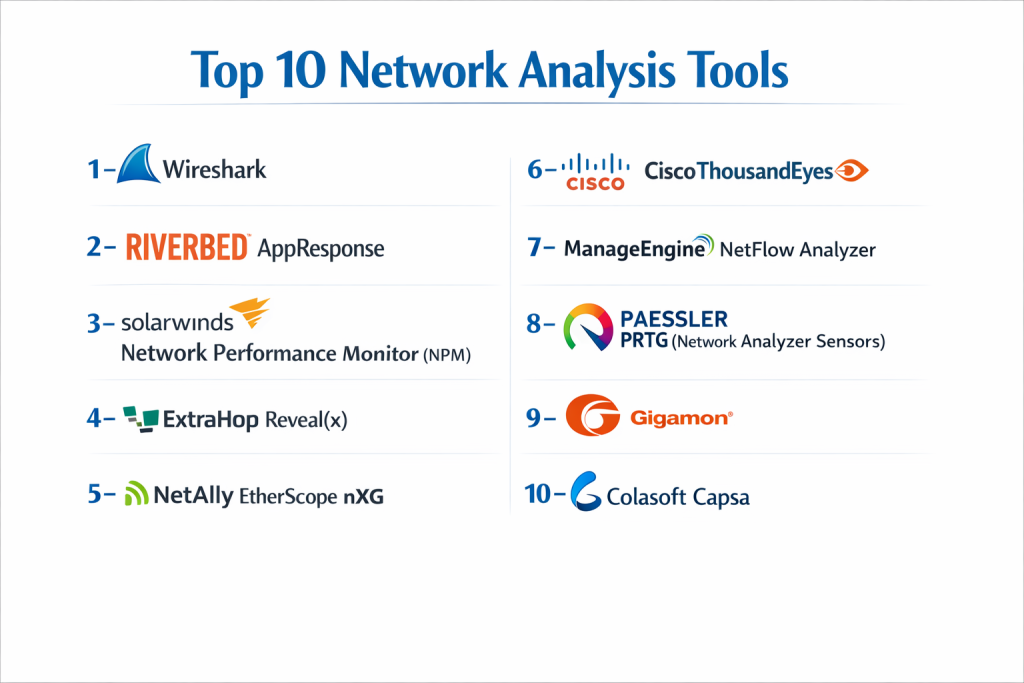
Top 10 Network Analysis Tools
1 — Wireshark
Wireshark is the world’s most widely used network protocol analyzer, often referred to as the “Swiss Army Knife” of network troubleshooting. It is an open-source tool used for deep-dive packet inspection.
- Key Features:
- Live Capture and Offline Analysis: Inspect data as it moves or load saved trace files.
- Deep Inspection of Hundreds of Protocols: Decodes virtually every protocol in existence.
- Powerful Display Filters: Narrow down millions of packets to the specific conversation you need.
- Multi-platform Support: Runs seamlessly on Windows, macOS, Linux, and Solaris.
- Decryption Support: Can decrypt many protocols including IPsec, ISAKMP, and SSL/TLS (with keys).
- VoIP Analysis: Specialized tools for visualizing and analyzing voice traffic flows.
- Coloring Rules: Apply visual highlighting to packets based on specific criteria for quick spotting.
- Pros:
- Completely free and open-source with an unmatched global user base.
- Provides the most granular level of detail possible—nothing is hidden from the user.
- Cons:
- The learning curve is steep; it requires a strong understanding of networking fundamentals.
- Can consume massive amounts of system memory when capturing high-speed traffic.
- Security & Compliance: Varies / N/A (Local software; compliance depends on the user’s data handling policies).
- Support & Community: Massive global community, extensive Wiki, and a wide array of third-party books and training courses.
2 — Riverbed AppResponse
Riverbed AppResponse is an enterprise-class solution that combines network analysis with application performance management (APM) to provide a unified view of the user experience.
- Key Features:
- Continuous Packet Capture: Records all packets for back-in-time forensic analysis.
- Application Stream Analysis: Automatically identifies over 2,000 common applications.
- Response Time Breakdown: Differentiates between network delay and server processing time.
- High-Definition Snapshots: Detailed dashboards that visualize micro-bursts of traffic.
- Automated Insights: Uses ML to surface performance anomalies without manual searching.
- Encrypted Traffic Analysis: Provides visibility into SSL/TLS traffic without compromising security.
- Pros:
- Excellent for large enterprises that need to hold vendors accountable for SLAs.
- Simplifies complex data into “human-readable” dashboards for faster troubleshooting.
- Cons:
- Very high cost of entry; strictly an enterprise-tier product.
- Requires dedicated appliance hardware or high-spec virtual machines to run effectively.
- Security & Compliance: SOC 2 Type II, GDPR compliant, SSO, and audit logging.
- Support & Community: 24/7 global support, professional certification programs, and an active user portal.
3 — SolarWinds Network Performance Monitor (NPM)
While known for monitoring, the SolarWinds NPM includes a deep “Quality of Experience” (QoE) dashboard that performs packet-level analysis to categorize traffic and identify latency.
- Key Features:
- Step-by-Step Path Analysis: Visualizes the entire hop-by-hop journey of a packet.
- Deep Packet Inspection (DPI) Engine: Identifies application-level traffic automatically.
- PerfStack Dashboards: Drag-and-drop different metrics onto a single timeline to find correlations.
- Multi-vendor Support: Analyzes hardware from Cisco, Juniper, HP, and more.
- Response Time Monitoring: Measures TTFB (Time to First Byte) for critical services.
- Dynamic Topology Mapping: Creates live maps based on analyzed traffic flows.
- Pros:
- Highly integrated ecosystem; works perfectly with other SolarWinds IT management tools.
- The UI is clean and professional, designed for high-stress NOC environments.
- Cons:
- Can be resource-intensive for the Windows server hosting the platform.
- The licensing model can be complex as you add more analyzed “nodes.”
- Security & Compliance: FedRAMP authorized, SOC 2, HIPAA, and GDPR ready.
- Support & Community: The “THWACK” community is one of the largest IT forums in the world.
4 — ExtraHop Reveal(x)
ExtraHop Reveal(x) is a Network Detection and Response (NDR) platform that uses cloud-scale machine learning to analyze network traffic for both performance and security.
- Key Features:
- Real-time Stream Profiling: Analyzes traffic at up to 100Gbps without dropping packets.
- Automated Asset Discovery: Instantly identifies every device on the network.
- ML-Powered Anomaly Detection: Learns normal behavior and alerts on subtle deviations.
- Full Decryption at Scale: Decrypts TLS 1.3 traffic in real-time to inspect for hidden threats.
- Incident Response Workflows: Connects network anomalies directly to remediation steps.
- Cloud-Native Visibility: Analyzes traffic in AWS, Azure, and Google Cloud natively.
- Pros:
- Bridges the gap between “Network Ops” and “Security Ops” teams.
- The interface is incredibly modern and offers some of the best data visualizations in the industry.
- Cons:
- It is a premium product with a price tag to match.
- Can be “noisy” initially while the machine learning models are training.
- Security & Compliance: SOC 2 Type II, ISO 27001, HIPAA, and GDPR.
- Support & Community: High-touch enterprise support and a dedicated customer success team.
5 — NetAlly EtherScope nXG
The EtherScope nXG is a handheld, all-in-one portable network analyzer designed for field engineers who need to troubleshoot physical and wireless networks on-site.
- Key Features:
- Multi-technology Analysis: Supports 10G copper/fiber, Wi-Fi 6, and Bluetooth.
- Network Discovery: Instantly identifies all devices across multiple VLANs.
- Automated Testing: Runs a suite of “AutoTests” to find common network flaws in seconds.
- Wi-Fi Site Survey: Performs heat-mapping and interference analysis on the go.
- Remote Control: Allows senior engineers to control the handheld unit from a web browser.
- Packet Capture: Can capture line-rate packets to an SD card for later analysis.
- Pros:
- The “gold standard” for field work; much faster than lugging a laptop and dongles.
- Ruggedized hardware built for data centers and industrial environments.
- Cons:
- Very expensive for a single-purpose hardware device.
- Not intended for continuous, long-term monitoring from a central office.
- Security & Compliance: Secure boot, encrypted data storage, and audit logs.
- Support & Community: Excellent manufacturer support and a strong niche community of field engineers.
6 — Cisco ThousandEyes
ThousandEyes specializes in “Digital Experience Monitoring,” providing analysis of the paths between users and services, even over networks you don’t own (like the public internet).
- Key Features:
- BGP Route Analysis: Visualizes internet routing paths and identifies hijacks or leaks.
- End-to-End Path Visualization: See every hop from a user’s laptop to a SaaS application.
- Cloud and Enterprise Agents: Deploy software agents globally to test performance.
- Collective Intelligence: Leverages data from all users to identify global internet outages.
- Internet Insights: Provides a “weather map” of global internet health.
- API and Webhook Support: Integrates analysis data into Slack, PagerDuty, or Splunk.
- Pros:
- Unrivaled for companies that rely heavily on SaaS (O365, Salesforce) and remote workers.
- Provides visibility into parts of the network where you cannot install traditional probes.
- Cons:
- Less focus on deep, internal packet-level decoding than Wireshark or Riverbed.
- Pricing is based on “units,” which can be difficult to predict as you expand testing.
- Security & Compliance: ISO 27001, SOC 2 Type II, GDPR, and HIPAA.
- Support & Community: Backed by Cisco’s global support infrastructure and documentation.
7 — ManageEngine NetFlow Analyzer
ManageEngine NetFlow Analyzer is a flow-based analysis tool that provides deep visibility into bandwidth usage and traffic patterns across the network.
- Key Features:
- Multi-flow Support: Analyzes NetFlow, sFlow, J-Flow, IPFIX, and NetStream.
- Application-Specific Monitoring: Identifies and groups traffic by application or port.
- Traffic Shaping: Helps identify and prioritize business-critical traffic over recreational use.
- Capacity Planning Reports: Forecasts future bandwidth needs based on historical growth.
- Security Analytics: Identifies “zero-day” patterns and botnet communications.
- Threshold-based Alerts: Notifies admins when a specific department or link exceeds limits.
- Pros:
- Very affordable compared to high-end DPI tools.
- Intuitive web-based UI that is accessible for generalist IT staff.
- Cons:
- Being flow-based, it cannot show the actual content of the packets, only the “metadata.”
- The mobile app is somewhat limited compared to the desktop version.
- Security & Compliance: GDPR compliant, supports 2FA, SSO, and localized data storage.
- Support & Community: Extensive video tutorials, 24/5 technical support, and user forums.
8 — Paessler PRTG (Network Analyzer Sensors)
PRTG is an all-in-one monitoring solution that uses specialized “Packet Sniffing” and “Flow” sensors to provide high-level network analysis.
- Key Features:
- Flexible Sensor System: Dedicated sensors for NetFlow v5/v9, IPFIX, and sFlow.
- Built-in Packet Sniffer: Analyzes headers to categorize traffic by type (Web, Mail, File).
- Real-time Map Designer: Create live dashboards with “drag and drop” widgets.
- Distributed Monitoring: Use “Remote Probes” to analyze traffic at different branch offices.
- Custom Alerting: Sends notifications via Push, SMS, Email, or Slack.
- Top Talkers View: Quickly see which users or devices are consuming the most bandwidth.
- Pros:
- Excellent “all-in-one” value; you don’t need to buy a separate tool for analysis.
- Very easy to set up; the “Auto-Discovery” feature finds devices in minutes.
- Cons:
- Not suitable for extremely high-speed (100Gbps+) deep packet inspection.
- Sensor-based pricing can get expensive if you need highly granular monitoring.
- Security & Compliance: SSL encryption, localized data storage, and GDPR compliant.
- Support & Community: Strong knowledge base, responsive email support, and video guides.
9 — Gigamon GigaVUE
Gigamon is a “Network Visibility and Analytics” fabric that acts as an intelligent intermediary between your network traffic and your analysis tools.
- Key Features:
- Traffic De-duplication: Removes duplicate packets so analysis tools don’t get overwhelmed.
- SSL/TLS Decryption: Decrypts traffic once and shares it with multiple analysis/security tools.
- Application Filtering: Only sends specific application traffic (e.g., Netflix) to specific tools.
- Network Taps and Aggregation: Provides the physical infrastructure to “see” every packet.
- FlowVUE: Samples flow data to provide high-level summaries without losing detail.
- Cloud Visibility: Extends the physical visibility fabric into virtualized and cloud environments.
- Pros:
- Essential for large data centers where the volume of traffic would crash standard analysis tools.
- Increases the “life” and efficiency of your other tools (like Wireshark or Firewalls).
- Cons:
- Requires physical hardware installation (TAPs/Bypass switches).
- Highly complex to design and manage; requires specialized training.
- Security & Compliance: FIPS 140-2, Common Criteria, SOC 2, and GDPR.
- Support & Community: High-tier enterprise support and professional services available.
10 — Colasoft Capsa
Capsa is a high-performance network analyzer for Windows that offers both real-time and historical packet analysis with an emphasis on ease of use.
- Key Features:
- Comprehensive Protocol Analysis: Supports over 1,500 network protocols.
- Network Diagnosis: Automatically identifies dozens of common network issues (e.g., ARP storms).
- Conversation Views: Visualize traffic in a “matrix” to see who is talking to whom.
- Traffic Statistics: Detailed breakdown of bandwidth per IP, MAC, or Protocol.
- Packet Decoding: High-level decoding similar to Wireshark but with a more modern UI.
- Report Generation: Customizable PDF and HTML reports for management.
- Pros:
- Much more user-friendly UI than Wireshark for Windows users.
- The “Free” version is surprisingly capable for small-scale analysis.
- Cons:
- Only runs natively on Windows.
- The community and plugin ecosystem are smaller than Wireshark’s.
- Security & Compliance: Secure data encryption and basic audit logs.
- Support & Community: Email support and a structured online help center.
Comparison Table
| Tool Name | Best For | Platform(s) Supported | Standout Feature | Rating (Gartner / TR) |
| Wireshark | Deep Packet Decoding | Windows, Mac, Linux | Unmatched Protocol Support | 4.8 / 5 |
| Riverbed AppResponse | Enterprise APM | Hardware / Virtual | Response Time Breakdown | 4.5 / 5 |
| SolarWinds NPM | Generalist IT Ops | Windows | Path Analysis (NetPath) | 4.4 / 5 |
| ExtraHop Reveal(x) | NDR / Security Ops | SaaS / Virtual | ML-Powered Threat Detection | 4.7 / 5 |
| NetAlly EtherScope | Field Engineers | Handheld Hardware | Portable 10G / Wi-Fi 6 | 4.6 / 5 |
| ThousandEyes | Internet / SaaS Health | SaaS | BGP Route Visualization | 4.5 / 5 |
| ManageEngine | Bandwidth / Flow Analysis | Windows, Linux | Affordable Flow Analysis | 4.3 / 5 |
| Paessler PRTG | SMB Monitoring | Windows | All-in-one Ease of Use | 4.6 / 5 |
| Gigamon GigaVUE | Data Center Fabrics | Hardware / Virtual | Intelligent Traffic Grooming | 4.4 / 5 |
| Colasoft Capsa | Windows-based Analysis | Windows | Visual Matrix View | 4.2 / 5 |
Evaluation & Scoring of Network Analysis Tools
To help you understand how these tools were selected, we evaluated them based on the following weighted criteria:
| Category | Weight | Evaluation Criteria |
| Core Features | 25% | Protocol support, DPI capability, and real-time capture performance. |
| Ease of Use | 15% | User interface design, learning curve, and quality of visualizations. |
| Integrations | 15% | Ability to connect with ITSM, SIEM, and other third-party platforms. |
| Security & Compliance | 10% | Encryption, SSO support, and adherence to industry standards (SOC2, etc). |
| Performance | 10% | Stability under high traffic loads and accuracy of data capture. |
| Support & Community | 10% | Availability of documentation, support response, and user forums. |
| Price / Value | 15% | Cost relative to the depth of features and business impact. |
Which Network Analysis Tool Is Right for You?
Solo Users vs SMB vs Mid-Market vs Enterprise
- Solo Users/Freelancers: Stick with Wireshark. It is free, powerful, and will teach you everything you need to know about networking.
- SMBs: PRTG or ManageEngine are the best choices. They provide professional analysis without requiring a dedicated Ph.D. in networking.
- Mid-Market: SolarWinds or Colasoft Capsa offer the depth needed for larger offices with high-performance requirements.
- Enterprise: Riverbed, ExtraHop, or Gigamon are necessary to handle the sheer volume and complexity of a global network.
Budget-Conscious vs Premium Solutions
If budget is the primary driver, Wireshark and Zabbix (combined with Flow exporters) are the clear winners. If time-to-resolution is more important than money, premium tools like Reveal(x) or AppResponse will pay for themselves by resolving incidents in minutes rather than hours.
Feature Depth vs Ease of Use
- Ease of Use: ThousandEyes and PRTG excel at making complex data look simple.
- Feature Depth: Wireshark and Riverbed offer the deepest possible technical data for those who need to see every bit and byte.
Integration and Scalability Needs
If you are 100% in the cloud, ThousandEyes and ExtraHop are built for that environment. If you have a massive on-premise data center with 100Gbps links, you will likely need a visibility fabric like Gigamon to support your analysis.
Frequently Asked Questions (FAQs)
Q1: What is the difference between Network Monitoring and Network Analysis?
Answer: Monitoring tells you if the link is working. Analysis tells you what is using the link, how it is behaving, and why it is performing at a certain level.
Q2: Can I use Wireshark to monitor my whole network?
Answer: Not effectively. Wireshark is for deep inspection of specific problems. For 24/7 monitoring and broad analysis, you need a platform like PRTG or SolarWinds.
Q3: What is “Deep Packet Inspection” (DPI)?
Answer: DPI is a technique where the tool looks past the header of a packet and into the actual “payload” to identify exactly what application or data is inside.
Q4: Do I need special hardware to use these tools?
Answer: For most software tools, no. However, to see all traffic on a network, you may need a “TAP” (Test Access Point) or a “SPAN port” on your switch.
Q5: Can these tools analyze encrypted traffic (HTTPS/TLS)?
Answer: Yes, but it’s tricky. Some tools (Wireshark) require you to provide keys, while others (ExtraHop) use advanced decryption techniques at the network layer.
Q6: What is a “Top Talker”?
Answer: A “Top Talker” is the specific IP address or user that is consuming the largest percentage of network bandwidth at any given time.
Q7: Is flow-based analysis (NetFlow) better than packet analysis?
Answer: NetFlow is better for high-level volume and bandwidth trends. Packet analysis is better for fixing actual application bugs or security issues.
Q8: Can these tools detect hackers?
Answer: Yes. Tools like ExtraHop Reveal(x) are specifically designed to look for “lateral movement” or “exfiltration” patterns that indicate a breach.
Q9: How long should I keep network capture data?
Answer: This depends on your compliance needs. Most organizations keep high-level flow data for a year, but full packet captures for only 24–72 hours due to storage costs.
Q10: Can I analyze Wi-Fi with these tools?
Answer: Yes, but you need a compatible Wi-Fi adapter. Handheld tools like the EtherScope nXG are specifically designed for this purpose.
Conclusion
Choosing the right Network Analysis Tool is about finding the balance between visibility and manageable data. More data isn’t always better if your team doesn’t have the time to interpret it. For those looking for the “gold standard” of detail, Wireshark remains undefeated. For the modern enterprise that needs to move fast, ThousandEyes and ExtraHop represent the future of cloud-centric, AI-assisted analysis.
Ultimately, your choice should empower your team to stop guessing and start knowing. When the network is down, every second counts—ensure you have a tool that speaks your language and provides the clarity you need to keep your business moving.

- Top 10 Email Deliverability Tools: Features, Pros, Cons & Comparison - September 6, 2026
- Top 10 Pharmacovigilance Software: Features, Pros, Cons & Comparison - September 6, 2026
- Top 10 Manufacturing Execution Systems (MES) - July 30, 2026