Introduction to Newsreader Apps
A newsreader app is a software application designed to collect and organize news stories from various digital sources into a single interface. These apps typically utilize technologies like RSS (Really Simple Syndication), AI-driven discovery engines, and social curation to gather content. Instead of visiting dozens of individual websites, users can open one app to see everything that matters to them.
The importance of these tools lies in their ability to combat “information fatigue.” In 2026, the volume of content produced daily is staggering. Without a newsreader, users often find themselves trapped in “filter bubbles” or wasting time on clickbait. Newsreader apps provide a clean, distraction-free environment that prioritizes readability and personal relevance.
Key Real-World Use Cases
- Professional Research: Analysts and researchers use newsreaders to monitor industry trends, competitor movements, and regulatory changes in real-time.
- Content Creation: Bloggers and social media managers use these apps to find inspiration, track trending topics, and source credible references.
- Daily Briefings: Casual readers use them to get a high-level overview of global events during their morning commute or coffee break.
- Academic Monitoring: Students and professors follow specific journals and academic blogs to stay updated on new publications in their fields.
What to Look For When Choosing a Newsreader App
When evaluating newsreader apps, users should consider the following criteria:
- Source Flexibility: Does the app support RSS, newsletters, social media, and direct web monitoring?
- Curation and Discovery: How well does the app suggest new content based on your interests?
- Readability: Is the interface clean and customizable? Does it offer an “article view” to bypass cluttered websites?
- Integration: Can it connect to other tools like Evernote, Pocket, or Slack?
- Offline Access: Can you download articles to read when you don’t have an internet connection?
Best for: Information professionals, researchers, content creators, and anyone who consumes a high volume of digital content daily. They are essential for those who want to move away from social media algorithms and reclaim control over their reading habits.
Not ideal for: Users who prefer a completely passive news experience (like watching TV) or those who only read one or two specific news outlets and don’t mind visiting those sites directly.
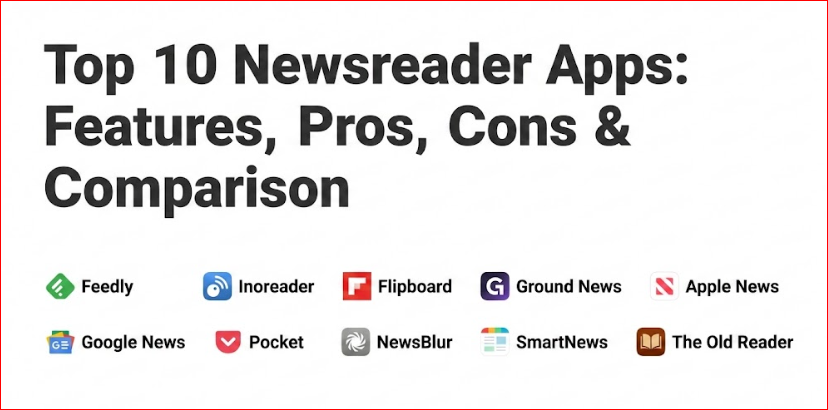
Top 10 Newsreader Apps
1 — Feedly
Feedly is perhaps the most well-known name in the newsreader space, having successfully transitioned from a simple RSS reader to a sophisticated AI-powered intelligence platform. It is designed for both casual readers and professional teams who need to monitor specific topics or threats.
- Key Features:
- Leo AI Research Assistant: An AI that can be trained to filter, prioritize, and summarize articles.
- Broad Integration Stack: Connects seamlessly with Slack, Microsoft Teams, Trello, and Zapier.
- Newsletter Integration: Allows users to subscribe to newsletters directly within the app using a custom email address.
- Cybersecurity & Market Intelligence: Specialized feeds for tracking vulnerabilities and industry shifts.
- Team Boards: Collaborative spaces where teams can share and annotate articles.
- Cross-Platform Sync: Robust mobile apps and a powerful web interface that keep your reading progress in sync.
- Pros:
- Extremely powerful filtering capabilities that save hours of manual sorting.
- Clean, professional interface that emphasizes content over ads.
- Market-leading integration ecosystem for professional workflows.
- Cons:
- The most powerful AI features are locked behind a relatively expensive subscription.
- The learning curve for “training” the AI can be steep for new users.
- Security & Compliance: Offers SSO (Single Sign-On), SOC 2 Type II compliance for enterprise users, and data encryption in transit and at rest.
- Support & Community: Extensive documentation, a dedicated Slack community for power users, and 24/7 priority support for enterprise tiers.
2 — Inoreader
Inoreader is the “power user’s” newsreader. It offers a level of automation and customization that few other apps can match, making it a favorite for those who want to build complex information workflows.
- Key Features:
- Global Search: Search through every article indexed by Inoreader, not just those in your feeds.
- Active Monitoring: Create “Monitoring Feeds” based on keywords that update automatically.
- Advanced Rules: Automate actions like “send to email” or “mark as read” based on specific triggers.
- Social Media Feeds: Follow Facebook pages, Reddit, and Telegram channels directly.
- Podcast Player: An integrated player for audio content and YouTube subscriptions.
- Custom CSS: Advanced users can customize the look of the reader entirely.
- Pros:
- Unrivaled automation tools that act like “Zapier for news.”
- Very generous free tier compared to many competitors.
- Extremely fast syncing and high-performance mobile apps.
- Cons:
- The interface can feel cluttered and overwhelming to beginners.
- Some of the best search features require a Pro subscription.
- Security & Compliance: GDPR compliant; offers 2FA (Two-Factor Authentication) and encrypted data transmission.
- Support & Community: Very active user forum, comprehensive help center, and responsive email support.
3 — Flipboard
Flipboard takes a different approach by focusing on a “magazine-style” visual experience. It is highly curated and perfect for users who enjoy discovering new topics through a beautiful, tactile interface.
- Key Features:
- Smart Magazines: Automatically curated feeds based on broad interests like “Photography” or “Tech.”
- Personalized Curation: Users can “flip” articles into their own public or private magazines.
- Local News Integration: A dedicated section for news happening in your specific city or region.
- Storyboards: Curated collections of articles, videos, and podcasts on a single theme.
- Social Sharing: Strong integration with social platforms for sharing and discussing content.
- High-Quality Multimedia: Prioritizes large, beautiful images and high-resolution video.
- Pros:
- The most visually appealing reading experience on mobile devices.
- Excellent for discovery and serendipitous learning.
- Strong community aspect with user-curated magazines.
- Cons:
- Less control over specific RSS feeds compared to Feedly or Inoreader.
- Contains more ads than traditional RSS readers.
- Security & Compliance: Varies; primarily follows standard consumer privacy protections and GDPR.
- Support & Community: Large social community, active blog, and standard help desk support.
4 — Ground News
Ground News is a unique entry that focuses on media literacy and transparency. It doesn’t just show you the news; it shows you how the news is being covered across the political spectrum.
- Key Features:
- Bias Distribution: A visual chart showing whether a story is being covered by left, center, or right-leaning outlets.
- Factuality Ratings: Scores for sources based on their historical accuracy and reporting standards.
- Blindspot Feed: Highlights stories that are being ignored by one side of the political aisle.
- Ownership Insights: Information on who owns the media outlets you are reading.
- Global Comparison: See how the same story is reported differently in various countries.
- Daily Briefings: Summarized newsletters focusing on balanced reporting.
- Pros:
- The best tool for escaping political echo chambers.
- Provides deep context that other aggregators lack.
- Excellent educational tool for students and journalists.
- Cons:
- Not designed for following niche technical blogs or RSS feeds.
- Advanced bias analytics require a paid subscription.
- Security & Compliance: GDPR compliant; focuses heavily on data transparency.
- Support & Community: Active on social media, responsive feedback loops, and detailed methodology documentation.
5 — Apple News (including News+)
Apple News is built into the iOS ecosystem, offering a highly polished, editorially curated experience that is perfect for Apple users.
- Key Features:
- Editorial Curation: Human editors select top stories to ensure quality and relevance.
- Apple News+: A subscription service providing access to hundreds of premium magazines and newspapers.
- Audio Stories: Professionally narrated versions of long-form articles.
- Local News: Deep integration with local publishers in many major cities.
- My Sports: Personalized scores, schedules, and news for your favorite teams.
- Puzzles: Daily crosswords and word games integrated into the news feed.
- Pros:
- Seamless integration across iPhone, iPad, Mac, and Apple Watch.
- Access to high-paywall content (WSJ, The Atlantic) via News+.
- One of the cleanest, most consistent reading interfaces available.
- Cons:
- Exclusive to the Apple ecosystem (no Android or Windows app).
- Limited customization for power users who want to add their own RSS feeds.
- Security & Compliance: Industry-leading privacy protections; news reading is not tracked for ad targeting.
- Support & Community: Standard Apple Support ecosystem.
6 — Google News
Google News leverages massive amounts of data and machine learning to provide a highly personalized and real-time news experience.
- Key Features:
- Full Coverage: A feature that shows you a diverse range of perspectives on a single story with one tap.
- For You Feed: A constantly updating stream of news based on your search history and interests.
- Local Section: High-priority placement for news happening in your immediate vicinity.
- Newsstand: Access to premium subscriptions you’ve purchased through Google.
- Fact-Check Labels: Highlights articles from verified fact-checking organizations.
- Multilingual Support: Easily follow news in multiple languages simultaneously.
- Pros:
- Completely free and extremely easy to set up.
- The “Full Coverage” feature is one of the best ways to understand complex events.
- Incredible speed; breaking news often appears here first.
- Cons:
- Privacy concerns regarding Google’s data collection.
- The algorithm can sometimes create a “bubble” by only showing what it thinks you like.
- Security & Compliance: Backed by Google’s enterprise-grade security; GDPR and CCPA compliant.
- Support & Community: Massive user base and extensive self-help documentation.
7 — Pocket
While often categorized as a “read-it-later” app, Pocket has evolved into a powerful newsreader that suggests high-quality long-form content based on what you save.
- Key Features:
- Save from Anywhere: Browser extensions and mobile sharing allow you to save any article with one click.
- Pocket Hits: A daily curated feed of the most interesting articles being saved across the platform.
- Offline Reading: Automatically downloads saved articles for reading without Wi-Fi.
- Text-to-Speech: Listen to any saved article with high-quality AI voices.
- Tagging & Organization: Powerful system for categorizing your personal library of content.
- Permanent Library: Paid version saves a permanent copy of articles even if the original site goes down.
- Pros:
- Best-in-class for long-form, “deep read” discovery.
- Exceptional reading experience with customizable fonts and themes.
- Cross-platform availability is nearly universal.
- Cons:
- The “news feed” is less about breaking news and more about evergreen content.
- Free version includes sponsored content (ads).
- Security & Compliance: Standard consumer data protection; owned by Mozilla (focus on privacy).
- Support & Community: Robust help center and active community support via Mozilla.
8 — NewsBlur
NewsBlur is an open-source newsreader that combines traditional RSS features with social sharing and a unique “training” system to hide or highlight stories.
- Key Features:
- Intelligence Training: You can “train” the app to like or dislike certain authors, tags, or keywords.
- Social Feed: Share articles with friends and see their comments in a private social network.
- Four Viewing Modes: Feed (RSS), Text (clean view), Story (original site), and Original (full site).
- Open Source: Users can self-host the entire platform if they want total control.
- Real-time Updates: Uses “push” technology to update feeds the second new content is published.
- Shared Blurblogs: Create a public page where people can follow what you’re reading.
- Pros:
- The “Intelligence” system is very effective once trained.
- The social aspect makes it great for small groups or colleagues.
- Very transparent and user-centric philosophy.
- Cons:
- The UI feels a bit dated compared to modern apps like Flipboard.
- Setting up the training system takes time and effort.
- Security & Compliance: Standard encryption; self-hosting option offers the ultimate in security.
- Support & Community: Very responsive developer, active forum, and GitHub community.
9 — SmartNews
SmartNews is designed for speed and efficiency, using AI to analyze millions of articles to deliver the most important “trending” stories across various categories.
- Key Features:
- SmartView: Optimized for mobile reading, it strips away clutter for lightning-fast loading.
- Trending Tabs: Easy-to-navigate tabs for Entertainment, Sports, Tech, and more.
- News Quiz: Interactive elements to engage users with the daily news.
- Offline Mode: Pre-fetches the news so you can read it in areas with no signal.
- Election & Crisis Tracking: Specialized hubs for major global events.
- SmartTake: A feature that provides a daily briefing of stories that expand your perspective.
- Pros:
- Incredibly fast; probably the fastest app for scanning headlines.
- Excellent local news coverage.
- Very simple to use with zero configuration required.
- Cons:
- Less focused on niche RSS feeds or professional monitoring.
- The ad-supported nature can be a bit intrusive.
- Security & Compliance: SOC 2 compliance for corporate partnerships; standard consumer privacy.
- Support & Community: Large-scale commercial support and a helpful FAQ section.
10 — The Old Reader
For those who miss the simplicity of the defunct Google Reader, The Old Reader provides a nostalgic but modern experience focused on RSS and social sharing among friends.
- Key Features:
- Social Discovery: See what your friends are reading and sharing within the platform.
- Simple Folder Structure: Easy organization of feeds into logical categories.
- Browser Extensions: Easily add new feeds while browsing the web.
- OPML Import/Export: Seamlessly move your subscriptions in or out.
- Keyboard Shortcuts: Fast navigation for power users on the web.
- Instapaper/Pocket Integration: Save articles to other services for later reading.
- Pros:
- Simple, clean, and distraction-free interface.
- Excellent for users who want a “social” RSS experience without the noise of Twitter.
- Very easy to manage even with hundreds of feeds.
- Cons:
- Lacks the advanced AI and automation of Feedly or Inoreader.
- The mobile experience is slightly less polished than competitors.
- Security & Compliance: Varies / N/A; standard encryption and privacy policy.
- Support & Community: Friendly community and email-based support.
Comparison Table
| Tool Name | Best For | Platform(s) Supported | Standout Feature | Rating (Gartner/TrueReview) |
| Feedly | Professionals/Teams | Web, iOS, Android | Leo AI Assistant | 4.6 / 5 |
| Inoreader | Power Users | Web, iOS, Android | Advanced Automation | 4.5 / 5 |
| Visual Readers | Web, iOS, Android | Magazine Layout | 4.4 / 5 | |
| Ground News | Bias Tracking | Web, iOS, Android | Bias Distribution Graph | N/A |
| Apple News | Apple Ecosystem | iOS, macOS, Watch | Apple News+ Library | N/A |
| Google News | Casual Users | Web, iOS, Android | Full Coverage Mode | 4.3 / 5 |
| Long-form Reading | Web, iOS, Android | Save-for-later/Offline | 4.7 / 5 | |
| NewsBlur | Social RSS Users | Web, iOS, Android | Intelligence Training | N/A |
| SmartNews | Breaking/Local News | iOS, Android | SmartView (Fast Load) | 4.2 / 5 |
| The Old Reader | Social RSS | Web | Friend Feed | N/A |
Evaluation & Scoring of Newsreader Apps
To provide a fair comparison, we have evaluated these tools using a weighted scoring rubric that reflects the priorities of modern news consumers.
| Criteria | Weight | Evaluation Focus |
| Core Features | 25% | RSS support, AI curation, offline access, and search capability. |
| Ease of Use | 15% | Onboarding experience, UI design, and mobile responsiveness. |
| Integrations | 15% | Connectivity with external tools (Slack, Notion, Zapier). |
| Security | 10% | Encryption, SSO, compliance (SOC 2, GDPR), and data privacy. |
| Performance | 10% | Sync speed, app stability, and load times. |
| Support | 10% | Documentation, community activity, and response times. |
| Price / Value | 15% | Free tier utility vs. cost of premium features. |
Which Newsreader App Tool Is Right for You?
Choosing the right tool depends heavily on your specific goals and technical comfort level.
Solo Users vs. Enterprise Teams
If you are a solo user looking for a better way to stay informed, Google News or Flipboard are excellent starting points. They require zero setup and offer high-quality discovery. However, for enterprise teams—particularly in marketing, legal, or cybersecurity—Feedly is the clear winner due to its collaborative boards and SOC 2 compliance.
Budget-Conscious vs. Premium
If you want the best experience without spending a dime, Inoreader and SmartNews offer the most robust free versions. For those willing to pay for a premium experience, Apple News+ provides incredible value by bundling hundreds of paid magazines, while Feedly Pro+ is worth every penny for professionals who need AI-driven filtering.
Feature Depth vs. Ease of Use
If you love “tinkering” and want to automate your life, Inoreader or NewsBlur provide the depth you need. If you just want to open an app and see beautiful stories without setting up a single filter, Flipboard or Apple News are designed for you.
Security and Compliance
For users in highly regulated industries (like healthcare or finance), security is paramount. Feedly stands out here with its enterprise-grade security features. If privacy is your main concern, Apple News and Pocket (via Mozilla) have the strongest records of protecting user data from advertisers.
Frequently Asked Questions (FAQs)
1. What is the difference between an RSS reader and a news aggregator?
An RSS reader (like Inoreader) lets you manually add specific sources, giving you total control. A news aggregator (like Google News) uses algorithms to find and show you stories from across the web based on your interests.
2. Is it worth paying for a newsreader app?
If you use news for your professional life or want to bypass paywalls (as with Apple News+), the cost is usually justified. For casual reading, free versions are often more than enough.
3. Can these apps help me stop seeing fake news?
Apps like Ground News and Google News include fact-check labels and source reliability scores. Feedly allows you to filter out specific keywords often associated with clickbait.
4. Can I read news offline?
Yes, most top-tier apps like Pocket, Instapaper, and the premium versions of Feedly and Inoreader offer robust offline reading modes.
5. How do I move my feeds from one app to another?
Look for the “OPML Export” feature in your current app. You can then “Import OPML” into your new app to move all your subscriptions in seconds.
6. Do these apps drain my phone battery?
Generally, no. However, apps that constantly refresh in the background (like NewsBlur or Feedly) can use more power. You can usually adjust “Fetch” settings in the app’s preferences to save battery.
7. Is Apple News available on Android?
No, Apple News is exclusive to the Apple ecosystem. Android users should look at Google News or SmartNews as high-quality alternatives.
8. Can I follow social media accounts in these apps?
Inoreader and Feedly allow you to follow public pages from Reddit, Telegram, and even YouTube, bringing all your social and news content into one place.
9. What is the best app for local news?
SmartNews and Google News are currently the leaders in local news aggregation, often providing hyper-local updates based on your GPS location.
10. How many sources can I follow in a newsreader?
Most free plans limit you to 50–150 sources. Premium plans from Inoreader and Feedly allow for thousands of sources, which is ideal for deep research.
Conclusion
The “best” newsreader app isn’t a one-size-fits-all solution; it is a reflection of your digital lifestyle. If you value visual beauty and discovery, Flipboard will serve you best. If you require deep analytical tools and professional-grade automation, Feedly and Inoreader are the gold standards. For those concerned about the polarization of media, Ground News offers a much-needed perspective on bias.
Ultimately, the goal of using a newsreader app is to regain your time and improve the quality of your information intake. By moving away from the “infinite scroll” of social media and into a curated environment, you ensure that you aren’t just consuming more information, but better information.

- Top 10 Email Deliverability Tools: Features, Pros, Cons & Comparison - September 6, 2026
- Top 10 Pharmacovigilance Software: Features, Pros, Cons & Comparison - September 6, 2026
- Top 10 Manufacturing Execution Systems (MES) - July 30, 2026