Introduction
In a world where digital services are expected to be available 24/7, the burden of maintaining uptime falls on the shoulders of engineering and IT teams. On-call Scheduling Tools are specialized platforms designed to manage the rotations, shifts, and notification logic for personnel responsible for responding to system incidents outside of standard business hours. Unlike a simple calendar, these tools are dynamic; they integrate with monitoring systems to ensure that when a critical failure occurs, the right person is notified immediately via phone, SMS, or app push, according to a pre-defined and fair rotation schedule.
The importance of these tools lies in their ability to eliminate the chaos of “who is responsible right now?” They prevent burnout by ensuring equitable distribution of shifts and provide automated escalation paths if the primary responder is unavailable. Real-world use cases include managing “follow-the-sun” support models across global time zones, handling emergency medical IT response, and coordinating DevOps “you build it, you run it” cultures. When choosing a tool, users should evaluate ease of override management (for last-minute swaps), mobile app reliability, calendar synchronization, and multi-channel alerting capabilities.
Best for: DevOps Engineers, Site Reliability Engineers (SREs), IT Managers, and Customer Support leads in mid-sized to enterprise-level technology firms, healthcare, and financial services. It is essential for any organization that maintains a “critical” service level agreement (SLA) with its customers.
Not ideal for: Freelancers or very small teams (1–3 people) where a simple shared Google Calendar and a mutual agreement to “watch the phone” are sufficient. It is also overkill for non-critical businesses that do not offer support outside of 9-to-5 business hours.
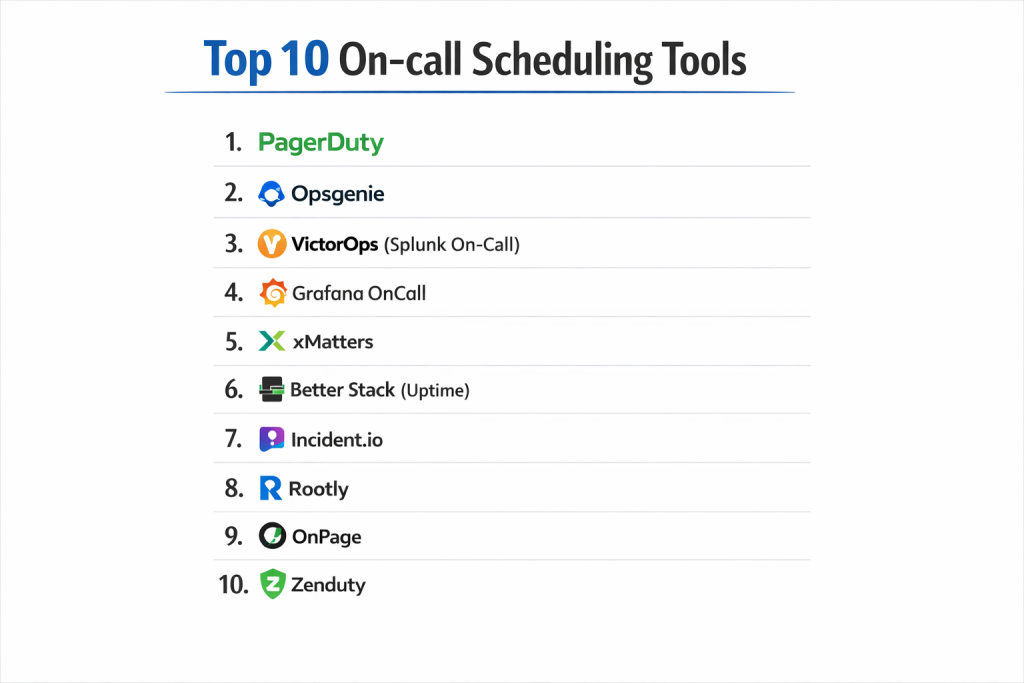
Top 10 On-call Scheduling Tools
1 — PagerDuty
PagerDuty is the industry veteran and market leader, offering a high-resiliency platform that goes beyond simple scheduling to provide full digital operations orchestration.
- Key Features:
- Flexible Rotation Patterns: Supports daily, weekly, and custom-defined rotations with ease.
- Override Management: Simple interface for temporary shift swaps and “take the next hour” requests.
- Follow-the-Sun Logic: Sophisticated handling of global teams across varying time zones.
- Live Call Routing: Connects incoming customer calls directly to the on-call engineer’s phone.
- Analytics Dashboards: Tracks team health and on-call “pain” metrics to prevent burnout.
- Integration Ecosystem: Over 700+ native integrations with monitoring and ticketing tools.
- Pros:
- Unmatched reliability and uptime history for mission-critical alerts.
- Highly granular permissions and sophisticated visibility for large enterprises.
- Cons:
- Premium pricing can be prohibitive for smaller teams or non-technical departments.
- The setup process for complex organizations can be time-consuming.
- Security & Compliance: SOC 2 Type II, HIPAA, GDPR, ISO 27001, and FedRAMP authorized.
- Support & Community: Extensive knowledge base, 24/7 technical support, and a massive community of practitioners.
2 — Opsgenie
Opsgenie, now a core part of the Atlassian suite, is a powerful incident management and scheduling tool that excels in flexibility and integration.
- Key Features:
- Complex Schedule Logic: Handles multiple layers of on-call rotations and sub-teams.
- Visual Schedule Editor: A drag-and-drop interface for building and viewing shifts.
- Schedule Constraints: Allows for specific “office hours” vs. “after-hours” scheduling.
- Calendar Sync: Bi-directional sync with Google Calendar, Outlook, and iCal.
- Heartbeat Monitoring: Ensures the connection between the monitoring tool and Opsgenie is always active.
- Mobile App Alerts: Highly customizable notification rules for different alert severities.
- Pros:
- Incredible value for teams already utilizing Jira Service Management.
- Extremely flexible alert routing rules that can change based on the schedule.
- Cons:
- The interface for managing very large numbers of schedules can become cluttered.
- Some advanced reporting features are locked behind higher-tier enterprise plans.
- Security & Compliance: SOC 2, ISO 27001, HIPAA, and GDPR compliant.
- Support & Community: Backed by Atlassian’s global support network and a large user base in the Atlassian Community.
3 — VictorOps (Splunk On-Call)
Splunk On-Call (formerly VictorOps) emphasizes the human element of being on-call, focusing on collaboration and visibility during the shift.
- Key Features:
- Timeline-Centric View: Shows who is on-call and what incidents they are currently handling in one stream.
- Transmogrifier: A unique engine that enriches alerts with documentation and playbooks for the on-call person.
- Reporting & Retrospectives: Generates data on shift handoffs and incident resolution.
- ChatOps Integration: Deep Slack and Microsoft Teams integration to manage schedules via chat.
- Mobile Handoffs: Easily pass an incident to the next person on rotation with a single tap.
- Pros:
- Excellent visibility for managers to see current shift status and active alerts.
- Strong “collaborative” feel that reduces the isolation of being on-call.
- Cons:
- The feature roadmap has slowed slightly since the Splunk acquisition.
- Lacks some of the ultra-granular enterprise permissions found in PagerDuty.
- Security & Compliance: SOC 2 Type II, GDPR, and PCI DSS compliant.
- Support & Community: Professional enterprise support; extensive technical documentation.
4 — Grafana OnCall
Grafana OnCall is a newer, developer-friendly solution that is built to live natively within the Grafana observability stack.
- Key Features:
- Native Grafana Integration: Manage schedules directly within the Grafana UI.
- Chat-First Workflow: Optimized for teams that manage their rotations in Slack or Telegram.
- Open Source & Cloud: Available as both a self-hosted project and a managed SaaS offering.
- Simple Escalations: Easy-to-configure chains that follow the schedule logic.
- Automated Grouping: Prevents “alert storms” from waking up the on-call person with 100 identical pages.
- Pros:
- Low cost and high transparency, especially for teams already using Grafana.
- Extremely fast setup for engineering teams who dislike complex enterprise UIs.
- Cons:
- Still maturing; lacks some of the legacy enterprise features of PagerDuty or xMatters.
- Best suited for technical teams; less intuitive for non-engineering departments.
- Security & Compliance: SOC 2 Type II and GDPR compliant (via Grafana Cloud).
- Support & Community: Backed by the massive Grafana open-source community and GitHub discussions.
5 — xMatters
xMatters is a service reliability platform that focuses on automating the workflow that happens once the on-call person is reached.
- Key Features:
- Flow Designer: A visual tool to automate what happens when an on-call person acknowledges an alert.
- Adaptive Response: Tailors the notification based on the time of day and the person’s location.
- Group Management: Handles massive, multi-departmental on-call structures across global regions.
- Crisis Management: Specific tools for coordinating large groups during major outages.
- Smart Tracking: Comprehensive logs of every notification sent and the response time.
- Pros:
- The visual workflow builder is incredibly powerful for complex enterprise processes.
- Strong history in physical security and business continuity as well as IT.
- Cons:
- The UI can feel more “traditional enterprise” and less “modern startup.”
- Can be overly complex for a team that just needs a simple weekly rotation.
- Security & Compliance: ISO 27001, SOC 2 Type II, HIPAA, and GDPR compliant.
- Support & Community: Mature enterprise support and a professional services arm for implementation.
6 — Better Stack (Uptime)
Better Stack provides a modern, fast, and beautifully designed alternative to the legacy “heavyweight” on-call tools.
- Key Features:
- Fast On-call Setup: Create a rotation and escalation policy in under three minutes.
- Unified Monitor + Schedule: Built-in uptime monitoring that triggers the on-call schedule.
- Screenshot Alerts: Attaches a screenshot of the site failure to the alert sent to the on-call person.
- Calendar Integration: Effortless syncing with external calendars for visibility.
- Beautiful Status Pages: Included in the platform to communicate incidents to customers.
- Pros:
- Exceptional user experience; it is arguably the easiest tool to use on this list.
- Great “all-in-one” value for startups who need monitoring, logs, and on-call in one place.
- Cons:
- Fewer advanced features for giant enterprise organizations (e.g., complex LDAP syncing).
- Younger company with a shorter track record in the enterprise space.
- Security & Compliance: SOC 2 Type II and GDPR compliant.
- Support & Community: Highly responsive 24/7 chat support and developer-centric documentation.
7 — Incident.io
Incident.io is a Slack-native incident management platform that has recently added robust on-call scheduling capabilities.
- Key Features:
- Slack-Native Scheduling: View and manage who is on-call without ever leaving Slack.
- Automated Handoffs: Prompts teams to do a “handoff report” at the end of a shift.
- Catalog Integration: Automatically knows who to page based on which service is failing.
- Unified Experience: Merges the schedule with the incident response workflow.
- Personal Preferences: Allows individuals to set their own notification “vibration” vs. “call” rules.
- Pros:
- The best experience for teams that already use Slack as their primary “office.”
- Extremely fast, modern, and high-velocity product updates.
- Cons:
- Completely dependent on Slack; if your company uses MS Teams, this isn’t for you.
- On-call scheduling is a newer feature compared to their core incident response tools.
- Security & Compliance: SOC 2 Type II and GDPR compliant.
- Support & Community: Rapidly growing community and excellent customer success teams.
8 — Rootly
Rootly is another Slack-first contender that focuses on automating the toil of incident management, including on-call rotations.
- Key Features:
- Workflow Automation: Automates the creation of Slack channels and Zoom links when paged.
- On-Call Shadowing: Supports “shadow” rotations for training new employees.
- Service-Based Routing: Intelligently pages the right team based on the alert payload.
- Action Item Tracking: Ensures that “follow-up” tasks from an on-call shift don’t get lost.
- Status Page Integration: Syncs on-call activity with public-facing communication.
- Pros:
- Powerful enough for enterprises but simple enough for small DevOps teams.
- Very strong integration with external ticketing systems like Jira and Linear.
- Cons:
- Heavy reliance on the Slack ecosystem for the best user experience.
- Pricing can scale quickly as more services and automations are added.
- Security & Compliance: SOC 2 Type II, HIPAA, and GDPR compliant.
- Support & Community: Strong Slack community and dedicated account management for enterprise.
9 — OnPage
OnPage is a specialized tool often used in healthcare and high-security environments, focusing on “Priority Messaging.”
- Key Features:
- HIPAA-Secure Messaging: Fully encrypted communication for sensitive patient or financial data.
- Persistent Alerts: Notifications that “override” the silent switch on mobile phones.
- Remote Wipe: Ability to wipe sensitive alert data from a lost mobile device.
- Simple Scheduler: Focuses on high-reliability rotations without the “DevOps” fluff.
- Audit Trails: Detailed logs of exactly when a message was read and acknowledged.
- Pros:
- The clear choice for healthcare or legal environments requiring strict data privacy.
- Extremely loud and persistent alerting that is hard to ignore.
- Cons:
- The UI feels dated compared to modern tools like Better Stack or Incident.io.
- Limited integrations with standard DevOps monitoring tools compared to PagerDuty.
- Security & Compliance: HIPAA compliant, SOC 2, and encrypted end-to-end.
- Support & Community: Professional support for regulated industries; solid documentation.
10 — Zenduty
Zenduty is a versatile incident management platform that offers an affordable, feature-rich alternative to the “Big 3” legacy tools.
- Key Features:
- Multi-Channel Alerts: Phone, SMS, Slack, MS Teams, and Email out of the box.
- Stakeholder Communications: Keeps non-technical managers informed without paging them.
- Context-Rich Alerts: Automatically attaches graphs and logs to the on-call notification.
- Flexible Scheduling: Supports complex recurring shifts and time-zone-aware rotations.
- Free Tier: Offers a generous free tier for small teams just getting started.
- Pros:
- Excellent balance of price and features for mid-sized companies.
- Very broad integration support across many different monitoring stacks.
- Cons:
- The mobile app interface is functional but not as “slick” as competitors.
- Some advanced AIOps/noise reduction features are still in development.
- Security & Compliance: SOC 2 Type II, ISO 27001, and GDPR compliant.
- Support & Community: Good documentation and responsive email/chat support.
Comparison Table
| Tool Name | Best For | Platform(s) Supported | Standout Feature | Rating (Gartner/TrueReview) |
| PagerDuty | Large Enterprise | Web, iOS, Android | Massive Integration Library | 4.6 / 5 |
| Opsgenie | Atlassian Users | Web, iOS, Android | Deep Jira Integration | 4.5 / 5 |
| Splunk On-Call | Collaborative Teams | Web, iOS, Android | Alert Transmogrifier | 4.3 / 5 |
| Grafana OnCall | Grafana Users | Web, OSS, Cloud | Native UI for Grafana | 4.4 / 5 |
| xMatters | Workflow Automation | Web, iOS, Android | Visual Flow Designer | 4.4 / 5 |
| Better Stack | Performance/UX | Web, iOS, Android | Screenshot Alerts | 4.8 / 5 |
| Incident.io | Slack-Heavy Teams | Slack, Web, Mobile | Handoff Report Automation | 4.8 / 5 |
| Rootly | DevOps Automation | Slack, Web, Mobile | Shadow Rotations | 4.7 / 5 |
| OnPage | Healthcare/Legal | Web, iOS, Android | HIPAA-Secure Messaging | 4.2 / 5 |
| Zenduty | SMB / Value | Web, iOS, Android | Generous Free Tier | 4.5 / 5 |
Evaluation & Scoring of On-call Scheduling Tools
| Criteria | Weight | Evaluation Logic |
| Core Features | 25% | Reliability of rotation logic, overrides, and escalation chains. |
| Ease of Use | 15% | Time to setup, mobile app UX, and administrative overhead. |
| Integrations | 15% | Support for OpenTelemetry, Cloud providers, and ChatOps. |
| Security & Compliance | 10% | Presence of SOC 2, HIPAA, and data residency options. |
| Performance | 10% | Speed of notification delivery and platform uptime history. |
| Support & Community | 10% | Documentation quality and responsiveness of technical help. |
| Price / Value | 15% | Transparency of pricing and ROI for the specific team size. |
Which On-call Scheduling Tool Is Right for You?
Solo Users vs SMB vs Mid-Market vs Enterprise
- Solo/Small Startups: Zenduty or the free tier of Grafana OnCall are perfect. You get professional reliability without a monthly bill.
- SMBs: Better Stack is the winner here. It provides a world-class experience that makes your team feel professional without the enterprise complexity.
- Mid-Market: Opsgenie or Incident.io are the sweet spots. They offer the power to scale and the integrations to keep your growing engineering team happy.
- Enterprise: PagerDuty or xMatters are non-negotiable for large-scale governance, security, and complex global rotations.
Budget-Conscious vs Premium Solutions
If saving money is the goal, Zenduty and Grafana OnCall offer the best features-per-dollar. If uptime is your primary revenue driver and you have the budget, PagerDuty is the premium “insurance policy” most enterprises choose.
Feature Depth vs Ease of Use
- Highest Ease of Use: Better Stack and Incident.io.
- Highest Feature Depth: PagerDuty and xMatters.
Integration and Scalability Needs
For those running 100% on Kubernetes and Grafana, Grafana OnCall is the logical choice. For organizations with legacy systems and a “corporate” IT structure, Opsgenie or Splunk On-Call offer the necessary bridges.
Frequently Asked Questions (FAQs)
Q1: What is the difference between On-call Scheduling and Incident Management?
Answer: On-call scheduling focuses on who is responsible at any given time. Incident management covers the process of fixing the issue once that person has been notified.
Q2: Can I use a simple Google Calendar for on-call?
Answer: You can, but it lacks “alerting.” A calendar won’t phone you, text you, or escalate to your manager if you don’t wake up.
Q3: What is “Follow-the-Sun” scheduling?
Answer: It is a rotation where the on-call duty moves across global time zones so that the person paged is always working during their daylight hours.
Q4: How do these tools override the “Silent” mode on phones?
Answer: Most modern tools use “Critical Alerts” (iOS) or “Override Do Not Disturb” (Android) permissions to ensure the alarm sounds even if the phone is silenced.
Q5: Is it possible to “shadow” an on-call shift?
Answer: Yes, tools like Rootly and PagerDuty allow junior engineers to be paged alongside seniors to learn the process without being the primary responsible party.
Q6: Why is HIPAA compliance important for on-call?
Answer: In healthcare, an alert might contain patient names or medical IDs. Tools like OnPage ensure this data is encrypted and doesn’t sit in an insecure SMS inbox.
Q7: What is an “Escalation Policy”?
Answer: It is a backup plan. If the on-call person doesn’t acknowledge the alert within a set time (e.g., 5 minutes), the tool automatically pages the next person or a manager.
Q8: Can these tools handle “last-minute” swaps?
Answer: Yes, “Override” features allow you to temporarily swap a shift with a teammate without rewriting the entire recurring schedule.
Q9: Do these tools integrate with Slack?
Answer: Nearly all of them do, but some (like Incident.io and Rootly) are built inside Slack, while others just send notifications to Slack.
Q10: What is “On-call Pain”?
Answer: It is a metric used by managers to see which employees are being woken up too often, helping them adjust schedules to prevent burnout and turnover.
Conclusion
The “best” On-call Scheduling Tool is the one that your engineers don’t hate using. If a tool is too complex to manage, people will stop updating their rotations, leading to “ghost pages” and missed incidents. For modern, fast-moving teams, Better Stack and Incident.io are setting new standards for usability. For global enterprises with complex compliance needs, the reliability and heritage of PagerDuty remain unmatched.
The ultimate goal of any on-call tool is to make a stressful situation more manageable. By automating the schedule, ensuring the alerts are loud, and providing a clear path for escalation, you protect both your systems and your team’s mental health.

- Top 10 Email Deliverability Tools: Features, Pros, Cons & Comparison - September 6, 2026
- Top 10 Pharmacovigilance Software: Features, Pros, Cons & Comparison - September 6, 2026
- Top 10 Manufacturing Execution Systems (MES) - July 30, 2026