Introduction
Online form builders are digital tools that allow anyone to create, publish, and manage web-based forms without needing to write a single line of code. At their core, these platforms provide a drag-and-drop interface where you can pick different types of “fields”—such as text boxes, multiple-choice questions, or file upload buttons—and arrange them to collect information from your audience. Whether you are building a simple “Contact Us” page or a complex application for a loan, these tools act as the bridge between your questions and the data you need to run your business or project.
The importance of these builders cannot be overstated. In the past, creating a form required a web developer and a database expert. Today, a form builder allows a marketing manager, a teacher, or a small business owner to launch a data collection system in minutes. This speed allows for better customer feedback, faster lead generation, and organized internal workflows. Instead of messy emails or physical paperwork, all your information arrives in a clean, searchable database that you can analyze or connect to other software.
Key real-world use cases:
- Customer Feedback: Gathering opinions on products or services to improve the business.
- Event Registration: Managing sign-ups and dietary requirements for workshops or weddings.
- Lead Generation: Capturing potential client details on a website to follow up later.
- Online Payments: Selling products or taking donations directly through the form.
- Job Applications: Collecting resumes and applicant details in a standardized format.
When choosing a tool, you should evaluate the “logic” capabilities (how the form reacts to different answers), the variety of templates available, and how well the tool connects to your existing software like spreadsheets or email marketing platforms.
Best for: Small business owners, marketing teams, HR professionals, and non-profits who need to collect data quickly and professionally. It is perfect for those who want a polished look without the cost of hiring a programmer.
Not ideal for: High-level software developers building completely custom, proprietary applications where they need total control over every pixel and database query. It may also be overkill for someone who only needs to ask one question to one person, where a simple email would suffice.
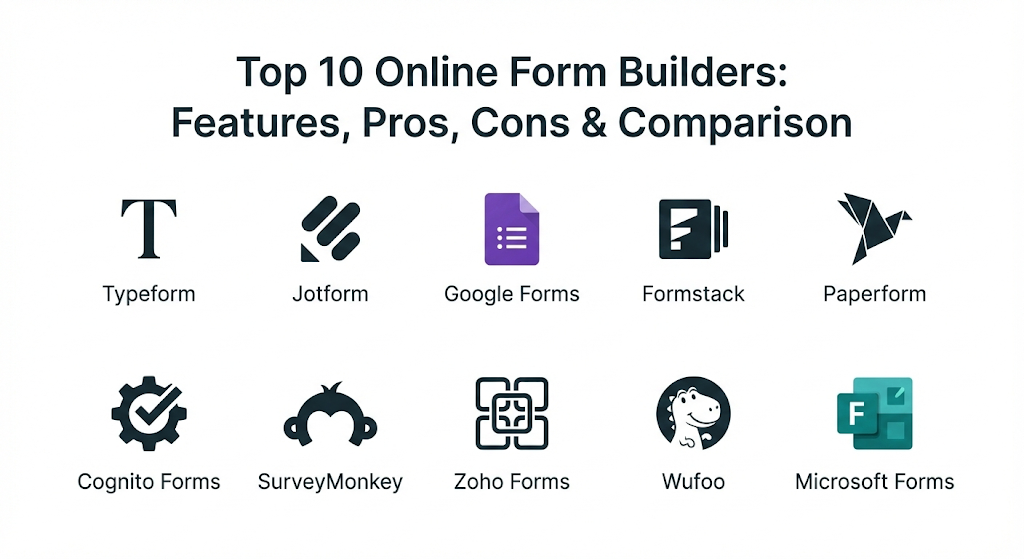
Top 10 Online Online Form Builders Tools
1 — Typeform
Typeform changed the game by introducing a “conversational” approach to forms. Instead of showing a long list of questions at once, it shows only one question at a time. This makes the experience feel more like a friendly chat and less like a boring interrogation.
Key features:
- Conversational UI: Displays questions one by one to keep users focused and engaged.
- Logic Jump: Directs users to different questions based on their previous answers.
- Video Integration: Allows you to embed video greetings to make the form feel personal.
- Hidden Fields: Passes data from your website into the form to personalize the experience.
- Calculator Tool: Performs math on the fly, useful for quotes or personality quizzes.
- High-Quality Design: Modern, sleek layouts that look great on mobile devices.
Pros:
- Significantly higher completion rates than traditional forms.
- Extremely beautiful and modern aesthetic that builds brand trust.
Cons:
- The pricing can be quite high compared to more basic builders.
- Not ideal for very long forms where users want to see all questions at once.
Security & compliance: SOC 2 Type II, GDPR compliant, and uses end-to-end encryption for data in transit.
Support & community: Extensive help center, a very active user community forum, and priority support for business users.
2 — Jotform
Jotform is the “Swiss Army Knife” of form builders. It is famous for having the most features and the largest library of templates in the world. It is designed for users who need a form that can do absolutely anything, from taking signatures to managing a store.
Key features:
- 10,000+ Templates: Pre-made forms for almost every industry and use case imaginable.
- Jotform Tables: A powerful database view that lets you manage entries like a spreadsheet.
- Store Builder: Build a simple e-commerce app directly within your form system.
- Mobile Forms: An app that lets you collect data even when you are offline.
- PDF Editor: Automatically turns form submissions into professional-looking PDF documents.
- Widget Library: Add extra features like checklists, image sliders, or QR code readers.
Pros:
- The most versatile tool on the market; if you can think of a feature, they probably have it.
- Excellent free tier that includes almost all features, just with lower limits.
Cons:
- The interface can feel a bit cluttered because there are so many options.
- The sheer number of settings can be overwhelming for someone who just wants a simple form.
Security & compliance: PCI DSS Level 1, HIPAA compliance (on specific plans), GDPR, and SOC 2.
Support & community: 24/7 customer support, a massive library of video tutorials, and a very helpful user blog.
3 — Google Forms
Google Forms is the go-to choice for millions because it is completely free and incredibly easy to use. It is designed for individuals and teams who need a reliable, no-frills way to collect information without a learning curve.
Key features:
- Total Integration: Works perfectly with Google Sheets for instant data analysis.
- Collaborative Editing: Multiple people can build the same form at the same time, just like Google Docs.
- Automatic Summaries: Provides instant charts and graphs of your results.
- File Uploads: Allows respondents to upload files directly to your Google Drive.
- Quiz Mode: Automatically grades answers and provides feedback to students.
- Add-on Store: Extends features with third-party tools for timers or notifications.
Pros:
- 100% free with no limits on the number of forms or responses.
- The easiest interface to learn; most people can build a form in under two minutes.
Cons:
- Very limited design options; all Google Forms look roughly the same.
- Lacks advanced features like complex conditional logic or payment gateways.
Security & compliance: Adheres to Google’s standard cloud security; GDPR compliant and ISO 27001 certified.
Support & community: Basic help documentation and a massive community of users sharing tips online.
4 — Formstack
Formstack is an enterprise-grade tool that focuses on highly regulated industries. It is not just a form builder; it is a “workplace productivity” platform that automates the movement of data and the signing of documents.
Key features:
- Data Routing: Sends form information to different departments based on the content.
- Document Generation: Automatically creates a contract or invoice based on form data.
- Digital Signatures: Includes a built-in e-signature tool (Formstack Sign).
- Workflow Automation: Connects multiple forms into a single, automated process.
- A/B Testing: Lets you test two versions of a form to see which one performs better.
- Advanced Security: Features like “data encryption at rest” for highly sensitive info.
Pros:
- Built for teams that need to meet strict legal and security standards.
- Deeply integrates forms, documents, and signatures into one flow.
Cons:
- The price is much higher than other builders, making it hard for small budgets.
- The builder interface feels a bit more “corporate” and less creative than Typeform.
Security & compliance: HIPAA, PCI, GDPR, SOC 2, and Section 508 (accessibility) compliant.
Support & community: Dedicated account managers for enterprises and a professional training center.
5 — Paperform
Paperform is the choice for those who want their forms to look like a beautiful, custom-designed landing page. It blurs the line between a website and a form, making it perfect for creative brands and independent creators.
Key features:
- Free-form Editor: Works like a Word document; you can click anywhere to add text, images, or fields.
- E-commerce Integration: Built-in tools for managing inventory and taking payments.
- Guided Mode: An option to switch between a traditional long form and a one-question-at-a-time view.
- Slash Commands: Quickly add fields by typing “/” followed by the field type.
- Direct Media Embeds: Easily pull in images from Unsplash or videos from YouTube.
- Brand Customization: Total control over fonts, colors, and the “look and feel” of every element.
Pros:
- Forms look like high-end websites rather than just a collection of boxes.
- The “document-style” editor is very intuitive for people who find drag-and-drop builders clunky.
Cons:
- No free tier (though they offer a trial).
- It can be tempting to spend too much time on design because there are so many options.
Security & compliance: GDPR compliant and uses SSL encryption for all data handling.
Support & community: Very fast chat support and a high-quality blog with design inspiration.
6 — Cognito Forms
Cognito Forms is a “power user” tool. It is specifically designed for complex business processes that require heavy calculations, repeating sections, and detailed document merging. It is the best value for people who need advanced logic on a budget.
Key features:
- Repeating Sections: Allows users to add multiple entries (like “Work History”) within one form.
- Calculated Fields: Powerful math formulas similar to what you would find in Excel.
- Lookup Fields: Pulls data from one form into another to keep information consistent.
- Entry Sharing: Lets users come back and update their submission later.
- Workflow Management: Assigns different statuses to entries as they move through your team.
- HIPAA Support: One of the most affordable ways to get a HIPAA-compliant form builder.
Pros:
- Unbeatable logic and math features for the price.
- Handles complex, multi-page business applications better than almost anyone else.
Cons:
- The default design of the forms is a bit plain and “old school.”
- The builder interface has a steeper learning curve for those who aren’t tech-savvy.
Security & compliance: HIPAA (on higher plans), PCI DSS Level 1, GDPR, and SOC 2.
Support & community: Solid documentation and a responsive support ticket system.
7 — SurveyMonkey (Momentive)
While mostly known for surveys, SurveyMonkey is a powerhouse for data collection. It is designed for researchers and organizations that need to gather a lot of data and, more importantly, need a tool to make sense of it all.
Key features:
- Question Bank: Thousands of pre-written, expert-vetted questions to choose from.
- AI Question Generator: Helps you write better questions based on your survey’s goal.
- Advanced Analytics: Powerful filters, cross-tabbing, and sentiment analysis for text answers.
- Benchmarking: Compares your results against industry standards.
- Multi-Channel Distribution: Send forms via email, text, social media, or even offline kiosks.
- Survey Panels: Pay to have your form filled out by a specific group of people worldwide.
Pros:
- The best tool for academic or professional research where data accuracy is everything.
- The analytics dashboard is much more powerful than a simple spreadsheet.
Cons:
- The branding on the lower tiers is very prominent.
- The interface is optimized for surveys; it can feel a bit weird for a simple “Contact” form.
Security & compliance: ISO 27001 certified, GDPR compliant, and SOC 2 Type II.
Support & community: 24/7 email support and a massive “Curiosity at Work” resource center.
8 — Zoho Forms
Zoho Forms is the ideal choice for businesses already using the Zoho ecosystem. It is designed to move data effortlessly between your website and your CRM, desk, or finance software.
Key features:
- Deep Zoho Integration: Automatically pushes data into over 40 other Zoho apps.
- Offline Collection: A dedicated mobile app for collecting data at trade shows or in the field.
- Approval Workflows: Sends submissions to a manager for a “Yes” or “No” before moving to the next step.
- Task Assignment: Automatically creates tasks for your team based on form answers.
- Email Automation: Sends personalized follow-up emails to the person who filled out the form.
- QR Code Generator: Creates unique codes for every form to print on flyers or business cards.
Pros:
- Incredible value if you are already a Zoho user.
- Very robust mobile capabilities for teams that aren’t at a desk.
Cons:
- The design options are functional but not nearly as pretty as Typeform or Paperform.
- Some integrations with non-Zoho products can be a bit tricky to set up.
Security & compliance: SOC 2 Type II, ISO 27001, GDPR, and HIPAA compliant.
Support & community: 24/5 phone and email support and a very large global user base.
9 — Wufoo
Wufoo is one of the oldest names in the business, and it is still around because it is simple and reliable. It is designed for people who want a form builder that is straightforward, fun, and doesn’t require a manual to understand.
Key features:
- Rule Builder: A simple way to set up “If This, Then That” logic without code.
- Payment Integration: Connects easily with Stripe, PayPal, and Authorize.net.
- Entry Manager: A clean way to view and export all your form submissions.
- Custom Notifications: Sends an email or text to you every time someone fills out a form.
- Theme Designer: Allows you to pick colors and upload logos to match your brand.
- File Manager: Keeps all the images and documents your users upload in one place.
Pros:
- Extremely stable and dependable; it just works.
- A fun, colorful interface that is less intimidating than “pro” tools.
Cons:
- The design of the forms can look a bit dated for modern, high-end websites.
- Feature updates are less frequent than newer competitors.
Security & compliance: Uses SSL encryption and is GDPR compliant.
Support & community: Detailed help guides and a responsive email support team.
10 — Microsoft Forms
Microsoft Forms is the direct competitor to Google Forms, designed specifically for schools and businesses that use Microsoft 365. It is built for speed and integration with Excel and Microsoft Teams.
Key features:
- Excel Sync: Form data flows directly into an Excel workbook in real-time.
- Teams Integration: Easily add a form or a poll directly into a Teams chat or channel.
- Math Assistant: Built-in tools for teachers to create math problems and equations.
- Design Ideas: AI-driven suggestions to make your form look better automatically.
- Branching Logic: Simple rules to skip questions based on previous answers.
- Multilingual Support: Allows you to create one form that users can see in their own language.
Pros:
- Included for free with most Microsoft 365 subscriptions.
- The fastest way to gather info if your entire company uses Microsoft Teams.
Cons:
- Lacks advanced features like payment collection or complex calculations.
- Very few design customizations; you are mostly stuck with their preset themes.
Security & compliance: Meets all Microsoft 365 enterprise security and compliance standards (GDPR, ISO).
Support & community: Integrated into the standard Microsoft support system with huge community forums.
Comparison Table
| Tool Name | Best For | Platform(s) Supported | Standout Feature | Rating |
| Typeform | High Engagement | Web, iOS, Android | Conversational (1 question at a time) | 4.8 / 5 |
| Jotform | Versatility | Web, Mobile App | 10,000+ Pre-made templates | 4.7 / 5 |
| Google Forms | Simple & Free | Web | 100% Free / Google Sheets Sync | 4.6 / 5 |
| Formstack | Enterprise Security | Web | Document & Workflow Automation | 4.5 / 5 |
| Paperform | Design-Focused | Web | Document-style landing page editor | 4.7 / 5 |
| Cognito Forms | Complex Logic | Web | Advanced math & repeating sections | 4.5 / 5 |
| SurveyMonkey | Deep Research | Web, Mobile App | AI-powered question bank & analysis | 4.6 / 5 |
| Zoho Forms | Zoho Users | Web, Mobile App | Native integration with Zoho CRM | 4.4 / 5 |
| Wufoo | Simple Reliability | Web | Easy “no-code” logic rules | 4.3 / 5 |
| Microsoft Forms | Microsoft 365 Users | Web, Teams | Instant sync with Excel & Teams | 4.4 / 5 |
Evaluation & Scoring of Online Form Builders
| Evaluation Category | Weight | Top Performer | Why? |
| Core Features | 25% | Jotform | Offers the most widgets, templates, and built-in tools. |
| Ease of Use | 15% | Google Forms | No learning curve at all; anyone can use it. |
| Integrations | 15% | Zoho Forms / Jotform | Both connect to thousands of other apps natively. |
| Security & Compliance | 10% | Formstack | Built specifically to meet the highest legal standards. |
| Performance | 10% | Typeform | Extremely smooth animations and mobile experience. |
| Support & Community | 10% | SurveyMonkey | Massive amount of expert resources and documentation. |
| Price / Value | 15% | Cognito Forms | Most advanced features for the lowest price point. |
Which Online Form Builder Tool Is Right for You?
Choosing a builder is all about matching the tool to your specific goal. Here is a quick guide to help you find your perfect fit.
Solo Users and Hobbyists
If you just need to collect some basic info and don’t want to spend money, Google Forms is the clear winner. It’s simple, free, and stores your data in a spreadsheet you already know how to use. If you want something that looks a bit nicer, the free tier of Jotform or Typeform is a great starting point.
Small to Mid-Sized Businesses (SMBs)
If you are using the form for marketing, Typeform or Paperform are worth the cost because they make your brand look professional and increase the number of people who actually finish the form. If you need a form that acts as a “mini-app” (taking payments and managing inventory), Jotform is your best bet.
Enterprises and Highly Regulated Industries
If you work in healthcare, law, or finance, your first priority is security. Formstack or Cognito Forms (on their higher plans) are essential because they offer HIPAA compliance and advanced data encryption. If your entire company already uses Microsoft or Zoho, sticking to Microsoft Forms or Zoho Forms will make your IT team’s life much easier.
Feature Depth vs. Ease of Use
Do you need Feature Depth? Go with Jotform or Cognito Forms. You can build almost anything, but you’ll need to spend time learning how.
Do you need Ease of Use? Go with Typeform or Google Forms. You’ll be done in minutes, but you’ll have less control over the “hidden” logic.
Frequently Asked Questions (FAQs)
1. Is it safe to collect credit card info through these forms?
Yes, as long as you use a built-in payment field like Stripe or PayPal. These tools are “PCI Compliant,” meaning they don’t actually store the credit card numbers on their servers; they pass them securely to the payment processor.
2. Can I use these forms on my own website?
Absolutely. Almost all form builders give you a small piece of “embed code” that you can copy and paste into your website editor (like WordPress or Wix) so the form appears directly on your page.
3. Do I need to know how to code to use a form builder?
No. These tools are designed to be “No-Code.” You just click, drag, and type. Some allow you to use “CSS” for advanced styling, but it is never required.
4. What is “Conditional Logic”?
This is a feature where the form changes based on the user’s answer. For example, if someone selects “USA” as their country, the form can then show a list of US states. If they select “Canada,” it shows provinces instead.
5. Are there limits on how many people can fill out my form?
Yes, most paid plans have a “monthly response limit.” Google Forms and Microsoft Forms are the only ones that are truly unlimited for free. Always check the limits before you launch a major campaign.
6. Can I get an email every time someone fills out a form?
Yes. You can set up “Notification Emails” to be sent to you, and “Autoresponder Emails” to be sent to the person who filled out the form as a confirmation.
7. Can these forms work without an internet connection?
Some can. Tools like Jotform and Zoho Forms have mobile apps that allow you to collect data offline. The data is saved on your device and synced to the cloud once you get back online.
8. How do I get my data out of the form builder?
You can usually export your data as a CSV or Excel file. Most tools also allow you to sync the data automatically to a Google Sheet or a CRM like Salesforce.
9. What is HIPAA compliance and do I need it?
HIPAA is a US law that protects medical information. You only need this if you are a healthcare provider or handling sensitive health data. If you do, you must choose a builder that offers a “Business Associate Agreement” (BAA).
10. Can I create multi-page forms?
Yes. Most builders allow you to add “Page Breaks.” This is very helpful for long applications so the user doesn’t get overwhelmed by a giant wall of questions.
Conclusion
The world of online form builders has moved far beyond simple text boxes. Today, these tools are powerful engines for business automation, design, and research. When choosing your tool, remember that there is no single “best” option—only the one that is best for your specific project.
If you want beauty and engagement, choose Typeform. If you want limitless power, choose Jotform. If you want simple and free, stick with Google Forms. By understanding your specific needs for logic, design, and security, you can turn a simple form into one of the most valuable tools in your digital toolkit.

- Top 10 Email Deliverability Tools: Features, Pros, Cons & Comparison - September 6, 2026
- Top 10 Pharmacovigilance Software: Features, Pros, Cons & Comparison - September 6, 2026
- Top 10 Manufacturing Execution Systems (MES) - July 30, 2026