Introduction
In the modern digital landscape, the traditional password is no longer just a nuisance—it is a significant security liability. Passwordless login clients are software applications or services that allow users to authenticate their identity without the need to remember or type a string of characters. Instead of a “shared secret” like a password, which can be phished, guessed, or stolen in a server-side breach, these clients utilize modern authentication factors such as biometrics (fingerprints or facial recognition), hardware security keys (FIDO2/WebAuthn), or secure mobile push notifications.
The shift toward passwordless environments is driven by the need to eliminate credential-based attacks, which account for the vast majority of data breaches today. By removing the password from the equation, organizations can effectively neutralize phishing, brute-force, and credential-stuffing attacks. Beyond security, these tools provide a frictionless user experience, saving employees and customers from “password fatigue” and reducing the massive operational costs associated with helpdesk password resets. When evaluating these tools, users should look for phishing resistance, platform compatibility, ease of integration with existing tech stacks, and compliance certifications.
Best for: Who benefits most from Passwordless Login Clients
Passwordless login clients are a game-changer for Enterprises and Mid-Market companies that operate under strict regulatory frameworks like HIPAA, GDPR, or SOC 2. They are also ideal for Remote and Hybrid Workforces where traditional network perimeters have dissolved, and identity is the new perimeter. Financial services, healthcare providers, and government agencies benefit most due to the high sensitivity of their data and the extreme cost of a potential breach.
Not ideal for: Who may not need these tools
These tools may not be necessary for individual users who only manage a few low-stakes personal accounts, where a standard (and often free) password manager might suffice. Additionally, legacy-heavy organizations with ancient on-premise software that does not support modern protocols like OIDC or SAML may find the initial implementation cost and complexity outweigh the immediate benefits until they modernize their core infrastructure.
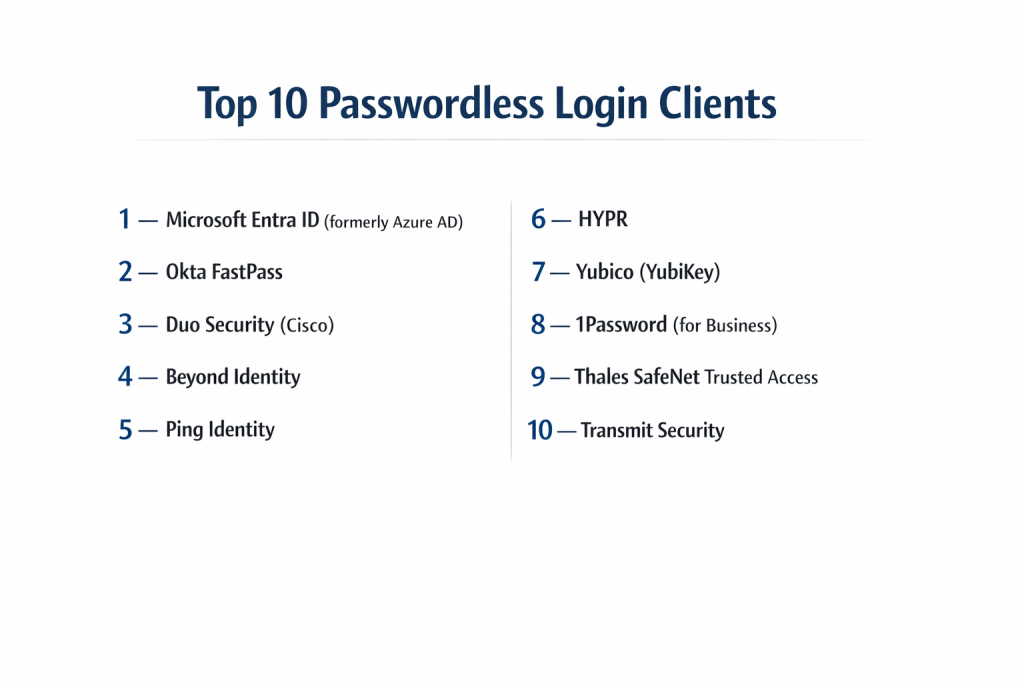
Top 10 Passwordless Login Clients
1 — Microsoft Entra ID (formerly Azure AD)
Microsoft Entra ID is the industry standard for organizations deeply integrated into the Microsoft ecosystem, providing native passwordless support for Windows, Office 365, and Azure.
- Key features:
- Native integration with Windows Hello for Business (biometrics/PIN).
- Microsoft Authenticator app support for phone-based sign-ins.
- Full support for FIDO2-compliant hardware security keys (e.g., YubiKey).
- Conditional Access policies that trigger MFA based on risk signals.
- Temporary Access Pass (TAP) for secure, passwordless onboarding.
- Seamless Single Sign-On (SSO) across cloud and hybrid apps.
- Pros:
- Deeply embedded into Windows 10/11, making deployment nearly invisible to users.
- Included in many existing Microsoft 365 enterprise licenses.
- Cons:
- Can be overly complex to configure for non-Microsoft environments.
- High-tier features (like advanced Risk-Based Conditional Access) require expensive P2 licensing.
- Security & compliance: SOC 1/2/3, ISO 27001, HIPAA, GDPR, and FedRAMP compliant.
- Support & community: World-class enterprise support; massive community documentation and global partner network.
2 — Okta FastPass
Okta FastPass is a device-bound, phishing-resistant authenticator that provides a consistent passwordless experience across any device or operating system.
- Key features:
- Device-bound cryptographic keys that ensure only registered devices can login.
- Support for Windows, macOS, iOS, and Android.
- Silent probing that detects the user’s identity without any interaction.
- Integrated with Okta Verify for biometrics and push notifications.
- Adaptive MFA that analyzes device health and location before granting access.
- Cross-browser support for a seamless web login experience.
- Pros:
- Platform agnostic—works equally well for Mac-heavy or Windows-heavy teams.
- Eliminates “MFA fatigue” by reducing the number of manual prompts.
- Cons:
- Requires the Okta Verify agent to be installed on every endpoint.
- Implementation for external (customer) identities can be a separate, complex project.
- Security & compliance: SOC 2 Type II, ISO 27001, HIPAA, and GDPR.
- Support & community: 24/7 technical support; extensive “Okta Help Center” and active developer forums.
3 — Duo Security (Cisco)
Known for its “single-tap” simplicity, Duo Security provides a robust passwordless solution focused on device health and zero-trust principles.
- Key features:
- Duo Push with verified biometrics (TouchID, FaceID).
- Support for FIDO2 security keys and platform authenticators (Windows Hello).
- Device health checks to ensure the OS and browser are up to date.
- “Trust this browser” feature to minimize repeat prompts securely.
- Easy-to-use self-service portal for user device enrollment.
- Broad integration with VPNs, RDP, and cloud applications.
- Pros:
- Renowned for the most user-friendly mobile app in the security space.
- Rapid deployment; businesses can often go live in a matter of days.
- Cons:
- Advanced device visibility features are locked in the “Duo Beyond” tier.
- Less focus on “silent” authentication compared to Okta.
- Security & compliance: FIPS 140-2, SOC 2, ISO 27001, and PCI DSS.
- Support & community: High-quality documentation; responsive email and phone support for enterprise clients.
4 — Beyond Identity
Beyond Identity takes a unique approach by completely removing the password from the directory, replacing it with asymmetric cryptography.
- Key features:
- No passwords stored anywhere in the cloud or on the device.
- Continuous risk-based authentication (not just at the moment of login).
- Automated device posture checks (firewall status, disk encryption, etc.).
- X.509 certificate-based authentication without the complexity of a PKI.
- Integration with major SSO providers like Okta, Ping, and Microsoft.
- Secure onboarding without ever issuing a temporary password.
- Pros:
- One of the few “true” passwordless solutions that eliminates the password at the source.
- Dramatic reduction in helpdesk tickets because there are no passwords to reset.
- Cons:
- Requires a significant shift in identity architecture for legacy organizations.
- Can be pricier than traditional MFA add-ons.
- Security & compliance: SOC 2 Type II, HIPAA, and GDPR compliant.
- Support & community: Strong focus on white-glove enterprise onboarding and dedicated account management.
5 — Ping Identity
Ping Identity is the preferred choice for massive enterprises with complex, hybrid environments that need highly customizable passwordless workflows.
- Key features:
- PingID mobile app for biometric and gesture-based login.
- Support for FIDO2, Apple FaceID/TouchID, and Windows Hello.
- DaVinci—a no-code orchestration engine to design custom login flows.
- Intelligent, risk-based policies based on behavioral analytics.
- Centralized management for both employee and customer (CIAM) identities.
- High-performance scaling for millions of users.
- Pros:
- Exceptional flexibility for “edge cases” that other providers can’t handle.
- Strongest solution for managing both internal employees and external customers.
- Cons:
- High implementation complexity; usually requires certified consultants.
- The UI for administrators can feel dated and fragmented across different modules.
- Security & compliance: ISO 27001, 27017, 27018, SOC 2, and HIPAA.
- Support & community: Extensive training programs (Ping University) and 24/7 global support.
6 — HYPR
HYPR describes itself as “The Passport for the Connected Workforce,” focusing heavily on FIDO-certified, phishing-resistant logins.
- Key features:
- Transforms a smartphone into a FIDO2 hardware security key.
- Desktop MFA that secures the actual Windows, Mac, or Linux login screen.
- Decentralized architecture that eliminates the “master password” database.
- Offline login capabilities using secure local authentication.
- Interoperability with existing SSO and IAM platforms.
- One-click “Magic Links” for specific secure use cases.
- Pros:
- Excellent for securing the computer login itself (Desktop MFA).
- Highly resistant to “Man-in-the-Middle” (AiTM) attacks.
- Cons:
- The decentralized model can be difficult for traditional IT teams to wrap their heads around.
- User experience depends heavily on the quality of the user’s smartphone hardware.
- Security & compliance: FIDO Certified, SOC 2 Type II, and GDPR.
- Support & community: Specialized technical support; strong focus on the “FIDO Alliance” standards.
7 — Yubico (YubiKey)
While primarily known for hardware, the Yubico ecosystem acts as a hardware-based “client” that enables passwordless login across thousands of services.
- Key features:
- Physical “touch-to-sign” authentication.
- Support for FIDO2, WebAuthn, U2F, Smart Card (PIV), and OTP.
- No batteries or network connection required for the key to function.
- Waterproof and crush-resistant hardware.
- Yubico Authenticator app for managing codes across devices.
- Enterprise subscription model for easy key replacement and upgrades.
- Pros:
- The most secure, “un-phishable” form of authentication available.
- Works in “air-gapped” environments where mobile phones are prohibited.
- Cons:
- Requires users to carry a physical device; keys can be lost or forgotten.
- Scaling physical hardware distribution to a global workforce is a logistical challenge.
- Security & compliance: FIPS 140-2 Level 3 (on specific models), SOC 2, and GDPR.
- Support & community: Massive developer community; industry-leading documentation.
8 — 1Password (for Business)
1Password is evolving from a password manager into a “Passkey” champion, allowing businesses to use passwordless logins for all their SaaS apps.
- Key features:
- Full support for saving and using Passkeys (WebAuthn).
- 1Password Unlock via Windows Hello or Apple Biometrics.
- “Unlock with SSO” integration for Entra ID or Okta.
- Secure vault sharing for team-based credentials.
- Watchtower feature to identify weak security postures.
- Browser extensions that automatically suggest passkey creation.
- Pros:
- Perfect for companies that aren’t ready to go 100% passwordless but want to transition.
- The best user experience for hybrid workflows (Passwords + Passkeys).
- Cons:
- Not a “native” IAM provider; it still sits on top of other directories.
- Passkey support is still limited by the number of websites that accept them.
- Security & compliance: SOC 2 Type II, ISO 27001, and HIPAA.
- Support & community: Very responsive social media and email support; massive consumer/business user base.
9 — Thales SafeNet Trusted Access
Thales offers a high-assurance access management solution that is frequently used by governments and high-security defense contractors.
- Key features:
- Wide range of passwordless authenticators (Push, Biometric, Hardware).
- Smart SSO that applies the correct level of security based on policy.
- Scenario-based access policies (contextual awareness).
- Support for PKI and Smart Card environments.
- Rapid cloud deployment with high scalability.
- Automated reporting and audit trails for compliance.
- Pros:
- Built for “High-Assurance” environments where security is the only priority.
- Extremely reliable with a long history in the encryption market.
- Cons:
- The interface is more “industrial” and less “modern” than Okta or Duo.
- Can feel rigid and difficult to customize for creative or agile teams.
- Security & compliance: FIPS 140-2, Common Criteria, ISO 27001, and GDPR.
- Support & community: Dedicated global support centers; professional services for large deployments.
10 — Transmit Security
Transmit Security focuses on “Identity Orchestration,” allowing companies to build complex passwordless journeys without writing code.
- Key features:
- Native biometric support across all web and mobile channels.
- Device-bound authentication that prevents account takeovers.
- Real-time fraud detection and risk scoring.
- Cross-channel continuity (start on mobile, finish on desktop).
- Zero-touch deployment for existing applications.
- Detailed analytics on user authentication patterns.
- Pros:
- Ideal for customer-facing apps where “friction” equals lost revenue.
- One of the most advanced fraud-prevention engines in the market.
- Cons:
- Overkill for a small company that just wants to secure internal email.
- Pricing is generally geared toward high-volume consumer apps.
- Security & compliance: SOC 2, GDPR, and ISO 27001.
- Support & community: Professional enterprise-grade support and implementation teams.
Comparison Table
| Tool Name | Best For | Platform(s) Supported | Standout Feature | Rating |
| Microsoft Entra ID | Windows/O365 Shops | Win, iOS, Android, Linux | Native Windows Integration | 4.8 / 5 |
| Okta FastPass | Agnostic Teams | Win, Mac, iOS, Android | Silent “No-Touch” Probing | 4.9 / 5 |
| Duo Security | Ease of Use / SMBs | Win, Mac, iOS, Android | Verified Mobile Push | 4.8 / 5 |
| Beyond Identity | True Zero Trust | Win, Mac, Linux, iOS | Asymmetric Cryptography | 4.7 / 5 |
| Ping Identity | Complex Enterprise | Win, Mac, iOS, Android | DaVinci Orchestration | 4.6 / 5 |
| HYPR | Desktop MFA | Win, Mac, Linux, iOS | Smartphone-as-a-FIDO-Key | 4.7 / 5 |
| Yubico (YubiKey) | High-Security/Defense | All (USB/NFC/Lightning) | Un-phishable Hardware | 4.9 / 5 |
| 1Password | SMBs / Hybrid Use | Win, Mac, iOS, Android | Passkey Management | 4.7 / 5 |
| Thales SafeNet | Govt & Compliance | Win, Mac, iOS, Android | High-Assurance Context | 4.5 / 5 |
| Transmit Security | Customer Apps (CIAM) | Web, iOS, Android | Fraud Prevention Engine | 4.6 / 5 |
Evaluation & Scoring of Passwordless Login Clients
| Evaluation Category | Weight | Description |
| Core Features | 25% | Variety of passwordless factors (FIDO2, Biometrics, Push). |
| Ease of Use | 15% | User experience for both the end-user and the administrator. |
| Integrations & Ecosystem | 15% | Ability to connect with SSOs, VPNs, and legacy apps. |
| Security & Compliance | 10% | Encryption standards and regulatory certifications. |
| Performance & Reliability | 10% | Uptime, speed of authentication, and offline capabilities. |
| Support & Community | 10% | Availability of docs, forums, and 24/7 technical help. |
| Price / Value | 15% | Cost-to-feature ratio and potential ROI on reset savings. |
Which Passwordless Login Client Is Right for You?
Selecting the right passwordless client depends on your organizational “Identity Maturity.”
- For Solo Users & Very Small Teams: If you are just starting, 1Password is the most approachable. It allows you to start using Passkeys today without needing an IT degree.
- For Small-to-Medium Businesses (SMBs): Duo Security is almost always the right answer. Its setup is incredibly fast, and the mobile app is so simple that your employees won’t need a training manual to use it.
- For Microsoft-Centric Organizations: If you are already on Microsoft 365, Microsoft Entra ID is the logical choice. You likely already pay for the foundation of the service, and the integration with Windows Hello is unbeatable.
- For Large Enterprises with Mixed Platforms: Okta FastPass or Ping Identity are the frontrunners. Okta is better for those who want a “cloud-first” easy management experience, while Ping is better for those with complex “messy” hybrid environments.
- For High-Security & Regulated Industries: If a single breach would be catastrophic, combine Yubico (YubiKey) with a service like Beyond Identity. This provides the “un-phishable” security of hardware with the intelligent posture checking of a modern client.
Frequently Asked Questions (FAQs)
1. Is “passwordless” really safer than using a very strong password?
Answer: Yes. A strong password can still be phished on a fake website or stolen from a server. Passwordless methods like FIDO2 use “public-key cryptography,” where the secret never leaves your device, making it virtually impossible to steal remotely.
2. What happens if a user loses their biometric device or hardware key?
Answer: All enterprise passwordless clients have “recovery” or “fallback” procedures. This usually involves a one-time “Temporary Access Pass” issued by IT or a backup hardware key that the user keeps in a secure location.
3. Does passwordless authentication work without an internet connection?
Answer: It depends on the tool. Many clients like HYPR or YubiKey support offline authentication for logging into a laptop, while others like Microsoft Authenticator may require a connection to verify the login with a server.
4. Can I go passwordless if my company still uses old “legacy” software?
Answer: Yes, but you may need an “Identity Bridge” or an Orchestrator like Ping DaVinci. These tools sit in front of the old software, handle the modern passwordless login, and then “fill in” the password for the old app behind the scenes.
5. Are biometrics (FaceID/Fingerprint) stored in the cloud?
Answer: No. Modern passwordless clients use “Local Biometrics.” Your fingerprint or face data stays in the secure chip (TPM or Enclave) of your phone or laptop. The client only receives a “Yes” or “No” from the hardware.
6. Is passwordless login more expensive than traditional MFA?
Answer: While the initial licensing might be higher, it usually saves money in the long run. Organizations spend an average of $70 per password reset. By eliminating those resets, the tool often pays for itself within the first year.
7. How long does it take to implement a passwordless client?
Answer: For a small company using Duo, it can take one afternoon. For a global enterprise with thousands of apps and employees, a phased rollout typically takes 3 to 6 months to ensure everyone is trained and onboarded.
8. Is there a difference between a “Passkey” and “Passwordless”?
Answer: A Passkey is a specific type of passwordless credential based on the FIDO2 standard. “Passwordless” is the broader category that also includes things like magic links, OTPs, and certificate-based logins.
9. Can attackers “spoof” a face scan to get in?
Answer: Standard webcam scans can be spoofed, but enterprise passwordless clients require “3D Depth Sensing” (like Apple FaceID) or “Liveness Detection,” which are extremely difficult to trick with photos or videos.
10. What is the most common mistake when moving to passwordless?
Answer: The most common mistake is not having a clear “fallback” plan. If you don’t tell users exactly what to do when they get a new phone or lose their key, your helpdesk will be flooded with “I’m locked out” calls.
Conclusion
The transition to a passwordless world is no longer a futuristic dream—it is a current security necessity. Whether you choose the deep ecosystem integration of Microsoft Entra ID, the platform-agnostic flexibility of Okta FastPass, or the impenetrable hardware security of Yubico, the move away from passwords is the single most effective step you can take to protect your data. Remember, the “best” tool is the one that aligns with your specific infrastructure and that your users will actually enjoy using. Start small, pick a pilot group, and begin your journey toward a more secure, password-free future today.

- Top 10 Email Deliverability Tools: Features, Pros, Cons & Comparison - September 6, 2026
- Top 10 Pharmacovigilance Software: Features, Pros, Cons & Comparison - September 6, 2026
- Top 10 Manufacturing Execution Systems (MES) - July 30, 2026