Introduction
So, what exactly are Privacy-preserving Analytics Tools? Think of them as a friendly shopkeeper who counts how many people walk into the store and which shelf they look at, but never asks for their name, address, or ID. These tools track website traffic—like how many people visited and which pages they liked—without collecting any personal data. They don’t use “cookies” that track people across different websites, and they don’t store “IP addresses” that can point back to a specific person.
These tools are incredibly important because the world is moving toward a more private internet. People are tired of being followed by ads. Also, governments are making strict rules to protect citizens. Using a privacy-first tool means you don’t have to show those annoying “cookie banners” that everyone hates. It builds trust with your audience. When your visitors know you aren’t spying on them, they feel much more comfortable browsing your site and buying your products.
Key Real-World Use Cases
- Website Growth Tracking: Seeing which blog posts are popular so you can write more of what people love.
- Campaign Monitoring: Checking if your latest social media post actually sent people to your website.
- Privacy Compliance: Making sure your business follows the law in places like Europe or California without needing a lawyer to explain it.
- Speed Optimization: These tools are usually much smaller than traditional ones, so they make your website load faster for your fans!
Evaluation Criteria
When you are looking for a privacy-focused partner, look at four big things: how simple the dashboard is, whether they store any personal data at all, how much they cost, and if they make your website slower.
Best for: Bloggers, small business owners, government agencies, and big brands who want to be honest with their users and follow privacy laws perfectly. It is great for marketing teams that want clear numbers without the mess of personal tracking.
Not ideal for: Huge advertising companies that need to follow a single person across five different websites to show them “retargeting” ads. If your whole business depends on knowing exactly who a person is and what they bought three years ago on a different site, these simple tools might not give you enough “creepy” data.
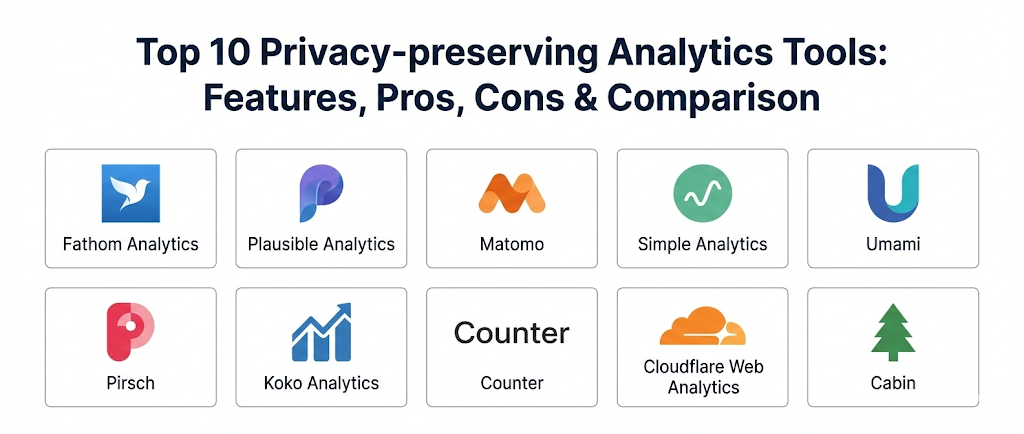
Top 10 Privacy-preserving Analytics Tools
1 — Fathom Analytics
Fathom is a pioneer in the world of simple, private analytics. They were one of the first companies to say, “Let’s stop spying on people!” It is built for business owners who want a single page that tells them everything they need to know in ten seconds. No complex charts, no confusing menus—just the facts.
- Key Features:
- A beautiful, single-page dashboard that shows all your stats at once.
- No cookies used at all, so you can delete your cookie banner.
- They use “anonymized” data to keep visitors safe.
- Ability to track “Events” like button clicks or newsletter signups.
- They can handle massive amounts of traffic without breaking.
- Uptime monitoring included to tell you if your site goes down.
- Email reports that send your stats straight to your inbox.
- Pros:
- Incredibly fast and easy to set up; you can be done in two minutes.
- The company is very vocal about privacy rights and leads the industry.
- You can use it on unlimited websites for one single price.
- Cons:
- There is no free version; you have to pay a monthly fee.
- It doesn’t have as many deep “filters” as some advanced users might want.
- Security & Compliance: Fully GDPR and CCPA compliant. They use advanced encryption to make sure data can never be traced back to an individual.
- Support & Community: Excellent customer support and a very popular blog that teaches people about the future of the private web.
2 — Plausible Analytics
Plausible is a favorite for the “tech-savvy” crowd and open-source fans. It is a lightweight tool that focuses on being “open.” This means anyone can look at their code to see exactly how it works. It is built to be fast, simple, and very honest.
- Key Features:
- Open-source code that is transparent and trusted by the community.
- The script is tiny, meaning it won’t slow down your website at all.
- You can “self-host” it if you have your own server and want total control.
- Clear breakdowns of where your traffic is coming from (Search, Social, etc.).
- Ability to see which “Devices” and “Browsers” your fans are using.
- No personal data collection and no cookies involved.
- A “Public Dashboard” option if you want to show your stats to the world.
- Pros:
- Great for teams that value transparency and community-built tools.
- Very affordable pricing based on how much traffic you get.
- The dashboard is very clean and easy to read on a mobile phone.
- Cons:
- Setting up the “self-hosted” version can be difficult for non-technical people.
- It focuses on basic stats, so it’s not for deep “funnel” analysis.
- Security & Compliance: Strictly GDPR compliant. No data leaves the European Union if you use their hosted version.
- Support & Community: Strong community on GitHub and very responsive email support.
3 — Matomo
Matomo is the “big brother” of private analytics. While other tools on this list focus on being simple, Matomo focuses on being powerful. It is the best alternative for people who want all the features of “big tracking” tools but want to own their data. You can keep everything on your own servers so nobody else ever sees your numbers.
- Key Features:
- Heatmaps that show exactly where people click on your page.
- Session recordings to see how people move through your site.
- A huge marketplace of “plugins” to add new features.
- Deep e-commerce tracking to see which products are selling.
- A mobile app so you can check your stats on the go.
- Import tools to bring in your old data from other platforms.
- Advanced “A/B Testing” to see which page design works better.
- Pros:
- The most powerful privacy tool available; it can do almost anything.
- You own 100% of your data if you host it yourself.
- It has a very large and helpful community around the world.
- Cons:
- The dashboard can feel very crowded and “old school” compared to newer tools.
- It can be slow if you have a massive website and don’t have a fast server.
- Security & Compliance: Highly secure with options for SSO and 2FA. Used by many government agencies because of its high standards.
- Support & Community: Huge user community, professional training, and paid enterprise support if you need it.
4 — Simple Analytics
The name says it all! Simple Analytics is for people who hate complexity. They are based in Europe and have a very strict “No Tracking” policy. They are so serious about privacy that they don’t even store IP addresses for a second. They just count the hit and move on.
- Key Features:
- A “Raw Data” export if you want to play with your numbers in a spreadsheet.
- “Tweet” tracking to see when someone shares your link on social media.
- No cookies, no fingerprints, and no IP storage.
- A very clean, bright dashboard that looks great in a dark mode too.
- Ability to bypass “Ad Blockers” because it isn’t doing anything bad.
- Simple “Goal” tracking for your sales and signups.
- Very fast loading times for your visitors.
- Pros:
- One of the most “honest” tools in the industry with zero data collection.
- The team is very friendly and cares deeply about the “open web.”
- It is a “set it and forget it” tool that requires no maintenance.
- Cons:
- It is more expensive than some other simple alternatives.
- It doesn’t give you much detail about “how” people are using the site.
- Security & Compliance: Top-tier GDPR compliance. All data is stored on encrypted servers in Europe.
- Support & Community: Great documentation and direct access to the founders for support.
5 — Umami
Umami is the “cool new kid” on the block. It is a simple, fast, and beautiful tool that is also open-source. It is designed for developers and designers who want a dashboard that looks like it belongs in the modern world. It is very fast and focuses on the most important numbers.
- Key Features:
- Unlimited websites and unlimited accounts included.
- A very fast and modern interface built with the latest tech.
- No cookies and no personal data collected.
- Easy “Share” links to show your stats to clients or partners.
- Ability to track custom “Events” very easily with code.
- Supports many different languages for the dashboard.
- Very lightweight script that doesn’t hurt your SEO.
- Pros:
- Completely free if you host it yourself on your own server.
- The design is very clean and doesn’t have any unnecessary “fluff.”
- It is becoming very popular with modern web developers.
- Cons:
- Not many “extra” features like heatmaps or email reports yet.
- Since it is newer, it doesn’t have as many integrations as older tools.
- Security & Compliance: Privacy-focused by design. No tracking of individual users.
- Support & Community: Active GitHub community and growing documentation.
6 — Pirsch
Pirsch is a German-based tool that is “technically amazing.” It is designed to be integrated directly into your website’s backend code, making it invisible and impossible to block. It is a great choice for companies that have their own developers and want a high-performance solution.
- Key Features:
- Backend integration means it works even if a user has “JavaScript” turned off.
- Extremely detailed “Core Web Vitals” tracking to help with SEO.
- No cookies and fully anonymized data processing.
- Very powerful “Filter” system to drill down into your data.
- Ability to track “Conversion Goals” with high accuracy.
- A very professional and serious dashboard design.
- Affordable pricing for small and large sites.
- Pros:
- One of the most accurate tools because it can’t be stopped by ad blockers.
- The focus on “Performance” data is great for improving your site speed.
- Very high standards for data quality and honesty.
- Cons:
- Can be a bit “technical” for someone who just wants to paste a script.
- The dashboard is very functional but might feel a bit “dry” to some.
- Security & Compliance: German-hosted, which means some of the strictest privacy rules in the world.
- Support & Community: Excellent technical documentation and fast email support.
7 — Koko Analytics
Koko Analytics is a specialized hero for the WordPress world. If you use WordPress and don’t want to deal with external websites and accounts, Koko is for you. It lives right inside your WordPress dashboard. It doesn’t send any data to any other company—everything stays on your own website.
- Key Features:
- Built specifically as a WordPress plugin.
- No external services used; your data stays in your database.
- No cookies used and no personal data collected.
- Very simple settings page that anyone can understand.
- Shows you your “Top Pages” and “Top Referrers” directly in WordPress.
- Does not slow down your site because it is very lightweight.
- Free to use for everyone.
- Pros:
- The easiest choice for WordPress users who want to stay simple.
- You have 100% control and ownership of your data for $0.
- No need to create another account or remember another password.
- Cons:
- It only works on WordPress.
- It doesn’t have advanced features like “Goal” tracking or “Events.”
- Security & Compliance: Varies / N/A (as it lives on your own site). It is as secure as your own WordPress installation.
- Support & Community: Active support forum on the WordPress plugin repository.
8 — Counter
Counter is an open-source, “extremely minimal” analytics tool. It is perfect for people who just want to know “How many people came to my site today?” and nothing else. It is a labor of love that is free to use and very fast. It is like a digital counter on your front door.
- Key Features:
- Zero tracking, zero cookies, zero personal data.
- A very tiny, fast dashboard that shows the basics.
- Open-source code so you can see how it works.
- No account needed to view public stats if you choose.
- Very easy to add to any website with one line of code.
- It is completely free to use.
- Pros:
- The simplest tool on this list—no setup required.
- Great for personal blogs or small side projects.
- 100% privacy-focused and non-commercial.
- Cons:
- It lacks professional features like email reports or advanced filtering.
- There is no “support team” to call if you need help.
- Security & Compliance: Fully private by design. Does not store anything that could identify a user.
- Support & Community: Community-led through GitHub.
9 — Cloudflare Web Analytics
Cloudflare is one of the biggest names in internet infrastructure. They offer a “Web Analytics” tool that is completely free and very powerful. If you already use Cloudflare to protect your website, turning this on is just one click away. It is professional, fast, and covers the whole world.
- Key Features:
- No cookies used and no tracking across different sites.
- Built into the Cloudflare network, which makes it incredibly fast.
- Shows you “Core Web Vitals” to see how fast your site loads for users.
- Detailed maps to see where in the world your traffic is coming from.
- Ability to see “Bot” traffic versus “Human” traffic.
- Works on any website, even if you don’t use Cloudflare for your DNS.
- Very deep data on “Performance” and errors on your site.
- Pros:
- It is completely free and from a very trusted, huge company.
- You get enterprise-level speed and reliability for zero dollars.
- Excellent for seeing the “health” of your website.
- Cons:
- It can feel a bit “technical” and “corporate.”
- It doesn’t track “Events” (like button clicks) as easily as Fathom or Plausible.
- Security & Compliance: Very high security standards. Fully compliant with major international privacy laws.
- Support & Community: Large help center and professional community forums.
10 — Cabin
Cabin is a newer tool that adds a very cool twist to analytics: it tracks your “Carbon Footprint” too! It is built for people who care about the planet as much as they care about privacy. It is beautiful, simple, and very “green.”
- Key Features:
- Tracks how much CO2 your website produces per visitor.
- No cookies, no personal data, and no tracking.
- A very clean and “calm” dashboard design.
- Detailed stats on where your traffic is coming from.
- Fast and lightweight script to keep your site “low carbon.”
- Ability to track “Events” and “Goals” with ease.
- Built-in “Uptime” monitoring to check if your site is online.
- Pros:
- The only tool that helps you be “Green” and “Private” at the same time.
- The interface is one of the most beautiful and modern in the industry.
- Great for brands that have an “Eco-friendly” message.
- Cons:
- It is a newer tool, so the community is still growing.
- Pricing is a bit higher than the very basic alternatives.
- Security & Compliance: Strictly GDPR compliant and focuses on minimal data storage.
- Support & Community: Friendly support and a clear mission for a better internet.
Comparison Table
| Tool Name | Best For | Platform(s) Supported | Standout Feature | Rating |
| Fathom | Business Owners | Web | Uptime Monitoring included | 4.8/5 |
| Plausible | Tech-savvy Teams | Web / Self-host | Open-source & Tiny script | 4.7/5 |
| Matomo | Power Users | Web / Self-host | Heatmaps & Session Recording | 4.6/5 |
| Simple Analytics | Privacy Purists | Web | Zero IP Storage / Honest | 4.5/5 |
| Umami | Modern Developers | Web / Self-host | Modern, Fast UI | 4.4/5 |
| Pirsch | Performance Data | Backend / Web | Backend-side tracking | 4.6/5 |
| Koko Analytics | WordPress Users | WordPress | No external accounts needed | 4.3/5 |
| Counter | Minimalists | Web | 100% Free & Basic | 4.0/5 |
| Cloudflare | Reliability & Speed | Web | Global Network / Bot Detection | 4.5/5 |
| Cabin | Eco-friendly Brands | Web | Carbon Footprint Tracking | 4.4/5 |
Evaluation & Scoring
We evaluated these tools based on what truly matters to a modern website owner who wants to respect their fans while keeping their business moving forward.
| Category | Weight | What We Look For |
| Core Features | 25% | Does it track traffic, pages, and events accurately? |
| Ease of Use | 15% | Can you understand the dashboard in 30 seconds? |
| Integrations | 15% | Does it work with WordPress, Shopify, and other tools? |
| Security & Compliance | 10% | Is it 100% private? Does it follow the law? |
| Reliability | 10% | Does the script work every time without slowing the site? |
| Support | 10% | Is there help available if you get stuck? |
| Price / Value | 15% | Is the price fair for the features you actually get? |
Which Privacy-preserving Analytics Tool Is Right for You?
Choosing your partner is about finding the right “size” for your needs. Here is a quick guide to help you decide!
Solo Users vs. SMB vs. Enterprise
- For Solo Bloggers: If you are just starting out, Koko Analytics (if you use WordPress) or Counter are perfect. They are free and give you exactly what you need without any fuss.
- For Growing SMBs: If you have a real business, Fathom or Plausible are the top choices. They are professional, look great, and give you the extra features like “Goal tracking” that help you make money.
- For Mid-market & Enterprise: If you have a huge team and need lots of power, Matomo or Cloudflare are the way to go. They can handle millions of visitors and give you the deep “tech” data your experts need.
Budget vs. Premium
- If you have $0: Go with Cloudflare Web Analytics or Counter. You get professional stats for free.
- If you can invest a little: Fathom or Simple Analytics are worth the monthly fee because they care so much about the quality of the data and the privacy of your users.
Ease of Use vs. Power
- If you want “Simple”: Simple Analytics and Fathom are the easiest tools on the planet.
- If you want “Power”: Matomo is the boss. It has every feature you could ever imagine, but it takes more time to learn.
Frequently Asked Questions (FAQs)
1. What makes these tools “private”?
These tools are private because they don’t track who a person is, only what they did on your site. They don’t use cookies to follow people across other websites, and they don’t store any data that could be used to find a person’s identity.
2. Do I still need a “Cookie Banner”?
In most cases, if you use a privacy-first tool like Fathom or Plausible, you do NOT need a cookie banner for analytics. This makes your website look much cleaner and faster for your fans!
3. Will these tools slow down my website?
No! In fact, they are usually much faster than traditional tracking tools. Their “scripts” are very tiny (often 10 to 50 times smaller), which helps your website load in a blink.
4. Can I see where my visitors live?
Yes, but only in a general way. You can see which countries or sometimes cities they are in, but you can’t see their exact street address or specific details.
5. Are these tools legal in Europe?
Yes! They are designed to follow the strict GDPR laws perfectly. Many of them even store their data inside Europe to make sure they follow the rules 100%.
6. Can I track sales and button clicks?
Yes, most of the professional tools (like Plausible, Fathom, and Cabin) let you track “Events” so you can see whenever someone clicks “Buy” or joins your email list.
7. Can I switch from my current tool easily?
Yes! Most of these tools only require you to change one small line of code on your website. Some, like Matomo, even let you “import” your old data so you don’t lose anything.
8. What is “Open Source”?
It means the “recipe” for the software is public. Anyone can check it to make sure the company isn’t doing anything sneaky with your data. Plausible and Umami are great examples of this.
9. Do they work with Ad Blockers?
Because these tools are “good” and don’t spy on people, many ad blockers don’t block them. This means your data is often more accurate than traditional tools that get blocked by everyone.
10. How much do they cost?
Some are free (like Cloudflare or Counter), while others cost between $10 and $50 a month depending on how many people visit your website. It is usually a very fair price for the privacy you get.
Conclusion
The future of the internet is private! By choosing one of these top 10 tools, you are taking a stand for your visitors’ rights while still getting the smart data you need to grow. There is no “perfect” tool for everyone, but there is a perfect tool for you.
If you want the easiest life possible, go with Fathom. If you want total power and ownership, Matomo is your hero. And if you want to help the planet while you track your stats, Cabin is waiting for you. Whatever you choose, you can feel good knowing that you are building a better, more honest internet for everyone.

- Top 10 Email Deliverability Tools: Features, Pros, Cons & Comparison - September 6, 2026
- Top 10 Pharmacovigilance Software: Features, Pros, Cons & Comparison - September 6, 2026
- Top 10 Manufacturing Execution Systems (MES) - July 30, 2026
This blog gives a clear, practical comparison of privacy‑preserving analytics tools and explains why cookie‑less, minimal‑data tracking is becoming essential for building user trust and staying compliant with modern privacy expectations. The tool-by-tool pros/cons (from simple options like Fathom/Plausible to more powerful setups like Matomo, plus niche picks like WordPress-focused Koko and performance-centric Cloudflare Analytics) make it easy to shortlist based on simplicity, control/self-hosting, and reporting depth. I also liked the evaluation criteria and real-world use cases—adding a quick “pick this if…” checklist at the end could make decision-making even faster for readers.