Introduction
Prompt Engineering Tools are specialized software platforms designed to streamline the creation, testing, optimization, and management of instructions (prompts) sent to Large Language Models (LLMs). As AI moves from experimental plaything to a core business utility, these tools act as the “Integrated Development Environment” (IDE) for AI interactions. They allow users to move beyond the hit-or-miss nature of chat interfaces by providing structured environments to version-control prompts, compare model outputs side-by-side, and automate the evaluation of AI responses against specific benchmarks.
The importance of these tools lies in the pursuit of reliability and cost-efficiency. A poorly structured prompt can lead to “hallucinations” or excessive token usage, directly impacting a company’s bottom line and brand reputation. Key real-world use cases include automated customer support tuning, programmatic content generation, dynamic SQL query construction, and legal document summarization. When choosing a tool, users should look for multi-model support, A/B testing capabilities, collaborative workspaces, and automated evaluation (Eval) frameworks to ensure that an optimized prompt today doesn’t break when a model is updated tomorrow.
Best for: AI engineers, product managers, prompt engineers, and marketing teams at startups and enterprises who need to move AI prototypes into production with consistent, high-quality results.
Not ideal for: Casual users who only use ChatGPT or Claude for one-off creative writing tasks or individuals who do not require repeatable, structured AI outputs.
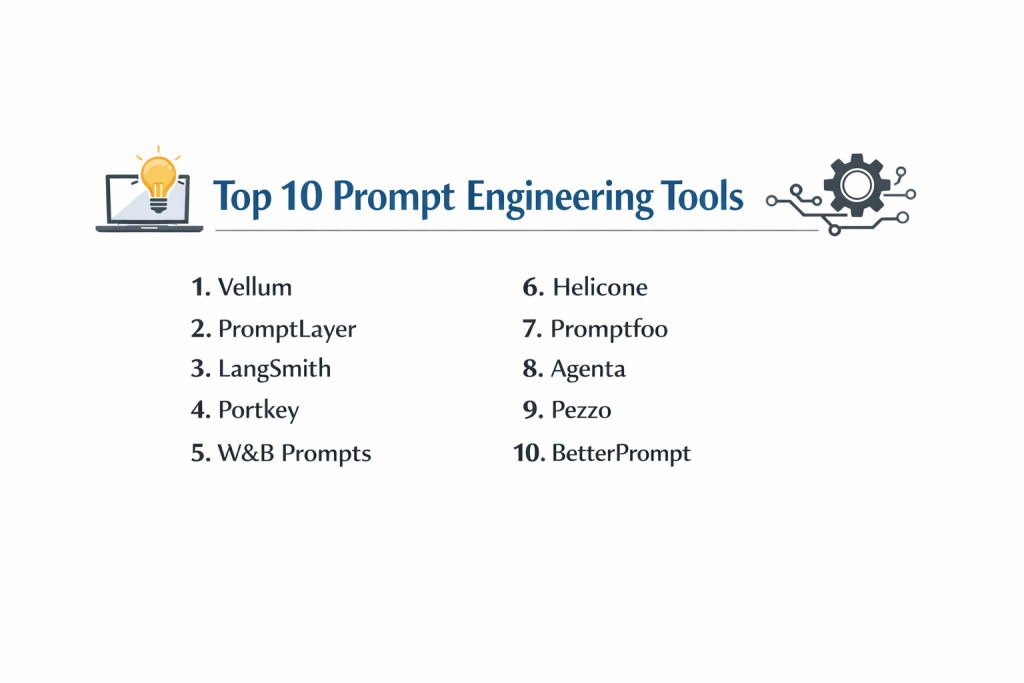
Top 10 Prompt Engineering Tools
1 — Vellum
Vellum is an enterprise-grade platform built specifically for the development lifecycle of LLM-powered applications. It focuses on the transition from a “cool demo” to a robust, production-ready feature.
- Key Features:
- Playground: A multi-model environment to test prompts across GPT-4, Claude, Llama, and more simultaneously.
- Workflow Builder: A visual canvas to chain prompts together with external data and logic.
- Evaluations: Automated suites to run test cases and score outputs based on custom rubrics.
- Search (RAG): Built-in vector search to test how prompts interact with retrieved documents.
- Deployment Management: Version control that allows for instant rollbacks and prompt “hot-swapping” without code changes.
- Pros:
- Excellent for collaborative teams where non-coders need to manage prompt logic.
- Provides deep visibility into “regression” (seeing if a new prompt breaks old test cases).
- Cons:
- The pricing model is geared toward companies with a serious AI budget.
- There is a slight learning curve for the advanced workflow logic.
- Security & Compliance: SOC 2 Type II compliant, SSO integration, and data encryption at rest and in transit.
- Support & Community: High-touch customer success for enterprise clients, detailed technical docs, and an active developer community.
2 — PromptLayer
PromptLayer is often cited as the first “Prompt Management System.” It acts as a middleware that sits between your code and the LLM provider to log and track every interaction.
- Key Features:
- Request Logging: Automatically records every prompt, response, and metadata (latency, cost, tokens).
- Version Control: Assign tags like “production” or “staging” to different versions of a prompt.
- Visual CMS: A dashboard where non-technical stakeholders can edit prompts without touching the codebase.
- Programmatic Evaluations: Tools to score responses and track quality over time.
- Template Management: Centralized repository for all prompts used across various applications.
- Pros:
- Extremely lightweight and easy to integrate into existing Python or TypeScript projects.
- The CMS feature empowers marketing and product teams to refine copy directly.
- Cons:
- Relies on a middleware architecture which some highly sensitive industries may find risky.
- Advanced analytics are locked behind higher-tier subscription plans.
- Security & Compliance: GDPR compliant, SOC 2 Type II, and offers audit logs for team activity.
- Support & Community: Strong Discord presence, rapid feature updates, and clear API documentation.
3 — LangSmith (by LangChain)
LangSmith is the observability and testing arm of the LangChain ecosystem. It is designed for developers who need to debug complex, multi-step AI “chains.”
- Key Features:
- Traceability: View every step of a complex AI agent’s reasoning process in a visual timeline.
- Dataset Management: Create and curate datasets for fine-tuning or benchmarking.
- Comparison View: Side-by-side analysis of how different prompt versions perform on the same dataset.
- Feedback Loops: Tools to collect human-in-the-loop ratings on AI outputs.
- Hub Integration: Direct access to a public and private repository of shared prompts.
- Pros:
- Unmatched for debugging “agents” that perform multiple actions in a sequence.
- Seamlessly integrates with the most popular AI framework in the world.
- Cons:
- Can feel overly complex for teams not already using the LangChain library.
- The interface can be cluttered with dense technical data.
- Security & Compliance: SOC 2 Type II; offers self-hosting options for sensitive enterprise data.
- Support & Community: Massive community support, extensive documentation, and video tutorials.
4 — Portkey
Portkey is an AI Gateway and observability suite that focuses on making AI apps reliable, fast, and cost-effective through advanced caching and fallback strategies.
- Key Features:
- AI Gateway: A single API to access over 100+ different models.
- Prompt Management: Versioned prompt templates that can be edited in a UI.
- Smart Caching: Save costs by serving identical requests from a fast local cache.
- Fallbacks & Retries: Automatically switch to a backup model (e.g., from GPT-4 to Claude) if a provider is down.
- Custom Metadata: Tag requests with user IDs or project names for detailed billing analysis.
- Pros:
- The “Gateway” approach provides incredible resilience against model provider outages.
- Significant cost savings through its semantic caching mechanism.
- Cons:
- Focuses more on the “infrastructure” side than the “creative” prompt engineering side.
- Setup can be slightly more technical than a standalone playground.
- Security & Compliance: ISO 27001, GDPR, and SOC 2 Type II compliant; HIPAA support available.
- Support & Community: Active GitHub repository, Slack community, and professional enterprise support.
5 — Weights & Biases (W&B) Prompts
W&B Prompts is a tool within the broader Weights & Biases ecosystem, traditionally used for machine learning experiment tracking, now adapted for LLM development.
- Key Features:
- Trace Table: A powerful visualization tool to see the inputs and outputs of your LLM calls.
- Interaction Logging: Track the full prompt history and model configurations.
- Diffing Tools: Compare two prompt versions to see exactly what changed in the output.
- Enterprise Scalability: Built to handle millions of logged events across massive teams.
- Integration: Direct hooks into popular LLM libraries and custom training scripts.
- Pros:
- The best choice for teams that are also doing their own model training or fine-tuning.
- Extremely robust and battle-tested in the machine learning industry.
- Cons:
- The UI is built for data scientists, which might intimidate traditional software engineers.
- Can be “overkill” for teams only doing simple prompt management.
- Security & Compliance: SOC 2 Type II, HIPAA compliant, and offers private cloud deployments.
- Support & Community: Industry-leading technical support and a vast library of ML research content.
6 — Helicone
Helicone is an open-source observability platform that focuses on providing high-level analytics and prompt management with just a single line of code.
- Key Features:
- One-Line Integration: Simply change the base URL of your OpenAI or Anthropic calls to start logging.
- Prompt Builder: A UI to create and test prompts before deploying them to code.
- Cost Tracking: Detailed breakdowns of spend by model, user, or custom tag.
- User Metrics: Track how specific end-users are interacting with your AI features.
- Exportable Logs: Download your data for custom analysis or fine-tuning.
- Pros:
- Very developer-friendly with an emphasis on “getting out of the way.”
- Open-source core allows for high transparency and community contributions.
- Cons:
- Newer to the market, so it has fewer “advanced” workflow features than Vellum.
- Visualizations are clean but less customizable than Portkey or W&B.
- Security & Compliance: GDPR compliant; SOC 2 Type II (Standard for their cloud offering).
- Support & Community: Growing Discord community and very responsive founders.
7 — Promptfoo
Promptfoo is a CLI-first tool designed for developers who want to bring “Unit Testing” concepts to prompt engineering.
- Key Features:
- CLI/Terminal Focus: Run evaluations directly from your terminal or CI/CD pipeline.
- Matrix Testing: Test 10 prompts against 10 models with 10 different variables in one command.
- Custom Scorers: Use LLMs, Javascript, or Python scripts to automatically grade AI responses.
- Local First: Run your tests locally for privacy and speed.
- No-Code Web UI: An optional web interface to view results in a clean table format.
- Pros:
- The fastest way to run massive “batch tests” across multiple prompts.
- Ideal for a “GitOps” workflow where prompts are treated like code.
- Cons:
- Lack of a persistent collaborative cloud workspace (it is primarily a local tool).
- Requires comfort with the command line for the best experience.
- Security & Compliance: Varies / N/A (Since it is local-first, your data stays on your machine).
- Support & Community: Excellent GitHub documentation and a growing base of power-user developers.
8 — Agenta
Agenta is an open-source “LLMops” platform that bridges the gap between the playground and the final application.
- Key Features:
- Library of Prompts: A collaborative space for teams to share and version prompts.
- Human-in-the-Loop: A dedicated UI for domain experts to grade AI outputs without seeing code.
- A/B Testing: Deploy two different prompt versions and track which one performs better.
- Side-by-Side Playground: Compare outputs from different models and prompts in real-time.
- API Access: Connect your optimized prompts to your application via a simple API.
- Pros:
- Open-source and self-hostable, providing maximum control over data privacy.
- Focuses on the “Human-in-the-loop” aspect, which is critical for legal or medical AI.
- Cons:
- The self-hosting setup requires DevOps knowledge.
- The managed cloud version is still maturing compared to competitors.
- Security & Compliance: Varies / N/A (Highly dependent on user implementation).
- Support & Community: Active GitHub and Slack; documentation is clear and developer-centric.
9 — Pezzo
Pezzo is a “Cloud-Native” prompt management platform that focuses on the seamless synchronization between the prompt playground and your production code.
- Key Features:
- GraphQL Client: A modern way to fetch the latest “production-tagged” prompts into your app.
- Observability: Built-in tracking for costs, errors, and performance.
- Instant Publishing: Change a prompt in the Pezzo UI and have it update in your app instantly.
- Collaboration: Multi-user workspaces with role-based access.
- Type-Safe SDK: Strong support for TypeScript developers.
- Pros:
- The GraphQL integration is a joy for modern web developers to use.
- Eliminates the need for “hard-coded” prompts in your source code.
- Cons:
- Smaller model support library compared to Portkey or Vellum.
- Community is smaller, meaning fewer third-party templates.
- Security & Compliance: SOC 2 Type II compliant; standard encryption and SSO.
- Support & Community: Friendly developer community and growing documentation.
10 — BetterPrompt
BetterPrompt is a specialized tool that focuses on “automated prompt optimization” using AI to improve your prompts based on desired outcomes.
- Key Features:
- Prompt Refiner: Uses AI to rewrite your prompts for better clarity and model adherence.
- Multi-Language Testing: Automatically tests how your prompts perform in different languages.
- Token Optimizer: Suggests ways to shorten prompts to save money without losing quality.
- Similarity Search: Find similar prompts in your history to avoid redundant work.
- Batch Testing: Run your optimized prompts against large datasets.
- Pros:
- Excellent for beginners who aren’t yet “fluent” in prompt engineering.
- The token optimization feature can pay for itself in high-volume apps.
- Cons:
- Sometimes “refines” a prompt into something that loses the original nuance.
- Lacks the deep infrastructure features (like gateways or fallbacks) found in other tools.
- Security & Compliance: Standard web security; GDPR compliant.
- Support & Community: Web-based support and a growing blog of prompt engineering tips.
Comparison Table
| Tool Name | Best For | Platform(s) Supported | Standout Feature | Rating |
| Vellum | Enterprise Workflows | Web, API | Visual Logic Canvas | 4.8 / 5 |
| PromptLayer | Content/Marketing CMS | Web, Python, JS | Middleware Proxy Logging | 4.7 / 5 |
| LangSmith | Debugging AI Agents | Web, Python, JS | Visual Trace Timelines | 4.9 / 5 |
| Portkey | AI Reliability/Gateway | Web, API | Semantic Caching & Fallbacks | 4.6 / 5 |
| W&B Prompts | Data Scientists | Web, Python | ML Experiment Integration | 4.8 / 5 |
| Helicone | Fast Observability | Web, API | One-line Integration | 4.5 / 5 |
| Promptfoo | CI/CD Unit Testing | CLI, Web | Matrix Batch Testing | 4.7 / 5 |
| Agenta | Open-Source LLMops | Web, Self-hosted | Human-in-the-loop UI | N/A |
| Pezzo | GraphQL Devs | Web, API | Instant “Hot” Publishing | N/A |
| BetterPrompt | Prompt Optimization | Web | AI-driven Refinement | 4.3 / 5 |
Evaluation & Scoring of Prompt Engineering Tools
Choosing a tool requires balancing technical depth with ease of use. The following rubric is used to weigh the value of these platforms for a professional team.
| Category | Weight | Evaluation Rationale |
| Core Features | 25% | Versioning, multi-model support, and automated evaluation (Evals). |
| Ease of Use | 15% | Time to integrate and the quality of the UI for non-technical users. |
| Integrations | 15% | SDK quality and support for major LLM providers (OpenAI, Anthropic, etc). |
| Security & Compliance | 10% | SOC 2 status, GDPR, and data isolation options. |
| Performance | 10% | Latency of the middleware and reliability of the cloud service. |
| Support & Community | 10% | Documentation, Discord/Slack presence, and enterprise support. |
| Price / Value | 15% | Scaling costs relative to the time and token savings provided. |
Which Prompt Engineering Tool Is Right for You?
Solo Users vs SMB vs Mid-Market vs Enterprise
- Solo Users: If you are a single developer, Promptfoo or Helicone are fantastic. They are low-cost (or free) and provide immediate value without complex setup.
- SMBs: PromptLayer or Pezzo are great middle-ground choices. They allow your marketing team to edit prompts while your developers focus on the core product.
- Enterprise: Vellum or LangSmith are the heavy-hitters. They provide the governance, security, and complex evaluation suites required for large-scale AI deployment.
Budget-Conscious vs Premium Solutions
If budget is the main concern, Agenta and Promptfoo are open-source and free to get started with. For premium solutions where “time is money,” Vellum and Portkey offer managed services that eliminate the need for your engineers to build their own internal AI infrastructure.
Feature Depth vs Ease of Use
For Feature Depth, nothing beats LangSmith for its tracing and Vellum for its workflow builder. For Ease of Use, Helicone is the winner—you can start seeing data in under 60 seconds by simply changing a single URL in your code.
Integration and Scalability Needs
If you need to scale across millions of requests, Portkey is the most robust choice due to its gateway architecture. If you are already in the LangChain ecosystem, LangSmith is a no-brainer for scalability.
Security and Compliance Requirements
For high-security sectors (Finance/Healthcare), prioritize Weights & Biases or Agenta (self-hosted). These allow you to keep your prompts and logs within your own secure VPC (Virtual Private Cloud).
Frequently Asked Questions (FAQs)
Q1: Do I really need a tool, or can I just use a Word doc for prompts?
Answer: While a Word doc works for one-off tasks, it fails in production. These tools provide version control, cost tracking, and automated testing—things a Word doc cannot do when you’re making 1,000 API calls an hour.
Q2: Will these tools make me a better prompt engineer?
Answer: Yes, but primarily by providing a “feedback loop.” By seeing exactly how a small change in a prompt impacts the cost and quality of 100 different test cases, you learn what actually works.
Q3: Can these tools help me save money on my AI bill?
Answer: Absolutely. Tools like Portkey use caching to avoid paying for the same request twice, and BetterPrompt helps shorten prompts, reducing the number of tokens you pay for.
Q4: How does “Prompt Versioning” work?
Answer: It’s like Git for text. You can have a “Draft” prompt, a “Staging” prompt, and a “Production” prompt. When you improve the draft, you can “promote” it to production via the tool’s dashboard without needing a software engineer to redeploy code.
Q5: What is an “Evaluation” or “Eval”?
Answer: An Eval is a test case for your prompt. For example, if you want a prompt to summarize legal text, an Eval might check if the summary is under 200 words and doesn’t contain specific forbidden phrases.
Q6: Do these tools work with open-source models like Llama 3?
Answer: Yes, most of them (like Vellum and Portkey) support any model hosted on providers like Together AI, Anyscale, or AWS Bedrock, as well as local models.
Q7: Is it safe to send my prompts through a third-party tool?
Answer: Leading tools use enterprise-grade encryption. However, for maximum safety, choosing an open-source, self-hosted option like Agenta ensures that your prompts never leave your own servers.
Q8: Can non-technical people use these tools?
Answer: Yes, that is one of the main benefits. Tools like PromptLayer and Pezzo have “Playgrounds” specifically designed for product managers and marketers to refine AI behavior without writing code.
Q9: What is the difference between an AI Gateway and a Prompt Manager?
Answer: A Prompt Manager (like PromptLayer) organizes your text templates. An AI Gateway (like Portkey) manages the infrastructure, handling things like retries, fallbacks, and caching across multiple AI providers.
Q10: Are there any free prompt engineering tools?
Answer: Yes, Promptfoo is free and open-source, and Helicone has a very generous free tier for developers just getting started.
Conclusion
The “Wild West” era of prompt engineering is coming to a close. As businesses demand more predictability from their AI applications, the choice of a Prompt Engineering Tool becomes a foundational decision. If you want to move fast and maintain high quality, you cannot rely on manual testing and hard-coded text strings.
Whether you choose a developer-centric CLI tool like Promptfoo, an enterprise workflow platform like Vellum, or a reliability gateway like Portkey, the goal is the same: to make AI deterministic and scalable. The “best” tool is the one that empowers your team to experiment quickly while providing the safety nets needed for a production environment.

- Top 10 Email Deliverability Tools: Features, Pros, Cons & Comparison - September 6, 2026
- Top 10 Pharmacovigilance Software: Features, Pros, Cons & Comparison - September 6, 2026
- Top 10 Manufacturing Execution Systems (MES) - July 30, 2026
This is a very practical and well‑organized comparison of the top prompt engineering tools, and it clearly lays out the important features alongside balanced pros and cons. Highlighting aspects such as prompt versioning, collaboration support, template libraries, and model‑agnostic integrations gives readers a solid framework for evaluating which tool best fits their workflow. The breakdown helps both beginners and experienced practitioners understand how these solutions can improve prompt quality, consistency, and productivity when working with large language models. Overall, this guide is a valuable resource for anyone exploring how to build more effective and maintainable prompt systems in real‑world AI projects.