Introduction
Punch list management tools are digital platforms specifically designed to help construction teams, architects, and project managers track the final “to-do” list of a building project. In the construction world, a punch list is a document created near the end of a job that lists all the small tasks, repairs, and finishing touches that must be completed before the project is officially handed over to the owner. These tools replace old-fashioned paper clipboards and messy spreadsheets with mobile apps that allow users to take photos, pin issues to a digital floor plan, and assign tasks to specific workers in real-time.
Using these tools is important because they create a clear record of accountability. When a project is nearly finished, there are often hundreds of tiny details—like a scratched tile, a missing light switch cover, or a door that doesn’t close right—that can easily be forgotten. A digital punch list tool ensures that nothing is missed, reduces arguments between contractors and owners, and helps the project reach the finish line faster. By having everyone look at the same digital list, there is no confusion about what needs to be fixed or who is responsible for fixing it.
Key real-world use cases:
- Final Walkthroughs: Walking through a new apartment building and marking every paint scuff or carpet stain directly on a tablet.
- Safety Inspections: Identifying potential hazards on a site and instantly notifying the safety officer.
- Subcontractor Management: Assigning specific repair tasks to the plumbing or electrical team and tracking their progress.
- Quality Control: Keeping a photo history of all finished work to prove that everything was done according to the contract.
When choosing a tool, you should look for one that is easy to use on a mobile phone (since most work happens on-site), offers offline access, and makes it simple to generate professional reports for clients.
Best for: General contractors, subcontractors, architects, and property developers who manage medium-to-large construction projects. It is especially helpful for teams that need to coordinate with many different people at once and want to keep a digital paper trail of every repair made.
Not ideal for: Individual homeowners doing a small weekend DIY project or very small handymen who only handle one or two tasks at a time. For these very small jobs, a simple note-taking app or a basic paper list is often faster and cheaper than professional software.
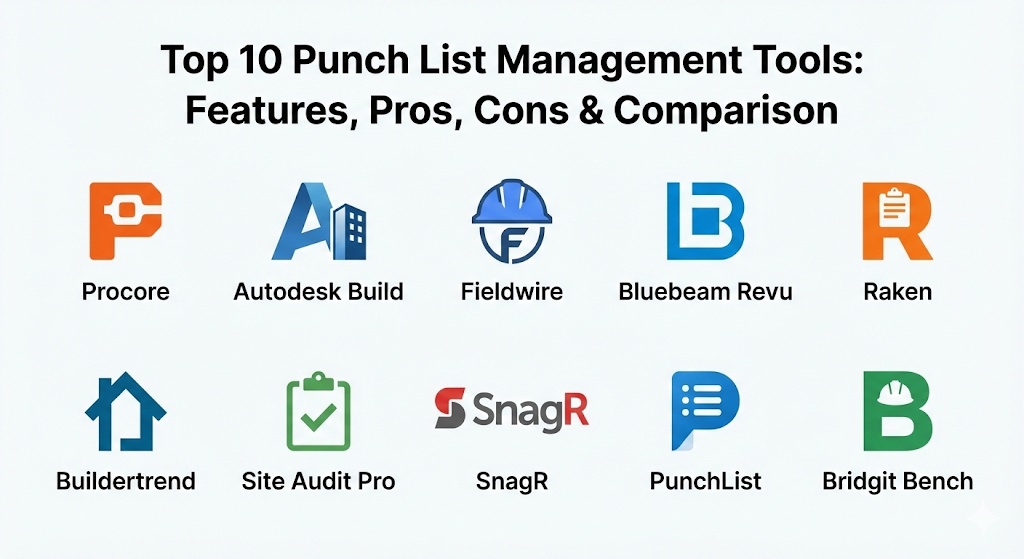
Top 10 Punch List Management Tools
1 — Procore
Procore is a massive, all-in-one construction management platform that treats punch lists as just one part of a larger project lifecycle. It is designed for large companies that want to manage everything—from budgets to blueprints to final repairs—inside a single, powerful system.
Key features:
- Mobile Punching: Create and assign items directly from the field using a phone or tablet.
- Location Pinning: Drop a pin on the digital floor plan to show exactly where the issue is.
- Collaborative Workflows: Notify subcontractors automatically when a task is assigned to them.
- Detailed Photo Attachments: Take pictures of the problem and draw on them to highlight the issue.
- Custom Reporting: Create professional-looking PDF reports to show owners the project status.
- Offline Mode: Works perfectly even in areas of the job site without a Wi-Fi or cellular signal.
- Integrated Daily Logs: Links punch list items to daily site reports for better tracking.
Pros:
- Offers the most complete set of tools for large-scale construction projects.
- The mobile app is very reliable and handles large, complex floor plans without crashing.
- Creates a permanent, legal record of every action taken on the job site.
Cons:
- It is very expensive, making it hard for small businesses to afford.
- The system is so large that it takes a long time to learn how to use everything correctly.
Security & compliance: SSO, enterprise-grade encryption, audit logs, SOC 2 Type II, and GDPR compliant.
Support & community: Extensive online documentation, 24/7 live support, Procore university for training, and a huge community of certified users.
2 — Autodesk Build
Autodesk Build is part of the Autodesk Construction Cloud and is the successor to the famous PlanGrid. It is built to connect the people in the office who design the buildings with the people on the site who build them, ensuring a smooth transition into the punch list phase.
Key features:
- Sheet-Based Navigation: Built around the project’s blueprints, making it easy to find where tasks are located.
- Issue Tracking: Categorize punch items by type, such as “Quality,” “Safety,” or “Workmanship.”
- Automated Sync: Changes made in the field sync instantly to the office once a connection is found.
- BIM Integration: View 3D models of the building to understand complex issues.
- Custom Forms: Create specific checklists for different types of inspections.
- Status Tracking: Move items through a “Draft,” “Open,” “Work Completed,” and “Closed” workflow.
Pros:
- If you already use AutoCAD or Revit, this tool fits perfectly into your existing work.
- The interface is clean and looks very modern, which makes it easier to use.
- Excellent for managing high-quality blueprints and technical drawings.
Cons:
- The pricing structure can be confusing because it is based on different “sheets” or project sizes.
- Some users find the many different Autodesk apps a bit confusing to manage.
Security & compliance: ISO 27001, SOC 2, GDPR, and uses multi-factor authentication for all accounts.
Support & community: High-quality help center, dedicated account managers for large teams, and a global network of partners.
3 — Fieldwire
Fieldwire is a task-focused tool that is widely loved by subcontractors and field workers. It focuses on being fast and simple, allowing workers to check their tasks, finish their work, and upload a photo for approval in just a few clicks.
Key features:
- Task Management: View your work as a list, a calendar, or a board of “sticky notes.”
- Instant Messaging: Chat with your team directly inside a specific punch list item.
- Plan Viewing: Fast and responsive blueprint viewer that works on any mobile device.
- Markups and Annotations: Draw directly on plans to show where work is needed.
- Scheduled Reports: Automatically send a summary of open items to the team every morning.
- Mass Task Creation: Quickly create many items at once using a batch import tool.
Pros:
- It is one of the easiest tools for field workers to pick up and start using immediately.
- The “per-user” pricing is very fair for smaller teams or specialized subcontractors.
- Extremely fast syncing speed, which saves time when moving between different parts of a site.
Cons:
- Lacks some of the deep financial and budgeting tools found in larger platforms.
- Not as powerful for managing 3D building models (BIM).
Security & compliance: AES-256 encryption, audit trails, and GDPR compliance.
Support & community: Great video tutorials, a fast email support team, and a clean documentation library.
4 — Bluebeam Revu
Bluebeam is a favorite among architects and engineers. While it is mostly known for editing PDFs and blueprints, its “Studio” feature allows teams to perform live, collaborative punch list walkthroughs where everyone can see markups happening in real-time.
Key features:
- Punch Key Tool: Use pre-made symbols (like “EL” for electrical) to mark issues on a map.
- Real-Time Collaboration: Multiple people can mark up the same document at the same time.
- Document Overlay: Compare two different versions of a plan to see what changed.
- Measurement Tools: Accurately measure lengths and areas directly on the digital drawing.
- Custom Markup Library: Create your own set of icons and colors for your team.
- Status Tracking: Change the color of a markup to show that the work has been finished.
Pros:
- The gold standard for accurate blueprint markups and technical detail.
- Does not require a constant subscription if you buy the older desktop versions.
- Powerful for creating very detailed, technical documentation of a project.
Cons:
- The mobile iPad app is not as powerful as the Windows desktop version.
- It is built more for “office” people than for workers wearing gloves on a job site.
Security & compliance: Password protection, digital signatures, and secure cloud storage options.
Support & community: Huge user community, many “Bluebeam User Groups” (BUGs), and extensive training classes.
5 — Raken
Raken is best known for daily reporting, but its punch list feature is designed to be incredibly fast. It focuses on helping field supervisors get their walk-through done as quickly as possible so they can get home or move on to the next job.
Key features:
- Voice-to-Text: Speak your notes into the phone instead of typing with dirty hands.
- Quick Photo Capture: Rapid-fire photo taking that tags pictures to the right task.
- Subcontractor Portal: Give subs a limited view so they only see the work assigned to them.
- Automated Daily Reports: Your punch list items automatically appear in your daily site log.
- Simple Dashboards: See at a glance how many items are open versus how many are closed.
- Time Tracking: See how long it takes to close out specific types of repairs.
Pros:
- The most “field-friendly” interface on this list; very large buttons and simple menus.
- Excellent for smaller general contractors who want to look professional without complex tech.
- Saves hours of time by combining daily logs and punch lists into one task.
Cons:
- Not as detailed as Procore for complex engineering needs.
- The plan-viewing features are simpler than those in Autodesk or Bluebeam.
Security & compliance: SOC 2 Type II, encrypted data storage, and secure user permissions.
Support & community: High-rated customer support via phone and chat, plus simple onboarding for new teams.
6 — Buildertrend
Buildertrend is the leading choice for residential builders and home remodelers. It combines punch lists with customer management, allowing home builders to show their clients exactly what is being fixed and when it will be done.
Key features:
- Client Portal: Let the homeowner see photos of the repairs being made in real-time.
- Daily Logs: Connect finish-work tasks to the overall project schedule.
- Messaging: All communication between the builder and the client stays in one place.
- Video Recording: Record short videos of a problem to explain it better than a photo.
- Warranty Management: Use the same system to track repairs even after the owner moves in.
- Electronic Signatures: Get the owner to sign off on a completed task digitally.
Pros:
- The best tool for keeping homeowners happy and informed.
- Combines marketing, sales, and construction into one single package.
- Very helpful for managing many small residential jobs at the same time.
Cons:
- Can feel a bit too focused on “sales” for a pure commercial construction site.
- The price can be high for a solo builder doing only a few homes a year.
Security & compliance: Standard web encryption, secure payment processing, and GDPR compliance.
Support & community: Every new user gets a dedicated “coach” to help them set up the software.
7 — Site Audit Pro
Site Audit Pro is a specialized app designed for the simple task of “snagging” (the UK term for a punch list). It is a mobile-first app that focuses on taking a photo, adding a note, and generating a beautiful report in seconds.
Key features:
- Simplified Interface: Just three main steps: Snap a photo, add details, share the report.
- Custom Themes: Choose how your final PDF reports look, including your company logo.
- Project Folders: Keep different sites organized in separate sections of the app.
- Markup Tools: Draw arrows or circles on photos to point out the exact problem.
- Issue Numbering: Automatically numbers every task to keep the list organized.
- Email Sharing: Send reports directly to anyone via email or messaging apps.
Pros:
- It is very affordable compared to the “enterprise” software on this list.
- Requires zero training; anyone who can use a smartphone can use this app.
- Great for quick inspections where you don’t need a massive floor plan system.
Cons:
- Does not offer real-time collaboration where many people edit one list.
- Lacks advanced features like scheduling, budgeting, or 3D models.
Security & compliance: Varies / N/A (Mostly local device storage and standard cloud backup).
Support & community: Simple online help guides and email support for technical issues.
8 — SnagR
SnagR is a highly visual tool used in very large international projects, such as massive dam projects or skyscraper developments. It is designed to be purely visual, which helps when working with teams who speak different languages.
Key features:
- Plotting on Maps: Use GPS or site maps to show exactly where an issue is located.
- Visual Dashboards: Uses colorful charts to show project progress to stakeholders.
- QR Code Integration: Scan a code in a specific room to see the punch list for that area.
- Inspection Workflows: Set up a step-by-step process for quality checks.
- Document Storage: Keep all your manuals and warranties in the same place as your list.
- Custom Branding: The app can be made to look like your company’s own software.
Pros:
- Incredible for large-scale infrastructure and industrial projects.
- The visual nature makes it easy for non-technical people to understand the status.
- The QR code feature is a massive time-saver for hotels or apartment complexes.
Cons:
- Mostly aimed at very large companies, making it “too much tool” for a small builder.
- The setup process can be quite technical and takes time to get right.
Security & compliance: ISO 27001 certified, SOC 2 compliant, and offers data residency options.
Support & community: Enterprise-level support with dedicated engineers for complex setups.
9 — PunchList
PunchList is a newer, web-based tool that focuses on the “collaboration” aspect. It is designed to bridge the gap between contractors, designers, and clients by making the list feel like a shared task board rather than a boring spreadsheet.
Key features:
- One-Click Sharing: Send a link to a client so they can see the list without needing an account.
- Task Boards: View items in columns based on their status (To Do, Doing, Done).
- Feedback Loops: Clients can comment on a task to ask questions or give approval.
- Mobile Web Access: Works in any phone browser without needing to download a heavy app.
- Deadline Tracking: Set clear dates for when each repair must be finished.
- Simple Photo Uploads: Drag and drop photos directly into the task card.
Pros:
- Extremely modern and “clean” feel that clients love.
- Very fast to set up; you can start your first project in about 60 seconds.
- Lower cost than many of the specialized construction platforms.
Cons:
- Lacks the heavy-duty plan-viewing tools of Autodesk or Procore.
- Not built for “offline” use in deep basements or remote areas.
Security & compliance: Standard SSL encryption and secure database management.
Support & community: Live chat support and a growing library of help articles.
10 — Bridgit Bench
While Bridgit is famous for workforce planning, their punch list legacy continues through tools that prioritize the people doing the work. It is designed to help managers understand if they have enough staff to actually finish the punch list on time.
Key features:
- Resource Allocation: See which workers are free to handle the final punch list tasks.
- Progress Insights: Predict if a project will be finished on time based on the rate of repairs.
- Cross-Project View: See all open punch items across every job your company is doing.
- Role-Based Access: Control exactly what subcontractors can and cannot see.
- Mobile Checklists: Simple mobile interface for checking off items on the go.
- Project Forecasting: Understand your team’s workload for the next several months.
Pros:
- Excellent for owners of large construction firms who manage many sites.
- Focuses on the “human” side of finishing a project.
- The data visualization is very easy for executives to read.
Cons:
- The punch list feature is often sold as part of a larger, more expensive package.
- May be too complex if you only manage one site at a time.
Security & compliance: SOC 2 Type II, SSO integration, and data encryption.
Support & community: High-quality customer success teams and detailed training webinars.
Comparison Table
| Tool Name | Best For | Platform(s) Supported | Standout Feature | Rating |
| Procore | Large commercial sites | Web, iOS, Android | All-in-one project “brain” | 4.7 / 5 |
| Autodesk Build | Design-heavy projects | Web, iOS, Android | Deep 3D/BIM integration | 4.6 / 5 |
| Fieldwire | Subcontractors | Web, iOS, Android | Fastest mobile plan viewer | 4.8 / 5 |
| Bluebeam Revu | Architects & Engineers | Windows, iPad | Precision PDF markup tools | 4.5 / 5 |
| Raken | Daily site logs | Web, iOS, Android | One-click daily report sync | 4.7 / 5 |
| Buildertrend | Home remodeling | Web, iOS, Android | Built-in Client Portal | 4.6 / 5 |
| Site Audit Pro | Quick, simple snagging | iOS, Android | Fast PDF report generation | 4.4 / 5 |
| SnagR | Industrial projects | Web, iOS, Android | QR Code room tracking | N/A |
| PunchList | Client collaboration | Web (Mobile) | No-login client access | 4.5 / 5 |
| Bridgit Bench | Workforce planning | Web, iOS, Android | Staffing & resource view | N/A |
Evaluation & Scoring of Punch List Management Tools
We evaluated these tools based on a weighted system to determine which ones provide the best overall value for construction professionals.
| Evaluation Category | Weight | Top Performer | Why? |
| Core Features | 25% | Procore | It covers every possible detail of a construction project. |
| Ease of Use | 15% | Site Audit Pro | No learning curve; just snap a photo and go. |
| Integrations | 15% | Autodesk Build | Connects perfectly with professional design software. |
| Security & Compliance | 10% | Procore | Meets the highest standards for enterprise security. |
| Performance | 10% | Fieldwire | Syncs faster than any other mobile app in the field. |
| Support & Community | 10% | Bluebeam | Massive network of users and training classes. |
| Price / Value | 15% | PunchList | Modern features at a price small teams can afford. |
Which Punch List Management Tool Is Right for You?
Selecting the right tool depends on your role in the project and the size of your company. Use this guide to help you make your decision.
Solo Users vs. SMB vs. Enterprise
If you are a solo contractor or a small handyman, you should avoid the expensive enterprise tools. Site Audit Pro or a simple version of PunchList will give you everything you need without the high cost.
For Small to Medium Businesses (SMBs), you need a balance between power and price. Fieldwire and Raken are excellent choices because they are easy for your workers to learn but powerful enough to manage professional-grade projects.
Large Enterprises dealing with skyscrapers, hospitals, or government buildings should look at Procore or Autodesk Build. These systems are expensive, but they provide the security and legal protection that large companies require.
Budget-Conscious vs. Premium Solutions
If you are on a tight budget, look for apps with a “per-user” or “one-time purchase” model. Site Audit Pro is a great “per-project” or low-cost app. On the other hand, if you want a premium solution that makes your company look like a tech leader, Procore and Typeform-style tools (like modern PunchList) are the way to go.
Feature Depth vs. Ease of Use
Do you need 3D models and financial tracking? Then you need Feature Depth (Autodesk, Procore). Do you just want your guys on the site to stop forgetting to paint the baseboards? Then you need Ease of Use (Fieldwire, Raken). Choosing a tool that is too complicated is the number one reason why workers refuse to use it.
Frequently Asked Questions (FAQs)
1. Can these tools work if there is no internet on the construction site?
Yes, most professional tools like Procore, Fieldwire, and Autodesk Build have an “Offline Mode.” You can take photos and add notes in a basement or a remote area, and the app will automatically sync your work once you get back to a Wi-Fi or cellular signal.
2. Do subcontractors need to pay for their own accounts?
It depends on the tool. Many platforms like Procore and Fieldwire allow the General Contractor to invite subcontractors to the project for free. The subcontractors can see only their assigned tasks and mark them as finished without needing a paid license.
3. Is it possible to print the punch list for someone who doesn’t use the app?
Absolutely. Almost all these tools allow you to generate a “Punch List Report” as a PDF file. You can then print this out or email it to anyone, even if they don’t have the software installed.
4. How does a digital punch list help with legal disputes?
A digital list creates a “time-stamped” history. It shows exactly when a problem was spotted, who was assigned to fix it, and a photo of the finished repair. If a client claims work wasn’t done, you have a digital paper trail to prove otherwise.
5. Can I use these tools for residential home building?
Yes, Buildertrend and Raken are specifically designed to handle the needs of home builders. They focus more on client communication and small-team coordination compared to the massive commercial tools.
6. What is the difference between “Snagging” and a “Punch List”?
They are actually the same thing! “Snagging” is the term most commonly used in the United Kingdom, Australia, and parts of Europe. “Punch List” is the standard term used in the United States and Canada.
7. Can these apps handle video, or just photos?
Most modern tools like Buildertrend and Procore now allow you to upload short video clips. This is very helpful for showing things like a noisy fan or a plumbing leak that a still photo cannot capture well.
8. How long does it take to set up a project in these tools?
For simple apps like Site Audit Pro, it takes seconds. For large platforms like Procore, it may take a few days to upload your blueprints, invite all your team members, and set up your specific project rules.
9. Are these tools secure for government projects?
Large platforms like Procore and Autodesk Build meet very high security standards (like SOC 2 and ISO). If you are working on a top-secret government project, you will want to check that the software is “FedRAMP” or “ITAR” compliant if required.
10. Do I need to buy iPads for all my workers?
Not necessarily. Most of these apps work perfectly on standard Android or iPhone devices. However, many supervisors prefer a tablet like an iPad because it is easier to see large blueprints on a bigger screen.
Conclusion
The move from paper lists to digital punch list management tools is one of the best investments a construction company can make. It stops tasks from “falling through the cracks,” saves hours of time spent on typing up reports, and makes the hand-off to the building owner much smoother.
When choosing the right tool, remember that the “best” one is the one your team will actually use. If a tool is too complicated, workers will go back to using paper. Start by deciding if you need a simple photo-capture app or a full project management “brain.” No matter which tool you pick from this list, you will be well on your way to finishing your projects faster, with less stress and better quality.

- Top 10 Email Deliverability Tools: Features, Pros, Cons & Comparison - September 6, 2026
- Top 10 Pharmacovigilance Software: Features, Pros, Cons & Comparison - September 6, 2026
- Top 10 Manufacturing Execution Systems (MES) - July 30, 2026