Introduction
In the modern business ecosystem, the most valuable asset any company possesses is its people. Resource Management Tools are specialized software solutions designed to plan, schedule, and allocate these assets—be they human talent, equipment, or budget—to ensure project success without causing burnout or financial waste. Unlike general project management software that tracks what needs to be done, resource management focuses on who is doing it, when they are available, and how their skills align with specific organizational needs.
The importance of these tools lies in their ability to provide a macro-level view of organizational capacity. Without them, managers often fall into the trap of over-allocation, leading to missed deadlines and high employee turnover. Key real-world use cases include capacity planning for software engineering sprints, managing billable hours in professional services, tracking heavy equipment in construction, and balancing creative workloads in marketing agencies. When evaluating tools, users should look for real-time utilization heatmaps, skills tracking databases, drag-and-drop scheduling, and long-term forecasting capabilities.
Best for:
Operations Directors, Resource Managers, and Project Management Offices (PMOs) in mid-to-large enterprises. It is particularly vital for professional services firms (agencies, consultancies, law firms) and IT departments where maximizing billable utilization and balancing technical skill sets is the primary driver of profitability.
Not ideal for:
Small businesses with fixed teams where everyone handles the same type of work and capacity is obvious at a glance. It may also be overkill for solo entrepreneurs or micro-teams that can manage their schedules effectively using a simple shared calendar.
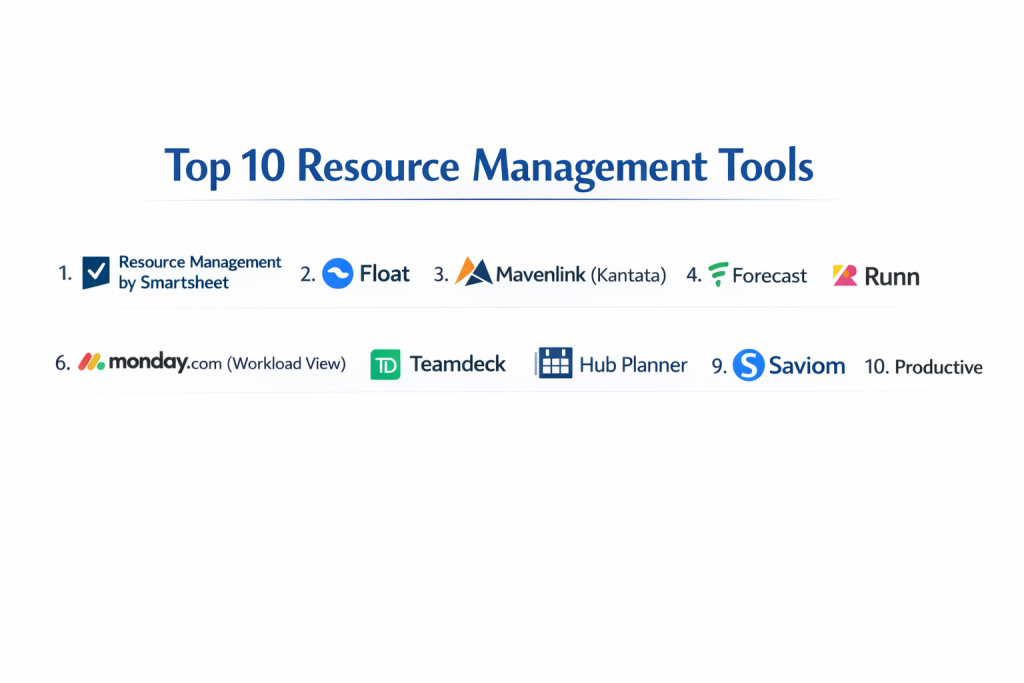
Top 10 Resource Management Tools
1 — Resource Management by Smartsheet
Formerly known as 10,000ft, this tool is a high-level resource planning solution designed to help teams see who is busy, who is available, and what projects are coming down the pipeline.
- Key features:
- Dynamic Resource Heatmaps: Instant visual feedback on team member over-allocation or under-utilization.
- Skills Tracking: A searchable database of employee expertise, certifications, and languages.
- Time Tracking: Integrated timesheets that sync directly with planned versus actual hours.
- Portfolio Forecasting: Predict future hiring needs based on current project trajectories.
- Project Matching: Suggestions for the best person for a task based on availability and skill level.
- Customized Reporting: Deep dives into utilization rates, budget burn, and project health.
- Pros:
- Exceptionally clean interface that makes complex scheduling feel intuitive.
- Strongest “what-if” scenario planning for long-term project roadmapping.
- Cons:
- Can be expensive as an add-on if you aren’t already invested in the Smartsheet ecosystem.
- Requires a disciplined team to keep time-tracking data accurate for the reports to be useful.
- Security & compliance: SOC 2 Type II, ISO 27001, HIPAA, GDPR, and FedRAMP (via Smartsheet Gov).
- Support & community: Extensive documentation, Smartsheet University training, and dedicated enterprise customer success managers.
2 — Float
Float is a dedicated resource scheduling tool that focuses on simplicity and speed, making it a favorite for fast-moving creative and advertising agencies.
- Key features:
- Visual Schedule: A drag-and-drop interface for assigning tasks to team members in seconds.
- Capacity Management: Set individual work hours, including part-time schedules and public holidays.
- Time Tracking: Built-in timers and loggers that compare “estimated” versus “actual” time spent.
- Milestones: Mark significant project phases directly on the resource timeline.
- Multi-Project View: See how one person’s time is split across five different projects simultaneously.
- Guest Access: Allow clients or contractors to view specific schedules without seeing internal data.
- Pros:
- One of the fastest interfaces to learn; onboarding takes minutes, not days.
- Very flexible for teams that deal with frequent, last-minute schedule changes.
- Cons:
- Lacks the deep financial and “earned value” reporting found in enterprise-grade PPM tools.
- Limited automation features compared to more complex Work OS platforms.
- Security & compliance: SOC 2 Type II, GDPR compliant, and data encryption at rest and in transit.
- Support & community: High-quality help center, responsive email support, and a growing community of creative ops professionals.
3 — Mavenlink (Kantata)
Mavenlink (now part of the Kantata Cloud for Professional Services) is a powerhouse for firms that need to link resource management directly to project financials.
- Key features:
- Resource Forecasting: Deep insights into future revenue based on current resource allocations.
- Skills-Based Routing: Automatically identify the most profitable resource for a specific project.
- Margin Tracking: Real-time visibility into how resource costs impact project profitability.
- Dynamic Gantt Charts: Link resource availability directly to task dependencies.
- Integration Hub: Powerful native connectors for Salesforce, Oracle NetSuite, and Sage Intacct.
- Business Intelligence: Advanced custom reporting engine for enterprise-level data mining.
- Pros:
- The most robust tool for professional services firms that care about billable utilization.
- Bridges the gap between project management and corporate accounting perfectly.
- Cons:
- The interface can be overwhelming for non-project managers.
- Setup and implementation are complex and usually require professional services help.
- Security & compliance: SOC 2 Type II, ISO 27001, HIPAA, and GDPR compliant.
- Support & community: Dedicated account managers for enterprise clients and an extensive “Mavenlink Academy” for training.
4 — Forecast
Forecast is an AI-driven resource management tool that aims to automate the boring parts of project planning and scheduling.
- Key features:
- Auto-Scheduling: AI that suggests task assignments based on past team performance.
- Real-time Utilization: Live dashboards that update as tasks are completed or moved.
- Budget Tracking: Monitor project spending and revenue in real-time.
- Project Scoping: Build accurate project plans based on historical data.
- Workload Management: Visual tools to rebalance the team with a single click.
- Native Integrations: Connects seamlessly with Jira, Asana, and Slack.
- Pros:
- AI suggestions help reduce human bias in project estimations and scheduling.
- Sleek, modern design that teams actually enjoy using.
- Cons:
- The AI requires a lot of historical data to become truly accurate.
- Higher price point than most “non-AI” resource tools.
- Security & compliance: SOC 2 Type II and GDPR compliant; uses AWS for secure hosting.
- Support & community: Robust help center and 24/5 customer support for professional tiers.
5 — Runn
Runn is a specialized resource and capacity planning tool that focuses on high-level forecasting and people management for software houses and agencies.
- Key features:
- Capacity Forecasts: See your team’s availability months or years into the future.
- Project Financials: Track revenue, cost, and profit at the resource level.
- What-if Modeling: Create “tentative” projects to see how they impact your current team.
- People Directory: Track roles, skills, and tags across the entire organization.
- Timesheets: Lightweight time tracking that populates utilization reports.
- API Access: Robust developer tools for building custom internal integrations.
- Pros:
- Excellent for “strategic” resource management rather than just “daily” tasking.
- Very transparent and fair pricing model compared to enterprise giants.
- Cons:
- Does not have deep task-level project management features (designed to be used alongside Jira).
- Mobile experience is less feature-rich than the desktop web app.
- Security & compliance: GDPR compliant; features SSO and regular security audits.
- Support & community: Responsive founder-led support and clear, concise documentation.
6 — Monday.com (Workload View)
Monday.com is a Work OS that offers one of the best “Workload” widgets for visualizing resource distribution across multiple boards.
- Key features:
- Workload Widget: A centralized view that aggregates tasks from every project board.
- Capacity Caps: Set a maximum number of hours or tasks per person per week.
- Custom Columns: Add metadata for skill levels, locations, or departments.
- Automations: Trigger alerts when a resource becomes over-allocated.
- Dashboards: Aggregate resource data into high-level executive reports.
- Integrations: Connects with Outlook and Google Calendar to sync real-world availability.
- Pros:
- Incredible flexibility; you can build exactly the resource view your company needs.
- Very high user adoption rates due to the colorful, engaging UI.
- Cons:
- Because it is a general tool, setting up advanced resource features requires more “DIY” work.
- Enterprise-level resource reporting is locked behind higher pricing tiers.
- Security & compliance: ISO 27001, SOC 1/2/3, HIPAA, GDPR, and FedRAMP.
- Support & community: 24/7 support, massive library of webinars, and a global partner network.
7 — Teamdeck
Teamdeck is a comprehensive resource management suite that offers a strong balance of scheduling, time tracking, and leave management.
- Key features:
- Resource Scheduling: Plan work for employees and freelancers in one view.
- Time Tracking: Mobile and desktop apps for logging hours against projects.
- Leave Management: Integrated system for tracking vacations, sick leave, and holidays.
- Custom Reporting: Build reports on utilization, payroll, and project profitability.
- Public API: Allows for deep integration with internal HR and accounting systems.
- Availability Management: Track part-time workers and different time zones easily.
- Pros:
- Combines HR-style leave tracking with PM-style resource scheduling.
- Very affordable for medium-sized agencies compared to Mavenlink.
- Cons:
- The reporting engine has a bit of a learning curve for beginners.
- The mobile app interface is somewhat dated.
- Security & compliance: GDPR compliant; features data encryption and secure data centers.
- Support & community: Solid documentation and helpful email support.
8 — Hub Planner
Hub Planner offers a full end-to-end resource management solution with a heavy emphasis on timesheets and project scheduling.
- Key features:
- Scheduler: A high-performance drag-and-drop grid for managing hundreds of resources.
- Timesheets: Fully integrated time entry with an approval workflow for managers.
- Vacation/Leave: Track time off to ensure it’s reflected in project availability.
- Resource Requesting: A formal workflow for project managers to “request” time from department heads.
- Smart Portfolios: Group resources by team, skill, or location for easier filtering.
- Billing & Rates: Track internal costs versus external billable rates.
- Pros:
- The “Resource Request” workflow is excellent for large companies with matrix structures.
- Extremely granular control over user permissions and visibility.
- Cons:
- Can feel “click-heavy” for simple updates.
- The sheer number of settings can be overwhelming for small teams.
- Security & compliance: SOC 2 Type II and GDPR compliant; offers single-tenant hosting options.
- Support & community: Great onboarding support and an active blog with resource management tips.
9 — Saviom
Saviom is an enterprise-grade resource management tool designed for large organizations that need to manage thousands of employees across global regions.
- Key features:
- Matrix Resource Management: Handle complex reporting lines and cross-departmental sharing.
- Capacity Planning: Identify skill gaps and future hiring needs 12-24 months in advance.
- Real-time Gantt Charts: Link resource leveling directly to the project timeline.
- Bench Management: Specialized reports to minimize “unassigned” time for employees.
- Scenario Modeling: Test the impact of new projects on the existing workforce.
- Financial Forecasting: Track project margins and labor costs at a granular level.
- Pros:
- Built for the “big leagues”; can handle massive datasets without slowing down.
- Excellent for companies moving away from “accidental” resource management to a professional PMO.
- Cons:
- Not suitable for small teams; the implementation is a major project in itself.
- User interface is more “functional” than “beautiful.”
- Security & compliance: ISO 27001, SOC 2, HIPAA, and GDPR compliant.
- Support & community: High-touch enterprise support and dedicated implementation consultants.
10 — Productive
Productive is an “all-in-one” agency management tool that places resource planning at the very heart of the project lifecycle.
- Key features:
- Resource Planning: See your team’s schedule alongside project budgets.
- Profitability Forecasts: See exactly how a project’s profit changes as you add resources.
- Time Tracking: Easy-to-use timers that feed into payroll and invoices.
- Sales Pipeline: Link upcoming deals to future resource capacity needs.
- Project Management: Native task management so you don’t need a second tool.
- Invoicing: Generate client bills based on the resource time logged.
- Pros:
- The best tool for agency owners who want to see “the whole business” in one tab.
- Beautifully designed and very responsive on mobile.
- Cons:
- Might be too feature-rich if you only need the resource scheduling part.
- Integration list is shorter than some of the more established enterprise tools.
- Security & compliance: GDPR compliant; features SSO and advanced data encryption.
- Support & community: Very active customer support and a great library of agency growth resources.
Comparison Table
| Tool Name | Best For | Platform(s) Supported | Standout Feature | Rating (Gartner/P2) |
| Smartsheet RM | Enterprise PMOs | Web, iOS, Android | Portfolio Forecasting | 4.6 / 5 |
| Float | Creative Agencies | Web, iOS, Android | Speed of Scheduling | 4.7 / 5 |
| Mavenlink | Pro Services/Finance | Web, iOS, Android | Margin/Profit Tracking | 4.5 / 5 |
| Forecast | AI-First Teams | Web, iOS, Android | Auto-Scheduling AI | 4.4 / 5 |
| Runn | Strategic Planning | Web | What-if Modeling | 4.8 / 5 |
| Monday.com | Visual Teams | Web, Win, Mac, Mob | Flexibility/UI | 4.6 / 5 |
| Teamdeck | Hybrid Teams | Web, iOS, Android | Leave Mgmt Integration | 4.4 / 5 |
| Hub Planner | Mid-market Firms | Web, Mobile | Resource Request Flow | 4.5 / 5 |
| Saviom | Global Enterprises | Web, On-Premise | Matrix Management | 4.3 / 5 |
| Productive | Agency Owners | Web, iOS, Android | Sales-to-Resource Link | 4.7 / 5 |
Evaluation & Scoring of Resource Management Tools
To choose the right tool, we used a weighted scoring rubric based on what matters most in a real-world business environment.
| Criteria | Weight | Evaluation Goal |
| Core Features | 25% | Heatmaps, skills tracking, and capacity planning. |
| Ease of Use | 15% | Can a manager update the schedule in under 5 minutes? |
| Integrations | 15% | Does it talk to Jira, Salesforce, or your HR system? |
| Security & Compliance | 10% | Enterprise-grade certifications and data privacy. |
| Performance | 10% | Stability and speed when managing 100+ resources. |
| Support & Community | 10% | Training quality and help desk responsiveness. |
| Price / Value | 15% | ROI for the specific team size. |
Which Resource Management Tool Is Right for You?
Solo Users vs SMB vs Mid-market vs Enterprise
- Solo Users: You likely don’t need a resource tool. A simple calendar or Trello board will suffice.
- SMBs (10-50 people): Float or Monday.com are perfect. They offer visibility without the massive administrative burden of an enterprise tool.
- Mid-market (50-250 people): Runn or Hub Planner provide the strategic forecasting needed to grow a medium-sized agency profitably.
- Enterprise (250+ people): Saviom, Mavenlink, or Smartsheet RM are the only choices capable of handling the complexity of global resource pools and matrixed reporting.
Budget-conscious vs Premium Solutions
If you are on a budget, Teamdeck offers the most “bang for your buck” with integrated leave management. If you are a high-margin professional services firm where profitability is everything, the premium cost of Mavenlink (Kantata) is easily justified by the revenue insights it provides.
Feature Depth vs Ease of Use
If you want a tool that “just works” and requires zero training, Float is your winner. If you need a tool that can model complex financial margins and future hiring needs based on a sales pipeline, you must accept the steeper learning curve of a tool like Productive or Saviom.
Integration and Scalability Needs
If you already live in Jira, Forecast and Monday.com have the most robust “two-way” syncs. For teams that need to scale from a single department to an entire global company, Smartsheet and Saviom offer the best structural scalability.
Frequently Asked Questions (FAQs)
- What is the difference between Project Management and Resource Management?Project management focuses on the tasks and timelines. Resource management focuses on the people and their capacity. You need both to succeed.
- Why shouldn’t I just use Excel for resource management?Excel is static. It can’t send alerts when someone is over-allocated, it doesn’t sync with real-time calendars, and it becomes a nightmare to maintain as your team grows.
- What is “Utilization Rate” and why does it matter?It’s the percentage of an employee’s time spent on billable or productive work. High utilization equals high profit, but too high leads to burnout.
- Can these tools handle freelancers and contractors?Yes. Tools like Float and Teamdeck allow you to add “external” resources with different hourly rates and limited access to internal data.
- Is it hard to implement a resource management tool?For small teams, it takes an afternoon. For large companies, it requires 1-3 months of data cleanup and process alignment to get it right.
- How does “Skills Tracking” help my business?It allows you to find the right person for a project instantly, rather than just the available person. This increases the quality of your project outcomes.
- Are these tools secure for sensitive employee data?Most top-tier tools are SOC 2 and GDPR compliant. If you handle healthcare data, ensure the tool is specifically HIPAA compliant.
- Can I track equipment or physical rooms as resources?Yes. Most of these tools allow you to create “Non-Human Resources” like a recording studio, a crane, or a fleet of vehicles.
- What is “What-if Modeling”?It’s a sandbox where you can see how a “potential” new project would impact your team’s current workload before you actually sign the contract.
- Do these tools help with employee burnout?Absolutely. By providing a clear visual of who is over-allocated, managers can rebalance work before employees hit their breaking point.
Conclusion
Selecting the right Resource Management Tool is a pivotal step in moving your organization from reactive chaos to proactive stability. If you are a creative agency that needs to move fast, a tool like Float will save your sanity. If you are an enterprise PMO managing a global workforce, Saviom or Smartsheet RM will provide the data-driven insights you need to lead effectively.
Remember that the “best” tool is the one that fits your specific workflow. Don’t buy more features than you can realistically maintain. Start by identifying your biggest resource pain point—is it burnout, missed deadlines, or unknown capacity?—and pick the tool that solves that specific problem first. With the right software in place, you aren’t just managing hours; you’re empowering your people to do their best work.

- Top 10 Email Deliverability Tools: Features, Pros, Cons & Comparison - September 6, 2026
- Top 10 Pharmacovigilance Software: Features, Pros, Cons & Comparison - September 6, 2026
- Top 10 Manufacturing Execution Systems (MES) - July 30, 2026