Introduction
Restaurant Delivery Dispatch Tools are specialized software systems designed to manage, optimize, and automate the flow of delivery orders from the restaurant to the customer. They are the command center for any restaurant offering its own delivery service, bridging the gap between your point-of-sale (POS) system, your drivers, and your customers. These tools handle everything from intelligently assigning orders to the nearest available driver to providing real-time GPS tracking for customers.
In today’s competitive landscape, controlling the delivery experience is crucial. Third-party marketplaces charge high commissions and own the customer relationship. An in-house delivery system managed by a robust dispatch tool allows you to take back control over margins, branding, and customer data. It’s important because it directly impacts operational efficiency (reducing delivery times and driver idle periods), customer satisfaction (with accurate ETAs and transparency), and profitability (by optimizing delivery routes and labor).
Key real-world use cases include automatically batching multiple nearby orders for a single driver, providing drivers with optimized turn-by-turn navigation, managing driver payouts based on deliveries completed, sending automated SMS updates to customers, and analyzing delivery zone performance to identify areas for expansion or adjustment.
When choosing a dispatch tool, restaurants should evaluate integration capabilities with their existing POS and ordering channels, the intelligence of the dispatch algorithm, the quality of the driver and customer apps, robustness of reporting and analytics, and the overall scalability from a single location to a multi-restaurant fleet.
Best for: Restaurants of all sizes operating their own delivery fleet, from independent pizzerias and fast-casual chains to large restaurant groups and “ghost kitchen” operators. Key roles include restaurant owners, general managers, operations directors, and delivery/logistics managers.
Not ideal for: Restaurants that exclusively use third-party delivery apps (like Uber Eats, DoorDash) with no in-house drivers. Very small operations with only 1-2 occasional delivery drivers might manage with manual phone calls and simple maps. Catering or event-focused businesses with pre-scheduled, large-format deliveries may need more specialized logistics software.
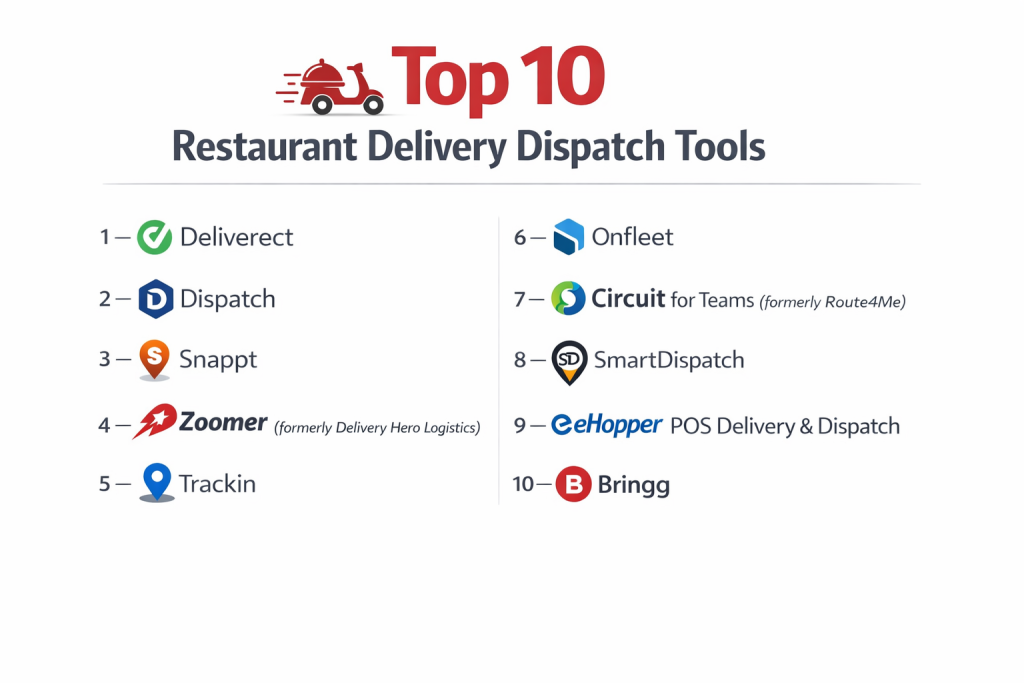
Top 10 Restaurant Delivery Dispatch Tools
1 — Deliverect
Deliverect is a powerful order routing and management platform that acts as a central hub, connecting restaurants directly to over 350 online ordering channels and delivery platforms while streamlining kitchen operations.
- Key features:
- Centralized order aggregation from all major delivery apps (Uber Eats, DoorDash, etc.), direct online ordering, and phone orders into one dashboard.
- Smart order routing to the correct kitchen location (ideal for virtual brands or multi-location groups).
- Automated order printing and kitchen display system (KDS) integration to reduce errors.
- Menu management and synchronization across all channels from one place.
- Advanced analytics on sales performance, channel profitability, and order timing.
- Driver dispatch module for managing in-house or hybrid fleets.
- Pros:
- Unmatched channel aggregation simplifies operations for restaurants using multiple third-party apps.
- Drastically reduces order errors and kitchen friction by unifying orders into a single workflow.
- Powerful data insights help optimize menu and channel strategy.
- Cons:
- Can be complex to set up due to the depth of integrations.
- Pricing is aimed at growing and enterprise-level businesses; may be overkill for a single restaurant using only 1-2 apps.
- Security & compliance: SOC 2 Type II certified, GDPR compliant. Uses encryption for data in transit and at rest, ensuring secure handling of order and payment information.
- Support & community: Offers 24/7 support, dedicated account management for partners, and a comprehensive help center with extensive integration guides.
2 — Dispatch (by Toast)
Dispatch is Toast’s native, built-in delivery solution, designed from the ground up to integrate seamlessly with the Toast POS and restaurant ecosystem. It provides a turnkey solution for Toast customers to launch and manage their own delivery fleet.
- Key features:
- Deep, native integration with Toast POS, requiring minimal extra hardware or setup.
- Driver management with automatic dispatch, route optimization, and payout tracking.
- Customer-facing tracking page with real-time GPS updates.
- Integrated directly into the Toast online ordering system.
- Manages delivery zones, fees, and times automatically.
- Performance reporting within the familiar Toast backend.
- Pros:
- Seamless, hassle-free integration for existing Toast POS users—it “just works.”
- Unified system eliminates switching between apps for order and delivery management.
- Excellent user experience for drivers and managers within the Toast ecosystem.
- Cons:
- Exclusively for Toast POS restaurants; not available as a standalone product.
- Less flexible for highly complex operations compared to best-of-breed standalone dispatch systems.
- Security & compliance: Benefits from Toast’s overall security infrastructure, which is PCI DSS compliant and employs bank-level encryption.
- Support & community: Supported through standard Toast support channels (phone, chat). Access to Toast’s vast library of training resources and an active user community.
3 — Snappt
Snappt is a modern, cloud-based delivery management platform focused on empowering independent restaurants and small chains. It emphasizes ease of use, affordability, and providing all the essential tools to compete with third-party apps.
- Key features:
- GPS driver tracking with live maps for managers and customers.
- Automated dispatch logic to assign the nearest best driver.
- Integrated digital thermal printers for reliable order tickets.
- Customizable delivery zones and fees.
- Driver app with turn-by-turn navigation and in-app communication.
- Customer SMS/email notifications and live tracking links.
- Pros:
- Intuitive and easy to set up, designed with the independent restaurant owner in mind.
- Strong focus on driver and customer communication tools.
- Transparent, affordable pricing often based on a flat monthly rate per location.
- Cons:
- May lack some advanced enterprise features like sophisticated batch dispatching or deep custom reporting.
- Ecosystem of third-party integrations is smaller than larger, more established platforms.
- Security & compliance: Varies. The platform uses standard cloud security practices. Specific high-level certifications like SOC 2 are more common in their enterprise offerings.
- Support & community: Known for responsive, personalized customer support via phone and email. Help center and onboarding materials are clear and practical.
4 — Zoomer (formerly Delivery Hero Logistics)
Zoomer is a comprehensive last-mile delivery platform built for scalability. It powers delivery operations for large chains, enterprise restaurants, and virtual kitchen networks, offering a white-label solution that can handle extremely high order volumes.
- Key features:
- Enterprise-grade dispatch algorithm for batched and optimized routing.
- Fleet management tools for mixed fleets (in-house, freelance, third-party).
- White-label driver and customer apps fully branded for the restaurant.
- Advanced analytics suite with predictive insights on delivery times and demand.
- Robust API for deep integration with any POS, OMS, or ERP system.
- Tools for managing delivery-only “ghost kitchen” operations.
- Pros:
- Built for high-volume, complex operations requiring reliability and scale.
- Maximum brand control with fully customizable, white-label applications.
- Sophisticated logic for minimizing delivery times and costs.
- Cons:
- Enterprise-level pricing and implementation scope, not suited for small independents.
- Requires more technical resources or a dedicated partner for setup and management.
- Security & compliance: Enterprise-grade security with SOC 2 compliance. Designed to handle sensitive customer data at scale with appropriate encryption and access controls.
- Support & community: 24/7 enterprise support with dedicated account and technical success managers.
5 — Trackin (formerly Tookan)
Trackin is a versatile delivery and field service management platform used by a wide range of industries, including restaurants. Its strength lies in its high degree of customizability and workflow configuration.
- Key features:
- Highly customizable workflow builder for unique delivery processes.
- Automated dispatch with options for manual, round-robin, or optimized assignment.
- Proof of delivery (POD) with photos, signatures, and notes.
- Recurring/Subscription delivery management.
- Detailed performance reports and driver analytics.
- Geofencing for automatic check-ins and task status updates.
- Pros:
- Extremely flexible to adapt to non-standard restaurant delivery models (e.g., meal kits, grocery, high-end catering).
- Strong proof-of-delivery and task management features.
- Scalable from SMB to larger operations with its range of features.
- Cons:
- Generic interface may feel less tailored to pure restaurant workflows than niche tools.
- Can require significant configuration to tune for optimal restaurant use.
- Security & compliance: Varies. Follows standard application security practices. Compliance certifications would be specific to enterprise agreements.
- Support & community: Offers email, chat, and phone support. Has a knowledge base and an active user community for sharing configurations.
6 — Onfleet
Onfleet is a modern, API-first last-mile delivery solution known for its clean design, excellent driver experience, and powerful analytics. It’s popular with businesses that prioritize reliability and data-driven optimization.
- Key features:
- Intuitive dispatcher dashboard with drag-and-drop task management.
- Best-in-class driver app praised for its simplicity and offline functionality.
- Advanced analytics and reporting with insights into driver performance, efficiency, and customer feedback.
- Automated SMS/email notifications and real-time tracking for customers.
- Robust API and webhooks for seamless integration.
- Support for optimized route planning and task batching.
- Pros:
- Superior driver adoption and satisfaction due to a well-designed app.
- Actionable, beautiful analytics that make it easy to identify improvement areas.
- Reliable and performant platform with a strong uptime record.
- Cons:
- Can be more expensive than some simpler competitors for basic needs.
- While feature-rich, it’s less specialized only for restaurants, serving a broader delivery market.
- Security & compliance: SOC 2 certified, GDPR compliant. Uses encryption and maintains high standards for data protection and privacy.
- Support & community: Responsive support via multiple channels. Comprehensive developer documentation and a community of technical users.
7 — Circuit for Teams (formerly Route4Me)
Circuit for Teams is focused on one thing: saving drivers time with optimized route planning. It’s an excellent supplemental tool for restaurants where managers plan routes for multiple drivers at the start of a shift.
- Key features:
- Advanced multi-stop route optimization that considers time windows and traffic.
- Driver route delivery via a simple mobile app.
- Proof of delivery with signature capture.
- Customer notifications with ETA alerts.
- Route history and performance analytics.
- Simple per-driver pricing.
- Pros:
- Best-in-class route optimization engine can significantly reduce drive time and fuel costs.
- Extremely easy for drivers to use, focusing purely on navigation and delivery completion.
- Affordable and simple pricing based on active drivers.
- Cons:
- Not a full dispatch platform; lacks deep POS integration, automated real-time dispatch, and complex order management.
- Best for pre-planned routes rather than dynamic, on-the-fly order assignment.
- Security & compliance: Varies. Employs standard security measures for location and task data. Specific enterprise compliance features would be custom.
- Support & community: Email and in-app support. Help articles and tutorials are focused on route optimization use cases.
8 — SmartDispatch (by ChowNow)
SmartDispatch is ChowNow’s solution for restaurants using its commission-free online ordering platform. It integrates delivery management directly into the restaurant’s existing ChowNow dashboard, offering a hybrid model of in-house and outsourced fleet management.
- Key features:
- Integrated directly into the ChowNow restaurant admin and ordering platform.
- Hybrid dispatch model: automatically assigns orders to in-house drivers or, if unavailable, to ChowNow’s network of freelance drivers.
- Manages delivery zones, menus, and driver payouts in one place.
- Real-time tracking for customers.
- Provides a driver app for in-house fleet management.
- Pros:
- Perfect for ChowNow users—adds delivery with minimal extra complexity.
- Solves driver coverage gaps with the backup network, ensuring no order is undeliverable.
- Maintains the commission-free model for orders, paying only a flat delivery fee when using the backup network.
- Cons:
- Locked into the ChowNow ecosystem.
- Less control and higher cost when orders are routed to the external driver network.
- Security & compliance: Inherits ChowNow’s security and PCI compliance standards for handling orders and payments.
- Support & community: Supported through ChowNow’s customer service channels, which are known for being restaurant-friendly.
9 — eHopper POS Delivery & Dispatch
eHopper offers a built-in delivery management module as part of its affordable, cloud-based POS system. It’s designed to give small to mid-sized restaurants an all-in-one solution without needing multiple software subscriptions.
- Key features:
- Native delivery management within the eHopper POS interface.
- Driver assignment, status tracking, and payout calculations.
- Customer notifications with tracking links.
- Delivery zone and fee management.
- Integrated online ordering that feeds directly into the dispatch system.
- Affordable, all-inclusive pricing structure.
- Pros:
- Cost-effective bundled solution for restaurants needing both a modern POS and delivery tools.
- Simple, unified workflow for staff who manage dine-in, takeout, and delivery from one screen.
- Easy onboarding with a focus on smaller restaurant operations.
- Cons:
- Only available as part of the eHopper POS.
- Dispatch features are basic compared to advanced standalone platforms; not for complex fleets.
- Security & compliance: PCI DSS compliant as a POS provider. Uses standard cloud security measures for data protection.
- Support & community: Phone, email, and chat support included. Knowledge base and setup guides are provided.
10 — Bringg
Bringg is an enterprise-grade delivery orchestration platform that connects and optimizes a restaurant’s entire delivery ecosystem. It focuses on unifying in-house fleets, third-party drivers, and different delivery providers into one manageable process.
- Key features:
- Orchestration hub to manage orders across in-house, freelance, and 3rd-party (e.g., DoorDash Drive) fleets from one dashboard.
- Real-time visibility into the performance and location of all delivery resources.
- Intelligent routing that selects the optimal fleet for each order based on cost and service level.
- Advanced customer communications and experience management.
- Robust API for integration with any commerce or kitchen system.
- White-label capabilities for large brands.
- Pros:
- Unmatched flexibility in managing hybrid delivery models.
- Data-driven optimization to balance cost, speed, and customer experience.
- Enterprise scalability and reliability for global brands.
- Cons:
- Overly complex and expensive for restaurants with a simple in-house-only fleet.
- Implementation is a significant project requiring strategic planning and resources.
- Security & compliance: SOC 2 Type II certified, GDPR compliant, and adheres to high standards for data security and privacy expected by enterprise clients.
- Support & community: 24/7 enterprise support with dedicated customer success and technical account management.
Comparison Table
| Tool Name | Best For (Target User) | Platform(s) Supported | Standout Feature | Rating |
|---|---|---|---|---|
| Deliverect | Restaurants using multiple online ordering channels | Web, Integrates with major POS/KDS | Order Aggregation & Multi-Channel Management | N/A |
| Dispatch (by Toast) | Existing Toast POS customers adding delivery | Native to Toast POS | Seamless, Native POS Integration | N/A |
| Snappt | Independent restaurants & small chains | Web, iOS, Android | Ease of Use & Independent Restaurant Focus | N/A |
| Zoomer | Large chains, virtual kitchens, enterprises | Web, iOS, Android, API | White-Label Scalability for High-Volume Operations | N/A |
| Trackin | Restaurants with unique/custom delivery workflows | Web, iOS, Android | High Customizability & Workflow Configuration | N/A |
| Onfleet | Businesses prioritizing driver experience & data | Web, iOS, Android, API | Best-in-Class Driver App & Analytics | N/A |
| Circuit for Teams | Optimizing pre-planned multi-stop routes | Web, iOS, Android | Superior Route Planning & Optimization | N/A |
| SmartDispatch | ChowNow online ordering customers | Integrated with ChowNow | Hybrid In-House/Backup Network Dispatch | N/A |
| eHopper POS Delivery | SMBs needing an affordable POS + Delivery bundle | Native to eHopper POS | All-in-One POS & Delivery Solution | N/A |
| Bringg | Enterprises orchestrating complex hybrid fleets | Web, iOS, Android, API | Delivery Orchestration Across All Fleet Types | N/A |
Evaluation & Scoring of Restaurant Delivery Dispatch Tools
| Criteria | Weight | Explanation & What to Look For |
|---|---|---|
| Core Features | 25% | Intelligence of auto-dispatch, quality of driver/customer apps, real-time GPS tracking, delivery zone management, and proof-of-delivery capabilities. |
| Ease of Use | 15% | Intuitiveness for dispatchers/managers, simplicity of the driver app, ease of initial setup and onboarding for staff. |
| Integrations & Ecosystem | 15% | Native integrations with your POS, online ordering system, and payment processors. API availability for custom connections. |
| Security & Compliance | 10% | Data encryption, secure handling of customer PII and payment data, and relevant certifications (especially for enterprise). |
| Performance & Reliability | 10% | System uptime, speed of dispatch decisions, reliability of real-time tracking, and app stability during peak hours. |
| Support & Community | 10% | Quality and availability of customer support, training resources, and the existence of a user community for best practices. |
| Price / Value | 15% | Total cost: monthly fees, per-delivery fees, driver fees, setup costs. Evaluate ROI based on delivery efficiency gained, labor saved, and commission costs avoided. |
Which Restaurant Delivery Dispatch Tool Is Right for You?
- Solo Users vs. SMB vs. Enterprise: A single independent restaurant should prioritize ease and affordability with Snappt or a bundled POS like eHopper. A small chain (SMB) needs reliability and growth features; Onfleet or Trackin are strong. Multi-location chains and enterprises (mid-market+) require scale and integration; Zoomer, Bringg, or Deliverect are built for this.
- Budget-Conscious vs. Premium: For tight budgets, Circuit for Teams optimizes a key pain point (routing) affordably. Snappt offers great core value. Premium solutions like Bringg and Zoomer provide enterprise control, customization, and scalability at a corresponding cost.
- Feature Depth vs. Ease of Use: Bringg and Trackin offer immense depth and customization for complex needs. Dispatch (by Toast) and Snappt master ease of use within their respective ecosystems. Onfleet strikes an excellent balance with powerful features in a user-friendly package.
- Integration and Scalability Needs: If you use Toast or ChowNow, their native tools (Dispatch, SmartDispatch) are the easiest path. If you use multiple order channels, Deliverect is essential. For custom tech stacks or massive scale, an API-first platform like Onfleet, Zoomer, or Bringg is necessary.
- Security and Compliance Requirements: Large brands handling high volumes of customer data should prioritize platforms with SOC 2 certification like Deliverect, Onfleet, and Bringg. For most SMBs, ensuring the tool follows standard PCI and data security best practices is sufficient.
Frequently Asked Questions (FAQs)
- What’s the difference between a dispatch tool and using a third-party app like DoorDash?
A dispatch tool manages your own drivers, giving you full control over customer experience, branding, and margins. Third-party apps provide drivers but charge high commissions (20-30%) and own the customer relationship. - How much does delivery dispatch software typically cost?
Models vary: monthly subscription per location ($50-$300+), per-delivery fee ($0.50-$2.00), per-driver fee, or custom enterprise pricing. Some POS systems bundle it for a flat rate. - Can I use my own drivers with these systems?
Yes, that’s the primary purpose of most tools listed. They provide apps to manage your in-house or freelance driver fleet. Some, like SmartDispatch, also offer a hybrid backup network. - Will this software help reduce my delivery times?
Absolutely. By automating dispatch to the nearest driver, optimizing delivery routes, and reducing kitchen-to-driver handoff time, these tools can significantly cut average delivery duration. - How difficult is it to train my drivers on a new app?
The best tools, like Onfleet and Snappt, have simple, intuitive driver apps focused on navigation and task completion. Training often takes just minutes. Avoid overly complex apps that frustrate drivers. - What if I don’t have enough drivers during a rush?
Some platforms like SmartDispatch (ChowNow) and Bringg offer integration with on-demand freelance driver networks or third-party services (e.g., DoorDash Drive) as a flexible, pay-per-use backup. - Do I need special hardware (printers, tablets)?
Many systems work with consumer tablets/iPads and support popular Bluetooth thermal printers (like Star or Epson). Some, like Snappt, offer integrated hardware solutions for reliability. - How long does implementation take?
A cloud-based tool like Snappt can be live in a day. Integrating with a POS and setting up menus/zones in Deliverect might take a few days to a week. Enterprise Zoomer or Bringg deployments can take weeks or months. - What’s the biggest mistake restaurants make when starting delivery?
Underestimating operational complexity. Going from 0 to 100 with in-house delivery requires managing drivers, vehicle costs, and logistics. Start with a simple, reliable tool and a small delivery radius to perfect the process before scaling. - Can I use multiple tools together (e.g., a route optimizer with a dispatcher)?
It’s possible but can create complexity. Many full-service dispatch platforms (Onfleet, Trackin) have built-in route optimization. Using a standalone tool like Circuit is best if you only need route planning for pre-assigned deliveries.
Conclusion
Choosing the right delivery dispatch tool is a strategic decision that can transform delivery from a logistical headache into a profitable, brand-building channel. The market offers tailored solutions for every type of operation—from the simplicity of Snappt for the independent owner, to the powerful integration of Deliverect for the multi-channel merchant, to the enterprise orchestration of Bringg.
Remember, the “best” tool is the one that seamlessly fits into your existing workflow, empowers your team (especially drivers), and scales with your ambitions. Prioritize reliable integration with your tech stack, intuitive usability for managers and drivers, and actionable insights to continuously improve efficiency. By carefully matching your needs to the strengths outlined in this guide, you can select a platform that not only manages your deliveries but actively drives your restaurant’s growth and customer loyalty.

- Top 10 Email Deliverability Tools: Features, Pros, Cons & Comparison - September 6, 2026
- Top 10 Pharmacovigilance Software: Features, Pros, Cons & Comparison - September 6, 2026
- Top 10 Manufacturing Execution Systems (MES) - July 30, 2026