Introduction
A Restaurant Management System (RMS) is an integrated suite of software tools designed to streamline and automate the critical operations of a food service business. Think of it as the central nervous system of a modern restaurant, connecting everything from the point of sale (POS) at the front of the house to inventory tracking in the back. In today’s competitive landscape, an effective RMS is not a luxury—it’s essential for survival and growth. It empowers restaurateurs to enhance the guest experience, optimize kitchen efficiency, control costs, and make data-driven decisions. Key real-world use cases include a quick-service restaurant (QSR) using a cloud-based POS for faster order and payment processing, a full-service fine dining establishment managing intricate table reservations and coursing, and a multi-location franchise overseeing centralized reporting, menu management, and inventory purchasing across all sites.
When choosing a Restaurant Management System, operators should prioritize a user-friendly and reliable POS as the core, robust inventory and kitchen management features to control food cost, integrated table and reservation management for seamless front-of-house operations, comprehensive reporting and analytics for business insights, and a strong ecosystem of integrations with third-party delivery, accounting, and marketing tools. The system must be stable during peak hours and scale as the business grows.
Best for: These systems are indispensable for restaurant owners, general managers, franchise operators, and hospitality groups across all segments: quick-service (QSR), fast-casual, full-service, bars, food trucks, and cloud kitchens. They benefit everyone from the host stand and servers to kitchen managers and corporate oversight.
Not ideal for: Home-based caterers or occasional pop-up vendors with very simple, low-volume sales may find a basic mobile payment app or simple cash register sufficient. Non-food retail businesses have fundamentally different needs centered on inventory and customer management, not table service or kitchen production.
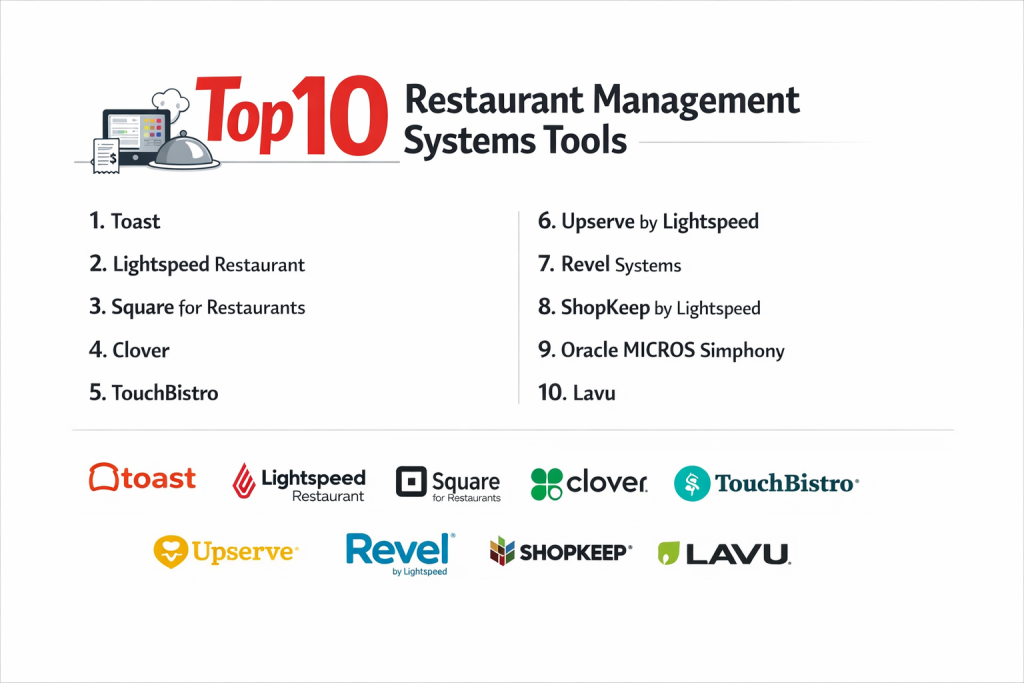
Top 10 Restaurant Management Systems
#1 — Toast
Toast is an all-in-one, cloud-based platform built specifically for restaurants. It combines a powerful POS with a comprehensive suite of tools for front-of-house, back-of-house, and guest engagement, all on Android-based hardware.
- Key features
- Unified POS, kitchen display system (KDS), and handheld servers for tableside ordering/payment.
- Advanced inventory management with real-time tracking and recipe costing.
- Integrated payroll processing, team management, and labor cost reporting.
- Built-in online ordering for delivery, pickup, and branded gift cards.
- Extensive marketplace of third-party integrations for delivery, accounting, and more.
- Pros
- Deeply restaurant-native design with features that address industry-specific pain points.
- Excellent all-in-one value, reducing the need to juggle multiple software vendors.
- Cons
- Hardware and software are bundled, leading to a higher upfront cost and vendor lock-in.
- Some users report that contract terms and pricing can be complex.
- Security & compliance: PCI P2PE validated hardware, end-to-end encryption, and regular security audits. SOC 1 and SOC 2 compliant.
- Support & community: 24/7 phone and chat support. Large knowledge base, user community forums, and in-person onboarding for larger setups.
#2 — Square for Restaurants
Square for Restaurants is a flexible, modular system built on Square’s ubiquitous payment ecosystem. It’s designed to be approachable for new and small restaurants while scaling to meet the needs of larger, full-service operations.
- Key features
- Intuitive POS with floor plan management, course firing, and item-level timing.
- Seamless integration with the broader Square ecosystem (Payments, Payroll, Marketing).
- Affordable, transparent pricing with no long-term contracts.
- Hardware flexibility—works with Square terminals, iPads, or existing compatible hardware.
- Built-in online ordering, delivery (via Square partnerships), and customer directories.
- Pros
- Unmatched ease of use and fast, transparent setup with low barriers to entry.
- Excellent value and flexibility, allowing businesses to start small and add modules as they grow.
- Cons
- Back-of-house features (like deep inventory management) are less robust than dedicated restaurant platforms.
- Primarily cloud-reliant, which can be a risk during internet outages without proper offline mode setup.
- Security & compliance: Industry-leading PCI DSS compliance. Tokenization and encryption for all transactions. Meets global data protection standards.
- Support & community: 24/7 support via phone, chat, and email. Vast online help center, active community forums, and free in-person workshops.
#3 — Lightspeed Restaurant
Lightspeed Restaurant is a robust, cloud-based platform from a leading retail and hospitality tech provider. It’s known for its elegant design, powerful inventory management, and strong omnichannel capabilities.
- Key features
- Unified commerce platform managing dine-in, takeout, delivery, and retail (e.g., merchandise).
- Exceptionally detailed inventory and recipe management with real-time menu costing.
- Sophisticated reporting and analytics with deep insights into sales trends and employee performance.
- Integrated payment processing and customer relationship management (CRM) tools.
- A strong focus on tableside service with flexible order and payment routing.
- Pros
- Superior inventory and menu management tools for operators focused on tight cost control.
- Clean, intuitive interface that reduces training time and improves order accuracy.
- Cons
- Can be priced higher than some entry-level competitors, making it a more significant investment for very small businesses.
- The breadth of features may require more dedicated time to fully master and implement.
- Security & compliance: PCI compliant, uses tokenization and encryption. Data centers are SOC 1, SOC 2, and ISO 27001 certified.
- Support & community: 24/7 priority support. Comprehensive online resources, video tutorials, and a network of expert partners for setup and training.
#4 — TouchBistro
TouchBistro is an iPad-based POS system designed specifically for the full-service restaurant model. It excels in tableside ordering, payment, and reservation management in environments where servers are constantly moving.
- Key features
- Fast, intuitive iPad POS optimized for tableside ordering and payment.
- Integrated floor plan and reservation management (via partnership with OpenTable or Resy).
- Built-in customer relationship management (CRM) and marketing tools for loyalty and email campaigns.
- Inventory management focused on tracking usage and simplifying purchasing.
- Robust offline mode to keep operations running during internet outages.
- Pros
- Exceptional mobility and speed for servers, improving table turnover and guest experience.
- Strong focus on front-of-house dining experience and guest loyalty.
- Cons
- As an iPad-first system, it may feel less integrated for complex back-of-house kitchen workflows compared to Android-based KDS options.
- Some advanced features require integrations, adding to the overall software cost.
- Security & compliance: PCI P2PE validated, end-to-end encryption. Compliant with data privacy regulations.
- Support & community: 24/7 live support. Detailed help center, webinars, and an active user community.
#5 — Clover
Clover is a versatile, all-in-one POS system and hardware suite that serves a broad range of small businesses, including restaurants. Its strength lies in its customizable app market and flexible hardware configurations.
- Key features
- User-friendly interface on customizable Clover Station, Mini, or Flex hardware.
- Vast Clover App Market with hundreds of specialized restaurant apps for loyalty, delivery, online ordering, and more.
- Integrated payment processing, tipping, and employee management.
- Basic inventory tracking and sales reporting out of the box.
- Ability to tailor the system heavily through apps to fit different restaurant models.
- Pros
- High degree of hardware and software flexibility to build a system that fits your exact workflow.
- Rapid setup and ease of use, making it a favorite for new and small business owners.
- Cons
- Core restaurant features are less deep than specialized platforms; advanced needs require adding multiple paid apps.
- Can become expensive as you add apps, and managing multiple app subscriptions/vendors can be complex.
- Security & compliance: PCI-validated P2PE solutions. Data encryption and secure processing. Compliance varies by app.
- Support & community: 24/7 support from Clover. Support quality for individual apps depends on their developers.
#6 — Upserve by Lightspeed
Upserve is a data-centric platform (now part of Lightspeed) focused on providing actionable insights to help full-service restaurants increase sales and improve efficiency. It goes beyond POS to be a true business intelligence tool.
- Key features
- Smart POS with features designed to increase check averages (like suggestive selling prompts).
- Powerful analytics dashboard providing insights into menu performance, server performance, and guest preferences.
- Integrated labor management and scheduling tools.
- Inventory management linked to sales data for accurate usage tracking.
- Customer feedback and review management across platforms.
- Pros
- Unmatched data analytics and reporting that directly translates to actionable business advice.
- Proactive insights help managers identify trends and opportunities in real-time.
- Cons
- The premium pricing reflects its advanced analytics, which may be overkill for operations not ready to act on deep data.
- The interface can be information-dense, requiring a commitment to learning and using the data.
- Security & compliance: Enterprise-grade security, PCI DSS compliant, data encryption. Part of Lightspeed’s security framework.
- Support & community: Dedicated account management for larger clients, plus 24/7 support. Access to Lightspeed’s resources and community.
#7 — Revel Systems
Revel is an enterprise-grade, iPad-based POS system built for scalability and reliability. It’s a favorite of large, complex, and multi-location restaurant groups and franchises that need robust centralized control.
- Key features
- Powerful, customizable iPad POS capable of handling high-volume, complex operations.
- Strong enterprise resource planning (ERP) features for centralized menu, pricing, and reporting control.
- Advanced inventory and recipe management for multi-unit groups.
- Offline reliability with local server options to ensure uptime.
- Open API for deep custom integrations with other business systems.
- Pros
- Industry-leading reliability and scalability for high-growth and multi-location brands.
- Superior centralized management tools for franchise and corporate operations.
- Cons
- Higher total cost of ownership, including significant upfront costs and more complex implementation.
- Less suited for very small, single-location restaurants due to cost and complexity.
- Security & compliance: PCI PA-DSS validated, point-to-point encryption. Offers tools to help with PCI compliance. SOC 2 reports available.
- Support & community: 24/7/365 enterprise support with dedicated account managers. Professional services team for implementation and training.
#8 — ShopKeep by Lightspeed
ShopKeep (now also part of Lightspeed) is a straightforward, cloud-based iPad POS known for its simplicity and excellent customer support. It’s historically been a strong choice for small cafes, bakeries, and quick-service spots.
- Key features
- Clean, simple iPad POS interface for fast transaction processing.
- Easy-to-use inventory management for tracking stock levels.
- Integrated payment processing and basic employee management.
- Customer database and basic marketing tools for email receipts and promotions.
- Affordable, predictable flat-rate pricing.
- Pros
- Extremely user-friendly and quick to learn, minimizing staff training time.
- Reputation for outstanding, U.S.-based customer support.
- Cons
- Feature set is more basic compared to full-scale RMS platforms; may lack advanced kitchen or floor plan tools.
- As part of Lightspeed, its long-term development roadmap as a distinct product is less clear.
- Security & compliance: PCI compliant, data encryption. Benefits from Lightspeed’s security infrastructure.
- Support & community: Renowned for its 24/7 phone and chat support. Online knowledge base and resources.
#9 — Oracle MICROS Simphony
Oracle MICROS Simphony is a longstanding, powerhouse enterprise platform used by some of the world’s largest restaurant, hotel, and casino groups. It’s a highly configurable system for complex, global operations.
- Key features
- Extremely robust and configurable POS for high-volume, multi-concept environments.
- Comprehensive back-office suite for enterprise reporting, labor, and inventory across thousands of terminals.
- Deep integration with other Oracle hospitality and retail products.
- Supports a wide range of hardware, from traditional terminals to tablets.
- Designed for global operations with multi-currency and multi-language support.
- Pros
- Handles the utmost complexity and scale required by global hospitality giants.
- Unmatched depth of configuration and integration within the Oracle ecosystem.
- Cons
- Very high cost and lengthy, consultant-driven implementation cycles.
- Can be perceived as less agile and modern compared to newer cloud-native competitors.
- Security & compliance: Enterprise-level security and compliance, meeting strict global standards. Specific protocols are part of Oracle’s enterprise offerings.
- Support & community: Global support network through Oracle and certified partners. User conferences and training for enterprise clients.
#10 — Lavu
Lavu is a flexible, iPad-based POS popular with bars, pizzerias, and full-service restaurants that appreciate its balance of robust features and relative affordability.
- Key features
- Feature-rich iPad POS with strong support for modifiers (crucial for pizza and bars).
- Integrated floor plan management, online ordering, and delivery dispatch.
- Inventory management with raw goods tracking and low-stock alerts.
- Employee management with time clock and scheduling.
- Offline mode capability and compatibility with a range of peripheral hardware.
- Pros
- Excellent feature set for the price, offering strong value, particularly for bars and pizzerias.
- Good hardware flexibility, allowing owners to choose their own iPads and compatible peripherals.
- Cons
- User interface can feel slightly dated compared to some competitors.
- Reporting and analytics, while present, are not as deep or insightful as specialized platforms like Upserve.
- Security & compliance: PCI compliant. Data encryption and secure payment processing. Details on specific higher-level certifications vary.
- Support & community: Offers phone, email, and chat support. Online knowledge base and video tutorials.
Comparison Table
| Tool Name | Best For (Target User or Scenario) | Platform(s) Supported | Standout Feature | Rating |
|---|---|---|---|---|
| Toast | Restaurants of all sizes wanting an all-in-one, restaurant-native platform. | Android-based hardware | Deep, unified feature set built specifically for restaurants. | N/A |
| Square for Restaurants | New/small restaurants and those valuing flexibility, transparency, and ease. | iPad, Square Hardware | Ease of use, transparent pricing, and integration with Square’s ecosystem. | N/A |
| Lightspeed Restaurant | Restaurants focused on detailed cost control, inventory, and omnichannel sales. | iPad, Cloud | Superior inventory management and elegant, powerful reporting. | N/A |
| TouchBistro | Full-service restaurants prioritizing tableside speed and guest experience. | iPad | Mobility and optimization for front-of-house, server-driven operations. | N/A |
| Clover | Small, diverse food businesses wanting a highly customizable POS system. | Clover Hardware | Flexibility via a vast app market to tailor the system. | N/A |
| Upserve by Lightspeed | Data-driven full-service restaurants wanting to increase sales through analytics. | iPad, Cloud | Actionable business intelligence and sales-driving insights. | N/A |
| Revel Systems | Large, multi-location restaurant groups and franchises needing enterprise control. | iPad (with local server) | Enterprise scalability, reliability, and centralized management. | N/A |
| ShopKeep by Lightspeed | Simple small cafes, bakeries, and QSRs valuing simplicity and great support. | iPad | User-friendliness and exceptional customer support reputation. | N/A |
| Oracle MICROS Simphony | Global enterprise hospitality groups (hotels, casinos, large chains) with complex needs. | Windows, Tablet | Ultimate scale, configuration, and integration for global operations. | N/A |
| Lavu | Bars, pizzerias, and full-service restaurants seeking robust features at a good value. | iPad | Strong value proposition and flexibility for specific segments like bars. | N/A |
Evaluation & Scoring of Restaurant Management Systems
Use this weighted scoring table to compare platforms objectively. Score each category from 1 (Poor) to 5 (Excellent) based on your needs.
| Evaluation Criteria | Weight | Score (1-5) | Weighted Score | Notes on What to Look For |
|---|---|---|---|---|
| Core Features | 25% | Strength of POS, inventory, kitchen mgmt, reservations, reporting. | ||
| Ease of Use | 15% | Intuitiveness for staff, speed of training, simplicity during rush. | ||
| Integrations & Ecosystem | 15% | Connections to delivery apps, accounting software, marketing tools. | ||
| Security & Compliance | 10% | PCI compliance, data encryption, reliability of payment processing. | ||
| Performance & Reliability | 10% | Uptime, offline mode capability, speed during peak hours. | ||
| Support & Community | 10% | Quality & availability of support, training resources, user community. | ||
| Price / Value | 15% | Total cost (hardware, software, fees) vs. features and ROI delivered. | ||
| TOTAL SCORE | 100% | /5 |
Which Restaurant Management System Is Right for You?
- Solo Users vs. SMB vs. Mid-Market vs. Enterprise: Food trucks or solo caterers might only need Square’s basic POS. Small single-location restaurants (SMB) should look at Square for Restaurants, ShopKeep, or Lavu. Growing or multi-location restaurants (Mid-Market) need the power of Toast, Lightspeed, or TouchBistro. Large chains and franchises (Enterprise) require the scale of Revel or Oracle MICROS.
- Budget-Conscious vs. Premium Solutions: For tight budgets, Square and Lavu offer strong core features. Premium solutions like Toast, Lightspeed, and Upserve justify their cost with deeper analytics, more robust inventory, and specialized tools that drive efficiency and sales.
- Feature Depth vs. Ease of Use: Oracle MICROS and Revel offer immense depth for complex operations. Square and ShopKeep prioritize getting you up and running quickly. Toast and Lightspeed strike a notable balance between power and usability.
- Integration and Scalability Needs: If you rely heavily on third-party delivery, check for native integrations. For scaling to multiple locations, centralized menu, pricing, and reporting control (Revel, Toast, Lightspeed) are critical. Ensure the system has a proven track record with businesses of your size and growth trajectory.
- Security and Compliance Requirements: All major providers are PCI compliant. The key differentiator is often in the hardware security (P2PE validation like Toast and TouchBistro offer) and data handling policies, which become paramount for larger enterprises with more complex data needs.
Frequently Asked Questions (FAQs)
- What’s the typical cost of a restaurant POS/RMS?
Costs vary widely. You can pay a simple monthly software fee (e.g., $60-$200/location) plus payment processing fees, or a larger upfront hardware/software bundle cost ($1,000-$7,000+ per register) with monthly fees. Always factor in payment processing rates, which are a major part of the total cost. - How long does it take to implement a new system?
A simple iPad POS like Square can be set up in a day. A full-scale RMS like Toast or Lightspeed for a single location typically takes 2-4 weeks for proper setup, data migration, and training. Enterprise rollouts can take several months. - Can I use my own iPad or hardware?
It depends. Systems like TouchBistro, Lavu, and Square are designed for use with consumer iPads. Systems like Toast use proprietary Android hardware, and Clover uses its own dedicated stations. Using your own device can lower upfront cost but may affect support and performance. - What happens if the internet goes down?
This is critical. Most modern cloud systems have an offline mode that allows you to keep taking orders and payments, syncing data once the connection is restored. The robustness of this mode (e.g., can you still process credit cards?) is a key question to ask any vendor. - Is a cloud-based or on-premise system better?
Cloud-based (like Toast, Square) is now the standard for most restaurants. It offers lower upfront cost, automatic updates, remote access, and easier integrations. On-premise/local server systems (like some Revel deployments) can offer maximum offline reliability but come with higher upfront cost and IT maintenance. - How do these systems help with inventory and food cost?
They track what you buy (through purchase orders or integrations) and what you sell. By matching sales data to recipes, they calculate theoretical usage and compare it to actual usage, highlighting variance due to waste, spoilage, or errors. This is the key to controlling your prime cost. - What’s the biggest mistake restaurant owners make when choosing a system?
Choosing based solely on the cheapest upfront price or slickest demo without considering the total cost of ownership, scalability, and whether the system’s workflow matches their actual operational style. It’s also a mistake not to involve key staff (managers, servers) in the testing process. - Can I integrate online orders from my website and delivery apps?
Yes, this is essential. The best systems either have their own native online ordering modules (like Toast) or integrate seamlessly with major platforms like DoorDash Drive, Uber Direct, or online ordering aggregators. This ensures all orders flow into one kitchen queue. - Do I need a separate accounting software?
While most RMS provide basic sales and expense reports, most restaurants still integrate with dedicated accounting software like QuickBooks or Xero for detailed financial management, payroll, and tax preparation. Look for a system with a simple, reliable integration. - How important is customer support?
Extremely. When your system goes down during dinner service, you need help immediately. Research the vendor’s support reputation, hours (24/7 is ideal), and channels (phone, chat). The quality of support is often a defining factor in long-term satisfaction.
Conclusion
The right Restaurant Management System is a force multiplier for your business. From the all-in-one power of Toast and the elegant simplicity of Square to the data-driven insights of Upserve and the enterprise might of Revel, there is a solution engineered for every type of operation.
Remember, the “best” system is the one that fits like a glove with your unique concept, workflow, and growth ambitions. It should feel intuitive to your staff, provide you with the clarity needed to make smart decisions, and prove its value by driving efficiency and enhancing the guest experience. Invest time in demos, talk to references with similar restaurant types, and use the evaluation framework to guide your choice. By selecting a partner that aligns with your vision, you equip your restaurant not just to operate, but to thrive.

- Top 10 Email Deliverability Tools: Features, Pros, Cons & Comparison - September 6, 2026
- Top 10 Pharmacovigilance Software: Features, Pros, Cons & Comparison - September 6, 2026
- Top 10 Manufacturing Execution Systems (MES) - July 30, 2026