Introduction
Search Engine Optimization (SEO) Tools are specialized software platforms designed to help website owners, marketers, and data analysts improve their visibility on search engines like Google, Bing, and DuckDuckGo. These tools provide the necessary data and insights to navigate the complex algorithms that determine search rankings. From identifying high-traffic keywords to auditing technical website health and tracking competitor strategies, SEO tools act as the “radar” for the digital world.
The importance of these tools cannot be overstated in a landscape where organic search often accounts for over 50% of total website traffic. Without them, digital marketing is mere guesswork. Key real-world use cases include Keyword Research (discovering what your customers are actually searching for), Backlink Analysis (understanding the authority profile of a site), Technical Audits (fixing broken links or slow page speeds), and Rank Tracking (monitoring how your site moves up or down the search results daily). When evaluating tools, users should look for data freshness, keyword database size, accuracy of traffic estimations, and intuitive reporting dashboards.
Best for:
SEO specialists, content marketers, digital agencies, and e-commerce managers. These tools are essential for any business—from startups to Fortune 500 enterprises—that relies on organic search as a primary customer acquisition channel.
Not ideal for:
Very small brick-and-mortar businesses that rely solely on local foot traffic or brands that generate 100% of their leads via paid social media ads or word-of-mouth. For these users, basic free versions like Google Search Console may be more than enough.
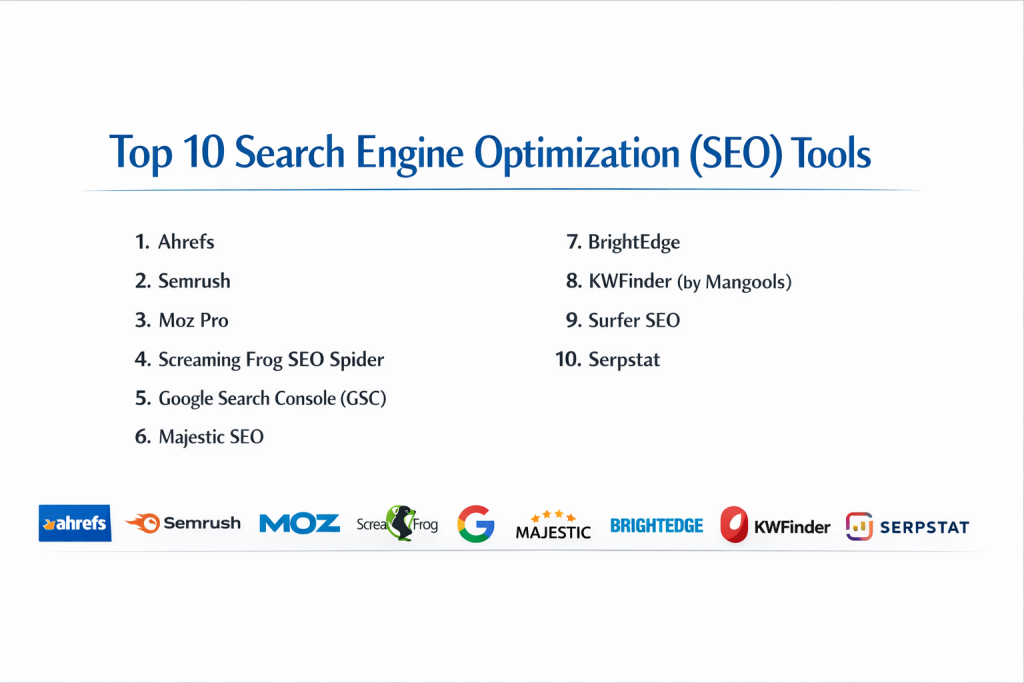
Top 10 Search Engine Optimization (SEO) Tools
1 — Ahrefs
Ahrefs is a powerhouse in the SEO industry, originally built as a backlink indexer but now transformed into a full-scale SEO suite. It is widely considered to have the most comprehensive and active crawler in the world outside of Google.
- Key features:
- Site Explorer: Provides an in-depth look at the organic search traffic and backlink profile of any website.
- Keywords Explorer: A massive database of over 7 billion keywords across 171 countries.
- Site Audit: Crawls your entire website to find technical SEO issues and provides a “Health Score.”
- Content Explorer: A searchable database of over a billion web pages to find trending topics.
- Rank Tracker: Tracks your desktop and mobile rankings for specific locations.
- Batch Analysis: Compare the metrics of up to 200 URLs simultaneously.
- Pros:
- The most accurate and largest backlink index in the market.
- Highly intuitive UI that makes complex data easy to digest.
- Cons:
- Recent changes to the pricing model (credit-based) have been unpopular with power users.
- No free trial available; only a limited free version for site owners.
- Security & compliance: SOC 2 Type II compliant, GDPR compliant, supports SSO and 2FA.
- Support & community: Extensive “Ahrefs Academy,” very active “Ahrefs Insider” Facebook group, and responsive 24/5 chat support.
2 — Semrush
Semrush is the most versatile all-in-one marketing suite on the list. While its SEO tools are world-class, it also includes modules for PPC, social media management, and content marketing.
- Key features:
- Keyword Magic Tool: Generates thousands of keyword ideas from a single seed phrase.
- Position Tracking: Monitors your site’s ranking for a custom set of keywords daily.
- Site Audit: Scans your site for 140+ technical and SEO mistakes.
- Backlink Audit: Identifies “toxic” links that could lead to search engine penalties.
- Market Explorer: Provides data on industry trends and competitor market share.
- SEO Content Template: Helps you write content that is optimized to rank for specific keywords.
- Pros:
- Exceptional competitor intelligence and PPC data that most SEO tools lack.
- Comprehensive reporting that can be automated for clients.
- Cons:
- The sheer number of tools can make the interface feel cluttered and overwhelming.
- Add-on costs for additional users or localized data can add up quickly.
- Security & compliance: GDPR compliant, encryption at rest and in transit, ISO 27001 (data centers).
- Support & community: 24/7 support, massive library of webinars, and a highly active global community.
3 — Moz Pro
Moz is one of the pioneers of the SEO industry, famous for creating the “Domain Authority” (DA) metric which has become a universal standard for measuring website strength.
- Key features:
- Link Explorer: Powered by the Mozscape index to provide data on link equity.
- Keyword Explorer: Focuses on keyword difficulty and “CTR” (Click-Through Rate) estimations.
- Moz Bar: A Chrome extension that shows SEO metrics directly on the search result page.
- Page Optimization: Provides a score and suggestions for specific URLs and keywords.
- On-Demand Crawl: Quickly audit a site to find technical issues like 404 errors.
- Custom Reports: Visual reports that are easy for non-SEO clients to understand.
- Pros:
- “Domain Authority” remains one of the most trusted metrics in the SEO world.
- Excellent educational resources and a beginner-friendly interface.
- Cons:
- The link database is not as large or frequently updated as Ahrefs or Semrush.
- Some features feel a bit dated compared to the modern UI of newer competitors.
- Security & compliance: GDPR compliant, standard data encryption, supports 2FA.
- Support & community: World-famous “Whiteboard Friday” videos, a massive Q&A forum, and responsive email support.
4 — Screaming Frog SEO Spider
Unlike the other tools on this list, Screaming Frog is a desktop-based application (for Windows, macOS, and Linux) that acts as a crawler, simulating how search engines see your site.
- Key features:
- Find Broken Links: Instantly identify 404s and server errors.
- Audit Redirects: Find temporary (302) and permanent (301) redirect chains.
- Analyze Titles & Meta Data: Check for missing, duplicate, or overly long tags.
- XML Sitemap Generation: Create sitemaps for submission to search engines.
- Integration: Connect with Google Search Console and PageSpeed Insights API.
- JavaScript Rendering: Crawl modern websites that rely on heavy JavaScript.
- Pros:
- The industry standard for technical SEO; no other tool provides this level of granular site data.
- One-time annual fee makes it incredibly cost-effective compared to monthly SaaS subscriptions.
- Cons:
- It is a “heavy” application that can consume significant RAM on your computer.
- Not a research tool—it won’t help you find new keywords or track competitor rankings.
- Security & compliance: GDPR compliant; since it is local software, your data stays on your machine.
- Support & community: Very detailed user guide and documentation; email support for paid licenses.
5 — Google Search Console (GSC)
Google Search Console is a free service offered by Google that helps you monitor, maintain, and troubleshoot your site’s presence in Google Search results.
- Key features:
- Performance Report: See which queries bring traffic to your site and their click-through rates.
- URL Inspection: Provides detailed crawl, index, and serving information about your pages.
- Index Coverage: Shows which pages are indexed and why others were excluded.
- Sitemaps: Submit your XML sitemaps directly to Google for faster crawling.
- Core Web Vitals: Measures the speed and user experience of your pages.
- Security & Manual Actions: Alerts you if your site has been hacked or penalized.
- Pros:
- The data comes directly from the source (Google), making it the most accurate for traffic and indexing.
- Completely free to use for any website owner.
- Cons:
- Limited historical data (only 16 months).
- Does not provide any data on competitor websites.
- Security & compliance: HIPAA, GDPR, SOC 2/3, and ISO 27001 compliant (Google Cloud Standards).
- Support & community: Massive community forum and “Google Search Central” documentation.
6 — Majestic SEO
Majestic is a specialist tool that focuses almost exclusively on link intelligence and the “web of trust.” It is the preferred tool for PR professionals and link builders.
- Key features:
- Trust Flow & Citation Flow: Proprietary metrics that measure the quality vs. quantity of links.
- Site Explorer: Detailed summaries of backlink profiles and anchor text distribution.
- Link Context: Shows exactly where a link is on a page (e.g., in a paragraph or a footer).
- Search Explorer: A specialized search engine to find pages based on link strength.
- Top Backlinks: Shows the most influential links pointing to any domain.
- Historical Index: Provides link data going back several years.
- Pros:
- Unique metrics (Trust Flow) that are excellent for vetting the quality of potential link partners.
- Very affordable entry-level pricing for those who only need backlink data.
- Cons:
- Lacks modern features like content research, rank tracking, or technical auditing.
- The user interface is quite old-fashioned and functional rather than beautiful.
- Security & compliance: GDPR compliant, standard encryption protocols.
- Support & community: Good documentation and video tutorials; email-based customer support.
7 — BrightEdge
BrightEdge is an enterprise-level SEO platform that uses AI and machine learning to provide “Content Performance” insights for massive global brands.
- Key features:
- DataCube: A massive on-demand research database for identifying market trends.
- Hyperlocal Tracking: Track rankings down to the specific city or postal code level.
- Content IQ: A sophisticated site auditor designed for websites with millions of pages.
- Opportunity Forecasting: Predicts the business impact of ranking for specific keywords.
- StoryBuilder: Automated, executive-ready dashboards and reporting.
- Intent Signal: Identifies which keywords are likely to drive high-value conversions.
- Pros:
- Exceptional at handling massive scale and “Big Data” for enterprise sites.
- Predictive analytics help justify SEO spend to C-level executives.
- Cons:
- Requires a high-end annual contract; price is not transparent and is usually very high.
- Too complex for small businesses or solo marketers.
- Security & compliance: SOC 2 Type II, GDPR, CCPA, and HIPAA compliant.
- Support & community: High-touch account management and dedicated training for large teams.
8 — KWFinder (by Mangools)
KWFinder is part of the Mangools suite and is widely considered the best tool for beginner-to-intermediate keyword research due to its simplicity and beautiful design.
- Key features:
- Keyword Research: Provides accurate keyword difficulty scores and search volume.
- SERP Analysis: See the authority of the sites currently ranking for a keyword.
- RankWatcher: A simple, visual tool for tracking your daily keyword positions.
- LinkMiner: A basic backlink analysis tool powered by the Majestic database.
- SiteProfiler: Provides a quick overview of any website’s SEO authority.
- Local SEO: Find long-tail keywords for specific cities or countries.
- Pros:
- The most “user-friendly” tool on the list with zero learning curve.
- Excellent value for money, offering a suite of 5 tools for a low price.
- Cons:
- Not suitable for high-level enterprise technical audits.
- Database size is smaller than Ahrefs or Semrush.
- Security & compliance: GDPR compliant, standard data security practices.
- Support & community: Very responsive chat support and clear, helpful documentation.
9 — Surfer SEO
Surfer SEO is a “Content Intelligence” tool that has revolutionized the way SEO content is written by using data from the current top-ranking pages.
- Key features:
- Content Editor: Real-time optimization as you write, providing a score from 0–100.
- Keyword Research: Groups keywords into “clusters” to help build topical authority.
- Audit: Compares your existing page against the current top 10 results for a keyword.
- SERP Analyzer: Breaks down why pages are ranking (word count, image count, density).
- AI Outline: Automatically generates a structured outline based on top competitors.
- Integration: Seamlessly connects with Google Docs, WordPress, and Jasper AI.
- Pros:
- The best tool for actually writing content that ranks in 2026.
- Eliminates the guesswork from “on-page” SEO optimization.
- Cons:
- Does not have backlink data or traditional “Site Explorer” features.
- Monthly costs can be high if you generate a lot of content.
- Security & compliance: GDPR compliant, encryption in transit.
- Support & community: Very active Facebook group, “Surfer Academy,” and responsive chat.
10 — Serpstat
Serpstat started as a keyword research tool for Eastern Europe but has grown into a full-featured, affordable global SEO suite used by agencies and in-house teams.
- Key features:
- Competitor Research: Identify your top organic and paid competitors.
- Keyword Clustering: Automatically group thousands of keywords by theme.
- Batch Analysis: Analyze up to 100,000 domains at once for quick prospecting.
- API Access: Robust API for developers to build custom SEO dashboards.
- Checklist: A built-in task manager for SEO projects.
- Text Analysis: A content optimization tool similar to Surfer SEO.
- Pros:
- Often provides the best “value per feature” among the full-suite platforms.
- Very strong historical data and PPC tracking.
- Cons:
- The data for US/Western markets can sometimes be less fresh than Ahrefs.
- The UI can be a bit sluggish when processing large reports.
- Security & compliance: GDPR compliant, standard industry security.
- Support & community: Live chat support and a very helpful blog for SEO strategy.
Comparison Table
| Tool Name | Best For | Platform(s) Supported | Standout Feature | Rating |
| Ahrefs | Backlink Analysis | Web-based | World-class Backlink Index | 4.8 / 5 |
| Semrush | All-in-one / PPC | Web-based | Keyword Magic Tool | 4.8 / 5 |
| Moz Pro | Beginner SEOs | Web-based | Domain Authority (DA) | 4.5 / 5 |
| Screaming Frog | Technical Audits | Desktop (Win/Mac/Lin) | Detailed Crawler Logic | 4.9 / 5 |
| Google Search Console | Search Data | Web-based | 1st-party Google Data | 4.7 / 5 |
| Majestic | Link Quality | Web-based | Trust Flow Metric | 4.3 / 5 |
| BrightEdge | Enterprises | Web-based | Predictive AI Insights | 4.4 / 5 |
| KWFinder | SMB / Ease of Use | Web-based | UI / UX Simplicity | 4.6 / 5 |
| Surfer SEO | On-Page Writing | Web-based | Real-time Content Score | 4.7 / 5 |
| Serpstat | Budget Agencies | Web-based | Keyword Clustering | 4.4 / 5 |
Evaluation & Scoring of SEO Tools
| Category | Weight | Avg. Score | Analysis |
| Core Features | 25% | 9.2 / 10 | Keyword and link data are now highly accurate across top tools. |
| Ease of Use | 15% | 7.8 / 10 | The tradeoff for depth is often complexity; KWFinder leads here. |
| Integrations | 15% | 8.5 / 10 | Most tools now sync with Google Search Console and Slack. |
| Security | 10% | 9.4 / 10 | Enterprise compliance (SOC 2) is becoming a standard. |
| Performance | 10% | 9.0 / 10 | Cloud-based tools have improved processing speeds significantly. |
| Support | 10% | 8.2 / 10 | Self-service academies are great, but human support varies. |
| Price / Value | 15% | 7.5 / 10 | Costs are rising; solo users struggle with enterprise pricing. |
Which SEO Tool Is Right for You?
Solo Users vs SMB vs Mid-market vs Enterprise
- Solo Users: If you are managing your own blog or small site, KWFinder or Surfer SEO are the best starting points. They are affordable and focus on the tasks you do most: finding keywords and writing.
- SMB: Semrush is the “Swiss Army Knife” that provides the most value for a small marketing team that needs to handle SEO, Social, and PPC.
- Mid-market Agencies: Ahrefs and Screaming Frog are the “must-haves.” You cannot run a professional SEO agency without the link data of Ahrefs and the technical crawling power of Screaming Frog.
- Enterprise: BrightEdge or Conductor are designed for the scale and reporting needs of global brands.
Budget-conscious vs Premium Solutions
- Budget: Serpstat often offers “Lifetime Deals” or very low monthly plans. Screaming Frog is also a great value since it’s an annual flat fee.
- Premium: Ahrefs and Semrush are the premium players. You pay for the sheer size and freshness of their data.
Feature Depth vs Ease of Use
If you want Feature Depth (raw data, billions of links, complex API), go with Ahrefs or Majestic. If you want Ease of Use (clean graphs, guided checklists, simple scores), go with Moz or Mangools (KWFinder).
Frequently Asked Questions (FAQs)
- Do I really need a paid SEO tool?If you are a casual hobbyist, no. But if your income depends on traffic, yes. Paid tools save hundreds of hours by automating research and uncovering data that is invisible to the naked eye.
- What is the most accurate SEO tool?For ranking and traffic data, Google Search Console is the only “perfect” source. For third-party data, Ahrefs is generally considered the leader in link accuracy.
- Are these tools compliant with Google’s terms?Yes. These tools do not “hack” Google; they use their own crawlers or purchase clickstream data to estimate what is happening in the search results.
- Can I share my account with others?Most tools have strict seat limits. Sharing a single login can often lead to account suspension or restricted access.
- Is “Domain Authority” a real Google ranking factor?No. “Domain Authority” is a metric created by Moz (and replicated by others as Domain Rating or Authority Score) to estimate how Google sees a site. Google uses its own internal version of this.
- Can these tools help with local SEO?Yes! Tools like Semrush, KWFinder, and BrightEdge allow you to track rankings and search volume for specific cities or neighborhoods.
- How do I choose between Ahrefs and Semrush?If your focus is 100% on backlinks and technical SEO, choose Ahrefs. If you need a broad marketing tool that includes PPC and Social Media, choose Semrush.
- Can I run these tools on my mobile phone?Most are web-based and have mobile-responsive dashboards, but they are designed for large-screen data analysis. Only a few (like Semrush) have dedicated mobile apps.
- Do SEO tools fix my website automatically?No. They identify the problems and provide suggestions, but you or your developer must still manually implement the changes in your CMS (like WordPress).
- How often should I run a site audit?For most sites, once a month is sufficient. For large, frequently updated e-commerce sites, a weekly or even daily crawl may be necessary.
Conclusion
The “best” SEO Tool isn’t necessarily the one with the most features—it’s the one that aligns with your specific goals. If you are a technical wizard, Screaming Frog is your essential companion. If you are a content creator, Surfer SEO will change your life. If you are an agency, the data depth of Ahrefs and Semrush is non-negotiable.
SEO is no longer about “tricking” search engines; it is about understanding user intent and providing the best possible experience. These tools simply provide the map and the data to help you get there faster. Start with Google Search Console (it’s free!), and as your needs grow, invest in a paid tool that solves your biggest bottleneck—whether that is finding links, discovering keywords, or optimizing your writing.

- Top 10 Email Deliverability Tools: Features, Pros, Cons & Comparison - September 6, 2026
- Top 10 Pharmacovigilance Software: Features, Pros, Cons & Comparison - September 6, 2026
- Top 10 Manufacturing Execution Systems (MES) - July 30, 2026