Introduction
A Service Catalog Platform is essentially an online menu for an organization. Just like a restaurant menu shows you what food you can order, a Service Catalog shows employees or customers what services they can request from different departments like IT, HR, or Facilities. Instead of sending a confusing email or making a phone call, a person simply logs into a portal, finds the service they need—such as a new laptop, a password reset, or an office chair—and clicks a button to start the process.
These platforms are incredibly important because they bring order to the chaos of daily requests. They ensure that every request goes to the right person and follows a specific set of rules. For example, if someone asks for a high-cost software license, the platform can automatically ask a manager for approval before notifying the IT team to install it. This saves time, prevents things from getting lost, and gives everyone a clear view of how much work is being done.
Key Real-World Use Cases:
- New Employee Onboarding: A single request triggers several actions, such as setting up an email account, ordering a computer, and granting building access.
- Hardware Requests: Employees can browse a catalog of approved laptops and monitors, seeing pictures and descriptions before they “order” them.
- Access Management: Requesting permission to view specific folders or use specialized software tools through an automated approval chain.
What to Look For When Choosing:
When you are looking for a Service Catalog Platform, you should focus on the user interface. It needs to be so simple that people do not need a manual to use it. You should also look for strong automation capabilities so that common tasks happen on their own without human intervention. Finally, make sure the tool can grow with your company and talk to the other software you already use.
Best for: Large and mid-sized companies with many different departments benefit the most. It is perfect for IT managers, HR directors, and operations leads who want to standardize how work gets done.
Not ideal for: Very small businesses with only a few employees might find these tools too complex. If everyone sits in the same room and handles requests by talking to each other, a full platform might be more work than it is worth.
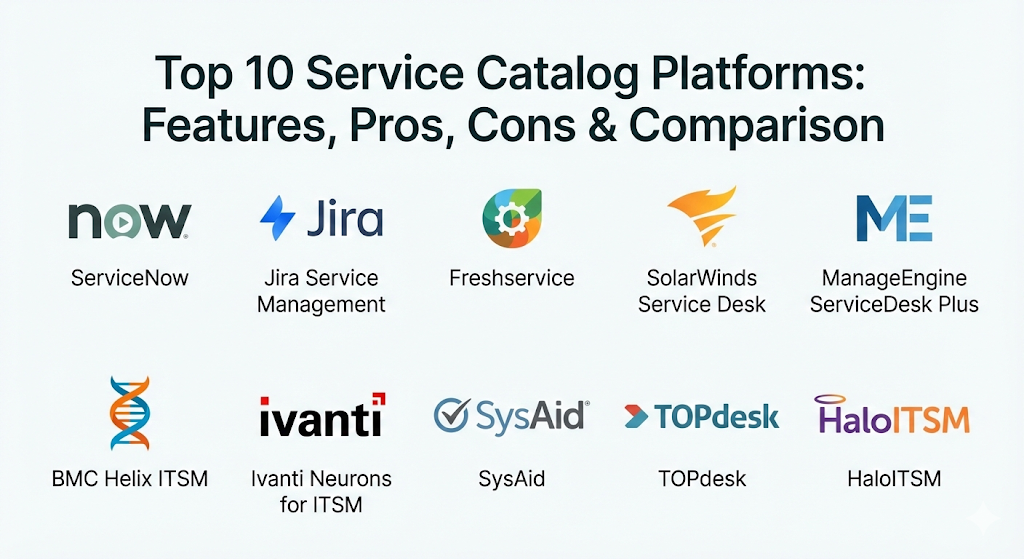
Top 10 Service Catalog Platforms
1 — ServiceNow
ServiceNow is a very powerful platform that serves as a central hub for all business operations. It is designed for large enterprises that need to manage thousands of requests across many different global locations.
- Key Features:
- A highly customizable service portal that looks like a modern website.
- An advanced workflow engine that can automate almost any business process.
- Visual task boards that allow teams to see the status of requests at a glance.
- Mobile app access so employees can request services from their phones.
- AI-powered search that helps users find the right service by asking simple questions.
- Detailed reporting dashboards that show how fast the team is completing work.
- Pros:
- It is incredibly flexible and can be built to fit the exact needs of any large company.
- The platform can connect every department in the company, not just the IT team.
- Cons:
- It is very expensive and often requires specialized experts to set up and maintain.
- Because it has so many features, it can be overwhelming for smaller teams.
- Security & Compliance: Offers industry-leading security including SSO, data encryption at rest and in transit, and detailed audit logs. It is compliant with SOC 2, GDPR, HIPAA, and ISO standards.
- Support & Community: Provides world-class documentation, a massive global community of users, and dedicated enterprise support for high-priority issues.
2 — Jira Service Management
Created by Atlassian, this platform is built on the same foundation as Jira, a tool used by millions of software developers. It is perfect for companies that want their support teams and developers to work closely together.
- Key Features:
- A simple, clean portal where users can search for help and services.
- Direct links to Jira Software, making it easy to turn a service request into a developer task.
- Automation rules that use simple “if this, then that” logic to save time.
- Pre-built templates for HR, legal, and facilities teams to get started quickly.
- A collaborative environment where team members can discuss requests internally.
- Detailed “Queues” that help support agents stay organized.
- Pros:
- It is very fast to set up compared to other enterprise-level tools.
- If your company already uses Jira, the integration is seamless and very helpful.
- Cons:
- Some advanced customization requires extra “add-ons” from a third-party marketplace.
- The interface can feel a bit technical for people who aren’t used to software development tools.
- Security & Compliance: Includes SSO, encryption, and robust permission controls. It meets SOC 2, GDPR, and ISO requirements.
- Support & Community: Large online knowledge base, active community forums, and various levels of paid support plans.
3 — Freshservice
Freshservice is a modern service catalog tool that focuses on being easy to use. It is designed for businesses that want an “Amazon-like” shopping experience for their internal services.
- Key Features:
- An intuitive service catalog with categories, descriptions, and images for every item.
- Multi-channel support, allowing users to request services via email, chat, or a portal.
- A built-in asset management system to track who has which computer or phone.
- Gamification features that make work more engaging for support agents.
- Automated approval workflows that send emails to managers automatically.
- Smart search that predicts what a user is looking for as they type.
- Pros:
- The user interface is very friendly and does not require much training for employees.
- It offers great value for the price, especially for growing mid-sized companies.
- Cons:
- Very complex, unique business processes might be harder to build than in ServiceNow.
- The reporting features, while good, are not quite as deep as some competitors.
- Security & Compliance: Provides SSO, SSL encryption, and IP whitelisting. It is compliant with GDPR and SOC 2.
- Support & Community: Known for excellent customer support and a helpful “Freshworks Academy” for training.
4 — SolarWinds Service Desk
This tool is a cloud-based platform that combines service cataloging with IT asset management. It is designed to be straightforward and effective for IT teams that don’t want unnecessary complexity.
- Key Features:
- A centralized service portal for all types of employee requests.
- Integration with IT assets, so you know the history of a device when a repair is requested.
- A “Service Catalog Creator” that helps you build new request forms quickly.
- Automatic ticket routing based on the type of service requested.
- Performance benchmarks that compare your team’s speed to other companies.
- CSAT (Customer Satisfaction) surveys sent automatically after a service is provided.
- Pros:
- It is very reliable and focuses on the core tasks of an IT service desk.
- The setup process is simple and does not require a long consulting project.
- Cons:
- The visual design of the portal is a bit more basic than some of the “prettier” tools.
- It is mostly focused on IT, making it a bit harder to use for HR or Legal departments.
- Security & Compliance: Offers SSO, multi-factor authentication, and is SOC 2 compliant.
- Support & Community: Good technical support and a community forum called “THWACK.”
5 — ManageEngine ServiceDesk Plus
ManageEngine offers a very traditional and feature-rich platform. It is a good choice for companies that want a tool with a long track record and many different modules they can add as they grow.
- Key Features:
- A robust service catalog with multi-stage approval processes.
- Visual workflow builders that use a drag-and-drop interface.
- Integration with other ManageEngine products for things like desktop management.
- The ability to manage multiple “sites” or office locations from one screen.
- Built-in project management for larger service requests like office moves.
- Comprehensive reporting with hundreds of pre-made templates.
- Pros:
- It is very affordable compared to other tools with the same number of features.
- You can choose between running it on your own servers or using their cloud version.
- Cons:
- The interface can feel a little old-fashioned and “clunky” at times.
- Configuring the more advanced features can take a lot of time and effort.
- Security & Compliance: Provides audit trails, role-based access control, and is GDPR compliant.
- Support & Community: Large library of video tutorials and a global network of partners for help.
6 — BMC Helix ITSM
BMC Helix is a high-end enterprise platform that uses artificial intelligence to help manage services. It is built for the largest organizations that need to automate massive amounts of data.
- Key Features:
- Cognitive automation that can categorize and assign requests using AI.
- A “Digital Workplace” portal that provides a single place for all employee needs.
- Multi-cloud management capabilities for complex technical environments.
- Predictive analytics that identify potential problems before they happen.
- Open APIs that allow the tool to talk to almost any other software.
- Pros:
- It is incredibly powerful and can handle the needs of a company with 100,000+ employees.
- The AI features genuinely save a lot of time for support staff.
- Cons:
- It is very complex and usually requires a professional team to set it up correctly.
- The cost is significantly higher than most other platforms.
- Security & Compliance: High-level security including FedRAMP, SOC 2, and ISO certifications.
- Support & Community: Expert-level professional services and a strong global support network.
7 — Ivanti Neurons for ITSM
Ivanti focuses on what they call “Everywhere Work.” Their platform is designed to support a modern workforce that is spread out across many different locations and devices.
- Key Features:
- A service catalog that emphasizes “self-healing,” where the system fixes issues automatically.
- A modern, responsive portal that works well on tablets and smartphones.
- Voice-enabled automation for hands-free service requests.
- Direct integration with device management tools to push software updates.
- Real-time intelligence that shows the “health” of all company devices.
- Pros:
- The “self-healing” automation can reduce the number of tickets your team has to handle.
- It is excellent for companies with a lot of remote workers.
- Cons:
- The initial setup can be quite technical and time-consuming.
- Navigating the admin side of the tool has a bit of a learning curve.
- Security & Compliance: Offers robust security, SSO, and is SOC 2 and GDPR compliant.
- Support & Community: Good technical documentation and global customer support availability.
8 — SysAid
SysAid is a platform that prides itself on being an “all-in-one” solution for IT teams. It is particularly well-known for its automation features that help small teams act like large ones.
- Key Features:
- A service catalog that is built directly into the service desk interface.
- Automation of repetitive tasks like password resets and software requests.
- Asset management that automatically discovers every device on your network.
- Benchmark tools that show how your performance compares to your industry peers.
- Customizable forms that can be as simple or complex as you need.
- Pros:
- It includes a lot of “extra” features (like asset management) for no additional cost.
- The customer success team is very active in helping users improve their setup.
- Cons:
- The user portal design is functional but not as modern-looking as some competitors.
- Some of the more advanced automation features require a bit of scripting knowledge.
- Security & Compliance: Includes SSO, data encryption, and is GDPR compliant.
- Support & Community: Known for having a very friendly and helpful user community.
9 — TOPdesk
TOPdesk is a European platform that focuses on “Service Management” as a whole, not just IT. It is built to help different departments work together in one shared system.
- Key Features:
- A shared self-service portal for IT, HR, and Facilities.
- A modular design that lets you buy only the parts you need.
- Simple task management for teams that don’t need complex ITIL processes.
- Knowledge management tools built into the service request flow.
- Easy-to-use “Events” that trigger emails or actions when a request changes.
- Pros:
- It is very easy to use for people who are not in the IT department.
- The platform encourages “collaboration” between different parts of the company.
- Cons:
- It might lack some of the very deep technical features required by massive IT departments.
- The visual customizability of the portal is somewhat limited.
- Security & Compliance: Strong focus on privacy, GDPR compliant, and ISO 27001 certified.
- Support & Community: Excellent training courses and a very personal approach to customer support.
10 — HaloITSM
HaloITSM is one of the fastest-growing platforms because it is modern, very quick, and includes almost every feature in one single price.
- Key Features:
- A lightning-fast user interface that feels like a modern web app.
- An all-inclusive pricing model with no hidden fees for extra modules.
- A visual workflow designer that is very easy to use.
- Deep integrations with tools like Microsoft Teams and Slack.
- A fully customizable service catalog with a “clean” aesthetic.
- Strong automation for onboarding and offboarding employees.
- Pros:
- The tool is very responsive and saves agents time every day.
- Their “everything included” approach makes it very easy to plan your budget.
- Cons:
- Being a newer tool, the user community is smaller than some of the older giants.
- Some of the more niche integrations are still being developed.
- Security & Compliance: Offers SSO, SOC 2 compliance, and encryption.
- Support & Community: Known for being very responsive to user feedback and feature requests.
Comparison Table
| Tool Name | Best For | Platform(s) Supported | Standout Feature | Rating |
| ServiceNow | Large Enterprises | Web, iOS, Android | Massive Workflow Engine | 4.8/5 |
| Jira Service Mgt | Dev-heavy teams | Web, iOS, Android | Atlassian Ecosystem Link | 4.5/5 |
| Freshservice | Mid-market businesses | Web, iOS, Android | Intuitive “Shopping” UI | 4.6/5 |
| SolarWinds | Simple IT focus | Web, iOS, Android | Asset Integration | 4.3/5 |
| ManageEngine | Budget-conscious teams | Web, On-Premise, Mobile | Modular Flexibility | 4.2/5 |
| BMC Helix | AI-driven large orgs | Web, Cloud | Cognitive Automation | 4.4/5 |
| Ivanti Neurons | Remote/Everywhere work | Web, Mobile | Self-Healing Automation | 4.3/5 |
| SysAid | Small IT teams | Web, iOS, Android | All-in-one simplicity | 4.4/5 |
| TOPdesk | Shared Services (HR/IT) | Web | Department Collaboration | 4.5/5 |
| HaloITSM | Modern, fast scaling | Web, Mobile | All-inclusive pricing | 4.7/5 |
Evaluation & Scoring of Service Catalog Platforms
The following table shows how these tools compare based on a standard set of scoring criteria. This can help you decide which category matters most to your business.
| Criteria | Weight | Explanation |
| Core Features | 25% | Ability to create catalogs, manage approvals, and automate workflows. |
| Ease of Use | 15% | How simple the portal is for employees and the admin side for IT. |
| Integrations | 15% | How well it talks to other software like Teams, Slack, or Jira. |
| Security | 10% | Compliance with standards like GDPR and SOC 2. |
| Performance | 10% | The speed of the interface and the reliability of the system. |
| Support | 10% | The quality of help from the company and the user community. |
| Price / Value | 15% | The total cost of ownership compared to the benefits received. |
Which Service Catalog Platform Tool Is Right for You?
Selecting a platform is a big decision that depends on the size and shape of your company.
Solo Users vs SMB vs Mid-Market vs Enterprise
If you are a very small business (SMB), you should look at Freshservice or SysAid. These tools are easy to set up and won’t require you to hire an expert just to get started. Mid-market companies that are growing fast often find HaloITSM or Jira Service Management to be the best balance of power and speed. For massive global enterprises with thousands of users, ServiceNow and BMC Helix are usually the only tools with enough “horsepower” to handle the complexity.
Budget-Conscious vs Premium Solutions
If you have a strict budget, ManageEngine ServiceDesk Plus or SolarWinds offer great features without the massive price tag. On the other hand, if you are willing to pay for the best possible experience and automation, ServiceNow is a premium solution that can transform how your entire company works.
Feature Depth vs Ease of Use
If your primary goal is to have a portal that everyone loves using immediately, Freshservice and TOPdesk are the winners. If you need a tool that can do absolutely anything, even if it is harder to learn, then ServiceNow or Ivanti provide the most depth.
Integration and Scalability Needs
Consider what you already use. If your team lives in Slack or Microsoft Teams, look for a tool like HaloITSM that has deep integrations there. If your company is planning to double in size over the next few years, choose a platform like Jira Service Management that can scale up easily without a complete redesign.
Security and Compliance Requirements
If you work in healthcare or finance, security is your number one priority. Ensure the tool you pick has SOC 2 and HIPAA compliance. ServiceNow and BMC Helix are generally considered the safest bets for companies with extremely strict legal requirements.
Frequently Asked Questions (FAQs)
1. What is the difference between a Service Desk and a Service Catalog?
The Service Desk is the team and tool that handles all issues (like a broken computer). The Service Catalog is a specific part of that tool that lists the “standard” things you can ask for (like a software install).
2. Can we use these tools for non-IT departments?
Yes! Many companies use these platforms for HR (requesting time off), Facilities (reporting a broken light), and Legal (requesting a contract review). This is called Enterprise Service Management.
3. How long does it take to implement a Service Catalog?
A simple setup for a small team can take a few weeks. A complex enterprise setup for a global company can take several months or even a year to perfect.
4. Do these platforms require a lot of coding?
Most modern platforms use “Low-Code” or “No-Code” interfaces. This means you can build forms and workflows by dragging and dropping elements rather than writing computer code.
5. How much do these tools cost?
Pricing varies wildly. Some tools cost a few dollars per agent per month, while others can cost hundreds of thousands of dollars per year for an enterprise-wide license.
6. Is it better to have the tool in the cloud or on my own servers?
Most companies today prefer the “Cloud” (SaaS) because the vendor handles all the updates and security. However, some very high-security industries still prefer “On-Premise” to keep all data in their own building.
7. What is an “Approval Workflow”?
This is a set of rules that tells the system who needs to say “Yes” before a request is fulfilled. For example, a request for a new laptop might automatically go to a manager and then to the finance department for approval.
8. Can users track their own requests?
Yes, one of the best features of these platforms is a “My Requests” page where a user can see exactly where their request is in the process and who is working on it.
9. Will this replace my email?
For requests, yes. Instead of people emailing “help@company.com,” they use the portal. This makes it much easier for the support team to track and measure their work.
10. What is a “Self-Service Portal”?
This is the website where employees go to help themselves. It usually includes the Service Catalog as well as a “Knowledge Base” of articles that explain how to fix common problems.
Conclusion
Choosing a Service Catalog Platform is a significant step toward making your company more organized and efficient. The “best” tool is not the one with the most features, but the one that your employees will actually use every day. If the portal is too hard to navigate, people will go back to sending emails and making phone calls, which defeats the purpose.
When making your final choice, remember to focus on the user experience first. Start small by cataloging your most common requests, and then expand to other departments as you get comfortable. Whether you choose a powerhouse like ServiceNow or a user-friendly option like Freshservice, the goal remains the same: to make it as easy as possible for your team to get the help they need so they can focus on their actual work.

- Top 10 Email Deliverability Tools: Features, Pros, Cons & Comparison - September 6, 2026
- Top 10 Pharmacovigilance Software: Features, Pros, Cons & Comparison - September 6, 2026
- Top 10 Manufacturing Execution Systems (MES) - July 30, 2026