Introduction
Shader authoring tools are specialized software applications designed to help artists, developers, and technical designers create, test, and optimize shaders for real-time graphics, video games, and visual effects. Shaders are small programs that define how surfaces, lights, and textures interact in a 3D environment, making them a critical element in modern rendering pipelines. Without robust shader authoring tools, creating realistic or stylized visual effects would be time-consuming and error-prone.
These tools are important because they streamline the development of complex visual effects, allow rapid prototyping, and help maintain high performance in graphics-intensive applications. Industries such as gaming, animation, virtual reality, architectural visualization, and simulation rely heavily on shader tools to achieve the desired visual quality and realism.
When selecting a shader authoring tool, users should consider usability, integration with existing pipelines, supported platforms, real-time preview capabilities, and flexibility in writing or editing shaders. Tools that offer node-based interfaces, visual debugging, and compatibility with major rendering engines often provide significant efficiency gains.
Best for: Game developers, VFX artists, graphics engineers, animation studios, AR/VR creators, and mid-to-large companies with complex visual content pipelines.
Not ideal for: Hobbyists, small teams without dedicated graphics work, or those who require only basic shader effects that can be achieved with built-in engine tools.
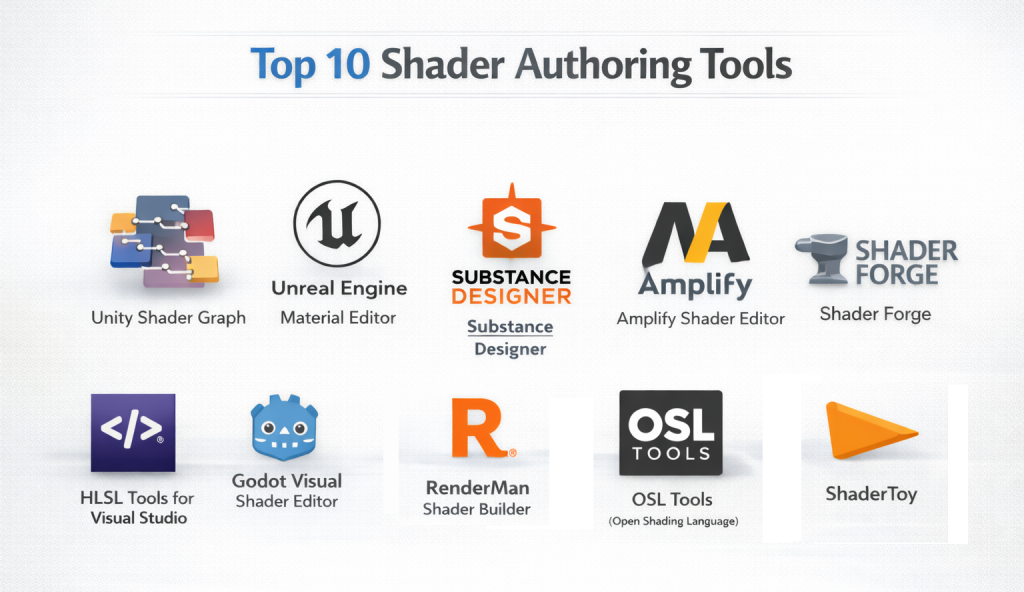
Top 10 Shader Authoring Tools
1 — Unity Shader Graph
Short description: Unity Shader Graph is a node-based shader editor integrated into the Unity engine, designed for artists and developers to visually create shaders without writing code.
Key features:
- Node-based visual programming interface
- Real-time preview of shader effects
- Compatibility with HDRP and URP pipelines
- Supports custom functions and code snippets
- Layered and procedural shader creation
- Integration with Unity’s material system
- Extensive library of pre-built nodes
Pros:
- Intuitive interface for non-coders
- Tight integration with Unity projects
- Rapid prototyping for game and AR/VR development
Cons:
- Limited to Unity environment
- Complex shaders may still require HLSL knowledge
- Performance tuning requires careful planning
Security & compliance: N/A
Support & community: Extensive documentation, active forums, Unity Learn tutorials, enterprise support available
2 — Unreal Engine Material Editor
Short description: Unreal Engine Material Editor is a robust, node-based tool for creating shaders and materials within Unreal Engine, suitable for high-fidelity real-time rendering.
Key features:
- Node-based visual editor
- Real-time shader preview and viewport rendering
- Material layering and blending
- Custom HLSL support for advanced shaders
- Integration with Niagara and post-processing effects
- Shader optimization and profiling tools
- VR/AR shader development support
Pros:
- Industry-standard for AAA games and cinematic quality
- Powerful real-time rendering preview
- Supports advanced visual effects
Cons:
- Steeper learning curve for beginners
- Heavy engine requirements
- Limited outside Unreal projects
Security & compliance: Varies
Support & community: Strong documentation, Epic forums, large user community, enterprise support options
3 — Substance Designer
Short description: Substance Designer is a node-based procedural material and shader creation tool for texturing 3D assets in games, films, and VR projects.
Key features:
- Procedural material generation
- Node-based visual workflow
- Integration with Unity, Unreal, and V-Ray
- Dynamic texture maps and masks
- Support for PBR (Physically Based Rendering)
- Extensive library of filters and generators
- Real-time material preview
Pros:
- High flexibility in material creation
- Reusable procedural workflows
- Supports multiple rendering engines
Cons:
- Not a full engine shader editor
- Requires separate integration into pipelines
- Initial learning curve can be steep
Security & compliance: Varies
Support & community: Detailed documentation, active community forums, Adobe support
4 — Amplify Shader Editor
Short description: Amplify Shader Editor is a visual shader creation plugin for Unity, offering a node-based interface for building complex shaders quickly.
Key features:
- Node-based shader creation
- Full Unity pipeline support (HDRP, URP)
- Real-time material preview
- Custom expressions and functions
- Shader optimization tools
- Pre-built shader templates
- Flexible graph-based workflow
Pros:
- User-friendly interface
- Quick prototyping for Unity projects
- Strong asset integration
Cons:
- Unity-only compatibility
- Requires additional knowledge for advanced effects
- Paid plugin
Security & compliance: N/A
Support & community: Documentation, video tutorials, user forums
5 — Shader Forge
Short description: Shader Forge is a visual shader creation tool for Unity that allows developers to build shaders without programming.
Key features:
- Node-based shader editor
- Realtime shader preview
- Procedural and layered shaders
- Lightweight and efficient workflow
- Compatible with Unity materials
- Custom node support
Pros:
- Easy for beginners
- Fast iteration
- Visual approach reduces coding errors
Cons:
- Discontinued; may lack updates
- Limited support for newer Unity versions
- Advanced shaders may need manual coding
Security & compliance: N/A
Support & community: Community forums and archived tutorials
6 — HLSL Tools for Visual Studio
Short description: HLSL Tools integrates directly into Visual Studio to assist developers writing High-Level Shading Language shaders with IntelliSense and debugging support.
Key features:
- HLSL syntax highlighting
- IntelliSense for shader code
- Error detection and debugging
- Integration with Visual Studio projects
- Performance profiling tools
Pros:
- Code-focused for precise shader control
- Works with multiple graphics engines
- Supports professional shader development
Cons:
- Not visual or node-based
- Steeper learning curve for beginners
Security & compliance: N/A
Support & community: Visual Studio documentation, developer forums
7 — Godot Visual Shader Editor
Short description: Godot Visual Shader Editor is a node-based tool integrated into Godot Engine for creating custom shaders visually.
Key features:
- Node-based visual shader creation
- Real-time shader previews
- Compatible with 2D and 3D projects
- Custom code support
- Integration with Godot rendering engine
Pros:
- Free and open-source
- Good for indie and small studios
- Lightweight and easy to use
Cons:
- Limited advanced features compared to Unreal/Unity
- Smaller community than major engines
Security & compliance: N/A
Support & community: Documentation, Godot community, Q&A forums
8 — RenderMan Shader Builder
Short description: RenderMan Shader Builder is a tool from Pixar for creating shaders compatible with RenderMan rendering engine, suitable for films and high-end CGI.
Key features:
- Node-based and code shader creation
- Integration with Maya and Katana
- Supports Pixar’s RIS rendering system
- Custom shader expressions
- Material layering and blending
- Realistic lighting and reflections
Pros:
- Industry-standard for film production
- Powerful rendering capabilities
- Extensive customizability
Cons:
- Expensive licensing
- Steep learning curve
- Not ideal for real-time applications
Security & compliance: N/A
Support & community: Official documentation, support portals, professional community
9 — OSL (Open Shading Language) Tools
Short description: Open Shading Language (OSL) tools allow developers and artists to write shaders compatible with multiple rendering engines supporting OSL.
Key features:
- Script-based shader authoring
- Cross-engine compatibility
- Support for procedural textures and effects
- Realistic rendering capabilities
- Advanced lighting models
Pros:
- Flexible and powerful for VFX and animation
- Open standard across multiple engines
- Fine control over shader logic
Cons:
- Requires coding knowledge
- Not visual node-based
- Slower prototyping
Security & compliance: N/A
Support & community: Community-driven documentation and examples
10 — ShaderToy
Short description: ShaderToy is a web-based platform for experimenting with GLSL shaders, designed for learning, prototyping, and sharing real-time shader effects.
Key features:
- Web-based GLSL editor
- Real-time shader rendering
- Community-shared examples
- Procedural graphics support
- WebGL output
Pros:
- Free and accessible online
- Great for experimentation and learning
- Community-driven repository of shaders
Cons:
- Not integrated with game engines
- Limited professional pipeline use
- WebGL-only output
Security & compliance: N/A
Support & community: Large user community, tutorials, shared examples
Comparison Table
| Tool Name | Best For | Platform(s) Supported | Standout Feature | Rating |
|---|---|---|---|---|
| Unity Shader Graph | Unity developers, AR/VR | Windows, Mac | Node-based visual programming | N/A |
| Unreal Material Editor | AAA games, cinematic VFX | Windows, Mac | Advanced real-time preview | N/A |
| Substance Designer | Material artists, VFX | Windows, Mac | Procedural material creation | N/A |
| Amplify Shader Editor | Unity developers | Windows, Mac | Quick prototyping | N/A |
| Shader Forge | Beginners, Unity users | Windows, Mac | Node-based ease of use | N/A |
| HLSL Tools | Coders, graphics engineers | Windows | Code editor with IntelliSense | N/A |
| Godot Visual Shader Editor | Indie devs, small studios | Windows, Mac, Linux | Visual shader workflow | N/A |
| RenderMan Shader Builder | Film, CGI studios | Windows, Mac | Pixar’s RIS rendering | N/A |
| OSL Tools | VFX, animation | Windows, Mac, Linux | Cross-engine shader scripts | N/A |
| ShaderToy | Learners, experimenters | Web | Real-time GLSL preview | N/A |
Evaluation & Scoring of Shader Authoring Tools
| Tool Name | Core Features (25%) | Ease of Use (15%) | Integrations & Ecosystem (15%) | Security & Compliance (10%) | Performance & Reliability (10%) | Support & Community (10%) | Price / Value (15%) | Total Score |
|---|---|---|---|---|---|---|---|---|
| Unity Shader Graph | 22 | 14 | 13 | 8 | 9 | 9 | 12 | 87 |
| Unreal Material Editor | 24 | 12 | 14 | 8 | 10 | 9 | 10 | 87 |
| Substance Designer | 23 | 13 | 13 | 8 | 9 | 8 | 11 | 85 |
| Amplify Shader Editor | 21 | 14 | 12 | 8 | 9 | 8 | 12 | 84 |
| Shader Forge | 18 | 13 | 10 | 8 | 8 | 7 | 12 | 76 |
| HLSL Tools | 22 | 10 | 13 | 8 | 9 | 7 | 12 | 81 |
| Godot Visual Shader Editor | 19 | 14 | 11 | 8 | 8 | 7 | 13 | 80 |
| RenderMan Shader Builder | 24 | 12 | 14 | 8 | 10 | 8 | 9 | 85 |
| OSL Tools | 23 | 10 | 12 | 8 | 9 | 7 | 11 | 80 |
| ShaderToy | 17 | 15 | 10 | 8 | 8 | 8 | 15 | 81 |
Which Shader Authoring Tool Is Right for You?
When selecting a shader authoring tool, consider your team size, project complexity, and platform needs. Solo users or hobbyists may prefer ShaderToy or Godot Visual Shader Editor for experimentation. Small-to-mid-size studios often benefit from Unity Shader Graph, Amplify Shader Editor, or Shader Forge due to ease of use and integration. Large studios or AAA developers should consider Unreal Engine Material Editor, RenderMan Shader Builder, or Substance Designer for advanced features, scalability, and performance. Budget-conscious teams may prioritize free or open-source options, while premium solutions provide extensive features, high-quality rendering, and support for complex pipelines. Evaluate integration needs, security requirements, and whether node-based or code-based workflows suit your team.
Frequently Asked Questions (FAQs)
- What is a shader authoring tool?
A shader authoring tool is software for creating, editing, and testing shaders that define how light, surfaces, and textures interact in 3D environments. - Do I need coding skills to use shader authoring tools?
Not always; node-based tools allow visual creation, but advanced custom shaders may require HLSL, GLSL, or OSL coding knowledge. - Which tool is best for beginners?
Unity Shader Graph, Shader Forge, and ShaderToy are beginner-friendly due to visual interfaces and simplified workflows. - Are these tools compatible with all game engines?
Compatibility varies; some are engine-specific like Unity Shader Graph or Unreal Material Editor, while OSL supports multiple engines. - Can shader authoring tools improve rendering performance?
Yes, they allow optimization, profiling, and testing of shaders to maintain high performance in real-time graphics. - Are there free shader authoring tools?
Yes, ShaderToy, Godot Visual Shader Editor, and community versions of some tools are free. - Do these tools support VR/AR projects?
Many, such as Unity Shader Graph and Unreal Material Editor, provide VR/AR support with real-time previewing. - How do I choose between node-based and code-based tools?
Node-based tools are intuitive for visual artists, while code-based tools offer deeper control for technical developers. - Can shaders be shared across tools?
Some shaders can be exported, but full compatibility may require engine-specific adjustments. - What are common mistakes when creating shaders?
Overly complex nodes, ignoring performance optimization, and lack of proper testing across devices are common pitfalls.
Conclusion
Shader authoring tools are essential for modern graphics creation, from game development to high-end VFX. Choosing the right tool depends on your workflow, skill level, project complexity, and budget. Node-based tools simplify the process for artists, while code-based options provide flexibility for advanced developers. By evaluating features, ease of use, integration, and support, you can select a shader tool that enhances creativity, accelerates development, and ensures optimal performance in your visual projects.

- Top 10 Email Deliverability Tools: Features, Pros, Cons & Comparison - September 6, 2026
- Top 10 Pharmacovigilance Software: Features, Pros, Cons & Comparison - September 6, 2026
- Top 10 Manufacturing Execution Systems (MES) - July 30, 2026